Repurpose.io Review 2026: Honest Verdict
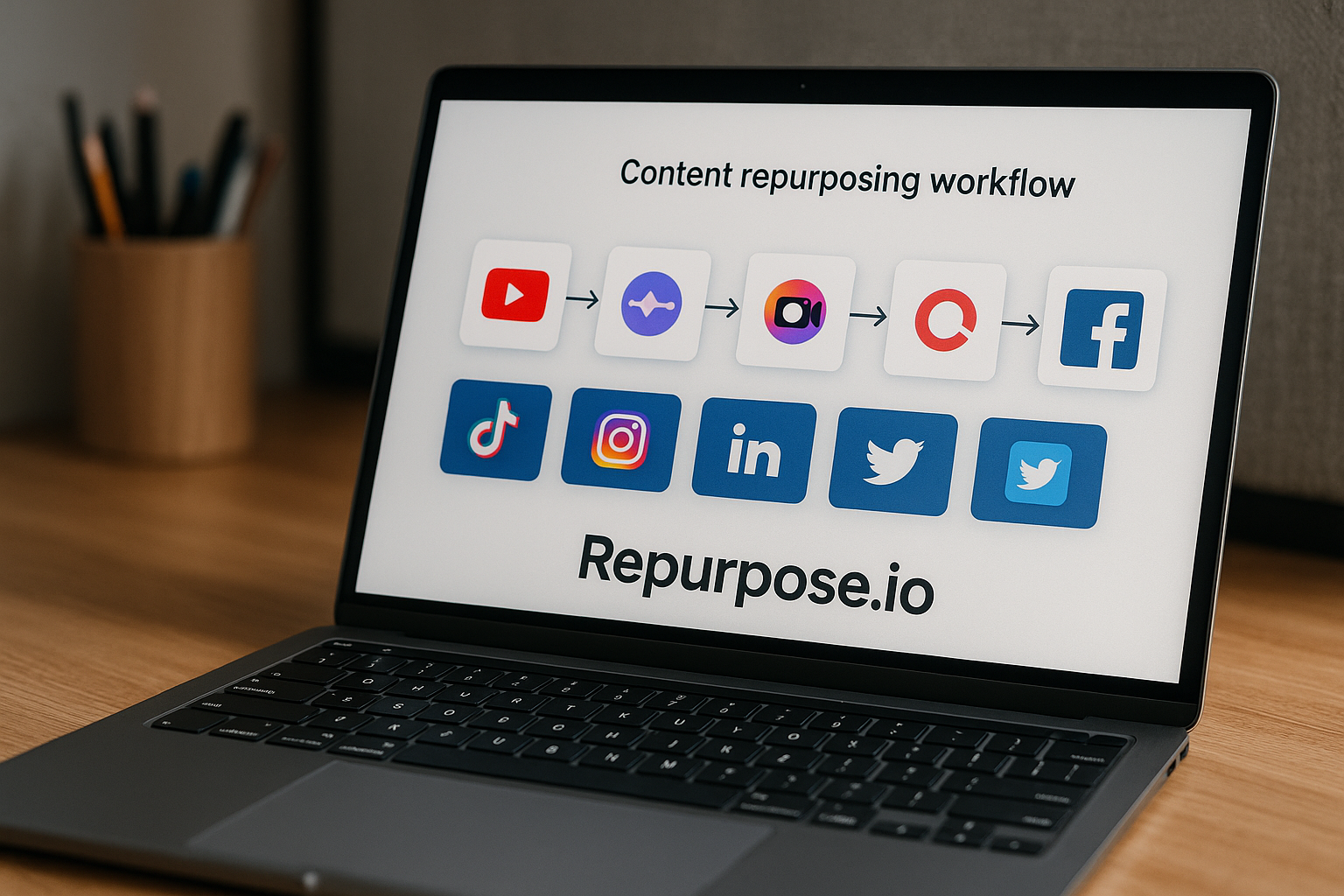
This repurpose.io review gives you a practical buyer’s view of Repurpose.io in 2026: it is built for creators and businesses that want to turn one piece of content into multiple social posts without manually downloading, editing, and reposting every time.
Affiliate disclosure: toptrustreview.com may earn a commission if you buy through our links, at no extra cost to you. I aim to keep this review balanced and based on official Repurpose.io information, plus broader review sentiment from places like Trustpilot and Reddit.
Official website · Latest pricing & offers
Repurpose.io Review 2026: Quick Verdict
Repurpose.io is a focused content repurposing tool for automated content distribution. Its strongest use case is simple: post on one platform, then let the software repurpose and publish that content elsewhere.
The company positions itself as the “#1 automated content repurposing & distribution platform.” That is Repurpose.io’s own marketing claim, not an independent ranking, but it does accurately reflect the product category it is trying to lead.
In this repurpose.io review, the short verdict is: Repurpose.io can be worth paying for if you already publish content consistently and want to stop wasting time moving videos between platforms. It is less compelling if you post only occasionally, prefer manual control, or need a broader all-in-one social media management suite.
Is Repurpose.io worth it? — repurpose.io review verdict
Repurpose.io is worth considering if cross-posting is already part of your workflow and you want to reduce repetitive tasks. The official homepage promise is direct: “Post on one platform. Your content gets repurposed everywhere else — watermarks removed, captions intact, completely hands-free.”
That promise matters because manual repurposing is not usually difficult, but it is repetitive. Downloading clips, removing watermarks, copying captions, uploading to another platform, checking formatting, and repeating the same process every week adds up quickly.
For buyers comparing social media automation tools, the real question is not whether Repurpose.io sounds useful. The question is whether your content volume is high enough to justify paying for automation.
Who should consider it first
Repurpose.io makes the most sense for creators, podcasters, video-first businesses, and small teams that already publish frequently. If you regularly create short-form videos, clips, or social posts and want them distributed across multiple platforms, the product has a clear role.
It is especially relevant if your workflow starts on one main platform and you want that content redistributed elsewhere with less manual work. The official Repurpose.io features focus on hands-free repurposing, caption retention, watermark removal, and publishing at scale.
If you want to test the workflow before subscribing, Repurpose.io officially offers “Publish 10 videos for FREE. No credit card required.” You can also review the current offer through Repurpose.io via our affiliate link.
Who should skip it
You should probably skip Repurpose.io if you post only a few times per month. In that case, the manual effort may be too small to justify another paid subscription.
It may also be a poor fit if you want a full social media command center with deep planning, inbox management, analytics, approval workflows, and campaign reporting. Based on the official positioning, Repurpose.io is mainly a content repurposing and automated distribution tool, not a broad all-in-one marketing platform.
This repurpose.io review also has to note that real-world review sentiment is not universally perfect. Some users on Trustpilot and Reddit mention complaints around sync reliability and support, while others praise the time savings and automation.
What Repurpose.io Is and How It Works
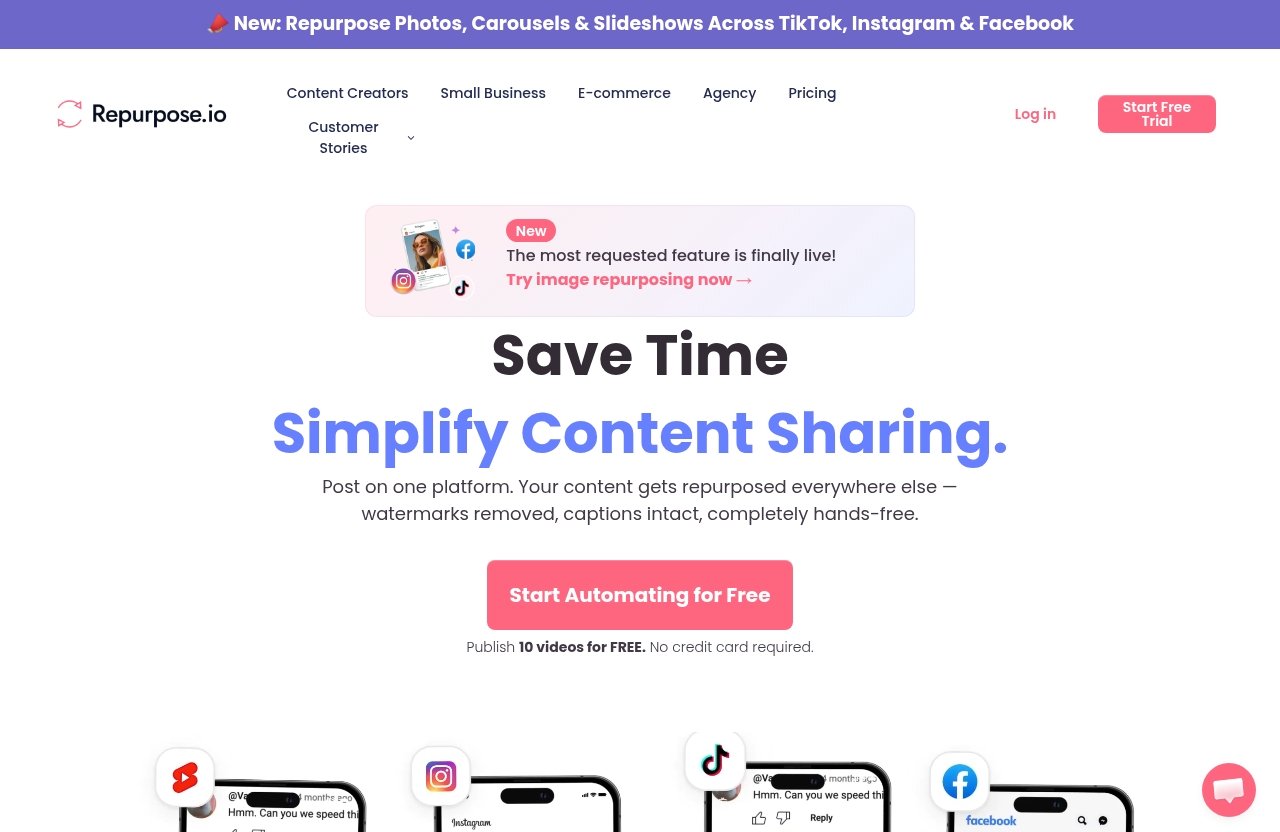
Repurpose.io is a content repurposing tool designed to automate the movement of content from one platform to others. Instead of treating every network as a separate upload process, the software aims to turn one publishing action into a wider distribution workflow.
The official homepage describes the core idea clearly: post on one platform, and your content gets repurposed elsewhere. That includes the company’s stated benefits of removed watermarks, intact captions, and hands-free automation.
For this repurpose.io review, I’m treating those as official product claims rather than independently verified performance guarantees. As with any automation tool, the actual experience can depend on your accounts, platform behavior, and the complexity of your workflow.
What has changed in the market is that more creators now publish across short-form video, carousels, and cross-platform clips by default, which makes automation less of a novelty and more of a workflow decision. That shift is part of why tools like Repurpose.io remain relevant in 2026.
Core automation workflow
The basic workflow is straightforward:
| Step | What happens |
|---|---|
| 1 | You publish content on one platform |
| 2 | Repurpose.io detects or uses that content in a workflow |
| 3 | The content is repurposed for other destinations |
| 4 | Repurpose.io publishes it automatically based on your setup |
The practical appeal is that the tool reduces the number of small repetitive steps. For example, instead of manually taking a video from one social platform and uploading it elsewhere, Repurpose.io is designed to automate that distribution process.
That is the main reason buyers search for a repurpose.io review before subscribing. The product is not trying to reinvent content creation; it is trying to reduce the manual work after content is created.
Supported content repurposing use case
The official product positioning centers on automated content repurposing and distribution. That means the product is best understood as a bridge between platforms, not as a video editor, content idea generator, or full marketing suite.
Its use case is strongest when you already have content that deserves wider distribution. If your existing process is “record once, publish everywhere,” Repurpose.io is directly aligned with that workflow.
For creators and businesses with repeatable publishing habits, this can make social media automation feel more operationally useful. Instead of remembering every upload destination, you can create a more consistent distribution system.
New image repurposing feature
One newer feature highlighted on the official homepage is repurposing photos, carousels, and slideshows across TikTok, Instagram, and Facebook. That expands the tool beyond only video-style workflows.
This matters because many creators now publish mixed content formats. A short-form video strategy may sit alongside carousel posts, photo content, and slideshow-style posts.
In this repurpose.io review, I would treat this as a meaningful product expansion, but not a reason to buy by itself unless you actively use those formats. If your strategy is still mostly video, the core automation workflow remains the bigger selling point.
Key Features That Stand Out
Repurpose.io’s feature set is narrow in a good way. It focuses on reducing friction in repurposing and distributing content across social platforms.
That focus is important. Many tools try to be everything: scheduler, analytics dashboard, engagement inbox, AI writer, approval system, and reporting platform. Repurpose.io’s official messaging is more specific: automated content repurposing and distribution.
For this repurpose.io review, the strongest verified features are hands-free distribution, watermark removal, caption retention, multi-platform publishing, and the ability to support higher publishing volume.
Hands-free distribution automation
The biggest Repurpose.io feature is hands-free distribution automation. The official homepage says your content gets repurposed elsewhere “completely hands-free.”
This is the feature that can save the most time. If the tool fits your workflow, you spend less time downloading, uploading, copying captions, and repeating the same publishing steps across accounts.
That said, automation is only valuable if it works reliably for your setup. Some Repurpose.io complaints found in user discussions mention sync issues, so I would test the free offer before depending on it for a business-critical publishing process.
Watermark removal and caption retention
Repurpose.io’s official homepage states that content can be repurposed with “watermarks removed” and “captions intact.” These are meaningful benefits for creators who want posts to look native across platforms.
Watermarks can make reposted content feel less polished. Captions also matter because copying them manually introduces small errors and consumes time.
The value here is not just convenience. It is consistency. If you frequently republish across platforms, keeping captions intact can help preserve messaging and reduce the chance of missing important context.
Multi-platform publishing
Repurpose.io is built around publishing content beyond the original platform. The homepage promise says content gets repurposed “everywhere else,” which reflects the company’s broad automated distribution positioning.
The official pricing page also confirms account-connection capacity in the Starter plan: connect up to 3 accounts for each social network, with an example shown as 3 Instagram + 3 TikTok + 3 YouTube. That gives a clearer sense of how the tool may support creators with multiple brand or client accounts.
In buyer terms, this repurpose.io review sees multi-account support as one of the stronger reasons to consider the paid plan. If you only manage one profile and post occasionally, you may not need that capacity.
Scaling content output
Repurpose.io can help scale output because it reduces the manual labor attached to each post. The official Starter plan includes 5,000 published videos per month, which is a high ceiling for many individual creators and small teams.
That limit does not mean every buyer needs that much volume. It simply means the Starter plan is not positioned as a tiny entry-level allowance for casual posting.
For a creator publishing regularly across several platforms, automated content distribution can turn one content asset into several posts with less operational drag. That is where the tool has its clearest value.
Pricing Explained
Repurpose.io pricing is fairly easy to understand based on the official pricing information provided. The verified paid plan visible is the Starter plan at $35 billed monthly, shown as $1.17/day, with a 14-day free trial.
The official free offer also appears on the homepage and pricing page: “Publish 10 videos for FREE. No credit card required.” That is useful because it lets buyers test the product before committing payment information.
This repurpose.io review will not invent pricing for plans or features that are not verified in the official pricing source. If a plan detail is not visible from the official information provided, it is better to leave it out than risk giving buyers inaccurate numbers.
Free trial and 10 free videos — repurpose.io review notes
Repurpose.io offers a free path to try the tool: publish 10 videos for free with no credit card required. The pricing page also shows a 14-day free trial for the Starter plan.
That combination is helpful for commercial investigation. You can test whether the automation works with your real accounts and content before paying.
My practical advice is to use the trial like a workflow audit. Test your actual publishing pattern, captions, destination accounts, and any content formats you rely on. Do not judge the tool only from a demo or homepage claim.
Starter plan
The verified Starter plan costs $35 billed monthly. The pricing page also displays this as $1.17/day and includes a 14-day free trial.
Verified Starter plan features include:
| Starter plan detail | Officially verified information |
|---|---|
| Price | $35 billed monthly |
| Daily equivalent shown | $1.17/day |
| Trial | 14-day free trial |
| Account connections | Connect up to 3 accounts for each social network |
| Example shown | 3 Instagram + 3 TikTok + 3 YouTube |
| Monthly publishing limit | 5,000 published videos per month |
For many creators, the Starter plan appears to be the main plan to evaluate. The 5,000 published videos per month limit is likely more than enough for a typical solo creator or small business workflow, but the account connection limit matters if you manage many brands or clients.
When judging Repurpose.io pricing, compare the $35 monthly cost against your time. If it saves several hours of posting work each month, the value case becomes easier. If it saves only a few minutes, manual posting may be more rational.
Pro plan
The requested outline includes a Pro plan section, but I cannot provide Pro plan pricing or limits unless they are visible in the official pricing-page source provided. In the verified facts available for this review, only the Starter plan details are fully specified.
That limitation is important for accuracy. Some third-party pages may mention other Repurpose.io pricing details, but this article uses only the official homepage and official pricing facts supplied for pricing and feature claims.
If you are evaluating a higher-tier plan, confirm the live details directly on Repurpose.io’s official pricing page before buying. This repurpose.io review should not be used as a source for unverified plan limits or pricing.
Official website · Latest pricing & offers
Pros and Cons
A fair Repurpose.io pros and cons analysis depends on your posting volume. The same automation that feels essential to a daily creator may feel unnecessary to someone who posts once a week.
The tool’s main advantage is workflow compression. It takes a repetitive process and turns it into a more automated system.
The main risk is dependency. If your publishing process relies heavily on automation, sync problems or support delays can feel more disruptive than they would with manual posting.
Biggest advantages
The clearest advantage is time savings. If you already repurpose content across platforms, Repurpose.io reduces the repetitive work around publishing and distribution.
The second advantage is consistency. Automated workflows can help ensure that content does not sit unpublished because you forgot to upload it to another network.
The third advantage is scale. With the Starter plan’s verified limit of 5,000 published videos per month, Repurpose.io can support a high-volume publishing workflow for many creators and small teams.
Common drawbacks
The first drawback is that Repurpose.io may be more tool than you need. If your workflow is light, the monthly subscription may not be justified.
The second drawback is that it is not positioned as a complete social media management suite. If you need deep reporting, collaboration, community management, or campaign planning, you may need other tools alongside it.
The third drawback comes from user sentiment. Some Repurpose.io complaints on Trustpilot and Reddit mention sync features and support experiences. These complaints do not mean every user will have problems, but they are worth considering before relying on the platform for critical publishing.
Best-fit use cases
Repurpose.io is best suited to repeatable, multi-platform content workflows. If you publish once and want that content distributed elsewhere, the tool fits naturally.
It is also useful for creators who already know which platforms matter to their audience. Automation works best when your distribution strategy is clear.
This repurpose.io review would not recommend buying it just because automation sounds attractive. Buy it if you have a real repurposing bottleneck that the product can remove.
Repurpose.io vs Manual Repurposing
Manual repurposing is free in software cost, but not free in time. That is the central trade-off when comparing Repurpose.io against doing everything yourself.
If you post rarely, manual repurposing may be perfectly fine. If you post frequently across multiple accounts, the manual process can become a quiet productivity drain.
A useful repurpose.io review should make this comparison practical rather than theoretical. The question is not “automation or no automation?” It is “where does your time create more value?”
Time savings
Manual repurposing usually includes downloading content, checking formatting, removing watermarks if needed, copying captions, uploading to another platform, and verifying the post. None of those steps are difficult individually.
The problem is repetition. A process that takes 10 minutes once can become hours when repeated across multiple posts, platforms, and accounts.
Repurpose.io is designed to reduce that operational load. If it works smoothly with your workflow, the time savings can be the main reason it becomes worth paying for.
Consistency
Manual posting depends on memory and discipline. It is easy to publish on your main platform and forget to distribute the same content elsewhere.
Automation helps create a consistent publishing system. That can matter for creators who want every piece of content to reach multiple audiences.
However, consistency should not come at the expense of quality. You still need to review whether repurposed content makes sense for each destination platform and audience.
When manual posting still makes sense
Manual posting still makes sense if you publish low volumes. It also makes sense if each post needs heavy platform-specific editing, custom captions, or unique creative choices.
Some creators prefer manual control because they want every platform post to feel native. If that describes you, Repurpose.io may be useful only for certain content types, not your entire workflow.
Manual posting is also safer when testing a new content strategy. Once the workflow becomes predictable, automation becomes easier to justify.
What Real Users Say
Real user sentiment around Repurpose.io is mixed but understandable. Many positive comments focus on saving time and automating workflows, while some negative comments mention sync issues or support frustrations.
That pattern is common with automation software. When it works, users feel like it removes an annoying part of their business. When it fails, the same automation can become a bottleneck.
For this repurpose.io review, I would treat user sentiment as a useful risk signal, not as absolute proof either way.
Positive themes from testimonials
Positive feedback commonly centers on time savings. Users who publish often tend to value tools that remove repetitive uploading and distribution tasks.
Another positive theme is workflow automation. Creators and businesses like being able to create content once and have it distributed more broadly.
These positive comments align with Repurpose.io’s official positioning as an automated content distribution platform. The product’s value is easiest to understand when your current repurposing process is already time-consuming.
Common complaints seen in reviews
Common complaints seen in public review discussions, including Trustpilot and Reddit, include sync-related issues and support concerns. These are not claims that every customer has the same experience, but they appear often enough to mention in a balanced review.
Sync issues matter because the product’s main value depends on reliable automation. If a workflow fails or does not publish as expected, the user has to troubleshoot the same process they were trying to automate.
Support complaints also matter for small teams. If content distribution is time-sensitive, slow or unclear support can be frustrating.
How to interpret review sentiment
The right way to interpret Repurpose.io complaints is to test before relying on the tool. Use the free offer or trial with your actual accounts, not just sample content.
Also separate product fit from product failure. Some negative experiences may come from mismatched expectations, while others may reflect genuine technical or service issues.
A balanced repurpose.io review should not ignore either side. The tool can save time for the right workflow, but buyers should validate reliability before committing long term.
Who Repurpose.io Is Best For
Repurpose.io is best for people who already create content consistently and want a cleaner distribution system. It is not mainly for people trying to solve content strategy, content quality, or audience growth from scratch.
The more repetitive your publishing process, the stronger the case for Repurpose.io. The less often you publish, the weaker the case becomes.
This section of the repurpose.io review breaks down the highest-value buyer groups.
Content creators
Content creators are the most obvious fit. If you publish videos, photos, carousels, or slideshows and want to distribute across multiple platforms, Repurpose.io can remove repetitive admin work.
The newer homepage-highlighted image repurposing feature for photos, carousels, and slideshows across TikTok, Instagram, and Facebook is especially relevant for creators who use more than one content format.
For creators, the buying question is simple: does automation give you back enough time to create more content, improve quality, or engage with your audience? If yes, the Starter price may be easier to justify.
Podcasters and video creators
Podcasters and video creators often have long-form or repeatable content that can be turned into smaller assets. Repurpose.io can support that kind of distribution workflow when the goal is to publish content across platforms without repeating every upload manually.
The official product facts do not support making detailed claims about podcast-specific integrations here, so I will keep the recommendation general. The tool is most relevant if your podcast or video workflow already produces social-ready clips or posts.
For video creators who publish frequently, the 5,000 published videos per month limit on the Starter plan gives plenty of room for many workflows. The real test is whether your source and destination setup works reliably during the trial.
Small businesses and agencies
Small businesses can benefit when one person handles content across multiple profiles. Repurpose.io may reduce the workload of keeping social accounts active with repurposed content.
Agencies may also find value in the ability to connect multiple accounts per social network under the Starter plan. The verified example shows 3 Instagram + 3 TikTok + 3 YouTube, which may be enough for a small set of brands or projects.
However, agencies should be cautious. If you manage many clients or require approvals, reporting, and collaboration tools, Repurpose.io alone may not cover your full operational needs.
Official website · Latest pricing & offers
FAQ
What does Repurpose.io actually do?
Repurpose.io automates content repurposing and distribution. In plain English, it helps you publish content on one platform and repurpose it across other social platforms with less manual work.
The official homepage says your content gets repurposed elsewhere with watermarks removed, captions intact, and hands-free automation.
Is Repurpose.io free?
Repurpose.io has an official free offer: “Publish 10 videos for FREE. No credit card required.” The official pricing page also shows a 14-day free trial for the Starter plan.
That makes it possible to test the workflow before paying. For this repurpose.io review, I strongly recommend using the free option with real content before subscribing.
How much does Repurpose.io cost?
Based on the verified official pricing information provided, the Starter plan costs $35 billed monthly. The pricing page also shows this as $1.17/day.
The Starter plan includes a 14-day free trial, up to 3 accounts for each social network, and 5,000 published videos per month. I am not listing unverified pricing for other plans.
Who is Repurpose.io best for?
Repurpose.io is best for creators, podcasters, video creators, small businesses, and agencies that already publish content regularly. It is most useful when cross-platform publishing has become repetitive and time-consuming.
If you only post occasionally, manual publishing may be enough.
What are the main downsides of Repurpose.io?
The main downsides are fit and reliability risk. It may not be worth paying for if your content volume is low or if you need a full all-in-one social media suite.
Some user discussions on Trustpilot and Reddit also mention Repurpose.io complaints around sync features and support. At the same time, other users praise the tool for saving time and automating workflows.
Final Verdict: Should You Buy Repurpose.io in 2026?
Repurpose.io is a practical automation tool, not a magic growth engine. It can help you distribute content more efficiently, but it will not replace content strategy, creative judgment, or platform-specific quality control.
The official offer is strong enough to test without much risk: publish 10 videos for free with no credit card required, and the Starter plan includes a 14-day free trial. For commercial-intent buyers, that trial is the best way to answer whether Repurpose.io worth it applies to your workflow in 2026.
My final repurpose.io review verdict: buy it if you already repurpose content often and want to save time; skip it if your publishing volume is low or you need a broader social media platform.
In 2026, the biggest reason to choose Repurpose.io is still the same: it simplifies repeatable distribution at scale. If that fits your workflow, it can be a useful paid tool; if not, the subscription will feel unnecessary.
My bottom-line recommendation from this repurpose.io review
I would start with the free offer or trial before paying. Connect your real accounts, run your normal content through the workflow, and check whether captions, publishing, and timing work the way you expect.
If the automation saves you several hours per month, the $35 monthly Starter plan can be reasonable. If you barely notice the difference, keep posting manually.
You can review the current official offer through Repurpose.io here.
Best alternative path if it is not a fit
If Repurpose.io is not a fit, the best alternative path is a simpler manual workflow. Create a checklist for each platform, save caption templates, and batch your uploads once or twice per week.
If your needs are broader than repurposing, consider looking for a full social media management tool instead. Just remember that broader tools may cost more and may not focus as deeply on automated content distribution.
Affiliate disclosure note
This article contains affiliate links, which means toptrustreview.com may earn a commission if you purchase through them. That does not change the price you pay.
The goal of this repurpose.io review is to help you decide whether the product fits your workflow, budget, and publishing volume—not to push a subscription you do not need.
Related Reading
- Fireflies AI review
- Klap vs Vidyo AI comparison
- Klap pricing guide
- Klap vs Vizard: Which AI Video Repurposing Tool Is the Better Buy?
References
- Repurpose.io Official Homepage
- Repurpose.io Official Pricing Page
- Trustpilot Repurpose.io Reviews
- Reddit discussion: Stop using Repurpose.io