Repurpose Podcasts with Podsqueeze: Turn One Episode Into Multiple Content Assets in 2026
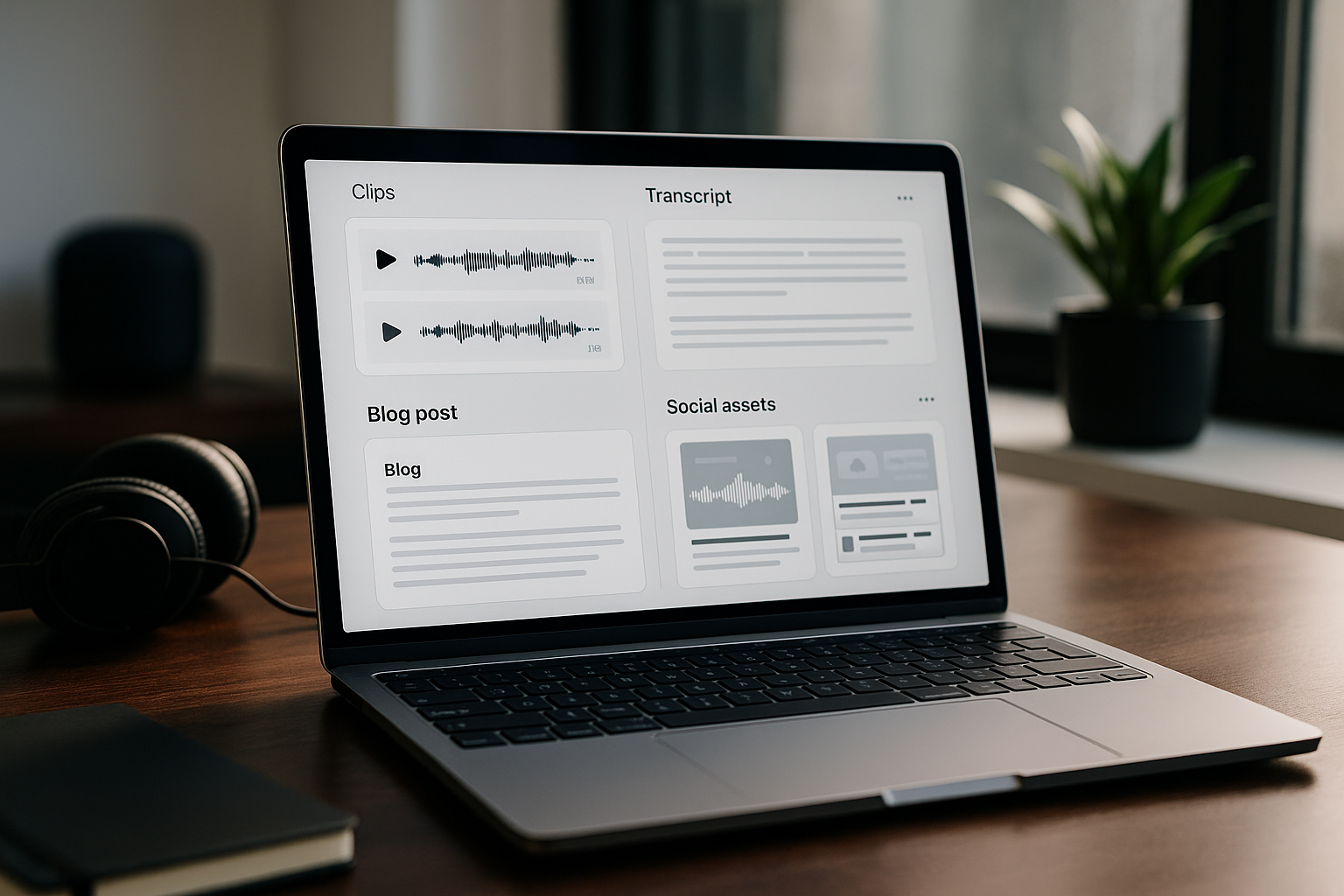
If you publish a podcast and only share the raw episode, you are leaving a lot of distribution value unused. The practical reason to repurpose podcasts with Podsqueeze is simple: one audio or video recording can become transcripts, show notes, blog content, newsletters, social posts, clips, audiograms, and episode pages without rebuilding everything from scratch.
Podsqueeze is an AI podcast repurposing tool designed to help users launch and grow audio or video podcasts. For creators, podcast managers, and agencies, the appeal is not just “AI content.” It is having a repeatable workflow that turns every episode into reusable assets for search, email, social media, and short-form video.
If you want to test the workflow yourself, you can try Podsqueeze here through TopTrustReview. This article explains what the tool can officially do, how the workflow fits real podcast production, and which paid plan makes sense before you decide.
Official website · Latest pricing & offers
What It Means to Repurpose Podcasts with Podsqueeze
Podcast repurposing is the process of converting one recorded episode into multiple content formats for different platforms. When you repurpose podcasts with Podsqueeze, the goal is to stretch the value of the original conversation across channels where your audience already spends time.
That matters because podcast discovery is fragmented. Some people find you through Google, others through YouTube, LinkedIn, newsletters, TikTok, Instagram, or YouTube Shorts. A single episode can support all of those channels when it is broken into the right assets.
Quick definition of podcast repurposing
Podcast content repurposing means taking the ideas, quotes, insights, and structure from one episode and adapting them into new formats. That can include a full transcript for accessibility, show notes for listeners, blog posts for search, newsletters for subscribers, and social clips for short-form platforms.
The key is that repurposing is not just copying and pasting. A good repurposing workflow reshapes the same core content for each channel. Podsqueeze supports this by generating transcripts, summaries, short clips with captions, newsletters, blogs, social posts, and audio enhancement outputs.
Who should repurpose podcasts with Podsqueeze
Podsqueeze is especially relevant for solo podcasters who do not have a full production team. If you record, edit, publish, and promote episodes yourself, using a podcast transcript generator and podcast show notes generator in the same workflow can remove a lot of repetitive work.
It also fits content creators who use podcasts as a source engine for other content. A YouTube interview, founder conversation, coaching episode, or expert Q&A can become a blog article, social posts, a newsletter, and short clips.
Podcast managers and agencies may use Podsqueeze when they handle multiple shows and need a consistent process. The official pricing page includes Agency Lite and Enterprise options, which makes the tool worth considering for client-based workflows.
Why one episode should become multiple assets
A podcast episode often contains more than one useful idea. A 45-minute interview might include five strong quotes, three educational clips, one newsletter topic, and several search-friendly subtopics.
When you repurpose podcasts with Podsqueeze, you are not trying to create more content for the sake of volume. You are giving the same episode more chances to be discovered. A transcript helps indexing and accessibility, a blog post supports search, a newsletter drives direct engagement, and clips can reach people who would never listen to the full episode first.
This is also how many efficient podcast teams operate. The recording is the source asset, and every distribution format is built from it.
How to Repurpose Podcasts with Podsqueeze Step by Step
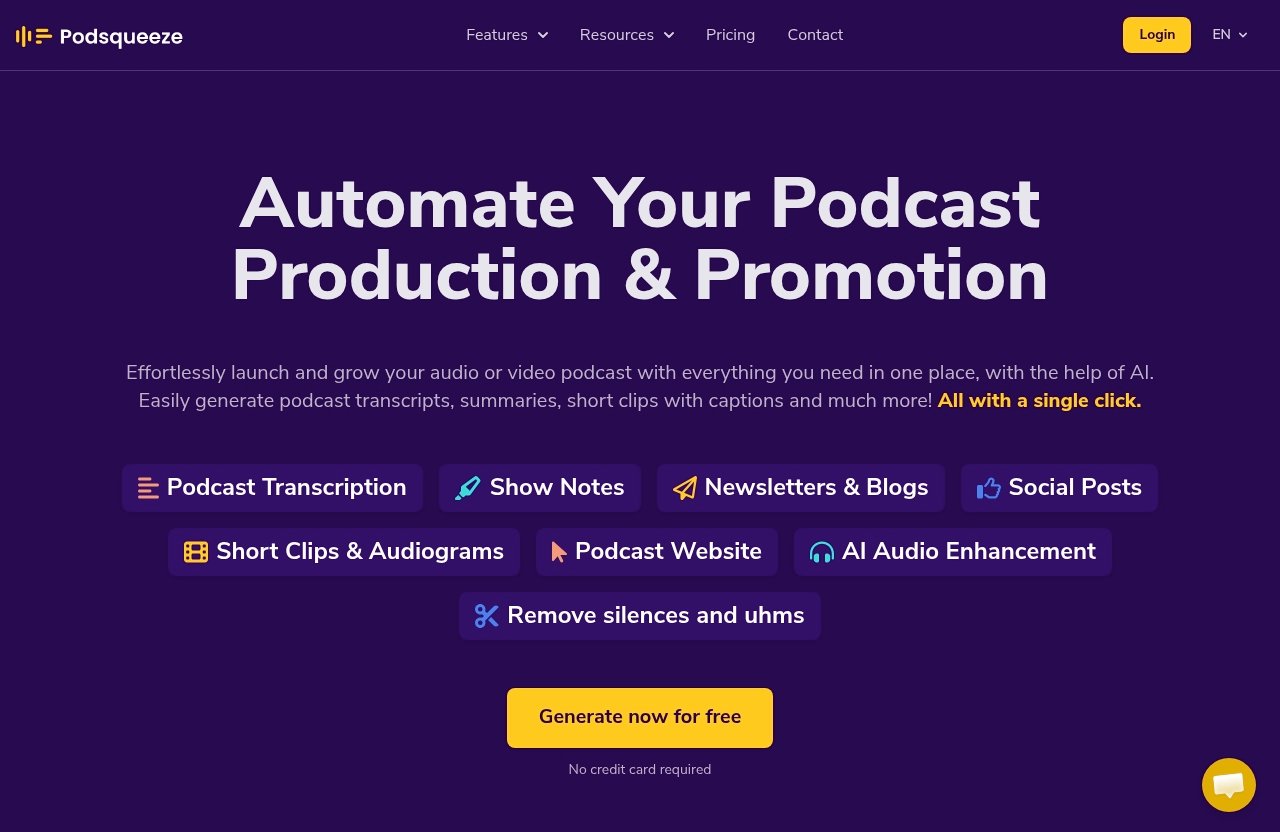
The best way to understand Podsqueeze is to think of it as a post-production and distribution assistant. You start with your finished audio or video, then use AI-generated outputs as draft assets you can review, edit, and publish.
This section walks through the practical process to repurpose podcasts with Podsqueeze without making the workflow more complicated than it needs to be.
Upload audio or video
The workflow starts by uploading your podcast audio or video file. Podsqueeze supports file uploads, and the official pricing page lists file upload limits by plan: up to 4Gb on Starter and up to 10Gb on Pro and Agency Lite.
This is useful for podcasters who produce both audio-first and video-first episodes. You can also work from YouTube conversions, since the official pricing page lists unlimited YouTube conversions across Starter, Pro, and Agency Lite.
Let AI analyze and transcribe
After upload, Podsqueeze can create full transcripts and YouTube video transcripts. It can also generate SRT files for subtitles, which is important if you plan to publish clips or captioned videos.
In a real production workflow, the transcript becomes the foundation for almost everything else. Podcast transcription and summaries support show notes, blog posts, newsletters, social captions, and internal review. Before publishing, I would still review key names, technical terms, and guest mentions, especially for expert interviews.
Choose the content formats you want
Once the episode has been processed, you can choose the assets you need. Podsqueeze can generate show notes with timestamps, bullet points, and mentions. It can also produce actionable blog posts, ready-to-send newsletters, short social media posts, and bite-sized insights.
For social distribution, Podsqueeze can create clips and podcast audiograms for TikTok, Instagram, and YouTube Shorts. The product facts also include quote images, which are useful when you want a static visual asset instead of another video post.
Customize the outputs before exporting
AI-generated repurposing works best when you treat the first version as a strong draft. Podsqueeze includes chat with transcript, the ability to create personalized results, and saved video templates on the listed paid plans.
This matters because different shows need different tones. A B2B interview podcast may need polished LinkedIn posts and SEO blog posts. A creator-led show may need punchier short clips, quote images, and newsletter copy that sounds more personal.
When you repurpose podcasts with Podsqueeze, the highest-quality results usually come from combining automation with human editing.
What Content Podsqueeze Can Generate from One Episode
The main commercial question is not whether Podsqueeze can create “content.” It is whether the tool creates the right mix of assets for your actual distribution plan.
Here is how one episode can turn into multiple practical outputs.
Full transcripts and subtitles
Podsqueeze can create full podcast transcripts and YouTube video transcripts. It can also generate SRT files for subtitles.
A transcript is useful for accessibility, content review, guest approvals, and SEO research. It also helps you identify strong sections for blog posts, newsletters, and clips. If you publish video, SRT files can support captioning and improve the viewing experience for people watching without sound.
For teams, a transcript also becomes an internal source of truth. Instead of scrubbing through audio to find a quote, you can work from text.
Show notes with timestamps and bullet points
Podsqueeze can generate show notes with timestamps, bullet points, and mentions. This is one of the most immediately useful podcast content repurposing outputs because listeners often scan notes before deciding whether to play an episode.
Good show notes help answer three questions:
| Show Notes Element | Practical Use |
|---|---|
| Timestamps | Help listeners jump to relevant sections |
| Bullet points | Summarize the value of the episode quickly |
| Mentions | Capture people, tools, brands, or topics referenced |
| Summary | Helps the episode page explain what the conversation covers |
A podcast show notes generator is especially useful if you publish weekly and need a consistent format. You should still review the notes for accuracy, but the starting structure saves time.
SEO blog posts and newsletters
Podsqueeze can generate actionable blog posts and ready-to-send newsletters. This is where the tool becomes more than a podcast clip maker.
A podcast blog post generator helps turn spoken ideas into a format that search engines and readers can understand. The best use is not to publish a raw transcript as a blog article. Instead, you can use the transcript and summary to create a structured post with headings, clear takeaways, and a search-focused angle.
The podcast newsletter generator use case is different. A newsletter should feel direct and concise. You might use it to summarize the episode, highlight one key lesson, include a guest quote, and send subscribers back to the full episode.
When you repurpose podcasts with Podsqueeze, blog posts support long-term discovery while newsletters support owned-audience engagement.
Social posts and bite-sized insights
Podsqueeze can generate short social media posts and bite-sized insights. These are useful for platforms where a full episode link alone is unlikely to perform well.
A practical social plan might include:
| Platform | Repurposed Asset |
|---|---|
| Lesson-based post from a key episode insight | |
| X/Twitter | Short quote, thread idea, or takeaway |
| Caption paired with quote image or audiogram | |
| YouTube Community | Brief episode teaser |
| Newsletter preview | Short insight leading into the full issue |
To repurpose podcast content for social media effectively, choose one idea per post. Do not try to summarize the whole episode every time. The strongest social posts usually focus on a specific problem, opinion, or takeaway.
Quote images, clips, and audiograms
Podsqueeze can generate quote images, clips, and audiograms. It can create clips and audiograms for TikTok, Instagram, and YouTube Shorts, including one-click shorts under 60 seconds.
This is valuable because short-form content often acts as the top of the funnel for a podcast. A viewer may see a 30-second clip first, then watch the full episode later. Podcast quote images can also give you lightweight visual content when video is not necessary.
If you want to repurpose podcast audio into clips, prioritize moments with a clear hook. The best clip usually starts with tension, a strong statement, or a useful answer—not with a long setup.
Podsqueeze Features That Matter Most for Repurposing
A repurposing tool is only useful if it fits the messy reality of podcast production. You need outputs that are editable, reusable, and connected to the same episode source.
The following features are the most relevant if your main goal is to repurpose podcasts with Podsqueeze efficiently.
Speaker labeling and transcript accuracy
Any podcast transcription workflow depends on review quality. Podsqueeze can create full transcripts and YouTube video transcripts, but you should still check names, brand terms, guest titles, and any technical language before publishing.
For interview shows, the transcript is the base layer for repurposed assets. If a quote is misheard or a product name is wrong, that mistake can carry into show notes, blog posts, and social posts. My practical recommendation is to review the transcript first before generating public-facing content.
This is especially important for expert interviews, legal or finance topics, healthcare conversations, and B2B episodes with niche terminology.
Text-based subtitle editing
Podsqueeze includes text-based subtitle editing. This is important because captions are not just an accessibility feature; they influence how people experience short-form video.
When you create clips for TikTok, Instagram, and YouTube Shorts, subtitle clarity matters. Viewers often watch without sound, and captions help communicate the point immediately. A small caption edit can make the difference between a confusing clip and a usable one.
Text-based editing is also faster than manually adjusting captions inside multiple social apps.
One-click shorts under 60 seconds
Podsqueeze can create one-click shorts under 60 seconds. For creators publishing consistently on short-form platforms, this is one of the most practical features.
Short clips are easier to test than long promotional edits. You can create several options from one episode and see which topics resonate. A podcast clip maker is most useful when it helps you find multiple short moments without manually cutting the entire recording.
For best results, use one-click shorts as a starting point, then review the hook, caption, and ending before publishing.
Audio enhancement and filler-word removal
Podsqueeze can remove ums, silences, and enhance sound quality. This supports both the listening experience and the repurposing process.
Clean audio matters because it improves the quality of the original episode and the clips you create from it. Removing long silences can make conversations feel tighter. Reducing filler words can also help short clips move faster, especially on platforms where attention spans are short.
Audio enhancement is not a substitute for good recording habits, but it is useful when you need a more polished final asset.
Podcast landing pages and branded websites
Podsqueeze can create podcast landing pages and branded podcast websites with embedded players and SEO-optimized episode pages. This is important for creators who want more than platform-only distribution.
Podcast landing pages give every episode a web destination. That page can host the embedded player, summary, show notes, transcript-derived content, and links. For SEO, having episode pages gives search engines a clearer structure to index.
If your podcast is part of a business, a branded podcast website can also support lead generation and credibility. When you repurpose podcasts with Podsqueeze, the landing page becomes the hub that connects your clips, newsletters, and social posts back to the full episode.
Official website · Latest pricing & offers
Podsqueeze Pricing: Which Plan Fits Your Podcast Workflow?
Podsqueeze pricing is based on monthly plans listed on the official pricing page. The page also indicates Monthly and Annually options with 30% OFF for annual billing.
The official homepage also says users can generate content for free with no credit card required. For paid use, the right plan depends on monthly podcast minutes, file size, and how many video clips or audiograms you need.
| Plan | Monthly Price | Podcast Time | Clips/Audiograms | File Upload | Best Fit |
|---|---|---|---|---|---|
| Starter | $8.99/month | 120 mins/month | 8 | Up to 4Gb | Hobbyists and light publishing |
| Pro | $49/month | 320 mins/month | 20 | Up to 10Gb | Professional creators |
| Agency Lite | $89/month | 600 mins/month | 40 | Up to 10Gb | Podcast teams and client work |
| Enterprise | Custom | Custom minutes | Custom clips | Not listed as a fixed cap | Custom needs, onboarding, priority support |
Starter plan for hobbyist podcasters
The Starter plan is $8.99/month. It includes 120 minutes of podcast time per month, Minutes Rollover, 8 video clips or audiograms, Quote images, file upload up to 4Gb, Unlimited Uploads, Unlimited YouTube conversions, Podcast Website, Audio Enhancement, Podcast Audio Editor, Chat with transcript, personalized results, and saved video templates.
This plan fits podcasters who publish occasionally or produce shorter episodes. If you release two 45-minute episodes per month, 120 minutes may be enough. If you publish weekly long-form interviews, you will likely need more minutes.
Starter is also a sensible place to begin if you want to repurpose podcasts with Podsqueeze before committing to a larger workflow.
Pro plan for professional creators
The Pro plan is $49/month. It includes 320 minutes per month, Minutes Rollover, 20 video clips or audiograms, Quote Images, file upload up to 10Gb, Unlimited Uploads, Unlimited YouTube conversions, Podcast landing pages, Audio Enhancement, Podcast Audio Editor, Chat with transcript, personalized results, and saved video templates.
This plan is better for creators who publish consistently and want more short-form assets. The higher monthly minutes and 20 clips or audiograms make it more suitable for weekly shows, video podcasts, and creators who actively distribute on social platforms.
If your podcast supports a business, newsletter, coaching offer, or YouTube channel, Pro is likely the first plan to compare seriously.
Agency Lite for podcast teams
Agency Lite is $89/month. It includes 600 minutes per month, Minutes Rollover, 40 video clips or audiograms, Quote images, file upload up to 10Gb, Unlimited Uploads, Unlimited YouTube conversions, Podcast landing pages, Audio Enhancement, Podcast Audio Editor, Chat with transcript, personalized results, and saved video templates.
This plan fits podcast teams, managers, and agencies that need more capacity. If you manage multiple episodes per month or work with several clients, the extra minutes and clips give you more room to build repeatable repurposing packages.
For agencies, the value is not just minutes. It is having a structured way to deliver transcripts, show notes, social posts, newsletters, clips, audiograms, and landing pages from the same episode workflow.
Enterprise for custom needs
Enterprise is listed as Custom. It includes everything in Pro, custom minutes, custom clips, priority support, feature requests, team onboarding, and training.
This plan is for organizations with heavier production requirements or more complex team workflows. If your content operation involves many shows, frequent publishing, or internal teams that need onboarding, Enterprise is the plan to discuss directly with Podsqueeze.
For most independent creators, Starter or Pro will be the more realistic comparison point.
Podsqueeze vs. Manual Repurposing Workflow
Manual repurposing is possible. You can transcribe an episode, write show notes, draft a newsletter, create social posts, edit clips, build subtitles, design quote images, and publish an episode page using separate tools.
The question is whether that process is worth the time every week. For many creators, the reason to repurpose podcasts with Podsqueeze is to reduce tool-switching and create more assets from one upload.
Time saved vs. doing it yourself
A manual workflow usually involves several steps:
| Manual Task | Podsqueeze Output That Supports It |
|---|---|
| Transcribe the episode | Full transcripts and YouTube video transcripts |
| Write episode summary | Summaries and show notes |
| Format show notes | Timestamps, bullet points, and mentions |
| Draft blog content | Actionable blog posts |
| Write email | Ready-to-send newsletters |
| Create social captions | Short posts and bite-sized insights |
| Edit clips | Clips, audiograms, and one-click shorts |
| Add subtitles | SRT files and text-based subtitle editing |
The time savings come from starting with generated drafts instead of blank pages. You still need editorial judgment, but you are not manually rebuilding every asset.
Consistency across formats
Consistency is one of the underrated benefits of an AI podcast repurposing tool. When each asset comes from the same episode transcript, your blog post, newsletter, social caption, and clip can stay aligned around the same core message.
Manual workflows often become inconsistent when different people write different assets from memory. A centralized transcript and generated outputs reduce that risk. This is especially helpful for podcast managers who need to maintain a client’s voice across platforms.
When you repurpose podcasts with Podsqueeze, you can also use personalized results and saved video templates to make future outputs feel more familiar and repeatable.
Best fit for solo creators versus agencies
Solo creators usually care most about speed. They need transcripts, summaries, social posts, and clips without spending an entire day on promotion.
Agencies usually care about repeatability. They need to produce deliverables for multiple podcasts, keep formats consistent, and avoid rebuilding the same process for every client. Agency Lite and Enterprise are more aligned with that kind of operation.
Neither use case removes the need for review. The difference is that Podsqueeze gives both creators and agencies a production base to edit from.
How to Get Better Results from Podsqueeze
The quality of your repurposed content depends on the quality of the source episode and the clarity of your review process. Podsqueeze can generate many useful assets, but strong results still require good inputs and editorial decisions.
Use the following practices when you repurpose podcasts with Podsqueeze.
Prepare clean audio before upload
Start with the cleanest recording you can. Use a decent microphone, reduce background noise, and avoid recording in echo-heavy rooms.
Podsqueeze can remove ums, silences, and enhance sound quality, but audio enhancement works best when the source is already usable. Cleaner audio also supports better transcripts, cleaner clips, and more professional audiograms.
If you record video podcasts, check framing and lighting too. Short clips perform better when both the message and the visual presentation are clear.
Pick the right episode sections for clips
Not every part of a podcast should become a short-form clip. Strong clips usually include a clear idea, a fast setup, and a payoff.
Look for moments where a guest gives a practical answer, challenges a common belief, tells a concise story, or explains a useful framework. If the clip requires three minutes of context, it may work better as a newsletter or blog section.
When you repurpose podcast audio into clips, think like a viewer who has never heard of your show. The clip needs to stand on its own.
Edit outputs for brand voice and accuracy
AI-generated content should be reviewed before publishing. Check guest names, links, mentions, timestamps, and claims. If the episode covers technical or regulated topics, review even more carefully.
For brand voice, adjust the tone. A founder podcast may need concise, opinionated LinkedIn posts. A wellness show may need warmer newsletter language. A B2B podcast may need more structured blog posts with clear headings.
The best workflow is to let Podsqueeze create the first draft, then have a human editor make it specific, accurate, and brand-safe.
Reuse templates and tuning instructions
Podsqueeze paid plans list saved video templates and the ability to create personalized results. These features matter when you publish regularly.
Templates help keep clips and audiograms visually consistent. Personalized results help reduce repeated editing over time. If you manage multiple shows, documented style preferences can also help keep each podcast distinct.
A simple system works well: create a format for show notes, a format for newsletters, a format for social captions, and a visual style for short clips.
Should You Use Podsqueeze to Repurpose Podcasts?
Podsqueeze is worth considering if you want one episode to become a full set of distribution assets. It is especially useful when your current bottleneck is not recording episodes, but promoting them consistently afterward.
The strongest reason to repurpose podcasts with Podsqueeze is workflow consolidation. Instead of separately creating transcripts, show notes, blog posts, newsletters, social posts, clips, audiograms, and landing pages, you can generate many of those assets from the same source file and then edit them for final use.
Best for podcasters who publish often
If you publish regularly, repurposing becomes part of the production calendar. Weekly episodes can quickly create a backlog of promotional work if you handle everything manually.
Podsqueeze fits podcasters who want a repeatable system. A typical workflow might be: upload the episode, generate the transcript, create show notes, draft a blog post, prepare a newsletter, export clips, and publish a landing page.
For frequent publishers, the paid plans are mainly a question of minutes and clips.
Best for creators who want more from each episode
Creators who record long-form conversations often have more usable content than they realize. A single episode can become search content, email content, social content, and short-form video.
This is where Podsqueeze is commercially attractive. It helps turn the podcast into a content engine instead of a single-channel asset.
If your audience is spread across Google, email, YouTube, Instagram, TikTok, and LinkedIn, a repurposing workflow is not optional for long. It is how you make one recording work harder.
When a free trial or starter plan makes sense
The official Podsqueeze homepage says there is a free experience with no credit card required. That makes sense if you want to test whether the outputs match your publishing style before choosing a paid plan.
The Starter plan at $8.99/month is a practical first paid step for lighter users, especially with 120 monthly minutes and 8 video clips or audiograms. Pro and Agency Lite make more sense when you publish more often or need more clips.
Final verdict: if you already have podcast episodes but struggle to turn them into consistent marketing assets, it is reasonable to repurpose podcasts with Podsqueeze and compare the time saved against your current manual workflow. You can try Podsqueeze through TopTrustReview if you want a practical way to turn one episode into multiple pieces of content.
Official website · Latest pricing & offers
FAQ
Is Podsqueeze free?
Yes. The official Podsqueeze homepage says users can generate content for free and that no credit card is required.
Podsqueeze also has paid plans for higher usage and workflow needs: Starter at $8.99/month, Pro at $49/month, Agency Lite at $89/month, and Enterprise with custom pricing.
What content can I create from one podcast episode with Podsqueeze?
From one episode, Podsqueeze can generate transcripts, YouTube video transcripts, SRT subtitle files, show notes with timestamps and bullet points, blog posts, newsletters, social posts, bite-sized insights, quote images, clips, audiograms, and podcast landing pages or branded websites.
That is why many creators use it for podcast content repurposing rather than only transcription. The episode becomes the source for search, email, social, and short-form video assets.
Can Podsqueeze make clips for TikTok, Instagram, and YouTube Shorts?
Yes. The official homepage says Podsqueeze can create clips and audiograms for TikTok, Instagram, and YouTube Shorts.
It also includes one-click shorts under 60 seconds and text-based subtitle editing, which are useful for short-form video production.
Does Podsqueeze work for agencies or multiple podcasts?
Yes. The pricing page includes Agency Lite and Enterprise options, and Podsqueeze also supports workflows relevant to managing content for multiple podcasts.
Agency Lite includes 600 minutes per month and 40 video clips or audiograms. Enterprise includes custom minutes, custom clips, priority support, feature requests, team onboarding, and training.
How does Podsqueeze help with SEO?
Podsqueeze helps with SEO by turning podcast episodes into searchable text and web assets. It can generate transcripts, show notes, blog posts, and SEO-optimized episode pages or podcast landing pages.
Those assets give search engines more context than an audio file alone. If you want to repurpose podcasts with Podsqueeze for organic discovery, transcripts, blog posts, and episode pages are the most important outputs to review and publish carefully.
Related Reading
- Podsqueeze review, pros and cons, features, and pricing
- Repurpose.io YouTube Shorts automation comparison
- Klap review for solopreneurs
References
- Podsqueeze homepage
- Podsqueeze pricing
- Repurpose podcast content with one click!
- AI Content Repurposing