Best Review Widgets with Trustindex in 2026

Choosing the right review widgets is no longer just a design choice. In 2026, they are a conversion tool that helps visitors assess credibility before they buy, book, request a quote, or start a trial. The best format depends on the page, the traffic source, and how much reassurance a buyer needs at that moment.
This guide compares the most effective widget styles for sales pages and explains where a Trustindex review widget can fit into a practical social-proof strategy. It is written for businesses that want visible, credible reviews without overwhelming visitors or weakening the page’s primary call to action.
Official website · Latest pricing & offers
What review widgets are and why they still matter in 2026
Review widgets are embedded website elements that display customer feedback, ratings, badges, or review summaries sourced from third-party platforms. They bring social proof closer to the buying decision instead of forcing visitors to leave your site and search for validation elsewhere.
For commercial pages, the goal is not simply to show more reviews. The goal is to show the right proof in the right format, at the moment when a customer is most likely to hesitate.
How review widgets increase trust, reduce friction, and support conversion
A strong review widget for sales pages addresses the silent questions buyers have: “Is this business legitimate?” “Will this work for someone like me?” and “What happens after I pay?”
When visitors see relevant, credible feedback next to a product, service promise, or CTA, they can make a decision with less perceived risk. This is especially important for new visitors arriving from ads, organic search, social media, or referral links who may have little prior familiarity with your brand.
The most effective review widgets do not compete with the sales message. They reinforce it. A short rating badge in a hero section can validate a big promise, while detailed customer comments further down the page can answer objections that a headline cannot.
The difference between a simple testimonial block and a review widget
A testimonial block is usually static copy selected and written into a page by the business. It can work well, particularly when it includes a customer name, role, image, and specific outcome.
A review widget typically displays feedback connected to a third-party review source. That outside context can make the proof feel more independent, especially when the platform, reviewer details, rating, and review content are clearly presented.
Both formats have a place. Use curated testimonials when you need a highly targeted case-study-style message, and use review widgets when you need broad trust signals and visible third-party validation.
Where review widgets fit in the buyer journey
At the awareness stage, a compact badge or average-rating display can quickly establish legitimacy. This is useful above the fold, especially on paid landing pages where visitors may be evaluating you in seconds.
During consideration, review sliders and review walls help prospects compare options and understand real customer experiences. Near conversion, compact Google review widgets or short review excerpts can reduce last-minute anxiety beside a booking form, quote request, or checkout button.
The closer a visitor is to taking action, the more relevant and concise the proof should become.
Best review widget styles for sales pages: which formats convert best
There is no universal “highest-converting” review display. The best review widgets are the ones that match the reader’s attention level and the page’s job.
A long-form service page needs different proof than a product detail page. Likewise, a checkout-adjacent section should prioritize reassurance and clarity over a visually dominant review wall.
| Widget format | Best conversion role | Best placement | Main caution |
|---|---|---|---|
| Badge or micro badge | Fast credibility | Hero, header, near CTA | Does not provide much detail |
| Slider or carousel | Objection handling | Mid-page landing sections | Can hide proof behind interaction |
| Review wall | Deep evaluation | Service, comparison, about pages | Can create visual overload |
| Floating widget | Persistent reassurance | Long pages, local service sites | Can distract on mobile |
| Summary-page layout | Research and validation | Dedicated reviews page | Not ideal as the only sales-page proof |
Badges and micro badges for above-the-fold trust
Badges are compact trust markers that can show a rating, review source, verification cue, or “top rated” style message. They are ideal when the hero section already contains important elements such as a headline, offer, product visual, and primary CTA.
In practice, badges tend to work best when they sit beneath the primary value proposition rather than above it. Visitors should understand what you offer first, then receive immediate proof that others have had a positive experience.
For a local business, a Google reviews widget in badge form can support booking intent without consuming much screen space. For ecommerce, a small rating summary near the product title or add-to-cart area can provide the same confidence boost.
Review sliders and carousels for landing pages
Sliders are useful when you have several relevant reviews but need to preserve page space. They allow a landing page to feature short, high-quality excerpts while keeping the visual hierarchy focused on the offer.
The conversion trade-off is that some visitors will never interact with a carousel. For that reason, put the strongest review first and avoid relying on hidden slides to communicate your main credibility message.
A review slider often works well after benefits or feature explanations. At that point, visitors understand the promise and are ready to see evidence that real customers achieved a positive result.
Wall-of-love and summary-page layouts for deeper proof
A review wall, sometimes called a wall-of-love layout, presents multiple reviews in a grid or feed. It is most effective for high-consideration decisions where visitors need depth before committing, such as agency retainers, home services, software demos, travel bookings, or premium products.
These review widget examples work because they create a pattern of consistent customer sentiment. A single five-star comment can be dismissed as an outlier; a readable collection of detailed feedback is harder to ignore.
Keep the wall curated and scannable. Avoid placing dozens of reviews directly before a CTA, where the volume may distract from the action. Instead, use it as a supporting proof section after you have addressed key features, process details, or common objections.
Floating widgets and sidebars for persistent reassurance
Floating review widgets stay visible as users scroll. They can be valuable on long service pages, multi-section sales pages, and local business sites where a customer may be comparing several providers.
The advantage is persistence: trust is available when a visitor is ready for it. The downside is distraction, particularly on mobile devices where floating elements can cover navigation, chat tools, product controls, or form fields.
Use a floating format sparingly. If your page already has a chat bubble, cookie control, accessibility button, and sticky CTA, another persistent element may make the experience feel crowded rather than reassuring.
Why Trustindex stands out for review widgets in 2026
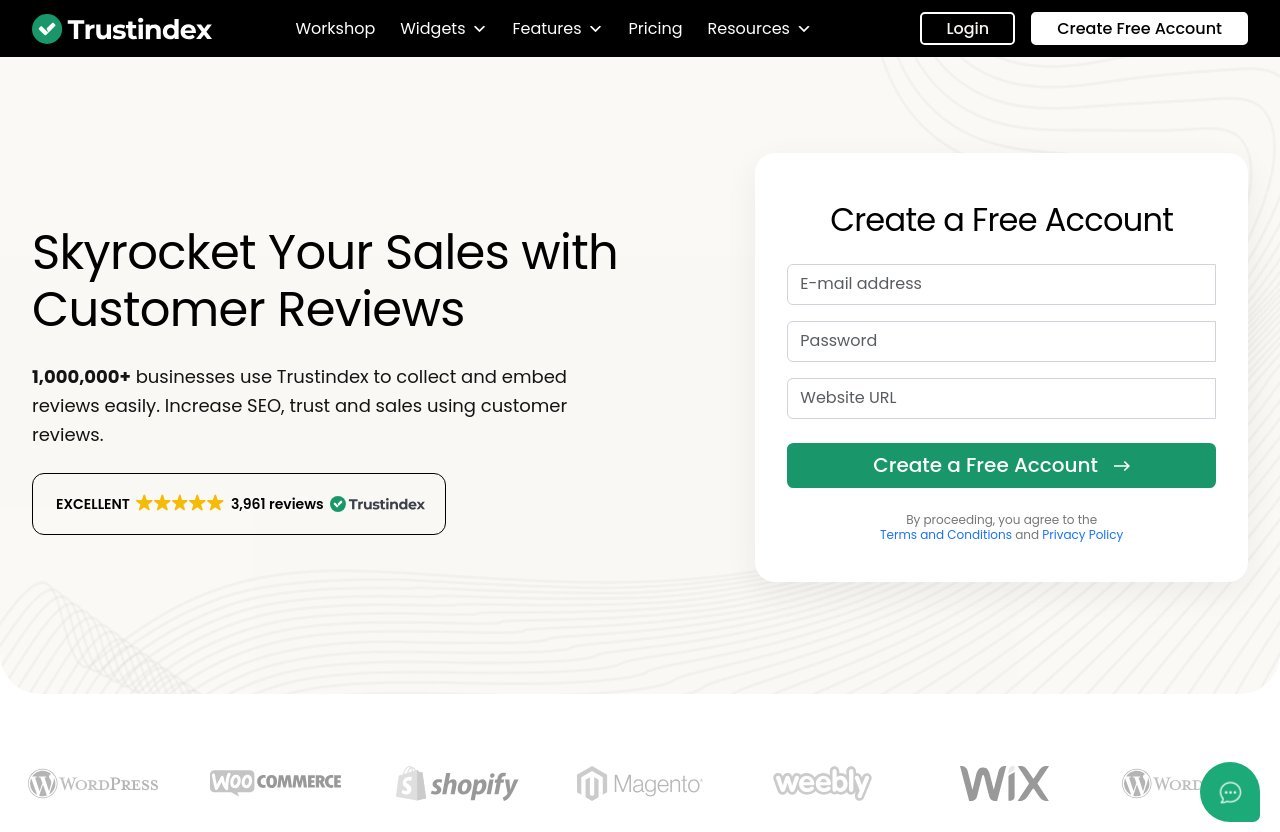
Trustindex is worth considering when your business needs to display reviews from established platforms while keeping the presentation aligned with your website’s conversion goals. According to its official homepage, more than 1,000,000 businesses use Trustindex to collect and embed reviews.
The platform offers both review widgets and feed widgets, making it relevant for companies that want website social proof rather than a standalone review-management workflow alone.
Large library of review sources and display options
One practical advantage of Trustindex widgets is the breadth of supported review sources listed on the official site. These include Google Reviews, Facebook Reviews, Tripadvisor Reviews, Booking.com Reviews, Airbnb Reviews, Yelp Reviews, Expedia Reviews, eBay Reviews, Etsy Reviews, AliExpress Reviews, Hotels.com Reviews, Houzz Reviews, and OpenTable Reviews.
That range matters because customer trust is often platform-specific. A hotel guest may care most about Booking.com or Tripadvisor feedback, while a local service customer may look for Google Reviews. An ecommerce shopper may respond more strongly to marketplace feedback from eBay, Etsy, or AliExpress.
A multi-source approach can be especially useful when one platform alone does not tell the full story of your reputation.
Website widgets, badges, and review summary pages
Trustindex offers review widgets alongside display-related tools such as an Email Signature Widget, Review Image Generator, Top Rated Badges, and a Trustindex Verified Badge. These options allow businesses to carry proof across more than one customer touchpoint.
For example, a badge is usually the better choice for an uncluttered homepage hero. A fuller review presentation can support a dedicated credibility section or a review summary page for visitors who want to investigate further.
The key is consistency. If your ads, emails, and website all reference positive customer experiences, review displays should make that claim easy to verify rather than simply repeat it.
Additional features that support trust and SEO
Trustindex also lists Manage Your Reviews, Reply to Reviews with ChatGPT, Review Tagging, Offers, and Rich snippets among its features. Its homepage positions customer reviews as a way to support SEO, trust, and sales.
For website owners, the important takeaway is that social proof should not be treated as a decorative add-on. Reviews can influence the content visitors see, the objections your team learns from, and the trust signals you place around key commercial pages.
Before implementing any review widget, confirm that the display is readable, accurate, and appropriate for your site’s audience. A trustworthy presentation matters more than a flashy one.
Trustindex review widget types to consider
The right Trustindex review widget depends on what proof you already have, where it is hosted, and what decision the visitor is making. Think in terms of page purpose first, then select a format.
Google Reviews widget for local proof
A Google Reviews widget is often the most direct option for local businesses, clinics, contractors, restaurants, salons, and professional services. Searchers frequently use Google as their initial trust benchmark, so showing relevant feedback on your own website reduces the need for visitors to leave and research elsewhere.
For a Google reviews widget for WordPress or another CMS, prioritize clean formatting, visible rating context, and short excerpts that mention the service customers are considering. A review about friendly staff may be helpful, but a review mentioning fast response times, quality work, or reliable scheduling may convert better on a service page.
Place this format near booking, contact, quote, or location CTAs. It can be particularly effective on pages targeting local-intent keywords.
Multi-source review widgets for broader authority
Multi-source review widgets are useful when your reputation is distributed across channels. This is common for hospitality brands, marketplace sellers, travel companies, and businesses that have both local and online customer relationships.
Rather than forcing buyers to assess several profiles separately, a combined display can show that positive customer experiences are not limited to one platform. The Trustindex source coverage listed on its official website makes this type of consolidation a meaningful option.
Use multi-source displays on “Why Choose Us” sections, comparison pages, and company-level service pages. For a single product page, a tightly focused review source may still be easier for shoppers to process.
Badge-based widgets for minimalist layouts
Badge-based review widgets are a strong choice when your design system is clean and conversion-focused. They can communicate credibility without requiring a customer to stop scrolling and read several full reviews.
A small badge can work well on SaaS landing pages, premium ecommerce pages, and lead-generation funnels. It is also a sensible replacement for vague claims such as “trusted by customers” because it gives visitors a clearer reason to believe the statement.
Do not make the badge too small to read or bury it in a footer. A trust marker should be visible at the decision point, not hidden where only a small portion of visitors will encounter it.
Embedded review walls for high-consideration pages
Embedded review walls are best for visitors who need substantial proof before converting. Think high-ticket services, agency proposals, enterprise software, renovation projects, wedding venues, or travel accommodations.
These review widgets should be introduced with helpful context. Instead of a generic heading such as “Reviews,” use a customer-centered label like “What clients mention after working with us” or “Recent guest feedback about location and service.”
This approach helps visitors understand why the reviews are relevant. It also encourages your team to select pages where the additional depth supports the buying decision instead of slowing it down.
Official website · Latest pricing & offers
How to choose the right widget for your website
Choosing among review widgets should be a page-level decision, not a sitewide default. The same business may benefit from a badge on its homepage, a slider on campaign landing pages, and a fuller review feed on its services or reviews page.
Match widget format to page intent
Start by identifying what the page asks the visitor to do. If the action is simple and immediate, such as adding a product to cart or booking a short consultation, use compact proof near the CTA.
If the action involves research, comparison, or a larger financial commitment, give visitors more detailed proof. Review walls and summary-page style displays are better suited to visitors who need reassurance beyond a rating.
A review widget for sales pages should reinforce the next action, not turn the page into a review directory.
Match widget density to traffic source
Traffic source affects how much trust-building is necessary. Branded search visitors may already know your company and only need a small credibility cue. Cold paid traffic may need clearer third-party proof before it will engage.
Referral visitors from a trusted partner may need less social proof than users arriving from a broad, non-branded search. Consider aligning your widget density with the visitor’s existing level of awareness.
The more unfamiliar the traffic, the more useful specific, easy-to-scan customer outcomes become.
Use mobile-friendly layouts and fast-loading embeds
Mobile visitors have less space and less patience for clutter. A desktop review wall may become an endless scroll on a phone, while a floating element may cover an important CTA or input field.
Test your review widgets on actual mobile devices, not only in a browser preview. Check font size, tap targets, loading behavior, layout shifts, and whether reviews remain readable without forcing excessive scrolling.
If an embed delays the page or creates a jarring visual shift, its trust benefit may be offset by user frustration.
Avoid clutter and review fatigue
More reviews are not always better. Repeating rating badges in the header, hero, product area, sidebar, footer, and popup can make a site look overly promotional.
Review fatigue happens when visitors see the same proof too often or cannot distinguish between meaningful feedback and decorative trust elements. Use one primary format per page section and make each appearance serve a distinct purpose.
For example, a hero badge can establish legitimacy, while a mid-page slider can validate specific outcomes. That is more persuasive than duplicating the same rating five times.
Best use cases by business type
Different business models earn trust in different ways. The widget style should reflect the customer’s decision process, not just the volume of reviews available.
Local businesses and service providers
Local businesses usually benefit most from Google review widgets placed near contact, booking, direction, or quote-request actions. Visitors want signals of reliability, responsiveness, quality, and local reputation.
For contractors, legal firms, clinics, and home-service businesses, use longer review excerpts farther down service pages. Place a compact rating format closer to the form or phone CTA.
A Trustindex review widget may be particularly useful when Google Reviews are a major part of the company’s public reputation.
Ecommerce product and category pages
On product pages, reviews should reduce product-specific uncertainty. Place concise product feedback near the price, variant selector, shipping information, or add-to-cart button where appropriate.
Category pages have a different job: they help shoppers decide whether the store is broadly credible. A modest trust badge or small slider can support confidence without distracting from product discovery.
Avoid inserting a full review wall between product images and purchasing controls. The buyer should still be able to compare products and move toward checkout efficiently.
Agencies, SaaS, and lead-gen funnels
Agencies and SaaS companies often sell outcomes that require trust before a prospect fills out a form. Here, a slider featuring reviews about communication, measurable results, onboarding, support, or reliability can be more useful than generic praise.
On lead-gen funnels, match review content to the offer. A review about a successful implementation is stronger beneath a demo CTA than a broad comment about the company being “great.”
Badges work well in minimalist layouts, while detailed review sections support longer solution and pricing-explainer pages.
Hospitality and marketplace listings
Hotels, restaurants, vacation rentals, and marketplace-style brands often have reviews across several sources. In these cases, multi-source review widgets can show broader credibility while preserving the relevance of recognized travel, dining, or marketplace platforms.
Put concise ratings near booking actions and use richer feedback on accommodation, location, dining, or seller-profile pages. Visitors in these categories often compare several options quickly, so visible proof can help maintain confidence without forcing them away from your site.
How to add review widgets without hurting conversions
The most common implementation mistake is treating social proof as an isolated design element. Review widgets should be integrated into the flow of the page, with a defined conversion purpose and a measurable effect.
Placement guidelines for hero, mid-page, and near-CTA sections
In the hero section, use a compact badge, rating, or one short review excerpt. The headline and primary CTA should remain visually dominant.
Mid-page is where a slider or short review group often performs best. Place it after you explain core benefits and before a section where visitors may encounter price, process, requirements, or other objections.
Near the final CTA, use short, relevant reassurance. A full wall of reviews can interrupt momentum, but one clear customer outcome or visible rating may help a hesitant visitor complete the next step.
Copy tips that make social proof feel credible
Avoid vague labels such as “Our customers love us” when the review content can speak for itself. A more credible introduction is specific and modest: “Recent feedback from verified customer platforms” or “What customers mention about our service.”
Preserve the natural voice of reviews where possible. Over-editing every comment into marketing language can make genuine feedback feel scripted.
Add context when needed. A short line explaining that reviews relate to a particular product, location, or service makes the proof more useful to visitors evaluating that same offer.
A/B testing ideas for widget style and placement
Test one meaningful change at a time. Compare a badge against a slider in the same page location, or compare the same widget above versus below a benefits section.
Measure more than immediate conversions. Track CTA clicks, form starts, form completions, add-to-cart actions, scroll depth, bounce behavior, and mobile-versus-desktop performance.
You can also test review relevance. For example, compare general praise against excerpts that directly address delivery, support, booking ease, product quality, or project outcomes. The strongest social proof usually answers the objection closest to the conversion point.
Trustindex pricing and affiliate recommendation
Trustindex is an editorial affiliate recommendation on toptrustreview.com. If you choose to sign up through our Trustindex recommendation link, we may earn a commission at no extra cost to you. That relationship does not change the selection criteria in this guide: your widget should fit your review sources, site layout, and conversion goal.
Why to review the official pricing page before choosing
The official Trustindex pricing page included in the supplied source returned a 404. For that reason, this guide does not state exact prices, plan names, free-plan availability, or feature limits.
Before purchasing, visit the live official Trustindex website and confirm the current offer applicable to your region and intended use. If you are looking for a promotion, check the official site’s promo banner and the checkout coupon field rather than relying on outdated third-party claims.
What to verify before committing to a plan
Confirm which review sources you need, which website displays are available, and whether the widget format suits your CMS and mobile layout. Also verify branding options, update behavior, review moderation or filtering controls, support expectations, and any limits that matter to your website.
If you are comparing free review widgets, look beyond the initial cost. A low-cost tool is not automatically the best free Google review widget if it creates poor mobile usability, restricts a required source, or does not present your proof clearly.
When Trustindex is the best-fit affiliate pick
Trustindex is a strong fit for businesses that want review and feed widgets, need access to multiple review sources listed on its official homepage, and want display options that extend beyond a basic on-page feed.
It is particularly relevant for local businesses using Google Reviews, hospitality brands with travel-platform feedback, and ecommerce or marketplace sellers with reviews across multiple channels. It can also suit agencies that need a flexible way to show credible client feedback across campaign and service pages.
Final verdict: the best review widget format for your goal
The best review widgets are not necessarily the largest or most animated. They are the formats that give buyers the right amount of credible proof without interrupting the path to conversion.
Best overall for conversion
For most sales pages, start with a compact rating or badge above the fold and add a small review slider after the main benefits section. This combination establishes trust early and provides deeper validation when visitors need it.
A Google Reviews widget is often the strongest starting point for local and service businesses because it aligns with a source many prospects already recognize.
Best for minimalist design
Badge-based review widgets are the best option for minimalist pages, SaaS landing pages, premium product pages, and funnels with a single focused CTA. They create reassurance while preserving visual hierarchy.
Use a readable badge near the offer and avoid repeating it excessively. Minimal proof works best when it is visible, specific, and supported by a clear value proposition.
Best for maximum social proof
For high-consideration purchases, embedded review walls and multi-source formats offer the most depth. They are ideal for agencies, hospitality businesses, marketplace brands, and services where customers need evidence before taking a higher-commitment action.
Trustindex is worth evaluating when you need to bring reviews from sources such as Google, Facebook, Tripadvisor, Booking.com, Airbnb, Yelp, Etsy, eBay, OpenTable, and others into a conversion-focused website experience. Choose the format based on the page’s intent, then test placement and relevance before expanding it across your site.
Official website · Latest pricing & offers
FAQ
Is there a free Google reviews widget available?
Yes, many providers offer free review widgets or trial-based options, but availability and limitations vary. Before choosing a free Google reviews widget, check the official provider site for current source support, branding rules, display limits, and whether the format works properly on mobile.
Trustindex’s supplied official information confirms review widget support, including Google Reviews, but does not provide verified current free-plan details. Confirm the live offer before making a decision.
What are some examples of widgets?
Common review widget examples include rating badges, micro badges, sliders, carousels, floating widgets, sidebar displays, review walls, feed layouts, and dedicated review summary pages.
Badges work best for quick trust near CTAs. Sliders fit landing pages, review walls support high-consideration research, and floating widgets can provide persistent reassurance on long pages when used carefully.
What are 5 star positive reviews examples?
Strong five-star reviews usually describe a specific experience or result. Examples include:
- “Fast response, clear communication, and the final result exceeded expectations.”
- “The booking process was simple, and the team made every step stress-free.”
- “Excellent product quality, accurate description, and delivery arrived on time.”
- “Professional support from start to finish; I would confidently recommend them.”
Specific outcomes are more persuasive than short comments such as “Great company” because they help future buyers understand what to expect.
How do review widgets help conversions?
Review widgets help conversions by reducing uncertainty at important decision points. They provide third-party validation, reinforce claims made on the page, and make customers feel more confident about purchasing, booking, or submitting a form.
They work best when the displayed reviews address real objections, such as quality, reliability, service speed, support, delivery, or value.
What is the best placement for a review widget on a sales page?
The best placement depends on the page, but three locations usually deserve testing: above the fold for immediate credibility, mid-page after benefit explanations, and near the CTA for final reassurance.
Start with a small trust element in the hero, then add fuller proof where visitors may hesitate. A/B testing is the best way to validate whether a specific placement improves clicks, form completions, or sales for your audience.
Related Reading
- Local Falcon vs Semrush: Which Local SEO Tool Fits Your Business in 2026?
- Best Ad Spy Tools in 2026: A Trust-First Comparison for Ecommerce Marketers
- Wpforms vs Ninja Forms: Which Wins?
References
- Google Review Widget – Embed to your website now
- Google Reviews Widget for your Website | No-code solution
- Free Google Reviews Widget for Any Website
- Google Reviews Widget: The 10 Best in 2026