Syllaby Pricing 2026: Plans Explained
Syllaby pricing in 2026 is important to understand before you subscribe, especially if you plan to use AI video creation regularly for social content, faceless videos, avatars, scripts, and scheduling. Syllaby is an AI video platform designed for creating faceless videos and AI avatar content, with tools for idea generation, scripts, editing, thumbnails, analytics, and content planning.
This guide is for creators, marketers, solopreneurs, agencies, and small businesses who want a clear breakdown of the real Syllaby cost before buying. I’ll stick to verified facts from the official Syllaby homepage and pricing information provided, and I’ll flag anything that should be checked directly on the current pricing page.
Affiliate disclosure: toptrustreview.com may earn a commission if you subscribe through our Syllaby affiliate link. This does not affect the verified pricing facts or recommendations in this review.
Official website · Latest pricing & offers
Syllaby Pricing 2026: Quick Verdict
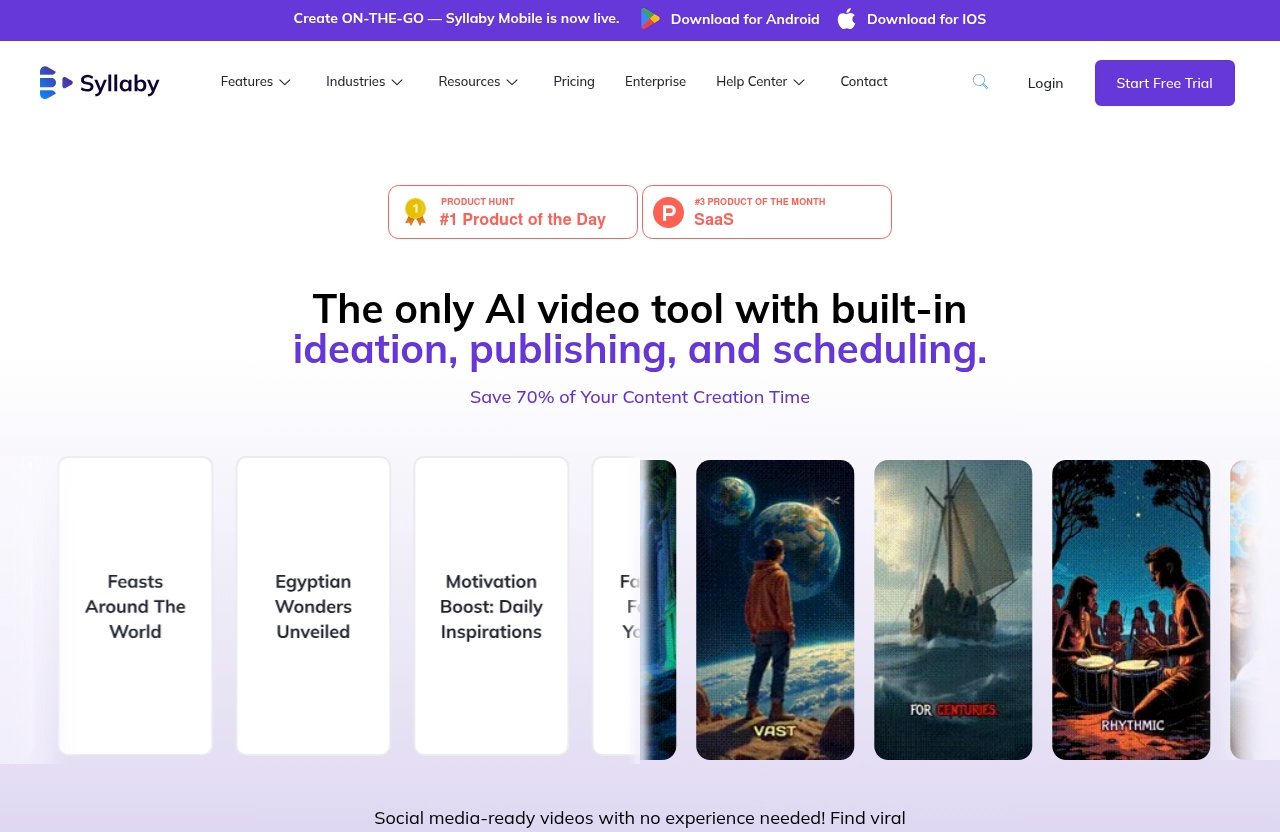
Syllaby pricing looks best for people who want an all-in-one workflow for content ideas, AI scripts, faceless videos, AI avatars, thumbnails, scheduling, and social performance tracking. Instead of paying for several disconnected tools, Syllaby bundles multiple content creation features into one platform.
The key thing to understand is that Syllaby uses a credit-based model. The official information verifies that the Basic plan is $29/month and includes 500 credits/month. Syllaby also promotes a 7-day free trial and a limited-time lifetime deal, but users should always confirm the current offer on the official pricing page because pricing and promotions can change.
Is Syllaby worth the price in 2026?
Syllaby is worth considering if video content is part of your weekly workflow. The strongest value is convenience: idea creation, AI script generation, video creation, editing, thumbnails, scheduling, and analytics are available inside one platform.
For a creator who only posts occasionally, the Syllaby subscription price may feel like an extra monthly cost. But for a marketer or business owner who regularly needs short-form videos, faceless content, or avatar-style videos, Syllaby pricing can make sense because it may reduce the need for separate tools.
The best way to judge value is to use the official 7-day free trial and test whether the credit allowance matches your publishing volume.
Who should buy Syllaby now?
Syllaby is best for users who want to publish more consistently without building every video manually from scratch. It is especially relevant for:
- Faceless YouTube, TikTok, Instagram, and short-form creators
- Coaches, consultants, and local businesses producing educational content
- Solo marketers who need idea-to-video workflows
- Agencies managing repeat content production
- Small teams that want scripts, visuals, scheduling, and analytics in one place
If you only need a basic video editor, Syllaby may be more platform than you need. If you want AI-assisted content planning and video production together, Syllaby pricing is easier to justify.
The fastest plan recommendation by use case
Here is the short version before we go deeper:
| Use Case | Best Starting Point | Why |
|---|---|---|
| Beginner creator | Basic plan | Verified at $29/month with 500 credits/month |
| Solo marketer | Basic plan or current higher tier | Start with Basic, then upgrade if credits run out |
| Content-heavy user | Check lifetime deal or higher monthly tiers | More output may require more credits |
| Agency | Check current official tier details | Team needs and content volume vary |
| Budget shopper | 7-day free trial first | Test fit before paying |
For most new users, the Basic plan is the safest first step because it has verified pricing and a clear monthly credit allowance.
Syllaby Pricing Plans at a Glance
Syllaby pricing plans are built around access to the platform and credits. Credits matter because they determine how much you can produce within your plan, although the exact credit usage rules should be checked on Syllaby’s current official pricing page.
The official information confirms one monthly plan clearly: the Basic plan at $29/month with 500 credits/month. Syllaby also promotes a 7-day free trial and a limited-time lifetime access offer.
Monthly plans overview
The following table includes only verified Syllaby pricing facts from the official information provided:
| Plan / Option | Verified Price | Verified Credit Allowance | Best For | Notes |
|---|---|---|---|---|
| Basic | $29/month | 500 credits/month | Beginners, solo creators, light-to-moderate users | Officially verified monthly plan |
| Standard | Check official pricing page | Not verified in provided official material | Users needing more than Basic | Do not assume price or limits without checking |
| Pro | Check official pricing page | Not verified in provided official material | Heavy users, teams, agencies | Do not assume price or limits without checking |
| Lifetime Deal | Check official offer | Check official offer | Long-term or heavier users | Promoted as limited-time lifetime access |
This is the most transparent way to look at Syllaby pricing in 2026: Basic is verified, while any other tier details should be confirmed directly before purchase.
Lifetime deal overview
Syllaby’s official homepage promotes a limited-time lifetime deal. That means lifetime access is positioned as a separate purchase path from the normal monthly subscription.
The exact lifetime deal price, limits, and included credits are not verified in the provided official material, so you should not rely on third-party estimates. If the lifetime offer is available, review the current terms carefully on the official pricing page before buying.
What you get on every plan
Syllaby’s official homepage lists a broad set of platform capabilities, including:
| Category | Verified Syllaby Capabilities |
|---|---|
| Video creation | Faceless Video, Short Form Video, Long Form Video, Audio To Video, Url To Video |
| AI creation tools | Idea Creation, AI Script Generation, AI Voice Cloning, AI Thumbnail Generator |
| Editing and visuals | Video Editor, Art Style, Text to Scenes, Character Consistency |
| Planning and publishing | Content Calendar, Bulk Scheduler, Social Analytics |
| Access | Mobile App, with Syllaby Mobile now live |
Feature availability can vary by plan, so use this list as a verified overview of what the platform offers, not a promise that every feature has the same limits on every plan.
How Syllaby Pricing Works
Syllaby pricing works differently from a simple unlimited software subscription because credits are part of the model. The officially verified Basic plan includes 500 credits/month, which means the practical value depends on how quickly your workflow uses those credits.
This is why it is important to think in terms of output. A user creating a few videos per month may be comfortable on a lower plan, while a daily publisher or agency may need to compare higher tiers or the lifetime offer.
Credits explained
Syllaby credits are the monthly usage allowance attached to your plan. The verified example is the Basic plan, which includes 500 credits/month.
Because the provided official facts do not include exact credit conversion rules, it would be inaccurate to claim how many videos, scripts, avatars, or exports those credits equal. Before subscribing, check the live pricing page and test the workflow during the 7-day free trial.
What credits are used for
Syllaby’s platform includes AI-powered tools for video creation, scripting, avatars, thumbnails, and content workflows. It is reasonable to expect credits to be connected to AI usage or content generation, but the exact rules should be verified directly on the official pricing page.
When testing Syllaby pricing during the trial, pay attention to:
- How many credits your typical video uses
- Whether different content types use credits differently
- How quickly credits decrease during real projects
- Whether your planned publishing schedule fits the monthly allowance
This gives you a practical view of cost instead of relying only on the monthly sticker price.
Why credits matter more than seat count
For many creators and small businesses, credits matter more than seats because output volume drives cost. If you are a solo creator producing daily faceless videos, you may use more platform resources than a small team publishing once per week.
That is why Syllaby pricing per month should be evaluated against your actual content volume. The better question is not only “How much is the plan?” but “How much content can I realistically produce within the plan?”
Syllaby Monthly Plans Explained
Syllaby monthly plans should be compared based on verified pricing, credits, and your content needs. At the time of this review, only the Basic plan has a verified public price and credit allowance from the provided official information: $29/month with 500 credits/month.
For Standard and Pro, the safest advice is to check the current official pricing page before deciding. Plan names, feature access, credit limits, and promotions can change.
Basic plan
The Syllaby Basic plan is the clearest starting point because its price and allowance are verified: $29/month with 500 credits/month. For most beginners, this is the plan I would test first.
The Basic plan makes sense if you want to explore Syllaby’s core workflow without committing to a larger subscription. You can use the 7-day free trial to test idea creation, script generation, faceless video creation, editing, thumbnails, and scheduling before deciding whether the monthly subscription is worth it.
Choose Basic if you are:
- New to AI video creation
- Testing faceless video content
- Posting at a modest volume
- Building a repeatable content workflow
- Budget-conscious but serious enough to pay for a tool
The main limitation is not the verified monthly price; it is whether 500 credits/month is enough for your production volume.
Standard plan
The Syllaby standard plan is mentioned here because many SaaS tools use a middle tier, and users often look for it when comparing Syllaby pricing plans. However, the provided official material does not verify a Standard plan price, credit allowance, or exact limits.
If a Standard option appears on the current pricing page, evaluate it by comparing:
- Monthly price versus Basic
- Additional credits
- Any extra feature access
- Whether it supports your publishing frequency
- Whether it reduces the need for other tools
Do not rely on outdated third-party snippets or old reviews for the Syllaby subscription price. Confirm the current details directly.
Pro plan
The Syllaby pro plan should be treated the same way: useful to investigate, but not something to describe with invented numbers. The provided official material does not verify a Pro price, credits, seats, or feature limits.
If Syllaby lists a Pro plan on the official pricing page, it may be relevant for content-heavy users, teams, or agencies. The right question is whether the higher monthly cost gives you enough additional production capacity to justify the upgrade.
For agencies, the Syllaby cost should be compared against billable client work. If one subscription helps produce content for multiple campaigns, a higher tier may be easier to justify than it would be for a casual creator.
Best plan for beginners
For beginners, the Basic plan is the best verified recommendation. It has the clearest Syllaby pricing per month at $29/month and includes 500 credits/month.
Start there, use the trial, and build a simple test: create several content ideas, generate scripts, produce a few videos, try thumbnails, and check whether the content calendar and scheduling tools fit your routine. If you run into credit limits quickly, then compare higher tiers or lifetime access.
Best plan for teams and agencies
For teams and agencies, the best plan depends on monthly production volume. Since verified Standard and Pro pricing details are not available in the provided material, agencies should not choose based on assumptions.
Instead, estimate how many videos, scripts, avatar clips, thumbnails, and scheduled posts you expect to create each month. Then compare that workload against the live Syllaby pricing page and current credit allowances.
Agencies should also consider workflow value. If Syllaby helps reduce time spent on ideation, scripting, editing, scheduling, and reporting, the plan may be worthwhile even if the monthly price is higher than a single-purpose tool.
Official website · Latest pricing & offers
Syllaby Lifetime Deal: When One Payment Makes Sense
The Syllaby lifetime deal is one of the most important buying options to evaluate in 2026. The official homepage promotes a limited-time lifetime deal, which suggests Syllaby may offer an alternative to paying monthly.
A lifetime deal can be attractive, but only if the current terms match your needs. Always check the official offer because lifetime pricing, access rules, credit allowances, and included features can change.
What the lifetime offer includes
The verified fact is that Syllaby promotes a limited-time Lifetime Deal. The provided official material does not verify the exact price, credit limits, or included plan level.
That means you should review the official lifetime offer carefully before purchase. Look for the same details you would check on a monthly plan: credits, feature access, usage restrictions, support terms, and whether future updates are included.
You can review the current offer on the official Syllaby pricing page through toptrustreview.com.
Who should consider lifetime access
Lifetime access may appeal to heavier users who expect to use Syllaby for many months or years. If you are confident that AI video creation, faceless videos, and content scheduling will remain part of your workflow, a one-time payment can be easier to justify.
The Syllaby lifetime deal may be worth considering if you:
- Publish video content consistently
- Plan to use AI scripts and faceless videos long term
- Want to reduce recurring software costs
- Prefer paying upfront instead of monthly
- Have tested Syllaby and know it fits your workflow
The key is confidence. Lifetime access is most attractive after you know the tool solves a real problem for you.
When monthly is safer than lifetime
Monthly is safer if you are still testing your content strategy. If you are unsure whether Syllaby will become part of your routine, starting with the trial and then Basic is more cautious.
Monthly also makes sense if your workload changes often. For example, a seasonal business may create many videos during a campaign and then pause for months. In that case, committing upfront may not be the best move.
What Features Are Included in Syllaby
Syllaby pricing is easier to evaluate when you understand what the platform actually does. Syllaby is not just a single video editor; the official homepage positions it as an AI video platform for creating faceless videos and AI avatars.
The feature set is broad, so the main value is workflow consolidation. Instead of jumping between separate tools for ideas, scripts, editing, thumbnails, scheduling, and analytics, Syllaby brings many of those tasks into one platform.
Faceless video and short-form creation
Syllaby includes Faceless Video, Short Form Video, and Long Form Video capabilities. This matters for creators who want to produce educational, niche, or social content without being on camera.
It also includes Audio To Video and Url To Video, which can help repurpose existing material into new video formats. For marketers, this can be useful when turning articles, web pages, or audio-based ideas into visual content.
Script generation and idea creation
Idea Creation and AI Script Generation are two of Syllaby’s most practical features. Many creators struggle less with editing and more with deciding what to say consistently.
A tool that helps generate content ideas and scripts can reduce the blank-page problem. This is especially useful for solopreneurs, coaches, consultants, and small businesses that need repeatable educational content.
AI avatars, voice cloning, and thumbnails
Syllaby’s official homepage lists AI Voice Cloning, AI Thumbnail Generator, Art Style, Text to Scenes, Character Consistency, and AI avatar-related creation. These tools are useful if you want a branded look and voice across multiple pieces of content.
That said, do not assume these tools automatically produce perfect results. You should still review scripts, visuals, voices, thumbnails, and final edits before publishing.
Content calendar, social analytics, and bulk scheduling
Syllaby also includes Content Calendar, Social Analytics, and Bulk Scheduler features. This is where the platform becomes more useful for marketers and agencies.
Planning, scheduling, and analyzing content from one workflow can save time. It also helps users think beyond one-off video creation and move toward a consistent publishing system.
The official homepage also says Syllaby Mobile is now live, and lists a Mobile App. That can be helpful for creators who manage content while away from a desktop.
Syllaby Pricing Compared to Alternatives
Syllaby pricing should be compared against the type of workflow you need, not just the cheapest monthly software you can find. Some tools focus only on editing, while others focus only on scripts, avatars, scheduling, or analytics.
Syllaby’s appeal is that it combines several parts of the content process. That bundled approach can be valuable if you would otherwise pay for multiple tools.
Where Syllaby is strong
Syllaby is strongest for users who want an idea-to-publishing workflow. The verified feature set covers idea creation, script generation, faceless video, short-form and long-form video, editing, thumbnails, calendars, analytics, and scheduling.
That makes it especially appealing for creators and marketers who want repeatable output. If you need both planning and production, Syllaby AI pricing may be easier to justify than a tool that only handles one piece of the process.
Where it may feel expensive
Syllaby may feel expensive if you only need occasional content. If you create one or two videos per month, even the verified Basic price of $29/month may not feel necessary.
It may also feel expensive if your credit usage is higher than expected. That is why the 7-day free trial is important: you need to see how your real workflow fits the credit system.
How to decide if it’s the right buy
To decide, compare Syllaby against your current process. Ask yourself:
- Do I need content ideas regularly?
- Do I need scripts, not just editing?
- Do I want faceless or avatar-based video?
- Do I need thumbnails, scheduling, and analytics?
- Will I publish enough content to justify the monthly cost?
If the answer is yes to several of these, Syllaby pricing is more likely to make sense.
How to Save Money on Syllaby
The best way to save money on Syllaby is to avoid buying more capacity than you need. Start with your real monthly content volume, then choose the plan that fits that workload.
Because Syllaby uses credits, cost control is about usage control. A lower plan can be a good deal if it covers your output, while a higher plan only makes sense if it prevents bottlenecks.
Use the right plan for your monthly volume
Before subscribing, estimate your monthly needs:
| Monthly Need | Suggested Approach |
|---|---|
| Testing AI video for the first time | Start with the 7-day free trial |
| Light creator workflow | Consider Basic first |
| Weekly publishing | Test Basic, then compare higher tiers if needed |
| Daily content production | Check higher tiers or lifetime access |
| Agency/client work | Verify current tier details directly |
This approach keeps Syllaby pricing practical. You are not choosing based on the biggest feature list; you are choosing based on expected usage.
Watch for lifetime promotions
The official homepage promotes a limited-time lifetime deal. If available, this may be the best long-term value for users who already know they will use Syllaby consistently.
However, lifetime offers should be checked carefully. Confirm the current price, credits, included features, and any restrictions before buying.
Start with the trial before upgrading
Syllaby offers a verified 7-day free trial. Use it properly before upgrading.
During the trial, test the features you actually plan to use: idea creation, AI script generation, faceless video, AI avatars, thumbnails, scheduling, and analytics. If the workflow saves time and the credit usage looks reasonable, then compare the Basic plan, higher tiers, and lifetime access.
Official website · Latest pricing & offers
FAQ
How much is a Syllaby subscription?
The verified starting Syllaby subscription price is $29/month for the Basic plan, which includes 500 credits/month. Pricing may vary by plan, promotion, or future update, so always confirm current Syllaby pricing on the official pricing page before subscribing.
Is Syllaby AI free?
Syllaby offers a verified 7-day free trial. Based on the provided official information, a free-forever plan is not confirmed, so it is safest to treat Syllaby as a paid AI video platform with a trial period.
What problems does Syllaby solve?
Syllaby helps users create content ideas, generate AI scripts, produce faceless videos, use AI avatars, create thumbnails, plan content, schedule posts, and review social analytics. It is designed to reduce the time and tool-switching involved in video content creation.
What alternatives to Syllaby exist?
Alternatives generally fall into categories such as faceless video tools, AI video editors, AI avatar platforms, script generators, thumbnail tools, and social content automation platforms. Syllaby’s main difference is that it bundles several of these workflow steps into one platform.
Bottom Line: Which Syllaby Plan Should You Choose?
Syllaby pricing in 2026 is easiest to understand this way: start with the verified Basic plan if you are new, consider higher monthly tiers only after checking current official details, and evaluate the lifetime deal if you expect long-term or heavier use.
The Basic plan is the clearest recommendation for beginners because it has verified pricing at $29/month with 500 credits/month. The 7-day free trial is the best first step because it lets you see whether Syllaby fits your actual content workflow before you pay.
Best overall value
The best overall value depends on your production volume. For most new users, Basic is the safest starting point because it has verified Syllaby pricing and a known monthly credit allowance.
For users who already publish often, the lifetime offer may become attractive if the current terms are favorable. Just make sure you verify the live deal details before purchasing.
Best for beginners
Beginners should start with the trial, then move to Basic if the platform feels useful. This keeps your upfront risk low while still giving you access to Syllaby’s AI video workflow.
If 500 credits/month is enough for your content schedule, Basic may be all you need at first.
Best for power users
Power users, agencies, and content-heavy businesses should compare current higher-tier options and the lifetime deal. The right choice depends on credit needs, feature access, and how consistently you plan to use Syllaby.
If you are ready to compare live offers, review the current Syllaby pricing details here. Pricing can change, but the best decision is simple: choose the option that matches your monthly content output without paying for capacity you will not use.
Related Reading
References
- Pricing – Syllaby.io
- Syllaby.io | Turn Any Idea Into Faceless Videos & AI Avatars
- Syllaby.io (2026): Free Trial, Real Pricing & Honest Review
- Syllaby Pricing