Klap for YouTube Review 2026: Is It Worth It for Faceless Channels?
Official website · Latest pricing & offers
Klap for YouTube: Quick Verdict for Faceless Channels
If you already publish long-form videos and need a faster way to create Shorts, Reels, and TikToks, Klap for YouTube is worth serious consideration. It is built around a simple promise: turn long videos into short-form clips with minimal manual editing.
For faceless YouTube channels, that matters. Many faceless creators rely on batching, voiceovers, tutorials, commentary, podcasts, or screen-based videos. A tool that can repurpose existing content into vertical clips can save time and help maintain a consistent publishing schedule.
Based on the verified official facts, Klap is best viewed as a YouTube Shorts repurposing tool, not a magic growth button. It can help you create more short-form assets from videos you already have, but it does not guarantee virality, views, or income.
If that sounds like your workflow, you can try Klap for free here with no credit card required, according to its homepage.
Who Klap is best for
Klap for YouTube is best for creators who already have long-form videos and want to turn them into short clips quickly. This includes faceless channels publishing tutorials, podcasts, educational content, gaming clips, screencasts, list-style videos, or commentary.
It is especially useful if you want to post consistently across YouTube Shorts, Instagram Reels, and TikTok without editing every clip manually. The value comes from repurposing content you have already produced.
Who should skip it
You may want to skip Klap if you do not have long-form content to repurpose. If your channel only creates original Shorts from scratch, the value may be lower.
You should also skip it if you need full manual control over every edit, transition, sound effect, or pacing choice. Klap is positioned as an AI-assisted clipping and repurposing tool, not a replacement for a highly customized editing workflow.
Bottom-line verdict
For faceless creators with a backlog of long videos, Klap for YouTube can be a smart purchase because it directly solves a common bottleneck: turning long-form videos into consistent short-form output.
The best fit is a creator who wants speed, volume, captions, vertical formatting, and high-resolution export without spending hours manually clipping every upload.
What Klap Does and How It Works
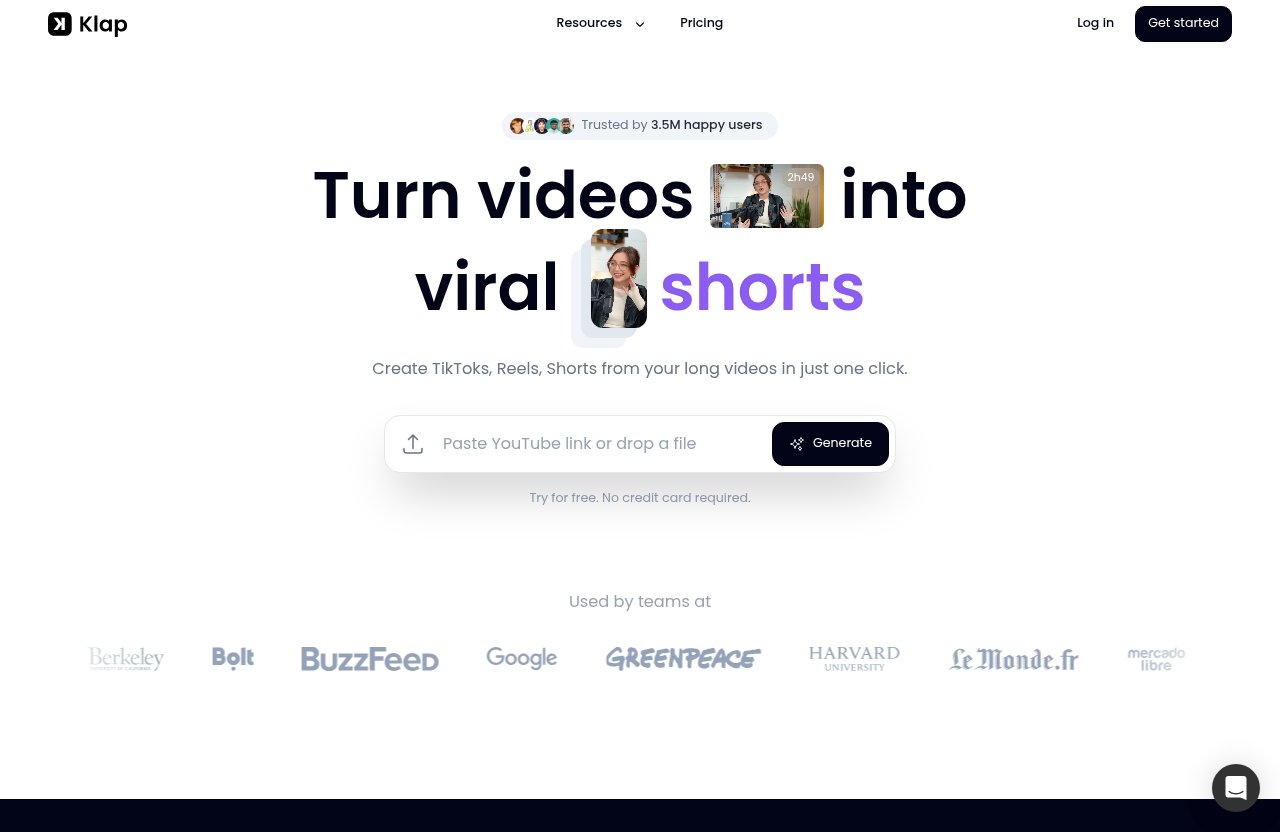
Klap is an AI-powered tool designed to turn long videos into TikToks, Reels, and YouTube Shorts in one click. For YouTube creators, the core workflow is simple: provide a video, let Klap create vertical clips, then export and share them.
This makes Klap for YouTube most relevant for creators who already publish longer videos and want to extract more value from them. Instead of treating every short-form post as a separate production, you can use your existing videos as the source material.
Paste a YouTube link or upload a file
The official workflow starts with either pasting a YouTube link or uploading a video file. That is important because many YouTubers already have a library of published videos they can reuse.
For a faceless channel, this could be a tutorial, narrated explainer, gaming session, podcast episode, or screencast. Klap’s workflow is designed to make that source video easier to convert into short-form content.
AI turns long videos into short clips
According to the official homepage, Klap uses AI to create vertical videos from long-form content. The homepage also states that a one-minute long video produces about five video clips.
That ratio is useful for thinking about volume. If you have several longer videos, Klap for YouTube may give you enough short-form clips to test different hooks, topics, and formats across multiple platforms.
The key point is that Klap is positioned as a way to save hours using AI and avoid manual clipping. That does not mean every clip will be perfect, but it does mean the first draft of your Shorts pipeline can become much faster.
AI Reframe 2 and caption support
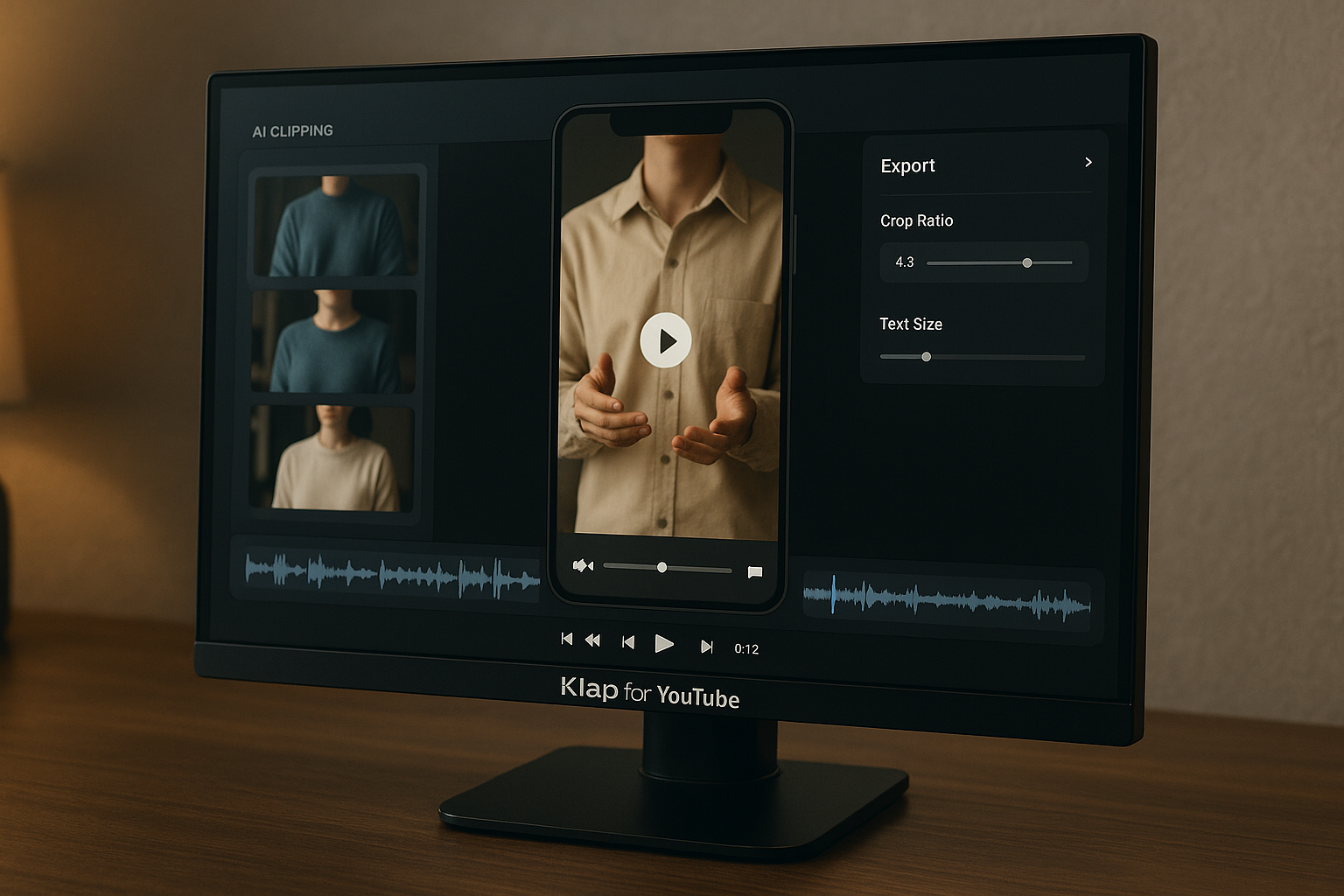
Klap’s homepage highlights AI Reframe 2, which resizes videos for any platform and analyzes scenes to apply layouts such as Split Screen, Screencasts, Gaming, and more.
That matters for YouTubers because vertical video is not just about cropping. A tutorial, screencast, or gaming video often needs a layout that keeps the important visual information visible.
Klap also provides AI-generated captions. For faceless channels, captions can make Shorts easier to follow, especially when the content is voiceover-led or educational.
Why Faceless Channels Care About Tools Like Klap
Faceless YouTube channels often operate differently from personality-led channels. The creator may not be on camera, and the content may rely on voiceover, screen recordings, stock visuals, gameplay, slides, or narrated explanations.
That makes Klap for YouTube appealing because the production model is often repeatable. If your long-form videos are structured clearly, they may contain multiple moments that can be repurposed into Shorts.
Consistency without manual editing
Consistency is one of the biggest challenges for faceless creators. It is one thing to publish a long video weekly; it is another to also produce daily Shorts, Reels, and TikToks.
Manual clipping takes time. You have to find the best segment, cut it, resize it, add captions, export it, and then repeat that process many times.
A tool like Klap can reduce that workload by creating short clips from existing videos. For creators who batch content, Klap for YouTube can help turn one long production session into multiple short-form assets.
Repurposing long-form into short-form
The strongest use case for Klap is repurposing. If you have a 10-minute tutorial, a podcast episode, or a commentary video, you may already have several short-form ideas inside that one piece of content.
This is where a YouTube Shorts repurposing tool can be valuable. You are not starting from zero; you are extracting clips from something you already made.
For faceless channels, this can support a broader content strategy. A long video can serve search intent on YouTube, while Shorts can help distribute key moments to viewers who prefer quick content.
Scaling output across platforms
Klap supports repurposing long-form videos into multiple Reels, TikToks, and Shorts. That is helpful if your content strategy includes more than YouTube.
A faceless educational channel, for example, might turn one explainer into short clips for YouTube Shorts, Instagram Reels, and TikTok. A gaming channel might do the same with highlights or key moments.
The real benefit of Klap for YouTube is not just creating Shorts. It is creating platform-ready short-form clips from a single long-form source.
Key Features That Matter Most for YouTubers
When reviewing Klap, I focus on the features that directly affect a YouTube creator’s workflow. The most important question is not whether the tool sounds impressive, but whether it reduces friction in publishing short-form content.
Based on verified product facts, the most relevant features are one-click clip creation, AI Reframe 2, AI-generated captions, and high-resolution export. I will also address viral-worthy scoring carefully, because it is part of the requested review angle but not included in the verified official facts provided.
One-click clip generation
Klap’s homepage claims it turns long videos into TikToks, Reels, and YouTube Shorts in one click. For creators, this is the core value proposition.
If you are using Klap for YouTube, the appeal is obvious: upload or paste your video, let AI generate vertical clips, then review and export. This can remove a lot of repetitive editing work.
In practice, I would still review every clip before posting. AI can speed up selection and formatting, but your judgment matters for topic relevance, pacing, and audience fit.
Viral-worthy scoring
Some AI shorts tools discuss clip selection in terms of viral potential or viral-worthy moments. However, based on the official product facts provided for this review, I cannot verify a specific Klap feature called “viral-worthy scoring.”
That means I would not recommend buying Klap for YouTube solely because you expect a scoring system to predict virality. The verified value is in repurposing, vertical video creation, AI captions, AI Reframe 2, and high-resolution export.
This distinction matters. A tool can help you create more clips, but it cannot guarantee that a clip will go viral. Strong hooks, topic selection, audience demand, and retention still matter.
AI-generated captions
Klap provides AI-generated captions, according to the official homepage. For YouTube Shorts, this is a practical feature.
Captions can help viewers understand the content quickly, especially when they are watching without sound. They are also useful for faceless channels built around narration, tutorials, or spoken explanations.
For a creator posting frequently, automatic captions can reduce repetitive editing work. That makes Klap for YouTube more useful as part of a batching workflow.
High-resolution export
The official workflow says creators can export in high resolution and share their clips. This is important because low-quality exports can make a channel feel less professional.
For faceless channels, polish matters. Even if you are not on camera, your Shorts still need to look clean, readable, and platform-ready.
High-resolution export helps Klap fit into a serious content workflow rather than being only a rough draft generator.
Klap Pricing Explained
Klap pricing is straightforward based on the official pricing facts available. The pricing page states there are no hidden fees and that users can cancel anytime.
It also offers a free trial entry point from the homepage: “Try for free. No credit card required.” That is useful if you want to test Klap for YouTube before committing to a paid plan.
Free trial and no-credit-card entry
Klap’s homepage says you can try it for free with no credit card required. This is the safest way to evaluate whether your specific videos produce useful clips.
I strongly recommend testing with your own content. A podcast, gaming video, tutorial, or faceless explainer may produce different results depending on structure, pacing, and how clearly the best moments are presented.
100 clips monthly plan
The entry paid plan is listed as 100 clips monthly for $14/month billed yearly.
| Plan | Monthly Clip Volume | Official Price | Likely Fit |
|---|---|---|---|
| 100 clips monthly | 100 clips | $14/month billed yearly | Small faceless channels or creators testing Shorts consistently |
| Pro | 300 clips | $39/month billed yearly | Regular creators posting across multiple platforms |
| Pro+ | 1000 clips | $94/month billed yearly | High-volume creators or teams with frequent publishing needs |
| Need more? | Custom | “Let’s talk!” | Larger operations needing more than 1000 clips |
The 100-clip plan may be enough if you publish a few Shorts per week or want to repurpose a limited number of long videos.
Pro plan value
The Pro plan includes 300 clips monthly for $39/month billed yearly. This is likely the better fit for creators who post more frequently.
If you are using Klap for YouTube to support a daily Shorts strategy, 300 clips per month gives you more room to test. It may also help if you want to distribute clips across YouTube Shorts, TikTok, and Reels.
The value depends on whether you actually use the clip volume. Paying for more clips only makes sense if your workflow can feed the tool with enough long-form source videos.
Pro+ plan value
The Pro+ plan includes 1000 clips monthly for $94/month billed yearly. This is best suited for high-output creators, content teams, or channels with a large backlog of long-form videos.
For a solo faceless creator, Pro+ may be more than necessary unless you are publishing heavily across platforms. For a channel running multiple content series, it may make more sense.
Again, the value of Klap for YouTube depends on clip usage. If those clips help replace hours of manual editing, the plan can be easier to justify.
Custom/need-more option
The official pricing page also says, “Need more? Let’s talk!” This suggests there is an option for users who need more than the listed clip volumes.
No further custom pricing details are verified here, so I would not assume the cost or terms. If you need enterprise-level volume, you should check the current pricing directly.
You can check Klap pricing and try it free to see which plan fits your publishing volume.
Official website · Latest pricing & offers
Is Klap Worth It for Faceless YouTube Channels?
For the right creator, yes — Klap for YouTube can be worth it. The strongest case is a faceless channel that already produces long-form content and wants to turn that content into consistent Shorts.
The weaker case is a creator with no existing long videos, no clear posting schedule, or a preference for fully hand-edited short-form content.
Worth it for batch repurposing
Klap makes the most sense when you batch content. If you record one long tutorial, podcast, or commentary video, you can use Klap to create multiple short-form clips from it.
This can make your production calendar more efficient. Instead of planning every Short from scratch, you can extract short clips from your main YouTube uploads.
For Klap for YouTube Shorts, this is the core buying argument: faster repurposing from content you already own.
Worth it for solo creators with limited time
Solo faceless creators often handle research, scripting, voiceover, editing, thumbnails, uploading, and analytics alone. Short-form repurposing can easily become another time-consuming task.
Klap helps by reducing manual clipping, resizing, captioning, and exporting work. That does not remove the need for creative judgment, but it can reduce the repetitive part of the process.
If your biggest bottleneck is editing time, Klap for YouTube is easier to justify.
When the price is harder to justify
Klap pricing is harder to justify if you only publish occasionally. If you create one long video per month and only need a few Shorts, the paid clip volume may be more than you need.
It may also be harder to justify if your videos require careful storytelling edits, heavy graphics, custom sound design, or precise pacing. AI-generated clips may still need review and refinement.
The best value comes when you have enough long-form content to feed the tool consistently.
Klap Pros and Cons
No tool is perfect, and a balanced Klap review should separate verified strengths from assumptions. Klap’s official claims are strong for repurposing, but creators should still test it with their own content.
Here is the practical breakdown for YouTubers.
Main strengths
| Strength | Why It Matters |
|---|---|
| Turns long videos into Shorts, Reels, and TikToks | Helps creators repurpose existing content |
| Paste a YouTube link or upload a file | Useful for published videos and local files |
| AI Reframe 2 | Helps resize videos and apply layouts such as Split Screen, Screencasts, and Gaming |
| AI-generated captions | Saves time when preparing short-form clips |
| High-resolution export | Supports professional-looking publishing |
| Free trial with no credit card required | Lets creators test before paying |
| No hidden fees and cancel anytime | Makes pricing easier to evaluate |
The main strength of Klap for YouTube is workflow efficiency. It targets the exact pain point many faceless creators have: producing short-form clips without manually editing every single one.
Main weaknesses
The biggest limitation is that Klap is most useful when you already have long videos. If you do not, it has less material to work with.
Another caveat is that AI-created clips still need human review. You should check whether the clip makes sense, whether the framing works, and whether the segment is strong enough to post.
Also, while the tool can help with output, it does not guarantee views, subscribers, or revenue. Short-form performance depends on content quality and audience response.
What the marketing does not fully tell you
The marketing focuses on saving hours and avoiding manual clipping. That is valuable, but creators should remember that speed is only part of the equation.
You still need a content strategy. The best results will likely come from videos that are structured well, with clear segments, strong explanations, or memorable moments.
In other words, Klap for YouTube can help you produce more Shorts, but you are still responsible for making videos worth clipping.
Best Use Cases for Klap on YouTube
Klap is not equally useful for every YouTube format. It is strongest when a long video naturally contains multiple short segments that can stand alone.
For faceless creators, that often means educational videos, tutorials, gaming content, screencasts, podcasts, and structured commentary.
Podcasts and interviews
Podcasts and interviews are natural candidates for short-form repurposing. A long conversation may include several moments that work as standalone clips.
If you run a faceless podcast channel or publish audio-first conversations with simple visuals, Klap for YouTube can help turn those episodes into Shorts, Reels, and TikToks.
The key is to review the clips carefully. A good short clip should have enough context to make sense without the full episode.
Tutorial channels
Tutorial channels can benefit when lessons are broken into clear steps. A long how-to video may contain multiple mini-tips that work well as Shorts.
Klap’s AI-generated captions and vertical export can help make tutorial clips easier to watch. AI Reframe 2 may also be relevant when resizing screen-based videos.
For tutorial creators, Klap can support a simple strategy: publish the full tutorial on YouTube, then use short clips to highlight key steps.
Faceless educational channels
Faceless educational channels often rely on narration, slides, graphics, or stock footage. If the long-form video has clear sections, Klap can help extract short clips for distribution.
This can be useful for facts, explanations, mini-lessons, list videos, or narrated breakdowns. The more self-contained each segment is, the better the short-form repurposing workflow becomes.
For this type of channel, Klap for YouTube works best as a scaling tool rather than a complete creative system.
Gaming or screencast videos
AI Reframe 2 specifically mentions layouts such as Screencasts and Gaming. That makes Klap relevant for creators who publish gameplay, software walkthroughs, or screen-recorded tutorials.
Vertical formatting can be tricky for these formats because important details may sit outside a simple center crop. A tool that analyzes scenes and applies platform layouts can help.
Still, creators should inspect the final framing before posting. In gaming and screencast content, small visual details can matter.
How Klap Compares to the Manual Editing Workflow
Manual editing gives you the most control, but it is time-consuming. Klap is designed to reduce that friction by using AI to create vertical clips from longer videos.
For many creators, the real question is not “AI or manual editing?” It is “Which parts should AI handle, and which parts should I still review myself?”
Time saved versus traditional clipping
A traditional workflow might involve watching the full video, identifying moments, cutting clips, resizing to vertical, adding captions, exporting, and organizing files.
Klap compresses much of that into a simpler process: paste a YouTube link or upload a file, let AI create vertical videos, then export in high resolution.
That is why Klap for YouTube is attractive for creators who care about speed. It can turn a slow editing process into a faster review-and-publish workflow.
Where human editing still helps
Human editing still matters for quality control. You may want to adjust pacing, reject weak clips, rewrite titles, or choose only the strongest moments.
You also need to understand your audience. AI can help generate clips, but it does not know your brand positioning as well as you do.
The best creators will likely use Klap to accelerate production, not to remove creative decision-making entirely.
Best hybrid workflow
A practical hybrid workflow looks like this:
- Create a strong long-form YouTube video.
- Use Klap to generate short-form clips.
- Review the clips for clarity, framing, and relevance.
- Export the best clips in high resolution.
- Post them as YouTube Shorts, Reels, and TikToks.
- Track which topics and formats perform best.
This is where Klap for YouTube makes the most sense. It handles repetitive clipping tasks while you focus on strategy and final selection.
Final Verdict: Should You Buy Klap?
Klap is a strong fit for creators who want to turn long-form videos into short-form clips faster. It is especially relevant for faceless YouTube channels that need consistent output but do not want to manually edit every Short.
The value is clearest when you already have long videos to repurpose and a realistic plan for publishing clips consistently.
Best for
Klap for YouTube is best for:
- Faceless YouTube creators with long-form videos
- Podcast and interview channels
- Tutorial and screencast creators
- Gaming channels needing vertical clips
- Educational channels that publish structured videos
- Solo creators who want to save time on clipping
- Creators posting Shorts, Reels, and TikToks regularly
If your goal is consistent short-form output from existing YouTube videos, Klap is a practical tool to test.
Not best for
Klap is not best for creators who only make original Shorts from scratch. It is also not ideal if you need highly customized edits for every clip.
If you do not have enough source content, even the lower paid plan may be more than you need. In that case, try the free option first and see whether the workflow fits.
Final recommendation
My recommendation is simple: try Klap if you already publish long-form videos and want a faster way to create Shorts, Reels, and TikToks. The free trial and no-credit-card entry make it easy to evaluate with your own content.
For faceless channels, Klap for YouTube is most worth it when it becomes part of a repeatable repurposing system. It will not guarantee viral results, but it can help you create more short-form content with less manual editing.
Official website · Latest pricing & offers
FAQ
How much does Klap app cost?
Klap pricing lists three main paid options: 100 clips monthly for $14/month billed yearly, Pro with 300 clips monthly for $39/month billed yearly, and Pro+ with 1000 clips monthly for $94/month billed yearly.
The homepage also says you can try Klap for free with no credit card required. The pricing page states there are no hidden fees and you can cancel anytime.
Is Klap good for faceless YouTube channels?
Yes, Klap for YouTube is especially useful for faceless channels that already publish long-form videos and want to repurpose them into Shorts quickly and consistently.
It is a strong fit for tutorials, podcasts, educational content, gaming, screencasts, and voiceover-led videos.
How does Klap turn a YouTube video into shorts?
Klap’s official workflow is simple: paste a YouTube link or upload a video file, let the AI create vertical videos, then export in high resolution and share them.
This makes it useful if you want to turn YouTube videos into Shorts without manually clipping every segment.
What kind of videos work best with Klap?
Long-form videos with clear segments work best. Good examples include podcasts, interviews, tutorials, screencasts, gaming videos, and structured educational content.
The better your source video is organized, the easier it is to create useful short clips from it.
Does Klap create captions automatically?
Yes. Klap’s homepage says it provides AI-generated captions.
That is useful for YouTube Shorts, Reels, and TikToks because captions can make short-form videos easier to follow, especially for faceless or voiceover-based channels.
Related Reading
References
- Klap homepage
- Klap pricing page
- Klap transcript YouTube video blog post
- Klap AI Review 2026: Real-World Experience