Taplio Chrome Extension Review: A Practical LinkedIn Workflow Tool

The taplio chrome extension is designed for people who want to make LinkedIn work feel less fragmented. Instead of moving between separate research, writing, analytics, and outreach tools, it helps bring useful Taplio workflows closer to the LinkedIn pages where you already spend time.
For this review, I looked at the official Taplio feature descriptions, pricing information, and installation guidance to assess how the extension fits into a real creator or sales workflow. The result: the taplio chrome extension can be a practical addition for users who need more consistency with content, engagement, profile research, and warm follow-up—not a replacement for thoughtful LinkedIn strategy.
Official website · Latest pricing & offers
What the Taplio Chrome Extension Is and Who It’s For
The taplio chrome extension is a browser-based companion for Taplio, an all-in-one AI tool for LinkedIn growth. Its purpose is to make relevant information and workflow actions more accessible while you are browsing LinkedIn, researching people, engaging with posts, or considering who to contact next.
It is most useful when LinkedIn is already a meaningful channel in your business. If you post occasionally and rarely follow up with connections, the extra workflow layer may not be necessary. But for users who treat LinkedIn as a content, relationship-building, or prospecting channel, it can reduce repetitive switching between tabs.
Taplio X vs. the broader Taplio platform
The Taplio X Chrome extension is part of the wider Taplio ecosystem rather than a standalone LinkedIn product. Taplio’s official platform includes tools to create posts, find inspiration, schedule content, analyze performance, build carousels, engage with relevant people, and connect with warm leads.
Think of the taplio x chrome extension as the in-browser layer. It supports work happening on LinkedIn itself, while the broader Taplio platform provides the strategic workspace for writing, planning, scheduling, analytics, and automation.
This distinction matters before purchasing. If you only want a simple browser add-on, evaluate whether Taplio’s full LinkedIn workflow tool aligns with how you create, publish, and follow up.
Best-fit users: creators, founders, agencies, sales teams
The taplio chrome extension is best suited to professionals who need to turn LinkedIn activity into a repeatable process. That includes creators building a personal brand, founders developing authority in a niche, solopreneurs generating conversations, agencies supporting client visibility, and outbound teams identifying warmer prospects.
A creator may use it to study high-performing posts and develop new content angles. A founder may use it to identify people engaging with industry conversations. A sales professional may focus more on profile research, relationship context, and timely follow-up.
| User type | Common LinkedIn challenge | Potential Taplio use |
|---|---|---|
| Creator | Running out of post ideas | Find inspiration and turn themes into drafts |
| Founder | Limited time for visibility | Create, schedule, and engage more consistently |
| Solopreneur | Managing content and outreach alone | Keep research, ideas, and follow-up organized |
| Agency | Repeating workflows across accounts | Standardize research and content processes |
| Sales team | Following up only when leads go cold | Focus on warm engagement signals and relevant conversations |
Where the extension fits in the LinkedIn workflow
The taplio linkedin chrome extension fits most naturally into the research and engagement stages of a LinkedIn routine. You may open LinkedIn to review a prospect’s profile, scan their recent activity, identify shared context, and decide whether a message makes sense.
Rather than treating the extension as an autopilot for relationships, use it as a context tool. Good LinkedIn outreach still depends on relevance, timing, and a genuinely useful reason to start a conversation.
For content-led users, the extension can also support a useful loop: notice strong ideas in the feed, save or analyze the theme, create a distinct point of view, schedule it through Taplio, and later review what resonated.
Key Features of the Taplio Chrome Extension
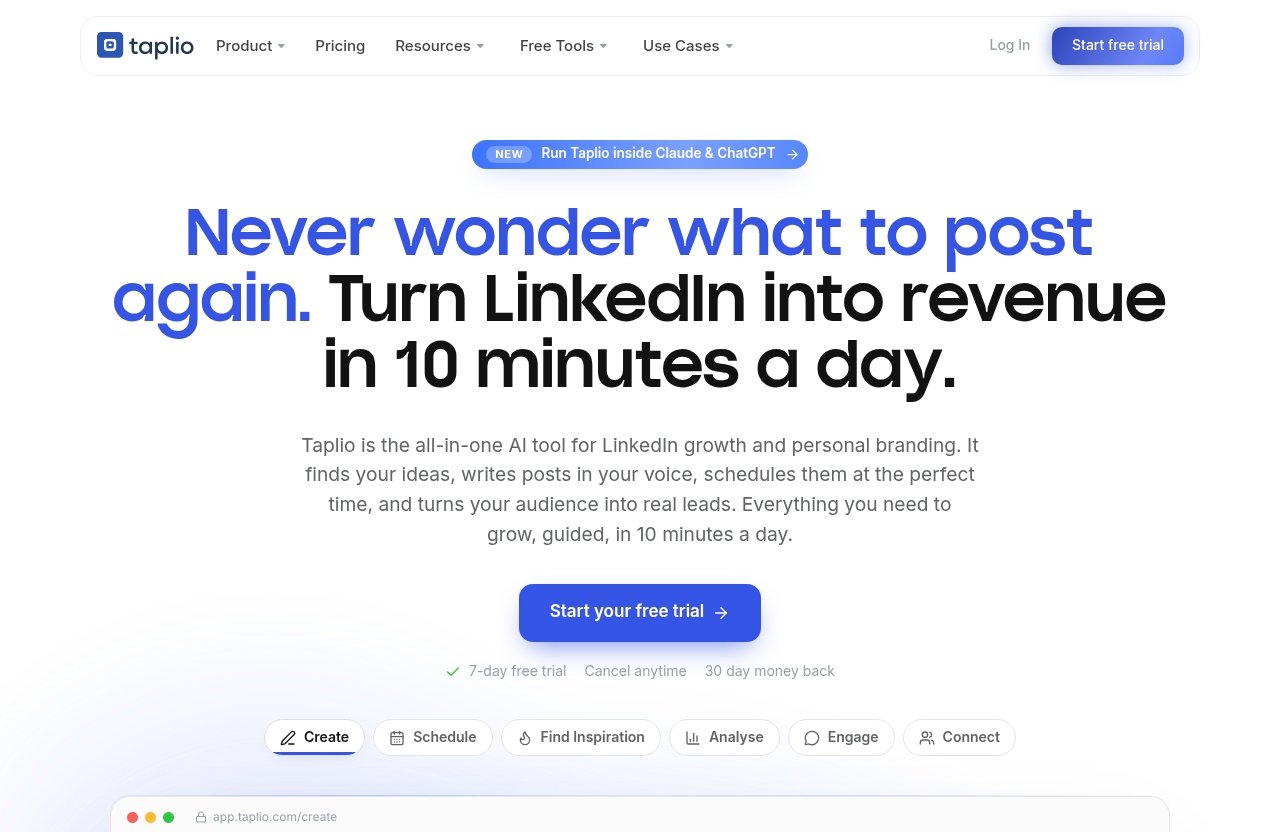
The taplio chrome extension supports several themes that Taplio highlights across its official product pages: analytics, inspiration, content creation, engagement, connections, and messaging warm leads. The exact value depends on which of those activities takes up the most time in your day.
It is not just about writing faster. The larger opportunity is building a more deliberate LinkedIn system, where your content topics, engagement habits, and prospecting activity inform one another.
Profile insights and in-context analytics
A major reason to consider a taplio analytics extension is the ability to make faster decisions while viewing LinkedIn profiles and activity. When you are researching a potential client, partner, creator, or candidate, context is more valuable than a generic profile visit.
Taplio’s Analyze function is built around seeing what is working and doing more of it. In practice, that can help you evaluate which content themes are worth repeating, which topics get meaningful engagement, and where your time is producing the strongest signal.
For example, if posts about a specific business problem consistently trigger thoughtful comments, that is more useful than simply knowing that a post received reactions. You can turn the pattern into future post ideas, conversation starters, or a clearer positioning angle.
Content inspiration and post ideas
The taplio chrome extension is especially relevant for people who find it easier to write when they start with observed market conversations. Taplio’s Find Inspiration feature is intended to surface viral posts worth remixing, while Create focuses on finding ideas and writing posts that grow.
“Remixing” should not mean copying. A better workflow is to identify the structure or tension behind a successful post, then contribute your own experience, examples, or contrary view.
Here is a practical content routine:
- Browse your LinkedIn feed and identify recurring questions in your niche.
- Use content inspiration to study themes gaining attention.
- Write down your own answer, process, or lesson.
- Draft a post in your own voice through Taplio.
- Schedule the post for a time that fits your publishing cadence.
- Review performance later to identify subjects worth revisiting.
Taplio also offers a Carousels feature for turning content into swipeable carousels. That can be useful when a topic needs steps, comparisons, frameworks, or visual organization rather than a standard text post.
Lead-focused actions and warm outreach
For prospecting, the taplio chrome extension is more useful when paired with a warm-outreach mindset. Taplio’s official Connect feature includes auto-connecting and sending DMs to warm leads, while Engage is intended to help users show up on the right people’s posts.
The key word is warm. A prospect who has commented on a relevant topic, interacted with your content, posted about a current challenge, or shares clear business context is usually a stronger outreach candidate than a cold name on a list.
A sensible LinkedIn Chrome extension for prospecting should help you notice these signals, not encourage generic messages. Before contacting someone, review their recent posts and ask whether you can add useful context, a relevant observation, or a genuinely appropriate next step.
Workflow convenience inside LinkedIn
The biggest advantage of the taplio x extension is convenience. It can reduce the mental friction of moving from a LinkedIn profile to a separate tool, then back again to take action.
That convenience matters because most LinkedIn routines fail through inconsistency, not lack of ideas. If it takes too many steps to record an insight, revisit a profile, plan a post, or remember a follow-up, small opportunities disappear.
Taplio’s broader features—Schedule, Find Inspiration, Analyse, Connect, Create, Carousels, Engage, Automate, and MCP—make the product more than a single-purpose add-on. The extension makes the full system more accessible during everyday LinkedIn browsing.
How to Install the Taplio Chrome Extension
The official taplio extension download process is different from a typical one-click Chrome Web Store installation. Follow Taplio’s Help Center instructions precisely, and only download the extension file from an official Taplio source.
Before beginning, close unnecessary browser windows and make sure you know where your downloaded file is saved. You will need to visit Chrome’s extension management page during setup.
Installation on Windows and other desktop devices
For Windows and similar desktop setups, the official Taplio installation flow uses an extracted extension folder. This is the practical sequence for the taplio chrome extension:
- Download the Taplio extension file in ZIP format.
- Extract or unzip the ZIP file into a folder you can easily find.
- Open Google Chrome.
- Enter
chrome://extensions/in the address bar. - Turn on Developer mode.
- Select Load unpacked.
- Choose the extracted Taplio extension folder.
Once loaded, check that the extension appears in your Chrome extensions list. If needed, use Chrome’s extension menu to pin it so it is easier to access while using LinkedIn.
The important step is selecting the extracted folder, not the original ZIP file. Loading the wrong location is one of the most common reasons an unpacked extension setup does not work.
Installation on Mac
The Mac version of the taplio chrome extension follows a different official process. According to Taplio’s Help Center guidance, you should download the extension file but do not extract the files.
Then open Chrome and go to chrome://extensions/. Enable Developer mode, and drag the downloaded extension file directly into the Chrome Extensions tab.
Avoid mixing the Windows and Mac instructions. If you extract the Mac download when the official instructions say not to, Chrome may not recognize the installation path correctly.
After installation, open LinkedIn and verify that the Taplio X extension is active. If it does not appear immediately, refresh LinkedIn or restart Chrome before troubleshooting further.
What to do if the extension is deactivated
Chrome can occasionally deactivate an extension after an update, browser change, or security-related prompt. If your taplio extension setup was previously working and suddenly stops, start with the simplest fix.
Open chrome://extensions/, locate Taplio X, and toggle it back on. This is the re-enable step identified in Taplio’s official instructions.
If Taplio X is missing entirely, confirm that you are using the Chrome profile where it was installed. If necessary, repeat the official download and installation process rather than installing files from an unofficial source.
Official website · Latest pricing & offers
How to Use the Extension for LinkedIn Workflows
The taplio chrome extension becomes more valuable when you give it a specific job in your weekly routine. It is easy to install a tool and then forget it exists; it is more effective to connect it to repeatable tasks such as profile research, content planning, engagement, and follow-up.
A good starting point is to choose one core outcome for the first week. For example, a creator might focus on collecting ten content ideas, while a consultant might focus on identifying five warm conversations to nurture.
Research profiles and spot opportunities faster
When researching a LinkedIn profile, avoid the temptation to look only at job title and company size. The better signals are often in recent posts, comments, shared interests, stated priorities, and the topics a person repeatedly discusses.
Use the taplio chrome extension as part of a short research checklist:
- What business issue does this person discuss publicly?
- Have they posted, commented, or engaged recently?
- Is there a clear overlap with your expertise or offer?
- Can you engage before you send a connection request?
- What would make a message relevant rather than templated?
For a founder, that could mean noticing that a prospect has posted about hiring challenges. For a creator, it could mean finding an active voice in your niche whose comments reveal a timely audience question.
The goal is not to collect more names. It is to prioritize people where an authentic interaction is more likely to be welcomed.
Draft and test content ideas without leaving LinkedIn
LinkedIn is often where the best content prompts appear. A post with a lively comment thread can reveal objections, frustrations, and questions that should shape your next piece of content.
The taplio chrome extension can support this discovery-to-draft workflow. When you encounter a useful topic, turn it into a distinct angle instead of writing a reaction post with no original value.
For example, imagine you see a post claiming that founders should publish every day. You could write a more useful response based on your own experience: “Three signs you need a better content system before increasing your LinkedIn posting frequency.” That angle is specific, practical, and differentiated.
Taplio’s Create, Find Inspiration, and Schedule functions can then support the rest of the process. You can develop the idea, plan it for a suitable time, and use later analytics to see whether the subject deserves a follow-up post or carousel.
Engage with the right people more consistently
Taplio’s Engage feature is focused on showing up on the right people’s posts. That is a stronger approach than spending time adding short, generic comments everywhere.
A practical taplio chrome extension review should stress that engagement quality matters more than volume. Useful comments tend to add a relevant example, challenge an assumption respectfully, share a concise framework, or ask a thoughtful question.
Set a manageable engagement routine. Spend 15 to 20 minutes on LinkedIn several times per week, prioritize people in your market, and comment only when you can make the conversation better.
This approach is also more sustainable for personal branding. Over time, recurring thoughtful comments can lead people to visit your profile, recognize your expertise, and engage with your own posts.
Support prospecting and warm lead follow-up
The taplio chrome extension can help organize the early stages of social selling, but it should not replace a clear offer or responsible outreach. Use it to identify warmer opportunities, then follow up with a message that reflects what you actually observed.
Here is a simple warm-lead workflow:
| Step | What to do | Example |
|---|---|---|
| Identify | Notice a relevant post, comment, or interaction | A prospect asks for recommendations on content systems |
| Engage | Leave a useful public comment first | Share one practical suggestion without pitching |
| Connect | Send a contextual connection request | Mention the specific conversation or shared topic |
| Follow up | Continue only if there is real relevance | Offer a resource, example, or short question |
| Track | Review outcomes and refine your approach | Note which triggers lead to responses |
Taplio’s Connect function supports auto-connecting and sending DMs to warm leads. Use any automation thoughtfully and review messages before relying on them. A personalized note to a smaller, well-researched group is generally more aligned with long-term LinkedIn relationship building than high-volume outreach.
Taplio Pricing: What You Need to Know Before You Install
The taplio chrome extension should be evaluated as part of Taplio’s paid product ecosystem, not as an isolated browser utility. Before you install and invest time in the workflow, understand the verified pricing information and use the trial to test the activities you will actually perform.
Taplio’s official pricing page states that plans start from $39 per month and that a free trial is available. The official homepage also states: 7-day free trial, cancel anytime, and a 30-day money-back policy.
Verified pricing page details
The verified Taplio pricing information is straightforward: plans start from $39/mo. Taplio’s official pricing page also indicates that there is a free trial.
No additional tier details, annual discounts, or feature bundles should be assumed unless you confirm them directly on Taplio’s current official pricing page. Pricing structures can change, so it is sensible to verify current terms before subscribing.
If you decide Taplio fits your process, you can review the offer through Top Trust Review’s Taplio partner link. Toptrustreview.com may earn a commission if you purchase through that link, at no stated extra cost to you; that relationship does not change the need to assess the product against your workflow.
Free trial and cancellation terms
The taplio chrome extension is easiest to evaluate during the verified 7-day free trial. Instead of trying every feature at once, build a small test plan around your primary LinkedIn goal.
For a content-focused test, create several post ideas, schedule content, and review what is working. For a prospecting test, research a defined group of profiles, engage with relevant posts, and assess whether the added context improves your connection and follow-up quality.
The official terms state that you can cancel anytime and reference a 30-day money-back policy. Read the current official terms before making a purchase decision, particularly if you are buying for a team or client-facing workflow.
How to decide if paid access is worth it
The taplio chrome extension is worth considering if it saves time across multiple parts of your process. A tool that helps with only one task may be hard to justify, but the value can become clearer when it supports content ideation, scheduling, analysis, engagement, and warmer outreach in one system.
Ask three direct questions:
- Do I use LinkedIn often enough for workflow friction to be a real problem?
- Will I use Taplio for more than just browsing profiles?
- Can I measure an improvement in consistency, content quality, conversations, or time saved?
If the answer is yes to all three, the trial can provide a realistic test. If your LinkedIn use is occasional or you do not have a repeatable content or outreach process yet, it may be better to establish that habit first.
Pros, Limitations, and Safety Considerations
A balanced taplio chrome extension review should look beyond feature lists. The extension has clear practical benefits for active LinkedIn users, but it also requires a deliberate approach to installation, permissions, messaging, and account behavior.
The right decision is less about whether Taplio is “good” in general and more about whether its workflow matches your activity level and business goals.
Benefits for speed and consistency
The strongest benefit of the taplio chrome extension is reduced context switching. When you can research LinkedIn activity, identify ideas, consider engagement, and act on warm opportunities in a more connected process, it becomes easier to stay consistent.
Taplio’s broader toolset also supports a full publishing loop: discover ideas, create posts, schedule them, analyze results, and repeat what works. This is particularly helpful for busy users who struggle to turn LinkedIn insights into scheduled action.
Other advantages include:
- Keeping LinkedIn research closer to where decisions happen
- Supporting content ideas based on real market conversations
- Helping users focus engagement on relevant people
- Encouraging more context-aware prospecting
- Combining creation, analytics, connection, and scheduling capabilities
Potential limitations to keep in mind
The taplio chrome extension does not eliminate the need for judgment. It cannot determine your positioning, make a weak offer compelling, or turn generic outreach into a trusted relationship.
There is also a learning curve. Users who try every Taplio feature immediately may feel overwhelmed, especially if they have not established a basic LinkedIn strategy. Start with one workflow, such as content ideation or warm-lead follow-up, before expanding.
The term “Taplio Boost” may appear in discussions of LinkedIn growth, but avoid treating any growth-related feature or tactic as a guarantee. Results on LinkedIn depend on audience fit, quality of ideas, consistency, trust, and how responsibly you engage.
Browser/security and account-safety considerations
Use the taplio chrome extension cautiously and only through Taplio’s official installation instructions. Because the setup involves Chrome’s Developer mode and an extension file, it is especially important not to download similarly named files from unofficial sites, forums, or unsolicited messages.
Review the extension’s permissions in Chrome and keep Chrome updated. If Chrome deactivates the extension, use the official re-enable process at chrome://extensions/ and toggle Taplio X back on rather than seeking unknown third-party fixes.
For LinkedIn account safety, avoid aggressive connection behavior, irrelevant DMs, or automated activity that you have not reviewed. Keep outreach targeted, personalize where appropriate, and follow LinkedIn’s applicable rules and policies.
Who Should Buy Taplio If the Chrome Extension Is Your Main Use Case
The taplio chrome extension is a sensible purchase consideration for professionals who already see LinkedIn as a consistent business channel. Its value is strongest when the extension supports a larger Taplio routine rather than serving as a rarely opened browser add-on.
The final verdict is positive for active users who want a practical system for content, profile context, analytics, engagement, and warm lead follow-up. It is less compelling for people who only log in occasionally or want a completely hands-off LinkedIn growth solution.
Creators building a consistent LinkedIn presence
Creators can benefit from the taplio chrome extension when their main challenge is maintaining a reliable flow of relevant ideas. The ability to observe conversations, find inspiration, create posts, and analyze what works can make LinkedIn publishing feel more structured.
It is particularly suitable for consultants, coaches, marketers, writers, and subject-matter experts who want to turn their lived experience into consistent posts. Use it to strengthen your own perspective, not to imitate the voice of successful creators.
Solopreneurs and founders doing their own outbound
For founders and solopreneurs, the taplio chrome extension can help combine visibility and relationship-building. You can use LinkedIn content to establish credibility, engage with relevant people, and identify warmer conversations before sending a connection request or DM.
This approach works best when you have a clear customer profile and an offer that solves a specific problem. Taplio can speed up research and follow-up, but it cannot substitute for knowing who you want to help.
Agencies and teams managing LinkedIn at scale
Agencies and teams may find the taplio chrome extension useful for creating more consistent operating habits across research, content, engagement, and reporting. It can support a repeatable process for finding relevant conversations and developing content themes around client positioning.
However, teams should establish clear internal rules for account access, message approvals, tone of voice, and outreach boundaries. The more people involved, the more important it becomes to maintain quality control and avoid overly automated interactions.
Verdict: Choose the taplio chrome extension if your LinkedIn work regularly involves creating content, learning from analytics, engaging with target audiences, and nurturing warm prospects. Use the free trial to validate the workflow against a specific goal; that is the most reliable way to decide whether Taplio’s broader platform justifies the starting monthly cost.
Official website · Latest pricing & offers
FAQ
Is Taplio safe to use?
Taplio should be used with normal browser and account-safety precautions. Download it only through official Taplio instructions, review Chrome extension permissions, keep Chrome updated, and avoid behavior that could appear spammy or violate LinkedIn policies. No tool can guarantee account safety when used irresponsibly.
How much does Taplio cost?
According to Taplio’s official pricing page, plans start from $39 per month. Official Taplio information also states that a free trial is available, with a verified 7-day free trial, cancellation anytime, and a 30-day money-back policy.
Who is Taplio best for?
Taplio is best for creators, founders, solopreneurs, agencies, and prospecting teams that want help with LinkedIn content consistency, idea generation, analytics, engagement, and warm outreach. It is most useful for people who use LinkedIn regularly rather than occasionally.
What is the most useful extension for Chrome?
The most useful Chrome extension depends on your work. For LinkedIn-focused users, the taplio chrome extension is useful because it brings profile context, content workflows, engagement support, and prospecting-related actions closer to the LinkedIn environment.
Related Reading
References
- Taplio official homepage
- Taplio pricing page
- Taplio Help Center: Extension installation
- Chrome Web Store listing for Taplio X