Twin Review 2026: Is This AI Automation Platform Worth It?
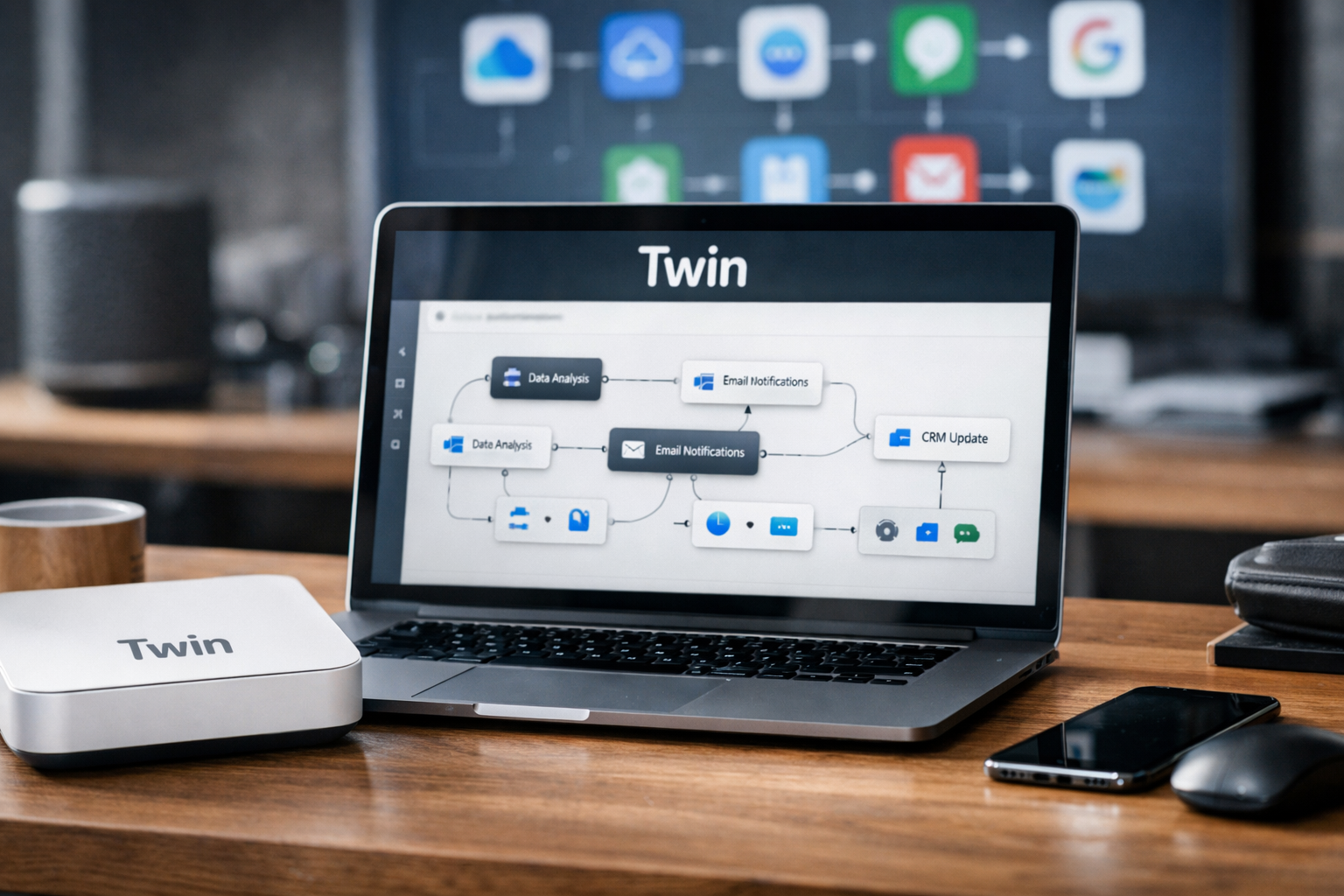
This Twin Review 2026 examines whether Twin’s AI agents offer practical value for businesses that want to automate prospecting, marketing, research, and recurring administrative work. Twin combines unlimited agents with scheduled runs, connected apps, and customer-facing dashboards, but the right plan depends heavily on your workflow.
Affiliate disclosure: This article may contain affiliate links. TopTrustReview may earn a commission at no additional cost to you if you purchase through them. Our conclusions are based on the verified product information available from Twin’s official homepage and pricing page.
Review methodology: We assessed Twin’s published capabilities, plan structure, integrations, security badges, and likely workflow fit. We did not receive private product access, so we have not independently benchmarked setup speed, output accuracy, browser-agent reliability, or support response times.
Official website · Latest pricing & offers
Twin Review 2026: Quick Verdict
Twin is a promising option for small businesses, agencies, and operators that want AI agents to complete recurring tasks across the web and common business applications. Its main strengths are unlimited agents, scheduled automation, connected apps, and plans designed for serving customers.
The most important limitation is that the official information does not provide enough detail to judge execution accuracy or setup difficulty. Buyers should use the sales process to test a representative workflow before committing.
| Verdict category | Assessment |
|---|---|
| Overall positioning | AI agents for business operations and marketing |
| Best entry plan | Plus for internal automation |
| Best advanced plan | Pro for browser work, prospecting, media generation, and deeper research |
| Best agency plan | Store for running dedicated agents on behalf of customers |
| Pricing model | Monthly plans with “Unlimited Plans. No Credits.” |
| Main caution | Reliability and configuration effort should be verified in a demo |
| Overall verdict | Worth evaluating if recurring work can be clearly defined |
Is Twin worth using right now?
Yes, for organizations with repetitive workflows that match its verified capabilities. Twin appears most compelling when an agent can read web information, draft emails, update spreadsheets, respond in chat, or run on a schedule without requiring constant supervision.
If your processes involve many exceptions, subjective judgment, or regulated decisions, arrange a proof of concept first. Twin’s official pages describe broad functionality, but they do not publish task-level accuracy or reliability figures.
Who should evaluate it first?
Agencies, consultants, lean sales teams, local-business marketers, and founders handling too much operational work are the clearest candidates. Pro and Store are particularly relevant when prospecting or customer delivery is central to the business model.
One-sentence summary
The Twin Review 2026 verdict is that Twin offers an unusually broad set of AI automation tools, but buyers should validate a real workflow before selecting a plan.
What Twin Is
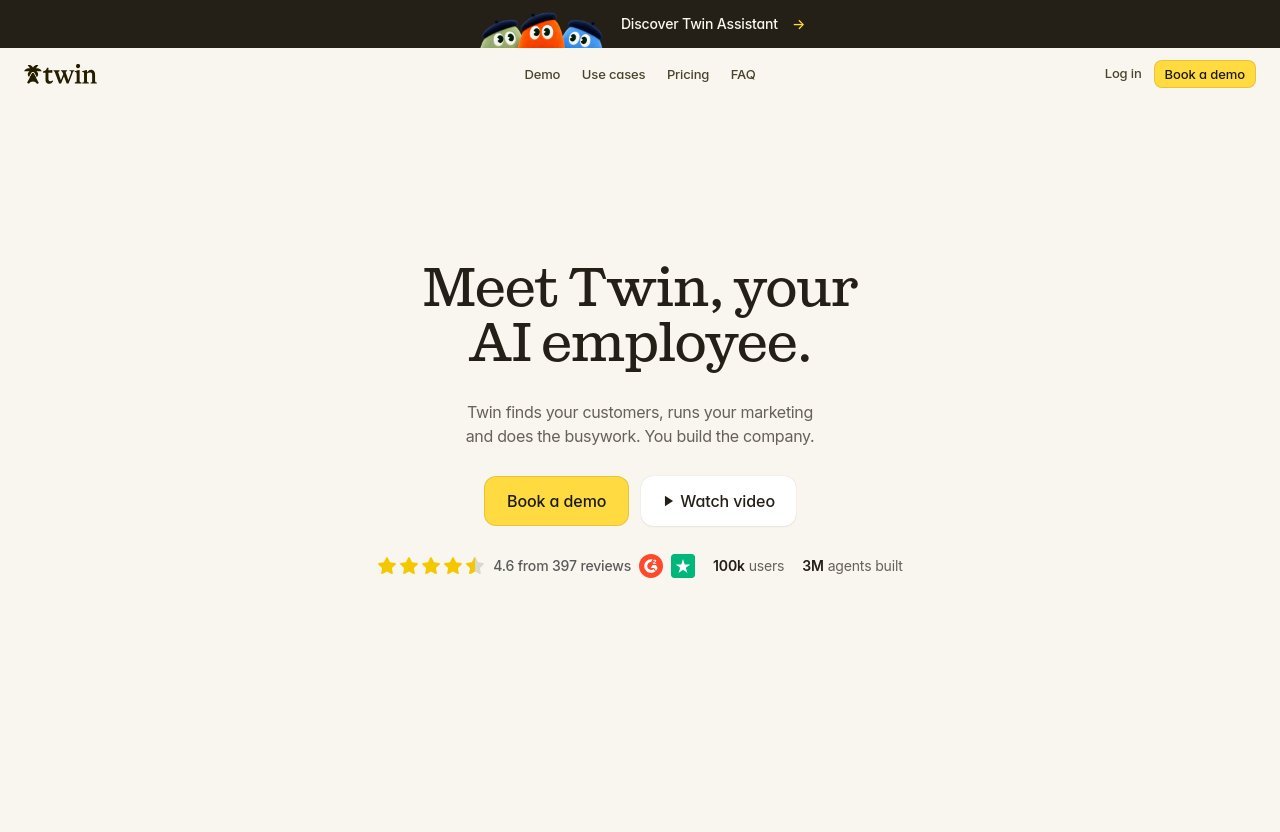
Twin describes its product as “AI Agents That Run Your Business” and introduces it as an AI employee. Its stated role is to find customers, run marketing processes, and handle busywork while the user focuses on building the company.
Rather than being a conventional chatbot, Twin is positioned around agents that take actions across applications, websites, spreadsheets, email, and chat.
Product premise and setup
A practical implementation would begin by choosing one repeatable process, identifying its trigger, and connecting the applications required to complete it. The agent could then be scheduled or initiated through a webhook, depending on the workflow.
For example, a business might configure an agent to gather public web information, organize it in Sheets, and prepare an email draft. The official pages confirm those underlying capabilities, although they do not document how many setup steps each workflow requires.
What kind of experience to expect
Expect an automation platform rather than a fully autonomous replacement for an employee. The quality of an AI workflow usually depends on clear instructions, appropriate data access, and defined review points.
Twin may reduce manual work, but responsible deployment still requires oversight. This is especially important before allowing any automation to communicate externally or update business records.
What the official pages verify
The homepage displays a 4.6 rating from 397 reviews and states that Twin has 100k users and 3M agents built. These are official social-proof claims rather than figures independently verified for this Twin Review 2026.
The pricing page also displays ISO 27001, SOC 2 Type I, and SOC 2 Type II badges. Businesses with formal procurement requirements should request the relevant compliance documentation during the sales process.
Why Buyers Are Searching for Twin Review 2026
Interest in AI has moved from text generation toward agents that can perform multi-step business tasks. That shift makes products such as Twin relevant to companies seeking practical automation rather than another standalone writing tool.
Twin also targets several buying categories at once: internal operations, marketing, prospecting, research, and agency delivery.
What buyers need to know before subscribing
The central question is not simply whether Twin has numerous features. Buyers need to know whether it can complete their specific tasks accurately enough to save more time than configuration and review consume.
A useful demo should test a real process with realistic inputs. Ask Twin to show how errors are identified, how permissions work, and what happens when a connected application or webpage changes.
How Twin stands out in 2026
The combination of unlimited agents, scheduled runs, webhooks, connected apps, and customer dashboards is the main differentiator presented in the Twin Review 2026 research. The pricing page also emphasizes “Unlimited Plans. No Credits.”
That language is attractive for teams worried about credit-based billing. However, buyers should confirm applicable service terms and practical capacity during the demo rather than assuming that every type of usage is unrestricted.
Expectations versus verified reality
Twin is marketed as an AI employee, but it is safer to view it as a configurable automation system. It can be assigned work within its available tools; that does not mean every business process will run correctly without human checks.
The strongest expectations are realistic ones: faster research, organized prospecting, prepared drafts, spreadsheet updates, and scheduled administrative workflows.
Twin Review 2026: Features, Workflows, and Use Cases
Twin’s shared plan features cover unlimited agents, scheduled runs and webhooks, connected applications, and work involving the web, email, spreadsheets, and chat.
The exact value depends on whether those functions replace meaningful recurring labor.
Core Twin features
Plus users can connect Gmail, Slack, Notion, Sheets, a calendar, and other tools. Agents can read the web, draft emails, update sheets, and answer in chat.
Pro adds a browser agent described as working inside any website. It also adds lead prospecting, company and contact discovery, enrichment, local-business mapping, image and video generation, deep research reports, and property and owner data.
Example workflows
Potential workflows supported by the published capabilities include:
- Researching public information and organizing findings in Sheets
- Drafting outbound emails for human approval
- Answering internal requests through chat
- Running scheduled marketing or administrative tasks
- Finding and enriching companies and contacts on Pro
- Producing deeper research reports on Pro
- Gathering property records and owner data on Pro
- Operating a dedicated agent for each agency customer on Store
These examples are combinations of verified Twin features, not independently tested performance claims. Output quality and completion rates should be assessed using your own data.
Setup, usability, and reliability considerations
A sensible setup sequence would be:
- Select one frequent, rules-based task.
- Connect only the applications necessary for that task.
- Define the required output and acceptable source material.
- Run the agent with human review.
- Check incomplete, incorrect, and duplicate results.
- Add scheduling or webhooks only after the manual test succeeds.
The official pages do not disclose average setup time, failure rates, or output-accuracy benchmarks. That missing information does not make Twin unsuitable, but it makes workflow testing an essential buying step.
Official website · Latest pricing & offers
Twin Review 2026: Pricing and Plans
Twin pricing starts at $29 per month for Plus, rises to $149 per month for Pro, and starts at $399 per month for Store. The pricing page says “Unlimited Plans. No Credits.” and instructs prospects to book a demo to get started.
| Plan | Price | Best suited to | Key verified capabilities |
|---|---|---|---|
| Plus | $29/month | Internal automation and basic client collaboration | Unlimited agents, scheduled runs, webhooks, connected apps, web reading, email drafts, sheet updates, chat answers, up to five customer dashboards |
| Pro | $149/month | Prospecting, browser tasks, research, media, and property workflows | Everything in Plus, browser agent, lead prospecting and enrichment, local-business mapping, image and video generation, deep research, property and owner data |
| Store | From $399/month | Agencies and service providers scaling AI automation across customers | Everything in Pro, customer dashboards, one tuned agent per customer, ability to add customers as the business grows |
Which Twin plan should you choose?
Choose Plus when the objective is to automate internal work using email, Slack, Notion, Sheets, calendars, web content, and chat. It is also suitable for limited customer collaboration because it allows up to five customers, each with a dashboard.
Pro makes more sense when the browser agent or prospecting tools directly support revenue-producing work. Paying the higher price only for occasional image generation or research may be difficult to justify.
Store is the specialist plan. It fits agencies that intend to package Twin automation as part of a customer service, with an individually tuned agent and dashboard for each account.
Pricing questions to ask during the demo
Before buying, clarify what “unlimited” covers operationally and whether any technical or acceptable-use constraints affect your expected workload. Store buyers should also confirm how pricing changes as customers are added because the published starting price is $399 per month.
For the latest terms and a tailored demonstration, review the official Twin product and pricing information.
Twin Pros and Cons
No AI automation platform is appropriate for every process. The following assessment separates verified advantages from questions that require a demo.
What Twin does well
- Unlimited agents are included across the published plans.
- Scheduled runs and webhooks support recurring workflows.
- Gmail, Slack, Notion, Sheets, calendars, and other tools can be connected.
- Plus begins at an accessible $29 per month.
- Pro combines browser automation with prospecting and research.
- Customer dashboards support consultants and agencies.
- Store provides one tuned agent per customer.
- The pricing page displays recognized security and compliance badges.
What may frustrate buyers
- A demo is required to get started.
- The official pages do not disclose setup-time benchmarks.
- Published accuracy or task-completion statistics are unavailable.
- Plus does not include the browser agent or advanced prospecting.
- Pro represents a significant price step from Plus.
- Store pricing begins at $399 per month, with exact scaling costs not stated.
- Broad “AI employee” positioning may create unrealistic expectations.
Final pros versus cons summary
The Twin Review 2026 balance is favorable when a company has recurring, measurable tasks and can supervise the initial deployment. The case is weaker for buyers who want guaranteed autonomous performance without configuration or review.
Who Twin Is Best For
Twin is most suitable for businesses that can express their work as a sequence of inputs, actions, and outputs. Processes involving web research, draft preparation, spreadsheet maintenance, or scheduled communication fit its verified toolset.
Best for agencies and lean teams
Marketing agencies and consultants may benefit from customer dashboards and the ability to invite up to five customers on Plus or Pro. Store becomes more relevant when each customer needs a tuned agent operated on their behalf.
Small sales teams may prefer Pro because its prospecting capabilities include finding companies and contacts, enrichment, and mapping local businesses.
Not ideal for teams that want guaranteed autonomy
Twin may be a poor fit for organizations unwilling to review AI-generated work or define workflows clearly. It is also difficult to recommend for highly sensitive processes without a detailed security, permissions, and compliance review.
Companies needing only simple trigger-and-action automation may not require an agent-focused platform.
Best plan by business type
| Business type | Likely plan | Reason |
|---|---|---|
| Founder or small internal team | Plus | Lower-cost access to scheduled agents and connected apps |
| Sales or lead-generation team | Pro | Prospecting, enrichment, and browser capabilities |
| Research-heavy business | Pro | Deep reports and broader web-based work |
| Property-focused operation | Pro | Published property-record and owner-data features |
| Small agency with limited customers | Plus or Pro | Up to five customer dashboards |
| Growing automation agency | Store | Dedicated agent and dashboard for each customer |
How Twin Compares to Alternatives
Relevant Twin alternatives include traditional workflow platforms such as Zapier and Make, AI-agent products such as Lindy or Relevance AI, and broader marketing or CRM systems such as HubSpot.
This is not an interchangeable shortlist. Each option should be assessed against the same workflow, required integrations, governance needs, and total monthly cost.
Compared with workflow automation platforms
Traditional automation tools may suit teams that want predictable trigger-and-action sequences. Twin is more appealing when a process requires AI-assisted web reading, drafting, research, chat interaction, or browser work.
The decision is therefore not “agents versus automation” in general. It is whether your process needs flexible AI interpretation or a tightly defined set of rules.
Compared with other AI-agent options
When comparing Twin AI agents with competing agent platforms, examine setup effort, supervision controls, browser reliability, integration coverage, and pricing at your expected workload. Marketing labels alone do not reveal which platform will complete your process most consistently.
Ask every vendor to demonstrate the same task. That produces a more useful comparison than counting features.
Why Twin may be the better pick
Twin may win for agencies because its plans explicitly include customer dashboards, while Store adds one tuned agent per customer. Pro is also notable for bringing prospecting, browser automation, research, media generation, and property data into one plan.
Its published no-credit positioning could make costs easier to understand, subject to confirmation of the applicable terms.
Should You Use Twin in 2026?
The final Twin Review 2026 recommendation is to shortlist Twin if your business has recurring work involving research, email preparation, spreadsheets, web activity, chat, or lead prospecting. Start with one workflow whose time savings and output quality can be measured.
Do not purchase solely because the idea of an “AI employee” sounds appealing. The business case should come from a repeatable process that Twin can demonstrably complete.
Buy now or wait?
Evaluate it now if repetitive work is already constraining your team and the monthly plan cost is lower than the value of the time you expect to recover. Waiting is reasonable if your processes are still changing or you cannot assign someone to supervise implementation.
Best reason to choose Twin
The best reason is the combination of unlimited agents, scheduled execution, connected business tools, and plan options for both internal work and customer delivery.
Best reason to skip Twin
Skip it if you require published reliability benchmarks before testing, or if your workflows depend heavily on nuanced human judgment. If the feature set matches your needs, the next practical step is to check Twin’s official page and request a pricing demonstration.
Official website · Latest pricing & offers
FAQ
Is Twin worth it in 2026?
Twin is worth evaluating for businesses with recurring, measurable tasks involving web research, email, spreadsheets, chat, prospecting, or customer delivery. Its value should be confirmed through a representative workflow demo rather than assumed from the feature list.
Is Twin suitable for running many recurring automations?
Potentially. All published plans include unlimited agents, scheduled runs, and webhooks, making Twin relevant to recurring workflows. Practical capacity, reliability, and applicable usage terms should be confirmed before deploying a high volume of critical tasks.
Who will benefit most from Twin?
Founders, lean operations teams, sales organizations, consultants, and agencies are the strongest fit. Pro is particularly relevant to prospecting and research teams, while Store targets providers running tuned agents for multiple customers.
Does Twin suit teams that need fast results?
It may, especially when the workflow is clear and uses supported tools. However, teams should allow time for configuration, testing, and human review because Twin does not publish verified setup-speed or task-accuracy benchmarks.
Related Reading
- Multiples Review 2026: Is This Valuation Platform Worth It?
- Airdna Review 2026: Is It Worth It?
- Scrimba Review 2026: Is This Interactive Coding Platform Worth It?