Higgsfield Alternatives: 7 Best Options in 2026
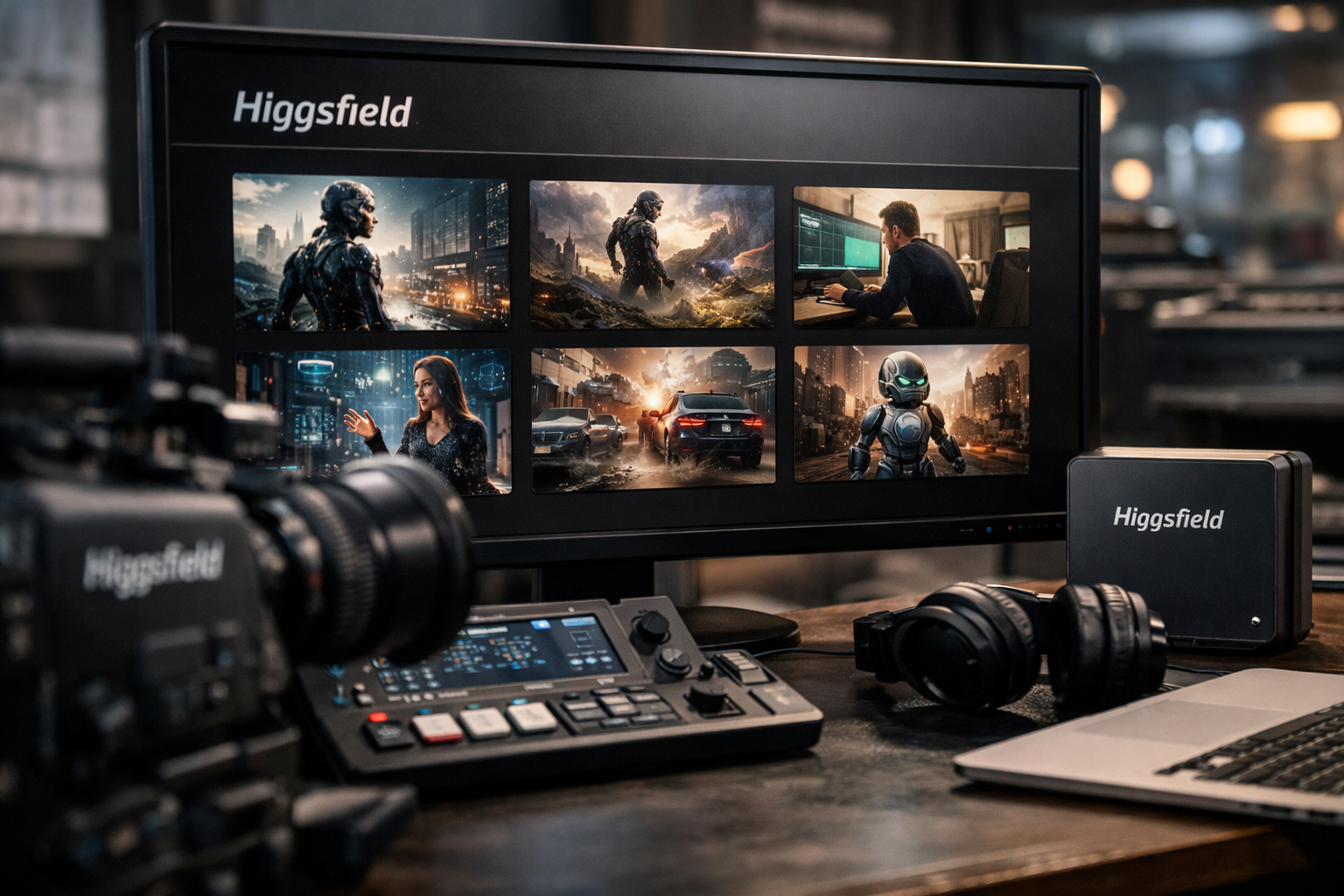
Finding the right higgsfield alternatives comes down to more than choosing the most popular AI video generator. Higgsfield AI is an AI-native creative suite with video, image, audio, Shorts Studio, Genjutsu, Canvas, Ads Studio, Cinema Studio, and other creative product areas. That breadth makes it useful, but some creators need more realistic motion, more direct editing control, a simpler workflow, or a better cost per usable clip.
This review ranks the closest higgsfield alternatives by output style, workflow similarity, and practical value—not just name recognition. We have an affiliate relationship with Higgsfield, but that does not affect the rankings or the tradeoffs discussed below. If you are comparing it directly, you can review Higgsfield AI through our partner link and then test the alternatives that best fit your production needs.
Official website · Latest pricing & offers
Quick verdict: the 7 best Higgsfield alternatives in 2026
| Alternative | Main use case | Standout strength | Skip it if… |
|---|---|---|---|
| Runway | Cinematic AI video production | Strong shot-level creative workflow | You only need fast, simple social clips |
| Kling AI | Realistic people and movement | Natural-looking human motion | You need a broad image, video, and design suite |
| Luma Dream Machine | Fast cinematic generation | Polished visual output with a streamlined experience | You want deep editor-style controls |
| OpenArt | Image and video creation | Broad creative workflow in one place | Your priority is only realistic video motion |
| Pika | Social-first creative clips | Stylized effects and rapid experimentation | You need consistent long-form production |
| HeyGen | Presenter and avatar videos | Efficient talking-head content | You need cinematic, non-avatar storytelling |
| Krea | Real-time visual iteration | Responsive creative control for designers | You need a standalone video-production platform |
Best overall for closest Higgsfield feel
Runway is the strongest overall choice for creators seeking a higgsfield alternative centered on cinematic output and creative experimentation. It is especially appealing when you want to develop individual shots rather than simply generate a finished social clip from one prompt.
Best for realistic human motion
Kling AI is the better match when believable human movement, body mechanics, and scene physics matter most. In a Kling AI vs Higgsfield comparison, Kling is often the more focused option for motion-led clips.
Best for fast social-ready video
Pika is a practical pick for creators producing short, attention-grabbing content. It is less of a complete creative suite, but it can be faster for visual gags, stylized transformations, and platform-native experiments.
Best for creators who need image + video in one place
OpenArt is one of the best Higgsfield alternatives for marketers and generalist creators who move between image ideation, prompt testing, and video creation. Its appeal is workflow consolidation rather than being a one-for-one cinematic replacement.
Best for avatar/presenter workflows
HeyGen is the clear specialist for presenter-led videos, localization-oriented content, and polished talking-head formats. It solves a different problem from a cinematic generator, but it can replace Higgsfield for many business-video tasks.
Best budget option
Krea can offer strong value for creators whose work starts with image exploration and live iteration. The best budget choice still depends on usable output, though: a lower monthly price is not useful if it takes many attempts to get one publishable clip.
Best for pro workflow control
Runway is the best fit for professionals who need a more deliberate production process. Its official product materials position it as a platform for generative video and creative production, which is why it remains a common choice for teams building shots instead of one-off experiments. Runway’s official site is the best place to confirm its current tools and access options.
What to look for in a Higgsfield alternative
A good higgsfield alternative should solve a specific workflow gap, not merely generate video. Before moving platforms, decide whether your issue is quality, speed, creative range, credit consumption, or commercial deliverables.
Video quality and realism
Look closely at temporal consistency: faces, hands, clothing, backgrounds, and objects should remain stable across a shot. A visually beautiful first frame does not guarantee a usable video if subjects drift or change identity during movement.
For cinematic projects, evaluate lighting, camera language, depth, and subject consistency. For social content, the stronger measure may be whether the first two seconds look convincing enough to stop scrolling.
Motion control and prompt adherence
Motion is where many AI video generator alternatives separate themselves. Some tools excel at broad mood and movement, while others give you a more predictable way to guide camera direction, scene action, or reference-driven output.
Test a tool with the same prompt three times. If the core action changes significantly between generations, you may spend more credits than expected trying to direct the model into the shot you actually need.
Credit economy and pricing model
A higgsfield cheaper alternative is only genuinely cheaper when it produces more usable clips from your actual monthly usage. Generation systems commonly use credits, quotas, limits, or plan allowances, and these can vary by resolution, duration, model, and feature.
Do not choose based on the entry price alone. Track how many generations it takes to get one approved result, then divide your monthly spend by the number of clips you would actually publish.
Ease of use and workflow speed
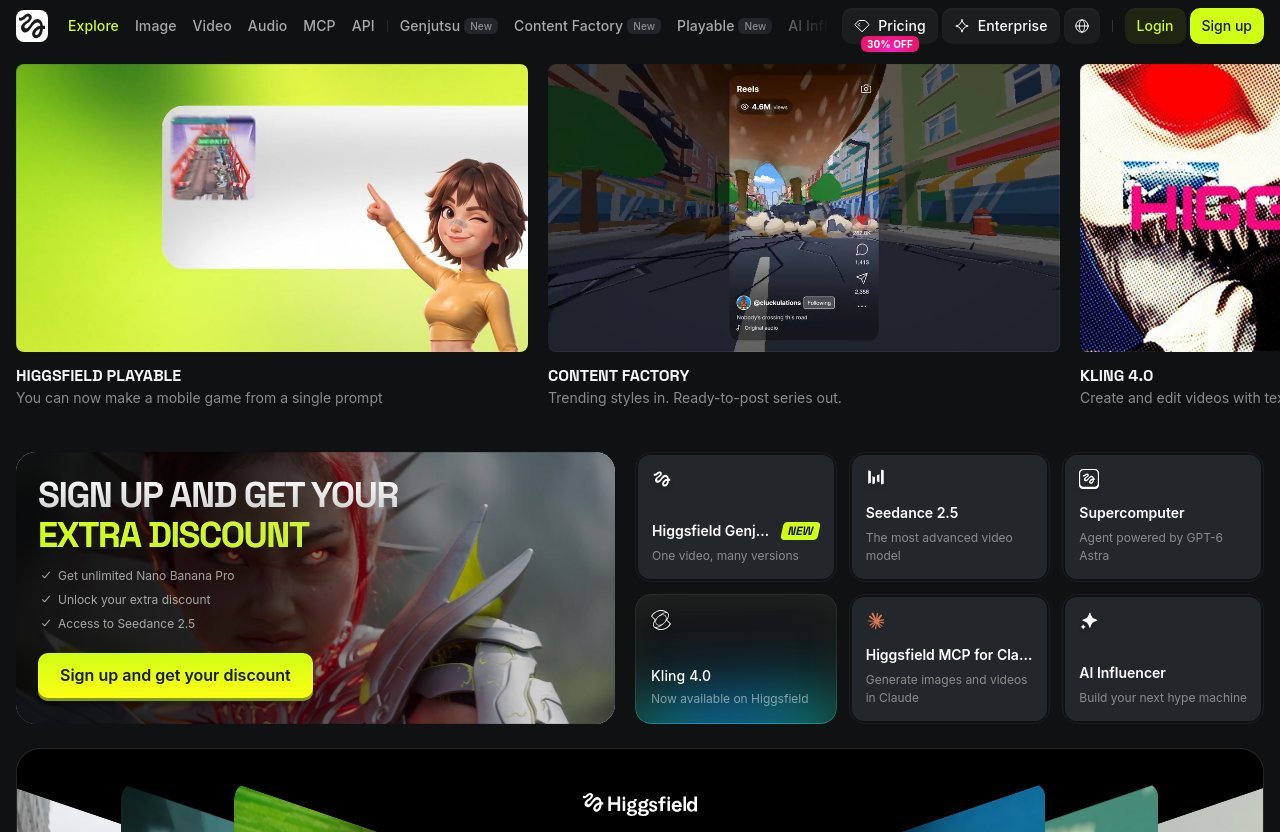
A creative suite can save time when it reduces handoffs between tools. Higgsfield’s official homepage, for example, lists product areas ranging from Image and Video to Shorts Studio, Content Factory, Effects, Cinema Studio, Canvas, and Ads Studio.
However, an all-in-one workspace is not automatically faster for every creator. If you have one repeatable task—such as turning a product image into a short product clip—a specialist tool may be more efficient.
Image-to-video vs text-to-video
Text-to-video is useful for exploring ideas from scratch. Image-to-video is usually better when brand identity, product shape, wardrobe, composition, or character consistency matters.
This distinction is central when evaluating a higgsfield ai alternative. Use text prompts for concept discovery, then switch to image-led workflows when you need to preserve a visual direction across several assets.
Commercial usage and export options
Before producing client work, verify each platform’s current commercial-use terms, export options, attribution rules, and restrictions on trial outputs. These policies can change, so official terms—not social posts or old review articles—should be your source of truth.
Also consider the workflow after generation. A tool that makes a good clip but creates difficult-to-edit exports may not be the right choice for an agency or brand team.
1. Runway
Why it is a close substitute
Runway is one of the closest higgsfield alternatives for creators who care about cinematic generative video and shot construction. It is designed around creative production rather than only novelty clips, making it a sensible option for directors, editors, and marketers who want to build a repeatable visual process.
The Runway vs Higgsfield decision often comes down to control. Higgsfield’s broader suite is attractive for creators moving between several content formats, while Runway is compelling when the video shot itself is the center of the workflow.
Where it beats Higgsfield
Runway is a strong choice when you prefer a production-minded environment and want to spend time refining a shot concept. Its official documentation and product pages emphasize generative video tools and a creator-focused workflow, which supports more deliberate experimentation than a quick, one-prompt approach.
In practice, I would use Runway when a short clip needs to fit a storyboard, a campaign concept, or an editing timeline. It feels better suited to creators who are willing to iterate for a stronger final shot.
Where it falls short
Runway can feel like overkill for someone who only needs rapid social posts or broad creative assets beyond video. It also requires a disciplined testing process; strong results still depend on prompt quality, reference selection, and the willingness to reject weak generations.
It is not automatically the best value for casual creators. If your output is mostly simple reels, product loops, or stylized effects, Pika or OpenArt may feel more direct.
Who should choose it
Choose Runway if you are a filmmaker, creative lead, editor, or agency team that needs cinematic shots and a more intentional workflow. It is the top recommendation for users who want the closest overall substitute without limiting themselves to a social-video-only tool.
2. Kling AI
Why it is strong for human motion
Kling AI is widely considered in conversations about human movement and physical realism. It is a sensible option when your main frustration is stiff action, floating subjects, or implausible body movement in generated clips.
For a Kling AI vs Higgsfield comparison, Kling is best viewed as a motion-first choice. It may not replace every part of a larger creative suite, but it can be the better tool for scenes where a person needs to walk, turn, gesture, dance, or interact naturally.
Best scenarios for social and branded clips
Kling AI is useful for fashion concepts, lifestyle ads, sports-inspired visuals, music content, and creator campaigns featuring people. It can also work well for branded clips where the movement needs to feel credible before the viewer notices the AI styling.
Use clear prompts with one main subject and one main action. Overloading an AI-video prompt with multiple people, complex camera instructions, product placement, and scene changes usually makes consistency harder across any platform.
Limitations to know
Natural motion does not remove the need for review. Hands, contact with props, rapid camera changes, and multiple interacting subjects still require careful checking before publication.
Kling also may not be the ideal choice when you need image generation, design exploration, avatar narration, or a large collection of short-form presets in the same workspace. In that case, combine it with another tool or consider an all-in-one platform.
Who should choose it
Choose Kling AI if realistic people are your priority and you can accept a more specialized workflow. It is one of the best Higgsfield alternatives for performance-driven clips, character movement, and lifestyle visuals.
3. Luma Dream Machine
Why creators compare it to Higgsfield
Luma Dream Machine is often mentioned as a Luma Dream Machine alternative comparison point because both appeal to creators seeking visually impressive AI video. It is a practical option for people who want to turn an idea or reference into a polished-looking scene without building a complicated multi-tool process.
The appeal is simplicity. You can focus on a clean prompt, a clear visual reference, and a short list of generations rather than managing a broad creative stack.
Strengths in speed and visual quality
Luma’s official site presents Dream Machine as a system for creating visual content with AI, and its reputation among creators is built on strong atmosphere, camera feeling, and attractive scene generation. For initial concepts, it can be an efficient way to find cinematic mood quickly.
I find this type of workflow especially useful during pre-production. Generate several visual directions first, select the one that feels closest to the campaign, and only then invest time in detailed revisions or editing.
Best use cases
Use Luma Dream Machine for mood films, fantasy environments, product beauty shots, architectural concepts, and cinematic social clips. It is also helpful when you need a fast visual proof of concept before briefing a production team.
A key advantage is reducing friction. If Higgsfield feels too broad for the task at hand, Luma can be a more focused creative starting point.
Who should choose it
Choose Luma if you want visually polished results with a straightforward generation experience. It is a strong higgsfield alternative for creators who value speed and aesthetic impact more than an all-in-one suite.
4. OpenArt
Why it fits all-in-one creators
OpenArt is a compelling choice for users who see AI content as an image-and-video workflow rather than a video-only workflow. Its official platform presents a range of image-generation and creative capabilities, making it attractive for creators who want to explore visual concepts before animating them.
The OpenArt vs Higgsfield question is less about which platform is universally better. It is about whether you need a broad canvas for prompt experimentation and image creation alongside your video work.
Image and video workflow advantages
A unified visual workflow can reduce the common problem of jumping between separate image generators, upscalers, prompt notes, and video tools. For marketers, that often means faster creative testing and fewer inconsistencies in color, composition, and subject appearance.
OpenArt can be particularly useful when you begin with static campaign visuals. Build a product or character direction first, then use compatible video functions or exports to create motion-led variants.
Best use cases for marketers
OpenArt suits ecommerce teams, social media managers, brand designers, and solo creators producing many concepts every month. It is especially useful for thumbnail ideas, ad concepts, mood boards, product scenes, and visual campaign variations.
It may be more productive than a purely cinematic tool when volume matters. A marketer usually needs a family of coherent assets, not just one exceptional video shot.
Who should choose it
Choose OpenArt if you want image generation and video creation under one creative umbrella. It is a valuable higgsfield alternative for generalist creators, although specialists seeking the most realistic movement may prefer Kling AI.
Official website · Latest pricing & offers
5. Pika
Why it appeals to short-form creators
Pika is built for fast, experimental visual content. It is a strong option for creators making short clips that prioritize surprise, transformations, effects, and shareability over traditional cinematic continuity.
Among AI video generator alternatives, Pika makes the most sense when your production calendar is social-first. The goal is often to test a hook, create a memorable transition, or add motion to an existing concept quickly.
Best for stylized video edits
Use Pika for playful product reveals, surreal transformations, animated memes, music snippets, and experimental campaign assets. It can help turn an ordinary still or simple scene into something that feels more native to short-form platforms.
This is where it differs from Higgsfield’s broader creative positioning. Pika is not necessarily the tool for every production stage, but it can be highly effective for the final social asset.
Strengths and tradeoffs
Its biggest strength is speed of ideation. You can test unusual creative directions without committing to a full cinematic workflow, which is valuable when most ideas will be discarded quickly.
The tradeoff is that highly stylized output is not always what a premium brand needs. For realistic product demonstrations, consistent characters, or controlled narrative scenes, use a more production-oriented tool.
Who should choose it
Choose Pika if you make frequent short videos for TikTok, Reels, Shorts, or paid-social testing. It is not the closest cinematic clone, but it earns its place among the best Higgsfield alternatives for social-native output.
6. HeyGen
Best for talking-head and presenter videos
HeyGen is the most practical substitute for businesses that need spokesperson-style video, presenter-led explainers, training content, or localized messages. Its official site positions the platform around AI avatars, video creation, and translation-related workflows.
It is not a direct replacement for cinematic AI generation. Still, it can replace Higgsfield for users whose real goal is not cinematic motion but fast, professional communication.
How it differs from Higgsfield
Higgsfield is better aligned with creative generation across image, video, and related formats. HeyGen is more specialized around people speaking to camera, which makes it useful for sales enablement, education, onboarding, and internal communications.
That focus is an advantage if you have a script and need a finished presenter video. You do not have to spend time prompting for a believable on-camera performance from scratch.
Where it saves time
HeyGen can reduce the need for filming, studio scheduling, reshoots, and repeated voice recordings. For multilingual campaigns or frequent product updates, that operational saving can matter more than cinematic originality.
Review avatar realism, voice accuracy, and brand appropriateness before publishing. Presenter content is highly visible, so a small issue in lip sync or pronunciation can undermine trust.
Who should choose it
Choose HeyGen if you need recurring business videos, avatar explainers, or presenter-led content at scale. It is the best choice on this list for replacing a specific communication workflow, rather than replacing Higgsfield’s cinematic output.
7. Krea
Best for real-time creative control
Krea is a strong fit for designers who want a more responsive, iterative relationship with AI visuals. Its official platform emphasizes creative generation and real-time workflows, which can feel more hands-on than waiting for batches of finished outputs.
For many creatives, this changes the ideation process. Instead of writing a long prompt and hoping for the right result, you can explore visual direction through quicker feedback loops.
Why designers like it
Designers often value control over composition, style, and visual exploration before they ever need a final video. Krea supports that early-stage process well, particularly for art direction, concepts, references, and branded visual experimentation.
This makes it a useful companion to a video platform. You can develop strong source imagery in Krea, then animate selected concepts elsewhere if video is the final deliverable.
Where it fits in a Higgsfield workflow
Krea does not have to be a complete replacement. It can be the creative-control layer in a workflow that includes Higgsfield, Runway, or Kling for motion generation.
That said, it is a sensible higgsfield alternative for users who feel their biggest problem is not video quality but getting to the right visual concept quickly. Better source imagery often leads to better image-to-video results.
Who should choose it
Choose Krea if you are a designer, art director, or visual creator who wants rapid experimentation and more immediate control. It is best viewed as a creative direction tool rather than a pure cinematic-video substitute.
Which Higgsfield alternative should you pick?
If you want the closest overall substitute
Choose Runway. It has the strongest fit for creators seeking cinematic video generation with a more professional, shot-centered process.
If you want cheaper pricing
Start with Krea, Pika, or a free-access tier from a platform you are already considering, but calculate value based on usable clips. A true higgsfield cheaper alternative is the one that gets you publishable content with the fewest retries.
If you want the best motion realism
Choose Kling AI. It is the clearest recommendation when believable human movement and physical action are more important than having a large creative suite.
If you want a broader content stack
Choose OpenArt if you need image ideation and video production in one workflow. Choose HeyGen instead if your “video” requirement is mostly scripted avatar or presenter content.
How to switch from Higgsfield without losing output quality
Reuse your best prompts
Export or save your strongest prompts, reference images, aspect ratios, and notes before switching. Your best prompt is not just a description—it is a record of subject, style, lens feeling, camera movement, lighting, and constraints.
Rewrite the prompt slightly for each platform’s interface rather than pasting it blindly. Different models interpret the same wording differently.
Match aspect ratio and shot style
Keep testing fair by using the same aspect ratio, duration target, subject framing, and reference image. A vertical product clip should be compared against another vertical product clip, not against a landscape cinematic scene.
Assess the actual first-frame quality and the last-frame quality. Many clips look promising initially but degrade during motion.
Test 3 tools before committing
Run the same creative brief through two or three platforms before buying a long-term plan. For example, test one realistic-human prompt in Kling, one cinematic scene in Runway, and one social effect in Pika.
Score each result for motion, visual consistency, prompt adherence, generation speed, and edit readiness. This is more reliable than choosing based on viral examples from other creators.
Track credit usage and monthly cost
Create a simple spreadsheet with generations attempted, clips approved, credits used, and editing time. After one week, you will know far more than a pricing page can tell you.
This process also helps you identify whether a free Higgsfield alternative is genuinely useful. Free access is valuable for testing, but limits, watermarks, lower-priority generation, or export restrictions may make it unsuitable for production work.
Higgsfield pricing vs alternatives: what actually matters
Subscription cost versus usable output
The real monthly cost is cost per usable video. A lower subscription can become expensive when it takes ten generations to get one usable clip, while a higher-priced service may be better value if it produces an approved result in two or three attempts.
Higgsfield has an official pricing page, but plan details, quotas, and prices should be checked there directly because AI platform pricing changes frequently. Apply the same rule to every alternative in this guide.
Monthly reset credits versus evergreen value
Many AI tools use monthly allowances that reset, expire, or work differently across plan levels. That means a plan can look generous but be poor value if you cannot use the output capacity before the reset date.
Estimate your actual volume first: a solo creator may need ten strong clips monthly, while an agency could need dozens of variations for testing. Buy for your real production cadence, not for theoretical maximum output.
When a cheaper tool is not really cheaper
A cheaper platform is not cheaper if its clips need extensive repair, additional editing, or another tool to finish the job. Consider labor cost as well as generation cost.
For example, a tool that creates an acceptable presenter video quickly can beat a cinematic generator for training content. Conversely, a social-effects tool may be poor value for a luxury brand campaign that needs controlled, premium visuals.
How affiliates and free trials affect the first month
Affiliate relationships can influence where readers encounter an offer, so transparency matters. This article includes an affiliate link to Higgsfield, but recommendations are based on workflow fit, and no unverified discount claims are being made.
For Higgsfield, check the promo banner on the official site and the checkout coupon field for any current offer. For all platforms, use trials or free access where available to test your exact brief before treating the first-month price as a meaningful comparison.
Official website · Latest pricing & offers
FAQ
Is there a better alternative to Higgsfield?
There can be, depending on the job. Runway is often the closest all-around replacement for cinematic, shot-led creation; Kling AI is stronger for realistic human motion; and OpenArt is appealing for creators who need image and video workflows together.
The best higgsfield alternatives are not automatically “better” in every category. Choose based on the output you need most often.
What are some free AI video generators similar to Higgsfield?
Several AI video platforms offer some form of free access, trial, or entry-level option, but the exact availability and limitations change regularly. Check each platform’s official pricing page for current terms before relying on it.
A free Higgsfield alternative usually comes with tradeoffs such as limited credits, slower queues, watermarks, fewer export options, or restricted commercial use. Use free access to compare quality, then decide whether the paid workflow produces enough usable output.
Is Higgsfield better than OpenArt?
Neither is universally better. Higgsfield may be the better fit when your priority is a creative suite with a strong emphasis on cinematic video-oriented workflows and tools such as Shorts Studio, Genjutsu, and Cinema Studio.
OpenArt can be better for creators who want image and video creation in one ongoing ideation workflow. In an OpenArt vs Higgsfield decision, marketers and designers may prefer OpenArt’s broader visual-development angle, while video-focused creators may prefer Higgsfield’s creative-video ecosystem.
How to get Higgsfield cheaper?
Check Higgsfield’s official pricing page for current plan options, then review the promo banner on the official site and the checkout coupon field. Avoid relying on old coupon pages, as AI tool offers and plan structures change frequently.
The most reliable savings strategy is to compare the cost per usable output. If you only need occasional clips, a lower-commitment plan or a competing tool with better results for your niche may cost less overall.
Final recommendation
Best overall
Runway is the best overall choice for creators who want the closest high-quality substitute for cinematic AI video workflows. It is the most suitable option for planned creative production, not just casual generation.
Best budget pick
Krea is the strongest starting point for budget-conscious designers who need fast creative iteration. Pika is also worth testing if your output is mainly short-form social content.
Best for professionals
Kling AI is the best choice for realistic human motion, while Runway is the stronger professional workflow pick for shot development and production-minded teams.
Best for social-first creators
Pika is the most practical for fast, stylized social clips, while OpenArt is better for creators who need a wider image-and-video content stack.
The best higgsfield alternatives are ultimately the ones that deliver your required quality with the lowest number of failed generations. Test Runway, Kling AI, and the platform most aligned with your content format before committing to a recurring plan.
Related Reading
- Best Morelogin Alternatives in 2026
- Autods Reviews Trustpilot: A Balanced 2026 Review
- Best Answerthis Alternatives in 2026
References
- Best Higgsfield Alternative? : r/generativeAI
- 8 Best Higgsfield Alternatives for AI Video in 2026
- Best Higgsfield Alternatives in 2026: 6 AI Video Tools Rated
- Best Higgsfield Alternatives for AI Image and Video Creation