Rss.com Free Plan Review: Is It Worth It in 2026?
The rss.com free plan is a genuinely useful starting point for new podcasters: it costs $0 per month, has no trial period, never expires, and includes the essentials needed to publish consistently. You get unlimited episodes and downloads, distribution to Apple Podcasts and Spotify, a podcast website, listener donations, and download tracking.
This review contains affiliate links. If you sign up through one of them, TopTrustReview may earn a commission at no extra cost to you. My assessment is based on RSS.com’s official homepage and pricing information, cross-checked against reputable search-result sources; always verify final terms on the official pricing page before joining.
Official website · Latest pricing & offers
Quick Verdict: Is RSS.com’s Free Plan Worth It?
Yes, the rss.com free plan is worth using if your goal is to launch a show without committing to a monthly hosting bill. It removes the pressure of a trial deadline while providing enough publishing, distribution, and tracking functionality to test whether your podcast idea has momentum.
The trade-off is straightforward: free users get the core hosting experience, while paid plans add monetization options, AI transcripts, deeper analytics, collaboration, multi-show management, video publishing, and API access.
Who the free plan is best for
The free tier suits first-time hosts, hobby podcasters, and creators validating a new format. If you want to record episodes, distribute them to major listening platforms, and see whether people are downloading, the rss.com free plan covers those early priorities without an expiration date.
It is also a sensible option when your show is still finding its voice. A limited-series interview concept, a personal storytelling show, or a niche community podcast can launch lean and build proof of demand before adding paid tools.
Who will outgrow it quickly
You may outgrow the free tier if your podcast has a clear revenue plan from the start. Creators who want to earn from ads, offer paid subscriptions on Apple Podcasts, generate transcripts with AI, or analyze audience data in greater depth should look at Plus or above.
Teams and agencies will also need a higher plan sooner. Pro supports up to 10 podcasts and unlimited team members, while Max is designed for creators prioritizing audio and video publishing at scale.
Bottom-line recommendation
Think of the rss.com free plan as a long-term launchpad rather than a temporary demo. Stay free when publishing and learning are your priorities; upgrade when a specific paid capability—such as ad monetization, transcripts, a team workflow, or video—solves a real business need.
For an easy way to review the current options before deciding, you can explore RSS.com’s available plans and confirm the latest terms directly on its official site.
What RSS.com’s Free Plan Includes
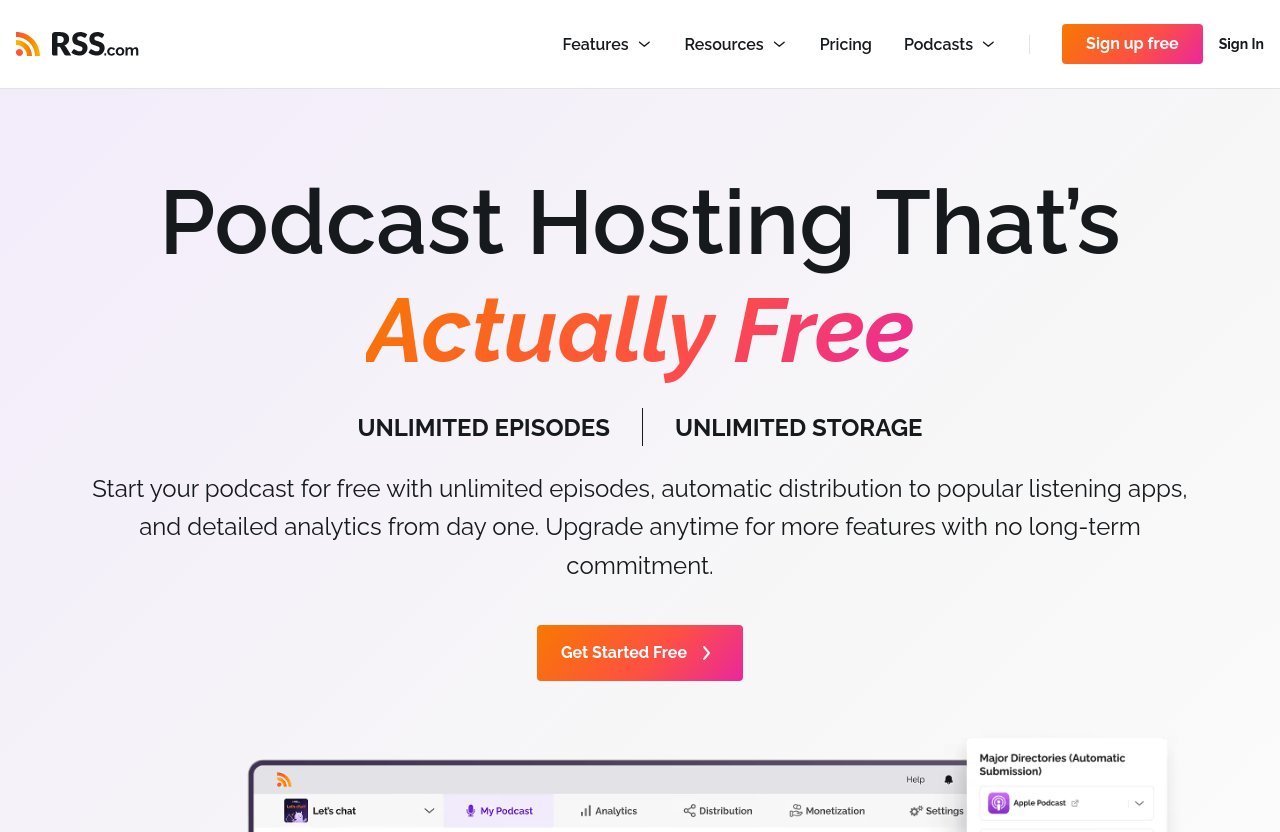
The rss.com free plan is priced at $0 per month, with no trial and no expiration. RSS.com describes it as always free, which is important for podcasters who do not want to rush their launch or migrate after a short introductory period.
Unlimited episodes and downloads
Free hosting includes unlimited episodes and unlimited downloads. That means you can continue publishing your back catalogue and new releases without a stated episode or download ceiling in the verified plan details.
For a new creator, this makes the rss.com free plan practical for developing a regular release schedule. You can focus on making better episodes instead of treating every upload as a cost decision.
Publish to Apple Podcasts, Spotify, and more
The free tier lets you publish on Apple Podcasts, Spotify, and more. Distribution is a core requirement for any podcast hosting free plan, and RSS.com includes it without requiring an upgrade.
This makes the service relevant whether your audience prefers Apple Podcasts, Spotify, or other podcast destinations. You can establish a presence where listeners already search for shows.
Free podcast website
RSS.com includes a free website for your podcast. For beginners, that gives your show a home on the web without needing to arrange a separate website before publishing your first episode.
A dedicated podcast site can be especially useful when sharing a central destination with guests, listeners, and potential supporters. The rss.com free plan therefore covers more than audio storage alone.
Listener donations
Free users can accept listener donations. This is a meaningful option for independent creators who want a simple way for supportive listeners to contribute without immediately building a paid subscription strategy.
Donations are not the same as ad monetization or paid subscriptions, both of which belong to paid tiers. Still, they give a small but useful revenue path to hobby shows and community-led podcasts.
Track downloads and podcast growth
The free plan includes download tracking and podcast growth tracking. These fundamentals help you see whether publishing more consistently, changing episode topics, or promoting a guest affects your show’s reach.
That matters because the rss.com free plan lets you make early decisions from actual performance rather than guesswork. If basic tracking is enough for your stage, there is no need to pay only for the sake of paying.
What the Free Plan Does Not Include
The free tier is generous on publishing basics, but it does not include several capabilities reserved for paid plans. These are not reasons every host must upgrade; they are clear dividing lines between a simple hosting setup and a more commercial or operationally complex podcast workflow.
No advanced monetization tools
The free tier includes listener donations, but paid ad monetization and paid subscriptions are not listed as Free features. Plus allows creators to earn from ads with as few as 10 downloads and offer paid subscriptions on Apple Podcasts.
If revenue is central to your strategy, the rss.com free plan is best viewed as the place to build your audience first. When you are ready to actively monetize through those paid tools, Plus is the relevant next step.
No AI-generated transcripts
AI-generated transcripts are included with Plus, while Pro automatically creates transcripts for every episode. The Free plan does not list AI transcripts among its included features.
For some creators, transcripts become important once they have a growing episode library or a workflow that depends on written versions of audio. Until then, not needing this feature can be a valid reason to remain free.
No advanced analytics
Free users can track downloads and podcast growth, but advanced analytics for your show and audience are part of Plus. Pro also adds all-time analytics for every show.
This distinction makes the rss.com free plan suitable for basic performance monitoring. Creators who need more detailed audience and show analysis should consider whether Plus provides enough insight for their current decisions.
No team or multi-show features
The Free plan does not include the Pro-level capabilities to host up to 10 podcasts or add unlimited team members. Those features are aimed at networks, agencies, production teams, or creators operating multiple branded shows.
A solo podcaster with one program may not need either capability. But once work is shared across collaborators or multiple feeds, a Pro upgrade becomes easier to justify.
No video podcast publishing tools
Plus can create YouTube videos from audio episodes. Max goes further by supporting unlimited audio and video podcasts and enabling one upload to publish to Apple Podcasts and YouTube.
The rss.com free plan is therefore focused on the core podcast publishing path. If video is becoming a major distribution channel rather than an occasional experiment, Max is the more relevant tier.
Free vs Plus vs Pro vs Max: Which Upgrade Makes Sense?
RSS.com pricing is organized around the complexity of your podcast operation. Free handles the essentials; Plus targets solo creators who want growth and monetization tools; Pro adds multi-show and team functionality; Max expands into video publishing and API access.
| Plan | Monthly Price | Annual Price | Best Fit Based on Verified Features |
|---|---|---|---|
| Free | $0/month | Not applicable | New and hobby podcasters |
| Plus | $19.99/month | $15/month, billed annually at $180 | Solo creators pursuing ads, subscriptions, transcripts, and advanced analytics |
| Pro | $34.99/month | $26/month, billed annually at $312 | Teams or creators managing up to 10 podcasts |
| Max | $49.99/month | $37/month, billed annually at $444 | Audio-and-video creators needing API access and broader publishing scale |
Free vs Plus for growing solo creators
The rss.com free plan includes unlimited episodes and downloads, distribution, a free site, listener donations, and basic growth tracking. Plus includes everything in Free, then adds ad earnings with as few as 10 downloads, paid subscriptions on Apple Podcasts, YouTube videos created from audio, AI-generated transcripts, advanced analytics, and unlimited voicemails.
Choose Plus when those additions connect to a concrete goal. For example, a solo host with growing audience interest may value ads or paid subscriptions more than a free plan’s lower cost.
Plus vs Pro for teams and multiple shows
Plus is focused on a single creator’s broader toolkit. Pro includes everything in Plus and adds the ability to host up to 10 podcasts, retain 70% of ad revenue with PAID, add unlimited team members, view all-time analytics for every show, and automatically create transcripts for every episode.
The key Pro decision is operational rather than cosmetic. If you manage several shows or need a shared team setup, the rss.com pro plan provides features that Plus does not list.
Pro vs Max for video and scale
Pro supports a larger audio operation, while Max includes everything in Pro and adds unlimited audio and video podcasts. It also lets one upload publish to Apple Podcasts and YouTube, provides 70% of video ad revenue, and offers full API access to connect your tools.
Max is not automatically the “best” plan for every established show. It is the better fit when video publishing and integrations are central to how you operate, not merely future possibilities.
How to choose based on your podcast stage
Start with the outcome you need next. The rss.com free plan works when the next milestone is simply publishing and building an audience; Plus fits monetization, subscriptions, transcripts, and advanced analytics; Pro fits teams and multiple shows; Max fits video-driven publishing and API-based workflows.
Custom and Enterprise plans are available by contacting RSS.com. They include everything in Max plus campaign manager capabilities for dynamically inserting ads, including real-time geotargeting, video at scale, and ad-free options.
Official website · Latest pricing & offers
When to Upgrade from the Free Plan
A good rss.com upgrade is triggered by a specific missing capability, not by the feeling that a free plan is somehow less professional. Upgrade when the additional feature can save time, support your business model, or remove friction from an established workflow.
You want ad monetization or paid subscriptions
Move to Plus if you want to earn from ads with as few as 10 downloads or offer paid subscriptions on Apple Podcasts. These features are not included in the free tier, which only lists listener donations as its monetization-related option.
For creators comparing rss.com free vs paid, this is often the clearest dividing line. Donations can support a small audience, but ads and subscriptions serve a more structured revenue approach.
You need AI transcripts or advanced analytics
Plus includes AI-generated transcripts and advanced analytics for your show and audience. Pro automatically creates transcripts for every episode and provides all-time analytics for every show.
If you are regularly reviewing audience patterns or want transcripts as part of your production process, paying for the tier that explicitly includes them is more logical than trying to force a free setup to meet a different need.
You manage multiple podcasts or a team
Upgrade to Pro when you need to host up to 10 podcasts or add unlimited team members. This is the practical tier for podcast networks, client work, or creators expanding beyond one feed.
The rss.com free plan remains appropriate for a single independent show. Once multiple people or multiple podcasts are involved, Pro’s stated features address a different level of management.
You want video publishing and broader integrations
Max is the upgrade for unlimited audio and video podcasts, one-upload publishing to Apple Podcasts and YouTube, video ad revenue, and full API access. These are scale-oriented features for creators with a more advanced distribution plan.
If you only publish audio, do not upgrade to Max just because it exists. Upgrade when video or integrations are already part of your operating priorities.
Real-World Use Cases: Who Should Stay Free?
The rss.com free plan is strongest for creators who benefit from low risk and generous publishing basics. It is not merely a placeholder; it can remain the right plan for a long time when paid-only tools are unnecessary.
First-time podcasters testing an idea
A first-time host can record several episodes, publish them, and measure early downloads without a subscription. That is especially valuable when you are unsure whether you prefer interviews, solo commentary, a narrative format, or a limited series.
Hobby shows and passion projects
A hobby show about books, local history, gaming, or a personal interest may never need advanced analytics or team access. Unlimited episodes and downloads mean the project can grow naturally without a recurring hosting expense.
Local or niche creators starting lean
Local organizations, volunteer groups, and specialized communities often need a straightforward way to reach listeners. Publishing to major podcast platforms, maintaining a free podcast website, and accepting donations can be enough for this stage.
Creators validating an audience before monetizing
The rss.com free plan makes sense when you want evidence before investing in ad tools or subscriptions. Build a release rhythm, track growth, and listen for audience feedback; then consider Plus if monetization or deeper analysis becomes a genuine next step.
How RSS.com Compares on Value for Beginners
For beginners evaluating the best free podcast hosting option, value is not just about the $0 price. It is about whether the included features let you publish, distribute, present your show professionally, and learn from initial performance without an immediate upgrade.
Ease of use and distribution
RSS.com’s verified Free features cover distribution to Apple Podcasts, Spotify, and more. That means beginners can prioritize creating episodes and reaching listeners rather than paying simply to access core distribution.
Growth tools from day one
The ability to track downloads and podcast growth gives free users a way to evaluate progress from their first releases. Combined with unlimited episodes and downloads, this is a practical foundation for creators still building a library.
Support and reputation signals
This rss.com free plan review is grounded in official plan information rather than broad promises about unverified support levels or performance claims. Before selecting any host, review current official documentation, read recent independent user feedback, and make sure the workflow matches how you plan to publish.
When competitors may matter less than your workflow
Comparing hosts can be useful, but the right decision often comes down to whether the plan supports your immediate workflow. If you need unlimited publishing, major-platform distribution, a free website, donations, and basic growth tracking, RSS.com’s Free plan has a clear value proposition without requiring a paid commitment.
How to Decide in 5 Minutes
Use this quick framework to avoid overbuying. Start with your current requirements, then choose the lowest plan that explicitly includes the features you will genuinely use.
Use the free plan if…
Choose the rss.com free plan if you are launching one show, testing an idea, publishing audio episodes, tracking basic download growth, and accepting listener donations. It is also the sensible option if you do not yet need transcripts, advanced analytics, paid subscriptions, ad monetization, a team, or video tools.
Upgrade to Plus if…
Choose Plus if you need to earn from ads with as few as 10 downloads, offer paid subscriptions on Apple Podcasts, create YouTube videos from audio, use AI-generated transcripts, access advanced analytics, or receive unlimited voicemails.
Upgrade to Pro if…
Choose Pro if you host up to 10 podcasts, need unlimited team members, want all-time analytics for every show, want automatic transcripts for every episode, or want to keep 70% of ad revenue with PAID.
Upgrade to Max if…
Choose Max if you need unlimited audio and video podcasts, want one upload to publish to Apple Podcasts and YouTube, want to earn 70% of video ad revenue, or require full API access for your tools.
Official website · Latest pricing & offers
FAQ
Is RSS.com’s free plan really free forever?
Yes. The rss.com free plan is listed at $0 per month with no trial, no expiration, and an always-free status. As with any service, check RSS.com’s official pricing page before signing up to confirm current terms.
What do you get with the RSS.com free plan?
You get unlimited episodes and downloads, publishing to Apple Podcasts, Spotify, and more, a free website for your podcast, listener donations, and download and podcast-growth tracking.
Does the free plan include monetization?
It includes listener donations. Ad monetization and paid subscriptions on Apple Podcasts are listed on the Plus plan and above, so they are not part of the Free tier’s verified features.
When should I upgrade from RSS.com free?
Upgrade when you need a paid-only capability that supports your next stage: ad monetization, paid subscriptions, AI-generated transcripts, advanced analytics, multiple shows, team access, video publishing, or API access.
Which RSS.com plan is best for multiple podcasts?
Pro is the best stated option for multiple podcasts because it supports hosting up to 10 podcasts. It also includes unlimited team members and all-time analytics for every show.
The rss.com free plan is a strong choice for new podcasters, hobbyists, and anyone testing an idea without financial pressure. Upgrade to Plus when monetization, AI transcripts, or advanced analytics matter; choose Pro for teams and multiple shows; and select Max when video publishing and API access are essential to your workflow.
Related Reading
References
- RSS.com: Free Podcast Hosting – Unlimited Episodes & Audio
- Podcast Hosting Pricing | RSS.com
- RSS.com Launches Free Podcast Hosting Plan
- Guide to the Free Plan