Best Magica Plan for Small Business in 2026: Magica Plans Compared
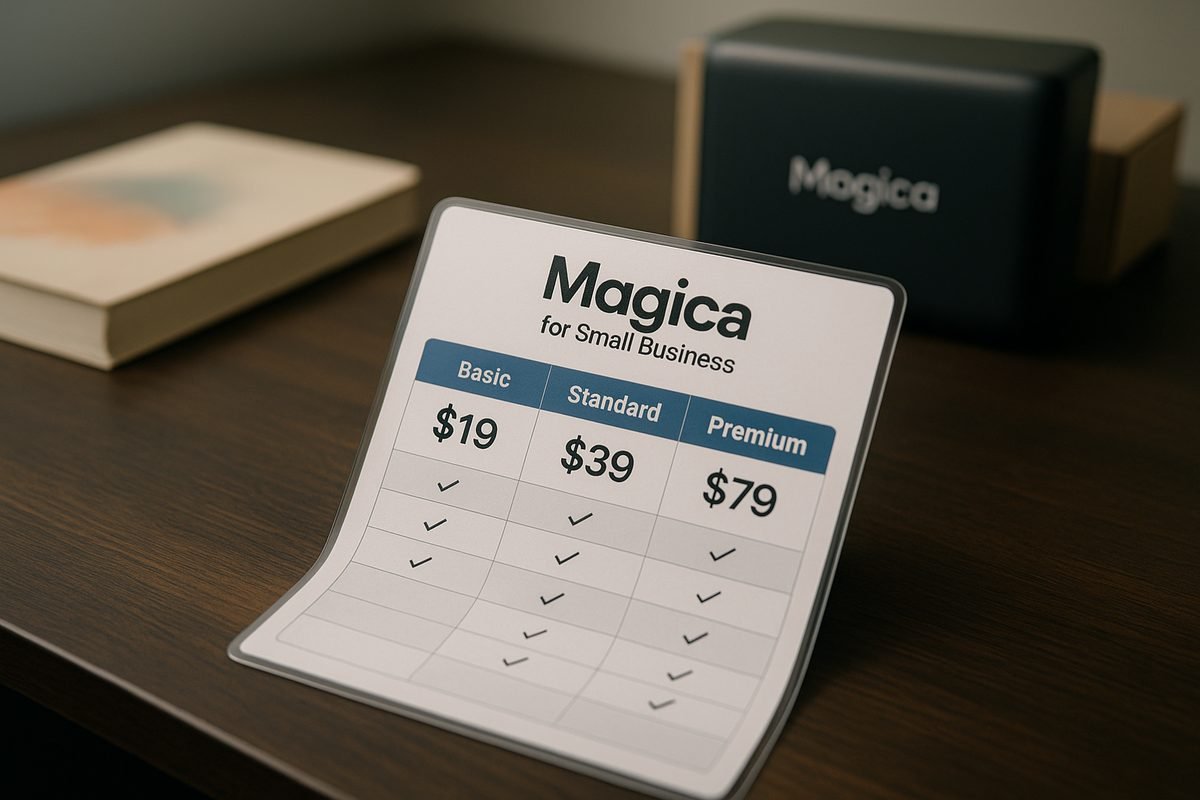
If you are trying to choose the best Magica plan for work use, the short answer is this: most solo professionals should start with Pro, most collaborative teams should look at Teams, and long-term buyers who dislike subscriptions should compare the Lifetime option carefully.
Magica is positioned as an all-in-one AI agent with access to top AI models across chat, image, audio, video, ads, and websites. That makes the buying decision less about one feature and more about usage, budget, and whether you need team controls.
You can review the current offer on the official Magica pricing page here, but this guide breaks down the verified plan facts in plain English first.
Official website · Latest pricing & offers
Best Magica Plan for Small Business in 2026: Quick Verdict
For most small businesses, the best Magica plan depends on whether one person is using it or a team needs shared access. Pro is the most straightforward paid upgrade for a solo user because it adds 15M credits monthly, extended AI tool limits, priority processing, and advanced AI models.
Teams is the better fit when multiple people need platform access, centralized billing, and admin visibility. Lifetime can be attractive if you are confident you will keep using Magica and want to avoid recurring payments.
Who this guide is for
This guide is for business owners, freelancers, creators, consultants, agencies, and growing teams comparing Magica pricing for practical work use. It is especially useful if you want to know which plan fits your workload without getting distracted by vague feature lists.
I am using only the verified plan details provided from Magica’s official homepage and pricing page. Where a detail is not confirmed, I will say so rather than assume.
Best overall choice by business size
Here is the quick buyer summary:
| Business type | Best starting point | Why |
|---|---|---|
| Testing Magica | Hobby | Free entry point with limited AI requests |
| Solo professional | Pro | Paid credits, extended limits, priority processing, advanced models |
| Small team | Teams | Admin dashboard, team billing, minimum 5 seats |
| Long-term individual user | Lifetime | One-time payment and lifetime access |
| Larger organization | Enterprise | Custom pricing, SCIM, access controls, account management |
For a one-person business, the best Magica plan is usually Pro unless your usage is light enough for Hobby. For a team, Teams is the more natural choice because it is built around shared access and billing.
When to choose free vs paid
Choose Hobby if you are testing Magica or only need limited AI requests. It includes basic generation limits and community support, so it is useful for evaluation but may not be enough for recurring business work.
Choose a paid plan when AI output becomes part of your regular workflow. The best Magica plan for paid use is not always the most expensive option; it is the one that matches your monthly usage, support needs, and team structure.
What Is Magica and Why Small Businesses Use It
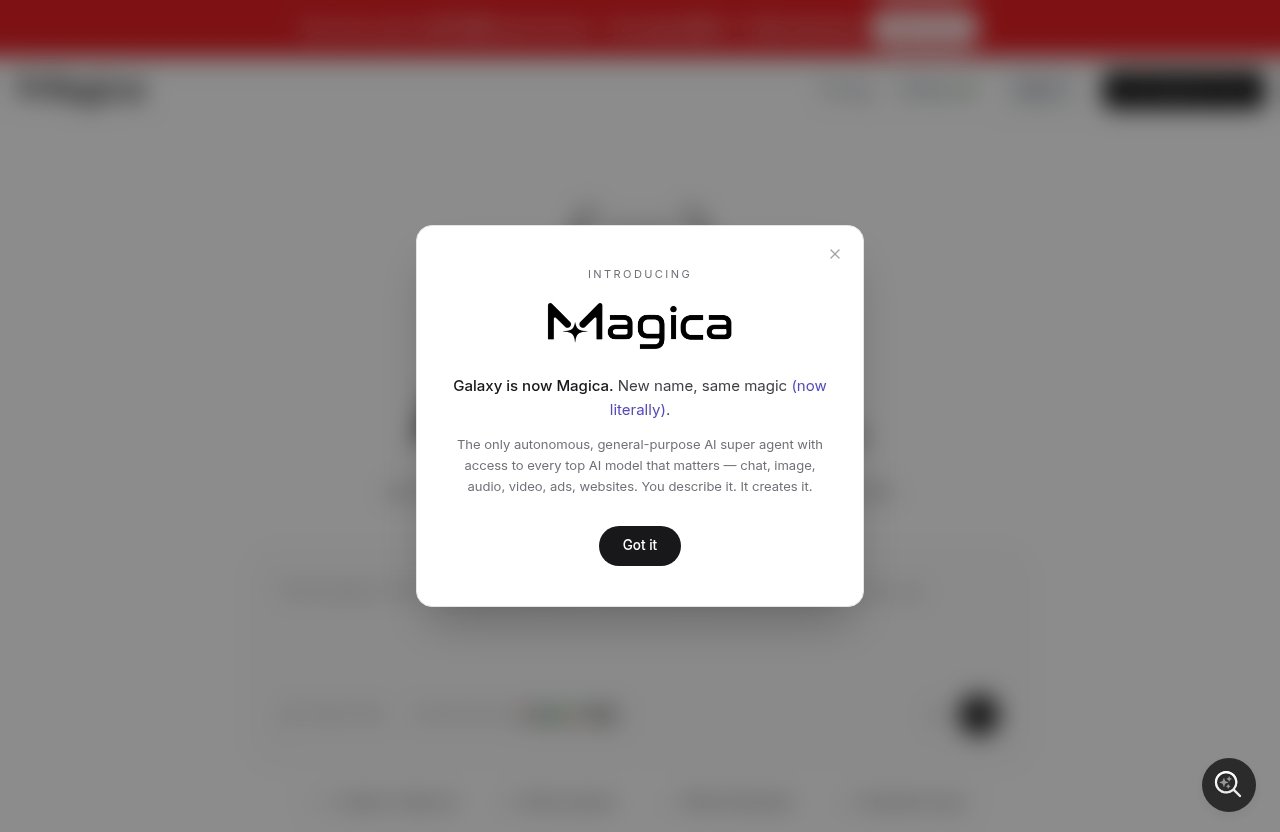
Magica is described as an all-in-one AI agent for business and creative tasks. Based on the official homepage positioning, it provides access to top AI models across chat, image, audio, video, ads, and websites.
That broad coverage is why small businesses may consider Magica instead of using separate tools for every content or AI task. The key question is whether your workload justifies a paid plan.
All-in-one AI agent for content and tasks
Magica for business makes the most sense when you want one place to handle multiple AI-assisted workflows. A small business might use chat for drafting, image tools for visuals, audio or video features for media work, and website or ad-related capabilities for marketing tasks.
The best Magica plan for this kind of use is usually one with enough monthly capacity. Hobby can help you test the platform, but Pro or Teams is more realistic if AI work is part of your weekly operations.
Core use cases for small businesses
Common small-business use cases include content ideation, marketing assets, client-facing creative work, internal drafts, ad concepts, and website-related assistance. Magica’s appeal is that these tasks can sit inside one AI environment rather than being split across many single-purpose tools.
However, you should still match the plan to your real workload. A freelancer with occasional AI requests has different needs from an agency producing assets for multiple clients.
Where Magica fits in a workflow
Magica can fit near the early and middle stages of a workflow: brainstorming, drafting, generating, testing ideas, and creating assets. It should not replace your quality control, brand review, compliance checks, or final human judgment.
When choosing the best Magica plan, think about where the tool will sit in your process. If it becomes part of daily client delivery, plan limits and support matter more than they do for casual experimentation.
Magica Pricing and Plans Explained
Magica pricing currently includes Hobby, Pro, Lifetime, Teams, and Enterprise. The pricing page also states that billing can be monthly or yearly, with savings of up to 80% on yearly billing.
Below is a buyer-friendly explanation of each plan using only the verified pricing and feature facts.
Hobby plan
The Magica Hobby plan is free. It includes limited AI requests, basic generation limits, and community support.
Hobby is the safest starting point if you are unsure whether Magica belongs in your workflow. It is not necessarily the best Magica plan for an active business, but it is useful for testing before you pay.
Best for:
- First-time users
- Very light usage
- Budget-conscious buyers evaluating Magica
- Businesses that do not yet rely on AI output
The main tradeoff is capacity. “Limited AI requests” and “basic generation limits” mean you should not assume Hobby will support steady commercial workloads.
Pro plan
The Magica Pro plan is listed at $14.99/mo on monthly billing, with $49 yearly shown on the pricing page. It includes everything in Hobby, plus 15M credits monthly, extended limits on AI tools, priority processing, and advanced AI models.
For many solo professionals, Pro is the best Magica plan because it gives a clearer paid usage allowance without requiring team seats. It is also easier to evaluate month to month than a larger upfront purchase.
Best for:
- Freelancers
- Solo founders
- Consultants
- Creators
- One-person marketing teams
The biggest benefit is that Pro moves you beyond the free plan’s limited usage. If you regularly use AI tools across content, creative, and business tasks, Pro is the first plan I would compare seriously.
Lifetime plan
The Magica Lifetime plan is listed at $499. The pricing page shows it next to a yearly-style crossed or discounted display of $1999.
Lifetime includes everything in Pro, plus lifetime access to all features, no recurring payments ever, priority support forever, early access to new features, an exclusive lifetime member badge, and protection from future price increases.
This may be the best Magica plan for a committed long-term user who wants to avoid monthly fees. The tradeoff is obvious: you pay more upfront, so you should be confident Magica will remain useful for your business.
Best for:
- Long-term solo users
- Business owners who dislike subscriptions
- Professionals expecting ongoing AI use
- Buyers who value price protection
I would be cautious if you have not tested Magica yet. In that case, start with Hobby or Pro before committing to Lifetime.
Teams plan
The Magica Teams plan is listed at $15/user/mo on monthly billing, with $49 yearly shown on the pricing page. It includes platform access, an admin dashboard with usage stats, centralized team billing, pay-as-you-go AI credits, and a minimum requirement of 5 seats.
For a collaborative business, Teams may be the best Magica plan because it is designed around multiple users. The admin dashboard and centralized billing are especially relevant when you need visibility and control.
Best for:
- Small teams
- Agencies
- Marketing departments
- Client service teams
- Businesses with shared AI workflows
The minimum 5 seats matters. If only one or two people need access, Pro may be simpler and cheaper than Teams.
Enterprise plan
Magica Enterprise pricing is custom. It includes all Teams features, plus more usage included, SCIM seat management, a minimum 100-seat requirement, access control features, priority support, and account management.
Enterprise is not usually the best Magica plan for a typical small business. It is aimed at larger organizations that need seat management, access controls, and account-level support.
Best for:
- Larger companies
- Organizations with 100+ seats
- Businesses requiring SCIM seat management
- Teams needing access control features and account management
If your company is not near the 100-seat minimum, Teams is the more relevant business plan to evaluate.
Official website · Latest pricing & offers
Which Magica Plan Is Best for Different Small Business Scenarios
This is where the decision becomes practical. The best Magica plan is not only about price; it is about how many people need access, how often you generate AI outputs, and whether your budget favors monthly, yearly, or one-time payment.
Use the scenarios below to narrow your choice quickly.
Solo owner or freelancer
For a solo owner, freelancer, or independent consultant, Pro is usually the most balanced starting point. It gives you 15M credits monthly, extended limits, priority processing, and advanced AI models without requiring a team commitment.
Hobby is fine if you are only testing. But if Magica becomes part of client delivery, content creation, or regular marketing, the best Magica plan for a solo user is likely Pro.
Choose Pro if:
- You work alone
- You need more than basic generation limits
- You want advanced AI models
- You prefer monthly or yearly billing over a large upfront payment
Consider Lifetime only after you know Magica fits your workflow.
Small team with recurring AI work
For a small team, Teams is the plan to evaluate first. It includes platform access, admin dashboard usage stats, centralized team billing, pay-as-you-go AI credits, and a minimum of 5 seats.
The best Magica plan for a team is usually not Pro, even if Pro looks simpler, because Pro is not described as including centralized team billing or admin dashboard controls. Teams is built for shared usage.
Choose Teams if:
- At least 5 users need access
- You want centralized billing
- You need usage visibility
- AI work happens across departments or roles
If fewer than 5 people need access, compare the cost and convenience carefully before choosing Teams.
Agency or client-heavy workflow
Agencies should look closely at Teams because client-heavy work often involves multiple users, repeated generation tasks, and the need to monitor usage. The admin dashboard with usage stats can be valuable when several people are producing work.
The best Magica plan for an agency depends on size. A one-person agency may be fine on Pro, while a multi-person agency should evaluate Teams.
Choose Teams if your agency has:
- Multiple producers or strategists
- Shared client workflows
- A need for centralized billing
- Regular usage across content, ads, images, or websites
Enterprise is only relevant if the agency or organization meets larger-scale requirements, including the 100-seat minimum.
Budget-first buyer
For the lowest upfront cost, Hobby is the obvious choice because it is free. It lets you explore Magica with limited AI requests, basic generation limits, and community support.
That said, Hobby may not be the best Magica plan if you need reliable capacity for professional work. Budget-first buyers should test Hobby, then upgrade only when the free limits become a real constraint.
A cautious path looks like this:
- Start with Hobby.
- Test your actual workflows.
- Track where limits appear.
- Upgrade to Pro only if usage justifies it.
This avoids paying before you know whether Magica fits your business.
Business that wants to avoid monthly fees
If avoiding recurring payments is a priority, Lifetime is the plan to examine. It is listed at $499 and includes lifetime access to all features, no recurring payments ever, priority support forever, early access to new features, and protection from future price increases.
The best Magica plan for long-term value may be Lifetime if you expect to use Magica consistently over time. But it is not automatically the right choice for every buyer because the upfront cost is higher than starting with Hobby or Pro.
Choose Lifetime if:
- You have tested Magica already
- You expect long-term use
- You want no recurring payments
- You value future price protection
If you are still unsure, Pro is the safer paid trial path.
Feature Comparison: What You Actually Get on Each Plan
Feature lists can be hard to interpret, so the practical question is: what changes as you move up the Magica plans?
The best Magica plan is the one that gives you the right mix of capacity, speed, support, billing control, and access management for your business size.
Usage limits and AI credits
Hobby includes limited AI requests and basic generation limits. Pro includes 15M credits monthly and extended limits on AI tools.
Teams includes pay-as-you-go AI credits, which is a different model from the Pro plan’s stated monthly credit amount. Enterprise includes more usage included, according to the verified plan details.
| Plan | Usage-related detail |
|---|---|
| Hobby | Limited AI requests and basic generation limits |
| Pro | 15M credits monthly and extended limits |
| Lifetime | Everything in Pro |
| Teams | Pay-as-you-go AI credits |
| Enterprise | More usage included |
If usage is unpredictable, review the checkout and current pricing details carefully before committing. For many solo users, Pro is the best Magica plan because the monthly credit inclusion is clearly stated.
Priority processing and advanced models
Pro includes priority processing and advanced AI models. Lifetime includes everything in Pro, so those benefits are included there too.
Hobby does not list priority processing or advanced AI models in the verified facts. If speed and model access matter to your workflow, Pro or Lifetime becomes more attractive.
For a professional who uses AI output often, this is one reason the best Magica plan is typically not Hobby beyond the testing phase.
Team billing and admin controls
Teams includes an admin dashboard with usage stats and centralized team billing. Those are important for small businesses with multiple users because they help keep access and spending more organized.
Pro is suitable for individual use, but the verified facts do not list admin controls or centralized team billing for Pro. So if your business needs shared oversight, Teams is the more appropriate Magica Teams plan.
The best Magica plan for collaborative usage is usually Teams, provided the 5-seat minimum fits your situation.
Support and access management
Hobby includes community support. Lifetime includes priority support forever. Enterprise includes priority support and account management, along with SCIM seat management and access control features.
Teams includes the operational features listed above, but the verified facts do not describe the same account management features as Enterprise. Larger organizations should evaluate Enterprise if access controls and account management are required.
For most small businesses, the best Magica plan is the lowest tier that provides the needed support and control without adding unnecessary complexity.
Pros and Cons of Magica for Small Businesses
Magica has a compelling structure for small businesses that want one AI workspace across multiple content and task types. Still, plan selection requires care because usage, team size, and billing style can change the value significantly.
Here is a balanced look at the strengths and limitations.
Strengths
Magica’s biggest strength is its all-in-one positioning. The official homepage describes access to top AI models across chat, image, audio, video, ads, and websites, which can be useful for businesses that handle varied creative and marketing work.
The pricing structure also gives several entry points. Hobby is free, Pro is a paid individual plan, Teams supports multiple users, Enterprise serves larger organizations, and Lifetime offers a no-recurring-payment path.
For many readers, the best Magica plan will be easy to identify once they know whether they are buying for one person or a group.
Potential drawbacks
The free Hobby plan includes limited AI requests and basic generation limits, so it may not be enough for serious business use. Teams has a minimum 5-seat requirement, which may be too much if only two or three people need access.
Teams also uses pay-as-you-go AI credits, so businesses should understand how that affects their budget before relying on it heavily. Enterprise has a minimum 100-seat requirement, which puts it outside the range of many small businesses.
The best Magica plan should fit your actual usage pattern, not just your ambition to use AI more often.
Best-fit and not-a-fit scenarios
Magica is a good fit if you want AI help across several content and task categories, especially chat, image, audio, video, ads, and websites. It is also a good fit if you want a plan structure that scales from free testing to individual paid use and then team access.
It may not be a fit if you only need very occasional AI requests and Hobby already covers you. It may also be less suitable if you need a small team plan for fewer than 5 users, since Teams requires a 5-seat minimum.
In practical terms, the best Magica plan is Pro for individual work, Teams for real collaboration, and Lifetime for committed long-term users.
How to Choose the Right Magica Plan
Choosing the right plan is easier if you avoid starting with the price alone. Instead, begin with workload, people, billing preference, and operational needs.
Use this four-step checklist to decide which option is the best Magica plan for your business.
Step 1: estimate monthly usage
Start by listing the tasks you expect to run through Magica each month. Include chat-based work, image needs, audio or video tasks, ads, and website-related projects if they apply.
If your expected usage is light, Hobby may be enough for testing. If you expect regular professional output, Pro is a more realistic baseline because it includes 15M credits monthly and extended limits.
The best Magica plan is easier to choose once you know whether AI will be occasional, weekly, or part of daily operations.
Step 2: decide if you need team seats
Next, count the number of people who need their own access. If it is just you, Pro or Lifetime is usually more relevant than Teams.
If you have 5 or more users and want centralized billing plus admin dashboard usage stats, Teams becomes the logical choice. If you have 100 or more seats and need SCIM seat management, access controls, priority support, and account management, Enterprise is the plan to evaluate.
For smaller groups under 5 people, be careful. The best Magica plan may still be individual access until your team grows into the Teams requirement.
Step 3: compare monthly vs lifetime value
Magica offers monthly billing and yearly billing, with the pricing page stating yearly billing can save up to 80%. Pro is listed at $14.99/mo monthly, with $49 yearly shown on the pricing page.
The Lifetime plan is different because it is a one-time $499 payment with no recurring payments ever. It also includes lifetime access to all features, priority support forever, early access to new features, and protection from future price increases.
The best Magica plan for short-term flexibility is usually Pro. The best long-term value may be Lifetime if you are confident you will keep using Magica.
Step 4: confirm workflows and integrations
Before purchasing, confirm that Magica supports the workflows you actually care about. The verified homepage positioning covers chat, image, audio, video, ads, and websites, but you should not assume unlisted integrations or capabilities.
This is especially important for agencies and teams. If a workflow is mission-critical, verify it directly on the current Magica site or inside the product before committing to a higher plan.
A cautious buyer should choose the best Magica plan based on confirmed needs, not assumptions.
Official website · Latest pricing & offers
FAQ
Is there a monthly fee for Magica?
Yes. Magica offers paid monthly plans. The Pro plan is listed at $14.99/mo monthly, and the Teams plan is listed at $15/user/mo monthly with a minimum of 5 seats.
Magica also offers a free Hobby plan and a Lifetime plan listed at $499. The pricing page also shows yearly billing options and states that yearly billing can save up to 80%.
What is the best Magica plan for a small business?
The best Magica plan for a small business depends on team size and usage. Hobby is best for testing, Pro is usually best for a solo operator, Teams is best for collaborative use, and Lifetime may be best for long-term value if the upfront cost makes sense.
For most one-person businesses, I would start with Pro after testing Hobby. For teams with at least 5 users, Teams is the better plan to evaluate.
Does Magica have a team plan?
Yes. The Magica Teams plan includes platform access, an admin dashboard with usage stats, centralized team billing, pay-as-you-go AI credits, and a minimum 5-seat requirement.
Teams is the most relevant option for small businesses that need multiple users under one billing structure. Larger organizations can look at Enterprise, which has a minimum 100-seat requirement and custom pricing.
Is Magica worth it for professionals?
Magica can be worth it for professionals who regularly use AI across chat, image, audio, video, ads, or websites. The Pro plan is especially relevant because it includes 15M credits monthly, extended limits, priority processing, and advanced AI models.
It may be less worthwhile if your usage is occasional and the free Hobby plan already covers your needs. The best approach is to test your real workflows before upgrading.
Can I use Magica commercially?
The verified plan facts provided here do not include a specific commercial-use policy. Before using Magica for client work, resale, advertising, or other commercial projects, verify the current terms directly on Magica’s official site or legal documentation.
That is the safest approach for business buyers. Plan features and pricing are important, but usage rights should always be confirmed before purchase.
Final Recommendation: Best Magica Plan by Budget and Need
The final decision comes down to how much you want to spend, how many people need access, and how long you expect to use the platform. The best Magica plan is not the same for every buyer.
If you are ready to compare the current options directly, check the latest Magica plans and pricing here before making a final decision.
Best for lowest cost
The lowest-cost choice is Hobby because it is free. It includes limited AI requests, basic generation limits, and community support.
Choose Hobby if you are testing Magica or only need occasional AI help. It is not the strongest choice for regular business usage, but it is the safest no-cost entry point.
Best for flexibility
The best flexible paid choice is Pro. It is listed at $14.99/mo monthly, with $49 yearly shown on the pricing page, and includes 15M credits monthly, extended limits, priority processing, and advanced AI models.
For many solo users, Pro is the best Magica plan because it balances cost, capacity, and low commitment. It is also the plan I would evaluate first before considering Lifetime.
Best for teams
The best team choice is Teams. It includes platform access, admin dashboard usage stats, centralized team billing, pay-as-you-go AI credits, and a minimum 5-seat requirement.
Choose Teams if multiple people need access and you want billing and usage visibility in one place. If your organization needs at least 100 seats, access control features, SCIM seat management, account management, and custom pricing, then Enterprise is the plan to review.
Best for long-term value
The best long-term value choice is Lifetime if you are confident you will use Magica consistently. It is listed at $499 and includes everything in Pro, plus lifetime access, no recurring payments ever, priority support forever, early access to new features, an exclusive lifetime member badge, and protection from future price increases.
My final recommendation: use Hobby to test, choose Pro for solo professional work, choose Teams for collaboration, and choose Lifetime only when you are comfortable with the upfront cost. For most small businesses evaluating the best Magica plan in 2026, that framework keeps the decision practical, budget-aware, and aligned with real business needs.