Skool vs Podia: Which Platform Saves More for Solo Creators in 2026?
If you’re weighing Skool vs Podia, the short answer is this: Skool is cheaper upfront, but Podia may save more overall if you need a website, blog, landing pages, email marketing, and broader digital product tools in one place.
That distinction matters. A $9/month platform can become more expensive if you still need separate tools to run the rest of your creator business.
Affiliate disclosure: TopTrustReview may earn a commission if you sign up through our Skool links, at no extra cost to you. Skool is a strong affiliate recommendation for us, especially for community-first creators, but this comparison is based on verified pricing and feature facts rather than hype.
Official website · Latest pricing & offers
Skool vs Podia: Quick Verdict on Which Saves More
The practical winner in Skool vs Podia depends on how you actually sell.
If your business is built around a paid community, coaching group, or simple course-plus-community offer, Skool has the lower verified starting cost. If you need more of an all-in-one business stack, Podia can potentially reduce separate software spending.
Here’s the simplest way to think about total cost of ownership: don’t compare only the monthly subscription. Compare the platform fee, transaction fees, and the extra tools you would otherwise pay for.
Best for lowest monthly entry cost
Skool wins on entry price based on the verified official pricing facts provided.
Skool’s Hobby plan is listed at $9/month. It includes unlimited members, unlimited courses, unlimited videos, unlimited live calls, custom URL, and affiliates, with a 10% transaction fee.
Podia’s official comparison page says Podia starts at $49/month. So if your only question is “Which platform costs less to start?”, Skool has the clear verified advantage.
Best for lower total cost as revenue grows
This is where Skool vs Podia pricing becomes more nuanced.
Skool’s $9/month Hobby plan comes with a 10% transaction fee. Skool’s Pro plan is $99/month with a 2.9% transaction fee. Podia’s official comparison page says Podia removes transaction fees on higher-tier plans, but the provided verified facts do not include exact Podia fee percentages or plan names.
That means Skool may be cheaper at the beginning, while Podia may become financially attractive if it replaces multiple tools and reduces platform transaction fees on a higher-tier plan.
Best for solo creators
For solo creators, the best choice depends on what you want to manage.
Choose Skool if your offer is community-first and you want a low monthly commitment. Choose Podia if you want website pages, email marketing, digital downloads, courses, events, coaching, and community under one roof.
In other words, the Skool vs Podia cost comparison is not only about price. It is about whether one subscription can replace several others.
Verified Pricing Breakdown
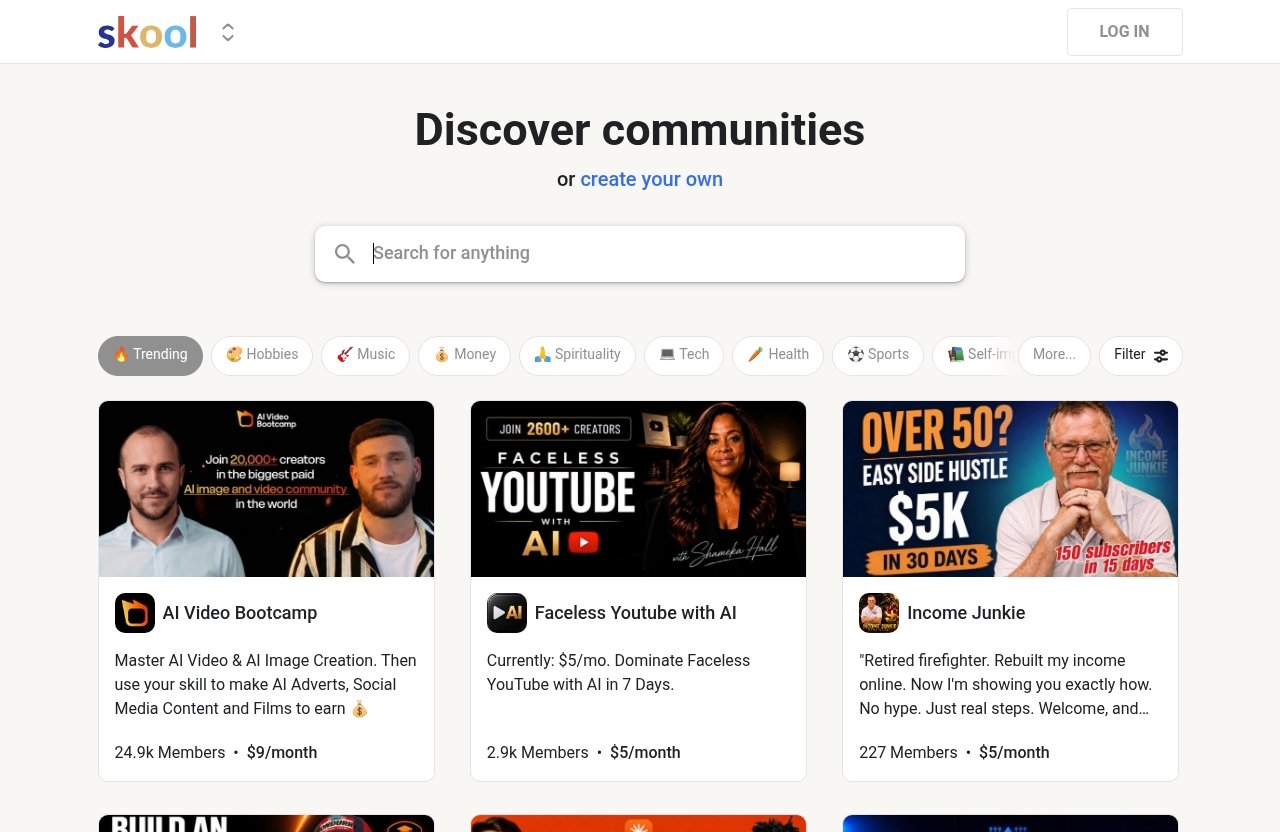
This section uses only the verified pricing and feature facts provided in the brief.
That matters because many comparison articles mix current pricing with outdated plan details, user anecdotes, or assumptions from Reddit threads. While Skool vs Podia Reddit discussions can be useful for real user sentiment, official pricing pages are the safer source for actual cost comparisons.
Skool pricing from the official pricing page
Skool’s official pricing page lists two paid options:
| Platform / Plan | Monthly Price | Verified Transaction Fee | Verified Included Features |
|---|---|---|---|
| Skool Hobby | $9/month | 10% | Unlimited members, courses, videos, live calls, custom URL, affiliates |
| Skool Pro | $99/month | 2.9% | Unlimited members, courses, videos, live calls, custom URL, affiliates |
| Podia | Starts at $49/month | Higher-tier plans remove transaction fees, according to Podia | Website, blog, landing pages, email marketing, migrations, courses, downloads, events, coaching, community |
Skool’s pricing page also shows monthly and yearly billing options and a “2 months free!” note.
The main takeaway: Skool’s monthly entry point is very low, especially if you want to validate a paid community idea before committing to a larger software stack.
If you want to explore it directly, you can review Skool through our affiliate link here: Skool.
What Podia says on its official comparison page
Podia’s official comparison page against Skool says Podia starts at $49/month, while Skool starts at $9/month.
That same comparison page positions Podia as including website, blog, landing pages, email marketing, free migrations, online courses, digital downloads, events, coaching, and community. It also says Podia removes transaction fees on higher-tier plans.
The important caution: the verified facts provided here do not include Podia’s exact plan names or exact lower-tier transaction fee percentages. So this article does not invent them.
How Skool vs Podia transaction fees affect total cost
Transaction fees can change the real winner in Skool vs Podia.
With Skool Hobby, the direct platform cost is $9/month plus a 10% transaction fee. With Skool Pro, the direct platform cost is $99/month plus a 2.9% transaction fee.
For example, if a creator makes $1,000 in monthly sales through Skool Hobby, the 10% platform transaction fee equals $100, before considering the $9 monthly subscription. On Skool Pro, a 2.9% transaction fee on the same revenue equals $29, before the $99 monthly subscription.
Those are simple examples using only Skool’s verified platform fee percentages. They are not a full profit forecast, and they do not include any external tools a creator may choose to use.
Feature Comparison That Impacts Real Costs
When comparing Skool vs Podia, the biggest hidden-cost issue is software overlap.
A creator rarely pays for only one tool. Many also need a website, landing pages, email marketing, product delivery, a community area, payment tools, and sometimes coaching or event delivery.
The platform that saves more is often the one that reduces the most duplicate subscriptions.
Community and engagement
Skool’s official homepage presents Skool as a community platform built around communities and groups. Its pricing page also verifies unlimited members, unlimited courses, unlimited videos, and unlimited live calls on both listed plans.
That makes Skool especially appealing if your core product is interaction. A paid group, mastermind, cohort, or accountability community fits naturally into Skool’s positioning.
Podia also includes community according to its official comparison page. However, Podia’s broader value proposition is not only community; it bundles community with website and marketing tools.
Website, blog, and landing pages
This is one of the clearest cost differences in Skool vs Podia.
Podia’s official comparison page says Podia includes a website, blog, and landing pages. It also positions Skool as having no website, no email marketing, and no free migrations on that page.
Use that as Podia’s comparison-page positioning, not as an exhaustive technical audit of every possible Skool setup. Still, from a buyer’s perspective, the cost implication is obvious: if you choose Skool and need a full website or blog, you may need another tool.
For creators who already have a website, that may not matter. For beginners starting from zero, it can matter a lot.
Email marketing and funnels
Podia’s official comparison page says Podia includes email marketing. It also includes landing pages, which can be part of a simple sales funnel setup.
The verified facts do not say Podia includes every advanced funnel feature a dedicated funnel platform might offer. So the safest way to frame it is this: Podia may reduce the need for separate email and landing page tools for creators with straightforward marketing needs.
Skool’s comparison-page positioning from Podia says Skool has no email marketing. If you use Skool and want email campaigns, you may need a separate email platform.
Courses, downloads, events, and coaching
Skool’s verified pricing page says both Hobby and Pro include unlimited courses and unlimited videos. It also includes unlimited live calls, which is useful for coaching, cohorts, and community sessions.
Podia’s official comparison page says Podia includes online courses, digital downloads, events, coaching, and community. That makes Podia look broader for creators selling different product formats.
So the Skool vs Podia feature choice is straightforward: Skool is tighter and community-first; Podia is broader and more all-in-one.
Official website · Latest pricing & offers
Skool vs Podia: Which Platform Saves More for Solo Creators?
For solo creators, the cheapest platform is not always the platform that saves the most money.
A solo creator has limited time, limited admin capacity, and often a limited budget. If using one platform prevents three extra subscriptions, the higher monthly price can still be the better financial choice.
Let’s look at realistic scenarios.
Creator selling one offer or one community
If you sell one paid community, Skool is likely the better entry-level value.
The $9/month Hobby plan gives you unlimited members, courses, videos, and live calls, based on the official Skool pricing page. That is a strong starting point if your offer is simple and community-led.
The tradeoff is the 10% transaction fee. At very low revenue, that may be acceptable. As revenue grows, that fee becomes more important.
Creator selling multiple digital products
If you sell courses, digital downloads, coaching, events, and community, Podia may be the more efficient choice.
Podia’s official comparison page says it includes all of those product types. It also includes website, blog, landing pages, and email marketing.
In a Skool vs Podia comparison for multi-product creators, Podia’s advantage is consolidation. You may not need to stitch together as many separate tools.
Creator needing simple setup with fewer tools
Some solo creators do not want to manage a software stack at all.
If that sounds like you, Podia may save money indirectly by reducing tool sprawl. One platform for website pages, email marketing, products, and community can be easier to manage than several separate subscriptions.
Skool can still be simple if your model is community-first. But if you also need a public-facing site, a blog, landing pages, and email marketing, you should include those extra costs in your comparison.
Where Skool Is the Better Value
Skool is the better value when the main product is community and the creator wants a low monthly commitment.
This is why Skool vs Podia is not a generic “which platform is better?” debate. It is a business model question.
If your offer depends on member discussion, group accountability, live calls, and course material inside a community, Skool is very competitive.
Low entry price for getting started
Skool’s $9/month Hobby plan is the obvious budget advantage.
For creators testing a new paid community idea, that low entry price lowers the risk. You can start without committing to a $99/month plan immediately.
The tradeoff is the 10% transaction fee. If you start generating meaningful sales, you should compare the Hobby plan against Pro and against Podia’s higher-tier fee structure.
Community-first monetization
Skool is designed around communities and groups, according to its official homepage.
That matters because many creators are moving from one-time courses to ongoing membership and group learning models. A community-first platform can support recurring interaction better than a tool that treats community as one feature among many.
Skool is one of the strongest Podia alternatives if your priority is engagement rather than a full website and marketing suite.
Unlimited member and content limits
Both verified Skool plans include unlimited members, unlimited courses, unlimited videos, and unlimited live calls.
That is a major part of the value proposition. You are not choosing between Skool Hobby and Skool Pro because of course, video, member, or live-call limits based on the verified facts provided.
For a solo creator who expects community activity to grow, that simplicity can be attractive. The main decision becomes monthly price versus transaction fee.
Where Podia Is the Better Value
Podia is the better value when you need more than a community platform.
In Skool vs Podia, Podia’s strongest case is consolidation. If Podia replaces your website builder, blog tool, landing page tool, email marketing tool, and product delivery stack, the higher starting price may still save money overall.
That does not mean Podia is automatically cheaper for everyone. It means Podia can win when the alternative is paying for several tools around Skool.
All-in-one business stack
Podia’s official comparison page says Podia includes website, blog, landing pages, email marketing, free migrations, online courses, digital downloads, events, coaching, and community.
That is a broad creator-business stack. For someone building a full digital product business, those inclusions can reduce complexity.
The best use case is a creator who wants one place to sell, publish, communicate, and deliver products.
Reducing separate software costs
This is the hidden-cost point many Skool alternatives comparisons miss.
If you use Skool and also pay for a website builder, landing page software, email marketing, and a separate tool for downloads or coaching delivery, your real monthly cost may exceed Podia’s starting price.
Podia may be especially attractive for creators who are just beginning and do not already have a tool stack they like.
Revenue growth and lower fee structure
Podia’s official comparison page says higher-tier plans remove transaction fees.
Because the verified facts do not include exact Podia plan names or fee percentages, we should not overstate the comparison. But the general cost principle is clear: transaction fees matter more as revenue grows.
That is also true for podia vs skool fees. A creator making consistent sales should compare monthly subscription costs and transaction fees together, not separately.
Best Fit by Creator Type
The best platform depends on your offer type, not just your budget.
Here is a practical decision matrix for Skool vs Podia based only on the verified facts and reasonable cost assumptions.
| Creator Type | Better Fit | Why |
|---|---|---|
| Coach or cohort creator | Skool | Community-first setup, unlimited live calls, unlimited members, courses, and videos |
| Course seller | Depends | Skool is strong for course-plus-community; Podia is broader if you also need website, email, and landing pages |
| Community-led brand | Skool | Skool’s homepage positions it around communities and groups |
| Digital product seller | Podia | Podia’s comparison page includes digital downloads, courses, events, coaching, website, and email marketing |
This is why “best community platform” and “best course platform for solo creators” are not always the same answer.
A community-led creator may prefer Skool. A creator selling multiple product types with built-in marketing needs may prefer Podia.
Coach or cohort creator
Skool is a strong fit for coaches and cohort creators who want discussion, content, and live calls in one place.
The verified inclusion of unlimited live calls is especially relevant here. If your paid offer includes weekly calls, group accountability, and lessons, Skool’s structure fits that model well.
Podia can also support coaching according to its comparison page. But Skool’s community-first positioning gives it a clearer identity for this use case.
Course seller
For course sellers, Skool vs Podia depends on whether the course is standalone or community-led.
If your course is mostly video lessons plus group participation, Skool may be the cleaner choice. Its verified unlimited courses and videos are appealing.
If your course business also needs a website, blog, landing pages, email marketing, digital downloads, and events, Podia may reduce the number of extra tools.
Community-led brand
Skool is the more obvious fit for a community-led brand.
Its official homepage emphasizes communities and groups, and its pricing supports unlimited members. That makes it easier to think in terms of scaling participation rather than managing product limits.
If your brand is built around belonging, accountability, and member interaction, Skool deserves serious consideration.
Digital product seller
Podia is likely the better fit for creators selling a mix of digital products.
The official Podia comparison page includes digital downloads, online courses, events, coaching, and community. That broader product coverage can matter if your business is not centered on one paid group.
In this case, Podia may save more by replacing several tools rather than simply being the lowest monthly subscription.
Official website · Latest pricing & offers
FAQ
Which is cheaper, Skool or Podia?
Skool has the lower verified entry price. Skool Hobby is listed at $9/month, while Podia’s official comparison page says Podia starts at $49/month.
However, Podia may offer better total value if it replaces separate website, email marketing, landing page, and product tools.
Does Skool have transaction fees?
Yes. According to Skool’s official pricing page, Skool Hobby has a 10% transaction fee, and Skool Pro has a 2.9% transaction fee.
That means Skool vs Podia transaction fees should be part of your decision, especially once revenue grows.
Is Podia good for beginners?
Yes, Podia can be good for beginners who want several creator-business tools in one place.
Based on Podia’s official comparison page, it includes website, blog, landing pages, email marketing, courses, digital downloads, events, coaching, and community. That can reduce setup complexity for new creators.
Is there a free version of Skool?
Based on the verified Skool pricing facts provided, do not assume there is a free Skool plan.
The official pricing page shows monthly and yearly billing options and a “2 months free!” note, along with the Hobby and Pro pricing listed above.
Which platform is better for community building?
Skool is the clearer community-first choice. Its official homepage presents Skool around communities and groups.
Podia also includes community according to its official comparison page, but Podia’s broader strength is combining community with website, email marketing, landing pages, and digital product tools.
Bottom-Line Recommendation
The final answer to Skool vs Podia is simple, but conditional.
Skool saves more money if your priority is the cheapest entry point and a community-first business model. Podia may save more overall if you need an all-in-one stack that reduces separate software spending.
Choose Skool if your priority is starting cheap
Choose Skool if you want to start with the lowest verified monthly price.
At $9/month for Hobby, Skool is hard to beat for a creator testing a paid community, coaching group, or course-plus-community offer. Just remember that Hobby includes a 10% transaction fee, so it may not remain the cheapest option as sales grow.
If your model is community-first, Skool is our stronger affiliate recommendation, and you can review it here: Skool.
Choose Podia if your priority is total stack savings
Choose Podia if you need website, blog, landing pages, email marketing, courses, downloads, events, coaching, and community in one platform.
Podia starts at $49/month according to its official comparison page, and that page says higher-tier plans remove transaction fees. If Podia replaces several tools you would otherwise buy separately, it may save more overall.
This is the most important point in Skool vs Podia pricing: the cheapest subscription is not always the cheapest business setup.
Our affiliate recommendation for readers
Skool is a strong recommendation for readers who want the lowest-cost way to launch a community-first offer. The verified $9/month entry point, unlimited members, unlimited courses, unlimited videos, unlimited live calls, custom URL, and affiliates make it compelling.
But the evidence-based recommendation is not one-size-fits-all. If a creator wants the cheapest entry point and a community-first model, Skool wins; if a creator wants an all-in-one business stack that may reduce extra software spending, Podia may save more overall.
Related Reading
- Skool vs Mighty Networks: Which Community Platform Is Better in 2026?
- Systeme.io vs Kajabi: Which Is Better in 2026?
- Podia alternatives and comparisons
References
- Skool Pricing
- Podia vs. Skool: Features, Pricing & Fees (2026)
- Best Online Course Platforms: An Honest Comparison Guide