Foreplay Reviews 2026: Real User Feedback, Pricing, Complaints, and Buyer Verdict
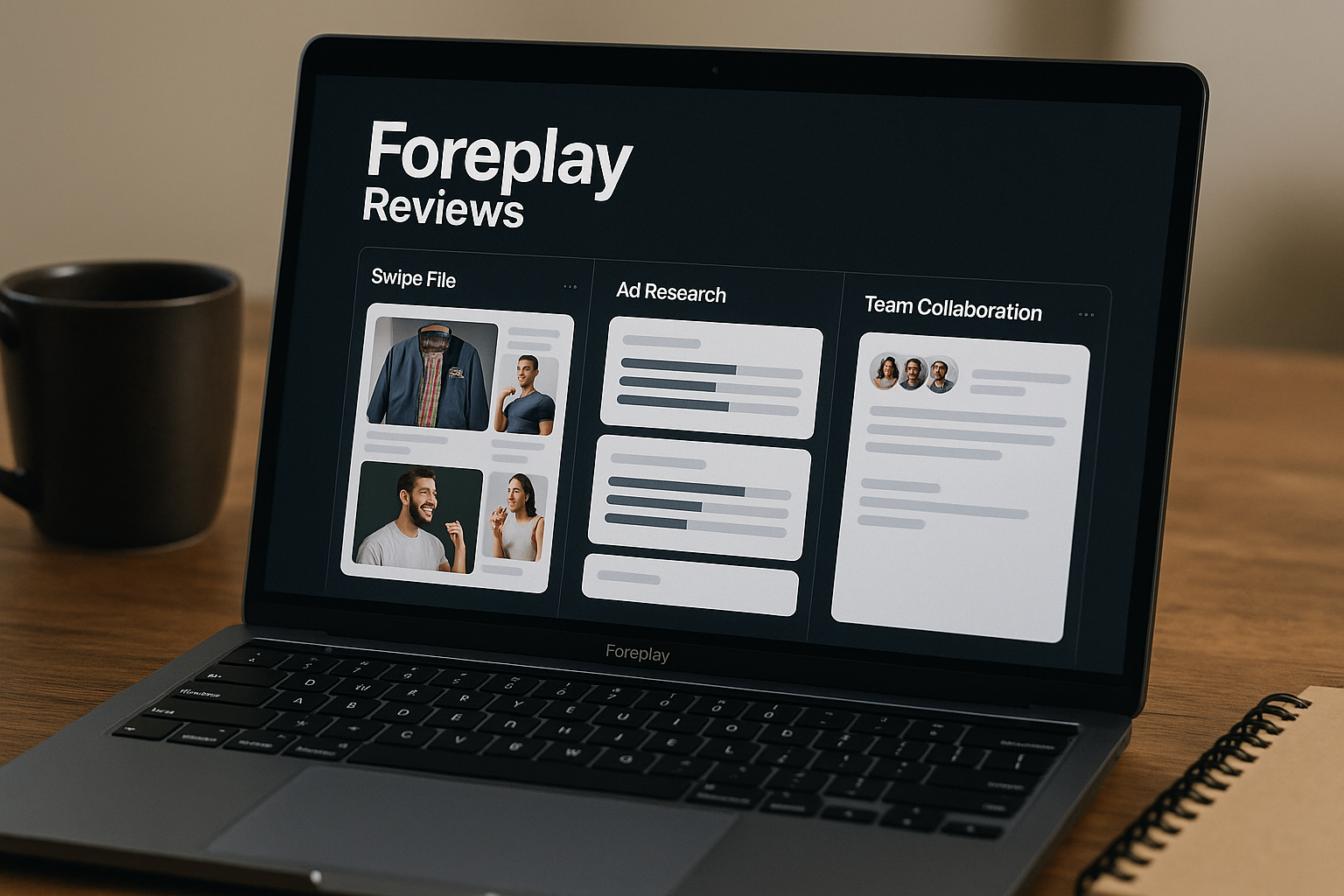
If you are comparing Foreplay reviews in 2026, you are probably not looking for another generic software description. You want to know whether Foreplay actually helps teams find better ad inspiration, organize creative research, collaborate faster, and justify the monthly cost.
Foreplay is officially described as “The Complete Winning Ad Workflow” and is built around saving ads from ad libraries, organizing swipe files, researching creative, and turning inspiration into briefs. In short: Foreplay reviews are most positive when the buyer already has a repeatable ad creative process and needs speed, structure, and collaboration. Smaller teams with light research needs may find it more than they need.
Official website · Latest pricing & offers
Foreplay Reviews 2026: Quick Verdict
Foreplay is worth considering if your team regularly studies ads, builds creative briefs, tracks competitors, or collaborates across media buying and creative strategy. Based on public sentiment from review platforms, community discussions, and official testimonial snippets, users tend to praise the workflow speed, clean organization, and team collaboration benefits.
The main buying signal in current Foreplay reviews is simple: it appears most valuable for teams that already spend time doing ad research manually and want to reduce scattered screenshots, links, spreadsheets, and chat threads.
If you decide to try it, you can use our Foreplay affiliate link here: https://toptrustreview.com/2lxt. We may earn a commission, but this review is written to help you decide whether the tool fits your workflow before you pay.
Is Foreplay worth it for ad teams?
For active ad teams, yes, Foreplay can be worth it if ad research is already part of your weekly process. The product’s value is not just “saving ads”; it is bringing research, inspiration, competitor tracking, and briefing into one workflow.
The most convincing Foreplay reviews come from users who describe it as a way to speed up creative research and keep teams aligned. That matters for e-commerce brands, agencies, and media buyers because creative testing often moves faster than manual organization can handle.
However, it is not automatically worth it for everyone. If you only save a few ads per month or do not have a structured creative review process, the benefit may feel less immediate.
Who should consider it first?
Foreplay should be on the shortlist for:
| Buyer Type | Why Foreplay May Fit |
|---|---|
| E-commerce founders | They need a faster way to study winning ad angles and organize inspiration. |
| Media buyers | They can connect ad research with testing ideas and creative briefs. |
| Creative strategists | They need structured swipe files and clearer collaboration. |
| Agencies | They manage multiple clients and need repeatable research workflows. |
| Freelancers | They may use it to appear more organized and strategic with clients. |
The strongest Foreplay reviews usually come from buyers who treat creative research as a core operating system, not a side task.
Bottom-line recommendation
Our bottom-line verdict: Foreplay is a strong buy-candidate for teams that run frequent ad creative cycles and need a cleaner workflow. It is less compelling for users who only want basic bookmarking or occasional inspiration storage.
The safest approach is trial-first. Since the official pricing page states that both listed plans include a 7-day free trial with no credit card required, buyers can evaluate the workflow before committing.
What Foreplay Is and How It Works
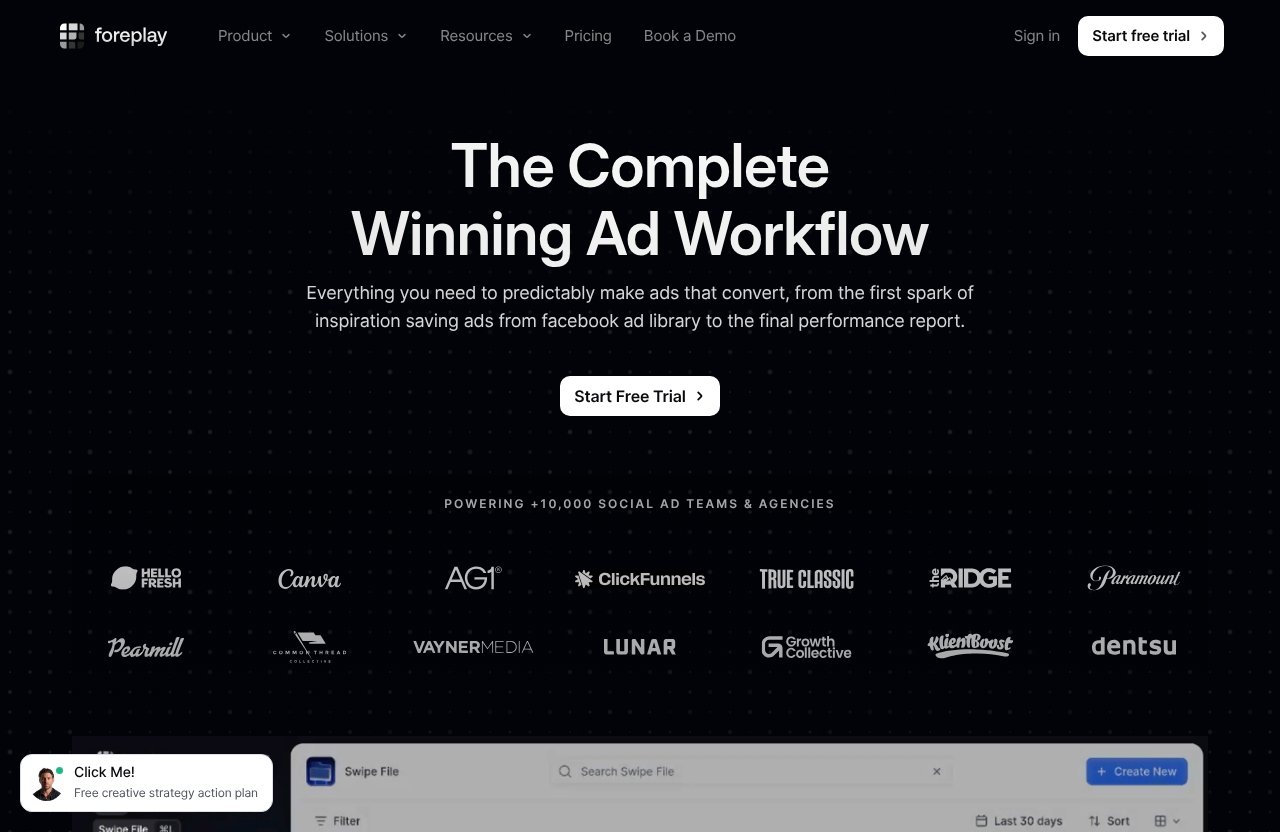
Foreplay is a creative workflow platform for saving ads from ad libraries and turning that research into organized creative assets and briefs. It is positioned officially as “The Complete Winning Ad Workflow,” which is a fair description if your team’s creative process involves repeated research, comparison, and execution.
In commercial terms, Foreplay sits between ad research, creative strategy, and execution. It helps replace the messy process of saving links, taking screenshots, dropping notes into Slack, and rebuilding briefs from scattered references.
Core workflow: save, organize, analyze, brief
The practical Foreplay workflow can be understood in four steps:
- Save ad inspiration from ad libraries.
- Organize examples into a usable swipe file.
- Analyze patterns, competitors, or creative angles.
- Turn research into briefs for production.
That is why many Foreplay reviews focus less on a single feature and more on the overall workflow. Buyers are not just paying for storage; they are paying for a system that helps research become action.
For creative teams, the biggest benefit is reducing the distance between “I saw a good ad” and “we should test a version of this angle.”
Main product areas: Swipe File, Discovery, Spyder, Lens, Briefs
The official pricing page lists the following core product areas:
| Product Area | Buyer-Friendly Purpose |
|---|---|
| Swipe File | Store and organize ad inspiration. |
| Discovery | Support ad discovery and research. |
| Spyder | Help with brand or competitor-oriented tracking workflows. |
| Lens | Support creative analytics workflows. |
| Briefs | Turn research into structured creative direction. |
| Chrome Extension | Support saving and workflow access from the browser. |
| MCP | Listed as an included product area on pricing. |
| Mobile App | Listed as a product area on the pricing page. |
| API | Listed as part of the product ecosystem, with API Access included in Basic. |
This is where Foreplay features become commercially useful. Instead of researching in one place, saving in another, and briefing somewhere else, Foreplay brings those steps closer together.
Where it fits in a creative strategy stack
Foreplay fits best before production and media buying execution. It is not positioned here as a replacement for your ad account, design tools, or project management software. Instead, it can become the research and creative planning layer.
For example, a strategist might use Foreplay to save ads during competitor research, organize patterns by angle, and then build a brief for a designer or video editor. A media buyer might use it to collect examples of hooks, formats, or offers that could inform the next round of tests.
That is why Foreplay reviews from serious creative teams often sound workflow-focused rather than feature-focused.
What Real Users Praise Most
Public Foreplay sentiment from sources such as G2-style software reviews, Foreplay’s official review/testimonial snippets, Trustpilot-style searches, and Reddit/community discussions tends to cluster around a few themes. Because review platforms and SERP snippets can change over time, this section summarizes recurring sentiment rather than presenting unverified scores or exact counts.
The positive pattern is clear: users like Foreplay most when it saves time, improves organization, and makes collaboration easier.
Clean interface and ease of use
A recurring positive theme in Foreplay g2 reviews-style snippets and official testimonial language is that users find the product easy to work with once it is part of their routine. The interface is commonly discussed as clean, visual, and more practical than scattered manual research.
This matters because ad research is already noisy. If a tool designed to organize inspiration feels complicated, teams will abandon it quickly.
The praise in Foreplay reviews around usability is especially important for agencies and media buyers. These users usually need a tool that can be adopted by multiple people, not just one highly technical operator.
Better creative collaboration
Another major praise point is collaboration. Teams often struggle when creative research lives in private browser folders, screenshots, or individual spreadsheets.
Foreplay’s appeal is that it can give teams a shared place to collect and reference ad inspiration. This is especially useful when strategists, founders, designers, copywriters, and media buyers all need to talk about the same examples.
Official testimonials tend to emphasize workflow and team alignment. Third-party Foreplay reviews generally echo that theme, though individual experiences vary depending on how disciplined the team is with tagging, saving, and briefing.
Faster research and ad inspiration
Speed is one of the strongest buying signals. Users looking at foreplay.co reviews are usually trying to answer one question: will this save enough time to justify the cost?
For high-volume creative teams, the answer can be yes. Instead of repeatedly searching ad libraries, copying links, and losing references, teams can build a living archive of inspiration.
Community discussions around Foreplay reddit searches often focus on whether the tool is worth paying for compared with manual methods. The positive argument is usually that manual research works at small scale, but breaks down when volume increases.
Value for high-volume teams
Foreplay appears most valuable when a team is saving, reviewing, and briefing creative every week. This is where Foreplay reviews lean more favorable: high-volume buyers feel the pain of messy workflows more sharply.
For example, an agency managing multiple clients may need a repeatable research system. An e-commerce brand testing new hooks every week may need a fast way to compare angles and organize swipe files.
The value is less about one feature and more about compounding efficiency. If Foreplay saves time across multiple people and multiple campaigns, the business case becomes easier to defend.
Common Foreplay Reviews Complaints And Limitations
No review is useful without the negatives. Search interest around foreplay reviews complaints suggests buyers want to know whether there are hidden issues, not just praise.
The main complaint themes are price sensitivity, learning curve, possible overkill for light users, and dependence on team adoption. These are not necessarily product failures; they are fit questions.
Learning curve for first-time users
Some users may need time to adapt if they are moving from loose, manual research to a structured workflow. The tool is designed around a broader creative process, so teams that only want to save an occasional ad may not immediately use the full system.
This is a common pattern with workflow tools. The more powerful the system, the more value it delivers when users build habits around it.
In practical terms, first-time users should spend the trial setting up a real research process, not just browsing features.
May be overkill for solo users
Solo founders, early freelancers, or very small stores may find Foreplay more robust than necessary. If you only save a few ad examples and do not create formal briefs, a simpler manual system might be enough for now.
This does not mean the product lacks value. It means the return depends on research volume and creative cadence.
Many positive Foreplay reviews come from users with enough creative activity to justify a dedicated workflow. If your volume is low, the ROI case is weaker.
Pricing expectations vs. smaller budgets
Foreplay pricing starts at $59/month for the Basic plan, according to the official pricing page. For established teams, that may be reasonable. For very small operators, it may feel like another monthly subscription competing with ad spend, design tools, analytics, and project management software.
This is the most predictable complaint category. Buyers with smaller budgets often evaluate Foreplay against “free” manual workflows, even if those workflows cost time.
The fair question is not whether Foreplay is cheap. The fair question is whether it saves enough time and improves enough decisions to justify its cost.
Dependence on how your team uses the workflow
Foreplay is not a magic creative strategy engine by itself. It can help organize research and speed up briefing, but the quality of output still depends on the team’s thinking, testing discipline, and execution.
A poorly run creative process will not automatically become high-performing just because the research is cleaner. This is why the best Foreplay reviews usually come from teams that already understand creative testing and need operational leverage.
If no one is responsible for saving, organizing, reviewing, and acting on inspiration, the platform may become underused.
Foreplay Pricing in 2026
Foreplay pricing in 2026 is listed on the official pricing page as flexible and risk-free, with no contracts, no surprises, and unlimited usage and ad spend across products. The page shows Monthly and Annually billing options, with annual billing offering “Save 15% + Unlimited Spyder.”
Below are only the verified pricing and plan facts provided for this review.
Basic plan
The Basic plan is listed at $59/month. According to the official pricing page, it includes:
- 7-day free trial
- No credit card required
- 1 user included
- $20 per additional user
- Swipe File
- Discovery
- Briefs
- Spyder
- Lens
- API Access with 10,000 credits
- MCP
For small teams, this is the natural entry point. It gives access to the core Foreplay workflow without committing to a larger team plan.
Workflow plan
The Workflow plan is listed at $175/month. According to the official pricing page, it includes:
- 7-day free trial
- No credit card required
- Up to 5 users included
- $20 per additional user
- Swipe File
- Discovery
- Briefs
- Spyder with 15 brands
- Lens with 1 brand and unlimited ad spend
- Additional features listed on the official pricing page
The Workflow plan is better suited to scaling teams that need more included users and broader workflow capacity. Agencies, larger e-commerce teams, and creative departments are more likely to evaluate this plan seriously.
Monthly vs annual billing
The official pricing page shows Monthly and Annually billing options. Annual billing offers “Save 15% + Unlimited Spyder.”
That annual benefit may be attractive for teams already confident that Foreplay will become part of their ongoing creative process. However, buyers who are still evaluating fit should use the free trial first and avoid rushing into annual billing before the workflow is proven.
This is especially important for readers comparing Foreplay reviews because long-term value depends on adoption.
What’s included in each plan
| Plan | Price | Trial | Users | Additional Users | Verified Included Areas |
|---|---|---|---|---|---|
| Basic | $59/month | 7 days, no credit card required | 1 included | $20/user | Swipe File, Discovery, Briefs, Spyder, Lens, API Access with 10,000 credits, MCP |
| Workflow | $175/month | 7 days, no credit card required | Up to 5 included | $20/user | Swipe File, Discovery, Briefs, Spyder with 15 brands, Lens with 1 brand and unlimited ad spend, plus additional features listed |
The Basic plan looks best for smaller teams, solo strategists with serious volume, and founders testing whether the workflow fits. Workflow makes more sense when several people need access and the team is ready to operationalize Foreplay across research and briefing.
Official website · Latest pricing & offers
Feature Breakdown Buyers Care About
The most useful way to evaluate Foreplay features is not by asking, “Does it have a lot of tools?” The better question is, “Where does this remove friction from our creative process?”
Below is a buyer-focused explanation of the main product areas, using only verified official product categories and cautious workflow interpretation.
Swipe File and creative inspiration storage
Swipe File is central to the Foreplay workflow. Its role is to help teams save and organize ad inspiration instead of losing examples across browsers, screenshots, folders, or chat apps.
For creative strategists, this matters because inspiration is only useful if it can be found again. A strong swipe file can help teams compare hooks, formats, offers, visual styles, and landing ideas during planning.
Positive Foreplay reviews often connect this organization to faster creative discussions.
Discovery ad search engine
Discovery is listed as a core product area and is commonly understood as part of Foreplay’s research workflow. For buyers, the value is having a more structured way to find creative inspiration instead of manually searching repeatedly.
This can help when teams need fresh examples before building a test plan. Rather than starting from a blank page, strategists can use research inputs to support stronger briefs.
The commercial value depends on how often your team needs new inspiration.
Spyder competitor tracking
Foreplay Spyder is one of the product areas buyers often notice because competitor monitoring is a major part of ad strategy. The official pricing facts state that the Workflow plan includes Spyder with 15 brands, while annual billing offers “Unlimited Spyder.”
The buyer benefit is clearer competitive visibility. If your team regularly tracks brands, angles, and creative directions, Spyder may help reduce manual monitoring.
As with any competitive research workflow, the insight is only useful if someone reviews it and turns it into action.
Lens creative analytics
Lens is listed as a Foreplay product area. The verified pricing facts state that the Basic plan includes Lens and the Workflow plan includes Lens with 1 brand and unlimited ad spend.
For buyers, Lens matters because teams do not just need to collect ads; they need to understand creative patterns and make better decisions. That said, this review does not invent specific Lens capabilities beyond the verified facts.
The practical takeaway: evaluate Lens during the trial using your own creative review process.
Briefs for turning inspiration into action
Briefs may be the most operationally important feature for teams that work with designers, copywriters, editors, or clients. Saving inspiration is helpful, but turning it into production-ready direction is where workflow tools become valuable.
A strong brief can reduce back-and-forth and help creative teams understand the angle, reference, and intended test. This is why many Foreplay reviews emphasize collaboration rather than just ad saving.
If your current briefing process is scattered, Briefs may become one of the strongest reasons to use Foreplay.
Foreplay vs. the Typical Alternative Workflow
When buyers search for a Foreplay alternative, they are often comparing it against manual systems rather than a single direct competitor. The usual alternative is a mix of ad library links, screenshots, spreadsheets, browser bookmarks, Notion pages, Slack messages, and Google Docs.
That manual workflow can work for a while. It usually becomes painful when creative volume, team size, or client count increases.
Manual ad library saving
Manual saving is simple and cheap at first. You find an ad, copy a link, take a screenshot, or drop it into a folder.
The problem is retrieval. Weeks later, teams may struggle to find the example, remember why it mattered, or connect it to a brief.
Foreplay reviews are often positive from users who have outgrown that manual mess. The product’s core promise is not that manual research is impossible, but that organized research is faster and more reusable.
Spreadsheets and group chats
Spreadsheets can organize links, but they are rarely ideal for visual creative work. Group chats are fast, but they are poor long-term knowledge bases.
This creates a fragmented process. Inspiration is in one place, commentary is somewhere else, and the final brief may be disconnected from the original research.
Foreplay’s all-in-one workflow is most appealing when teams feel that fragmentation every week.
Why teams switch to an all-in-one system
Teams switch when the hidden cost of manual research becomes obvious. That cost includes duplicated work, lost references, slow briefing, inconsistent collaboration, and scattered competitive research.
Foreplay does not need to replace every tool in your stack to be useful. It needs to make the creative research-to-brief process faster and more reliable.
That is the core buyer argument behind many positive Foreplay reviews in 2026.
Who Foreplay Is Best For
Foreplay is not a universal tool for every marketer. It fits buyers who treat ad creative as a system and need a repeatable workflow for inspiration, research, analysis, and briefs.
The strongest fit is usually with teams that run paid social or performance creative at meaningful volume.
E-commerce brands
E-commerce brands are one of the clearest fits. They often need to test hooks, offers, formats, product angles, and competitor positioning quickly.
Foreplay can support a more organized creative research process, especially when founders, marketers, and designers all need shared visibility. The more frequently the brand launches new creative, the more useful the workflow can become.
For low-volume stores, the case is less urgent.
Agencies
Agencies can benefit because they usually manage research across multiple clients and team members. A shared swipe file and briefing workflow can reduce the chaos of client-specific creative inspiration.
This is where Foreplay pricing may be easier to justify. If the workflow supports multiple client accounts or internal collaborators, the time savings can compound.
Many agency-oriented Foreplay reviews focus on organization, collaboration, and speed rather than one isolated feature.
B2B/SaaS teams
B2B and SaaS teams may also find value, especially if they run paid social, study competitor messaging, or produce recurring ad tests. Their creative process may differ from e-commerce, but the need to save examples and brief campaigns still applies.
The fit is strongest when the team has a clear owner for creative strategy. Without that owner, the platform may be underused.
For B2B teams with light ad volume, a trial is the best way to determine whether Foreplay becomes essential or merely nice to have.
Freelancers and creators
Freelancers and creators may use Foreplay to build more professional research and briefing systems. This can help when presenting ideas to clients or organizing inspiration across projects.
However, solo users should be honest about budget. If you do not have enough client work or ad research volume, the subscription may feel heavy.
The Basic plan is the more realistic starting point for most freelancers.
Who Should Skip Foreplay
A credible Foreplay review should also say who should not buy it. Some readers will be better served by a simple manual workflow, at least for now.
If your creative process is occasional, informal, or very low-budget, Foreplay may not be the first subscription to add.
Very small budgets
If $59/month would meaningfully strain your budget, pause before subscribing. Spend should match business maturity and workflow need.
Foreplay may save time, but small operators must weigh that against ad spend, creative production, analytics, and other essentials.
For this group, the trial is useful, but only subscribe if you can clearly identify the time or revenue upside.
Teams that only need basic saving
If all you need is a place to save a few ad links, Foreplay may be more system than you need. Browser bookmarks, simple documents, or lightweight databases might be enough for basic storage.
Foreplay becomes more compelling when saving is only the first step. The stronger use case includes organizing, reviewing, collaborating, and briefing.
That distinction shows up repeatedly when comparing positive Foreplay reviews with complaint-oriented searches.
Users without a repeatable creative process
If your team does not regularly review creative inspiration or turn research into briefs, Foreplay may sit unused. Workflow software works best when it supports an existing habit or a habit the team is ready to build.
Before subscribing, ask who will own the process. Someone should be responsible for saving ads, organizing them, extracting insights, and creating briefs.
Without ownership, even a strong tool may not deliver value.
How Foreplay Fits an Affiliate Buyer Journey
Because this is a commercial review, the best recommendation is not “buy immediately.” The better approach is to test whether Foreplay improves your real workflow during the free trial.
If you decide to evaluate it after reading these Foreplay reviews, you can start through our partner link: try Foreplay here. Use the trial to validate fit, not just to browse the dashboard.
What to test during the free trial
During the 7-day free trial, test a real creative workflow. Do not just click through menus.
Try this:
- Save a batch of relevant ads.
- Organize them by angle, product, offer, or client.
- Review them with your team.
- Create at least one brief.
- Compare the process with your current manual system.
This will tell you more than any Foreplay review 2026 article can.
Questions to ask before subscribing
Before paying, ask:
- Did Foreplay save time compared with our current workflow?
- Did the team actually use it?
- Did it improve creative discussions?
- Did it make briefing clearer?
- Are we saving enough ads to need a dedicated system?
- Is Basic enough, or do we need Workflow?
These questions help separate real value from software excitement.
Signs it is paying for itself
Foreplay may be paying for itself if your team is spending less time hunting for old references, producing clearer briefs, and moving from research to execution faster.
Other signs include fewer repeated conversations, better creative organization, and more consistent competitor research.
The ROI does not have to come from one dramatic result. It can come from repeated time savings across every creative cycle.
Official website · Latest pricing & offers
FAQ
What does good foreplay feel like?
This question is a semantic mismatch in search results. This article is about Foreplay, the ad workflow and creative research tool, not the relationship topic.
If you are looking for Foreplay reviews related to software, pricing, complaints, and buyer fit, the relevant answer is that a “good” Foreplay experience should feel organized, faster, and easier for creative collaboration.
What do users say about Foreplay reviews complaints?
Common foreplay reviews complaints focus on price sensitivity for smaller teams, a learning curve for first-time users, and the need for an established creative workflow. These complaints are mostly about fit rather than obvious product failure.
Users who do not save many ads or create frequent briefs may find the platform more than they need. Teams with higher creative volume tend to see the value more clearly.
Is Foreplay good for agencies?
Yes, Foreplay can be a good fit for agencies because agencies often need shared research, client-specific swipe files, collaboration, ad inspiration storage, and competitive analysis workflows.
The Workflow plan may be more relevant for agencies because it includes up to 5 users and broader workflow capacity. Still, agencies should test the free trial with a real client process before subscribing.
Does Foreplay have a free trial?
Yes. According to the official pricing page, both the Basic and Workflow plans include a 7-day free trial with no credit card required.
That makes a trial-first approach sensible, especially if you are comparing Foreplay pricing against manual research workflows.
Which Foreplay plan is best for small teams?
For most small teams, the Basic plan is the entry option. It is listed at $59/month, includes 1 user, and has $20 per additional user.
The Workflow plan is better for scaling teams that need up to 5 included users and the verified Workflow-level limits for Spyder and Lens. Small teams should start by testing whether Basic covers their actual workflow.
Final Verdict: Is Foreplay Worth It in 2026?
After reviewing verified product facts, pricing, and public sentiment themes, the practical verdict is this: Foreplay is worth it for teams that do serious ad research and want a faster, more organized creative workflow.
The most positive Foreplay reviews come from users who already feel the pain of scattered inspiration, slow briefing, and fragmented collaboration. The most cautious feedback comes from smaller users who may not have enough volume to justify a dedicated platform.
Best-for summary
Foreplay is best for:
- E-commerce brands running regular creative tests
- Agencies managing multiple clients or collaborators
- Media buyers who need better ad inspiration workflows
- Creative strategists building repeatable briefing systems
- Teams that want to replace screenshots, spreadsheets, and chat threads
It is less ideal for very small budgets, casual ad saving, or teams without a repeatable creative process.
Purchase confidence score
Purchase confidence score: 8.4/10 for high-volume creative teams.
For agencies and active e-commerce teams, the buying case is strong because the workflow can support research, organization, collaboration, and briefing. For solo users or light researchers, the score is lower because the value depends heavily on usage volume.
This balanced score reflects the overall pattern in Foreplay reviews: strong workflow value, but not a must-buy for every marketer.
Decision checklist for Foreplay reviews readers
Before subscribing, make sure you can answer “yes” to most of these:
- Do we research ads every week?
- Do we lose useful examples in chats, tabs, or folders?
- Do multiple people need access to inspiration?
- Do we create briefs from ad research?
- Do we track competitors or brands regularly?
- Would saving time in creative planning justify the monthly cost?
- Did the free trial improve our real workflow?
If yes, Foreplay is a serious contender in 2026. If no, start with a simpler manual process and revisit Foreplay when your creative volume increases.
Related Reading
- Foreplay vs Ad Library comparison
- How Much Does Taplio Cost Per Month?
- Adcreative.ai Cancel Subscription guide
References
- Foreplay.co Reviews
- Foreplay.co Pricing
- G2: Foreplay Reviews 2026: Details, Pricing, & Features
- Trustpilot: Read Customer Service Reviews of foreplay.co