Foreplay Co Chrome Extension: A Practical Review for Marketers in 2026
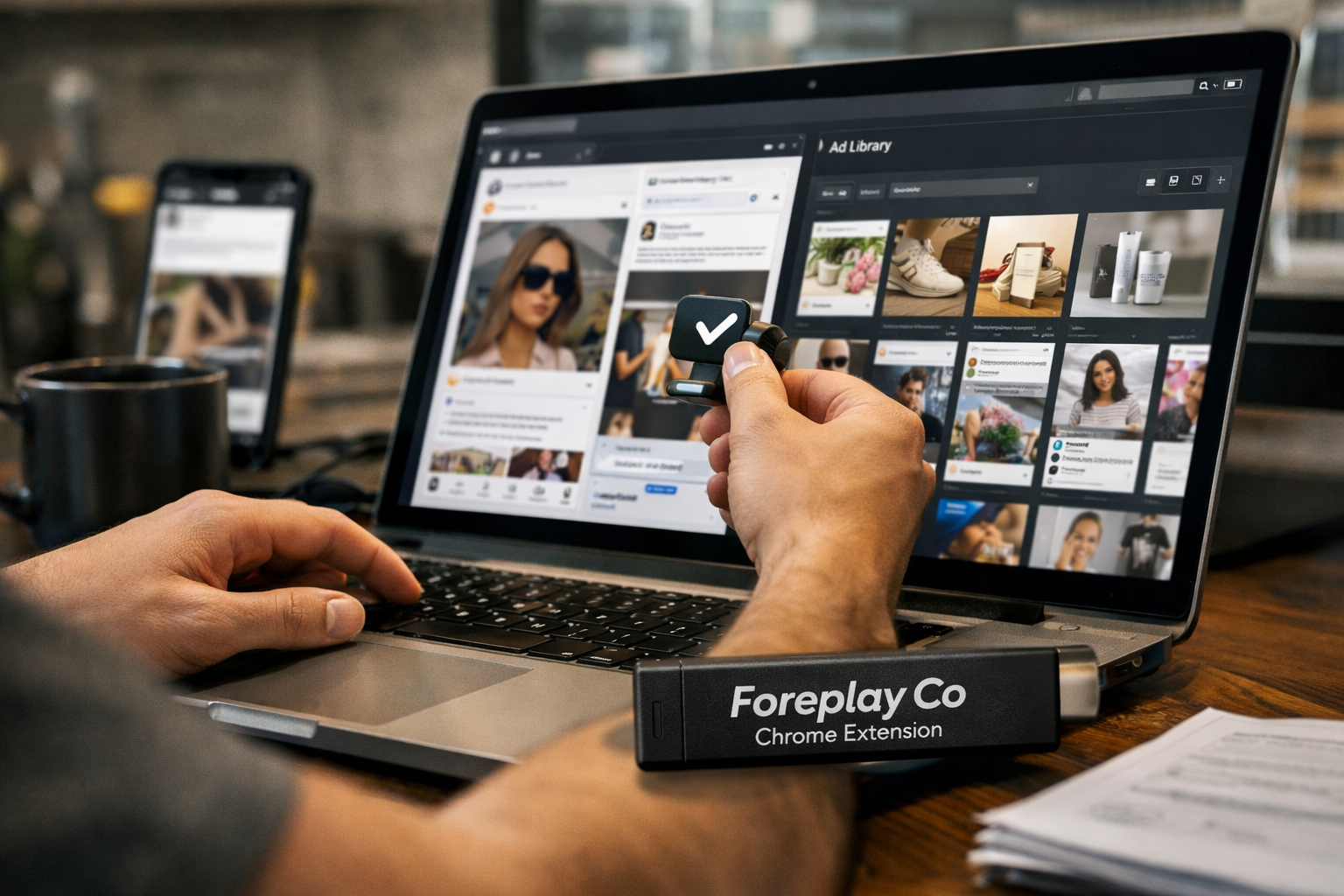
The foreplay co chrome extension is designed for marketers who want a faster, more organized way to save ads, creative examples, and video inspiration while researching online. Rather than relying on screenshots, browser bookmarks, and scattered folders, it connects ad discovery to a broader creative workflow inside Foreplay.
This review focuses on verified information from Foreplay’s official product and pricing pages, plus the Chrome Web Store messaging for the extension. The page contains an affiliate link; if you decide Foreplay is a fit, you can review it through this Foreplay link. That relationship does not change the practical limitations discussed below.
Official website · Latest pricing & offers
What Is the Foreplay Co Chrome Extension?
Quick definition of Foreplay co chrome extension
The foreplay co chrome extension is a browser companion for saving ads and video content from supported advertising libraries and social platforms with one click. Its main purpose is to help users capture creative inspiration while they are already researching competitors, campaign angles, formats, and messaging.
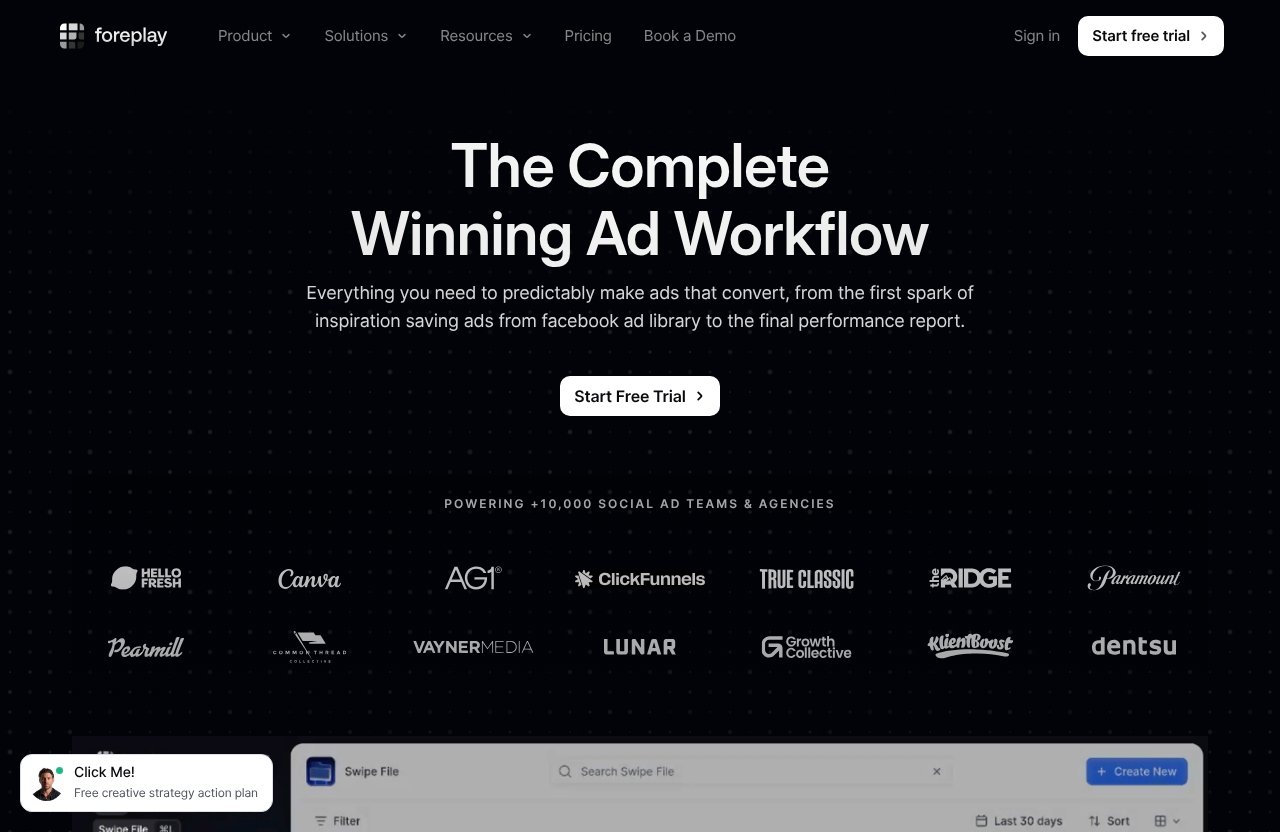
Foreplay positions itself as a complete winning-ad workflow rather than a standalone browser add-on. The extension is the capture layer: it helps move useful ad examples from the web into a place where a marketer can revisit, organize, share, and discuss them.
How it fits into the broader Foreplay workflow
According to Foreplay’s official homepage, the platform includes products such as Swipe File, Discovery, Spyder, Lens, Briefs, the Chrome Extension, MCP, Mobile App, and API. The extension matters because it connects real-time browsing with those wider research and creative-planning workflows.
In practical terms, a media buyer might spot a compelling competitor ad in Meta Ad Library, save it, and later use it as a reference during a creative brief. A strategist can use the same process to collect examples for a client review, while a designer can review saved inspiration before developing new concepts.
Why marketers use it instead of manual screenshots
Manual saving is possible, but it is rarely consistent. Screenshots can lose their source context, bookmarks can become difficult to search through, and a shared folder often turns into a mixed collection of unrelated files.
The foreplay co chrome extension is intended to make research more repeatable. Instead of treating each discovery as a one-off screenshot, teams can treat it as an input to a structured swipe-file and creative review process.
How the Foreplay Co Chrome Extension Works
One-click saving from supported ad libraries
The basic workflow is simple: browse a supported source, find an ad or video worth studying, and use the extension to save it. Official Chrome Web Store messaging says Foreplay helps users save ads and video content with one click.
This is especially useful when research happens in volume. During a competitor review, even a solo marketer can encounter dozens of relevant examples; saving them immediately is more reliable than promising to return to them later.
What gets captured when you save an ad
Foreplay’s official extension messaging verifies one-click saving for ads and video content. The exact information available for every saved item can vary by source and how the underlying platform presents the content, so marketers should check the saved record in their own Foreplay workspace rather than assume every source supplies identical details.
As a practical research habit, save an example because of a specific lesson: the opening hook, visual style, offer framing, ad copy direction, audience angle, or format. Adding that context during review makes a saved collection more useful than an unlabelled archive.
Where saved ads go after capture
Saved examples feed into Foreplay’s broader Swipe File workflow, which the company describes as part of its research, inspiration, analytics, and briefing ecosystem. Foreplay also emphasizes saving and sharing creative inspiration across creative and performance teams.
For marketers, the value is not simply that the foreplay co chrome extension saves an ad. The value comes from being able to return to the example later when planning campaigns, reviewing competitors, or preparing a brief.
Supported Platforms and Capture Sources
Facebook/Meta Ad Library
Official extension and Chrome Web Store messaging lists Meta/Facebook Ad Library as a supported source. This makes it relevant for people who regularly want to save ads from Facebook Ad Library while comparing advertisers, offers, creative formats, and messaging approaches.
Meta’s library is a common starting point for paid-social research, but it can become time-consuming when a team relies on open tabs and screenshots. A Foreplay ad library extension workflow gives users a dedicated way to preserve the examples that genuinely matter.
TikTok Creative Center and TikTok ads
Foreplay officially lists TikTok among the extension’s supported sources. For marketers looking to save ads from TikTok Creative Center or capture TikTok ad inspiration while researching, this is one of the more practical use cases.
TikTok research often involves looking beyond a single ad format and studying pacing, creator style, hooks, visual demonstrations, and comment-driven social proof. A saved creative reference is more valuable when it is connected to the campaign question it is meant to answer.
LinkedIn Ad Library, Instagram, and YouTube Shorts support
The official source list also includes LinkedIn Ad Library, Instagram, and YouTube Shorts. This means users can save LinkedIn ads with Foreplay while researching B2B creative, and they can capture relevant short-form video and Instagram inspiration in the same broader workflow.
Foreplay also provides mobile-saving options. Its official Chrome extension page explains that users can send Instagram DM ads or organic posts to @foreplay_co, while TikTok ads can be saved through the mobile app while scrolling. That gives the foreplay co chrome extension a useful complement when research does not happen solely on a desktop browser.
Why Creatives and Media Buyers Use It
Build swipe files faster
A swipe file works best when it is curated consistently. The foreplay co chrome extension reduces the friction between seeing an ad and preserving it for future use, which is important for busy media buyers and creative strategists.
For example, a direct-to-consumer brand marketer may save examples by product category, hook type, offer theme, or creative format. A freelancer can build a smaller collection of proven reference styles for client work without keeping everything in a personal screenshot folder.
Spot patterns across competitors
Competitor monitoring is not about copying individual ads. It is about recognizing repeated patterns: what kinds of offers appear frequently, which formats brands prioritize, how they frame benefits, and how their creative changes over time.
With a structured collection, a team can compare examples during campaign planning instead of relying on memory. This is an inferred workflow benefit based on Foreplay’s stated research and inspiration positioning, not a claim that the tool automatically identifies winning patterns for you.
Collaborate with clients and team members
Foreplay says it helps bridge creative and performance teams and supports saving and sharing creative inspiration. That matters in agencies, where a paid-media specialist may find the ad, a strategist may explain why it is relevant, and a creative team may translate the lesson into an original concept.
The foreplay co chrome extension can therefore be useful beyond ad buyers. Account managers, founders, designers, copywriters, and freelance consultants can all use saved references to make creative conversations more concrete.
Official website · Latest pricing & offers
Foreplay Co Chrome Extension vs Manual Ad Saving
Screenshot folders vs structured boards
Screenshots are fast, familiar, and free. They are also easy to forget about once they land in a generic folder named “Ad Inspiration” alongside hundreds of unrelated images.
A structured swipe-file workflow gives research a clearer purpose. Foreplay’s product messaging centers on saving and sharing inspiration, while its wider toolset includes briefs and research-oriented products. For teams that discuss ads often, that structure can be more useful than a growing image archive.
| Manual approach | Foreplay-oriented workflow |
|---|---|
| Screenshots and browser bookmarks | Saved ads and video content within Foreplay |
| Often stored in personal folders | Designed for sharing creative inspiration |
| Context may depend on memory | Can support research and briefing workflows |
| Harder to standardize across a team | Better suited to a repeatable team process |
Expired links vs cloud storage
A saved link can change, break, or become difficult to locate later. Screenshots can preserve a visual moment, but they do not always make the original research easy to reconstruct.
Foreplay’s value proposition is centered on keeping ad inspiration in a dedicated workflow rather than leaving it in temporary browser sessions. Before adopting any tool, though, users should test their own saving and retrieval process during the available trial.
Why teams need a repeatable workflow
The strongest reason to use an ad swipe file Chrome extension is consistency. If every team member saves research differently, creative reviews become slower because people spend time hunting for examples instead of evaluating them.
The foreplay co chrome extension is most compelling when it becomes part of a standard operating process: research, save, organize, discuss, brief, and review. Occasional researchers may not need that level of structure.
When the Extension Is Most Useful in 2026
Creative research for launch planning
In 2026, launch planning still depends on quality inputs. Before developing new ads, marketers often need a credible view of category conventions, competitor positioning, audience language, and popular creative formats.
A creative research tool for media buyers is useful when it shortens the collection phase without replacing judgment. The saved ads should inform original concepts, not become a shortcut for imitation.
Competitor monitoring and ad inspiration
The foreplay co chrome extension is especially relevant for people who routinely check competitor activity. Agencies managing several accounts, in-house growth teams, and consultants working across categories can encounter a high volume of useful examples each week.
A weekly research habit can be more valuable than occasional deep dives. Saving a few relevant ads as they appear helps preserve a running view of the market for future creative reviews.
Client reporting and creative reviews
Client calls are more productive when recommendations are supported by clear examples. A consultant can use saved ads to illustrate a category trend, explain a new format worth testing, or show why a proposed creative direction is reasonable.
This does not mean a competitor’s ad proves a strategy will work for another brand. It means the team has a tangible reference point for a more informed discussion.
Limitations and Things to Know Before Installing
Browser-extension dependency
The desktop workflow depends on using a compatible Chrome extension environment and visiting supported sources. If most of your research happens outside the browser, the extension alone will not cover every situation.
Foreplay’s mobile-saving options help address some phone-based research, but users should treat the mobile and desktop methods as complementary rather than identical workflows.
Supported-domain constraints
The official list specifically mentions Meta/Facebook Ad Library, TikTok, LinkedIn Ad Library, Instagram, and YouTube Shorts. The foreplay co chrome extension should be evaluated against the actual sources your team uses most rather than assumed to work across every advertising platform or website.
If a source is not listed in official Foreplay documentation, do not rely on it being supported. Check the official product page and Chrome Web Store listing before making it part of a required process.
Need for a broader workflow beyond saving
Saving ads is only the first step. Teams still need a process for deciding what an example means, how it relates to their brand, and whether it deserves testing.
Foreplay is strongest for people who will use saved references in research, inspiration, analytics, briefs, and collaboration. It is less compelling if the plan is simply to collect ads without reviewing or acting on them.
Pricing and Plans in 2026
Basic plan
According to Foreplay’s official pricing page, the Basic plan costs $59 per month. It includes one user, with additional users priced at $20 per user.
The plan includes Swipe File, Discovery, Briefs, Spyder, Lens, API Access with 10,000 credits, and MCP. Foreplay lists a 7-day free trial with no credit card required.
Workflow plan
The Workflow plan is listed at $175 per month and includes up to five users. Additional users are listed at $20 per user.
This plan includes Swipe File, Discovery, Briefs, Spyder for 15 brands, Lens for one brand with unlimited ad spend, and the same 7-day free trial with no credit card required. Pricing can change, so confirm current terms directly on Foreplay’s official pricing page before subscribing.
How to decide which plan fits your team
The Basic plan is the more straightforward option for a solo operator or small team that primarily needs Foreplay’s core research and swipe-file workflow. The Workflow plan is more relevant when several people need shared access and the included team capacity matches how your agency or in-house department operates.
Do not choose based only on the foreplay co chrome extension. Compare the overall Foreplay workflow, including the research, briefing, and collaboration needs that justify a recurring software cost.
How to Install and Start Using It
Install from the Chrome Web Store
Start by locating Foreplay’s official Chrome Web Store listing and confirm that the publisher and listing details match Foreplay’s official materials. Install the extension through Chrome, then review the permissions and current listing information before using it.
This is also a good time to review Foreplay’s official Chrome extension page for the latest supported-source guidance. Product details can evolve after publication.
Pin the extension for faster access
After installation, pinning the extension in Chrome can make it easier to use during research sessions. This is a small setup step, but it helps turn saving into a habit rather than an extra task.
When browsing an approved source, identify ads that provide a real learning opportunity. Avoid saving everything; a focused swipe file is easier to review and share.
Save your first ad and organize it into a board
Open a supported ad library or source, find an ad worth retaining, and use the extension’s save function. Then place the item into your preferred Foreplay organization system, such as a campaign, client, category, or research collection.
For a useful first test, save five to ten examples around one question: “How are competitors introducing this product?” or “What video hooks appear in this category?” That gives you a realistic sense of whether Foreplay boards and sharing fit your working style.
Official website · Latest pricing & offers
FAQ
What does the Foreplay Chrome extension do?
The Foreplay Chrome extension helps users save ads and creative inspiration from supported ad libraries and video sources into Foreplay. The saved material can then support research, organization, sharing, and later creative review.
Which platforms does the Foreplay Chrome extension support?
Official Foreplay and Chrome Web Store messaging mentions Meta/Facebook Ad Library, TikTok, LinkedIn Ad Library, Instagram, and YouTube Shorts. Foreplay also documents mobile-saving workflows for Instagram DMs and TikTok through its mobile app.
Is Foreplay only for agencies?
No. Agencies are a natural fit because they often need collaboration and client-facing research, but Foreplay can also suit in-house e-commerce teams, B2B SaaS marketers, mobile-app teams, freelancers, creators, and solo media buyers.
Can I use Foreplay to save ads from my phone?
Yes. Official guidance says Instagram ads or organic posts can be sent by DM to @foreplay_co, and TikTok ads can be saved through the Foreplay mobile app while scrolling.
How much does Foreplay cost in 2026?
Foreplay lists Basic at $59 per month and Workflow at $175 per month. Both plans include a 7-day free trial with no credit card required; confirm current pricing on the official Foreplay pricing page before purchasing.
Is the Foreplay extension worth it for media buyers?
It can be worth it for media buyers who frequently research competitors, build swipe files, and need a structured way to share creative references with teammates or clients. If you rarely save ads or work entirely alone with a simple folder system, it may be more than you need.
Should You Use Foreplay in 2026?
Best for agencies and creative teams
The foreplay co chrome extension is a strong fit for agencies and cross-functional teams that regularly collect ad references, discuss creative direction, and turn research into briefs. Its clearest value is the connection between ad discovery and a more collaborative Foreplay workflow.
Best for solo media buyers and creators
Solo media buyers, freelance marketers, and creators can also benefit when research is a frequent part of their work. If you currently lose useful ads in screenshots, open tabs, or bookmarks, a dedicated system can create meaningful organizational value.
Who may not need it
You may not need Foreplay if you only research ads occasionally, do not collaborate with others, or are satisfied with a lightweight manual system. The extension is a workflow tool, so it earns its cost when saved inspiration is actively used in planning and reviews.
Overall, the foreplay co chrome extension is worth considering in 2026 for marketers who need a practical way to capture ads from supported sources and turn them into a usable creative research library. Its best audience is not every advertiser—it is the team or individual with a consistent ad-research habit and a clear reason to organize, share, and apply what they save.
Related Reading
- Youlearn AI Review 2026
- Youlearn AI Alternatives 2026
- How to Use Lalal.AI: A Beginner-Friendly Step-by-Step Guide
References
- Ad Library – Save Facebook TikTok – Foreplay
- Foreplay | The Complete Winning Ad Workflow – Save ads from Ad Libraries
- How to: Foreplay Chrome Extension & Mobile Saving
- Foreplay.co | Pricing