How to Use Foreplay for Facebook Ads Research

Learning how to use foreplay for ad research can turn scattered competitor screenshots and vague creative ideas into a practical system your team can use every week. Instead of browsing ads without a plan, you can discover examples, save the strongest concepts, organize patterns, create briefs, and review creative performance in one workflow.
For marketers, media buyers, agencies, and freelancers, Foreplay is designed around the work that happens before and after launching ads. This guide explains how to use it as a repeatable Facebook ad research tool—not simply as a place to collect inspiration.
Official website · Latest pricing & offers
What Foreplay Is and Why It Matters for Facebook Ads Research
Foreplay in one sentence
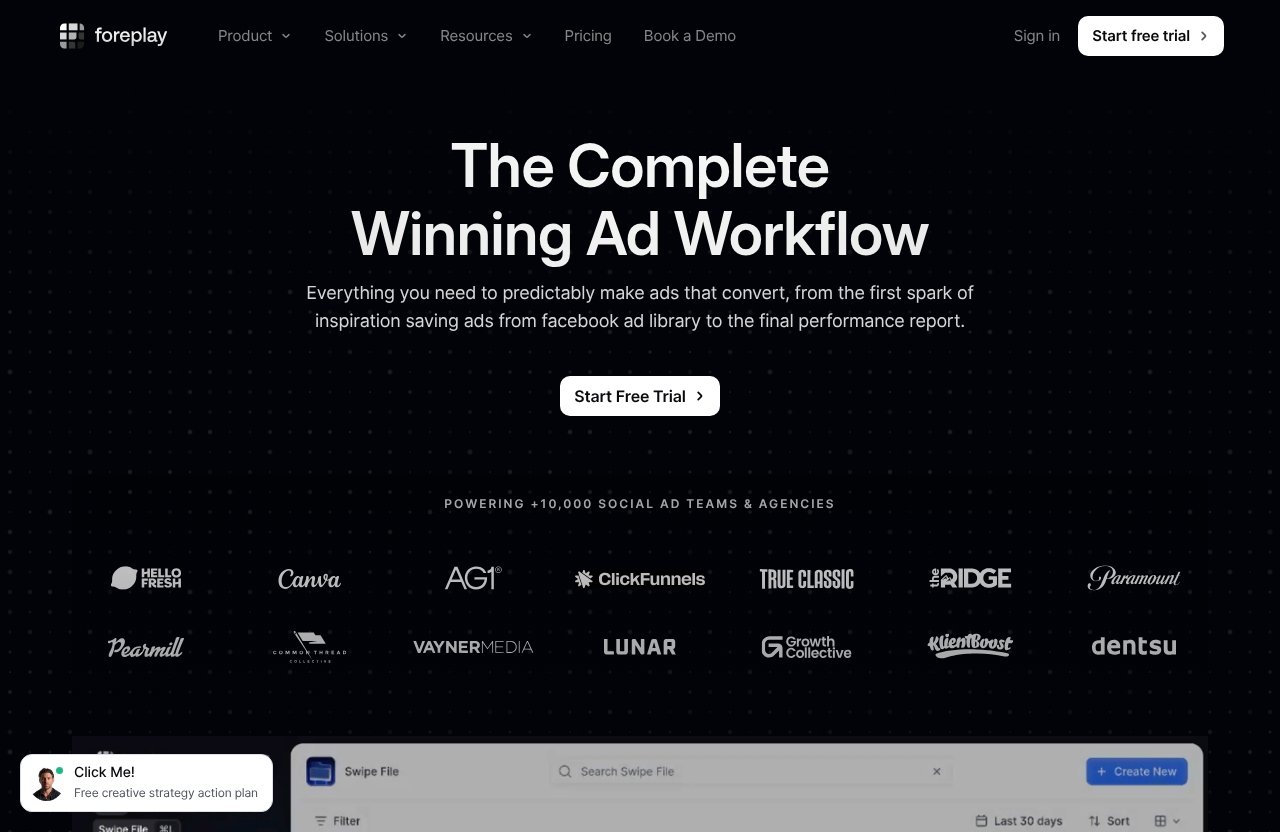
Foreplay is an ad research and creative workflow platform built to help teams save ads from ad libraries, organize inspiration, monitor competitors, create briefs, and review advertising creative. Its official positioning is “The Complete Winning Ad Workflow,” covering the process from the first spark of inspiration to the final performance report.
When people ask how to use foreplay, the most useful answer is not “search for ads.” The real value is creating a system that connects research to production and creative feedback.
Who it is best for
Foreplay is especially relevant for people who regularly need new ad concepts but do not want to start every creative sprint from a blank page. That includes:
- Paid social media buyers researching new angles
- DTC and ecommerce teams monitoring competitor offers
- Creative strategists building briefs for designers and editors
- Agencies managing multiple client ad accounts
- Freelancers who need a structured foreplay swipe file
- Founders who want to understand their market’s ad messaging before producing creative
It is less about copying ads and more about identifying patterns worth adapting to your own audience, offer, brand voice, and landing page.
Where it fits in an ad-research workflow
A strong creative research workflow usually has six stages:
| Workflow stage | What happens | Relevant Foreplay module |
|---|---|---|
| Discover | Find ads, brands, hooks, and formats to study | Discovery |
| Save | Capture useful examples before they disappear from your browser tabs | Swipe File |
| Organize | Categorize ads by message, audience, offer, and format | Swipe File |
| Monitor | Follow competitor advertising activity over time | Spyder |
| Brief | Convert observations into clear creative directions | Briefs |
| Review | Analyze creative advertising performance | Lens |
This matters because most teams have a broken loop. They find ads, save screenshots in random folders, forget why they saved them, and send vague messages such as “make something like this” to the creative team. Foreplay is built to make that loop more deliberate.
How to Use Foreplay: The Core Facebook Ads Research Workflow
Step 1: How to Use Foreplay with Discovery to Find Ads at Scale
Start with Foreplay Discovery when you need broad market visibility. Discovery is an ad search engine with over 100M ads, making it useful when you want to move beyond the few ads you happen to see in your personal feed.
The key is to search with a research question rather than browse aimlessly. For example, if you sell a skincare product, do not search only for direct competitors. Search for related messaging patterns:
- “Before and after”
- “Dermatologist”
- “Sensitive skin”
- “Routine”
- “Bundle”
- “Limited time”
- “Subscription”
- “Problem solution”
You can also research by brand, product category, offer type, creative format, or messaging angle. A nutrition brand may study how other brands introduce an ingredient. A software company may study how competitors frame time savings, reporting, setup, or integrations.
As you learn how to use foreplay for facebook ads, make every Discovery session produce a specific output. For example: “Find 10 ads using a customer-story hook,” or “Identify five offer structures used by subscription brands.” Clear research goals prevent endless scrolling.
Step 2: Save winning ads into Swipe File
Once you find an ad worth studying, save it to your Foreplay Swipe File. Do not save every decent-looking creative. Save ads because they demonstrate a specific strategic decision you may want to revisit.
A saved ad should answer at least one question:
- Is the opening hook effective?
- Is the offer easy to understand?
- Does the creator-style delivery feel authentic for this category?
- Is the ad demonstrating a product benefit clearly?
- Does the visual structure make the message easy to scan?
- Is there a useful objection-handling moment?
For example, a meal-prep brand may save a video because its first three seconds show the problem, product, and payoff in sequence. The ad may not fit your brand’s style, but its structure can be worth testing.
This is where a foreplay swipe file becomes more useful than a folder of screenshots. Every saved example should have a reason for being there.
Step 3: Organize ads by angle, offer, audience, and format
Organization is the difference between inspiration and usable research. After saving an ad, tag or label it in a way that helps you retrieve it later during planning.
A practical tagging structure might look like this:
| Category | Example tags |
|---|---|
| Angle | Problem-aware, social proof, comparison, founder story, education |
| Offer | Bundle, free shipping, discount, trial, subscription |
| Audience | New parents, athletes, freelancers, beauty shoppers |
| Format | UGC, static image, carousel, product demo, testimonial |
| Funnel stage | Prospecting, retargeting, retention |
| Creative element | Strong hook, product demo, objection handling, CTA |
For example, a home fitness brand could tag an ad as:
Problem-aware + Busy professionals + UGC + Product demo + Bundle
That makes it easier to find later when you need concepts for busy-professional prospecting ads. This is a major part of how to use foreplay effectively: research should be searchable when the team needs it, not buried in a gallery.
Keep tags simple at first. If you create 40 categories, people will stop tagging. Start with the four categories in the table, then expand only when your team repeatedly needs more detail.
Step 4: Analyze competitors with Spyder
Foreplay Spyder is designed to track and analyze competitor advertising 24/7. Use it to follow brands you genuinely compete with, as well as adjacent brands that market to a similar audience.
A useful competitor list usually includes three groups:
- Direct competitors: Brands with a similar product and customer.
- Category leaders: Larger brands that establish common messaging conventions.
- Creative neighbors: Brands in other categories that use a similar buying trigger or audience.
For instance, a productivity software company may monitor project-management brands, but it can also learn from accounting tools, freelance platforms, and creator software. Those businesses often face similar objections around complexity, time, and return on investment.
When reviewing activity in Foreplay Spyder, look for changes rather than trying to guess whether a single ad is “the winner.” Ask questions such as:
- Are they introducing a new offer?
- Are they using more creator-led content?
- Which claims or objections appear repeatedly?
- Have they shifted from polished studio ads to demonstrations?
- Do several ads use the same message with different hooks?
This approach helps you understand a competitor’s creative direction without assuming that their ads will work for your business.
Step 5: How to Use Foreplay Briefs to Turn Research into Production
The most valuable moment in an ad research workflow is when raw inspiration becomes a testable creative brief. Foreplay Briefs helps teams turn saved examples and observations into actionable directions.
A weak brief says:
Make a UGC ad about our new product.
A stronger brief identifies the audience, insight, message, proof, format, and production requirement:
| Brief component | Example |
|---|---|
| Audience | Busy parents who want faster weekday dinners |
| Core insight | Planning meals feels harder than cooking them |
| Hook | “I stopped ordering takeout on weeknights after this.” |
| Product role | Shows the product as a practical time-saving routine |
| Proof | Demonstrate setup and finished meal |
| Format | Creator-led vertical video |
| Testing variable | Compare problem-first hook versus result-first hook |
The saved ads in your swipe file should support the brief, not replace it. Include references for the hook style, pacing, visual sequence, or proof format, then explain what your version must communicate.
This is how to use Foreplay as a bridge between media buying and creative production. The researcher supplies context, and the creative team receives direction instead of a pile of links.
Step 6: Review performance with Lens
Research should not stop after the ads are made. Foreplay Lens provides advertising analytics for creative teams, allowing the team to review creative performance and feed lessons back into future research.
The practical goal is to connect the original hypothesis to what happened after launch. If your brief was built around a specific hook, product demonstration, or objection, review that creative element with the rest of the campaign context.
A simple post-launch review can include:
- Which creative concepts deserve additional iterations?
- Which hooks did not communicate the idea quickly enough?
- Which ad formats should be researched further?
- Did a particular proof style appear promising enough to test again?
- What should be added to or removed from the swipe file?
Avoid treating Lens as a reason to chase isolated numbers without context. Use it to improve the quality of your next brief and create a feedback loop between research, production, testing, and review.
A Profitable Research Workflow for Facebook Ads Teams
Weekly research routine
The best Facebook ad research happens on a schedule. It does not need to consume an entire day, but it should happen often enough that your team notices market changes and has ideas ready before performance declines.
Here is a practical weekly cadence:
| Day or stage | Team action |
|---|---|
| Research block | Search Discovery and review relevant competitor activity |
| Save and tag | Add selected ads to the Swipe File with notes |
| Pattern review | Identify repeated hooks, offers, proof methods, and formats |
| Briefing | Turn the strongest patterns into one or more briefs |
| Production | Create ads based on clearly defined hypotheses |
| Test review | Use Lens to review creative learnings and update future research |
A solo marketer can do this in a short recurring block. An agency may assign research to a strategist, briefing to a creative lead, and performance review to the media buyer. The process is the same: research must lead to a decision.
How to build a swipe file that actually gets used
A useful foreplay swipe file is selective. It should not be a collection of every polished ad you see; it should be a working library that helps your team solve creative problems.
Create folders or categories around recurring needs, such as:
- New customer acquisition hooks
- Product demonstrations
- Creator testimonial structures
- Seasonal offers
- Retargeting angles
- Comparison ads
- Objection-handling ads
- Landing-page-to-ad message alignment
Add a short note whenever you save something. A useful note can be as simple as: “Strong first-frame contrast; could adapt for our three-step product demo.” That sentence gives the next person context and makes collaboration easier.
How to spot patterns worth testing
One competitor ad is an example. Multiple ads with a similar message or structure can be a pattern worth investigating.
As you study foreplay facebook ads research, separate surface-level similarities from strategic similarities. Three videos may look different but all lead with the same underlying promise: save time, reduce risk, look better, simplify a task, or get more certainty.
Look for recurring elements in:
- Hook language
- Customer problem framing
- Product demonstration order
- Social proof format
- Offer presentation
- CTA timing
- Creator or founder involvement
Do not test everything at once. Choose one pattern, write down the hypothesis, and create a controlled set of creative variations around it.
How to brief creatives without vague feedback
Creative feedback becomes expensive when it arrives late and lacks direction. A brief should tell a creator what problem the ad needs to solve, not just what another brand’s ad looked like.
When using Foreplay Briefs, include:
- The audience and their likely awareness level.
- The message you want them to understand.
- The creative references that support the direction.
- The required product proof or demonstration.
- The elements that can vary during testing.
- The elements that must remain on-brand.
For example, instead of saying “Use this competitor video,” say: “Use a fast, problem-first opening. Our unique message is that setup takes minutes. Show the setup before introducing the offer.” That gives the creator freedom while protecting the strategy.
Foreplay Features You’ll Actually Use for Facebook Ads Research
Swipe File for saving inspiration
Swipe File is where the research becomes a reusable asset. Use it to save and share creative inspiration, especially ads that demonstrate a message, format, or audience insight you may need again.
The key job is ad library save and organize work. Save fewer examples, annotate them clearly, and make sure the categories match the way your team plans creative.
Discovery for ad search
Foreplay Discovery is useful when you need a broad supply of examples rather than a single competitor check. It supports the early research stage: finding brands, ad structures, offers, and messaging patterns worth documenting.
Use Discovery before every major creative sprint. It gives you a way to validate whether an idea is emerging across a category before you commit production resources.
Spyder for competitor monitoring
Foreplay Spyder is best for an ongoing watchlist rather than one-time browsing. Track direct competitors and adjacent brands, then review changes in their advertising approach as part of your scheduled research routine.
This is valuable for teams that need to stay aware of offer changes, creative themes, and new messaging without rebuilding a competitor list every week.
Lens for creative analytics
Foreplay Lens supports creative performance review. Use it after your creative has launched to identify learnings that should shape your next batch of research and briefs.
The strongest teams do not separate creative analytics from creative strategy. They use performance review to decide which angles, proof formats, or concepts need another iteration.
Briefs for turning inspiration into action
Foreplay Briefs is where research becomes operational. Rather than handing a designer a collection of references, you can create a structured direction tied to an audience, message, format, and testable idea.
That makes briefs more useful for agencies with approval layers and in-house teams where media buyers and creators need a shared language.
Browser and mobile capture options
The Chrome Extension helps with saving ad inspiration while you are researching in your browser. Foreplay also offers a Mobile App, which can be useful when an ad catches your attention outside your regular desk workflow.
Foreplay also lists MCP and API access among its available capabilities. For most marketers, the most immediate value will come from the core research-to-brief workflow, while technical teams can assess these options based on their own processes.
Official website · Latest pricing & offers
Foreplay Pricing and Plan Breakdown
Basic plan overview
Foreplay Basic costs $59 per month. It includes one user, with additional users available for $20 each.
The Basic plan includes Swipe File, Discovery, Briefs, Spyder, Lens, API Access with 10,000 Credits, and MCP. It includes a 7-day free trial, and no credit card is required.
Workflow plan overview
Foreplay Workflow costs $175 per month. It includes up to five users, with additional users available for $20 each.
This plan includes Swipe File, Discovery, Briefs, Spyder for 15 brands, Lens for one brand with unlimited ad spend, and API access. It also includes a 7-day free trial with no credit card required.
Monthly vs annual pricing note
Foreplay describes its pricing as flexible and risk-free, with no contracts or surprises. Its pricing page also shows an annual option that says “Save 15% + Unlimited Spyder.”
No additional annual pricing details are provided in the verified information, so compare the current plan terms directly before choosing an annual option.
Which plan fits solo users vs teams
The Basic plan is the clearer starting point for a solo media buyer, freelancer, or small operation that wants a structured research system. The Workflow plan is more relevant when several people need to contribute to the same creative research workflow.
If you want to see whether the process fits your team, you can try Foreplay through the available 7-day trial. The important question is not only how many ads you research, but how often your research turns into better briefs and more disciplined testing.
Best Practices for Better Facebook Ads Research in Foreplay
Search by angle, not only brand
Brand research matters, but it can become narrow quickly. Search by the customer problem, desired outcome, proof type, offer, or creative format you want to study.
For example, if you need product demonstrations, search for demos across adjacent categories. A good demonstration structure can be adapted across many industries even when the product itself is different.
Tag ads consistently
A simple, shared tagging system makes how to use foreplay much easier for teams. Agree on the meaning of tags such as “testimonial,” “problem-aware,” “founder-led,” and “offer-led.”
If two people use different labels for the same idea, your library becomes hard to search. Create a short internal tagging guide and review it once per quarter.
Use screenshots and notes together
Visual references are helpful, but visuals alone can hide the reason an ad caught your attention. Add a note that identifies the hook, message, proof, or pacing decision you want to remember.
For example: “The claim is not unique, but the side-by-side comparison makes the benefit instantly understandable.” That is much more valuable than saving a thumbnail without context.
Track winners across iterations
When a concept shows promise, do not treat it as finished. Add the relevant learning back into your research library and look for new ways to develop it.
You may find that a customer-story angle works, but the opening needs to change. Or a product demonstration works, but the offer needs clearer framing. Iteration is where research becomes a long-term creative advantage.
Avoid research paralysis
A common mistake is believing you need 100 examples before you can make one ad. You do not. A focused collection of five to 10 well-labeled references can be enough to create a strong initial brief.
The goal of how to use Foreplay is not to consume more ads. It is to make better creative decisions with less wasted research time.
Foreplay vs. Manual Facebook Ads Research
Why the Meta Ad Library alone is slower
The Meta Ad Library can be useful for checking individual advertisers, but a manual-only workflow often creates friction. You may open many tabs, take screenshots, copy links, and lose the context that made an ad interesting.
Foreplay is designed around saving, organizing, sharing, and acting on the research. That matters when ads need to move from an individual researcher’s browser into a team’s production process.
Why spreadsheets break down
Spreadsheets can work for a small list of competitors or basic research notes. They tend to become difficult when you need to connect ad visuals, tags, creative observations, competitor monitoring, and production briefs.
A spreadsheet is usually a record of information. A dedicated Facebook ad research tool can support a workflow where the same research is reused in creative planning and performance review.
When Foreplay is worth paying for
Foreplay is most worth considering when manual research is already costing time, slowing handoffs, or creating disconnected creative feedback. If your team frequently produces Facebook ads, researches competitors, and needs a central source of inspiration, the workflow can be easier to maintain in one platform.
If you only review a few ads occasionally and do not collaborate with anyone, a manual system may be enough for now. The value increases as your volume of research, creative production, and team collaboration grows.
Is Foreplay Worth It for You?
Best for agencies
Agencies can benefit when multiple people need visibility into research and creative direction. A shared foreplay swipe file can reduce repeated competitor research and give account managers, strategists, media buyers, and creators a common reference point.
The Workflow plan may be relevant for teams that need up to five included users and competitor tracking across 15 brands.
Best for in-house media buyers
In-house teams often need to connect performance learning with the next creative batch. Foreplay can support that handoff by bringing together Discovery, saved inspiration, Briefs, Spyder monitoring, and Lens review.
It is particularly useful when a media buyer has strong performance insight but needs a clearer way to communicate it to creators.
Best for freelancers and creators
Freelancers can use Foreplay to make their research process more professional and repeatable. Rather than delivering a loosely organized list of references, they can create better-supported creative directions for clients.
The Basic plan is the more straightforward option for one-person workflows, given that it includes one user and the core modules listed above.
Who may not need it yet
You may not need Foreplay immediately if you run ads very infrequently, have no recurring creative production process, or are still validating whether paid social is a channel you will use consistently.
However, once you are regularly researching ads and briefing creative, learning how to use foreplay can make the process more organized. The trial is a reasonable way to assess whether the workflow improves your current system without committing to a contract.
Common Questions About Using Foreplay
How long should ad research take?
There is no universal time requirement. A focused recurring block is usually better than an occasional marathon session.
Many teams benefit from short weekly research sessions tied directly to upcoming briefs and active creative tests. The goal is to gather enough quality inputs to make a decision, not to save ads endlessly.
What’s the best way to start a swipe file?
Start with one product category, one audience, or one creative problem. Save a small number of high-quality ads and tag each one by angle, offer, audience, and format.
Add a note explaining what you want to learn from each ad. This keeps the Swipe File useful from the beginning.
Do you need a team to benefit from Foreplay?
No. A solo marketer can use Foreplay to build a more structured process for finding, saving, and briefing creative ideas. Teams gain additional value because they can share research and reduce handoff friction.
The best setup depends on how often you research Facebook ads and whether that research needs to support other people’s work.
Official website · Latest pricing & offers
FAQ
What are some examples of good Facebook ad research inputs in Foreplay?
Good inputs are specific, not random. Search by brand, competitor, audience pain point, offer structure, hook type, product demonstration, testimonial format, or creative style.
For example, you might collect ads that use “before and after” proof, subscription offers, creator-led demonstrations, or comparison messaging. The best inputs reveal a pattern you can adapt and test rather than an ad you simply like visually.
How can I initiate a Foreplay research workflow as a beginner?
Start with one brand or niche. Use Discovery to find a few relevant examples, save them into your Swipe File, and add simple tags such as audience, angle, offer, and format.
Then create one testable brief based on what you found. This beginner approach to how to use foreplay keeps the workflow manageable and teaches you how research connects to production.
What are common mistakes when using Foreplay for ad research?
The most common mistake is over-saving ads without sorting or annotating them. Other mistakes include judging ads only by visuals, skipping notes, using inconsistent tags, and copying competitor creative without understanding the message or offer behind it.
Use saved ads as evidence for a hypothesis. Your goal is to learn why an approach may be effective, then build a version that fits your own product and audience.
How many minutes of Facebook ad research should you do?
There is no fixed number. A short, recurring session tied to your creative calendar is usually more productive than spending hours researching without a planned output.
Try a focused block each week for discovery, tagging, and briefing. Increase the time only when you are preparing a major campaign, entering a new market, or need fresh concepts for a larger testing cycle.
A disciplined system is the real benefit of how to use foreplay for Facebook ads research. If you want to move from random ad browsing to organized discovery, actionable briefs, competitor monitoring, and creative review, Foreplay is worth exploring through its free trial.
Related Reading
- Foreplay Value: Pricing vs Value—Who Should Buy in 2026?
- Skool Affiliate Program Review 2026: Commission, Payouts, and Promotion Strategy
- How to Know If a Remote Job Offer Is Legit in 2026
References
- Foreplay | The Complete Winning Ad Workflow – Save ads from Ad Libraries
- Foreplay.co | Pricing
- Foreplay | The Complete Winning Ad Workflow – Save ads from Ad Libraries
- Foreplay.co | Pricing