Lalal.AI vs Audacity: Best Vocal Remover Workflow in 2026
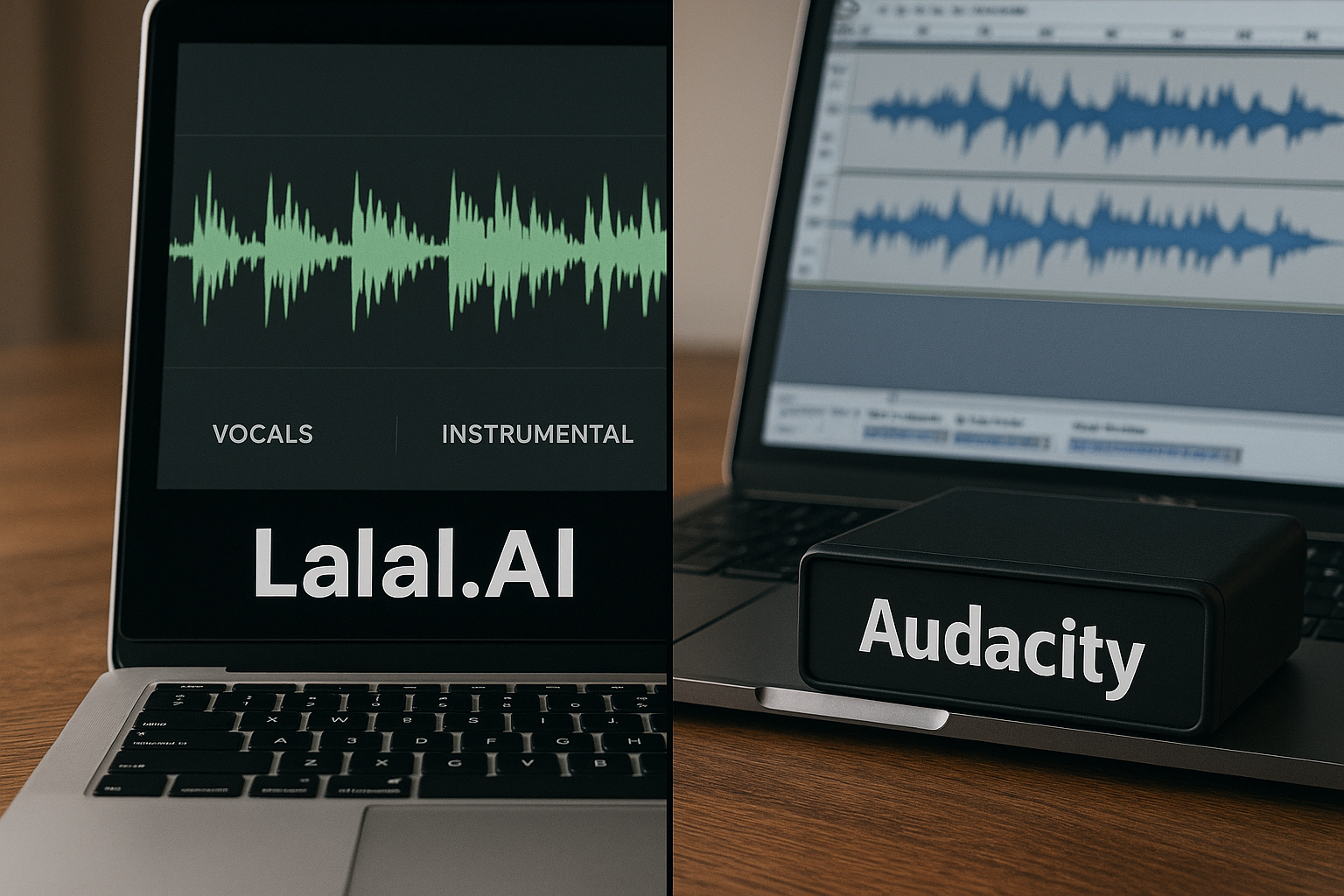
LALAL.AI vs Audacity comes down to speed, quality, and budget. If you want fast AI stem separation with less manual editing, LALAL.AI is usually the better fit. If you want a free, hands-on workflow and do not mind experimenting, Audacity can still be useful.
Disclosure: toptrustreview.com may earn a commission if you buy through some links in this article, at no extra cost to you. I’ve kept this comparison practical and balanced so you can decide whether a paid AI vocal remover is worth it for your work.
Official website · Latest pricing & offers
LALAL.AI vs Audacity: quick verdict
The short answer: LALAL.AI vs Audacity is not really a contest between two identical tools. LALAL.AI is built as an AI vocal remover and instrumental isolator, while Audacity is a free audio editor that can be used for manual vocal reduction workflows.
For most creators who need clean results quickly, LALAL.AI is the stronger choice. For students, hobbyists, and budget-conscious users who want a free vocal remover workflow and are willing to accept more trial and error, Audacity is still a practical option.
Who should choose LALAL.AI
Choose LALAL.AI if you want a dedicated vocal isolation tool or instrumental extractor without spending time learning manual audio editing. It is better suited for DJs, remixers, karaoke users, content creators, and musicians who need usable stems fast.
In my view, LALAL.AI vs Audacity is easiest to decide when time matters. If you would rather upload or process a track and get separated parts than manually test editing techniques, LALAL.AI is the more convenient option.
You can review the current LALAL.AI plans and product details through this LALAL.AI link before choosing a paid plan.
Who should choose Audacity
Choose Audacity if you want a free, open-source audio editor and you are comfortable with a more manual process. The Audacity vocal remover approach can be enough for simple practice tracks, rough karaoke experiments, or learning how stereo audio behaves.
Audacity is also useful if you already edit audio and want full hands-on control. The trade-off is that results can vary a lot depending on the song mix, vocal placement, effects, and your editing choices.
At-a-glance comparison table
| Category | LALAL.AI | Audacity |
|---|---|---|
| Main purpose | AI vocal remover and instrumental isolator | Free audio editor with manual vocal removal workflows |
| Workflow | Automated AI stem separation | Manual editing and experimentation |
| Typical speed | Faster for most users | Slower, especially for beginners |
| Learning curve | Beginner-friendly | More hands-on learning required |
| Output quality | Often cleaner on many tracks, depending on source audio | Can work, but results vary and may leave artifacts |
| Cost | Paid plans available | Free and open-source |
| Best use case | Stems, karaoke, remixing, quick separation | Budget editing, learning, simple vocal reduction |
| Best user | Creators who value time and convenience | DIY users who value free tools |
What each tool actually does
Before comparing results, it helps to understand what each tool is designed to do. LALAL.AI vs Audacity can be confusing because both can be used for vocal removal, but they approach the job very differently.
LALAL.AI is purpose-built audio separation software. Audacity is a broader audio editor that can be used for vocal reduction, cleanup, trimming, mixing, and general editing.
LALAL.AI overview
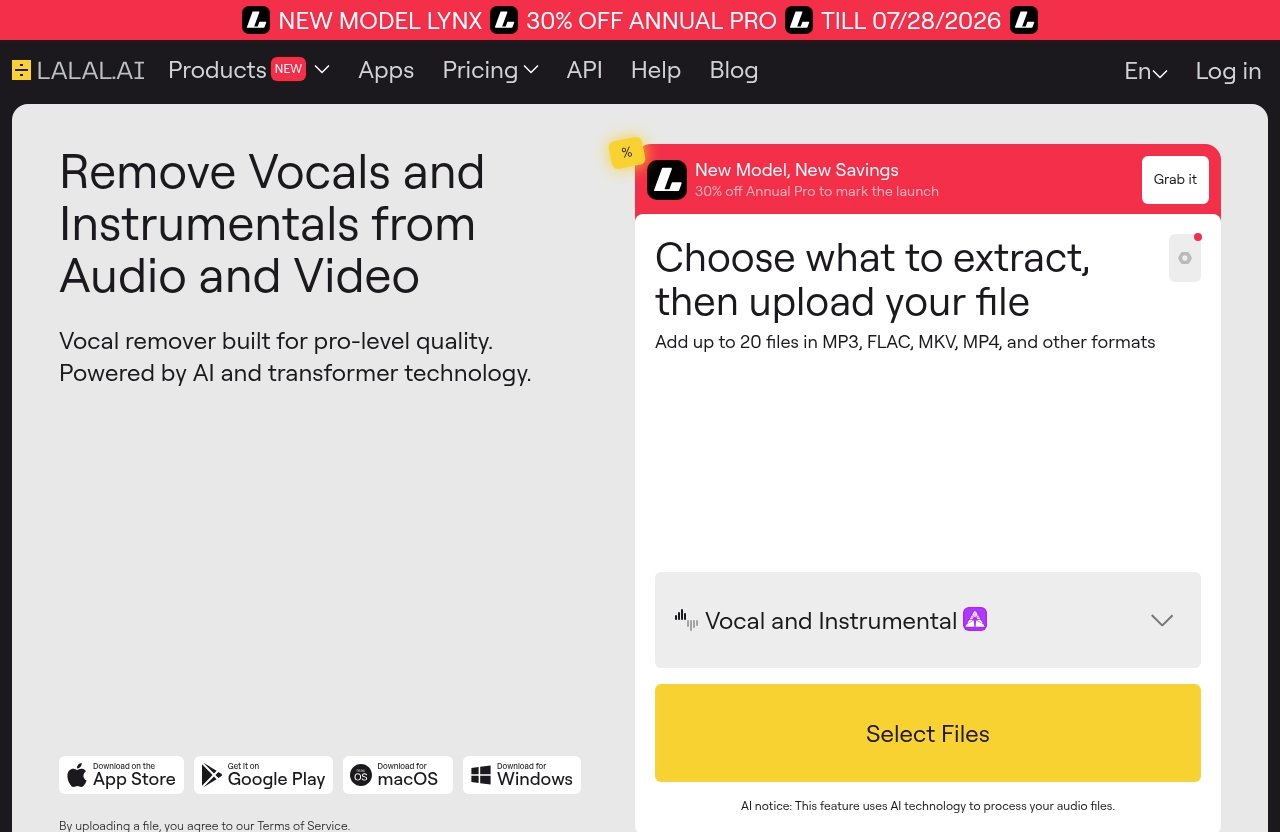
LALAL.AI describes itself as an AI vocal remover and instrumental isolator. Its official product set includes Vocal Remover, Stem Splitter, Voice Cleaner, Voice Changer, Voice Cloner, Echo & Reverb Remover, Lead/Back Splitter, plus app and integration options.
That makes it more specialized for users looking for ai stem separation. Instead of manually adjusting phase, EQ, or editing settings, you use an AI-driven workflow intended to separate vocals, instrumentals, and other parts of a track.
Audacity overview for vocal removal
Audacity is a free, open-source audio editor. It is not primarily sold as a dedicated AI stem separation service, but many users use it for manual vocal removal or vocal reduction.
A typical Audacity vocal remover workflow involves importing a track, applying available editing techniques, listening critically, adjusting, and exporting. It can work well enough for certain stereo mixes, but it is less direct than using a dedicated instrumental extractor.
Key difference between AI separation and manual editing
The key difference in LALAL.AI vs Audacity is automation versus control. LALAL.AI uses AI separation to identify and split audio components, while Audacity relies more on manual editing methods and your own decisions.
AI separation is usually faster and more beginner-friendly. Manual editing is free and flexible, but it often requires patience and does not always produce clean isolated vocals or instrumentals.
Comparison criteria that matter for vocal removal
The best vocal remover is not always the most advanced tool. It is the one that gives you acceptable results for your source audio, skill level, deadline, and budget.
For a karaoke user, speed and simplicity may matter most. For a producer, artifact control and stem quality may be more important. For a student, zero cost may be the deciding factor.
Separation quality and artifacts
In LALAL.AI vs Audacity, separation quality is usually where LALAL.AI has the advantage. AI stem separation is designed to separate parts of a mix more directly than traditional manual vocal reduction.
That said, no vocal remover is perfect. Results vary by source audio quality, compression, stereo width, background vocals, reverb, overlapping instruments, and how complex the mix is.
Audacity can create usable reductions on some tracks, especially if the vocals are centered and the arrangement is simple. But it may leave behind vocal traces, phasey sound, or weakened instruments.
Speed and convenience
LALAL.AI is the faster workflow for most users because it is designed around separation. You select the task, process the audio, preview the result, and export if it works for your project.
Audacity takes more time because you are editing manually. You may need to test different approaches, undo changes, compare exports, and accept that some songs will not respond well.
Ease of use for beginners
For beginners, LALAL.AI vs Audacity favors LALAL.AI. A dedicated AI vocal remover is easier to understand if your only goal is “remove the vocal” or “extract the instrumental.”
Audacity is not hard to start using, but vocal removal inside a full audio editor can feel less obvious. New users may need to learn tracks, channels, effects, exports, and listening for artifacts.
Export options and workflow fit
LALAL.AI fits best when your workflow is centered on separated audio outputs. It also offers desktop apps for Windows, macOS, and Linux; iOS and Android apps; a VST Plugin that runs locally inside a DAW; and an API for developers.
Audacity fits best as a broader editing workspace. If you want to trim, fade, normalize, arrange, or manually refine audio after vocal reduction, Audacity can be a useful part of the process.
Cost and value
Audacity has the clear advantage if your only priority is zero software cost. It is a free, open-source option and can be a smart choice when money is tight.
LALAL.AI costs money, but it can be better value if it saves hours of manual editing or gives you more usable stems. In Audacity vs LALAL.AI, the real question is whether your time and output quality justify paying.
LALAL.AI review: strengths, limitations, and best-fit users
LALAL.AI is best understood as a specialized AI audio separation service. In this LALAL.AI vs Audacity comparison, its strongest advantage is that it is built for the exact job many users are searching for: separating vocals, instrumentals, and stems quickly.
It is not magic, and it will not make every low-quality file sound like a studio multitrack. But for many everyday creator workflows, it is more direct and polished than manual vocal reduction.
Official product capabilities
According to the official homepage, LALAL.AI offers several related audio tools:
| Official LALAL.AI Product | Practical Use |
|---|---|
| Vocal Remover | Remove or isolate vocals from a track |
| Stem Splitter | Separate audio into stems |
| Voice Cleaner | Improve voice clarity in supported workflows |
| Voice Changer | Change voice characteristics |
| Voice Cloner | Voice cloning use cases |
| Echo & Reverb Remover | Reduce echo or reverb from audio |
| Lead/Back Splitter | Separate lead and backing vocal elements |
For users comparing lalal ai vs audacity, this product focus matters. Audacity is a general editor, while LALAL.AI is positioned around separation and voice-related tools.
Device and integration options
LALAL.AI lists broad availability across platforms. That includes desktop apps for Windows, macOS, and Linux; an iOS app for iPhone and iPad; an Android app for phones and tablets; a VST Plugin that runs locally inside a DAW; and an API for developers.
This makes LALAL.AI easier to fit into different creator setups. DJs and producers may care about DAW workflow, while casual users may prefer mobile or desktop access.
Pricing and plan considerations
The verified LALAL.AI pricing plans are:
| Plan | Price |
|---|---|
| Starter | $15 |
| Lite | $35 |
| Plus | $50 |
| Pro | $70 |
| Enterprise | Custom/solution |
Before buying, check the official pricing page for current plan details, usage terms, and included features. I would not choose a plan by price alone; choose based on how often you separate tracks and whether your use is casual, regular, or professional.
If you want to compare the current options, you can visit LALAL.AI through toptrustreview.com. This is an affiliate link, and the site may earn a commission if you purchase.
Pros and cons
| Pros | Cons |
|---|---|
| Faster than manual editing for most users | Paid plans may not suit every budget |
| Designed for vocal and instrumental separation | Results still depend on source audio |
| Beginner-friendly workflow | Not every track will separate perfectly |
| Multiple apps and integrations | Users should verify current plan details before buying |
| Useful for karaoke, remixing, stems, and practice tracks | Manual editors may prefer more hands-on control |
The practical takeaway in LALAL.AI vs Audacity is simple: LALAL.AI is better when you want convenience and focused separation. Audacity is better when free access and manual control matter more.
Audacity vocal remover workflow: what to expect
Audacity is a valuable tool, especially because it is free and open-source. But an Audacity vocal remover workflow should be approached with realistic expectations.
It is not the same as using a dedicated AI stem separation platform. You are working inside a general audio editor, so the process depends more on the track and your editing decisions.
Typical manual workflow
A typical Audacity workflow looks like this:
- Import the song or audio file.
- Try a vocal reduction or isolation technique available in the editor.
- Listen for remaining vocals, missing instruments, or phase artifacts.
- Adjust settings or try a different approach.
- Export the result and test it on headphones and speakers.
This workflow can be educational. It helps you understand stereo imaging, centered vocals, and why some mixes are harder to separate than others.
Where Audacity works well
Audacity works well when your goal is basic editing, experimentation, or learning. It can be enough if you only need a rough karaoke backing track, a practice instrumental, or a quick classroom project.
It is also useful after separation. Some users may create stems elsewhere and then bring them into Audacity for trimming, fades, volume adjustment, or cleanup.
Where Audacity falls short versus AI
In LALAL.AI vs Audacity, Audacity falls short when you need quick, cleaner stem extraction from complex songs. Manual vocal reduction often struggles when vocals overlap with guitars, synths, reverb, drums, or backing vocals.
The biggest cost is time. Even if the software is free, repeated trial and error can be frustrating if your goal is simply to make a usable instrumental or acapella.
Official website · Latest pricing & offers
Head-to-head comparison: LALAL.AI vs Audacity
A direct LALAL.AI vs Audacity comparison is most useful when we look at real tasks: vocal separation, speed, learning curve, karaoke, remixing, podcast cleanup, and value by user type.
Neither tool is universally “best” for everyone. The right choice depends on whether you care more about price, time, control, or output quality.
Quality of vocal separation
For many tracks, LALAL.AI is more likely to produce a usable vocal or instrumental with less manual work. Its AI stem separation approach is built for this exact task.
Audacity can work for simpler vocal reduction, but results can be less consistent. You may hear leftover vocals, missing center-panned instruments, hollow tone, or other artifacts.
Mini-verdict: LALAL.AI is usually stronger for separation quality, while Audacity is acceptable for simple or low-stakes needs.
Workflow speed
LALAL.AI is faster because the workflow is purpose-built. You do not need to learn a full editor before trying to isolate vocals or instrumentals.
Audacity is slower but more flexible. If you enjoy tweaking and learning, the extra time may not bother you.
Mini-verdict: For speed, LALAL.AI vs Audacity clearly favors LALAL.AI.
Learning curve
LALAL.AI is easier for beginners who want a simple vocal isolation tool. The workflow is closer to choosing a task and reviewing the result.
Audacity requires more audio-editing confidence. It is not necessarily difficult, but vocal removal is only one possible use inside a much larger editor.
Mini-verdict: LALAL.AI is better for beginners; Audacity is better for people who want to learn manual editing.
Best for karaoke, remixing, podcast cleanup, and practice tracks
For karaoke, LALAL.AI is usually the better karaoke track maker because it can produce instrumentals more quickly. For remixing, it is useful when you need acapellas or stems without manually fighting the mix.
For podcast cleanup, the answer depends on the problem. LALAL.AI includes voice-related tools such as Voice Cleaner and Echo & Reverb Remover, while Audacity is useful for general editing and manual cleanup.
For practice tracks, both can work. LALAL.AI is better when you want cleaner outputs fast; Audacity is better when “free and good enough” is the goal.
Best value by user type
| User Type | Better Choice | Why |
|---|---|---|
| Casual karaoke user | LALAL.AI | Faster instrumental extraction |
| Student on no budget | Audacity | Free and educational |
| DJ or remix producer | LALAL.AI | Better fit for stem workflows |
| Podcast editor | Depends | LALAL.AI for voice tools, Audacity for manual editing |
| Musician practicing parts | LALAL.AI | Quick stems and backing tracks |
| Audio hobbyist | Audacity | More manual control and learning value |
In Audacity vs LALAL.AI, value is not only price. It is the balance between money, time, quality, and frustration.
Pricing and value: is LALAL.AI worth paying for?
The value question is central to LALAL.AI vs Audacity. Audacity is free, while LALAL.AI has paid plans, so you need a clear reason to spend money.
For me, the reason is simple: if you regularly need vocal isolation, instrumental extraction, or stems, a dedicated AI tool can save enough time to justify the cost. If you only need one rough experiment, Audacity may be enough.
Official LALAL.AI pricing plans
The verified LALAL.AI pricing plans are Starter at $15, Lite at $35, Plus at $50, Pro at $70, and Enterprise as a custom/solution option.
I recommend checking the current pricing page before purchase because plan details can change. Do not assume usage limits, credits, or extras unless they are shown on the official pricing page at the time you buy.
Free alternative cost of Audacity
Audacity’s biggest advantage is that it is free and open-source. That makes it attractive for students, beginners, and anyone testing vocal removal for the first time.
The hidden cost is time. If you spend an hour trying to get an acceptable instrumental and still hear vocal artifacts, the free option may not feel free in practice.
Cost-per-use and time saved
LALAL.AI makes more sense when you process audio repeatedly. DJs, karaoke creators, remixers, musicians, and content teams may get more value because the time saved compounds.
Audacity makes more sense when usage is occasional or educational. If your goal is to learn audio editing rather than produce stems quickly, the manual workflow has real value.
Which tool is better for your use case?
The best way to settle LALAL.AI vs Audacity is to match the tool to your use case. A podcaster, DJ, student, and karaoke fan do not all need the same workflow.
Use the recommendations below as a practical decision guide rather than a universal rule.
Casual listeners and students
If you are a student or casual user with no budget, start with Audacity. It lets you experiment with a free vocal remover workflow and learn basic editing skills.
If you quickly become frustrated by inconsistent results, LALAL.AI is the easier upgrade. It is better suited when you care more about finishing the job than learning the manual process.
DJs, producers, and remix creators
DJs and producers should usually choose LALAL.AI. Remix workflows often need vocals, instrumentals, or stems quickly, and manual vocal reduction can slow down creative momentum.
Audacity can still be useful for edits after separation. But as the primary stem tool, LALAL.AI is usually the more practical option.
Karaoke and acapella extraction
For karaoke and acapella extraction, LALAL.AI is the stronger recommendation. It is designed as an instrumental extractor and vocal remover, which makes it a better fit for this specific job.
Audacity can be enough for rough karaoke practice. But if you are making tracks for performance, parties, videos, or repeated use, AI separation is usually worth considering.
Podcasters and voice cleanup
Podcasters should choose based on the issue. If you need general edits like cutting, arranging, and volume adjustments, Audacity is useful and free.
If you need voice-focused processing, LALAL.AI’s product set includes tools such as Voice Cleaner and Echo & Reverb Remover. Results still depend on recording quality, room noise, reverb, and how severe the problem is.
How to get the best results from either tool
No tool can fully rescue every bad recording or complex commercial mix. Whether you choose LALAL.AI or Audacity, your source audio matters.
In practical testing and research, the biggest difference often comes from starting with the cleanest file you can find. Low-bitrate, distorted, noisy, or heavily compressed audio usually produces more artifacts.
Tips for cleaner source files
Use the highest-quality source audio available to you. Avoid files that are already clipped, heavily compressed, or recorded from speakers into a microphone.
If possible, test more than one version of the same track. A cleaner source can improve results more than changing tools.
When to use stems instead of simple vocal removal
If your goal is remixing, practice, or production, stems are often more useful than a simple vocal-removed track. Stem separation can give you more control over vocals, drums, bass, and other parts, depending on the tool and workflow.
This is one reason LALAL.AI vs Audacity often favors LALAL.AI for creators. AI stem separation is more aligned with modern remix and content workflows than traditional vocal reduction.
How to reduce artifacts and improve exports
Always preview before final export. Listen on headphones and speakers because artifacts can appear differently across playback systems.
For Audacity, try small changes and compare versions rather than applying heavy processing once. For LALAL.AI, test the output before committing it to a final project, especially if the source track has dense instrumentation or strong reverb.
Final verdict: which one wins in 2026?
In LALAL.AI vs Audacity, LALAL.AI wins for most users who want fast vocal removal, instrumental extraction, and AI stem separation with less manual effort. Audacity wins for users who need a free, open-source editor and are comfortable with a hands-on workflow.
The most practical recommendation is this: use Audacity if your budget is zero or you want to learn manual editing. Use LALAL.AI if your priority is speed, convenience, and a more polished result on many tracks.
Best overall
Best overall: LALAL.AI. It is the stronger choice for creators, DJs, musicians, karaoke users, and remixers who want a dedicated audio separation software workflow.
It is not perfect, and results vary by track. But compared with manual editing, it usually gives users a faster path to usable vocals or instrumentals.
Best budget choice
Best budget choice: Audacity. It is free, open-source, and useful for learning, rough edits, and basic vocal reduction attempts.
If you only need occasional experiments, Audacity may be all you need. Just expect more manual work and less predictable results.
Best for quality and speed
Best for quality and speed: LALAL.AI. If you are trying to choose the best vocal remover for practical creative work, it has the clearer advantage.
Final recommendation matrix:
| Priority | Choose |
|---|---|
| Fast vocal removal | LALAL.AI |
| Free workflow | Audacity |
| Karaoke instrumentals | LALAL.AI |
| Learning audio editing | Audacity |
| Remix stems | LALAL.AI |
| Manual control | Audacity |
| Beginner convenience | LALAL.AI |
Official website · Latest pricing & offers
FAQ
Is LALAL.AI better than Audacity for removing vocals?
Yes, LALAL.AI is usually better for fast AI-powered vocal separation and cleaner results with less manual editing. Audacity is better if you want a free manual workflow and can accept more time, trial and error, and variable output quality.
Can Audacity remove vocals for free?
Yes. Audacity is a free audio editor and can be used in vocal-removal or vocal-reduction workflows. However, the process is more manual, and results depend heavily on the track, mix, and your editing skills.
Does LALAL.AI have a free plan?
The verified pricing information available here lists paid LALAL.AI plans starting with Starter at $15, followed by Lite at $35, Plus at $50, Pro at $70, and Enterprise as a custom/solution option. Check the official pricing page before buying to confirm whether any free trial or free option is currently available.
What is the best LALAL.AI plan for most users?
The best plan depends on how often you process audio and which current plan details match your needs. Based on verified pricing, the available plan names are Starter, Lite, Plus, Pro, and Enterprise, but you should review the official pricing page before choosing because included features and usage terms should be confirmed at purchase time.
Is LALAL.AI worth it for karaoke or remixing?
Yes, LALAL.AI is a strong option for karaoke and remixing if you want quick instrumental extraction or vocal isolation without a steep learning curve. Audacity can work for rough free experiments, but LALAL.AI is usually the better fit when speed and cleaner separation matter.
Related Reading
References
- LALAL.AI Official Homepage
- LALAL.AI Pricing
- LALAL.AI vs. VocalRemover: Stem Splitting Quality Analysis
- AI Vocal Remover vs. Audacity Comparison