Klap for Reels Review 2026: Is It the Best AI Tool for Instagram Short-Form Content?
If you already have podcasts, interviews, webinars, livestreams, YouTube videos, or talking-head content, klap for reels is one of the more practical AI workflows for turning long videos into Instagram-ready clips. Instead of starting from a text prompt, Klap works with existing video and repurposes it into vertical, captioned short-form content for Reels, TikToks, and Shorts.
This review is based on official Klap product information, official pricing details, and observed search context around AI clipping tools. The goal is not to claim Klap guarantees viral content, but to help you decide whether it fits your content workflow, budget, and publishing goals.
Official website · Latest pricing & offers
What is Klap for Reels?
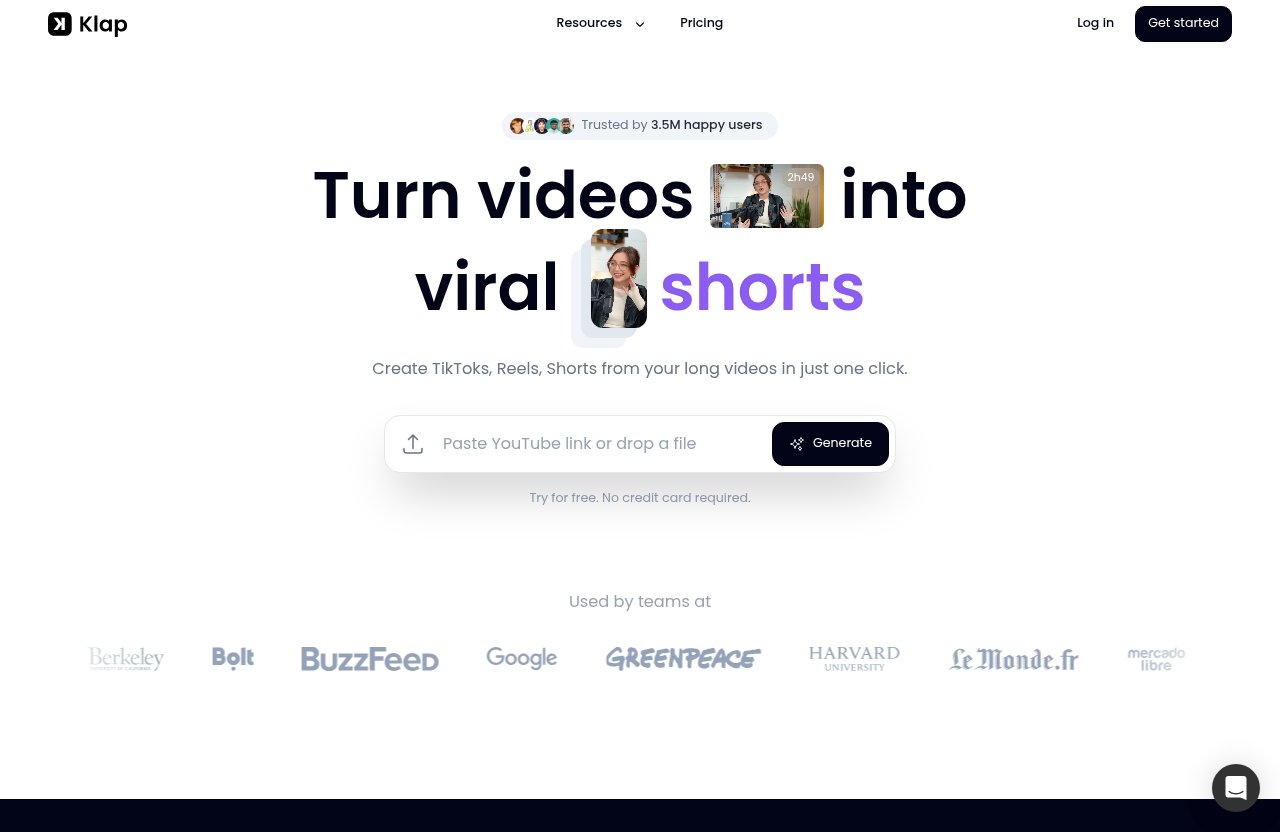
Klap is an AI video clipping tool that turns long-form videos into vertical shorts for platforms like Instagram Reels, TikTok, and YouTube Shorts. When people search for klap for reels, they are usually looking for a faster way to repurpose existing content into short, social-ready clips without manually editing every moment from scratch.
The key distinction is that Klap is not a prompt-based video generator. It does not create Reels from text alone. Instead, it analyzes a video you already have, finds potentially engaging moments, adds captions, reframes the footage vertically, and prepares clips for short-form distribution.
How Klap turns long videos into Instagram-ready clips
Klap works by taking a long video source and converting it into multiple shorter clips designed for vertical feeds. According to Klap’s official AI reel generator page, it can work with podcasts, interviews, webinars, livestreams, and YouTube videos, which makes it especially useful for creators who already publish long-form content.
For Instagram specifically, klap for reels is useful because output is locked to 9:16, captions are added, and clips are formatted with the Reels interface in mind. Klap also positions captions above the Reels UI overlay, which is a practical detail that matters when viewers are watching on mobile.
Who Klap is best for: creators, marketers, and teams
Klap is best suited for people who already have a library of video content and want to publish more consistently on short-form platforms. Solo creators can use it to turn a YouTube video or podcast episode into multiple clips, while marketers can repurpose webinars, educational videos, and interviews into social posts.
Agencies and small teams may also benefit from klap for reels because the workflow supports volume. Instead of handing every long video to an editor for manual review, a team can use Klap to generate clip options, then refine the best ones before publishing.
Why the keyword ‘klap for reels' matters for searchers
The search phrase klap for reels has a clear buying intent. People using it are not just asking what Klap is; they are likely comparing it with manual editing, free AI clipping tools, and other video to Reels converter workflows.
That matters because Instagram Reels require more than simply cropping a video vertically. A useful reel generator app should help identify strong moments, reframe speakers, add readable captions, and export clips in a format that feels native to Instagram.
How Klap works step by step
The appeal of klap for reels is that it simplifies a multi-step editing process into a more automated workflow. You still need to review and refine the output, but Klap handles much of the repetitive clipping, reframing, and captioning work.
Here is the practical workflow.
Upload a YouTube link or video file
Klap supports YouTube links and uploaded video files. Its official AI reel generator page lists supported formats including MP4, MOV, AVI, WMV, and MKV, which covers the common formats most creators and teams use.
This makes klap for reels flexible for different workflows. You can start from a published YouTube video, a recorded webinar, a livestream export, or a locally saved interview file.
AI finds the strongest moments
After upload, Klap analyzes the video and identifies moments that may work as short-form clips. The product pages describe this as AI clipping, and Klap also includes virality score ranking to help prioritize clips.
That score should be treated as a helpful signal, not a guarantee. In practice, the best use of klap for reels is to let the AI surface candidates, then apply human judgment to choose clips with a strong hook, clear context, and a satisfying payoff.
Klap’s official page also states that it can generate 10+ Reels from one upload in under a minute. That makes it attractive for creators who want to move from one long recording to several draft clips quickly.
Edit, brand, export, and post
Once clips are generated, Klap can add AI-generated captions, apply vertical reframing, and support high-resolution export. It also allows sharing to social channels, and the official AI reel generator page says it can post directly to Instagram.
For users focused on klap for reels, this is where the workflow becomes commercially useful. You are not just getting random video snippets; you are getting Instagram-ready clips that can be reviewed, refined, exported, and placed into a recurring publishing schedule.
Key features that make Klap useful for Instagram Reels
Klap’s strongest value is not a single feature. It is the combination of AI video clipping, vertical formatting, captions, speaker tracking, and practical export options that helps creators turn videos into Reels faster.
AI Reel Generator
The Klap AI reel generator is designed to work with existing video content. That means it is a good fit if your business already records podcasts, expert interviews, webinars, product education sessions, livestreams, or YouTube videos.
For klap for reels, this is important because Instagram content often performs best when it is built around a clear moment: a strong quote, a useful tip, a surprising insight, or a short story. Klap helps extract those moments from longer source material.
It is not a replacement for content strategy. You still need to know your audience, choose topics that matter, and review clips before posting. But as an ai reel generator, Klap reduces the amount of manual scanning required.
AI Reframe 2
Klap includes AI Reframe 2, which analyzes scenes and applies layouts such as Split Screen, Screencasts, Gaming, and more. This matters because not every long-form video was recorded with vertical short-form platforms in mind.
If you are using klap for reels with interviews or talking-head videos, speaker tracking can help keep the relevant person framed properly. If your content includes screen shares or multiple visual elements, layout handling becomes even more valuable.
The practical benefit is that your clips can look more native to vertical social feeds. Instead of a simple center crop that cuts off important details, AI reframing helps adapt the source video to the short-form format.
Captions and virality scoring
Klap includes AI-generated captions, which are essential for Instagram Reels. Many viewers watch without sound at first, so captions can help communicate the hook quickly and keep people engaged.
The platform also includes virality score ranking. For klap for reels, I would treat this as a prioritization tool rather than a promise. It can help you decide which clips deserve closer review, but your final decision should still depend on clarity, audience relevance, and brand fit.
Captions are also positioned above the Reels UI overlay, according to the official AI reel generator page. That is a small but meaningful Instagram-specific feature because captions placed too low can be covered by interface elements.
Instagram-ready formatting
Klap locks output to 9:16 for Reels-style short-form video. It also caps length at 90 seconds when needed, auto-selects a cover frame, and supports direct posting to Instagram.
These details make klap for reels more than a generic short-form video tool. Instagram has specific viewing patterns and interface constraints, so formatting, caption placement, and cover selection can all affect how polished a clip feels.
Here is a simple view of the Instagram-focused features:
| Feature | Why it matters for Reels |
|---|---|
| 9:16 vertical output | Matches the native Reels format |
| AI-generated captions | Helps viewers follow without sound |
| Captions above UI overlay | Reduces the risk of text being hidden |
| Speaker tracking | Keeps talking-head content framed |
| Cover frame selection | Helps clips look cleaner in the grid |
| Direct Instagram posting | Can simplify publishing workflow |
Klap pricing explained
Klap pricing is straightforward, with three listed paid plans billed yearly. The right plan depends mainly on how many clips you expect to create each month and whether you are working solo, professionally, or as a team.
Basic plan
The Basic plan is listed at $14/month billed yearly and includes 100 clips per month. Klap positions this plan for individuals.
For a solo creator testing klap for reels, Basic is the most approachable paid plan. It can make sense if you publish a weekly YouTube video, podcast, or interview and want to create a manageable number of Instagram-ready clips each month.
Pro plan
The Pro plan is listed at $39/month billed yearly and includes 300 clips per month. Klap positions this plan for professionals.
This tier is a better fit if klap for reels is part of a serious content workflow. For example, a consultant, educator, creator, or small marketing operation may need more clip volume from webinars, livestreams, and regular long-form videos.
Pro+ plan
The Pro+ plan is listed at $94/month billed yearly and includes 1000 clips per month. Klap positions this plan for teams.
For agencies, content teams, and brands managing multiple channels, Pro+ gives more room to generate clips at scale. If your team repurposes multiple shows, client interviews, or recurring webinars, this plan is likely more relevant than the individual tiers.
What all plans include
According to the official pricing information, all plans include AI Clipping, unlimited social accounts for TikTok, Instagram, and LinkedIn, plus Analytics. If users need more than the listed plans, the pricing page says, “Let’s talk!”
| Plan | Price billed yearly | Monthly clip limit | Best for |
|---|---|---|---|
| Basic | $14/month | 100 clips/month | Individuals and solo creators |
| Pro | $39/month | 300 clips/month | Professionals and active creators |
| Pro+ | $94/month | 1000 clips/month | Teams, brands, and agencies |
If you want to evaluate the current offer, you can review Klap through this transparent affiliate link: Klap official offer via TopTrustReview. Pricing and plan details can change, so it is worth confirming the latest information before subscribing.
Official website · Latest pricing & offers
Is Klap worth it for Reels content?
For the right user, klap for reels is worth considering because it solves a specific content bottleneck: turning long-form video into short-form clips quickly. It is most valuable when you already have enough source content to repurpose.
If you rarely record video, Klap may not be the first tool you need. But if you regularly publish or record long-form material, the time savings can be meaningful.
Best use cases for solo creators
Solo creators can use Klap to turn one long video into multiple short clips for Instagram, TikTok, and YouTube Shorts. This works especially well for educational videos, interviews, podcast episodes, and talking-head content.
For a creator, klap for reels can help maintain publishing consistency without spending hours manually scrubbing timelines. You can upload a YouTube link, review the generated clips, adjust where needed, and build a weekly batch of short-form content.
Best use cases for brands and teams
Brands and teams can use Klap to repurpose webinars, livestreams, founder interviews, customer education videos, and thought-leadership content. This is useful when the team needs more short-form output but does not want to rebuild every clip manually.
In a marketing workflow, klap for reels can act as the first pass of content extraction. The AI finds candidate clips, and the team can then review messaging, captions, branding, and compliance before publishing.
Agencies may also find value when managing multiple social accounts. Since all listed plans include unlimited social accounts for TikTok, Instagram, and LinkedIn, Klap can support multi-channel repurposing without limiting the workflow to one profile.
When Klap may not be the right fit
Klap may not be the right fit if your content is mostly cinematic, highly produced, or dependent on manual storytelling decisions. AI clipping is helpful, but it cannot fully replace a skilled editor for complex creative work.
It may also be less useful if you want to generate videos from text prompts. The Klap AI reel generator works with existing video content, so you need source footage before it can create clips.
Finally, if you only need one or two clips occasionally, a paid short-form video tool may be more than you need. In that case, manual editing or a free starting point may be enough until your content volume increases.
Klap vs manual editing for Reels
Comparing klap for reels with manual editing is the most useful way to judge its value. Klap is not trying to replace every creative editing decision; it is built to reduce repetitive work around finding, formatting, captioning, and exporting clips.
Manual editing gives you maximum control. Klap gives you speed, structure, and scale.
Time saved
Manual editing usually starts with watching the long video, identifying usable moments, cutting each clip, reframing it vertically, adding captions, checking the layout, and exporting. That process can become slow when you need multiple Reels from one source.
With klap for reels, the AI does the initial scan and clipping process. Klap’s official page says it can generate 10+ Reels from one upload in under a minute, which makes it useful for quickly moving from raw long-form content to draft short-form assets.
You should still review everything before posting. But reviewing AI-generated clip candidates is usually faster than starting with a blank timeline.
Consistency and volume
Consistency is where a tool like Klap becomes commercially interesting. Instagram short-form content rewards regular publishing, and teams often struggle to maintain volume without overloading editors.
Using klap for reels can help create a repeatable workflow. Upload the source video, review suggested clips, refine the best options, export or post, then repeat for the next recording.
This is especially helpful for recurring content formats such as weekly podcasts, monthly webinars, livestream replays, and ongoing expert interviews.
Creative control
Manual editing still wins when you need detailed pacing, advanced storytelling, custom motion graphics, or a highly specific brand style. A human editor can make nuanced decisions that an automated tool may not capture.
That said, klap for reels gives you a practical middle ground. It automates the repetitive first draft, while still leaving room for human judgment before publishing.
For many creators and small teams, that balance is the point. You are not giving up creativity; you are reducing the time spent on mechanical editing tasks.
Tips to get better Instagram Reels from Klap
Getting strong results from klap for reels starts before you upload anything. The better your source video, the better your short-form outputs are likely to be.
AI can identify promising moments, but it cannot create audience relevance where none exists. Think of Klap as an accelerator for good content, not a substitute for good ideas.
Choose the right source video
Start with videos that contain clear, self-contained moments. Podcasts, interviews, webinars, livestreams, and YouTube videos are all strong candidates when they include useful insights or memorable statements.
For klap for reels, avoid source videos where the best parts depend heavily on long context. A Reel should make sense quickly, even if it is pulled from a longer conversation.
Good source videos usually include:
| Source type | Why it works |
|---|---|
| Podcasts | Natural quotes, stories, and opinions |
| Interviews | Clear speaker moments and expert insights |
| Webinars | Educational tips and structured lessons |
| Livestreams | Authentic commentary and timely reactions |
| YouTube videos | Longer explanations that can be broken into clips |
| Talking-head content | Easy to reframe and caption |
Use speaking-heavy content
Klap is especially practical for speaking-heavy material because captions, speaker tracking, and vertical reframing are central to the workflow. Clear audio and visible speakers make it easier to create clips that feel complete.
If you are planning to use klap for reels regularly, record long-form content with repurposing in mind. Keep speakers well-lit, avoid overlapping speech where possible, and structure your answers so key points can stand alone.
This does not mean your videos need to be overly scripted. It simply means strong short-form clips usually come from clear, focused moments.
Refine hooks, captions, and branding
Even with AI-generated captions, you should review the first few seconds carefully. The opening line of a Reel often determines whether someone keeps watching.
When using klap for reels, look for clips where the hook is immediate. If the best part starts five seconds in, consider trimming the lead-in or choosing a stronger clip.
Also review captions for readability and brand tone. Klap can generate captions and position them for Reels, but your final review should catch any wording issues, context gaps, or style mismatches before the clip goes live.
Pros and cons of Klap for Reels
Like any AI clipping tool, klap for reels is strongest when used for the right content and workflow. It is a practical repurposing tool, not a magic virality engine.
Here is the balanced view.
Main strengths
Klap’s main strength is speed. It helps turn long videos into vertical, captioned shorts for Reels, TikToks, and Shorts in a few clicks.
Another advantage of klap for reels is its Instagram-specific formatting. The 9:16 output, captions above the Reels UI overlay, length handling, cover frame selection, and direct Instagram posting all support a smoother short-form workflow.
Klap is also useful for recurring content systems. If you regularly produce podcasts, webinars, interviews, livestreams, or YouTube videos, it gives you a repeatable way to generate social clips from assets you already have.
Main limitations
Klap depends on your source material. If the original video lacks clear moments, strong audio, or useful takeaways, the generated clips may still require significant review.
Another limitation is creative control. Klap for reels can automate clipping, captions, and reframing, but advanced editing decisions may still require a human editor.
It is also not a text-to-video generator. If your goal is to create Reels from prompts without existing footage, Klap is not built for that use case.
Who should skip it
You may want to skip Klap if you do not have long-form video content to repurpose. The platform is most useful when there is already a source video to analyze.
You may also skip klap for reels if your brand requires fully custom edits for every post. In that case, manual editing may remain the better fit, at least for flagship content.
However, if your goal is to create more Instagram-ready clips from existing videos while reducing editing time, Klap is a practical tool to consider.
Final verdict: Is Klap the best AI tool for Instagram short-form content?
Klap is one of the strongest options to evaluate if your priority is turning long-form video into Instagram-ready short-form clips. Based on official product information, klap for reels is built around the right workflow: upload existing video, generate clips, add captions, reframe vertically, score clips, export, and post.
It is especially appealing for creators, marketers, agencies, and small teams that already produce video but struggle to keep up with Reels publishing.
Bottom-line recommendation
My bottom-line view is that Klap is worth considering if you want a fast, practical video to Reels converter for existing content. It is not a replacement for strategy, taste, or human review, but it can make the repurposing process much easier.
For Instagram specifically, klap for reels stands out because it handles 9:16 formatting, captions, speaker tracking, cover selection, and Reels-aware caption placement. Those details help the output feel more native to short-form platforms.
Best-fit user profile
Klap is best for users who have a steady supply of long-form content. That includes podcasters, YouTubers, coaches, educators, webinar hosts, livestreamers, B2B marketers, and agencies producing interview-led content.
If you already publish long videos and want more short-form distribution, klap for reels fits the job well. If you are starting from zero video assets, you may need to build a recording workflow before Klap becomes valuable.
CTA for affiliate readers
If you want to test whether Klap fits your Reels workflow, the most sensible next step is to review the current plans and try it with one of your own long videos. You can check the latest Klap access through TopTrustReview’s Klap link.
For buyers comparing klap alternatives, the deciding factor should be workflow fit. If your main need is AI video clipping from long-form content into Instagram-ready clips, Klap is a focused and practical choice.
Official website · Latest pricing & offers
FAQ
Is there a free AI clipping tool available?
Some AI clipping tools offer free access, free trials, or limited starting options, and Klap’s product pages present a free trial-style entry point for users who want to test the workflow. That is useful if you want to upload a video and see how the AI clipping process feels before committing to a paid plan.
For serious use, Klap should be evaluated as a paid short-form video tool with published yearly-billed plans. If you are searching for klap for reels, the real question is whether the time saved and clip volume justify the subscription for your content workflow.
What platforms are best for short videos?
The main platforms for short videos are Instagram Reels, TikTok, and YouTube Shorts. Klap is built around all three, and its homepage specifically describes turning long videos into vertical shorts for TikToks, Reels, and Shorts.
Instagram Reels is especially relevant for Klap because the output is vertical, captioned, and formatted for mobile viewing. For many creators, the best approach is to repurpose one strong clip across multiple platforms while adjusting captions, descriptions, and posting strategy for each channel.
What is the best short reels video?
The best short Reels video is usually concise, hook-driven, and easy to understand without a long setup. It should open with a strong line, deliver a clear insight or payoff, and feel complete even though it came from a longer video.
For klap for reels, the best source material is often speaking-heavy content such as podcasts, interviews, webinars, livestreams, and YouTube videos. Look for moments where the speaker gives a sharp opinion, practical tip, surprising answer, or memorable story.
Is there a free AI video to shorts converter available?
There may be free or limited AI video to shorts converter options available, and many users understandably look for free tools first. Klap is better understood as a paid AI clipping tool with a free starting point rather than a permanently free converter.
If you only need occasional clips, a free option may be enough. But if you regularly turn videos into Reels and need captions, vertical reframing, clip scoring, and social publishing support, Klap’s paid plans are more relevant to compare.
Related Reading
- Klap for Agencies Review
- Contentstudio Social Media Automation Review
- Post Planner for Small Business Review
References
- Klap | Turn videos into viral TikToks, Reels & Shorts
- AI Reel Generator from Long Videos
- Klap Pricing | Plans for Creators, Teams & API Users
- AI Tools to Create Reels, TikToks, …