Contentstudio for Small Business: A Practical Review of Scheduling, Analytics, and Everyday Social Workflows

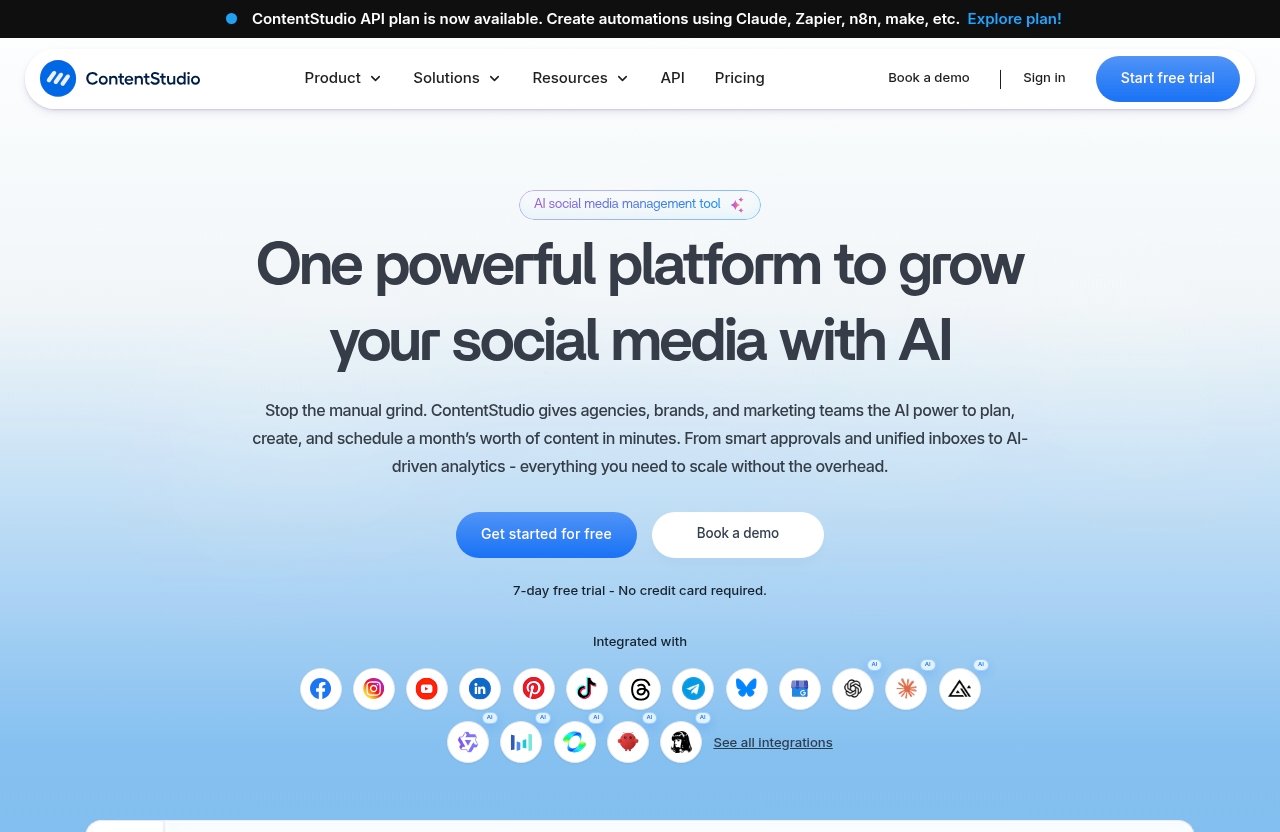
For owners who are tired of opening several apps, copying captions, and hoping they remembered to post, ContentStudio for small business is worth a closer look. It is designed as a unified social media management tool that brings publishing, AI support, engagement, listening, discovery, and reporting into one working environment.
This is not a claim that software replaces a real marketing strategy. In my view, its value is more practical: it reduces the repeatable admin work around social media so a solo owner or lean team can spend more time creating useful content, responding to customers, and running the business.
Official website · Latest pricing & offers
What ContentStudio Is and Why Small Businesses Use It
Quick Definition of ContentStudio
ContentStudio is a unified social media management platform with product areas for Publish, AI Studio, Analyze, Engage, Social Listening, and Discover. Its officially listed capabilities include a Calendar/Planner, smart scheduling, bulk scheduling, a media library, approval workflows, workspaces, client management, competitor analytics, automation, and advertising analytics for Google Ads and Meta Ads.
For a small company, the main appeal of ContentStudio for small business is centralization. Rather than treating each social network as a separate task list, you can build a repeatable workflow around planning, preparing, scheduling, reviewing, and improving content.
The platform supports major networks including Facebook, Instagram, X, Google Business Profile, LinkedIn, TikTok, Bluesky, Meta Threads, YouTube, Pinterest, and Telegram, according to the official ContentStudio website. That breadth matters when a business serves customers across more than one channel.
Why Manual Posting Breaks Down as a Business Grows
Manual posting can work when a founder publishes once or twice a week on one network. The problem starts when that founder also needs to update a Google Business Profile, answer Instagram messages, repost a promotion to Facebook, check results, and keep content aligned with a campaign.
The workflow becomes fragile because it depends on memory and available time. A busy restaurant owner may miss a Friday lunch special because service starts early. A local plumber may publish inconsistently during peak callouts. A boutique retailer may post product photos but never review which formats actually lead to profile visits or customer enquiries.
A social media management tool for small business does not create demand by itself. It does, however, remove friction from the recurring work that often causes otherwise good social plans to fail.
Who This Article Is For: Solo Owners, Lean Teams, Local Businesses, and Small Agencies
This ContentStudio small business review is aimed at business owners who need a manageable system, not an enterprise-grade social media department. Typical users include a solo coach, a two-person ecommerce brand, a salon manager, a local service provider, or a small agency managing client accounts.
If your biggest issue is “we have ideas but never publish them consistently,” ContentStudio for small business may solve a real operational problem. If you only post occasionally to one account and have no intention of increasing output, a dedicated platform may be more than you need right now.
Best Small-Business Use Cases for ContentStudio
1. Batch-Create and Schedule a Week or Month of Posts
Batching is one of the clearest ContentStudio use cases. Instead of deciding what to post every morning, a business can set aside one focused block of time to prepare posts for the week or month, add visuals from the media library, and schedule them in advance.
Consider a local salon. On Monday, the owner could prepare a sequence covering a client transformation, a stylist introduction, a service reminder, an available appointment prompt, and a hair-care tip. With ContentStudio scheduling and bulk scheduling, those posts can be organized ahead of time rather than assembled during gaps between appointments.
The manual alternative is a daily scramble: find a photo, write a caption, open the right network, publish, then repeat tomorrow. The likely gain from batching is not merely speed; it is consistency. The salon still needs to create good content, but it is far less likely to go silent during a busy week.
For ContentStudio for small business, batching is especially useful when the owner wears every hat. It turns social posting into a planned business process rather than an item that only happens when there is spare time.
2. Manage Multiple Social Accounts From One Dashboard
Many local businesses need more than one social presence even if they have a small team. A restaurant may rely on Instagram for visual content, Facebook for community updates, Google Business Profile for local visibility, and TikTok for short-form discovery.
Moving between accounts manually is not impossible, but it adds small interruptions throughout the day. Each login, switch, upload, and caption adjustment creates another opportunity to postpone posting or publish inconsistent information.
ContentStudio supports the major networks listed on its official site, allowing businesses to manage a broader mix of accounts from one platform. For a small ecommerce brand, this can make it easier to coordinate a seasonal launch across Instagram, Facebook, Pinterest, and TikTok without relying on a collection of browser tabs and phone notifications.
This does not mean every post should be identical everywhere. The better workflow is to begin with one campaign message, then adjust the creative, format, and tone for each selected channel. That is where a central dashboard supports better control without forcing a one-size-fits-all approach.
3. Keep Posting Consistent With a Content Calendar
A calendar is valuable because it makes gaps visible before they become public. The Calendar/Planner feature gives a small business a way to see planned content in context: promotions, holidays, recurring educational posts, testimonials, events, and product releases.
A coach or consultant, for example, might organize a month around weekly themes. One week can focus on a common client problem, the next on a case-study-style lesson, followed by a practical checklist and an invitation to book a consultation. The calendar helps prevent three promotional posts from clustering together while useful educational content disappears.
Without a planning view, content frequently lives across spreadsheets, sticky notes, photo folders, and draft captions. ContentStudio for small business makes the publishing plan easier to review as a single workflow rather than as disconnected tasks.
The business outcome is a more reliable brand presence. Customers do not need to see content every day, but they should be able to recognize that the business is active, current, and responsive.
4. Reduce Back-and-Forth With Approvals and Team Collaboration
Approval workflow is particularly useful once more than one person contributes to social media. A local service business might have an office manager preparing posts, a technician supplying job-site photos, and an owner who wants to check promotions or pricing language before anything is published.
Without a process, approvals happen in text messages, email threads, or screenshots. It becomes difficult to know which caption is final, whether an image has permission to be used, or whether someone already approved a post.
ContentStudio includes approval workflow, workspaces, and client management among its listed features. Those functions can help formalize a simple routine: draft content, review it, approve it, and schedule it. For a small agency, the same logic can help separate client work and reduce unnecessary email chains.
The important point is not to add bureaucracy. A good approval process should protect quality while keeping content moving. One reviewer and a clear deadline will usually help more than a complicated chain of sign-offs.
5. Respond Faster With a Unified Social Inbox
Social media is not only a publishing channel. Customers also use it to ask whether an item is in stock, request an appointment, check business hours, or follow up on a service issue.
ContentStudio’s Engage product area is intended for social engagement work. For a small business evaluating the platform, this is an area to test carefully after ContentStudio login: confirm that the connected accounts and response workflow fit the channels your customers actually use.
A restaurant, for example, may need to keep an eye on booking questions and menu enquiries while publishing content. A solo creator may want a more organized way to stay on top of audience interactions without constantly switching applications.
The manual alternative is checking each network whenever someone remembers. In a busy business, that can leave genuine customer questions buried beneath personal notifications and publishing tasks.
6. Track What Posts Actually Work With Analytics
Content that feels successful is not always content that performs well. A business may put extensive effort into a polished graphic while a simple behind-the-scenes video, customer testimonial, or local tip gets more meaningful engagement.
ContentStudio analytics and its Analyze area give teams a dedicated place to review performance. The official feature list also includes competitor analytics, Google Ads Analytics, and Meta Ads Analytics, which may be relevant for businesses that want a broader reporting workflow.
For a boutique ecommerce shop, the useful question is not “Which post got the most likes?” alone. It is “Which themes consistently produce the attention or action we care about?” Reviewing results can reveal that product demonstrations work better than flat product images, or that customer stories deserve a regular place in the calendar.
My practical recommendation is to avoid checking metrics every day. A short weekly check and a more thoughtful monthly review are usually enough for a small operation. Use the findings to make the next batch of posts better, not to chase every short-term fluctuation.
7. Repurpose Content for Different Platforms
Repurposing is not copying and pasting the same caption everywhere. It means extracting several useful pieces from one strong idea while adapting the presentation for each channel.
A consultant could turn one client FAQ into a LinkedIn explanation, an Instagram carousel concept, a short video script, a Google Business Profile update, and a concise post for Facebook. ContentStudio’s AI Studio, AI content library, clip maker, and AI video generator are officially listed product capabilities that can support this type of content production process.
For ContentStudio for small business, the advantage is avoiding the false choice between “create entirely new content for every platform” and “publish exactly the same thing everywhere.” One core idea can become several appropriate assets, provided the business reviews the final wording and visuals.
AI assistance should be treated as a draft accelerator, not an autopilot. The owner still needs to verify claims, preserve the brand voice, and ensure a caption reflects the actual offer, location, or availability.
8. Monitor Competitors and Trends Without Extra Tools
Competitor monitoring is useful when it informs decisions, not when it becomes constant comparison. A local gym, for example, may want to observe whether nearby competitors promote classes, member stories, trainer tips, or introductory offers—and identify gaps in its own content.
ContentStudio lists competitor analytics, Social Listening, and Discover among its product areas and features. This gives a small business a more structured starting point for tracking relevant conversations, ideas, and competitive activity.
The manual approach often involves random scrolling and screenshots. That can generate plenty of inspiration but little insight. A better routine is to review competitor activity periodically, note recurring themes, then ask: what can our business explain more clearly, show more credibly, or make more useful for customers?
This is one of the more strategic ContentStudio use cases. It supports informed content planning, but it should never encourage copying another brand’s voice or promotions.
Where ContentStudio Beats Manual Posting
Avoid Missed Posts and Inconsistent Publishing
Manual posting relies on someone being available at exactly the right time. When a customer emergency, staff absence, delivery issue, or busy service period appears, social media is often the first task to slip.
With scheduled content, a campaign can continue while the owner handles more urgent work. ContentStudio for small business is strongest when consistency is the problem, because it gives recurring posts a place in the operating rhythm.
Eliminate Logging In and Out of Every Platform
Repeated platform switching seems minor until it happens dozens of times a week. It fragments attention, increases the risk of using the wrong account, and makes it harder to keep the campaign message consistent.
A central publishing workflow reduces this context switching. The ContentStudio app experience and browser workflow should be evaluated based on your own device habits, but the core benefit is simple: fewer separate places to manage routine social tasks.
Keep Content Organized Instead of Living in Spreadsheets
Spreadsheets are useful planning tools, but they do not always reflect what is drafted, approved, scheduled, or already published. Images may be in cloud folders, captions in documents, and approvals in messages.
The Calendar/Planner, media library, and workspaces provide a more connected system. That can be particularly helpful for a small agency or a business with several locations, where content assets need to stay organized and accessible.
Use Automation and Smart Scheduling to Post at Better Times
Smart scheduling and automation are intended to make recurring publishing work more manageable. The right use is not to blindly automate every message; it is to reduce repetitive actions while maintaining editorial review.
For example, a home-services company can prepare seasonal maintenance tips and schedule them around its wider calendar. This creates a steady educational presence without requiring a team member to manually post every item.
Save Money Compared With Hiring Extra Help Too Early
Software is not a substitute for a skilled marketer when a business needs strategy, creative direction, or campaign management. Still, many small businesses do not need another full-time hire simply to copy approved posts across platforms and compile basic reporting.
That is where ContentStudio for small business can offer practical value. It can help an existing owner, assistant, or part-time marketer handle a more disciplined workflow before the company invests in additional support.
Official website · Latest pricing & offers
Feature-to-Use-Case Breakdown for Small Businesses
Publishing and Scheduling
Publishing, smart scheduling, and bulk scheduling align with the most common need: preparing content once and distributing it through a planned workflow. A local bakery can schedule regular product highlights and event reminders rather than publishing only when the owner has a quiet moment.
AI Studio for Captions and Images
ContentStudio AI can be useful when a business has an idea but needs help getting to a workable first draft. AI Studio, the AI content library, clip maker, and AI video generator can support caption development and creative preparation.
The responsible workflow is to generate options, choose the best direction, then edit for accuracy and personality. A financial adviser, health provider, or regulated service business should be especially careful to review every final message before publishing.
Calendar/Planner and Bulk Scheduling
The Calendar/Planner is best for editorial control, while bulk scheduling is useful for repeatable content. A restaurant can map out specials, holiday hours, event nights, and chef features, then quickly see whether the month feels balanced.
This combination makes ContentStudio for small business more useful than a simple posting queue for teams that need visibility into what is coming next.
Social Inbox and Social Listening
Engage and Social Listening map to the customer-facing side of social media. They are relevant for businesses that receive regular questions, reviews, or local conversation prompts through social channels.
Before committing, test the accounts that matter most to you. A business that receives most enquiries through Instagram may evaluate this workflow differently from a B2B consultant focused on LinkedIn.
Competitor Analytics and Performance Reporting
Competitor analytics and the Analyze area support regular review. Use them to identify patterns, compare content themes, and make better decisions about future posts rather than treating reporting as a vanity exercise.
If paid activity is part of your mix, the listed Google Ads Analytics and Meta Ads Analytics features may also be worth assessing against your reporting needs.
Workspaces, Media Library, and Approvals
Workspaces, a media library, approval workflow, and client management fit businesses that need order around shared content. A growing retailer can separate brand assets from campaign files, while a small agency can keep client workflows distinct.
For a solo operator, these tools may feel unnecessary at first. They become more valuable when collaborators, contractors, or multiple brands enter the picture.
Pricing and Which Plan Fits a Small Business
What ContentStudio Pricing Starts At
According to the official ContentStudio pricing page, plans start from $19 per month. That is the verified starting price, but you should review the current official plan details before purchasing because included capabilities and availability can change.
Be careful with searches for “ContentStudio for small business free.” This article does not claim that a free plan is available, because the verified information provided here only confirms that paid plans start at $19 per month.
How to Think About Plan Choice
The best plan is not automatically the cheapest or the most feature-rich option. Start with your operating needs: how many brands or accounts you manage, how much content you publish, whether you need team review, and whether analytics or client management is part of the job.
Also consider whether you need advanced functionality such as white-label options, an API plan, or automation integrations. ContentStudio states that its API plan can create automations using Claude, Zapier, n8n, and Make.
Which Businesses May Only Need a Starter Plan
A solo creator, independent consultant, or single-location local business may only need a starting option if one person is planning and publishing content. The key question is whether the core scheduling, planning, and reporting workflow removes enough manual work to justify the monthly cost.
When a Growing Team May Need More Collaboration Capacity
A growing ecommerce company, multi-location business, or small agency may place more value on workspaces, approvals, client management, and shared media organization. In these cases, compare current requirements with expected team growth before selecting a plan.
The most sensible approach is to check the official feature details, use your real workflow as the test case, and avoid paying for capabilities you will not use.
Is ContentStudio Worth It for Small Businesses?
Best Fit Scenarios
ContentStudio is a strong fit for businesses that publish regularly across several channels, need a content calendar, want to batch work, or have more than one person involved in content. It is also practical for businesses that want publishing, engagement, listening, and analytics in a unified environment.
When Manual Tools May Still Be Enough
Manual tools may be enough if you only post occasionally to a single social account, have no need for analytics, and can reliably publish without a schedule. A new business still validating its offer may benefit more from talking to customers and developing basic content ideas before buying additional software.
Final Verdict
My view is that ContentStudio for small business is worth considering when manual posting has become inconsistent, scattered, or difficult to measure. It is not a magic marketing solution, but it can provide a clear operating system for social media: plan content, prepare it once, schedule it, engage with customers, and learn from results.
If those are the workflow problems you are trying to solve, you can explore ContentStudio through this partner link. This is an affiliate link, which means TopTrustReview may earn a commission if you purchase through it, at no added cost to you.
How to Get Started Without Overwhelm
Connect Accounts and Choose Priority Platforms
Do not connect every available network simply because you can. Begin with the two or three platforms where your existing customers are most active, such as Instagram, Facebook, LinkedIn, or Google Business Profile.
After ContentStudio login, confirm account access and focus your first workflow on the channels you can realistically maintain.
Build a One-Week Content Library
Start small. Gather five to seven useful content ideas, a selection of approved images or clips, and a few clear calls to action that match your business goals.
For example, a local electrician might prepare one safety tip, one completed-job photo, one testimonial, one FAQ, and one availability update. That is enough to prove the process without building an intimidating monthly campaign immediately.
Set Recurring Posting Slots
Choose realistic publishing slots and use ContentStudio scheduling to create a predictable routine. Consistency is more valuable than an overly ambitious plan that collapses after two weeks.
A simple rhythm of two educational posts, one trust-building customer story, and one service or product reminder can be a sensible beginning for many small businesses.
Create a Simple Approval Step if Needed
If another person needs to approve content, define one clear reviewer and a time limit for feedback. Avoid routing every post through several people unless the subject truly requires it.
This is where ContentStudio for small business can help turn informal text-message approvals into a more repeatable process.
Review Analytics After 2 to 4 Weeks
Give the initial plan enough time to generate a useful pattern. After two to four weeks, review what content themes, formats, and platforms appear to be most effective for your goals.
Then make one or two changes rather than rebuilding everything. Social media management improves through steady iteration, and a structured platform makes that learning cycle easier to maintain.
Official website · Latest pricing & offers
FAQ
Is ContentStudio Worth the Investment?
ContentStudio can be worth the investment for small businesses that post regularly, manage multiple channels, need simple approvals, or want more organized analytics. The real calculation is whether the time saved and consistency gained are more valuable than continuing with fragmented manual work.
How Much Does ContentStudio Cost Per Month?
Official ContentStudio pricing states that plans start from $19 per month. Check the official pricing page before subscribing for current plan details and included features.
What Are the Alternatives to ContentStudio?
There are other social media management platforms, along with manual workflows built around native apps, spreadsheets, and cloud storage. This review focuses on ContentStudio because its publishing, AI, engagement, listening, analytics, planning, and collaboration features are relevant to many small-business workflows.
Is ContentStudio Better Than Buffer?
The best choice depends on your workflow and the platforms you manage. ContentStudio is positioned as a broader unified management platform with publishing, AI, engagement, social listening, and analytics product areas; evaluate both tools using your actual scheduling, reporting, collaboration, and customer-response needs.
Related Reading
- ContentStudio tutorial for beginners
- How to use ContentStudio for setup and first post
- Webflow features review 2026
References
- ContentStudio: Unified Social Media Management Tool
- ContentStudio Pricing | Plans From $19 per Month
- Social media marketing for small businesses: A step-by-step guide
- ContentStudio Software Pricing, Alternatives & More 2026