How to Repurpose Webinar Into Shorts with Klap
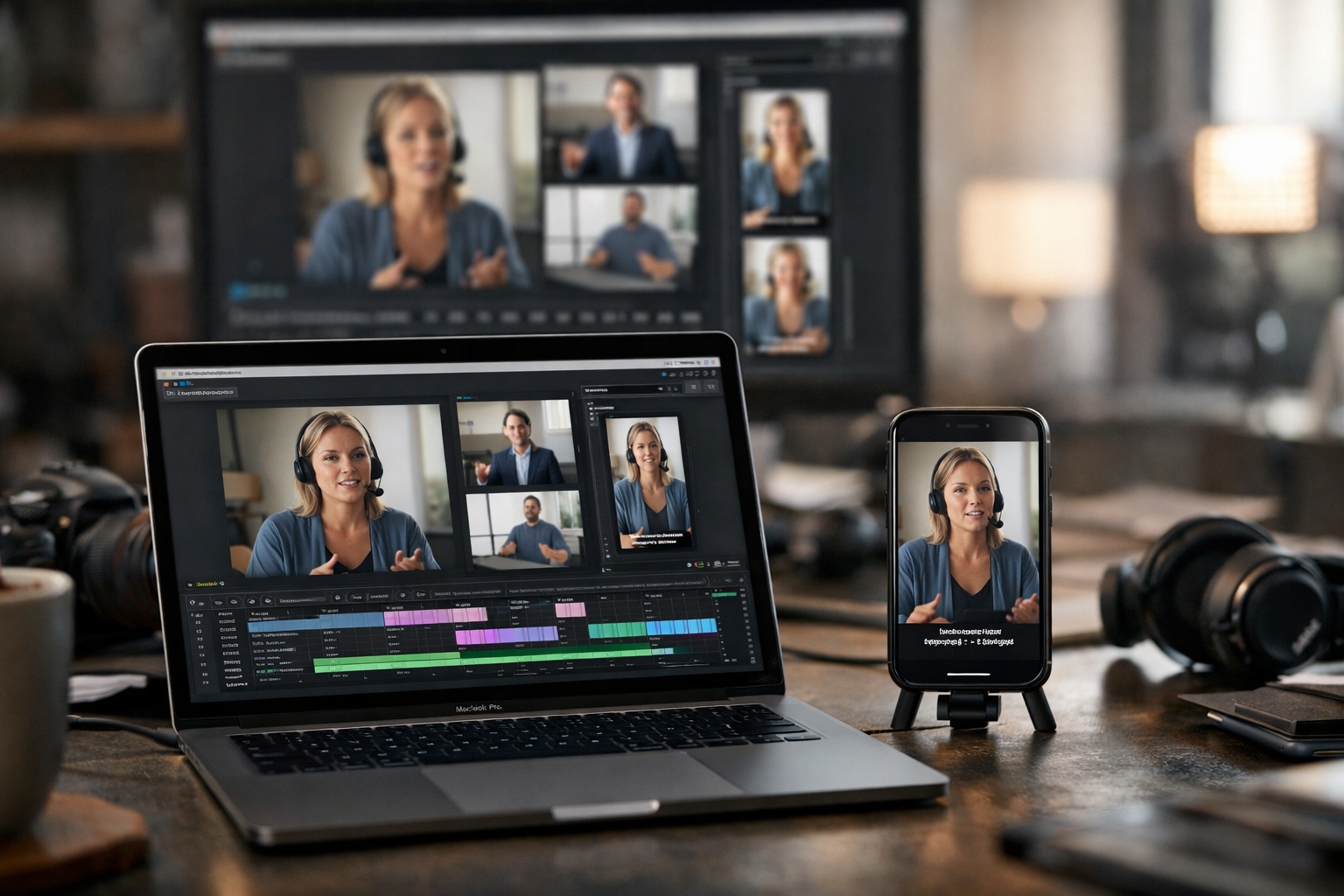
A practical way to repurpose webinar into shorts is to turn the strongest moments from a long recording into focused vertical videos for TikTok, Instagram Reels, YouTube Shorts, and LinkedIn. Instead of asking new audiences to watch an entire replay, you give them one useful idea, story, answer, or insight at a time.
For marketers, educators, coaches, course creators, and B2B teams, this approach extends the value of every event. One webinar can support social discovery, lead nurturing, sales follow-up, and evergreen educational content long after the live session ends.
Official website · Latest pricing & offers
What It Means To Repurpose A Webinar Into Shorts
To repurpose a webinar into shorts means extracting concise, self-contained segments from a longer webinar recording and publishing them as short-form videos. These can be teaching moments, product explanations, audience questions, objections, case examples, or memorable speaker quotes.
The goal is not simply to cut random highlights. Effective webinar content repurposing gives each clip a clear message that makes sense even when someone has never seen the full webinar.
Why Short Clips Outperform A Full Replay For Discovery
A full webinar replay is valuable for people already interested in the topic. But it creates a high time commitment, especially for cold audiences scrolling through social feeds.
Short-form webinar clips lower that barrier. A viewer can learn one tactical idea in seconds, decide whether the speaker is credible, and then explore your profile, replay, email sequence, or offer. This makes a repurpose webinar into shorts workflow particularly useful for building awareness before asking for a larger commitment.
For example, a SaaS team can turn a 45-minute training into a short clip answering one common implementation question. A coach can extract a concise mindset lesson. An educator can share a single framework from a workshop.
Which Webinar Moments Make The Best Clips
The best webinar clips usually begin with a clear tension, question, or statement. Look for moments that make a viewer want to keep watching, such as:
- A surprising industry insight or counterintuitive opinion
- A direct answer to an audience question
- A common problem followed by a practical solution
- A concise step-by-step teaching moment
- A customer scenario, story, or lesson learned
- A product explanation that solves a recognizable pain point
- A strong quote from a guest or panelist
Avoid choosing clips only because they occurred near the beginning or end of the webinar. The strongest moments are often buried in demonstrations, Q&A sections, or transitions between topics.
How Webinar Repurposing Fits A Content Funnel
When you repurpose webinar into shorts, each clip can serve a different stage of the funnel. A high-level opinion or bold statistic can attract new viewers, while a detailed tip can build trust with people evaluating your expertise.
Use educational webinar highlights for discovery. Use clips addressing objections for consideration. Use concise product or offer explanations for viewers who are closer to taking action.
The complete webinar still has a role as deeper content. Short clips simply create more paths that lead people toward it.
Why Klap Is A Strong Tool For Webinar Clipping
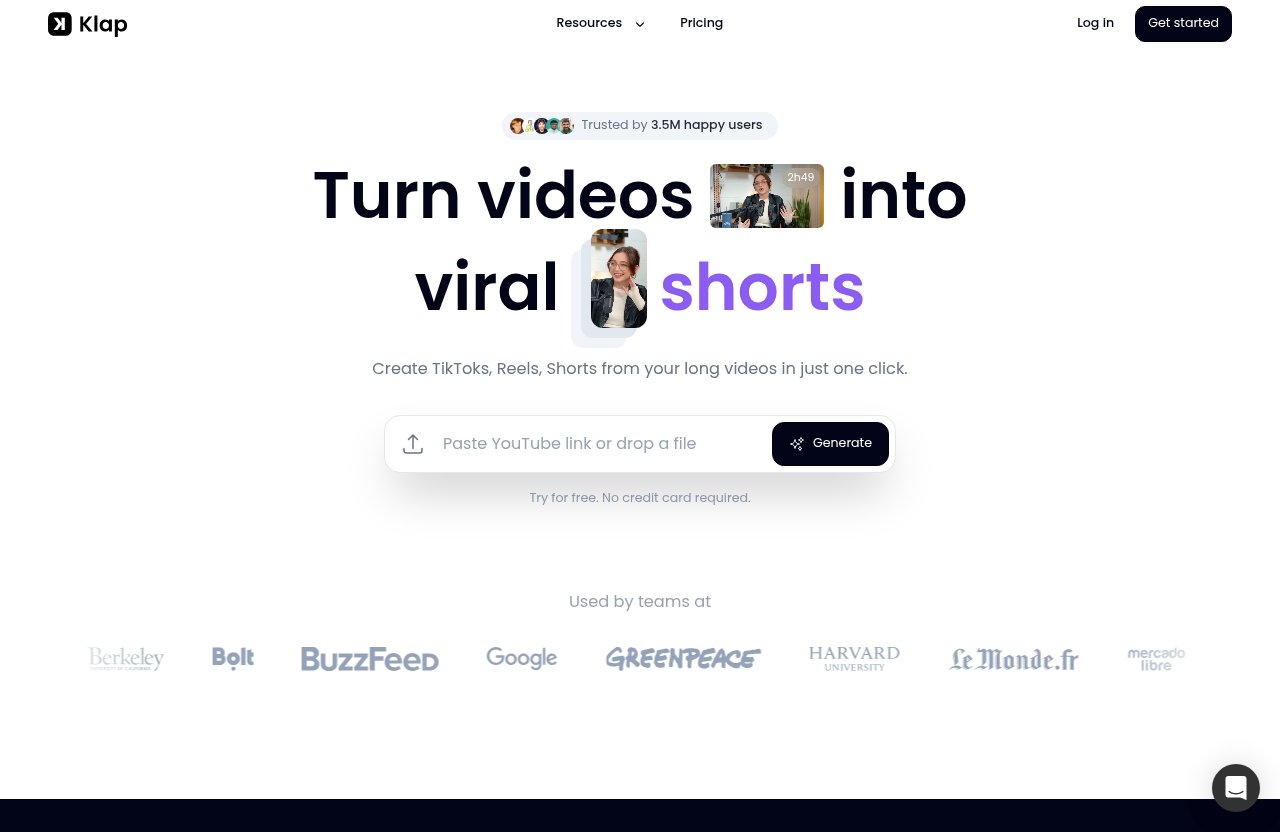
Klap is positioned around turning long videos into viral shorts and creating TikToks, Reels, and Shorts from long videos in one click. That makes it relevant when your primary task is identifying and packaging multiple short clips from a webinar recording.
For teams that regularly host sessions, repurpose webinar into shorts becomes easier when the clipping, framing, and subtitle steps live in one workflow rather than requiring a separate manual edit for every segment.
AI Clipping And Auto-Framing In One Workflow
Klap uses AI to identify the most interesting topics in a video and create shorter clips. It also uses intelligent framing, facial recognition, and responsive subtitles, which are useful when a webinar includes a presenter, guest, interview subject, or discussion format.
This matters because webinar recordings are often composed for wide screens, while social video is commonly consumed vertically. Intelligent framing can help keep the relevant speaker in view while responsive subtitles make spoken content easier to follow without sound.
Klap edits and transcribes videos in 52 languages, which may be useful for teams creating webinar clips for audiences in more than one market.
Why Speaking-Heavy Webinars Work Especially Well
Klap works best for speaking-heavy content, including podcasts, interviews, educational videos, product reviews, and trainings. That makes webinars with clear explanations, guest conversations, coaching, and Q&A especially promising source material.
A session with a presenter explaining ideas in full sentences gives the system more useful context than a recording dominated by silent screen activity. If your webinar includes slides or demos, prioritize sections where a speaker explains what viewers should notice and why it matters.
What Klap Helps You Automate
Klap webinar repurposing can reduce the repetitive work of finding topics, creating shorter clips, applying framing, and adding responsive subtitles. You still need editorial judgment: select clips that match your message, check context, and choose a call to action appropriate for each platform.
That balance is important. AI video clipping can accelerate the first pass, but the final clip should still reflect your positioning, audience needs, and campaign goal.
Before You Upload: Prepare Your Webinar For Better Clips
A better source recording produces better shorts. Before you upload, spend a few minutes reviewing the webinar’s structure and deciding what you need from the repurposing campaign.
This preparation prevents you from publishing clips that are technically polished but strategically weak.
Trim The Source Recording And Identify Key Timestamps
Remove unnecessary waiting time, long breaks, technical setup, or unrelated chatter if those sections are included in the recording. Then create a simple timestamp list for likely clip candidates.
Mark moments containing a clear hook, a problem statement, a practical tactic, a customer example, a memorable quote, or a useful question. This list makes it much faster to assess suggested clips later.
Collect The Best Soundbites, Transitions, And Audience Questions
Good webinar clips do not always come from formal presentation sections. Audience questions can be particularly effective because they already reflect genuine buyer or learner concerns.
Listen for transitions such as “Here is the mistake most teams make” or “The key point is this.” These phrases often provide natural context and can make a clip understandable without needing a lengthy introduction.
Decide Your Clip Goals By Platform
Before you repurpose webinar into shorts, define what success looks like for each channel. A TikTok clip may be designed to spark curiosity, while a LinkedIn post can support a more professional takeaway or discussion.
For example:
- TikTok: one sharp tip, contrarian insight, or quick answer
- Instagram Reels: relatable advice, a speaker moment, or visual teaching
- YouTube Shorts from webinar recordings: searchable educational takeaways
- LinkedIn: B2B lessons, leadership viewpoints, and product education
One source clip can be reused, but its caption and CTA should fit the platform where it appears.
How To Repurpose A Webinar Into Shorts With Klap: Step-By-Step
The following workflow keeps the process straightforward while leaving room for review and brand judgment.
Step 1: Upload The Webinar Video Or Paste A YouTube Link
To begin, upload your webinar video file to Klap or paste a YouTube link. This is useful whether your webinar is stored locally or already hosted as an unlisted or public video on YouTube.
Choose the cleanest available version of the recording. Clear speech, minimal interruptions, and an organized session structure give you more useful material to review.
Step 2: Let Klap Detect The Most Interesting Moments
Klap uses AI to identify interesting topics and turn the longer recording into shorter clips. The official rule of thumb is that one minute of long video produces about five video clips.
That is a useful planning reference, not a reason to publish every result. A 60-minute webinar may create many options, but your final selection should focus on relevance and clarity rather than volume alone.
Klap’s homepage also states that a three-minute YouTube video can become five ready-to-publish videos for Instagram or TikTok. For webinar teams, this illustrates how even a brief section of a longer event can supply several social assets.
Step 3: Review The Suggested Clips And Subtitles
Review each suggested clip with the perspective of a first-time viewer. Ask whether the opening earns attention, whether the core lesson is clear, and whether the clip ends before it feels incomplete.
Check responsive subtitles carefully for speaker names, technical terms, acronyms, and brand language. Captions should support comprehension, not introduce confusion.
This is the stage where you decide which clips belong in your campaign. Keep the strongest explanations, not merely the shortest segments.
Step 4: Reframe For Vertical Formats And Export
When you repurpose webinar into shorts, review how the clip works in a vertical format. Klap’s intelligent framing and facial recognition are designed to help frame the relevant people in shorter videos.
Pay particular attention to webinar recordings with slides or screen shares. If a slide contains essential information, ensure the spoken message still makes sense and that the viewer can understand the point without needing tiny on-screen text.
Step 5: Publish To TikTok, Reels, Shorts, And LinkedIn
Once your clips are ready, publish them with platform-specific copy. You can use a short question for TikTok, an educational caption for Reels, and a more detailed business perspective for LinkedIn.
Do not post every clip at once. Schedule the strongest ideas across several days, then use reactions, comments, and audience questions to guide future webinar content.
Official website · Latest pricing & offers
A High-Performing Webinar-To-Shorts Clip Strategy
The technical process is only half the job. To consistently repurpose webinar into shorts effectively, treat the recording as a library of ideas rather than a single event asset.
Build Clips Around One Idea Per Video
Each video should answer one question, explain one concept, or make one argument. When a clip attempts to summarize an entire webinar section, it usually becomes too dense for short-form viewing.
A useful test is simple: can someone describe the clip’s takeaway in one sentence? If not, narrow the segment.
Use Hooks, Context, Proof, And CTA
A reliable structure for short-form webinar clips is:
- Hook: identify the problem, question, or surprising idea.
- Context: explain why the issue matters.
- Proof: share the tactic, example, or reasoning.
- CTA: suggest the next logical action.
The CTA does not need to be promotional every time. It can invite viewers to watch the replay, save the post, share it with a colleague, or follow for the next part of the series.
Create Series-Based Clips From One Webinar
A single session can become a series instead of a one-off post. Break the content into themes such as:
- Webinar teaser clips before the replay is promoted
- Educational clips featuring the core framework
- Objection-handling clips from Q&A
- Speaker highlights from a guest session
- Product education clips from a demo
- Recap clips for email and social follow-up
This approach helps you repurpose webinar content without making your social feed feel repetitive. Each video has a different angle even though all came from the same source.
Editing Tips To Make Clips Perform Better
Klap provides the foundation for clipping, framing, and subtitles, but your publishing review still matters. Small editorial choices can make a webinar to shorts campaign feel much more intentional.
Choose The Strongest Opening Second
The opening should tell viewers why they should stay. Start with the most direct statement where possible, rather than a speaker greeting, lengthy setup, or transitional phrase.
For example, begin with the answer to a common question, then add the explanation. This is usually more effective than preserving the webinar’s original speaking order.
Keep Captions Readable And On-Brand
Responsive subtitles help viewers follow spoken content, particularly when they are watching with sound off. Review them for accuracy and readability before publishing.
Use your brand’s normal language in the caption around the video. Avoid exaggerated claims that the webinar itself does not support.
Crop For Faces, Slides, And Screen Shares
When you repurpose webinar for Reels or TikTok, consider what the viewer needs to see first. A talking-head segment may benefit from a face-focused frame, while a teaching segment may need the presenter and a key visual element.
For more practical advice before publishing, see Top Trust Review’s related guide on editing Klap shorts before publishing.
Add Platform-Specific Call To Action
Use a CTA that matches the post’s purpose. A lead-generation clip can point viewers toward the full replay, while a thought-leadership clip may invite comments from peers.
For a B2B audience on LinkedIn, asking a relevant professional question can be more natural than using a broad social-media prompt. For TikTok or Reels, a short invitation to follow for the next lesson may suit the format better.
Best Webinar Types To Repurpose With Klap
The best source material has meaningful speech, clear points, and useful exchanges that can stand alone. Klap works best for videos incorporating speech, so speaking-heavy webinars are generally the best fit.
Educational Workshops And Training Sessions
Training sessions often contain structured lessons, definitions, examples, and repeatable processes. These elements naturally become useful short-form webinar clips.
Extract one step from a framework, a common error, or a concise explanation of a difficult concept. Each can become a standalone post that demonstrates expertise.
Product Demos And Launch Webinars
Product webinars can produce clips that answer specific buyer questions. Focus on the explanation of a problem and the value of solving it, not only on a broad overview.
If a demo relies heavily on small interface details, select moments where the presenter narrates the outcome clearly. That gives viewers enough context even on a smaller screen.
Interviews, Podcasts, And Expert Panels
Interviews and panels are rich sources of webinar highlights because they contain opinions, stories, disagreements, and direct answers. A strong guest statement can work particularly well as a discovery clip.
These formats align closely with Klap’s suitability for podcasts and interviews. They also offer multiple voices, which can make a content series feel varied.
Klap Pricing For Webinar Repurposing
Klap’s official pricing is based on clips generated: only pay for clips you generate. This is worth considering when estimating how frequently you plan to turn webinar recordings into social content.
As an editorial note, Top Trust Review has an affiliate relationship with Klap. Our recommendation is based on the verified product facts and its fit for a speaking-heavy webinar clipping workflow, not on unsupported performance promises. Readers who decide it fits their process can explore Klap through Top Trust Review’s affiliate link.
Which Plan Fits Solo Creators
The Basic plan includes 100 clips per month for $14 per month when billed yearly. It may suit a solo educator, coach, or creator who holds occasional webinars and wants consistent social clips from each recording.
Consider your likely monthly output rather than just the number of webinars. One longer event can provide many candidate clips.
When A Team Should Choose Pro Or Pro+
The Pro plan includes 300 clips per month for $39 per month when billed yearly. The Pro+ plan includes 1,000 clips per month for $94 per month when billed yearly.
These options may be more relevant for teams managing multiple webinars, client content, recurring trainings, or a broader weekly social distribution schedule.
What’s Included In Every Plan
All Klap plans include AI Clipping, unlimited social accounts, and Analytics. That shared foundation means the decision comes down primarily to the number of clips your webinar content repurposing operation needs each month.
Common Mistakes When Turning Webinars Into Shorts
A clip can be visually polished and still fail if it lacks a clear point. Avoid the following problems before publishing.
Using Clips Without A Clear Hook
Do not start with a slow introduction or a sentence that depends on several minutes of prior context. The viewer should quickly understand what problem, question, or benefit the clip addresses.
When you repurpose webinar into shorts, lead with the most compelling statement whenever it does not distort the speaker’s meaning.
Over-Editing Or Cutting Too Many Context Clues
Short-form video needs focus, but aggressive trimming can remove the context that makes advice accurate. This is particularly risky in educational and B2B content, where a tactic may have important conditions.
Keep enough explanation for the viewer to understand who the advice is for and why it works. If that requires more than one clip, create a series.
Publishing Without Platform-Native Captions Or CTA
A generic caption copied across every network can reduce relevance. Adapt the written post to the platform, audience, and campaign goal.
Also, give viewers a next step. It might be watching the replay, commenting with a question, exploring a resource, or following for additional webinar highlights.
Official website · Latest pricing & offers
FAQ
How Do I Repurpose A Webinar Into Shorts?
Identify the strongest moments in the recording, turn them into short clips, adapt them to each platform, and reuse them across social, email, blogs, and replay follow-up. Klap can support this process by accepting a video upload or YouTube link and identifying interesting topics for shorter videos.
Can I Turn A Live Webinar Into TikTok, Reels, And Shorts Clips?
Yes. Record the live webinar first, then upload the video file or paste its YouTube link into Klap. Review the generated clips, confirm subtitles and framing, and publish suitable versions to TikTok, Instagram Reels, and YouTube Shorts.
How Many Clips Can I Get From One Webinar?
Klap’s official rule of thumb is that one minute of long video produces about five video clips. Actual useful output depends on the webinar’s structure, speaking quality, topic depth, and how many segments can stand alone with clear context.
What Types Of Webinars Work Best In Klap?
Speaking-heavy webinars work best, especially educational trainings, interviews, podcasts, product reviews, and workshops. Sessions with clear explanations, questions, stories, and expert advice usually create the most reusable clips.
How To Repurpose Webinar Content?
Use a four-step process: identify valuable moments, cut them into focused clips, tailor the clips for each platform, and reuse the ideas in social posts, emails, articles, and replay campaigns. This gives the original webinar a longer content lifespan.
Are Webinars Still Effective In 2026?
Yes. Webinars remain useful for education, lead generation, product education, and authority building. Their value improves when the recording is reused across formats, including short clips that help new audiences discover the original session.
How To Repurpose YouTube Videos For Shorts?
Upload the video file to Klap or paste a YouTube link. Let the AI identify interesting moments, review the selected clips and subtitles, then export vertical videos for Shorts, Reels, or TikTok.
Do People Make Money From Webinars?
Webinars can support revenue through lead generation, product education, affiliate offers, upsells, and improved content reuse. Turning the recording into multiple clips can extend the return on the time and resources invested in the original event.
A thoughtful repurpose webinar into shorts process turns one long event into many targeted content assets. With a clear clip strategy, careful review, and a tool such as Klap for AI clipping, framing, and subtitles, your webinar can continue generating discovery and nurture opportunities well beyond the live session.
Related Reading
- How to Use Klap to Turn Long Videos Into Viral Shorts
- How to Edit Klap Shorts Before Publishing: A Practical 2026 Workflow
- Contentstudio vs Buffer for AI Repurposing: 2026 Comparison
References
- How To Repurpose Your Webinar Series Content
- Repurpose Webinars into Engaging Short-Form Content
- Ways to Repurpose Your Webinar Content
- 11 Ways to Repurpose Webinar Content [Guide for AI Search]