Lalal.AI for DJs: A Practical Review for Mashups, Edits, and Set Prep
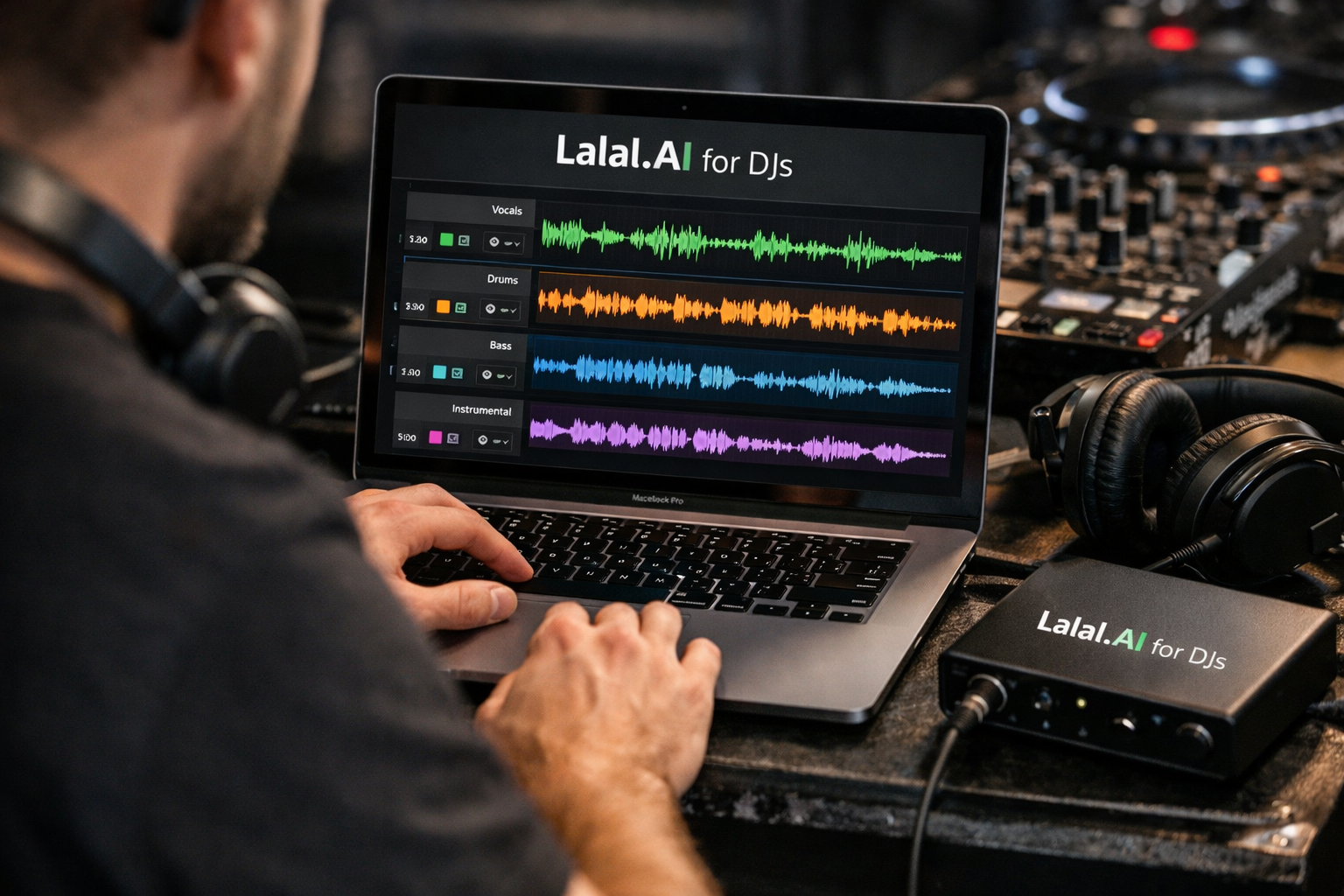
For DJs who want more flexibility from the music already in their library, LALAL.AI for DJs is a practical stem-separation option worth evaluating. It is designed to remove vocals or instrumentals and split tracks into usable musical elements, helping with mashups, bootlegs, transition edits, and performance preparation.
This review focuses on how LALAL.AI fits into real-world DJ workflows rather than treating it as a magic one-click solution. Stem quality can vary with the original mix, arrangement, and audio source, so DJs should always test important tracks themselves before relying on them in a public set.
Transparency note: This page may contain affiliate links. If you choose to use a recommended link, toptrustreview.com may earn a commission at no extra cost to you. That support helps us continue publishing independent, practical reviews.
Official website · Latest pricing & offers
What LALAL.AI Is and Why DJs Care
LALAL.AI is an AI-powered stem splitter and vocal/instrumental remover. In DJ terms, it can help turn a finished song into more flexible building blocks: an acapella for a mashup, an instrumental bed for a vocal transition, or drums for a custom intro.
The value of LALAL.AI for DJs is not simply getting separate parts of a song. It is about creating more options during preparation, especially when an official acapella, instrumental, or remix pack is not available.
Stem separation in a DJ workflow
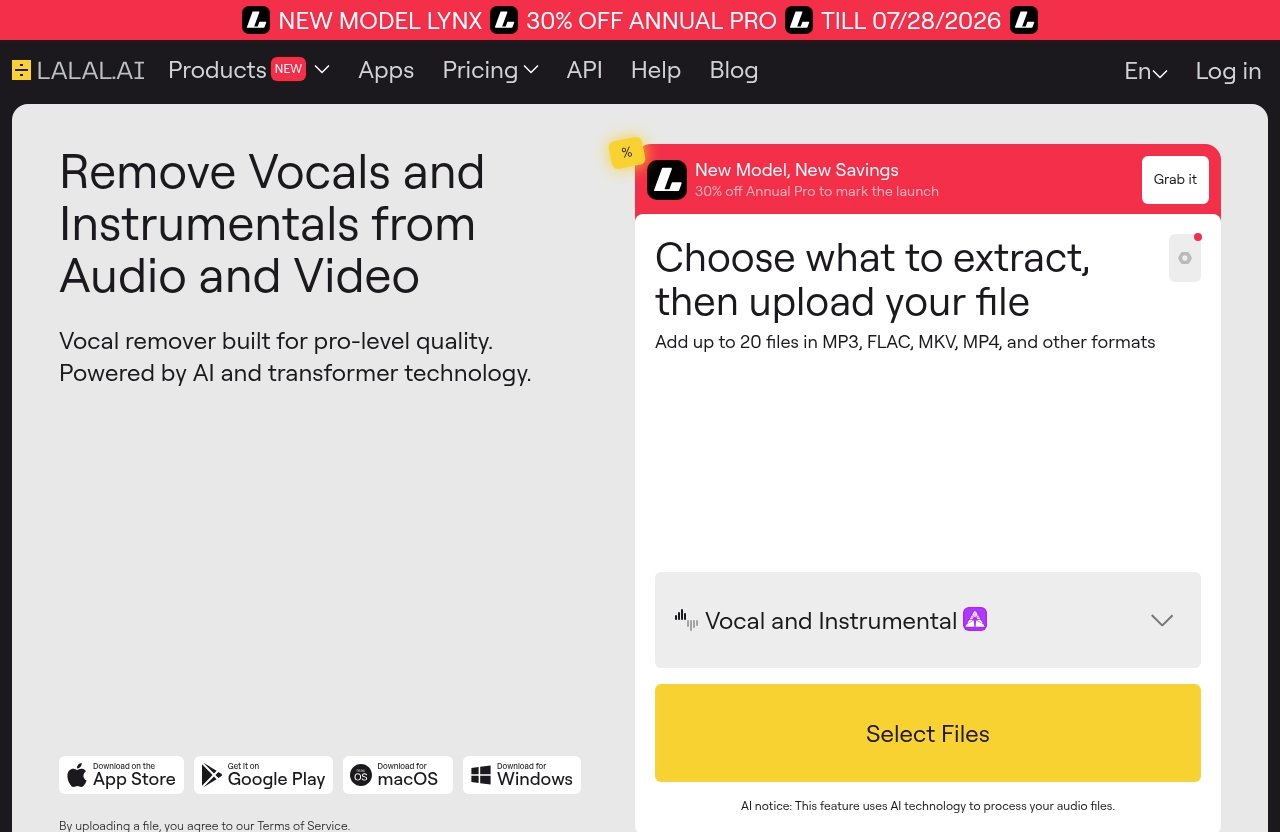
Stem separation uses AI to identify and isolate elements within a mixed recording. Depending on the selected process, that can mean separating vocals from the instrumental or extracting parts such as drums, bass, guitar, synth, strings, and wind instruments.
For a DJ, this can open creative routes that would otherwise require searching for alternate versions of a record. For example, an open-format DJ could test a vocal from a familiar pop track over a house instrumental, while a hip-hop DJ could isolate drums to build a punchier intro edit.
LALAL.AI for DJs is especially useful during the preparation stage. The goal is to create assets you can audition, arrange, and organise before the gig rather than assuming every separated stem will be ready to play untouched.
Where LALAL.AI fits vs. traditional DJ tools
Traditional DJ software is excellent for beatmatching, cueing, looping, and performance. It is not necessarily designed to create a new acapella or remove drums from a completed track before you begin your set planning.
A tool such as the LALAL.AI stem splitter sits earlier in the workflow. You start with a source track, extract the element you need, then take that result into your DAW or DJ software for editing, arrangement, and testing.
That distinction matters. LALAL.AI for DJs can support creative prep, but it does not replace musical judgement, gain staging, phrase matching, or the need to listen critically to every result.
Best DJ Use Cases for LALAL.AI
The strongest use cases are practical ones: creating a hook for a mashup, cleaning up the start of a track, making an edit more distinctive, or preparing alternate performance assets. The best results usually come from starting with a clear purpose rather than separating every track in your collection.
Creating mashups and bootlegs
LALAL.AI for DJs can be useful when you hear a vocal that would work over a different groove but cannot find an official acapella. You could use vocal separation to create a working vocal layer, then test it against an instrumental from another track in your DJ software or DAW.
For instance, a DJ might isolate the chorus of a pop record and try it over the breakbeat, house, or disco arrangement of another track. This is a use-case example, not a guarantee that every pairing or extraction will work; tempo, key, arrangement, and stem quality still need careful checking.
For LALAL.AI for mashups, the useful habit is to work in short sections first. Test the chorus, a recognisable vocal phrase, or a single hook before committing time to a full bootleg edit.
Building clean intros, outros, and transitions
A vocal-free section can make a transition easier to manage, especially when two songs contain competing lyrics. An instrumental result may give you room to introduce the next vocal cleanly, create a spoken announcement section, or build a more gradual genre switch.
The LALAL.AI instrumental remover approach can also be helpful for DJs creating extended transitions. You may not need a full remix—sometimes a short vocal-free eight- or sixteen-bar section is enough to solve a mixing problem.
In real preparation, listen closely for artefacts, timing issues, or instrumental details that remain in the separated vocal or instrumental. If a result distracts from the mix, use a shorter phrase, layer it under another track, or choose a different source track.
Extracting drums for custom edits
Drum-focused material can be useful for building energy during an intro, supporting a transition, or creating a short edit that better suits your audience. LALAL.AI drum extraction gives DJs a route to experiment with drum elements from a completed song.
A practical example would be using extracted drums underneath the opening vocal of another record, giving the incoming track a more familiar rhythmic foundation. A producer-DJ may also use that drum material as a reference point while rebuilding an edit in a DAW.
As with all AI stem separation for DJs, the original production affects the result. Dense mixes and heavily processed drums may require more auditioning than sparse, clearly arranged tracks.
Preparing acapellas for live performance
An acapella can become a powerful live-performance tool when it is clean enough for the intended moment. DJs can use a separated vocal for a call-and-response section, a short teaser before the drop, or a mashup routine built around a familiar lyric.
LALAL.AI for DJs works well conceptually for this kind of preparation because it helps turn a finished release into a more adaptable performance asset. Still, treat the extracted file as something to test in headphones, on monitors, and ideally within your actual set sequence.
For stem extraction for live sets, prepare backups. Keep the original track available and avoid relying on a newly created stem until you have checked its balance and musical fit in context.
Key Features DJs Should Evaluate
Before choosing any stem tool, DJs should focus on the functions they will actually use. For most working workflows, that means vocal removal, instrumental isolation, targeted stem extraction, and access from the devices or production environment used for set preparation.
Vocal remover and instrumental isolator
LALAL.AI’s Vocal Remover is designed to remove vocals and instrumentals from music tracks, audio clips, or video. For DJs, that makes it relevant as a vocal remover for DJs who want to explore acapellas, instrumental sections, and transition-friendly versions.
This is where LALAL.AI for DJs may deliver the most immediate value. A recognisable vocal can be a flexible mashup ingredient, while an instrumental can give you more room to blend records without lyric clashes.
The practical question is not only whether a vocal can be isolated, but whether it works for your specific purpose. A vocal used quietly beneath another track may be perfectly usable even if it is not suitable as a totally exposed acapella.
Stem Splitter for drums, bass, guitar, synth, strings, and wind instruments
The LALAL.AI Stem Splitter can extract vocals, instrumental, drums, bass, guitar, synth, string, and wind instruments. That broader selection gives DJs and producer-DJs more creative angles than simple vocal-versus-instrumental separation.
A bass stem could help you study or rebuild the low-end feel of an edit. Guitar, synth, string, and wind extractions may be useful for making a breakdown more distinctive or identifying which element should be removed from a custom arrangement.
LALAL.AI for DJs is most compelling here for people who enjoy making their own versions rather than only mixing released tracks as-is. The more specific your edit idea, the easier it is to decide which stem to extract and why.
File and workflow support across desktop, mobile, plugin, and API
LALAL.AI offers desktop apps for Windows, macOS, and Linux. There is also an iOS app for iPhone and iPad, plus an Android app for phones and tablets.
For DJs who prepare edits on the move, mobile access may be convenient for testing ideas or starting a separation task away from the studio. Desktop access makes more sense when you are organising a full set, comparing versions, or bringing results into a broader music-prep workflow.
The VST Plugin runs locally inside your DAW, while an API is available for developers. These are particularly relevant to producer-DJs and technically minded users, although official plan access should be checked carefully before building either into your workflow.
How DJs Can Use LALAL.AI in Real-World Workflows
The best approach is structured: identify the performance problem, extract only the necessary element, then test it in the musical context where you plan to use it. That workflow prevents your stems folder from becoming a pile of unused experiments.
Turn a track into an acapella for a mashup
Start by choosing a track with a vocal section you genuinely want to use. A short, distinctive chorus is usually easier to test than a full-song concept.
- Use the Vocal Remover or Stem Splitter to isolate the vocal.
- Listen to the result on its own and note any sections that sound strongest.
- Import the useful vocal section into your DAW or DJ software.
- Test it against the instrumental or drum groove of your chosen partner track.
- Adjust the arrangement and use only the phrases that serve the transition or drop.
This is a sensible LALAL.AI acapella maker workflow for DJs who want a functional mashup ingredient rather than an overcomplicated production project. Always audition the final blend at realistic playback volume.
Pull drums from a song to create a custom edit
If a track needs more immediate energy, extracted drums can provide a starting point for a tailored intro or transition. First, identify the exact part of the original where the groove is most useful.
Next, extract drums using the Stem Splitter and bring the result into a DAW. From there, a DJ could arrange a short drum-led intro before the full track enters, or use the drums underneath a vocal from another song.
LALAL.AI for DJs supports experimentation, but it cannot decide whether an edit works on a dancefloor. Keep the arrangement simple, check phrasing, and compare your version against the original before adding it to a set.
Prep stems for practice, rehearsal, and set design
A productive preparation folder can make performance rehearsals more creative. Instead of storing files with vague names, label them by track, source section, stem type, key information if you know it, and intended use.
For example:
- “Track Name – Vocal Hook – Mashup Test”
- “Track Name – Drums – Intro Edit”
- “Track Name – Instrumental – Transition Version”
- “Track Name – Bass – DAW Reference”
LALAL.AI for DJs becomes more useful when the output is organised around actual set moments. Rehearse transitions with the separated assets and remove anything that does not improve the performance.
Combine extracted stems with DAW or DJ software
Once stems are extracted, they can be treated as creative source material for your preferred DJ or production workflow. A DAW is useful for arranging, trimming, balancing, and exporting a finished edit, while DJ software is useful for trying ideas in a mix sequence.
The VST Plugin runs locally inside a DAW for users on the Pro plan. This may appeal to DJs who prefer to keep stem work closer to their production session rather than moving between separate tools.
A sensible dj mashup tool workflow remains iterative: separate, audition, arrange, test, and revise. Do not assume an extracted result will match the level, timing, or polish of an official multitrack stem.
Official website · Latest pricing & offers
Pricing: Which LALAL.AI Plan Makes Sense for DJs?
LALAL.AI for DJs offers three verified plans: Starter, Lite, and Pro. The right choice depends less on your DJ title and more on how often you prepare stems, how quickly you need to process work, and whether you need advanced workflow features.
| Plan | Price | Queue Minutes | Upload Limit | Key Access |
|---|---|---|---|---|
| Starter | Always free | 10 minutes in Relaxed Queue | 200MB per file | No result downloads, batch processing, VST Plugin, API Access, or early access |
| Lite | €6.75/month, billed annually at €81 | Unlimited Relaxed Queue; 90 Fast Queue minutes/month | 2GB per file | Result downloads |
| Pro | €13.5/month, billed annually at €162 | Unlimited Relaxed Queue; 250 Fast Queue minutes/month | 2GB per file | Result downloads, batch processing, VST Plugin, API Access, and new-feature early access |
Starter plan overview
The Starter plan is always free and includes 10 minutes in the Relaxed Queue, with a 200MB upload size limit per file. It does not show Fast Queue minutes and does not include Result Downloads, Batch Processing, the VST Plugin, API Access, or New Features Early Access.
For LALAL.AI for DJs, Starter makes sense as a testing route. Use it to assess how well the service works with the genres, eras, and source-quality levels in your own music library.
Lite plan overview
Lite costs €6.75 per month, billed annually at €81. It includes unlimited minutes in the Relaxed Queue, 90 minutes per month in the Fast Queue, a 2GB upload size limit, and Result Downloads.
This plan may suit DJs who prepare occasional mashups, edits, and alternate transition versions. If you want downloadable results and make stems regularly without needing batch processing, the Lite plan is the straightforward middle option.
Pro plan overview
Pro costs €13.5 per month, billed annually at €162. It includes unlimited Relaxed Queue minutes, 250 Fast Queue minutes per month, a 2GB upload size limit, Result Downloads, Batch Processing, the VST Plugin, API Access, and New Features Early Access.
LALAL.AI for DJs on Pro is most relevant for heavier users: producer-DJs, remix-focused DJs, or professionals who consistently process multiple tracks for edits and set design. Batch Processing and VST Plugin access are the clearest workflow differentiators.
How to choose based on usage volume
Choose Starter if you are evaluating quality and only need a small amount of testing. Choose Lite if you want result downloads and regularly create a manageable number of stems for personal sets, mobile events, or occasional edits.
Choose Pro if stem prep is a repeated part of your work and you value Batch Processing, the VST Plugin, API Access, or the larger monthly Fast Queue allowance. You can review the current official options through this LALAL.AI offer path before deciding.
Pros and Cons for DJs
LALAL.AI for DJs has clear practical strengths, but it is important to approach AI separation with realistic expectations. The service is most useful when it supports a defined creative task rather than being treated as a substitute for careful editing.
Advantages for fast stem prep
- Vocal and instrumental removal can support acapellas, transitions, and edit ideas.
- Stem Splitter extraction includes vocals, instrumental, drums, bass, guitar, synth, string, and wind instruments.
- Desktop apps are available for Windows, macOS, and Linux.
- iOS and Android apps support mobile-oriented workflows.
- Pro includes Batch Processing, VST Plugin access, API Access, and New Features Early Access.
- Starter gives DJs an always-free way to test the workflow.
For DJs who frequently make personalised versions of tracks, this can reduce the barrier between an idea and a testable set asset.
Limitations to keep in mind before subscribing
- Separation quality can vary based on the source material.
- DJs should audition stems carefully before using them in public.
- Not every extracted part will work as a fully exposed, polished performance stem.
- Starter does not include Result Downloads.
- VST Plugin, Batch Processing, and API Access are Pro-only according to the verified plan details.
LALAL.AI for DJs is therefore best viewed as a creative preparation tool. Your ear, editing choices, and willingness to test remain essential.
Who LALAL.AI Is Best For
The platform can serve several DJ styles, but the benefit is greatest for people who actively customise their music selection. It is less essential for DJs who only play tracks in their original released form.
Mobile DJs
Mobile DJs often need adaptable music for varied crowds and event formats. A vocal-free passage or custom intro can help make transitions cleaner across genres, tempos, and audience expectations.
LALAL.AI for DJs may be especially useful when you need a personalised edit without turning every preparation session into a full production project.
Open-format club DJs
Open-format DJs regularly move among pop, hip-hop, dance, throwbacks, and current records. This makes mashup-ready acapellas, instrumental breaks, and drum-led transition tools particularly valuable.
A separated hook can help connect genres in a way that feels intentional. However, test every vocal and instrumental combination for key, tempo, and crowd familiarity before using it in a busy set.
Remix and mashup DJs
Remix DJs are among the clearest audience for lalal ai for djs. If your sets depend on recognisable vocal moments, surprise pairings, and edits that distinguish you from other selectors, stem extraction can provide useful raw material.
It can function as a bootleg editing tool for building ideas, but it does not remove the need to arrange, refine, and quality-check the final version.
Producers who DJ
Producer-DJs may find the Pro workflow particularly interesting because it includes the VST Plugin that runs locally inside a DAW. This can fit naturally into sessions where you are already creating edits, remixes, and original productions.
For this audience, LALAL.AI for DJs is not just about playing a stem live. It is about moving from extraction to arrangement and production with fewer workflow interruptions.
How LALAL.AI Compares to Manual Stem Editing
Manual stem editing can involve painstaking arrangement work, source clean-up, layering, and rebuilding parts from scratch. AI separation offers a faster way to get a workable starting point, especially for DJ edits where speed and musical usefulness matter more than forensic perfection.
Speed vs. manual editing
Manual approaches may offer more control when you have official parts, original project files, or the skills to rebuild a section yourself. They also require more time.
LALAL.AI for DJs can accelerate the first stage by producing material to audition. If the result is close to what you need, you may only need a short edit rather than a complete reconstruction.
Consistency for repeatable prep work
For DJs processing multiple tracks ahead of a season, residency, or event series, a repeatable separation workflow can be valuable. Pro’s Batch Processing may help heavier users organise higher-volume preparation work.
Still, consistency of workflow does not mean identical results across every song. Different arrangements and recording qualities can respond differently, so build listening checks into your process.
When AI separation is enough and when it is not
AI separation may be enough when you need a short vocal hook, a drum layer, a transition section, or a rehearsal asset. It may be less suitable when a stem must stand alone for an extended, highly exposed performance moment.
LALAL.AI for DJs works best when you match the tool to the job. Use it for practical creative flexibility, then apply editing judgement where the result needs refinement.
Final Verdict: Is LALAL.AI Worth It for DJs?
LALAL.AI for DJs is worth considering if you regularly create mashups, bootlegs, custom intros, transition edits, or performance-ready vocal ideas. Its Vocal Remover and Stem Splitter address the specific needs DJs face when official acapellas and instrumentals are unavailable.
Best-fit recommendation
The strongest fit is for open-format DJs, remix DJs, mobile DJs who make personalised edits, and producer-DJs who want stem material for DAW sessions. It is also a sensible choice for anyone who wants to test creative set concepts without manually rebuilding every musical element.
Remember that source material matters. Evaluate separation quality track by track, and only use a stem in a live environment after testing it in the context of your actual mix.
When to start with the free plan
Start with Starter if you want to find out whether LALAL.AI for DJs works with your library and preferred genres. The plan is always free and provides 10 minutes in the Relaxed Queue, which is enough to test a few focused ideas.
Because Starter does not include Result Downloads, it is best approached as an evaluation option rather than a complete ongoing prep solution.
When upgrading becomes worthwhile
Lite becomes more compelling when you want Result Downloads, a 2GB upload limit, unlimited Relaxed Queue minutes, and 90 Fast Queue minutes per month. Pro is the better fit for heavier stem-prep workflows, particularly if you need Batch Processing, the VST Plugin, API Access, or 250 monthly Fast Queue minutes.
Ultimately, LALAL.AI for DJs is a useful creative assistant—not a replacement for DJ skill, editing knowledge, or critical listening. If you want to explore its official plans and decide whether it fits your set-prep routine, use the recommended review path above.
Official website · Latest pricing & offers
FAQ
Can DJs use LALAL.AI to make acapellas and instrumentals?
Yes. LALAL.AI’s Vocal Remover is designed to remove vocals and instrumentals from music tracks, audio clips, and video. DJs can use this capability to prepare potential acapellas and instrumental versions for edits, transitions, and mashup experiments.
Is LALAL.AI good for mashups and bootlegs?
LALAL.AI for DJs can be useful for mashups and bootlegs because it can help isolate a vocal, instrumental, or other stem from a completed track. DJs can then test those elements with music from another track, although the final quality and musical compatibility should always be checked.
What stems can LALAL.AI extract?
According to the official homepage, the Stem Splitter can extract vocals, instrumental, drums, bass, guitar, synth, string, and wind instruments. This range supports everything from vocal mashups to drum-based intro edits.
Which LALAL.AI plan is best for DJs?
Starter is best for testing. Lite is suitable for moderate preparation needs because it includes Result Downloads, unlimited Relaxed Queue minutes, 90 Fast Queue minutes per month, and a 2GB upload limit. Pro is best for heavier users who also want Batch Processing, VST Plugin access, API Access, New Features Early Access, and 250 Fast Queue minutes per month.
Does LALAL.AI work for live-performance prep?
Yes, LALAL.AI for DJs can support live-performance preparation by helping create stems, edits, acapellas, instrumentals, and transition assets before the event. It should be treated as a prep tool, with every extracted result tested carefully before it becomes part of a live set.
Related Reading
- Lalal.AI Subscription Review
- Lalal.AI for Musicians: A Practical Review for Practice, Transcription, and Remixing
- How to Use Cloudways: Beginner Setup Tutorial
References
- LALAL.AI Homepage
- LALAL.AI Pricing
- How to Make Beats for DJs
- How DJs From Mars Used LALAL.AI to Create EDM Time Machine Mashup