FAX.PLUS Review 2026: Is It Worth It?
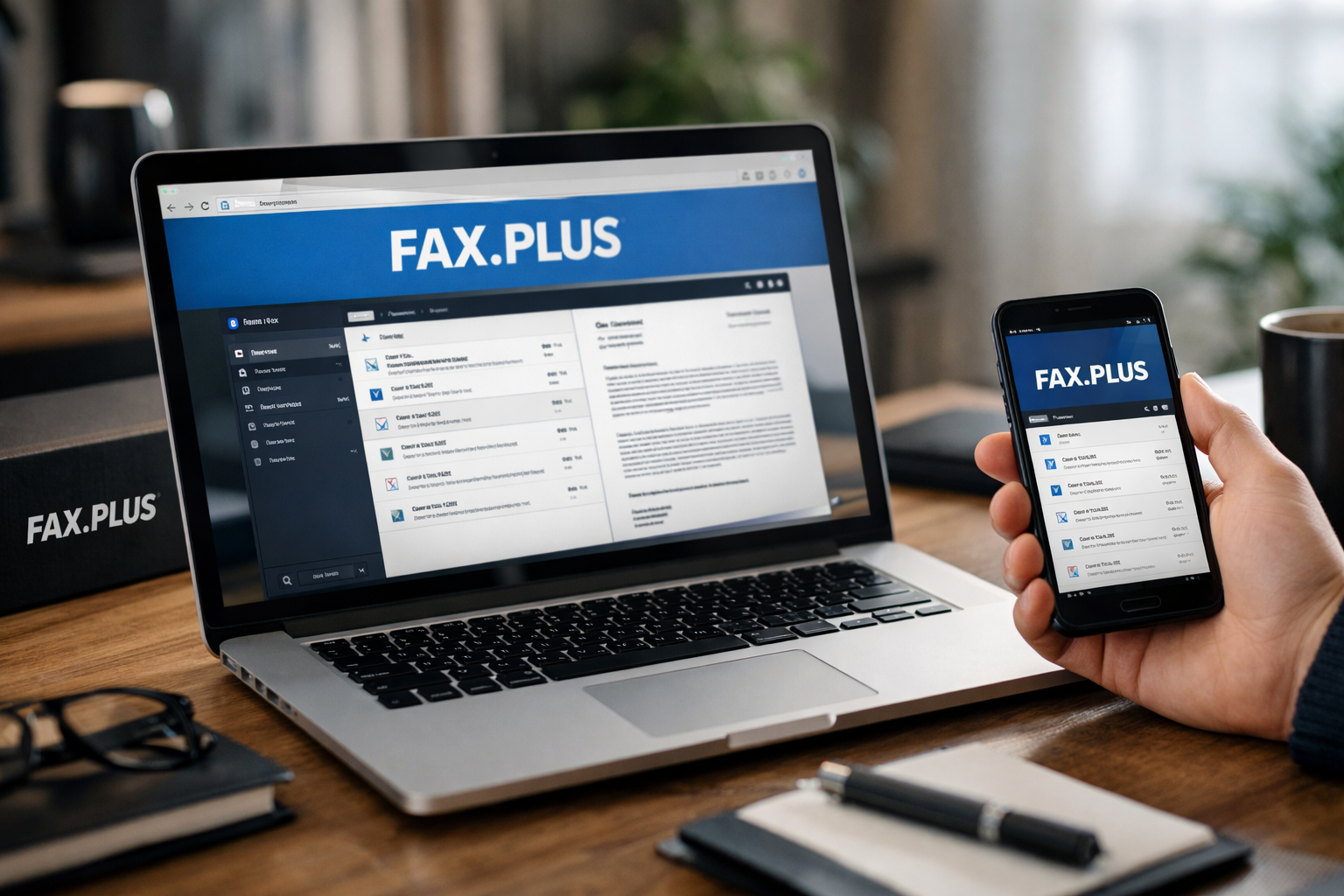
This fax.plus review takes a practical, business-first look at Alohi’s online fax platform. Based on Alohi’s official product and pricing information, FAX.PLUS is a credible option for companies that need secure document transmission, flexible access, and integration-ready workflows—but buyers should look closely at page usage, plan requirements, and billing terms before committing.
Disclosure: This review may contain affiliate links. If you purchase through one, toptrustreview.com may earn a commission at no additional cost to you. That does not change this assessment or the need to verify the current plan terms before purchase.
Official website · Latest pricing & offers
Verdict at a glance: Is FAX.PLUS worth it in 2026?
Quick summary for business buyers
The short answer from this fax.plus review is yes, FAX.PLUS can be worth it in 2026 for businesses that still depend on faxing and want a modern, security-conscious way to handle it. Alohi positions Fax.Plus as part of a broader productivity suite alongside Sign.Plus, Dial.Plus, and Scan.Plus, rather than as an isolated legacy-fax tool.
Its strongest case is for organizations that want browser, desktop, mobile, email, and integration-based fax workflows in one service. The official product information also emphasizes security certifications, encryption, multi-factor authentication, and compliance-oriented options.
The caveat is that value depends heavily on your actual volume and requirements. The confirmed Basic plan includes 200 free pages per month and one fax number, while HIPAA compliance with a Business Associate Agreement is available only on the Enterprise plan.
Who should consider FAX.PLUS
FAX.PLUS is worth considering for solo professionals, small businesses, and larger organizations that need to send or receive faxes without maintaining traditional fax hardware. It is particularly relevant when employees work across offices, homes, and mobile devices.
Businesses that already use Google Workspace, Microsoft tools, Slack, Zapier, or document-signing workflows may find the platform’s listed integrations especially useful. The availability of email to fax, Fax API, fax broadcasting, and multi-function printer integration also makes it relevant for teams with more structured document processes.
If you are evaluating Alohi’s products as a wider digital-document ecosystem, you can review the current offering through this Alohi product link. Still, treat the official pricing page as the final authority before buying.
Who should skip it
FAX.PLUS may not be the best match for every buyer. If your business rarely sends faxes, does not need a dedicated fax number, or is highly sensitive to metered usage, you should calculate your expected volume before choosing a paid plan.
It may also be less suitable for buyers who want every plan detail presented in a very simple, fixed-cost format. Some public user-review themes mention confusion around credits, charges, and plan usage, so prospective customers should understand the applicable terms rather than assuming all sending scenarios are included.
What FAX.PLUS is and who it is built for
Alohi’s ecosystem and where Fax.Plus fits
FAX.PLUS is Alohi’s secure online fax service. Alohi describes its products as helping more than 5,000,000 companies and teams streamline document flows securely and efficiently, with products actively impacting users in more than 180 countries.
In this fax.plus review, it is important to view the product in that context. Fax.Plus is designed to be part of a broader document-workflow environment that includes Sign.Plus, Dial.Plus, and Scan.Plus. That positioning may appeal to businesses that prefer to consolidate related communication and document tasks under one vendor.
Alohi also states that it maintains 99.99% consistent, reliable uptime across its services. That is a meaningful trust signal for organizations where missed inbound documents or failed outbound transmissions can disrupt operations, although every business should test the workflow in its own environment.
Main use cases: email faxing, mobile faxing, team workflows
The core purpose of this online fax service is straightforward: users can send and receive faxes digitally rather than relying exclusively on a physical fax machine. Officially listed access methods include a web app, desktop app, Android app, and iOS app.
For many teams, email to fax is the most practical starting point. It allows staff to work from a familiar inbox-based process, while browser and mobile access help remote or traveling employees handle documents without being tied to one office device.
FAX.PLUS also lists print to fax, fax cover sheets, fax number flexibility, fax broadcasting, and multi-function printer integration. Together, these tools suggest a product built for both occasional professional use and repeatable operational workflows.
Best-fit industries
The platform can be relevant to healthcare, legal services, financial services, education, real estate, IT, and other industries that still exchange formal documents by fax. These sectors often value reliable document routing, controlled access, and clear handling procedures.
That said, regulated buyers should not assume that an online fax service automatically meets every legal or contractual requirement. For example, the official pricing page specifically says HIPAA compliance with a BAA is available on the Enterprise plan only.
For any company handling confidential records, the right question is not merely “is fax.plus safe?” It is whether the selected plan, internal policies, staff permissions, and document workflow satisfy the organization’s own obligations.
FAX.PLUS features that matter most
Send and receive fax online across devices
The most useful fax.plus features are the ones that remove dependence on a dedicated phone line or physical fax machine. Users can access the service through the web, desktop applications, and mobile apps for Android and iOS.
That cross-platform approach matters for business continuity. A document can be handled by an employee at a desk, on a phone, or through a supported workflow without forcing every user into the same device setup.
For distributed teams, online access can also reduce the operational friction of printing, scanning, and manually forwarding incoming pages. It is a more modern model for organizations that still need fax compatibility.
Email to fax and fax numbers
Email to fax is a practical feature for teams that prefer inbox-based document handling. Rather than changing every employee’s daily habits, the service can fit into a process where staff prepare files and send them through email.
FAX.PLUS also lists fax number flexibility and provides one fax number with the confirmed Basic plan. A dedicated number can be important for businesses that need a stable point of contact for clients, suppliers, agencies, or patients.
The exact suitability of a number setup will depend on your location, intended use, and plan. Buyers should confirm current availability and requirements directly on the official site before rolling the service out company-wide.
Mobile apps, desktop, and browser access
In this fax.plus review, device access stands out as one of the service’s clearest business advantages. Alohi lists web, desktop, Android, and iOS access, giving teams several ways to manage fax tasks.
That flexibility is valuable when an employee needs to respond to a document outside office hours or while away from a shared printer. It can also help businesses avoid creating a single point of failure around one reception desk or office machine.
Mobile access is not a substitute for good document controls, of course. Businesses should still define who can send, receive, download, and retain sensitive faxes.
Integrations and automation
FAX.PLUS lists integrations with Google, Microsoft, Slack, Zapier, Google Workspace, and eSignature workflows. These are relevant because faxing is often only one step in a larger approval, records, onboarding, or customer-service process.
The service also lists a programmable Fax API. For IT teams and software-enabled businesses, an API may support more structured workflows where fax sending or receiving connects to internal systems.
Fax broadcasting and MFP integration are also officially listed. These features can be useful where a business manages repeat document delivery or needs a bridge between digital workflows and existing office equipment.
Security and compliance
Security is a central part of Alohi’s positioning. The company says its systems are Swiss-made, undergo regular audits by independent experts, and include TLS 1.3 encryption and multi-factor authentication.
Alohi also displays PCI-DSS, ISO 27001 certification, HIPAA compliance, SOC 2 Type 2 compliance, and annual pentest reports among its trust and security claims. These signals strengthen the case for businesses that need more than a consumer-style fax app.
However, a security badge alone does not settle a buyer’s compliance decision. The official pricing page specifically states that HIPAA compliance with BAA is available on Enterprise only. A business needing a HIPAA compliant fax workflow should verify its eligibility, plan status, and BAA requirements before transmitting protected health information.
FAX.PLUS pricing in 2026: plans, limits, and value
What the official pricing page reveals
The confirmed fax.plus pricing information is limited but useful. The official pricing page shows a Basic plan at $6.99 per month, or $83.99 billed annually.
The Basic plan includes 200 free pages per month and one fax number. Those are the specific plan inclusions confirmed in the available official information, so it would be irresponsible to invent additional tiers, features, or page allowances not explicitly stated there.
For a solo user or a low-volume business, 200 monthly pages may be enough. For a team that sends contracts, intake forms, purchase documents, or recurring operational paperwork, it may be only a starting point.
| Confirmed pricing detail | Officially stated information |
|---|---|
| Basic monthly price | $6.99/month |
| Basic annual price | $83.99 billed annually |
| Basic included pages | 200 free pages per month |
| Basic fax number | One fax number |
| Annual billing benefit | Three months free |
| HIPAA compliance with BAA | Enterprise plan only |
Monthly vs annual billing
The pricing page shows both monthly and annual billing options. Alohi states that annual billing includes three months free, which may improve value for businesses confident that faxing will remain a continuing operational need.
Monthly billing may be the more cautious route for a company testing adoption, assessing actual page volume, or validating integration needs. Annual billing can make more sense after the team has confirmed that the platform fits its process.
This fax.plus review recommends treating the annual option as a commitment decision, not simply a headline savings decision. Review how many users will need access, how frequently they send faxes, and whether the workflow will be used consistently enough to justify prepaying.
HIPAA and enterprise requirements
The official pricing information makes several requirements clear. HIPAA requires the Enterprise plan, and HIPAA compliance with BAA is available only on Enterprise.
The same page states that organizations need Enterprise, while teams need Business or Enterprise. It also flags volume exceeding 200 pages per month as a scenario that requires attention beyond the confirmed Basic-plan allowance.
These distinctions matter because a low entry price can be misleading if your organization’s actual requirements place it in a higher plan category. Compliance, team access, organizational controls, and higher volume are business needs that should be evaluated before comparing monthly prices.
How to judge value for pages and team size
The best way to assess value is to start with your workflow rather than the cheapest advertised plan. Estimate your monthly inbound and outbound pages, the number of people who need access, and whether you need integrations, compliance support, or API-based automation.
For a one-person operation, the Basic plan’s confirmed 200 free pages and one fax number may offer a straightforward entry point. For teams, the official page directs buyers toward Business or Enterprise, so it is sensible to request or review the current terms rather than guessing at bundled limits.
Businesses should also check the official checkout experience for current pricing, applicable taxes, and usage conditions. That is especially important because some fax.plus reviews discuss billing or credit-related confusion.
Official website · Latest pricing & offers
Pros and cons of FAX.PLUS
Strengths: security, UX, flexibility
The leading strength of FAX.PLUS is its combination of digital convenience and security-focused positioning. Web, desktop, Android, and iOS access make it easier to build faxing into a modern work environment.
Its listed integrations are another advantage. Google, Microsoft, Slack, Zapier, Google Workspace, eSignature integration, Fax API, email to fax, and MFP integration provide several paths for businesses to connect faxing with existing processes.
Alohi’s stated security posture is also significant. ISO 27001 certification, SOC 2 Type 2 compliance, TLS 1.3 encryption, multi-factor authentication, annual pentest reports, and regular independent audits are all meaningful trust signals for business buyers.
Weaknesses: complaints, hidden-fee concerns, plan complexity
The main caution is not necessarily the service’s feature set; it is the need for buyers to understand usage and billing before relying on it at scale. Review themes from public discussions include concerns about credit deductions, unexpected charges, hidden-fee perceptions, and unclear usage rules.
These comments are reported user sentiment, not proof that any individual charge was incorrect. Still, recurring complaints are a risk signal worth taking seriously, especially for small firms with tight budgets or variable monthly fax volumes.
Plan complexity can also be a drawback. The official page distinguishes among Basic, team, organizational, Enterprise, higher-volume, and HIPAA-related needs. That makes sense for a business platform, but it means buyers should not assume the entry-level plan fits every use case.
| Pros | Cons |
|---|---|
| Cross-platform web, desktop, and mobile access | Users report billing and credit-use confusion |
| Email to fax, API, and workflow integrations | Buyers must assess page volume carefully |
| Strong official security and compliance signals | HIPAA with BAA is limited to Enterprise |
| One confirmed Basic plan with 200 pages monthly | Higher-tier details should be verified directly |
| Suitable for individual, SMB, and enterprise workflows | Plan selection can feel complex for new buyers |
Real-world trust check: what reviews and expert coverage say
App Store and Trustpilot sentiment
Public fax.plus reviews tend to show a mixed but useful pattern. Positive feedback commonly centers on a simple interface, accessible mobile experience, and the practical convenience of sending faxes without traditional hardware.
That matches the official product positioning. A modern user experience matters because faxing is often a necessary business requirement rather than a task people want to spend time learning.
Still, app-store and review-platform feedback should be treated as anecdotal. One user’s positive or negative billing experience does not automatically predict another customer’s outcome, particularly when plan choice and document volume differ.
What Reddit complaints suggest
Discussion threads and user comments that criticize the service often focus on credit deductions, extra charges, usage expectations, or billing clarity. The key takeaway is not that every complaint is necessarily accurate, but that buyers should read current terms carefully.
For this fax.plus review, the practical lesson is simple: test the service with representative documents and track actual page consumption before making it central to a business process. If your workflow is high-volume or sensitive to unexpected costs, ask for clarity on the plan that applies to your organization.
These concerns are especially relevant for businesses that send mixed document types. A team should understand how its regular faxing behavior maps to the current plan and usage model rather than relying on assumptions.
What expert reviewers praise
Expert coverage generally praises the service’s contemporary design, multi-device access, security posture, and business-oriented functionality. Those themes align with Alohi’s official feature list, including integrations, mobile apps, browser access, Fax API, and email-based sending.
The distinction between expert coverage and user feedback is useful. Experts often evaluate breadth of capabilities and ease of use, while individual customers may be more focused on a specific invoice, usage event, or support experience.
Both perspectives matter. A capable platform can still be a poor fit if a buyer chooses the wrong plan or does not understand its billing model.
Is FAX.PLUS good for business use?
Solo professionals
For solo professionals, FAX.PLUS can be a practical digital replacement for a traditional fax setup. The confirmed Basic plan includes one fax number and 200 free pages per month, which may suit individuals with moderate document needs.
Independent legal professionals, real-estate agents, consultants, and administrative service providers may value the ability to manage faxes through a browser, desktop app, phone, or email. The decision should come down to actual monthly usage and whether the workflow justifies a dedicated service.
A careful solo buyer should begin with the current official terms and monitor the first billing cycle closely. That is the most reliable way to assess whether the service’s real-world cost matches expectations.
Small teams
For small teams, fax.plus business value comes from shared workflows and integration potential. The official pricing page states that teams need Business or Enterprise, so small companies should not assume that the Basic plan is intended for multi-user deployment.
The platform’s Google, Microsoft, Slack, Zapier, and eSignature integrations may be useful where documents move between sales, operations, customer support, and management. Email to fax can also reduce training needs because staff can work from a familiar process.
Before purchasing, identify who needs to send faxes, who needs to receive them, and whether shared numbers or workflow controls are required. Those questions are more important than choosing a plan based on price alone.
Regulated industries
Regulated organizations should focus first on compliance requirements, not general convenience. Alohi lists major security and compliance trust signals, including ISO 27001, SOC 2 Type 2, PCI-DSS, TLS 1.3, multi-factor authentication, and HIPAA compliance claims.
However, the official pricing page is clear that HIPAA compliance with BAA is available on the Enterprise plan only. Healthcare organizations and other businesses requiring a HIPAA compliant fax process should confirm Enterprise eligibility and BAA arrangements before using the service for protected information.
Legal and financial businesses may also have their own retention, confidentiality, access-control, and vendor-review obligations. FAX.PLUS may support a secure workflow, but it cannot replace a company’s internal compliance program.
Enterprise buyers
For enterprise buyers, the decision should involve procurement, security, IT, and compliance stakeholders. FAX.PLUS lists enterprise fax capabilities, programmable API access, integrations, productivity tools, and compliance offerings that may be relevant to larger document workflows.
Alohi’s claims of regular independent audits, annual pentest reports, 99.99% consistent uptime, and broad security controls strengthen the vendor-evaluation case. Still, enterprise buyers should request the current documentation needed for their own review process.
The official pricing page also indicates that organizations need Enterprise. That makes it especially important to verify contractual, administrative, compliance, and usage details before deployment.
How FAX.PLUS compares to the alternatives people usually search for
How it stacks up on security and convenience
When comparing FAX.PLUS with other online fax services, the strongest differentiators are its official security positioning and flexible access methods. The service supports web, desktop, Android, iOS, email to fax, integrations, and API-based workflows.
Alohi also presents FAX.PLUS as part of a broader suite rather than a standalone fax tool. That may be attractive to businesses that use or plan to use related services for eSignatures, scanning, or document communication.
It would not be responsible to make direct claims about competitors’ pricing, certifications, or feature limits without verified competitor data. Instead, buyers should compare each provider’s current plan terms, compliance documentation, number availability, user access, and billing model.
Where the value proposition can be better or worse
FAX.PLUS may offer stronger value when a business needs more than occasional fax sending. Multi-device access, integrations, fax broadcasting, programmable Fax API, and enterprise-oriented security features can justify a higher level of evaluation than a basic consumer fax tool.
Its value can be weaker for companies that fax only rarely or want a completely predictable, uncomplicated monthly cost. In those cases, page volume and reported billing concerns deserve close scrutiny.
The best comparison framework is practical: determine whether you need security controls, team workflows, compliance support, mobile access, or automation. Then compare only the plans that actually meet those needs.
Final recommendation: should you buy FAX.PLUS?
Best for
FAX.PLUS is best for businesses that need a secure, flexible online fax service and want access across browser, desktop, mobile, email, and integrations. It is especially compelling for organizations that value Alohi’s stated security posture and need faxing to fit into broader document workflows.
It can also be a sensible choice for firms that need fax numbers, mobile access, email to fax, or an API-based process. For regulated users, the Enterprise option is the relevant route when HIPAA compliance with BAA is required.
Not ideal for
FAX.PLUS is not ideal for buyers who have extremely low fax usage, dislike plan complexity, or need every cost to be obvious without reviewing usage conditions. Businesses that are concerned about credit deductions or potential extra charges should validate those details before relying on the platform.
It is also not appropriate to assume that the Basic plan meets team, organization, high-volume, or HIPAA needs. The official pricing page draws clear boundaries around those use cases.
Bottom line
This fax.plus review finds that FAX.PLUS is worth considering in 2026 for business use, particularly where security, workflow flexibility, and cross-device access matter. Alohi’s official trust signals and broad feature set make it a credible business-facing online fax service.
The final recommendation is qualified: choose FAX.PLUS if its confirmed capabilities fit your workflow, but verify the current plan, page allowance, compliance status, and billing terms before purchase. For business buyers, that due diligence is what turns a promising service into a sound decision.
Official website · Latest pricing & offers
FAQ
Is FAX.PLUS worth it for small businesses?
FAX.PLUS can be worthwhile for small businesses that value secure online faxing, multi-device access, email to fax, and integrations. The confirmed Basic plan includes 200 free pages per month and one fax number, while teams are directed to Business or Enterprise plans on the official pricing page.
It may be less attractive for businesses that are highly sensitive to usage limits or pricing complexity. Small teams should estimate monthly page volume and confirm the applicable plan before buying.
Does FAX.PLUS have a free plan?
The verified official pricing information provided for this article confirms the Basic plan price and its included pages, but it does not confirm the details of a free plan. For that reason, this article does not claim that a free tier is currently available.
Check the current official pricing page directly before signing up, as plan availability and conditions can change.
Is FAX.PLUS HIPAA compliant?
Alohi lists HIPAA compliance among its trust and security claims. However, the official pricing page specifically states that HIPAA compliance with a BAA is available on the Enterprise plan only.
Organizations needing a HIPAA compliant fax workflow should confirm Enterprise-plan eligibility, BAA availability, and their own compliance requirements before sending protected health information.
How does FAX.PLUS work?
FAX.PLUS enables users to send and receive faxes digitally. Officially listed methods include browser access, desktop apps, Android and iOS apps, email to fax, print to fax, multi-function printer integration, and supported integrations.
Businesses can also use features such as fax cover sheets, fax numbers, fax broadcasting, eSignature integration, and the programmable Fax API where appropriate for their workflow.
Why do some users complain about billing or credits?
Some public user reviews and discussion threads mention concerns about credit deductions, usage charges, hidden-fee perceptions, or billing confusion. These are reported experiences and should not be treated as proof of wrongdoing in every case.
The practical takeaway is to review the current plan terms, understand expected page usage, and monitor early invoices closely. That is particularly important for businesses with variable fax volumes or strict budget controls.
Related Reading
References
- Fax.Plus – Best Online Fax Service | Send Fax Online Securely
- Plans & Pricing – Alohi Suite of Products
- Read Customer Service Reviews of fax.plus
- Another scam from Fax.plus