Is Tally So Free in 2026? Pricing, Features, and Real Limitations

Official website · Latest pricing & offers
Quick answer: Is Tally free in 2026?
Yes — Tally’s free plan is real
Yes, Tally has a genuinely free plan in 2026. The direct answer to is Tally so free is that you can create unlimited forms and receive unlimited submissions without paying, provided your use remains within Tally’s fair usage guidelines.
That is a meaningful offer for a form builder. Based on Tally’s official pricing page and homepage, the free tier is not just a limited trial: it includes many practical form features, integrations, payment collection, signatures, file uploads, and workflow controls.
If you decide it fits your needs, you may be able to sign up for Tally through this link. As with any affiliate recommendation, evaluate the plan features first and choose based on your actual requirements.
The one condition: fair usage guidelines
The important qualifier is Tally’s fair usage policy. Tally states that free users receive unlimited forms and unlimited submissions as long as they stay within its fair usage guidelines.
Tally does not position this as an unlimited-everything promise. “Unlimited” specifically applies to forms and submissions, while certain advanced capabilities are reserved for paid plans. In practical terms, most normal personal, freelance, creator, and small-business form use should start comfortably on the free tier.
When asking is Tally free, it helps to separate form volume from premium controls. You can collect responses at no cost, but you may eventually pay for brand control, deeper analytics, collaboration, and certain administrative features.
Who the free plan is best for
The Tally free plan is a strong match for people who need functional forms more than polished, heavily branded infrastructure. Typical good-fit uses include:
- Contact forms and simple lead-capture forms
- Client questionnaires and intake forms
- Event registration forms
- Feedback surveys
- Waitlists and newsletter signups
- Basic payment or signature collection
- Personal projects and internal requests
For these cases, is Tally so free becomes a straightforward question: yes, if the included tools cover your workflow and you do not need the paid-only presentation, analytics, or team-management options.
What you get on Tally’s free plan
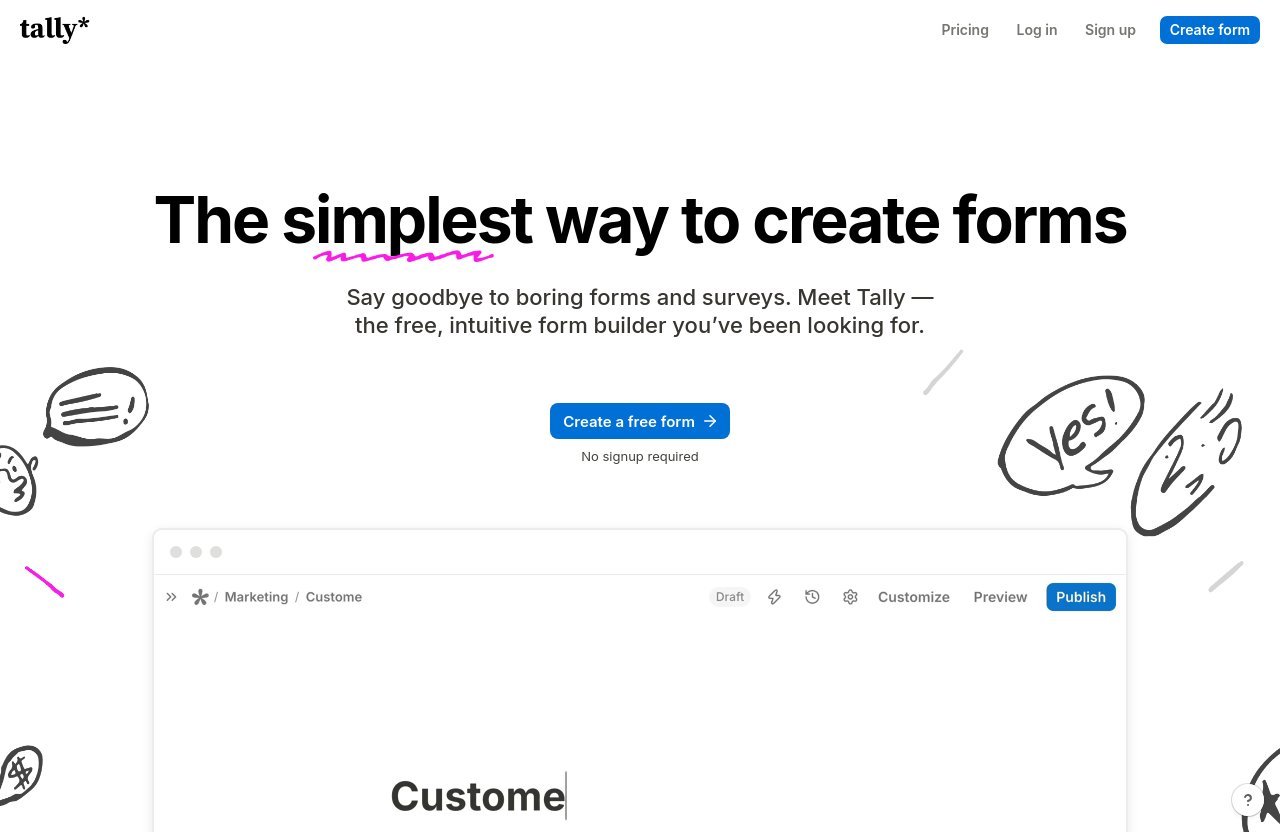
Unlimited forms and submissions
The central value of the Tally free plan is simple: unlimited forms and unlimited submissions, subject to fair usage guidelines. This removes one of the most common concerns people have before publishing a form—whether an increase in responses will suddenly force an upgrade.
That makes Tally forms practical for ongoing use rather than one-time testing. You can create separate forms for leads, applications, customer feedback, bookings, and internal requests without needing to consolidate everything into one form just to conserve a plan allowance.
The official pricing information is clear about the core offer. If your priority is publishing multiple forms and gathering responses, the answer to is Tally so free remains positive.
Core form-building features included
Tally includes a substantial list of form-building tools on its free plan. These are not vague marketing claims; they are features listed on Tally’s official pricing page and homepage.
Free-plan capabilities include:
- Collect payments
- Collect signatures
- Collect file uploads
- Create a custom Thank You page
- Send self email notifications
- Redirect respondents after completion
- Use conditional logic and calculations
- Prevent duplicate submissions
- Password-protect forms
- Close forms on a submission limit or a specific date
- Use answer piping
- Build forms in 45+ languages with right-to-left language support
This feature group matters because it supports more than a basic name-and-email form. Conditional logic, calculations, answer piping, password protection, and completion redirects can help turn a simple form into a structured intake or qualification flow.
In my assessment of the published feature list, Tally’s free tier is particularly practical for creators and service businesses that want to collect information without building a complicated workflow from scratch. The free features cover the fundamentals well, even before a paid plan enters the picture.
Built-in workflows and integrations
The free plan also includes several popular workflow connections. Tally lists integrations with:
- Google Sheets
- Notion
- Airtable
- Zapier
- Make
- Webhooks
These integrations are a major reason the answer to is Tally so free is more useful than a simple yes or no. A free form is less valuable if you must manually move every response into your spreadsheet, database, or automation tool. Tally’s included connections can reduce that manual work.
For example, a consultant could use a Tally form to collect client inquiries, send submissions to Google Sheets, and build follow-up automations through Zapier or Make. The exact workflow depends on the connected service and your setup, but the integration access itself is officially included.
Privacy and security basics
For readers asking whether Tally is suitable for collecting personal information, Tally’s official homepage provides several relevant trust signals. Tally says it is GDPR compliant, hosted in Europe, does not use cookie-tracking, and stores form data securely encrypted both in transit and at rest.
Those statements do not mean every organization automatically meets every legal or contractual requirement by using Tally. Your own data practices, form questions, consent language, and retention policies still matter.
Still, the official privacy and security position is meaningful. For a buyer researching whether is Tally so free also means “is it safe enough to try,” Tally’s stated GDPR compliance, European hosting, no-cookie-tracking approach, and encryption claims are reassuring starting points.
What the free plan does not give you
Branding and customization tradeoffs
Tally’s free tier is feature-rich, but the paid plan list reveals where the tradeoffs begin. Pro includes the ability to remove Tally branding, use custom domains, access advanced customization, add custom CSS, customize email domains, and customize the link preview.
That means free users should not assume they receive every branding and design option. If your form is public-facing and represents your company, these details can matter more than the core question of whether Tally is free.
For a personal survey, visible branding may not be important. For a client-facing lead form, a custom domain, custom styling, and a polished link preview may justify an upgrade because they support a more consistent brand experience.
Team collaboration and advanced analytics limits
Tally lists collaboration, workspaces and folders, form visit analytics, drop-off analytics, and version history of up to 30 days as Pro features. These are clear signals that the free plan is best suited to simpler ownership and reporting needs.
The free version can collect submissions, but it is not presented as the complete option for teams that need to organize forms across multiple workspaces, collaborate on them, track visitor behavior, or review detailed abandonment patterns.
This is one of the most important distinctions behind is Tally so free. Free can be enough for collecting answers, while a paid tier becomes valuable when you need to understand how visitors interact with the form and coordinate work across a team.
File upload and workflow constraints
Tally’s free plan includes file uploads, which is useful for applications, client intake, and document collection. However, Pro specifically lists unlimited uploads among its paid features.
The official feature list does not support inventing a free-plan upload quota here, so it is best to stay precise: free users can collect file uploads, while unlimited uploads are listed as a Pro benefit. If file collection is central to your process, review the current plan details before relying on the free option for a high-volume workflow.
Pro also includes partial submissions and premium integrations such as Google Analytics and Meta Pixel. These are not necessary for every form, but they can be important for lead generation, marketing measurement, or recovering incomplete form activity.
Why “free” may still cost you time
The hidden cost of a free plan is often not money—it is compromise. If you need branding, team organization, visitor analytics, custom styling, or more formal administrative controls, trying to work around missing capabilities can cost time.
That does not make the free plan misleading. It simply means the answer to is Tally so free depends on the job you expect the form to perform. Tally gives away a powerful set of essentials, while paid tiers focus on refinement, scale, measurement, and management.
Official website · Latest pricing & offers
Tally pricing in 2026: Pro vs Business
Pro plan pricing and features
Tally Pro costs $24 per month according to the official pricing page. It is designed for users who need more control over how forms look, how they are organized, and how they perform.
Pro includes everything in the free plan plus:
- Remove Tally branding
- Custom domains
- Collaboration
- Partial submissions
- Advanced customization
- Custom CSS
- Email notifications
- Custom email domains
- Custom link preview
- Workspaces and folders
- Unlimited uploads
- Form visit analytics
- Drop-off analytics
- Version history up to 30 days
- Premium integrations, including Google Analytics and Meta Pixel
The Tally Pro price is most defensible when your form is tied to marketing, sales, client delivery, or a public brand. It is less about unlocking basic form collection and more about improving control and operational visibility.
Business plan pricing and features
Tally Business costs $74 per month. It includes everything in Pro, plus control over data retention, email verification, version history up to 90 days, and future Business features mentioned on Tally’s pricing page.
Business is not automatically necessary just because you have a company. Its value is clearest for organizations that need stronger data management options, email verification, and a longer version-history window.
For most independent users, the gap between the Tally Pro price and Tally Business price comes down to governance and process maturity. If those requirements are not important, Pro or the free plan may be the better fit.
Monthly vs yearly billing
Tally’s pricing page indicates that yearly billing includes “2 months off.” However, no annual total should be assumed unless you verify the current checkout or pricing page directly.
If you are comparing Tally pricing, start with monthly billing while validating your workflow. Once the platform is clearly embedded in your operations, yearly billing may be worth considering for the stated discount structure.
Tally does not have a verified promo code listed here. If you see a promotion, check the official site’s promo banner and the checkout coupon field rather than relying on old coupon pages.
Which plan fits which user
| Plan | Official Price | Best For |
|---|---|---|
| Free | $0 | Individuals and small teams needing forms, submissions, logic, integrations, and basic workflows |
| Pro | $24/month | Branded forms, custom domains, collaboration, analytics, customization, and unlimited uploads |
| Business | $74/month | Organizations needing data retention control, email verification, and longer version history |
The practical takeaway is that Tally so pricing follows a sensible progression. Start free for core form functionality, move to Pro for brand and growth tools, and choose Business when administrative controls become a real requirement.
When upgrading makes sense
Upgrade if you need branding control
Upgrade to Pro if Tally branding, a non-custom domain, or limited styling options would weaken trust in a customer-facing form. Pro gives you branding removal, custom domains, advanced customization, custom CSS, custom email domains, and a customizable link preview.
This is especially relevant for agencies, consultants, and businesses using forms at key customer touchpoints. If visitors see the form as part of your business, presentation can be worth paying for.
Upgrade if your form is revenue-critical
A free form can collect leads and payments, but revenue-critical campaigns often need more visibility. Pro adds form visit analytics, drop-off analytics, partial submissions, and premium integrations including Google Analytics and Meta Pixel.
Those features can help you evaluate whether people reach the form, where they leave, and how your marketing measurement connects to form activity. That is a stronger reason to upgrade than simply wanting more submissions, since Tally already offers unlimited submissions under fair usage.
Upgrade if your team needs collaboration or analytics
Pro makes sense when multiple people need to manage forms through collaboration, workspaces, and folders. It also adds version history for up to 30 days, which can be useful when forms evolve regularly.
Business is the logical next step if your organization needs data retention controls, email verification, or version history up to 90 days. These are governance-focused reasons to pay, not basic form-building requirements.
Stay free if your needs are simple
Stay on the free plan if you mainly need reliable forms, unlimited submissions within fair usage, standard integrations, logic, and secure collection of responses. There is no reason to upgrade merely because a paid plan exists.
For many people, is Tally so free has an uncomplicated answer: the free tier is enough until a paid-only feature solves a problem you actually have.
Is Tally free really enough compared with paid form builders?
Why Tally’s free plan stands out
Tally’s approach is free-first. The official free feature set includes unlimited forms, unlimited submissions under fair usage, payments, signatures, uploads, conditional logic, form controls, and several integrations.
It would be inaccurate to claim every paid form builder works the same way without verified competitor data. But based on Tally’s own plan structure, it is fair to say that the free tier is built for real use rather than only product evaluation.
The fair-usage model vs traditional limits
Tally’s fair usage language is the key detail to understand. The company promises unlimited forms and submissions, but reserves the right to define reasonable use under its guidelines.
That is different from a plan that gives a fixed published response allowance. For normal users, the model can feel generous because your form count and submission count are not the immediate reasons to upgrade. The tradeoff is that you should not interpret “unlimited” as permission for any possible use without reviewing the current guidelines.
Best-fit scenarios for the free tier
The free version is likely enough for:
- One-person businesses
- Freelancers collecting client information
- Creators managing signups and feedback
- Community organizers handling registrations
- Small teams collecting internal requests
- Anyone testing a form workflow before investing in branding or analytics
For these audiences, the important part of is Tally so free is not just the zero-dollar price. It is the fact that the included tools can support a complete basic workflow.
How to decide if Tally is free for your use case
Personal projects and simple lead capture
Choose the free tier for personal projects, contact forms, waitlists, feedback collection, and simple lead capture. You can use logic, redirects, password protection, duplicate-prevention tools, and integrations without immediately paying.
The free plan is also a reasonable place to start if you are still learning what information you need to collect. Build the form, test the workflow, and upgrade only when a specific paid capability becomes necessary.
Client work and small business forms
For client intake, project briefs, service requests, and basic lead forms, the free plan may be enough. Payments, signatures, file uploads, and self email notifications provide useful building blocks.
However, Pro becomes more compelling if the form must look fully branded or live on a custom domain. The best decision is based on your client experience—not on the assumption that a paid plan is automatically better.
Marketing funnels and high-volume workflows
For marketing funnels, focus on what you need beyond Tally unlimited submissions. If analytics, drop-off tracking, partial submissions, Google Analytics, Meta Pixel, advanced styling, or unlimited uploads are important, Pro has the relevant official features.
This is where is Tally so free needs a nuanced answer. It is free for form creation and response collection, but Pro may deliver a better operational fit for measurable acquisition campaigns.
Enterprise or compliance-heavy use
Business is the better starting point for organizations that need control over data retention, email verification, and longer version history. These features align with more structured data and approval processes.
Tally states that it is GDPR compliant, Europe-hosted, cookie-tracking-free, and encrypted in transit and at rest. Those are useful trust signals, but compliance-heavy teams should still review their own legal, procurement, and data-handling requirements before deployment.
Official website · Latest pricing & offers
FAQ
Is Tally actually free?
Yes. Tally’s official pricing page says the free plan includes unlimited forms and unlimited submissions, as long as usage stays within Tally’s fair usage guidelines. It also includes many core features such as logic, payments, signatures, file uploads, and integrations.
How much does Tally so cost?
Tally has a free plan. Official Tally so pricing lists Pro at $24 per month and Business at $74 per month. The pricing page also states that yearly billing includes two months off.
Is Tally so legit and safe?
Tally appears to have credible official privacy and security claims. Tally says it is GDPR compliant, hosted in Europe, does not use cookie-tracking, and encrypts form data in transit and at rest. Whether it fits your specific compliance obligations depends on your own use case.
Is there a free version of Tally?
Yes. The Tally free plan includes unlimited forms, unlimited submissions within fair usage, conditional logic, calculations, payments, signatures, file uploads, form controls, and integrations with tools such as Google Sheets, Notion, Airtable, Zapier, Make, and webhooks.
Final verdict: is Tally so free worth it in 2026?
Best overall takeaway
Yes, is Tally so free worth considering in 2026? Absolutely—if you need capable online forms without immediate subscription pressure. Tally’s verified free offering includes unlimited forms and submissions under fair usage, plus features that many users would expect to be paid upgrades.
The key is to read “free” accurately. You receive powerful form-building and workflow tools, while paid plans add stronger control over branding, customization, collaboration, analytics, uploads, and data administration.
Who should stay on free
Stay free if you need forms for leads, feedback, registrations, client intake, simple payments, signatures, or internal processes. The free plan is especially compelling when integrations and unlimited submissions matter more than custom branding or detailed funnel reporting.
For many users, Tally is free in the ways that count most: you can build, publish, collect, and connect forms without paying.
Who should upgrade
Upgrade to Pro when branding, custom domains, custom CSS, team collaboration, unlimited uploads, analytics, or premium integrations become essential. Upgrade to Business when data retention controls, email verification, and 90-day version history are necessary.
The final verdict on is Tally so free is balanced: it is genuinely free for a wide range of real-world use cases, not merely a restricted demo. Paid plans are worth considering only when your form workflow needs the additional polish, measurement, team tools, or administrative controls they provide.
Related Reading
References
- Tally Pricing | Free Form Builder with Unlimited Responses
- Tally – Create Beautiful Forms for Free | Unlimited Forms & Submissions
- Tally plans and pricing explained
- Read Customer Service Reviews of tally.so