Adcreative.ai vs Canva: Which Ad Creation Tool Is Better in 2026?
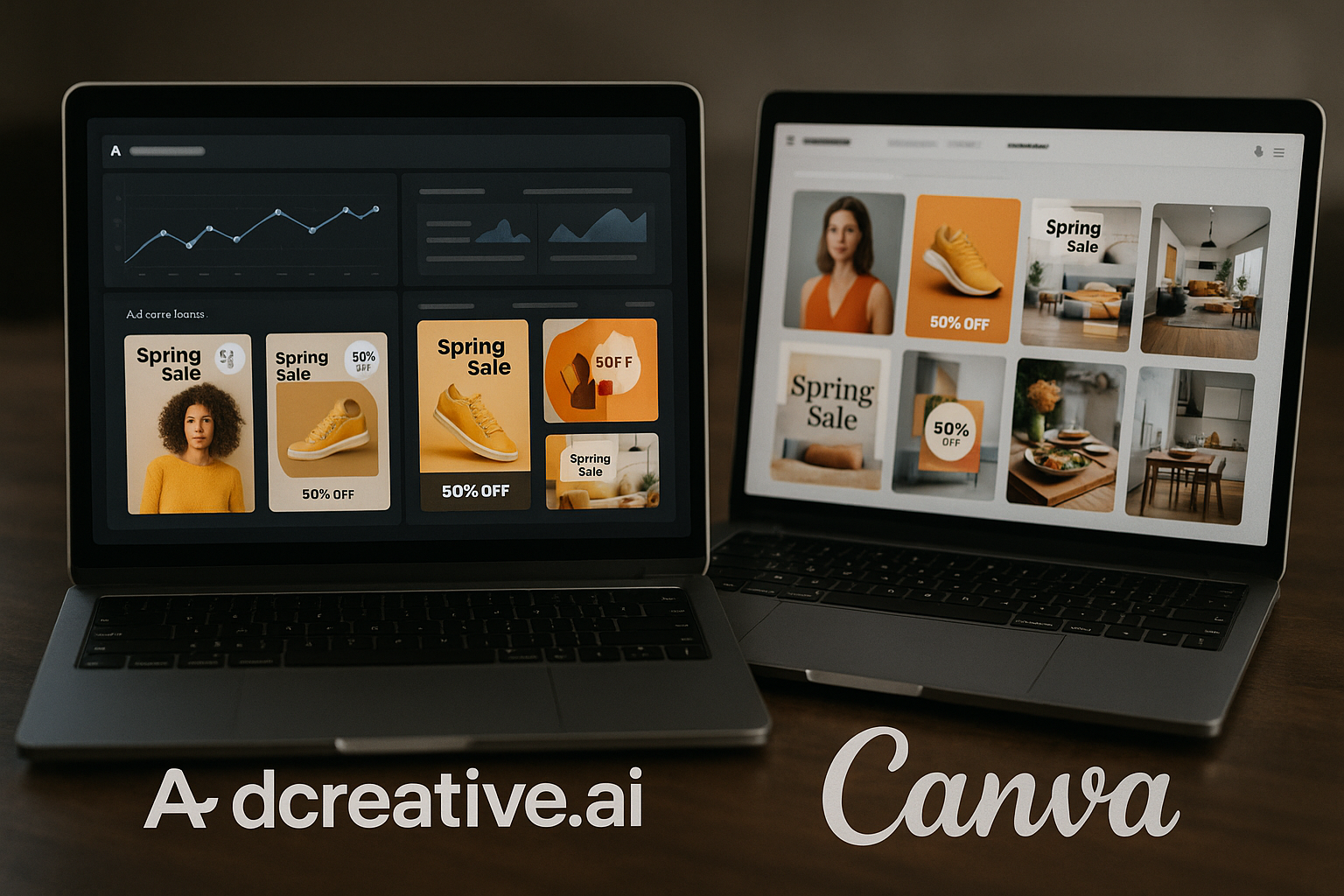
If you are comparing AdCreative.ai vs Canva, the real question is not “Which tool has nicer templates?” It is “Which tool helps me produce better paid ad creatives faster, at the volume my campaigns require?”
My short answer: AdCreative.ai is the stronger fit for performance marketers who need high-volume ad variations, AI-assisted creative direction, and a workflow built around paid advertising. Canva is the better fit if your team needs broader design flexibility for social posts, presentations, brand graphics, and occasional ads.
Affiliate disclosure: TopTrustReview may earn a commission if you purchase through our partner link. This does not change the price you pay, and this comparison is based on official AdCreative.ai homepage facts, available SERP context for Canva Ads, and clear limitations where pricing or specifications were not verifiable.
Official website · Latest pricing & offers
Quick Verdict: AdCreative.ai vs Canva Ads
| Category | Better Choice | Why |
|---|---|---|
| Fast ad production | AdCreative.ai | Built to generate ad creatives, sizes, and variations quickly |
| Paid ad performance focus | AdCreative.ai | Uses creative scoring, insights, and patterns learned from large-scale ad spend data |
| General design flexibility | Canva | Broader design platform for many content types beyond ads |
| Brand control and manual editing | Canva | Stronger fit when you want hands-on layout control |
| High-volume campaign testing | AdCreative.ai | Better suited to producing many paid social ad creatives quickly |
| Occasional ad design | Canva | Good enough if ads are only one part of a wider content workflow |
This AdCreative.ai vs Canva comparison is specifically about ad creation and paid-media workflow fit. Canva is a broad visual design platform with ad creation capability, while AdCreative.ai is positioned as a dedicated performance marketing creative tool.
That difference matters if you are launching campaigns, testing hooks, creating multiple formats, or trying to improve ad output without expanding your design team.
Best for speed and ad performance
AdCreative.ai wins on speed and performance orientation. Its official homepage says the platform can create every ad size and variation in seconds, generate on-brand ads for every format and platform, and analyze creative performance.
That makes it a stronger choice for marketers who need campaign-ready assets rather than one polished graphic. In practical terms, if you are running Meta, TikTok, Google, or other paid channels and need more variants fast, AdCreative.ai is built closer to that job.
Canva can still be useful for ads, especially when you want more manual design control. But in the AdCreative.ai vs Canva debate, Canva feels more like a flexible design workspace, while AdCreative.ai feels more like a production engine for paid ads.
Best for design flexibility and brand control
Canva is the better option if your priority is flexible design work across multiple content types. It is widely known as a broad design platform, and Canva Grow is positioned in SERP context as an AI ad generator.
For teams that create social posts, internal documents, landing page graphics, event materials, and ads in one place, Canva’s general-purpose nature can be an advantage. You get a more open canvas for visual experimentation.
The tradeoff is that a general design tool may not push you as directly toward performance-driven ad variation, creative scoring, buyer personas, competitor insights, or compliance-style checks.
Who should choose each tool
Choose AdCreative.ai if you:
- Run paid ads regularly
- Need many creative variations
- Want an AI ad generator built around performance marketing
- Care about speed, creative scoring, insights, and platform-specific formats
- Need product visuals, UGC-style videos, product videos, or fashion clips
Choose Canva if you:
- Need a broader design tool, not just an ad tool
- Create many non-ad assets
- Want more manual creative flexibility
- Only make ads occasionally
- Prefer a familiar general-purpose design workflow
For most advertisers evaluating AdCreative.ai vs Canva Ads, my recommendation is simple: use AdCreative.ai when ad performance and production volume are the priority; use Canva when design flexibility across many content types matters more.
What Each Tool Is Built For
AdCreative.ai overview
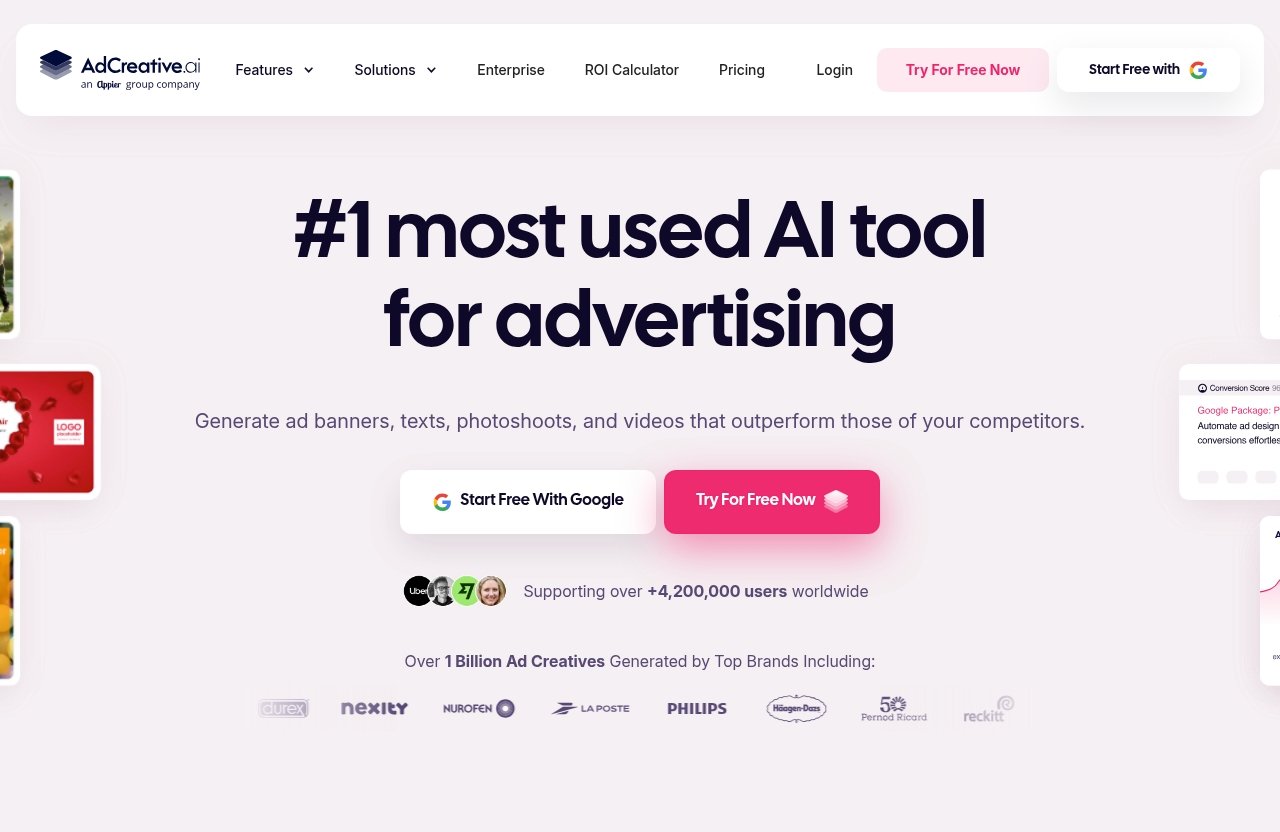
AdCreative.ai is built as a performance marketing creative tool. According to its official homepage, more than 4.2 million businesses have used AdCreative.ai, and the platform helps users create ad creatives, product photoshoots, fashion videoshoots, UGC videos, AI-generated images, ad copy, product videos, and more.
The homepage also states that AdCreative.ai analyzes creative performance and generates new ads trained on patterns learned from more than $35B in ad spend data. That is a major positioning point: this is not just a design editor with AI features; it is an AI ad generator aimed at conversion-focused marketing.
In a practical AdCreative.ai vs Canva buying decision, this makes AdCreative.ai more relevant for ecommerce brands, agencies, and small businesses that need ad output quickly and repeatedly.
Canva Ads overview
Canva is best understood as a broad design platform with ad creation capability. Based on general SERP context, Canva Ads and the Canva Grow ad generator are positioned for creating ad assets, but Canva’s core strength remains its wide design use case.
That distinction is important. Canva can be used for ad creatives, but it is not only an advertising tool. Many teams use Canva for social media graphics, presentations, simple brand assets, documents, and visual content.
So when marketers compare AdCreative.ai vs Canva, the question is whether they need a dedicated performance marketing creative tool or a flexible content design platform that can also make ads.
Why the product philosophy matters
Product philosophy changes workflow. A dedicated performance-ad tool starts with the assumption that you need ads in multiple formats, sizes, messages, and variations. A general design tool starts with the assumption that you need to create visual content.
Neither approach is automatically better. But they serve different campaign realities.
If your team is testing paid social ad creatives every week, the dedicated tool usually has an advantage. If your team needs a single platform for thumbnails, organic posts, pitch decks, PDFs, and occasional ads, Canva may feel more natural.
That is the core difference behind AdCreative.ai vs Canva: performance production versus general design flexibility.
Feature-by-Feature Comparison
Ad creative generation speed
AdCreative.ai is clearly built around speed. Its homepage says it can create every ad size and variation in seconds, which directly supports marketers who need more campaign assets without waiting on a full design cycle.
This is where the platform feels most compelling. If you have a product image, a campaign angle, and a deadline, AdCreative.ai is designed to move from input to usable ad concepts quickly.
Canva can also help users create ads, but its broader design workflow may involve more manual layout decisions. That can be a benefit for creative control, but it may slow down teams that need high-volume output.
For speed alone, AdCreative.ai vs Canva leans toward AdCreative.ai.
Platform-specific ad variations
AdCreative.ai says it can generate unlimited on-brand ads for every format and platform. That is a strong fit for paid media teams because different placements need different dimensions, framing, text hierarchy, and visual emphasis.
Ad variation is not just a convenience. It affects testing. A marketer might need different hooks, headlines, background styles, formats, and calls to action to learn what works.
Canva can be used to design platform-specific assets, but without verified detailed specs from an official Canva Ads pricing or feature page in the source data, I would avoid claiming exactly how its ad workflow compares feature by feature.
In practical terms, AdCreative.ai vs Canva Ads favors AdCreative.ai when platform variation is a central part of your media buying process.
Templates and customization
AdCreative.ai offers ready-made templates and custom templates. The homepage also states that users can generate on-brand ads for every format and platform.
That gives marketers a balance of automation and brand consistency. You are not necessarily starting from scratch each time, which is useful when campaign speed matters.
Canva is typically stronger when you want broader manual customization across many design categories. If your team wants to fine-tune visual style, create non-ad graphics, or use a design workspace for multiple departments, Canva may feel more flexible.
This is one of the fairest tradeoffs in AdCreative.ai vs Canva: AdCreative.ai is more campaign-production oriented, while Canva is more open-ended.
Video ad creation
AdCreative.ai has verified video-related capabilities from its official homepage. It helps users create video ads for use cases including UGC-style content, product videos, stock visuals, and fashion clips. The homepage says users can upload an image and the tool handles the rest.
It also lists UGC Videos, AI Video Generation, Product Videoshoots, Fashion Videoshoots, and Storytelling Video among its capabilities. For advertisers, this matters because paid social increasingly rewards motion, creator-style formats, and quick video testing.
Canva can be used for visual content and ad design, but I do not have an official Canva Ads spec page in the provided source data to verify detailed video ad-generation claims. So the safer conclusion is that AdCreative.ai has clearer verified positioning for AI-assisted video ad creation.
If video is part of your paid ad workflow, AdCreative.ai vs Canva again tilts toward AdCreative.ai.
Analytics and optimization
This is one of AdCreative.ai’s biggest differentiators. Its homepage mentions Creative Insights, Competitor Insights, Buyer Personas, Compliance Checker, Creative Scoring, and analysis of creative performance.
It also says the platform generates new ads trained on patterns learned from more than $35B in ad spend data. I would not interpret that as a guarantee of better campaign results, but it does show that AdCreative.ai is explicitly positioned around performance learning.
Canva’s advantage is design versatility, not necessarily paid-media optimization. Based on the limited verified source context here, it would be unfair to claim Canva lacks optimization features entirely, but it is reasonable to say AdCreative.ai has a more visible performance-marketing angle.
For teams that want the best ad creative generator for testing and iteration, this category strongly favors AdCreative.ai.
Team workflow and collaboration
AdCreative.ai’s official homepage positions it as useful for small business, ecommerce, and agency workflows. That suggests the product is designed for teams producing commercial creative at scale.
Agencies in particular may benefit from fast variation generation, custom templates, competitor insights, creative scoring, and repeatable brand workflows. These are practical features when managing multiple offers or clients.
Canva may be more comfortable for teams that collaborate across many design needs, especially if not everyone is focused on paid advertising. For example, a marketing team that creates both organic content and sales collateral may prefer a broad design environment.
In a AdCreative.ai vs Canva workflow comparison, the right answer depends on what your team collaborates on most: ads or all-purpose creative.
AdCreative.ai Strengths and Limitations
Strengths for paid ads
AdCreative.ai’s biggest strength is that it is designed around paid ad production. Its feature set points directly at the problems advertisers deal with every day: speed, volume, variation, creative direction, and performance feedback.
Verified homepage capabilities include:
- Ad Creatives
- Product Photoshoots
- Fashion Videoshoots
- Fashion Photoshoots
- AI Image Generation
- Ad Copy Generation
- UGC Videos
- AI Video Generation
- Product Videoshoots
- Instant Ads
- Creative Utility Suite
- Buyer Personas
- Storytelling Video
- Creative Insights
- Competitor Insights
- Compliance Checker
- Ad Inspiration Gallery
- Creative Scoring
- Custom Templates
That is a broad list, but the common thread is clear: AdCreative.ai is a performance marketing creative tool, not just a design editor.
In my view, the strongest case for AdCreative.ai is high-volume creative testing. If your campaigns need new angles, sizes, and formats regularly, the platform’s promise of fast on-brand ad generation is highly relevant.
This is why AdCreative.ai vs Canva is not just about which tool has better visuals. It is about which one better supports the rhythm of paid media.
Where it may feel restrictive
AdCreative.ai may feel restrictive if you want complete manual design freedom. AI-generated layouts and performance-focused templates are useful, but not every designer wants a guided workflow.
If your brand relies on highly custom art direction, detailed manual composition, or a very specific creative process, you may still need a general design platform or professional design software alongside AdCreative.ai.
Also, while the homepage includes many strong performance-oriented claims, marketers should still test outputs against real campaign data. No AI ad generator can guarantee winning ads in every niche, audience, or offer.
So in AdCreative.ai vs Canva, AdCreative.ai is stronger for speed and performance direction, but Canva may feel more open for pure design exploration.
Ideal users
AdCreative.ai is best for:
- Ecommerce brands launching frequent campaigns
- Agencies producing ads for multiple clients
- Small businesses that need professional ad creatives quickly
- Paid social teams testing many hooks and visuals
- Marketers who want AI-assisted creative scoring and insights
- Brands needing product videos, UGC-style ads, and product photoshoot-style assets
It is especially useful when your bottleneck is not strategy, but production. Many advertisers know what offers they want to test; they simply do not have enough ad variations to test them properly.
For those users, AdCreative.ai vs Canva has a clear answer: AdCreative.ai is the more focused ad production system.
Official website · Latest pricing & offers
Canva Ads Strengths and Limitations
Strengths for visual design
Canva’s main strength is broad visual design flexibility. It is widely used as a general-purpose design platform, which makes it attractive for teams that need more than ads.
If you are creating social posts, simple graphics, presentations, internal documents, visual brand assets, and occasional ad creatives, Canva can be a practical central workspace. It is approachable for non-designers and flexible enough for many everyday marketing tasks.
That makes Canva valuable even if it is not the most specialized paid advertising tool. In a balanced AdCreative.ai vs Canva comparison, Canva deserves credit for being versatile.
Where Canva fits better
Canva fits better when the ad is only one piece of a larger content system. A solo creator, startup, or small marketing team may prefer one broad design tool rather than a specialized ad platform.
It can also be the better fit when brand control and manual layout decisions matter more than speed. If you want to carefully adjust every visual element, Canva’s general design approach may feel more comfortable.
Canva also makes sense for teams that are not running paid ads at scale. If you only need a few ad creatives occasionally, a broad design platform may be enough.
This is where AdCreative.ai vs Canva Ads becomes situational. Canva is not “worse”; it is simply built for a wider creative job.
Where it may fall short for performance marketing
Canva may fall short when your paid-media workflow requires constant variation, performance-oriented creative insights, competitor insights, creative scoring, or fast production across multiple ad formats.
Again, this comparison is limited by the source data. No official Canva Ads pricing or detailed specification page was provided, so I am avoiding specific claims about what Canva Ads or Canva Grow can and cannot do.
But based on positioning, Canva is still a broader design platform first. If you need a dedicated facebook ads creative tool or performance-focused AI ad generator, AdCreative.ai has the clearer fit.
For marketers searching for a Canva ads alternative specifically for paid ad production, AdCreative.ai vs Canva usually points toward AdCreative.ai.
Use-Case Breakdown: Which Tool Wins for Your Scenario?
Ecommerce brand launching many creatives
Winner: AdCreative.ai.
Ecommerce brands often need many product-focused creatives: product images, lifestyle angles, offer-based ads, UGC-style videos, seasonal variations, and different formats for each platform. AdCreative.ai’s homepage specifically lists product photoshoots, product videoshoots, UGC videos, AI video generation, and instant ads.
That aligns closely with ecommerce campaign demands. The ability to upload an image and generate video ads for product videos, UGC-style content, stock visuals, and fashion clips is especially useful for online stores.
Canva can help with polished brand graphics, but if the main job is producing paid social ad creatives at volume, AdCreative.ai vs Canva favors AdCreative.ai.
Agency managing multiple clients
Winner: AdCreative.ai for ad production; Canva for broader design deliverables.
Agencies need repeatable workflows. If an agency manages multiple paid ad accounts, it needs speed, variation, creative scoring, competitor insights, custom templates, and ways to generate on-brand assets across platforms.
AdCreative.ai’s official positioning for agency workflows makes sense here. Its performance-focused features are directly relevant to teams producing client ads under time pressure.
However, many agencies also need pitch decks, reports, organic content, and client-facing visuals. Canva can still have a place in the stack.
For agencies comparing AdCreative.ai vs Canva, I would not necessarily treat this as either-or. Use AdCreative.ai as the performance marketing creative tool and Canva as the broad design workspace if both jobs exist.
Solo marketer on a content budget
Winner: It depends on your main bottleneck.
If you are a solo marketer and your primary challenge is creating many ads quickly, AdCreative.ai is likely the better fit. It can reduce the manual work involved in generating ad variants, copy, product visuals, and video-style assets.
If your budget and workflow require one tool for everything, Canva may be more practical. It can support many general marketing assets beyond paid ads.
This is where adcreative ai vs canva pricing becomes an important search topic, but pricing cannot be responsibly compared here because verified current pricing data was not available from the provided official pages. Before buying either tool, check the live official pricing pages.
In a practical AdCreative.ai vs Canva decision, solo marketers should ask: “Do I need a better ad machine, or do I need a broader design tool?”
In-house performance team running paid social
Winner: AdCreative.ai.
An in-house performance team cares about testing velocity, creative fatigue, audience-message fit, and performance learnings. AdCreative.ai’s verified features map well to that workflow: Creative Insights, Competitor Insights, Buyer Personas, Compliance Checker, Creative Scoring, custom templates, and fast ad variations.
Canva can help with brand assets and design polish, but performance teams usually need a system that supports repeated experimentation. They need more hooks, more angles, more formats, and faster turnaround.
For this use case, AdCreative.ai vs Canva Ads is the easiest call in the article. AdCreative.ai is the more specialized choice for paid social ad creatives.
Pricing and Value: What We Can Verify
AdCreative.ai verified pricing facts
The provided official pricing page data for AdCreative.ai returned a page-not-found result. Because of that, I will not state plan names, monthly prices, annual discounts, credit limits, or seat limits.
That is intentional. Pricing pages change frequently, and unsupported pricing claims can mislead buyers.
What we can verify from the official homepage is the product positioning and feature set: AdCreative.ai is used by more than 4.2 million businesses, supports fast ad size and variation generation, offers custom templates, creates on-brand ads, includes performance-oriented insights, and provides image, copy, video, product, and fashion creative features.
If you want to evaluate current pricing, check the live official site before purchase. You can review AdCreative.ai through TopTrustReview’s partner link and confirm the latest pricing, plan details, and terms directly before committing.
Why pricing comparison is limited here
A true AdCreative.ai vs Canva pricing comparison would require official current pricing and feature specifications for both tools’ ad products. The source data did not include a valid AdCreative.ai pricing page, and no official Canva Ads pricing/spec page was provided.
For that reason, I am not going to invent an adcreative ai vs canva pricing table. That might look helpful, but it would be less trustworthy.
Instead, buyers should compare value based on verified workflow fit:
| Question | If Yes, Lean Toward |
|---|---|
| Do you run paid ads weekly or daily? | AdCreative.ai |
| Do you need many creative variations quickly? | AdCreative.ai |
| Do you need one tool for general design work? | Canva |
| Do you prioritize manual design flexibility? | Canva |
| Do you want creative scoring and performance insights? | AdCreative.ai |
| Do you only create ads occasionally? | Canva |
The more your revenue depends on paid ad testing, the more a dedicated tool can justify itself. The more your work involves broad content design, the more Canva may deliver everyday value.
How to evaluate ROI
To evaluate ROI, do not look only at subscription cost. Look at production speed, creative volume, testing capacity, and the cost of design bottlenecks.
Ask yourself:
- How many ad creatives do we need per month?
- How quickly do our ads fatigue?
- How often do we test new angles?
- How much time does our team spend resizing, rewriting, or rebuilding ads?
- Do we need video ads from product images?
- Do we need creative insights or competitor insights?
- Would faster creative production help us scale campaigns?
If faster production helps you test more and find better winners, AdCreative.ai may offer stronger value. If your team mostly needs everyday design assets, Canva may be more cost-effective depending on current pricing.
That is the fairest way to evaluate AdCreative.ai vs Canva without making unsupported pricing claims.
Final Recommendation
Choose AdCreative.ai if…
Choose AdCreative.ai if your main goal is to create paid ads faster and test more creative variations. It is the better fit for advertisers who need performance-focused output, AI-assisted optimization, platform-specific formats, product visuals, video ads, and scalable creative production.
AdCreative.ai is especially compelling for ecommerce brands, agencies, small businesses, and in-house performance teams. Its verified homepage features, including Creative Scoring, Creative Insights, Competitor Insights, Buyer Personas, Compliance Checker, UGC Videos, AI Video Generation, Product Videoshoots, and Custom Templates, all point toward a serious ad workflow.
If you are evaluating AdCreative.ai vs Canva as a paid advertiser, AdCreative.ai is the more purpose-built choice.
Choose Canva Ads if…
Choose Canva if you need a broader creative platform. It is better suited to teams that want design flexibility across many content types, not only ads.
Canva makes sense for marketers who create social graphics, presentations, documents, organic content, and occasional ads from one workspace. It also fits teams that prioritize manual control over automated ad variation.
If your paid advertising needs are light, Canva may be enough. In that case, the best tool is not necessarily the most specialized one; it is the one that matches your actual workload.
Best overall for advertisers
For advertisers, my best overall pick is AdCreative.ai.
The reason is simple: AdCreative.ai vs Canva is not a general design contest. It is a commercial decision about ad creation, speed, variation, scalability, and performance orientation.
Canva is excellent when your creative needs are broad. But if you are buying a tool mainly to produce and improve paid ad creatives, AdCreative.ai has the clearer purpose, stronger verified ad-specific feature set, and better alignment with performance marketing workflows.
If you want a performance-focused ad creation tool, you can check AdCreative.ai through TopTrustReview’s partner link and verify the latest pricing and plan details on the official site before purchasing.
Official website · Latest pricing & offers
FAQ
Is AdCreative.ai better than Canva Ads for paid advertising?
Generally, yes. AdCreative.ai is better suited to performance-focused ad production, fast creative variation, platform-specific ad output, and AI-assisted optimization.
Canva is still useful for designing ads, but it is a broader design platform. If your main priority is paid advertising, the AdCreative.ai vs Canva comparison usually favors AdCreative.ai.
Can Canva be used for ad creatives?
Yes, Canva can be used for ad creatives. It is a broad design platform, and Canva Grow is positioned in SERP context as an AI ad generator.
The key question is whether Canva is enough for your paid-media workflow. If you need occasional ads and broader design assets, Canva may work well. If you need high-volume campaign testing, AdCreative.ai is more specialized.
What is AdCreative.ai best for?
AdCreative.ai is best for creating conversion-focused ad creatives quickly, generating many variants, and using AI-assisted insights to improve creative direction.
It is especially relevant for ecommerce brands, agencies, small businesses, and paid social teams that need frequent ad refreshes. Its verified features include ad creatives, ad copy generation, product photoshoots, UGC videos, AI video generation, creative scoring, and competitor insights.
Who should choose Canva instead of AdCreative.ai?
Choose Canva if you prioritize design freedom, general-purpose graphics, and a broader content creation workflow. It is a better fit when your team creates many types of visual assets beyond ads.
Canva may also be enough if you only run ads occasionally. In that situation, a dedicated performance marketing creative tool may be more than you need.
Does AdCreative.ai have video ad features?
Yes. The official AdCreative.ai homepage states that it can create video ads for use cases including UGC-style content, product videos, stock visuals, and fashion clips.
It also says users can upload an image and the tool handles the rest. The homepage lists UGC Videos, AI Video Generation, Product Videoshoots, Fashion Videoshoots, and Storytelling Video among its capabilities.
Related Reading
References
- AdCreative.ai vs. Canva, Adobe Express, and Pencil
- AdCreative.ai vs Canva – 2026 Comparison
- Canva Grow, your new AI Ad Generator
- AdCreative.ai Vs Canva: The Ultimate Showdown For Advertisers In 2026