Adcreative.ai Refund Guide 2026: Eligibility, Billing Rules, and Next Steps
Yes, an AdCreative.ai refund may be possible, but it is not automatic. Based on the official refund policy information available, refunds are generally limited to subscribers who did not use the service and who request the refund within the required time window.
For monthly subscriptions, the stated window is 7 days. For annual subscriptions, the stated window is 30 days. If you were charged after a trial, renewal, or accidental subscription, your best next step is to check your account activity, gather proof, and contact AdCreative.ai support through live chat or email at contact@adcreative.ai.
Official website · Latest pricing & offers
What AdCreative.ai Refund Policy Says in Plain English
Short answer: yes, but only in specific cases
The AdCreative.ai refund policy appears to allow money back in specific situations. The key condition is that you subscribed but did not use the service.
That matters because many refund disputes happen after someone logs in, tests features, generates assets, or lets a trial convert into a paid subscription. If the account shows usage, your request may be harder to approve.
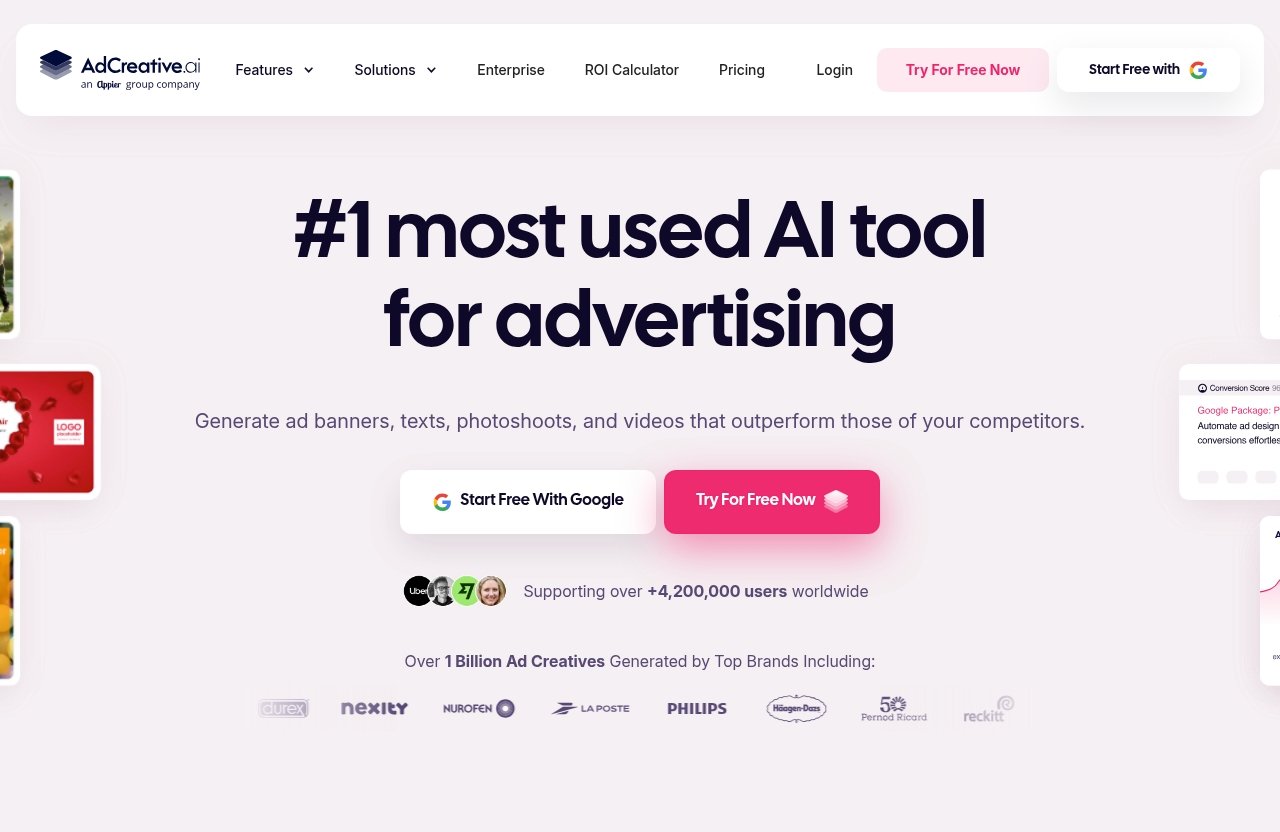
AdCreative.ai is an AI ad creative generator designed to help users create ads, video ads, ad variations, different ad sizes, and creative insights. Its homepage also references use by more than 4.2 million businesses and $35B+ in ad spend data, but those product claims do not change the refund rules.
The key eligibility rules from the official policy
In plain English, the AdCreative.ai refund policy comes down to three main points:
| Requirement | What It Means |
|---|---|
| You subscribed | A paid subscription charge occurred |
| You did not use the service | Your account should show no meaningful use after subscribing |
| You requested in time | 7 days for monthly subscriptions, 30 days for annual subscriptions |
For a monthly plan, an AdCreative.ai monthly refund request should be made within 7 days. For an annual plan, an AdCreative.ai annual refund request should be made within 30 days.
Eligible refunds are typically processed the same day according to official support snippets, but your bank or card issuer may take longer to show the money back in your account.
Why users get confused about trials, renewals, and charges
Refund confusion often starts with timing. A user may start a trial, forget the renewal date, and then see an AdCreative.ai free trial charge on their card statement.
Another common issue is renewal billing. If you subscribed previously and did not cancel before the next billing date, the system may process a renewal. That does not always mean the charge is refundable under the policy.
The safest approach is to treat any subscription as active until you have written confirmation of cancellation. If you are still considering the product, review the current billing terms inside your account or on the official site before entering payment details.
Who Qualifies for an AdCreative.ai Refund?
Unused subscription condition
The most important rule for an AdCreative.ai refund is the unused subscription condition. If you paid but did not use the service, you may qualify if you also contact support within the correct time frame.
“Unused” usually means you did not generate creatives, run meaningful activity, or otherwise benefit from the paid service after subscribing. AdCreative.ai support will likely look at account activity when reviewing your request.
Use this quick self-check:
- Did you subscribe by mistake?
- Did you avoid using the paid features after the charge?
- Are you still inside the refund window?
- Can you provide the billing date and account email?
- Can you explain the issue clearly?
If the answer is yes to most of these, your adcreative refund request is stronger.
7-day monthly subscription window
For monthly subscriptions, the official refund information indicates a 7-day window. That means you should contact AdCreative.ai support as soon as possible after the charge.
Do not wait until the end of the billing cycle. If you notice the charge on day two or three, submit the request immediately and save a copy of your message.
A short, clear request is usually better than a long complaint. State that you are requesting an AdCreative.ai refund, confirm that you did not use the service, and include your purchase date.
30-day annual subscription window
For annual subscriptions, the stated refund request window is 30 days. This gives annual subscribers more time, but the unused-service condition still matters.
If you bought an annual plan and then changed your mind, do not test the platform while deciding whether to ask for money back. Usage may affect eligibility.
Because current pricing details were not verified from the available pricing page source, avoid relying on old plan names, discounts, or third-party pricing screenshots. Check your live account and billing receipt for the actual subscription type.
When a refund request is likely to be denied
An AdCreative.ai refund is more likely to be denied if:
- You used the service after subscribing.
- You missed the 7-day monthly window.
- You missed the 30-day annual window.
- You cannot identify the account tied to the charge.
- The charge was a valid renewal and you did not cancel in time.
- Your request does not match the official policy conditions.
A denial does not automatically mean wrongdoing. It may simply mean your situation falls outside the stated refund rules.
How to Request an AdCreative.ai Refund Step by Step
Contact support via live chat or email
To start an AdCreative.ai refund request, use the official support channels referenced in the available support information:
- Live chat through AdCreative.ai
- Email: contact@adcreative.ai
If you still want to evaluate the platform before subscribing, you can visit the official site through this AdCreative.ai access link, but verify refund eligibility and current billing terms before buying. TopTrustReview may earn an affiliate commission, but factual refund rules should always come first.
What information to include in your request
A good refund request is specific, calm, and easy for support to verify. Include the information support needs without forcing them to ask follow-up questions.
Use this structure:
Subject: Refund Request for Unused Subscription
> Hello AdCreative.ai Support,
> I am requesting a refund for my subscription because I believe I qualify under the refund policy.
> Account email: [your email]
Purchase date: [date]
Subscription type: Monthly or annual
Invoice or transaction ID: [if available]
Reason: I subscribed but did not use the service.
> Please confirm whether my account is eligible and let me know when the refund is processed.
> Thank you.
Attach or save:
- Billing receipt
- Card statement screenshot with sensitive details hidden
- Account email
- Subscription date
- Any cancellation confirmation
- Screenshots showing relevant account status
This documentation can make your AdCreative.ai refund request easier to review.
How long approval and payment reversal may take
Official support snippets indicate eligible refunds are typically processed the same day. That does not always mean the money appears instantly in your bank account.
Banks, card networks, and payment processors can add delay. A refund may show as pending first, then post later.
If support confirms approval, ask for written confirmation and a refund reference if available. That helps if you need to follow up with your bank.
What to do if you do not receive a response
If you do not get a reply, wait a reasonable period and follow up politely. Keep your follow-up short and include the original request details.
You can write:
Hello, I am following up on my AdCreative.ai refund request sent on [date]. Please confirm whether my subscription is eligible and whether any further information is needed.
If live chat does not resolve the issue, send an email to contact@adcreative.ai so you have a written record. Written records are useful if the matter later becomes an AdCreative.ai billing dispute.
Common Refund Problems and How to Handle Them
Charged after a free trial
An AdCreative.ai free trial charge can happen when a trial converts into a paid subscription. This is common across software tools that require payment details before access.
First, check your signup email, billing email, and account dashboard. Look for trial length, renewal date, and cancellation status.
If you believe you did not use the service after the charge, submit an AdCreative.ai refund request immediately. Mention that the charge followed a trial and include screenshots of the signup flow if you have them.
Cancelled too late
If you cancelled after the billing date, the charge may already be valid under the subscription terms. In that case, refund eligibility depends on the official policy and whether the service was unused.
Do not assume cancellation automatically creates a refund. Cancellation usually stops future billing, while a refund reverses a past payment.
If you need to AdCreative.ai cancel subscription, confirm the cancellation inside your account and ask support for written confirmation. Save that message.
International card or bank processing delays
Sometimes a refund is approved but still does not appear quickly. This can be caused by bank processing times, currency conversion, weekends, holidays, or card network delays.
If support says the AdCreative.ai refund was processed, ask for the date of processing. Then contact your bank if the refund does not appear after the expected posting period.
Avoid filing an AdCreative.ai chargeback immediately if support has already confirmed a refund is in progress. A chargeback is a formal payment dispute, not a normal refund request.
Subscription confusion with renewals
Renewals can be frustrating because users may forget they subscribed months earlier. A renewal is usually treated differently from a mistaken duplicate charge.
Check whether the charge matches your original billing cycle. If it does, your strongest argument will likely depend on whether you were inside the refund window and did not use the renewed subscription.
If the charge looks duplicated, unauthorized, or connected to an account you do not recognize, gather evidence before contacting support.
Official website · Latest pricing & offers
AdCreative.ai Billing and Trial Considerations
What the homepage suggests about the product and trial
AdCreative.ai positions itself as an AI ad creative generator for high-converting ads. The homepage says it can help users create video ads for different use cases, understand ad performance, generate new ads, create ad sizes and variations, and use creative insights.
Those features may be useful for advertisers, agencies, ecommerce teams, and small businesses. But product usefulness is separate from AdCreative.ai refund eligibility.
If your main concern is getting money back if the tool is not a fit, study the refund rules before you subscribe.
Why trial users should review terms before entering payment details
Before entering payment details, review:
- Trial length
- Renewal date
- Subscription type
- Cancellation process
- Refund eligibility
- Whether usage affects refunds
- Current price shown in your account or checkout
The available pricing page source returned a page-not-found result, so this article does not list plan names, prices, or discounts. Pricing can change, and readers should verify current terms directly on the official site or inside the live checkout flow.
If you decide to evaluate the platform, you can start from AdCreative.ai’s official access page, but do not rely on any affiliate recommendation over the current billing and refund terms shown to you at purchase.
Best practices before starting any subscription
To reduce refund risk:
- Take a screenshot of the checkout page.
- Save the trial confirmation email.
- Add the renewal date to your calendar.
- Cancel before the billing date if you are unsure.
- Avoid using paid features if you plan to ask for an AdCreative.ai refund.
- Keep every support message.
This may feel cautious, but it protects you if there is later confusion about AdCreative.ai billing.
Is AdCreative.ai Legit or a Scam? What the Evidence Suggests
What official policy signals indicate
Based on the verified information available, AdCreative.ai has an official refund policy and stated support channels. That is a positive signal because users are told where to submit refund requests and what conditions apply.
The existence of a refund policy does not guarantee every user will receive money back. It means there are defined eligibility rules that support can apply.
A fair reading is that AdCreative.ai refund eligibility is narrow, not unlimited.
How to weigh negative reviews versus policy documentation
Some third-party review sites and user forums may include complaints about charges, renewals, or refund friction. These experiences matter, but they should be treated as individual reports rather than proof that every customer has the same issue.
When reading complaints, look for details:
- Did the user cancel before renewal?
- Did they use the service?
- Were they inside the refund window?
- Did support respond?
- Was the issue a refund request or a bank dispute?
This helps separate policy-based denials from genuinely incorrect or unauthorized charges.
A balanced buyer verdict for refund-focused shoppers
It is not accurate to call a company a scam without verified evidence. The better question is whether the refund policy fits your risk tolerance.
If you need a no-questions-asked money-back guarantee, the AdCreative.ai refund rules may feel too restrictive. If you are comfortable reviewing terms, tracking trial dates, and making a decision quickly, the policy may be workable.
For refund-focused shoppers, the key is simple: do not subscribe casually, and do not use the service if you intend to request money back.
Best Next Steps if Refund Is Denied
Ask for a written denial reason
If your AdCreative.ai refund request is denied, ask support to explain the reason in writing. A written denial helps you understand whether the issue was timing, account usage, subscription type, or missing documentation.
Keep your message calm. You are more likely to get a useful answer if you ask for clarification rather than escalating immediately.
Request subscription cancellation confirmation
Even if a past charge is not refunded, make sure future billing is stopped. Ask for confirmation that the subscription has been cancelled.
Use clear wording:
Please confirm that my subscription is cancelled and that no future charges will be made.
Save the reply. If another charge appears later, that confirmation becomes important evidence.
Contact your bank or card issuer if the charge was unauthorized
An AdCreative.ai chargeback should generally be reserved for unauthorized, incorrect, duplicate, or unresolved billing issues. It is not the same as asking for a refund because you changed your mind.
Contact your bank if:
- You do not recognize the charge.
- The amount is incorrect.
- You were charged after confirmed cancellation.
- Support does not respond to a legitimate billing issue.
- The transaction appears unauthorized.
Be accurate with your bank. Misusing chargebacks can create account restrictions or dispute complications.
Keep all screenshots and emails
Keep a folder with:
- Checkout screenshots
- Trial terms
- Billing receipts
- Cancellation confirmation
- Support chat transcripts
- Refund approval or denial
- Bank statement screenshots
Good records make any AdCreative.ai refund or billing dispute easier to resolve.
Should You Buy AdCreative.ai If Refund Risk Matters?
Who may be a good fit
AdCreative.ai may be a good fit for users who actively need AI-generated ad creatives, video ad support, ad variations, performance insights, and creative testing support. If you already know you need these capabilities, you may be more comfortable subscribing.
You should still verify the current price, billing cycle, and refund policy before purchase. A useful tool can still be a poor fit if the billing terms do not match your expectations.
Who should be cautious
Be cautious if:
- You are unsure whether you will use the platform.
- You often forget trial renewal dates.
- You need a flexible refund guarantee.
- You are testing multiple ad tools at once.
- You cannot afford a renewal charge.
- You are uncomfortable with the unused-service condition.
If refund risk matters, the safest move is to decide quickly during the trial or early subscription period. Waiting too long may reduce your options.
Final verdict for budget-conscious buyers
The practical verdict is this: an AdCreative.ai refund may be available, but only under specific conditions. You generally need an unused subscription and a timely request within 7 days for monthly subscriptions or 30 days for annual subscriptions.
Budget-conscious buyers should verify refund eligibility before subscribing, save all billing records, and avoid using the service if they intend to request money back. Affiliate recommendations, including any mention on TopTrustReview, should never override the official policy, checkout terms, or your own budget limits.
Official website · Latest pricing & offers
FAQ
Does AdCreative.ai offer refunds?
Yes. Based on the official refund policy information available, an AdCreative.ai refund may be available if the subscription was unused and the request is made within the stated time window.
How long do I have to ask for an AdCreative.ai refund?
The official policy information indicates 7 days for monthly subscriptions and 30 days for annual subscriptions. Submit your request as soon as possible after the charge.
How do I contact AdCreative.ai for a refund?
Use live chat or email contact@adcreative.ai. Include your account email, billing date, subscription type, invoice details if available, and why you believe you qualify.
Will I get a refund if I already used the service?
Usually, no. The official policy information indicates that refunds are available when the customer subscribed but did not use the service.
How long does an AdCreative.ai refund take?
Official support snippets say eligible refunds are typically processed the same day. However, your bank or card issuer may take longer to post the money back to your account.
What should I do if I was charged after a free trial?
Check whether the trial converted into a paid subscription, review your billing email, and contact support immediately. If you did not use the service after the charge, submit an AdCreative.ai refund request and include screenshots or receipts that support your case.
Related Reading
- Adcreative.ai cancel subscription guide
- Trip.com refund policy explained
- Systeme.io free plan review
References
- AdCreative.ai Refund Policy & Process (Official)
- AdCreative.ai homepage
- Trustpilot reviews for adcreative.ai
- Reddit discussion: AdCreative disappointment and no refund