Adcreative.ai Cancel Subscription: Step-By-Step Guide for 2026
Official website · Latest pricing & offers
Quick answer: how to cancel AdCreative.ai subscription
If you searched for adcreative.ai cancel subscription, the official cancellation path is inside your AdCreative.ai app: go to Settings on the left-hand side, open the Account tab, scroll to the bottom, click Cancel My Subscription, fill out the form, type CONFIRM, and click Proceed with Cancellation.
Based on AdCreative.ai’s official help-center guidance, paid subscriptions are scheduled to end at the current billing period’s end after cancellation. If you need immediate cancellation, AdCreative.ai says you should contact support.
Who this guide is for
This guide is for anyone who wants to cancel AdCreative.ai without guessing where the billing controls are or worrying about an unwanted renewal.
It is especially useful if you are trying to stop AdCreative.ai renewal before your next billing date, cancel an annual subscription before the anniversary date, or understand the difference between scheduled cancellation and immediate cancellation.
The instructions below are based on official AdCreative.ai help-center and refund-policy information, not forum rumors or unsupported user claims.
The shortest path to cancellation
Here is the short version of the adcreative.ai cancel subscription process:
| Step | What to do |
|---|---|
| 1 | Log in to your AdCreative.ai account |
| 2 | Select Settings from the left-hand side of the app |
| 3 | Open the Account tab |
| 4 | Scroll to the bottom |
| 5 | Click Cancel My Subscription |
| 6 | Fill out the cancellation form |
| 7 | Type CONFIRM |
| 8 | Click Proceed with Cancellation |
If you are in a hurry, follow those steps first. Then take a screenshot or save any confirmation details so you have proof of the cancellation request.
What happens after you cancel
For paid subscriptions, AdCreative.ai’s official guidance says cancellation is scheduled for the end of the current billing period. That means your account may remain active until that billing period ends.
If you want cancellation to happen immediately instead of at the end of the billing period, contact AdCreative.ai support and ask for immediate cancellation. Do not assume it happens instantly just because you submitted the form.
Step-by-step: cancel AdCreative.ai the right way
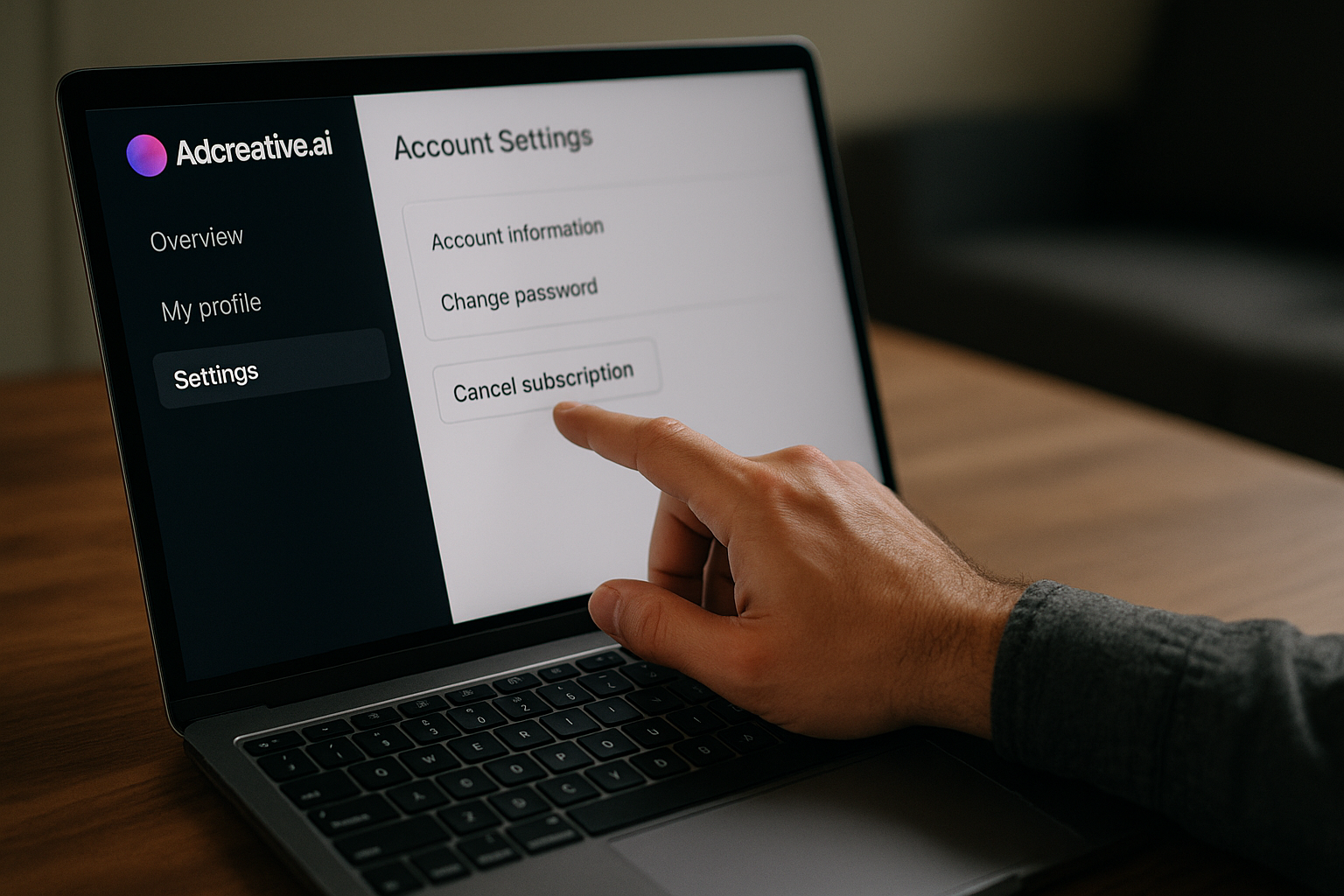
This section walks through the official adcreative.ai cancel subscription flow slowly, in the same order described by AdCreative.ai’s help-center instructions.
Step 1: log in to your AdCreative.ai account
Start by logging in to the AdCreative.ai account connected to the subscription you want to cancel.
This matters because many people use more than one email address for business tools. If you do not see billing or account options, double-check that you are in the correct workspace or account before assuming the cancellation option is missing.
If you signed up through a company email, make sure you are using that same login. For teams, it may also help to ask the account owner or admin to check the subscription area.
Step 2: open Settings from the left-hand menu
Once inside the app, look at the left-hand side menu and select Settings.
This is the official starting point for the adcreative.ai cancel subscription process. If you are using a smaller laptop screen or mobile browser, the left menu may be collapsed, so look for a menu icon or expand the navigation first.
If the page feels slow, wait a few seconds before clicking repeatedly. Billing and account screens can take longer to load than creative-generation screens.
Step 3: go to the Account tab
Inside Settings, open the Account tab.
This is where AdCreative.ai places the cancellation control according to its help-center flow. If you are in a different tab, such as a profile, team, or creative-related area, you may not see the subscription controls.
Scroll carefully and check the bottom of the page. The cancel option is not always at the top of account pages.
Step 4: click Cancel My Subscription
Scroll to the bottom of the Account tab and click Cancel My Subscription.
This is the key action in the adcreative.ai cancel subscription process. Make sure you select the official cancellation option rather than simply logging out, deleting a browser bookmark, or stopping use of the tool.
Not using the product is not the same as canceling billing. To stop future subscription renewal, you need to complete the cancellation flow.
Step 5: complete the cancellation form and type CONFIRM
After you click Cancel My Subscription, AdCreative.ai asks you to fill out a cancellation form explaining why you want to cancel.
Complete the form honestly and clearly. You do not need to over-explain, but it is helpful to state the main reason, such as budget, project ending, workflow fit, or no longer needing AI ad creative generation.
Then type CONFIRM exactly as required. This confirmation step is important because it tells the system you intentionally want to continue with cancellation.
Step 6: click Proceed with Cancellation
After filling out the form and typing CONFIRM, click Proceed with Cancellation.
At this point, your cancellation request should be submitted through the official flow. For your own records, save a screenshot of the final screen or any cancellation status shown in your account.
This final step is easy to miss. If you fill out the form but do not click Proceed with Cancellation, the adcreative.ai cancel subscription process may not be complete.
What to expect after you cancel
After completing the cancellation form, the next question is usually: “Am I done, or can I still be charged?” The answer depends on your current billing period, renewal timing, and whether you requested immediate cancellation through support.
End-of-billing-period cancellation
According to AdCreative.ai’s official help guidance, paid subscriptions are scheduled to cancel at the end of the current billing period.
In plain English, that means cancellation usually stops the next renewal, but it may not shut off access instantly. You may still be able to use your account until the paid period you already have comes to an end.
This is common with subscription software. The important point is that the adcreative.ai cancel subscription request must be completed before the renewal date if your goal is to avoid another charge.
What scheduling cancellation means
“Scheduled cancellation” means your subscription has been set to end later, not necessarily today.
For example, if your billing period is still active, your access may continue through that paid time. When the period ends, the subscription should not renew if the cancellation was completed successfully.
If you need access removed now, or you have a time-sensitive billing issue, contact AdCreative.ai support. The official guidance says users should contact support for immediate cancellation.
How to verify the cancellation
After submitting the cancellation, return to your account or billing area and check whether the subscription status shows cancellation or an end date.
Do not rely only on memory. Save practical proof, such as:
- A screenshot of the cancellation confirmation screen
- Any email confirmation, if received
- The date and time you submitted the request
- The account email used for the subscription
- Your current billing period or renewal date, if visible
This is especially important for anyone worried about AdCreative.ai automatic renewal or trying to document an AdCreative.ai billing cancellation.
Refunds, annual renewals, and timing rules
Refunds and renewals are where users often get anxious. The safest approach is to separate three things: canceling future renewal, requesting immediate cancellation, and asking for a refund.
Annual subscription renewal warning
Annual subscriptions should be canceled before the anniversary date to avoid auto-renewal under the same plan.
If you wait until the anniversary date or after a renewal has already processed, the situation may become more complicated. AdCreative.ai’s official refund policy/process should be reviewed for your specific case, and you should contact support with your account details.
Do not assume that deleting your account, ignoring emails, or not using the platform will stop AdCreative.ai automatic renewal. Use the official cancellation flow.
Cancel before the anniversary date
If you have an annual subscription, mark the anniversary date on your calendar and cancel before that date if you do not want the plan to renew.
A good practical rule is to handle cancellation as soon as you decide to leave, rather than waiting until the last day. This gives you time to fix login issues, missing buttons, page loading problems, or support delays.
This is one of the most important parts of the adcreative.ai cancel subscription process for annual users. Timing matters because annual plans can renew under the same plan unless canceled before the anniversary date.
When to contact support for immediate cancellation
Contact AdCreative.ai support if you need cancellation to take effect immediately, cannot access your account, cannot find the cancellation button, or were charged after you believe you canceled.
For refunds, do not assume approval is automatic. Review the official AdCreative.ai refund policy/process and contact support with the details of your request.
When writing to support, include:
- Your account email
- Your billing date or renewal date
- Screenshots of the cancellation screen, if available
- The date you submitted cancellation
- A short explanation of what you need
Keep your message factual and calm. That makes it easier for support to understand and investigate your request.
Official website · Latest pricing & offers
Common cancellation issues and fixes
Even a simple cancellation flow can become stressful if a button is missing, a page does not load, or a charge appears after cancellation. Here are practical fixes that stay aligned with the official AdCreative.ai support path.
Can't find the Cancel My Subscription button
If you cannot find Cancel My Subscription, first re-check the exact path: Settings on the left-hand side, then the Account tab, then scroll to the bottom.
If you are on mobile, try using a desktop browser. Some app menus are easier to navigate on a full screen, especially when tabs or sidebars are collapsed.
Also confirm you are logged in to the correct account. If your company has multiple users, the subscription may be under a different admin login.
What to do if the page won't load
If the Account tab or cancellation page will not load, try basic troubleshooting before contacting support.
You can:
- Refresh the page
- Log out and log back in
- Try a different browser
- Disable browser extensions temporarily
- Use a desktop device instead of mobile
- Check your internet connection
If the issue continues, contact AdCreative.ai support. Include screenshots or a short screen recording showing where the page fails, plus the time and date you tried to cancel.
What to do if you were charged after canceling
If you see a charge after submitting an adcreative.ai cancel subscription request, first check whether the charge occurred before the cancellation took effect or before the end of the current billing period.
Next, look for your cancellation proof. This is why saving screenshots and dates matters.
Then contact support with your account email, charge date, cancellation date, and any proof you saved. If you are requesting a refund, review the official AdCreative.ai refund policy/process and explain your case clearly.
How to contact support
Use AdCreative.ai’s official support channel from the app or official site. Avoid sending billing information through random social media accounts or unofficial pages.
Your support message should be short and specific. For example:
Hi, I’m requesting help with cancellation for my AdCreative.ai subscription. I followed Settings > Account > Cancel My Subscription on [date], completed the form, typed CONFIRM, and clicked Proceed with Cancellation. Please confirm my cancellation status and whether any future renewal is pending.
For urgent cases, say clearly that you are requesting immediate cancellation. The official help guidance says users should contact support for immediate cancellation.
Should you cancel or pause?
Before you complete the adcreative.ai cancel subscription process, it is worth taking one minute to confirm that cancellation is the right move. This is not about keeping a tool you do not need; it is about avoiding a rushed decision if the subscription still supports your ad workflow.
When cancellation makes sense
Cancellation makes sense if you no longer run paid ads, your campaign project has ended, your team moved to a different creative workflow, or the tool no longer fits your budget.
AdCreative.ai is designed as an AI ad creative generator for high-converting ads. Its official homepage says users can create video ads for use cases such as UGC-style content, product videos, stock visuals, and fashion clips.
If those features are not part of your current marketing work, cancellation may be the cleanest choice.
When it may be better to downgrade or keep trial access
If you are still testing the platform or deciding whether it fits your workflow, check your account for current subscription and trial details before canceling.
AdCreative.ai’s official homepage mentions a free trial and says users can cancel anytime. However, because the official pricing page provided is unavailable, you should verify current pricing, plan options, and billing terms directly inside your account or on the official site.
Do not rely on old pricing screenshots or third-party plan names. Billing terms can change, and your account is the most reliable place to check your current status.
How to decide based on your ad workflow
Ask yourself what you still need from the platform.
AdCreative.ai’s official homepage mentions features such as Ad Creatives, Product Photoshoots, AI Image Generation, Ad Copy Generation, Creative Insights, Competitor Insights, Compliance Checker, Ad Inspiration Gallery, Creative Scoring, Custom Templates, and other marketing tools.
It also states users can analyze creative performance and generate new ads trained on patterns learned from $35B+ in ad spend data. If you actively use those capabilities, compare the value you get against the renewal cost shown in your account.
If you rarely log in or no longer need ad variations, then the adcreative.ai cancel subscription path is likely the right next step.
Best AdCreative.ai alternatives for advertisers who still need AI creatives
If you still need AI-generated ad creatives after cancellation, take time to compare options calmly. The goal is not to jump into another subscription too quickly, but to find a tool that matches your actual ad budget and workflow.
When to look for a replacement
Look for a replacement if you still need to create ad sizes, creative variations, product visuals, ad copy, or platform-specific creative assets regularly.
AdCreative.ai’s official homepage says it can create every ad size and variation in seconds and generate unlimited on-brand ads for every format and platform. If that type of workflow was useful but the product was not the right fit, compare alternatives around the same job-to-be-done.
You can also review related AI advertising tool comparisons on TopTrustReview through this AdCreative.ai and AI creative tools resource if you want a broader view before choosing your next platform.
What features to compare in an alternative
When comparing tools, focus on practical features rather than marketing language.
Useful comparison points include:
| What to compare | Why it matters |
|---|---|
| Pricing transparency | Helps avoid surprise renewal issues |
| Cancellation process | Makes it easier to leave if the tool is not a fit |
| Ad creative generation | Core feature for advertisers |
| Video ad support | Important for UGC-style and product video workflows |
| Brand controls | Helps keep ads consistent |
| Creative performance insights | Useful for improving future ads |
| Support responsiveness | Important for billing or cancellation problems |
If your reason for leaving is billing anxiety, make cancellation and renewal clarity a top requirement in your next tool.
How to choose an option that fits your ad budget
Start with your monthly or campaign-level ad workflow. If you only need occasional creatives, a flexible tool may be better than a larger commitment.
If you manage multiple brands, create many ad variations, or need regular testing, prioritize workflow speed, brand templates, creative scoring, and performance insights.
Before subscribing anywhere else, check refund terms, renewal dates, and whether the platform clearly explains how to cancel. A smooth exit policy is part of a trustworthy buying decision.
Final checklist before you leave AdCreative.ai
Use this checklist after completing the adcreative.ai cancel subscription steps. It helps reduce the chance of confusion later.
Save billing records
Download or screenshot any billing records available in your account.
Keep the invoice date, renewal date, account email, and subscription status in one place. This is useful if you later need to contact AdCreative.ai support about billing.
Capture cancellation proof
After you click Proceed with Cancellation, save proof that the cancellation was submitted.
Good records include screenshots, confirmation messages, emails, and the exact date and time of the request. If support becomes involved, these details make your case easier to verify.
Confirm no future renewal date is pending
Check your account after cancellation to see whether a future renewal date is still visible.
Because paid subscriptions are scheduled to end at the current billing period’s end, you may still have access for a while. What you want to confirm is that future renewal is not still pending after cancellation.
For annual subscriptions, make sure cancellation is completed before the anniversary date to avoid auto-renewal under the same plan.
Remove saved payment method if available
If your account provides an option to remove or update a saved payment method, consider doing so after confirming cancellation.
Only do this if the option is available inside your account and it does not interfere with records you need. If you are unsure, contact support first.
Final reminder: the safest adcreative.ai cancel subscription process is to complete the official in-app flow, save proof, check your billing-period end date, and contact support if you need immediate cancellation or refund guidance.
Official website · Latest pricing & offers
FAQ
How do I cancel my AdCreative.ai subscription?
Log in to AdCreative.ai, go to Settings on the left side, open the Account tab, scroll to the bottom, click Cancel My Subscription, fill out the cancellation form, type CONFIRM, then select Proceed with Cancellation.
Does AdCreative.ai cancel immediately?
According to AdCreative.ai’s official help article, paid subscriptions are scheduled for cancellation at the end of the current billing period. For immediate cancellation, contact AdCreative.ai support.
Will I still be charged after I cancel AdCreative.ai?
If you cancel before the billing period ends, the subscription should stop at the end of that period. Annual subscriptions should be canceled before the anniversary date to avoid auto-renewal under the same plan.
How do I get a refund from AdCreative.ai?
Review the official AdCreative.ai refund policy/process and contact support with your request, account email, charge date, and cancellation details. A refund is not guaranteed and depends on the official process for your specific case.
What if I can’t find the cancel button?
Re-check that you are in Settings > Account and scroll to the bottom for Cancel My Subscription. If the option is missing or the page fails, contact AdCreative.ai support and include screenshots.
Related Reading
References
- How can I cancel my account?
- AdCreative.ai Refund Policy & Process (Official)
- AdCreative.ai: AI Ad Creative Generator for High-Converting Ads
- Read Customer Service Reviews of adcreative.ai