Best cPanel Alternatives for WordPress: Modern Hosting Options for 2026

Many WordPress owners start with cPanel because it is widely available on traditional shared hosting. But as a site grows, the familiar dashboard can become one more layer between you and the work that matters: publishing, selling, serving clients, and keeping WordPress secure. That is why cpanel alternatives for wordpress are increasingly part of the buying conversation.
The best choice depends on what you are replacing. Some people want a different self-hosted hosting panel. Others want to stop managing a panel and server altogether. For the latter group, a managed platform such as Cloudways can be a practical, lower-overhead route to WordPress hosting without cPanel.
Official website · Latest pricing & offers
Why WordPress Users Look for cPanel Alternatives
The real pain points with cPanel-based hosting
cPanel is a web-hosting control panel. It gives users a graphical interface for common server and account tasks, such as managing files, databases, domains, email accounts, and software settings. For a basic website, that can be useful.
The friction starts when WordPress owners need more than basic account administration. A panel can make routine server tasks accessible, but it does not automatically make hosting simpler, faster, more secure, or better aligned with a WordPress workflow. You may still need to interpret technical settings, manage plugin-related issues, oversee backups, or work through support queues.
In my experience reviewing hosting setups, cPanel is often not the real problem; the underlying hosting arrangement is. A crowded or limited plan, confusing add-ons, and unclear responsibility for performance can leave site owners spending time in a dashboard rather than improving their website.
This is why people researching cpanel alternatives for wordpress should first ask whether they truly need another panel. If the goal is less technical administration, managed WordPress hosting may be more relevant than a direct cPanel replacement.
Who should consider switching now
A switch is worth considering if you regularly face hosting tasks that feel disconnected from running your site. Common examples include handling server-level settings, coordinating migrations, troubleshooting slowdowns without clear guidance, or trying to scale an important website through a generic hosting dashboard.
Growing blogs, WooCommerce stores, agencies, and business websites often benefit from a platform designed around applications and cloud infrastructure rather than a traditional account panel. The right alternative can reduce the amount of routine infrastructure work your team must understand.
Users looking for the best cpanel alternatives for WordPress should also consider their email setup. Many cPanel accounts bundle website hosting and mailbox administration together, so moving the site requires planning for email dependencies rather than simply copying WordPress files.
When cPanel still makes sense
cPanel remains a reasonable choice for users who are comfortable with traditional hosting workflows and need broad account-level controls. It can also suit people managing several small, uncomplicated websites where the existing setup is stable and familiar.
A self-managed panel may be appropriate when you want complete responsibility for server configuration and have the skills or internal resources to maintain it. In that case, a cPanel alternative open-source project may be attractive.
However, familiarity alone is not a strong reason to keep cPanel. If your priority is a cleaner path to managed WordPress hosting, compare the operational support, security approach, migration help, and scaling model—not just which dashboard has the most icons.
What to Look for in cPanel Alternatives for WordPress
Ease of use for non-technical users
The strongest cpanel alternatives for wordpress remove unnecessary decisions without hiding important information. A good platform should make it straightforward to manage WordPress applications, access essential settings, and understand what support can help with.
For non-technical business owners, “easy to use” means more than a pleasant interface. It means fewer server concepts to learn before completing normal jobs, such as launching a site, adding SSL, reviewing backups, or preparing a staging environment.
Before choosing a provider, ask these practical questions:
- Can you manage a WordPress site without editing server settings?
- Is there a clear process for launching, cloning, or migrating a site?
- Does the provider explain which tasks it manages and which tasks remain yours?
- Can your team find help quickly when a WordPress update or plugin causes an issue?
WordPress-specific features to prioritize
A traditional hosting panel is built to support many kinds of accounts and applications. WordPress owners should instead evaluate features that affect the day-to-day lifecycle of a WordPress website.
Prioritize backups, SSL, staging options, safe update workflows, database access when necessary, and migration assistance. You should also understand whether your host supports the type of site you run, especially if you operate WooCommerce or manage client websites.
When comparing a WordPress control panel alternative, do not assume a long feature list equals a better experience. The key question is whether those features are integrated into a workflow your team can actually use confidently.
Performance, security, and scaling essentials
Performance and security are shared responsibilities. A host can provide infrastructure and platform-level protections, while site owners must still use reputable themes and plugins, keep WordPress updated, protect administrator access, and maintain sound backups.
For cpanel alternatives for wordpress, look for a platform that treats performance, security, and growth as core hosting considerations rather than optional extras. Cloud provider choice, application management, expert support, and a clear scaling path matter more than having every old-school server setting exposed in a dashboard.
Avoid making a decision based on promised benchmark figures unless the provider gives you a transparent, relevant test scenario. Your plugin stack, traffic pattern, ecommerce features, theme, media library, and third-party scripts all influence real-world results.
Support and migration help
Support becomes especially valuable when you are moving away from a familiar cPanel environment. You need clear boundaries: what the host will assist with, what your developer handles, and what must be checked before launch.
Migration support can reduce risk, but it does not eliminate the need for planning. Site owners should retain copies of files and databases, document DNS settings, and identify every service tied to the current account.
For many buyers, this is where managed WordPress hosting stands apart from free cPanel alternatives for WordPress. A free or DIY panel may offer control, but it usually places more setup, maintenance, security review, and troubleshooting responsibility on you.
Cloudways as a Modern Alternative to cPanel Hosting
Managed cloud hosting instead of server-panel management
Cloudways is not simply a redesigned cPanel clone. It is a managed hosting platform that offers Cloudways Flexible, customizable managed hosting for WordPress, and Cloudways Autonomous, fully managed hosting for WordPress.
That difference matters. With a conventional panel-based setup, the panel is often the center of the experience: you manage the account and server environment through it. With Cloudways, the focus is on deploying and managing applications through a managed cloud-hosting model.
For website owners who want fewer server-management tasks, this can be a more useful category of cpanel alternatives for wordpress. You are not replacing one cluttered control panel with another; you are choosing a platform designed to reduce the need for old-style panel administration.
Cloudways lists WordPress, WooCommerce, Magento, Laravel, and PHP among the supported applications on its official homepage. That broad application support can be useful for agencies or businesses that manage WordPress alongside other web projects.
Why Cloudways fits WordPress site owners
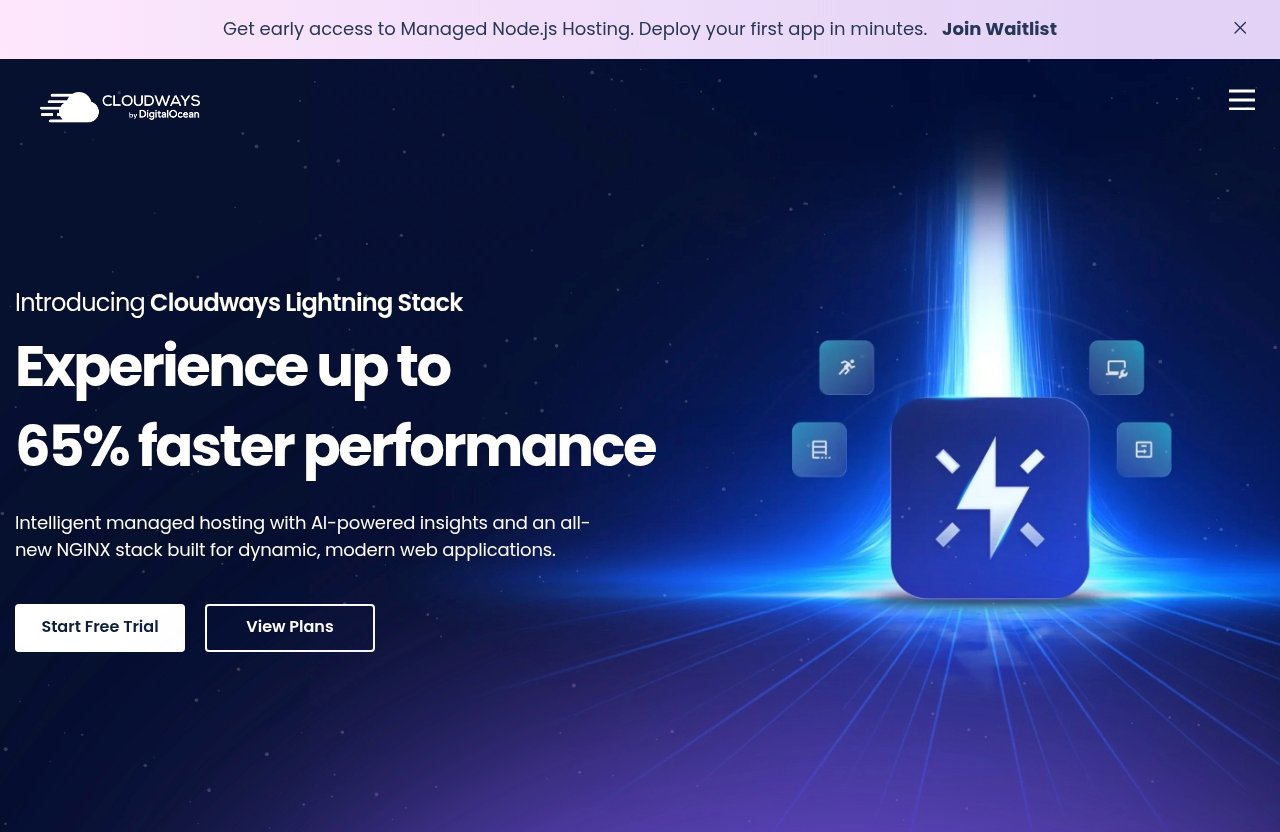
Cloudways is a strong option for WordPress users who want managed hosting without committing to the habits of a traditional hosting panel. Its official homepage highlights Performance, Security, 24×7 Expert Support, Free Migration, and Free SSL.
The platform also lists DigitalOcean, Vultr, Linode, AWS, and GCE as cloud-provider options. That gives users a cloud infrastructure choice within the Cloudways ecosystem rather than requiring them to build every hosting workflow from scratch.
For a practical look at whether the platform matches your site and team, you can review Cloudways through this offer. Consider the fit carefully, especially if your current cPanel account includes email services or custom server-level tools that need a separate plan after migration.
Best for growing blogs, agencies, and businesses
Growing blogs often outgrow the “set it and forget it” promise of entry-level hosting. At that stage, the main need is usually not access to more configuration menus. It is a more reliable process for managing the site as its importance increases.
Agencies can also benefit from cpanel alternatives for wordpress that support repeatable deployment and client-site management without requiring every client project to be handled as a separate, traditional cPanel account. Developers still retain a platform built around web applications, while business owners gain a less intimidating operational model.
Cloudways will not be the ideal fit for everyone. A technically experienced user who specifically wants to administer their own server through a self-hosted hosting panel may prefer a DIY route. But for many WordPress-focused users, managed hosting is the more relevant comparison.
Official website · Latest pricing & offers
Cloudways Product Facts and Pricing You Can Verify
Cloudways Flexible
Cloudways Flexible is described as customizable managed hosting for WordPress. The official pricing-page excerpt states that Cloudways offers pay-as-you-go plans.
Because the available pricing excerpt does not provide additional verified plan prices, storage allocations, bandwidth limits, or tier details, those figures should be checked directly on the official Cloudways pricing page before purchasing. It is better to verify current terms than rely on a third-party comparison that may be outdated.
Cloudways Autonomous
Cloudways Autonomous is described by Cloudways as fully managed hosting for WordPress. This positioning may appeal to site owners who want a more hands-off hosting experience and less involvement in technical infrastructure decisions.
When considering cpanel alternatives for wordpress, this distinction is important. A managed service is not the same product category as an open-source panel: one emphasizes managed hosting operations, while the other generally leaves more operations to the user.
Advanced Support
Cloudways’ homepage includes an Advanced Support promotion. The stated current price is $100/mo, with a stated new discounted price of $25/mo flat.
This is the only specific Cloudways price information verified in the supplied official information. Confirm promotion terms, eligibility, and the current price on Cloudways’ official pages before making a buying decision, since offers can change.
What the official pages confirm
Here is a concise summary of the product information that can be verified from the supplied official Cloudways content:
| Area | Verified Cloudways information |
|---|---|
| Hosting products | Cloudways Flexible and Cloudways Autonomous |
| WordPress positioning | Flexible is customizable managed hosting for WordPress; Autonomous is fully managed hosting for WordPress |
| Supported applications | WordPress, WooCommerce, Magento, Laravel, and PHP |
| Listed cloud providers | DigitalOcean, Vultr, Linode, AWS, and GCE |
| Homepage features | Performance, Security, 24×7 Expert Support, Free Migration, Free SSL |
| AI references | Cloudways Managed AI Agents and Cloudways AI Copilot |
| Pricing-page excerpt | Pay-as-you-go plans |
| Verified support promo | Advanced Support: $100/mo current price and $25/mo flat new discounted price |
The practical takeaway is that Cloudways offers a managed cloud approach, not merely a cPanel alternative free of charge. Buyers should evaluate its current official pricing against the time, skills, and operational responsibility required by a DIY option.
Best cPanel Alternatives for WordPress Compared
CloudPanel vs managed hosting
CloudPanel is commonly considered by users looking for a different server-management interface. At a high level, it belongs in the DIY control-panel conversation: users typically compare such tools when they want to manage their own hosting environment rather than purchase a managed platform.
Cloudways is a different proposition. It is for WordPress owners who want managed hosting and application-focused workflows rather than taking full responsibility for installing, configuring, securing, and maintaining a panel-managed server.
If your goal is to run your own server, cloudpanel may deserve research. If your goal is to reduce administrative load, Cloudways is likely the more relevant option among cpanel alternatives for wordpress.
CyberPanel vs managed hosting
CyberPanel is another name that often appears in searches for a WordPress control panel alternative. Like other panel options, it may appeal to technical users who want a hands-on administration experience.
The tradeoff is responsibility. A DIY panel can give you direct control, but it can also require more comfort with server configuration, updates, troubleshooting, monitoring, and security practices. This is not automatically bad—it is simply a different operating model.
For a business owner who does not want infrastructure management to become an ongoing task, managed WordPress hosting can be more practical than moving from cPanel to cyberpanel.
HestiaCP and aaPanel for DIY users
HestiaCP and aaPanel are often mentioned in discussions of free cPanel alternatives for WordPress and cPanel alternative open-source tools. They can be worth evaluating for capable administrators, developers running test environments, or teams that deliberately want to control their hosting stack.
The same caution applies to every cpanel alternative free option: no license cost does not necessarily mean no operating cost. You may spend time on deployment, hardening, updates, monitoring, troubleshooting, backups, and incident response.
HestiaCP and aaPanel may fit a hands-on technical project. They are less direct substitutes for managed WordPress hosting when the buyer’s primary objective is reducing server work.
When a control panel is the wrong comparison
The phrase “best cpanel alternatives for WordPress” can lead buyers toward a feature-by-feature dashboard comparison. That is useful only if you have decided you need a panel.
For many site owners, the better question is: “Do I want to manage a server, or do I want a managed platform for my WordPress application?” Cloudways is compelling in the second category because its verified offering includes managed WordPress hosting, free migration, free SSL, security, performance, and 24×7 expert support.
A plesk alternative or another self-hosted hosting panel may be right for a systems administrator. It is not necessarily the best answer for a business owner who wants WordPress hosting without cPanel and fewer infrastructure decisions.
Which Alternative Is Best for Your Use Case?
Best for beginners
Beginners generally benefit from a managed platform rather than an unfamiliar DIY panel. The most important advantage is not “more features”; it is having a clearer separation between website management and server administration.
Cloudways is a strong option for beginners who have a serious WordPress site and want less technical overhead. Before moving, make sure you understand where email will be hosted, who manages WordPress updates, and what support covers.
Best for agencies
Agencies need consistency. The ideal setup should help the team manage multiple client projects while avoiding repetitive server tasks that drain billable time and create uneven processes.
Cloudways can be a practical choice for agencies managing WordPress, WooCommerce, Laravel, PHP, or other supported applications. Its listed cloud-provider options and managed approach are particularly relevant for teams that prefer operational structure over maintaining a collection of standalone panel accounts.
Best for performance-focused sites
Performance-focused buyers should evaluate the full stack, not just the label “cloud hosting.” Review your site’s theme, plugins, caching approach, image strategy, ecommerce functions, third-party scripts, traffic expectations, and developer workflow.
Cloudways lists Performance among its homepage features and provides cloud-provider choices including DigitalOcean, Vultr, Linode, AWS, and GCE. That makes it a credible platform to investigate, but no host can guarantee the same outcome for every WordPress build.
Best for developers who want less admin
Developers often want access to a capable environment without becoming the full-time hosting operations team. That is where managed platforms can offer a sensible middle ground.
A DIY panel remains appropriate if you want complete server ownership and accept the operational workload. But developers seeking cpanel alternatives for wordpress with less routine administration may find Cloudways more aligned with their priorities than another panel to install and maintain.
How to Migrate From cPanel to Cloudways
Pre-migration checklist
Cloudways lists Free Migration on its official homepage, which can make the move less daunting. Still, successful migration begins with an audit—not a copy-and-paste exercise.
Before scheduling a move, document the following:
- Every WordPress site, subdomain, and staging site in the cPanel account
- WordPress administrator credentials and hosting-account access
- Databases and any custom database connections
- Existing backups and a fresh backup taken before migration
- DNS records, including A, CNAME, MX, TXT, and verification records
- Email accounts, forwarding rules, mailing lists, and mailbox storage
- Cron jobs, redirects, SSL arrangements, and third-party integrations
- Ecommerce orders, membership activity, forms, and any time-sensitive workflows
This preparation protects you from a common migration surprise: the WordPress site moves correctly, but email, DNS, scheduled tasks, or a connected service does not.
What gets moved during migration
At a practical level, moving WordPress normally involves transferring site files, the database, and the configuration needed for the application to connect to that database. Your migration process should also account for domain settings and any environment-specific configuration.
Do not assume every service under a cPanel account belongs in the same migration. Email hosting is the biggest example. If your cPanel provider hosts your mailbox, decide where email will live after the website moves and plan that transition separately when needed.
For cpanel alternatives for wordpress, Cloudways’ free migration offering is a useful verified benefit. Confirm the current migration process and scope with Cloudways before starting, especially for complex multisite, ecommerce, membership, or custom-coded websites.
Post-launch testing
After migration, test the new site using a controlled process before and after changing DNS. Check key pages, menus, forms, media, user logins, transactional emails, redirects, checkout flows, search, and administrator access.
For stores and active membership websites, test the parts that directly affect revenue or customer access. Monitor the site after the DNS change and keep the old account available until you have confirmed that traffic, email routing, and scheduled functions are operating as expected.
Official website · Latest pricing & offers
FAQ
What is the best cPanel alternative for WordPress?
The best option depends on whether you want another control panel or a managed hosting platform. For users who want to reduce maintenance and focus on operating a WordPress site, Cloudways is one of the strongest modern cpanel alternatives for wordpress because it provides managed WordPress hosting rather than a traditional server panel.
Can I use WordPress without cPanel?
Yes. WordPress does not require cPanel. It can run on managed hosting platforms, custom server setups, and other administration tools. Many site owners prefer WordPress hosting without cPanel because it reduces the need to handle routine server administration themselves.
Is Cloudways better than cPanel for WordPress hosting?
Cloudways and cPanel serve different roles. cPanel is a hosting control panel, while Cloudways is a managed hosting platform offering WordPress-focused products. For many WordPress users, Cloudways can be a better fit because the goal is less panel administration, not simply a different panel.
Are there free cPanel alternatives?
Yes, free cPanel alternatives for WordPress exist, including open-source and self-managed panel options. However, free software usually requires more technical work for setup, maintenance, security, backups, and troubleshooting. A DIY solution can be worthwhile for experienced administrators but is not automatically the lowest-cost choice in time and risk.
How do I migrate from cPanel to Cloudways?
Start by auditing your sites, databases, DNS records, email dependencies, scheduled tasks, and integrations. Cloudways lists Free Migration on its homepage, but you should confirm the current scope of assistance before beginning. Test the migrated website carefully before and after updating DNS.
Final Recommendation: Is Cloudways the Best cPanel Alternative for WordPress?
Summary of pros and tradeoffs
Cloudways is a strong alternative for users who want to move beyond old-school panel-based hosting. Its verified offering includes Cloudways Flexible and Cloudways Autonomous for WordPress, support for several web applications, multiple listed cloud providers, Free Migration, Free SSL, Security, Performance, and 24×7 Expert Support.
The tradeoff is conceptual: Cloudways is not intended to be a like-for-like, self-hosted control-panel replacement. Users who want maximum server-level responsibility may prefer CloudPanel, CyberPanel, HestiaCP, aaPanel, or another DIY route.
Who should click through
Cloudways is worth closer consideration for WordPress site owners, bloggers, small businesses, agencies, and developers who want managed hosting instead of managing a conventional panel. It is particularly relevant when your current cPanel workflow creates more maintenance work than business value.
Review the current products, provider options, support terms, and pay-as-you-go pricing details directly before choosing. That is the responsible way to compare a managed platform against DIY cPanel alternatives for WordPress.
Bottom-line verdict
For many WordPress users, Cloudways is among the best cpanel alternatives for wordpress because it changes the hosting model instead of merely replacing one server dashboard with another. It is a modern, managed option for people who value application-focused hosting, practical migration help, and less technical overhead.
If you want to spend more time building your WordPress site and less time navigating a traditional hosting panel, Cloudways is a sensible platform to evaluate.
Related Reading
- Cloudways vs VPS Hosting
- Why Choose Webflow in 2026?
- How Much Does Webflow Cost for a Small Business?
References
- Best cPanel Alternatives in 2026: Ranked and Tested
- Best cPanel Alternatives: Free Options, Open-Source and DIY
- Top 10 cPanel Alternatives for Server Management in 2026 (Tested & Compared)