Fitcamx Parking Mode Explained: What Buyers Actually Get in 2026
Official website · Latest pricing & offers
What FitcamX Parking Mode Actually Means
If you are researching fitcamx parking mode, the main thing to know is simple: it is a parked-car monitoring feature, not an always-on security camera system. Based on FitcamX’s official product wording, parking mode starts recording when a collision happens. It is not continuous video recording.
That distinction matters because many buyers expect dash cam parking mode to work like 24/7 surveillance. FitcamX parking monitoring is better understood as event-triggered incident capture for bumps, impacts, or collision-type events while the vehicle is parked.
As a review and buyer guide site, we may earn a commission if you purchase through our links. That does not change the priority here: helping you understand what FitcamX officially confirms, what it does not confirm, and whether this setup fits your parking situation.
Parking Monitoring Vs. Continuous Recording
FitcamX parking mode is officially described as a function that becomes available after connecting the fuse box. The product language says the dash camera will start recording when a collision happens.
That means the camera is not meant to record every second while your car is parked. If you are comparing it to full-time recording systems, this is the key difference: FitcamX parking mode is event-triggered rather than continuous.
| Feature Type | What It Means | FitcamX Officially Indicates |
|---|---|---|
| Event-triggered parking monitoring | Records when an impact or collision event happens | Yes, based on official wording |
| Continuous 24/7 recording | Records all the time while parked | No, official wording says not continuous video recording |
| Parking-mode power accessory | Provides the required parking-mode power setup | Yes, through the fuse box cable/hardwire path |
What The Dash Cam Is Designed To Do While The Car Is Parked
When set up correctly, FitcamX parking mode is designed to help capture an incident after the vehicle is parked. For example, if another car bumps your vehicle in a parking lot, the camera is intended to start recording when that collision event occurs.
FitcamX does not publicly confirm every technical detail in the provided facts, such as clip length, sensor thresholds, or exact detection sensitivity. So buyers should avoid assuming it will capture every nearby movement, every person walking past, or hours of footage before and after an incident.
Why Buyers Confuse Parking Mode With 24/7 Surveillance
The phrase “parking mode” sounds broader than it really is. Many drivers hear it and assume their dash cam will watch the car continuously overnight.
That is why FitcamX parking mode can be misunderstood in buyer discussions, including anecdotal searches around “fitcamx parking mode reddit.” User chatter can be useful for seeing what questions real buyers ask, but the verified source is still FitcamX’s official wording: this is not continuous video recording.
How FitcamX Parking Mode Works Step By Step
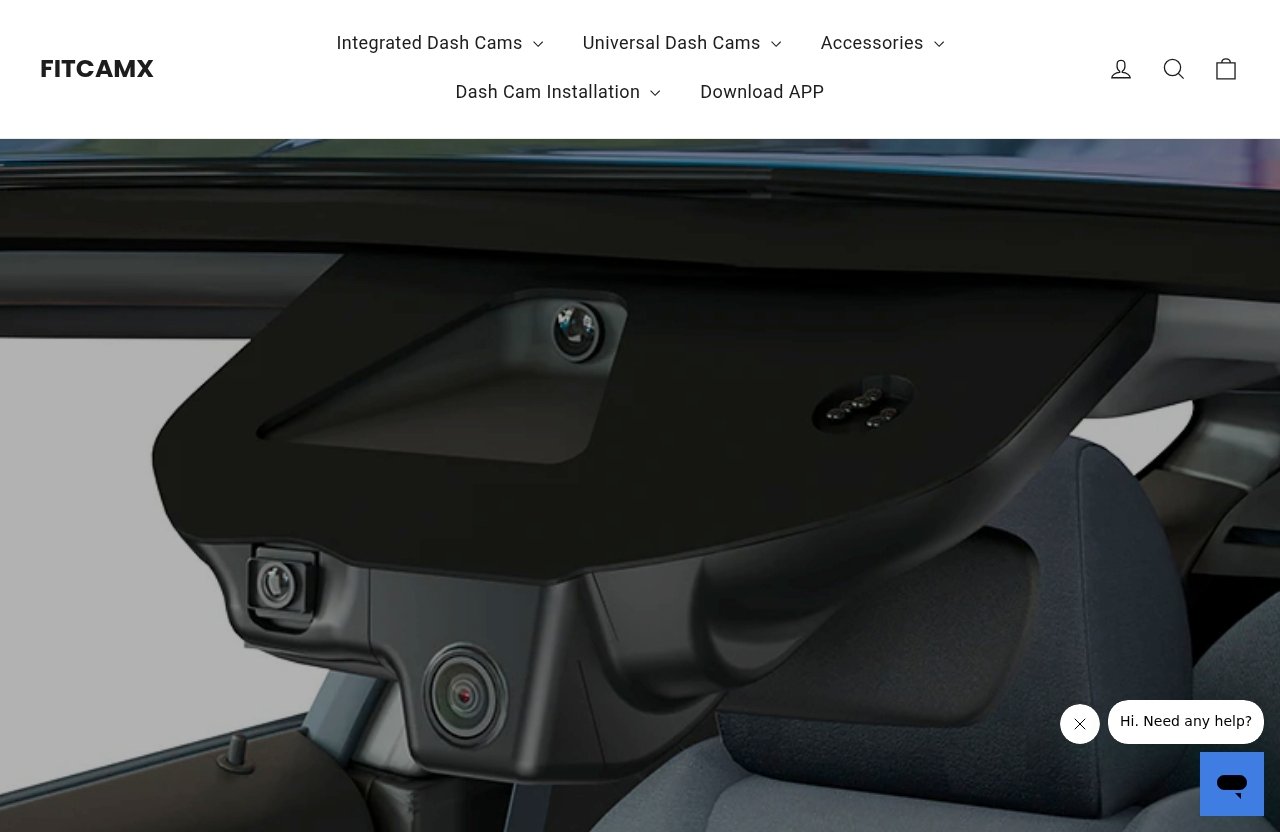
FitcamX parking mode works around one basic idea: the camera needs a parking-mode power connection, then it records when a collision event occurs. The official FitcamX product page note says that after connecting the fuse box, there will be a parking mode function.
For first-time buyers, think of it as a standby safety feature. It is not meant to behave like a home security camera pointed at your car all night.
Power Source While Parked
A dash cam normally needs power to operate. When your vehicle is parked and turned off, the standard driving power setup may not be enough for parking monitoring.
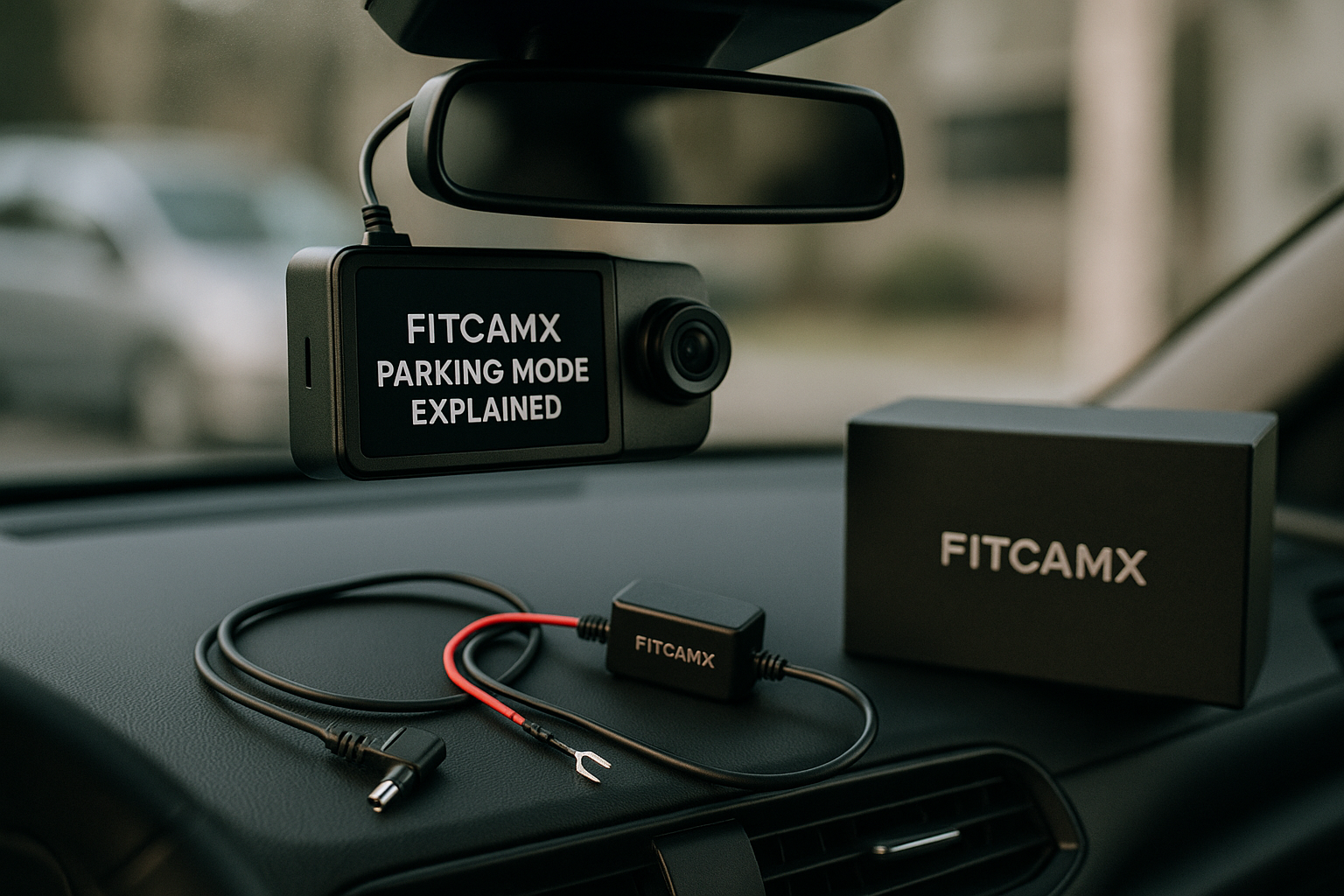
That is where the FitcamX parking mode cable setup comes in. The verified official accessory is the FITCAMX Fuse Box Cable Hardwire Kit, also described as a fuse box cable hardwire kit. FitcamX’s site also mentions plug and play installation, fuse box kit installation, OBD kit installation, a Parking Mode Cable, a Micro SD Card, and a Download APP page.
What Triggers Recording
According to the official product page snippet, FitcamX parking mode means the dash camera starts recording while a collision happens. The page also states clearly that it is not continuous video recording.
In plain English, the camera is waiting for an event rather than filming nonstop. FitcamX does not confirm, in the provided facts, specific trigger thresholds, motion-detection behavior, or how light of a vibration can activate recording.
What Happens After An Event Is Detected
After an event is detected, the camera is intended to record the incident. That is the purpose of FitcamX parking monitoring: to provide a captured clip tied to an impact or collision-type event.
The exact saved clip duration, file behavior, and app workflow are not confirmed in the provided official facts. If those details matter to you, check the product manual, FitcamX support article, and app guidance before buying or installing.
What Hardware You Need To Use Parking Mode
To use FitcamX parking mode, you need more than just the camera itself. The official product note says parking mode becomes available after connecting the fuse box, which points buyers toward the hardwire/fuse box installation path.
The most important verified accessory is the FITCAMX Fuse Box Cable Hardwire Kit. If you are still choosing a camera, you can review the current FitcamX product lineup through this FitcamX dash cam page and confirm whether the parking-mode setup matches your vehicle and comfort level.
FITCAMX Fuse Box Cable Hardwire Kit
The official parking accessory is listed as the FITCAMX Fuse Box Cable Hardwire kit, 4in1 ATO Regular, Mini, Micro2, and Low-profile mini. The verified regular price is $39.00 USD.
This accessory is commonly referred to by buyers as the fitcamx hardwire kit or fitcamx fuse box cable. Its purpose, based on official wording, is to connect through the fuse box so the parking mode function becomes available.
| Official Accessory | Verified Detail |
|---|---|
| Product name | FITCAMX Fuse Box Cable Hardwire Kit |
| Fuse types listed | 4in1 ATO Regular, Mini, Micro2, Low-profile mini |
| Verified price | Regular price $39.00 USD |
| Parking mode note | After connecting the fuse box, there will be a parking mode function |
Plug-And-Play Installation Vs Hardwire Installation
FitcamX’s official homepage states that the brand offers integrated dash cams, universal dash cams, accessories, plug and play installation, fuse box kit installation, and OBD kit installation. That can create confusion because not every installation style serves the same purpose.
Plug-and-play is generally appealing because it sounds easier for daily recording while driving. But for FitcamX parking mode, the official note specifically points to connecting the fuse box.
When The Parking Mode Cable Is Required
If your goal is parked-car incident capture, the fitcamx parking mode cable becomes the key accessory to understand. FitcamX identifies a Parking Mode Cable on its official site, and the fuse box cable hardwire kit is the verified parking accessory in the provided product facts.
If you do not install the required parking-mode power connection, you should not expect FitcamX parking mode to work just because the dash cam records normally while driving.
Official website · Latest pricing & offers
Installation Overview: What The Official Guide Suggests
FitcamX has an official support article titled “What is Parking Mode (Parking Monitoring)? How to install fuse box cable.” That support title is useful because it confirms two important things: FitcamX treats parking mode as parking monitoring, and fuse box cable installation is part of the official guidance.
This section is not a replacement for the official manual or installation guide. It is a plain-English overview so you know what to expect before deciding whether FitcamX parking mode is practical for you.
Fuse Box Kit Installation Basics
The official product page note says that after connecting the fuse box, there will be a parking mode function. In buyer terms, that means the installation is more involved than simply plugging in a dash cam and driving away.
A fuse box installation usually requires identifying the correct vehicle fuse area and routing the cable safely. If you are not comfortable with vehicle electrical work, it is smart to have a qualified installer handle it.
OBD Kit Installation Mention On The Site
The official FitcamX homepage also mentions OBD kit installation. However, the verified parking-mode product facts specifically identify the FITCAMX Fuse Box Cable Hardwire Kit and the product note about connecting the fuse box.
Because the provided facts do not confirm every OBD parking-mode detail, treat the fuse box cable as the verified path for FitcamX parking mode unless the specific product page or support guidance for your model says otherwise.
What To Check Before Installation
Before installing, check three things: your dash cam model, the accessory included or purchased, and the official FitcamX support guidance for your setup. Do not assume every cable or installation method supports parking monitoring.
Also check whether you are comfortable with the tradeoff. FitcamX parking mode can add useful parked-car protection, but it also adds installation complexity compared with a basic driving-only setup.
FitcamX Parking Mode Limitations Buyers Should Know
FitcamX parking mode is useful, but it is not magic. The biggest limitation is that it is not 24/7 recording.
That single point should guide your buying decision. If you need constant overnight surveillance, FitcamX parking monitoring may not satisfy you unless the official product you choose confirms a different capability.
Not 24/7 Recording
FitcamX’s official wording says parking mode means the dash camera starts recording when a collision happens. It also says “Not continuous video recording.”
This is the most important limitation in the entire feature. FitcamX parking mode is designed for event capture, not for recording every minute your car is parked at home, at work, or on the street.
Battery Drain Concerns
Many shoppers search for “fitcamx parking mode battery drain” because parked-car monitoring uses power while the vehicle is off. That concern is reasonable.
The provided official facts do not confirm exact power draw, battery cutoff behavior, or how long a vehicle can support parking monitoring. Because of that, the safest advice is to follow FitcamX’s official installation guidance and consider your vehicle’s battery condition, parking habits, and installer recommendations.
Event-Only Capture And Why That Matters
Event-only capture can be a good thing if you mainly care about bumps, door dings, and impact incidents. It avoids the expectation that the camera is constantly storing hours of uneventful footage.
But it also means FitcamX parking mode may not capture everything a full-time surveillance setup might. If someone walks around your car without triggering a collision-type event, the official facts do not support promising that the camera will record it.
Is FitcamX Parking Mode Worth It For Your Use Case?
FitcamX parking mode is worth considering if you want a cleaner, integrated dash cam setup and you understand that parking surveillance is event-triggered. It is especially relevant if your car spends time in public lots, shared garages, or curbside parking.
It is less compelling if your vehicle is always parked in a secure private garage or if you expect full-time video recording. The right choice depends on your risk level and expectations.
Best For Curb Rash, Break-Ins, And Bump Incidents
The best use case is incident capture while parked. If another vehicle bumps your car, or if a collision-type event occurs near your vehicle, FitcamX parking mode is intended to start recording.
For many buyers, that is enough. A clean built-in look plus event-triggered monitoring can be a practical balance if you do not want a bulky camera or a complicated surveillance system.
When Another Dash Cam Setup May Be Better
Another setup may be better if your top priority is full-time parked recording. FitcamX’s official wording does not describe its parking mode as continuous 24/7 recording.
This comparison is not about claiming competitors are better. It is simply about matching the feature to the need: FitcamX parking mode is event-triggered, while some buyers may be shopping for constant surveillance.
Who Should Skip Parking Mode
You may want to skip parking mode if you rarely park in public, do not want hardwire-style installation, or are uncomfortable with any parked-car power use. You may also skip it if you only need normal driving footage.
If you do want the feature, make sure you are buying the right accessory. The fitcamx fuse box cable is the verified parking-mode accessory path in the provided product facts.
How To Troubleshoot Common Parking Mode Confusion
Searches like “fitcamx parking mode not working” often come from expectation gaps. The camera may be recording normally while driving, but parking monitoring may not activate if the parking-mode power setup is missing or incorrectly installed.
For broader ownership issues, you can also read our [FitcamX problems guide](/fitcamx-problems/) for general troubleshooting context. For parking mode specifically, start with the official FitcamX support article and your installation instructions.
Why Parking Mode May Seem Inactive
FitcamX parking mode may seem inactive because it is not supposed to record continuously. If you check the camera after a quiet night and do not see hours of video, that alone does not prove something is broken.
Remember the official description: the camera starts recording when a collision happens. No event may mean no parking-mode clip.
What To Verify In Wiring And Power Settings
First, verify that the parking-mode accessory is actually installed. A standard driving setup may not activate FitcamX parking monitoring.
Second, confirm that the fuse box cable or parking mode cable was installed according to the official guide. If you are troubleshooting “fitcamx parking mode turn off,” check the manual or app guidance for your specific model, because the provided official facts do not confirm a universal app switch or setting path.
When To Consult The Manual Or Support
If FitcamX parking mode still does not behave as expected, consult the official manual, the FitcamX support article, or a qualified installer. Avoid guessing with vehicle wiring.
This is especially important if you are concerned about battery drain, fuse selection, or whether the cable is connected correctly. Official support is the best source for model-specific installation details.
Official website · Latest pricing & offers
FAQ
What Is Parking Mode On A Dash Cam?
Parking mode on a dash cam is a parked-car monitoring feature. In the case of FitcamX parking mode, official wording says the camera starts recording when a collision happens, rather than recording continuously all day.
Does FitcamX Parking Mode Record 24/7?
No. Based on FitcamX’s official product language, FitcamX parking mode is event-triggered and is not continuous video recording.
How Do You Activate FitcamX Parking Mode?
To activate FitcamX parking mode, use the official parking-mode power accessory and follow FitcamX’s fuse box cable installation guidance. The official product note says parking mode becomes available after connecting the fuse box.
Will Parking Mode Drain My Battery?
Any parked-car monitoring feature uses vehicle power in some way. FitcamX parking mode battery drain depends on installation, vehicle condition, and usage, so follow official guidance and consult a qualified installer if unsure.
Should I Use Parking Mode On My Dash Cam?
You should use parking mode if you want incident capture while your vehicle is parked in public lots, shared garages, or curbside spaces. You may not need it if your car is usually parked in a secure private location.
How To Activate Parking Mode On Dash Cam?
For a dash cam parking mode setup, install the required parking-mode power cable and follow the manufacturer’s instructions. For FitcamX, the verified guidance points to the fuse box cable hardwire kit.
Will Parking Mode Dash Cam Drain Battery?
A parking mode dash cam can affect the vehicle battery because it needs power while parked. FitcamX does not confirm exact battery impact in the provided facts, so installation should follow official instructions.
Should I Use Parking Mode On My Dash Cam If I Park At Home?
If your car is parked in a secure garage, parking mode may be less necessary. If you park outside or in shared areas, FitcamX parking mode can be useful for collision-type incident capture.
What If FitcamX Parking Mode Is Not Working?
If FitcamX parking mode is not working, first confirm that the fuse box cable or parking mode cable is installed correctly. Also remember that it is event-triggered, so it may not record unless a collision event occurs.
Conclusion
FitcamX parking mode is best understood as event-triggered parking monitoring, not 24/7 surveillance. The official FitcamX wording is clear that the camera starts recording when a collision happens and that parking mode is not continuous video recording.
For buyers, that makes the decision easier. If you want a clean dash cam setup that can capture parked impact events, FitcamX parking mode may be a practical add-on. If you need constant overnight recording, you should look carefully at your options before assuming this feature will meet that need.
Related Reading
- FitcamX problems and troubleshooting guide
- How to book cheap international flights on Trip.com in 2026
- Hostinger Google Reviews in 2026
References
- What is Parking Mode (Parking Monitoring)? How to install fuse box cable
- FITCAMX Fuse Box Cable Hardwire kit, 4in1 ATO (Regular), Mini, Micro2, Low-profile mini
- FITCAMX DASH CAM homepage
- Dashcam parking mode (hardwire), especially with FITCAMX : r/Ioniq5