How to Use Klap to Turn Long Videos Into Viral Shorts
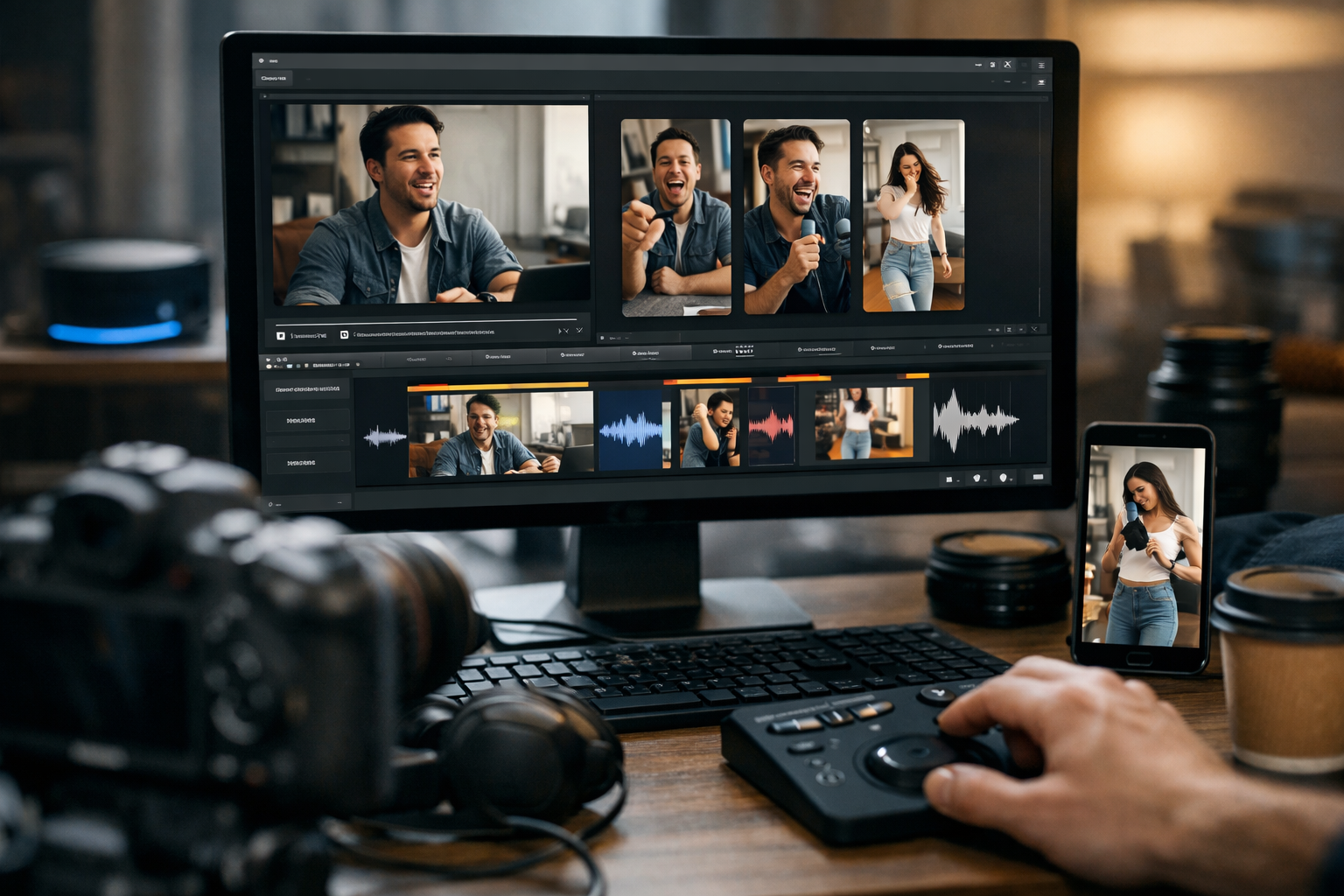
Learning how to use Klap can save creators hours of manual editing when they want to repurpose podcasts, YouTube videos, interviews, webinars, and talking-head content. Klap is designed to turn a long video into short clips for TikTok, Instagram Reels, and YouTube Shorts in just a few steps.
Short-form video matters because audiences often discover creators through quick, focused clips before watching a full episode. Klap helps identify promising moments, format them for vertical viewing, and add AI-generated captions. However, it is important to set realistic expectations: the tool can help you create polished short clips faster, but it cannot guarantee a video will go viral.
This guide is based on Klap’s official homepage, pricing information, and product messaging. It explains the complete workflow for beginners, along with practical advice for getting better results.
Official website · Latest pricing & offers
What Klap Is and Who It’s For
Klap is an AI-powered video repurposing tool that turns long videos into short-form clips. Its main purpose is to help you create TikToks, Reels, and Shorts from existing content instead of manually searching through an entire recording for useful moments.
If you are researching how to use Klap, think of it as a shortcut between a finished long video and a batch of social-ready clips. You provide the source video or a YouTube link, and the platform’s AI helps find interesting sections, reformat them, and prepare them for review and export.
How Klap turns long videos into short-form clips
Klap starts with a long-form video, such as a podcast episode, educational video, interview, or product discussion. According to the official site, you can upload a video directly or paste a YouTube link to begin.
The AI then creates clips from the source footage and scores their potential to go viral. A one-minute long video can produce about five video clips, according to Klap’s product messaging, although the final number and usefulness of clips will naturally depend on the content.
Who should use Klap: YouTubers, podcasters, marketers, teams
Klap is a practical fit for YouTubers who want to turn YouTube videos into shorts without re-editing everything from scratch. It can also be useful for podcasters who have strong conversations, opinions, stories, or educational moments buried inside longer episodes.
Marketers and small teams can use it to repurpose long-form video into a more consistent social content pipeline. For example, one webinar or founder interview may provide several short clips that can be reviewed, scheduled, and shared across different channels.
What kinds of source videos work best
The best source videos typically have clear speech, focused topics, useful insights, memorable stories, or strong reactions. Interviews, tutorials, podcasts, product explainers, coaching sessions, and commentary videos are all natural candidates.
When deciding how to use Klap effectively, start with content that already has substance. AI video clipping works best when there are real moments worth extracting, not when the source video is vague, repetitive, or difficult to hear.
How to Use Klap: Quick Start Overview
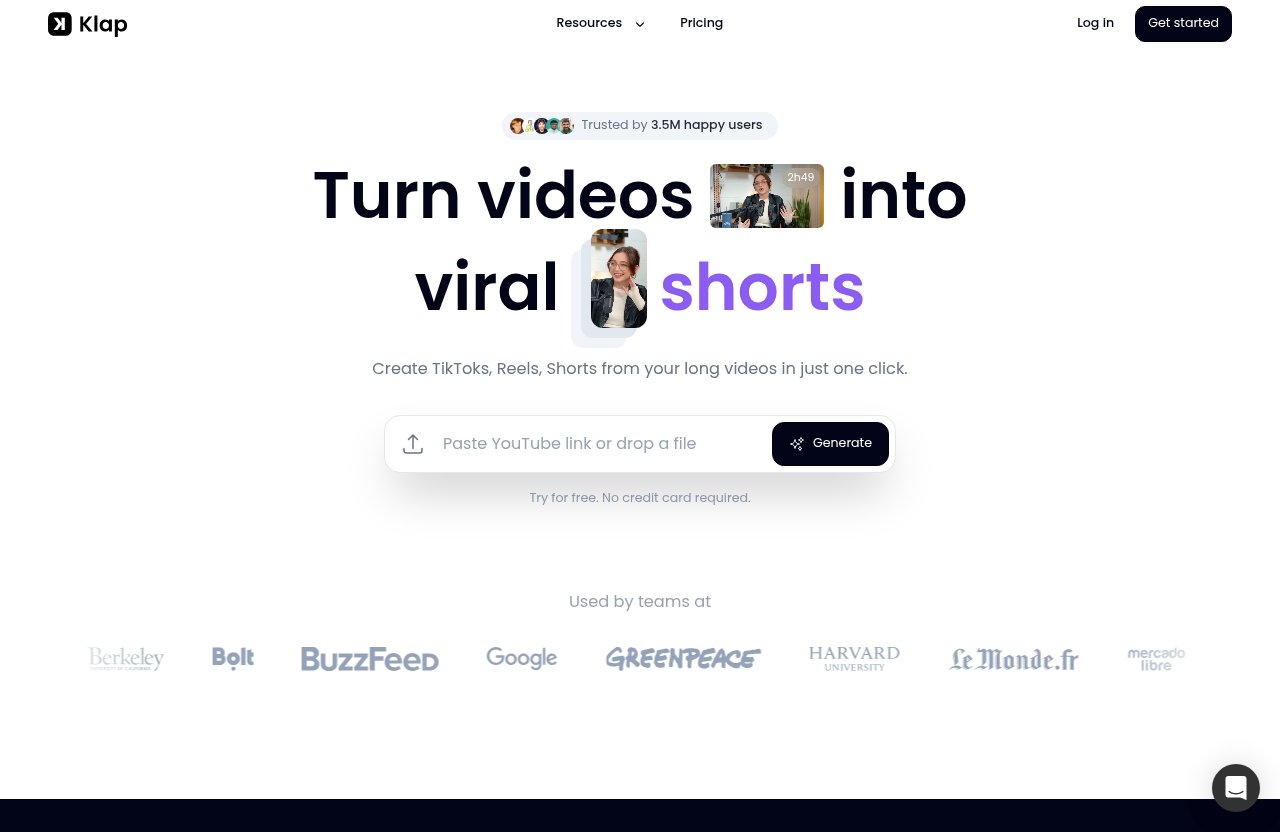
The basic process is straightforward: add a video, let Klap create short clips, review the output, and export the clips you want to publish. The official homepage describes this as a one-click approach to creating short-form content from long videos.
Here is the fast version of how to use Klap before diving into each part of the workflow:
| Step | What You Do | What Klap Helps With |
|---|---|---|
| 1 | Create an account or log in | Access the video creation workflow |
| 2 | Upload a video or add a YouTube URL | Bring in your long-form content |
| 3 | Wait for AI processing | Find and generate potential short clips |
| 4 | Review and export | Check captions, framing, and publish-ready clips |
Step 1: Create or log in to your account
Start by visiting Klap and creating an account or logging into an existing one. The official site states that you can try it for free and that no credit card is required to get started.
Before uploading anything, choose a source video you have permission to use. This may sound obvious, but it is especially important when working with client videos, guest interviews, licensed footage, or YouTube content owned by someone else.
Step 2: Upload a video or paste a YouTube link
Next, upload your long video file or paste a YouTube link. Klap supports both starting points, which is useful if your original content is already live on YouTube.
For the cleanest experience, use a video with understandable dialogue and a clear central topic. If viewers cannot quickly understand the clip without extensive context, it will be harder for any short-form edit to perform well.
Step 3: Let Klap generate clips automatically
After you submit the source material, Klap’s AI analyzes the video and creates potential short clips. The tool is designed to identify interesting moments and score clips based on their potential to go viral.
This stage is where how to use Klap differs from manually editing in a traditional video editor. Instead of watching every second and marking potential highlights yourself, you begin with AI-selected options and decide which ones are actually right for your audience.
Step 4: Review, refine, and export
Do not treat the first generated batch as final without checking it. Review every selected clip for context, accuracy, captions, pacing, and whether the opening moment makes sense to someone who has never seen the full video.
Once you are satisfied, export the clips in high resolution and share them on the social channels that suit your content. Klap is built for short-form destinations such as TikTok, Reels, and Shorts.
Step-by-Step Tutorial: Turn a Long Video into Viral Shorts
This deeper Klap AI tutorial walks through the official workflow in a practical order. The goal is not to promise virality, but to help you produce more high-quality short clips from long videos with less manual work.
Upload a long-form video or paste a YouTube URL
Open Klap and choose whether to upload a video or provide a YouTube URL. This makes the tool flexible for creators who edit locally as well as those who publish full videos to YouTube first.
A good way to approach how to use Klap is to select one complete video with multiple standalone ideas. A 45-minute podcast episode with several useful opinions or stories will generally offer more clipping opportunities than a video built around a single short announcement.
Let AI detect the most interesting moments
Once the source is processed, Klap automatically creates short clips from your long video. Its AI is designed to identify viral-worthy content and score a clip’s potential to go viral.
Use those scores as a starting point, not a prediction. Strong performance still depends on whether the moment has a clear hook, fits the audience’s interests, earns attention in the first seconds, and reaches viewers through platform distribution.
When you make viral shorts with Klap, look for clips that can stand on their own. A viewer should understand the core point even if they have not watched the full episode.
Use AI Reframe 2 to fit vertical formats
AI Reframe 2 is Klap’s feature for resizing videos for different platforms. It analyzes scenes and applies appropriate layouts, including Split Screen, Screencasts, and Gaming layouts.
This matters because a horizontal podcast or YouTube video does not automatically translate well to a vertical phone screen. AI Reframe 2 helps make the visual presentation more suitable for the way viewers consume TikToks, Reels, and Shorts.
As you learn how to use Klap, pay special attention to whether the selected layout supports the clip’s main message. A speaker’s face, a screen demonstration, or a game view should remain easy to follow on a small mobile display.
Check captions, timing, and framing
Klap provides AI-generated captions, which can make clips easier to follow when viewers are watching without sound. Still, review captions carefully for names, technical terms, unusual pronunciations, and any wording that could change the meaning.
Also watch the complete clip from beginning to end. Check that the opening starts at a natural point, the final sentence is not cut off, and the framing keeps the relevant subject visible.
A useful how to use Klap habit is to ask one simple question during review: “Would this make sense in isolation?” If the answer is no, select another moment or use a clip with more self-contained context.
Export and publish to TikTok, Reels, or Shorts
After reviewing the clip, export it in high resolution. Klap’s official messaging says exports can be shared in high resolution, making the finished videos suitable for major short-form platforms.
Publish with a platform-specific caption, title, or description rather than using identical text everywhere. The actual video can remain similar, but small changes in framing, context, and audience language can make each post feel more native to TikTok, Instagram Reels, or YouTube Shorts.
How to Use Klap’s AI Editing Features
Klap’s features are designed to reduce the repetitive work involved in reviewing long footage, selecting highlights, and preparing clips for vertical platforms. Understanding what each feature does will help you make smarter decisions during the review stage.
AI clipping and viral moment selection
AI clipping is the core of the product. Klap analyzes the long video, creates short clips, and scores their potential to go viral based on its automated assessment.
That does not mean every high-scored clip will perform well. The most useful way to use the feature is to let it narrow the field, then apply your own knowledge of the topic, audience, and brand voice before publishing.
Dynamic captions for short-form platforms
Klap provides AI-generated captions for clips. In practical terms, captions can improve accessibility and help viewers understand the message in situations where they are not listening to audio.
Reviewing Klap captions is still worthwhile. AI-generated text can be a major time saver, but creators should always check that captions are accurate, readable, and aligned with the intended message.
AI Reframe 2 and layout detection
AI Reframe 2 resizes video for any platform while analyzing scenes to apply layouts such as Split Screen, Screencasts, and Gaming. This is especially helpful when the original video was created in a wider format.
For anyone exploring how to use Klap for educational videos or podcasts, this feature can make the clip feel more intentional on a vertical screen. It helps adapt the visual format without requiring you to rebuild every edit manually.
What ‘one-click’ editing means in practice
“One-click” means Klap can quickly generate clips from a long video after you submit it. It does not mean you should publish every output without human review.
The best workflow combines automation with editorial judgment. Let the AI do the heavy initial analysis, then choose the moments that match your standards and your audience’s expectations.
Official website · Latest pricing & offers
How to Get Better Results with Klap
The quality of the original video has a large effect on the final short clips. Klap can speed up the repurposing process, but strong source material and thoughtful publishing decisions still matter.
Choose the right source video length and topic
Choose videos with multiple useful sections instead of content that only makes sense as one uninterrupted piece. Discussions with stories, practical lessons, surprising opinions, or clearly defined answers often provide strong raw material.
If your goal is to repurpose long-form video consistently, create future long videos with clipping in mind. Include clear statements, concise explanations, and occasional summaries that can work as standalone moments.
Use strong hooks and clear speaking segments
The first few seconds of a short clip should communicate why a viewer should keep watching. A strong opening might begin with a surprising insight, a direct question, a useful promise, or a clear disagreement.
This is one of the most important lessons in how to use Klap well: select clips with a strong beginning, rather than relying only on a good point that appears halfway through an explanation. The best short-form moments get to the point quickly.
Edit for readability and mobile viewing
Watch clips on a phone before publishing whenever possible. Confirm that captions are readable, the speaker or screen is visible, and the clip still works with the sound off.
Avoid publishing clips that need too much background knowledge. A short video should give enough context for a new viewer to understand the idea and decide whether to watch more of your content.
Repurpose content by platform
You can use the same core clip across TikTok, Reels, and Shorts, but consider the expectations of each audience. Use a relevant title or caption, and make sure the content matches the conversation you want to start on that platform.
The goal is not simply to post more often. It is to turn one long recording into multiple useful social assets while preserving quality and relevance.
Klap Pricing Explained
Klap pricing is based on annual billing. The official plans differ by the number of clips available per month, making the choice mostly dependent on how much video content you need to repurpose.
| Plan | Best For | Clips Per Month | Price |
|---|---|---|---|
| Basic | Individuals | 100 clips | $14/month billed yearly |
| Pro | Professionals | 300 clips | $39/month billed yearly |
| Pro+ | Teams | 1,000 clips | $94/month billed yearly |
Basic plan details
The Basic plan is for individuals and includes 100 clips per month. Its listed price is $14 per month when billed yearly.
This plan may suit a solo creator who publishes long videos occasionally and wants a manageable way to turn selected recordings into short clips.
Pro plan details
The Pro plan is labeled as popular and intended for professionals. It includes 300 clips per month at $39 per month billed yearly.
It may be a better match for active YouTubers, podcasters, consultants, and marketers who regularly create longer content and need more short-form output.
Pro+ plan details
The Pro+ plan is designed for teams. It includes 1,000 clips per month and costs $94 per month billed yearly.
This level may be relevant for agencies, media teams, or businesses repurposing a larger volume of client, educational, or internal video content.
What all plans include
According to the official Klap pricing information, every plan includes AI Clipping, unlimited social accounts, and analytics. These inclusions mean the main plan difference is the monthly clip allowance.
Before subscribing, check the current official pricing page for the latest terms. Pricing pages can change, and it is wise to confirm details directly before making a purchase decision.
How to choose the right plan
Choose based on your monthly publishing volume rather than choosing the largest plan immediately. Estimate how many long videos you produce and how many short clips you realistically plan to review and publish.
If you are still learning how to use Klap, starting with the official free trial option can help you evaluate whether the workflow fits your content style before committing to a paid plan.
Pros and Limitations of Klap
A balanced Klap review should consider both the time-saving benefits and the areas where a creator still needs to be involved. Klap is useful automation, but it is not a replacement for creative judgment.
Main advantages for beginners
Klap offers a simple starting workflow: upload a video or paste a YouTube link, let the AI generate clips, review them, and export. This is approachable for people who are not experienced video editors.
AI Reframe 2, AI-generated captions, and automated clipping also address common short-form production tasks. For beginners, these features can reduce the intimidation of turning a long horizontal video into a vertical social clip.
Where Klap saves time
The largest benefit is reducing the time spent searching through long recordings for usable moments. Rather than beginning with a blank editing timeline, you can review AI-generated clip options.
For creators who already have a library of podcasts or YouTube content, how to use Klap becomes a repeatable workflow for giving older videos a second life. Klap states that its users have made 8.5 million clips across 3.5 million creators, which reflects the tool’s focus on large-scale repurposing.
Potential limitations to keep in mind
Klap can identify and format potential highlights, but it cannot guarantee viral results. Performance depends on the actual content, your opening hook, audience fit, publishing consistency, and each platform’s distribution decisions.
You should also expect to review captions, timing, and framing before publishing. AI can accelerate the first draft, but human review protects accuracy, context, and your brand’s quality standards.
Best Use Cases for Affiliate Readers
Klap is most valuable when you already have long-form content and want to extract more value from it. It is less about replacing your creative process and more about making repurposing more efficient.
Turning podcasts into shorts
Podcast episodes often contain concise stories, strong opinions, useful advice, and entertaining exchanges. Those sections can work well as vertical clips when they open clearly and provide enough context for new viewers.
Use Klap to scan the episode for promising moments, then select the clips that accurately represent the conversation. This approach can help podcasters stay active on social platforms between full episode releases.
Repurposing YouTube videos for social growth
Creators can turn YouTube videos into shorts by pasting a YouTube link into Klap. This can be a convenient option when the original video is already published and ready to be repurposed.
A tutorial, review, interview, or educational video may contain multiple shareable points. The key is choosing clips that answer a question, challenge an assumption, or offer a useful takeaway without requiring viewers to watch the entire original video first.
Helping creators post daily without manual clipping
Daily posting is difficult when every short video requires a full manual editing session. Klap can help creators and small teams generate a batch of clips from one longer recording, then choose the best ones for their content calendar.
If you want a faster route to how to use Klap in your own workflow, try it first with one proven long video rather than an untested recording. This makes it easier to compare the AI-selected clips against moments you already know your audience likes.
For creators, marketers, and teams that regularly repurpose long-form content, Klap is worth considering as a time-saving tool. You can try Klap through Top Trust Review if the workflow and clip allowances fit your publishing needs.
Top Trust Review may earn a commission if you purchase through that affiliate link, at no extra cost to you. Our recommendation remains simple: use Klap as an efficient first step for finding, formatting, and reviewing short clips—not as a guarantee of viral performance.
Official website · Latest pricing & offers
FAQ
How does Klap work?
Klap works by letting you upload a long video or paste a YouTube link. Its AI then identifies interesting moments, creates short clips, scores their potential to go viral, adds AI-generated captions, and uses AI Reframe 2 to format clips for vertical platforms.
The final step is yours: review the clips, check captions and framing, then export and share them on TikTok, Reels, or YouTube Shorts.
How to use Klap for free?
The official Klap homepage says, “Try for free. No credit card required.” Create an account and follow the normal workflow by uploading a video or pasting a YouTube link.
Klap’s official messaging provided here does not specify free-plan clip limits or other free-tier details, so check the current site during signup for the most accurate information.
Is Klap easy to use?
Klap is designed to be beginner-friendly because the workflow is simple: add a source video, let AI generate clips, review the results, and export. You do not need to start by manually finding every highlight in a long recording.
That said, the best results still come from reviewing the AI output. Checking captions, framing, and context is an important part of publishing clips you can trust.
Is there a free alternative to Klap AI?
Free alternatives to Klap AI exist, but their tools, workflows, and limits vary. This article focuses on Klap’s verified features and official pricing rather than comparing unsupported competitor details.
If your priority is learning how to use Klap for fast long-form video repurposing, the official no-credit-card-required trial is a sensible way to test whether it works for your content.
Related Reading
References
- Klap official homepage
- Klap pricing page
- Klap API documentation
- How to Edit Videos with Klap AI Full Guide