Klap vs Descript: Which Tool Is Better for Video Repurposing in 2026?
If you are comparing klap vs descript, the short answer is simple: Klap is the better fit for fast, dedicated video repurposing, while Descript is better when you need a broader editing, recording, transcription, and production workflow.
I’ve tested and reviewed enough creator tools to know that “best” depends less on feature count and more on where the bottleneck is. If your bottleneck is turning long videos into Shorts, Reels, and TikToks quickly, Klap has the clearer focus. If your bottleneck is cleaning up recordings, editing long-form content, managing transcripts, and publishing polished assets, Descript can make more sense.
Disclosure: toptrustreview.com may earn a commission if you sign up through affiliate links in this article. Recommendations are based on fit, verified product facts, and practical workflow needs.
Official website · Latest pricing & offers
Klap vs Descript: quick verdict
For pure video repurposing, Klap vs Descript leans toward Klap. Klap is built as a browser-based AI clip maker that turns long videos into TikToks, Reels, and Shorts, with official messaging around creating short-form clips from long videos in one click.
Descript is broader. It is positioned as an AI video and audio editor for recording, transcribing, cleaning up, and publishing polished content faster. That makes it powerful, but not always the fastest path if your only goal is short-form content automation.
Best for creators who want fast repurposing
Choose Klap if your main job is to turn long videos into shorts without building a complex editing process. It lets you paste a YouTube link or upload a video file, then use AI to generate short-form social clips.
Official Klap materials say the platform is trusted by 3.5M happy users and has helped create 8.5M clips by 3.5M creators. Those numbers support Klap’s positioning as a high-volume AI clip generator rather than a traditional video editor.
If you want to try the tool for your own workflow, you can start with Klap here and compare its output against your current editing process.
Best for creators who want deeper editing control
Choose Descript if your workflow starts before clipping. For example, if you record a podcast, transcribe the episode, clean up audio, edit a long-form YouTube version, add captions, and then publish, Descript is more aligned with that broader production chain.
The Klap vs Descript decision often comes down to this: Klap is a repurposing-first tool; Descript is an editing-first platform with repurposing as one possible use case.
Summary table: workflow, speed, editing depth, and fit
| Category | Klap | Descript |
|---|---|---|
| Best fit | Fast short-form repurposing | Broader audio/video production |
| Core workflow | Paste/upload long video, generate clips | Record, transcribe, edit, caption, publish |
| Automation | Strong focus on clip generation and reframing | Broader AI assistance across editing workflow |
| Editing depth | More specialized | Deeper all-in-one editing workflow |
| Ideal user | Social publishers, YouTubers, podcasters needing clips | Creators needing recording, transcription, cleanup, long-form edits |
| Best for pure repurposing? | Yes | Only if repurposing is part of a wider workflow |
What each tool is built to do
The most important difference in klap vs descript is product intent. Klap is built around extracting social-ready moments from longer videos. Descript is built around creating and editing audio/video content more broadly.
That distinction matters because feature lists can be misleading. A bigger platform is not always better if it slows down a repeatable publishing workflow.
Klap’s core job: automated short-form clip generation
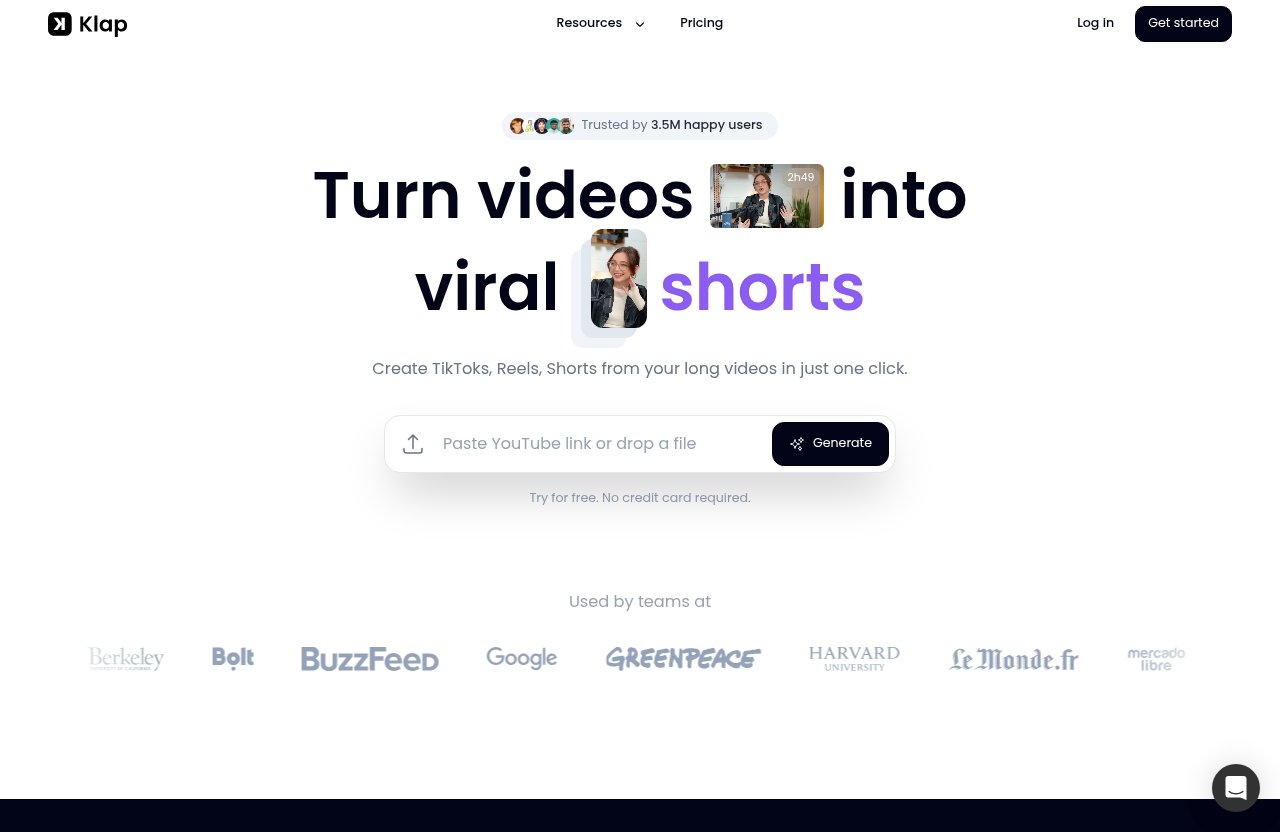
Klap’s official homepage describes it as a browser-based AI clip maker that turns videos into viral TikToks, Reels, and Shorts. It says users can create TikToks, Reels, and Shorts from long videos in one click.
Klap also supports two practical input methods: paste a YouTube link or upload a video file. That makes it especially useful for creators with existing long-form content libraries.
The platform’s AI Reframe 2 is designed to resize videos for different platforms and analyze scenes to apply layouts such as Split Screen, Screencasts, Gaming, and more. Klap also provides AI-generated captions, which are essential for short-form platforms where many viewers watch without sound.
Descript’s core job: all-in-one audio/video editing workflow
Descript is positioned differently. Based on publicly available comparison messaging, Descript is an AI video and audio editor for recording, transcribing, cleaning up, and publishing polished content faster.
Descript’s own comparison content also presents it as supporting pre-production, recording, long-form video editing, captions, and its AI assistant Underlord. In other words, Descript is not just a podcast clip maker or an AI clip generator; it is a broader production suite.
That broader scope can be a major advantage if you create content from scratch. It can also be more than you need if your main task is simply repurposing finished long-form videos.
Where the products overlap and where they differ
Klap and Descript overlap in the sense that both can support creators who want shorter, captioned, social-ready content. They differ in how they get there.
Klap starts with the assumption that you already have a long video and want clips quickly. Descript starts with a larger workflow that may include recording, transcription, editing, cleanup, captions, and publishing.
This is why many klap vs descript reddit discussions and creator debates tend to split by workflow type. Social-first creators often value automation and output speed. Production-heavy creators usually value control, transcripts, cleanup, and editing flexibility.
Feature comparison: automation vs editing depth
The clearest way to compare Klap vs Descript is not by asking which has “more features.” It is by asking which features remove the most friction from your workflow.
If you publish clips daily, automation matters. If you produce polished interviews, tutorials, podcasts, or branded content, editing depth may matter more.
Clip generation and repurposing
Klap’s strongest value proposition is fast clip generation. Official Klap messaging says a one-minute long video produces about five video clips, which signals that the product is optimized for volume and speed.
That makes Klap a strong choice if you publish across TikTok, Instagram Reels, YouTube Shorts, and similar platforms. It helps you move from long-form source material to multiple short-form ideas without manually scrubbing through the full video.
Descript can be useful for creating clips too, but its positioning is broader. If you want to edit the full episode, clean the audio, organize the transcript, and then create shorter assets, Descript’s workflow may feel more complete.
Captions, reframing, and social exports
Klap provides AI-generated captions and AI Reframe 2 for resizing videos across platforms. The scene-aware layout options, including Split Screen, Screencasts, Gaming, and more, are particularly useful when the source video includes multiple visual elements.
For short-form content, this matters because the edit has to work vertically. A long-form YouTube frame often needs reframing, caption placement, and visual emphasis before it works on mobile.
Descript also supports captions according to its comparison positioning, but its advantage is tied to the broader editing environment. If captions are one step inside a more complex edit, Descript may fit. If captions are mainly needed to ship more clips faster, Klap is more purpose-built.
Recording, transcription, and long-form editing
This is where Descript becomes more compelling. Descript is known as an AI audio and video editor for recording, transcribing, cleaning up, and publishing polished content faster.
If you are editing a podcast episode, fixing mistakes, working from a transcript, or shaping a long-form YouTube video before repurposing it, Descript has a more relevant feature direction. It is not just about the final clip; it supports more of the production process.
Klap does not position itself as a deep timeline editor or full recording studio. In the Klap vs Descript comparison, Klap wins on focused automation, while Descript wins when the editing process itself is the main workload.
AI assistance and workflow automation
Klap’s AI is focused on clip creation, reframing, captions, and short-form output. That is valuable because it reduces the manual work involved in finding, formatting, and preparing clips.
Descript’s AI assistant Underlord is part of its broader workflow positioning. Based on Descript’s comparison messaging, its AI support sits inside a platform that covers pre-production, recording, long-form editing, captions, and publishing.
The practical takeaway is simple: Klap’s automation is narrower but more directly aligned with repurposing. Descript’s automation is broader and may be more useful if your content production process has many steps before the clip is created.
Workflow comparison for real creator scenarios
A feature comparison is useful, but a workflow comparison is better. The right answer to klap vs descript changes depending on whether you are a podcaster, YouTuber, agency, coach, educator, or daily short-form publisher.
Here is how I would think about it if I were choosing for a real content operation.
Podcasters turning interviews into social clips
For podcasters, the decision depends on whether the episode still needs editing. If you record long interviews and need transcription, cleanup, long-form edits, captions, and publishing support, Descript is likely the stronger fit.
If the podcast episode is already edited and your main job is to create promotional clips, Klap becomes more attractive. You can use the finished video episode as source material and generate short-form clips for TikTok, Reels, and Shorts.
For podcast teams, the best setup may even be sequential: edit and polish elsewhere, then use a dedicated video repurposing tool for clip distribution. If your focus is podcast growth through social snippets, Klap is easier to justify.
You may also want to compare this against other podcast-specific workflows, such as a Podsqueeze discount guide or broader podcast clip maker tools, depending on whether you prioritize transcripts, show notes, or social clips.
YouTubers repurposing long-form videos
YouTubers are one of the clearest Klap use cases. If you publish long-form videos and want to extract highlights for Shorts, Klap’s browser-based workflow is designed for exactly that.
The ability to paste a YouTube link is especially convenient. Instead of exporting files, re-uploading assets, and manually hunting for moments, you can start from an existing YouTube video.
Descript is better if you are still editing the main YouTube video. For example, tutorial creators, educators, and interview channels may prefer Descript if they want transcript-based editing and cleanup before repurposing.
In short, Klap vs Descript for YouTubers depends on timing. Before the final video is done, Descript may help more. After it is done, Klap is often the faster repurposing layer.
Agencies and teams publishing at scale
Agencies usually care about repeatability, throughput, and client reporting. If the job is to produce many short clips from client podcasts, webinars, livestreams, or YouTube videos, Klap’s specialized workflow can be a strong match.
Klap’s official pricing page also includes a “Need more? Let’s talk!” prompt for custom needs. That matters for teams with higher-volume or non-standard requirements, though exact custom terms are not provided in the brief and should be verified directly.
Descript may be a better agency fit when the agency provides full production services. If the team records, edits, transcribes, captions, and polishes content before distributing it, Descript’s broader platform direction may reduce the number of tools involved.
For agencies comparing klap vs descript cost, the real question is not just subscription price. It is whether the tool reduces labor hours, revision cycles, and manual editing time.
Creators who want hands-on editing vs hands-off automation
Hands-on editors often prefer tools that give them more control. If you like shaping the story, adjusting the structure, cleaning up the recording, and working through a full production process, Descript is likely more comfortable.
Hands-off publishers usually want speed. If you already have long-form content and simply need more short-form output, Klap removes more friction.
This is also where “best AI clip maker” comparisons can get confusing. The best AI clip generator is not always the most powerful editor. It is the tool that matches the job you repeat most often.
For more tool comparisons, toptrustreview.com’s related guides on the best AI short form video maker, Repurpose.io vs Buffer, and social media tool comparisons can help you evaluate the wider stack.
Official website · Latest pricing & offers
Pricing and value: what you can verify
Pricing is important, but unsupported numbers are a fast way to make a bad buying decision. For Klap vs Descript, the safest approach is to separate verified pricing facts from general value analysis.
This section avoids invented plan names, invented prices, or outdated claims.
Klap pricing facts from the official pricing page
The verified Klap pricing facts available from the official pricing page snippet are limited but useful. The pricing page says: “No hidden fees. Cancel anytime.” It also notes that pricing is billed yearly.
The official pricing page includes a “Need more? Let’s talk!” prompt for custom needs. That suggests Klap has a path for users or teams who need more than the standard displayed options.
However, the official snippet provided for this article does not display exact Klap plan names or prices. Because of that, I will not invent specific Klap pricing numbers.
How to evaluate pricing without guessing Descript numbers
There is no official Descript pricing page content provided in this brief. So, for descript pricing, the best advice is to check Descript’s official pricing page directly before buying.
When comparing Klap vs Descript cost, do not only look at the monthly or annual fee. Look at what work each tool replaces.
Ask yourself:
- How many clips do you need per week?
- How much time do you spend finding clip-worthy moments?
- Do you need recording and transcription?
- Do you need long-form editing before repurposing?
- Are you paying editors for manual captioning and reframing?
- Is your bottleneck editing quality or publishing volume?
If you only need short-form clips, a specialized tool can be better value even if a broader editor has more total features. If you need full production support, a broader editor may be better value because it replaces multiple workflow steps.
When the cheaper-seeming tool is not the best value
The cheaper-seeming option is not always the best value. A low-cost tool that saves no time is expensive in practice.
For a daily social publisher, Klap may create more value by speeding up output. For a podcast producer, Descript may create more value by supporting recording, transcription, cleanup, and long-form editing.
That is why the Klap vs Descript buying decision should be based on workflow cost, not just subscription cost. The best value is the tool that removes the most repeated manual work.
Pros and cons of Klap
Klap is easier to understand because its product focus is narrower. That is a strength if you know your goal is repurposing.
It is less ideal if you want an all-in-one studio for recording, transcript editing, and long-form production.
Strengths
- Built specifically to turn long videos into TikToks, Reels, and Shorts.
- Browser-based workflow with YouTube link input or video file upload.
- Officially positioned around one-click short-form clip creation.
- AI Reframe 2 resizes videos and analyzes scenes for layouts such as Split Screen, Screencasts, Gaming, and more.
- AI-generated captions are included.
- Strong fit for creators who need short-form content automation.
- Trusted by 3.5M happy users, according to Klap’s official homepage.
- Clear use case for YouTubers, podcasters, coaches, and agencies repurposing existing videos.
Limitations
- More specialized than a full production suite.
- Not positioned as a deep long-form timeline editor.
- Not the obvious first choice if you need recording, transcript-based editing, and audio cleanup in one platform.
- Exact plan names and prices are not available from the official snippet provided, so buyers should verify the current pricing page.
Who should choose Klap
Choose Klap if your main question is: “How can I create more Shorts, Reels, and TikToks from content I already have?”
It is especially relevant if you publish long-form YouTube videos, video podcasts, webinars, interviews, or educational content. If you want a focused video repurposing tool, Klap is the more direct option to evaluate.
In the Klap vs Descript comparison, Klap is the better fit for creators who care more about speed, scale, and automated social output than deep editing control.
Pros and cons of Descript
Descript is more attractive when the creator’s workflow is broader than clipping. If you need to create, edit, clean, caption, and publish polished content, Descript deserves serious consideration.
It is not necessarily worse than Klap. It is simply optimized around a different center of gravity.
Strengths
- Positioned as an AI video and audio editor for recording, transcribing, cleaning up, and publishing polished content faster.
- Broader than a clip maker.
- Descript’s comparison messaging references pre-production, recording, long-form video editing, captions, and its AI assistant Underlord.
- Stronger fit when content needs substantial editing before repurposing.
- Useful for podcasters, video teams, educators, and creators who work from transcripts.
- Can reduce the need to jump between separate recording, editing, and captioning tools.
Limitations
- May be more tool than repurposing-only users need.
- Broader workflows can involve more setup and decision-making.
- If the goal is only to generate social clips from finished videos, a dedicated AI clip generator may feel faster.
- Exact Descript pricing details are not covered here because no official pricing source was provided in the brief.
Who should choose Descript
Choose Descript if repurposing is only one part of your content production process. It is a better fit when you need to record, transcribe, clean up, edit, caption, and publish.
For creators researching descript alternatives, Klap is worth considering only if the main alternative you need is faster short-form clipping. If you need a full editing workspace, Klap is not a one-to-one replacement.
The practical Klap vs Descript takeaway is this: Descript is stronger for production depth; Klap is stronger for repurposing speed.
Which tool is better for video repurposing?
For pure video repurposing, Klap is the clearer winner. It is built around the exact job of converting long videos into short-form clips for TikTok, Reels, and Shorts.
That does not make Descript a bad choice. It means Descript is better when the short clip is only one deliverable inside a wider production workflow.
Choose Klap if you need speed and scale
Choose Klap if you want to produce more short-form clips with less manual editing. This is the most direct answer to Klap vs Descript for creators focused on Shorts, Reels, and TikToks.
Klap’s AI Reframe 2, AI-generated captions, browser-based workflow, and YouTube link input make it practical for fast repurposing. If your weekly goal is to turn long videos into shorts consistently, Klap is purpose-built for that outcome.
It is also a strong option for creators who do not want to become advanced editors. The value is in reducing the work between “I have a long video” and “I have multiple social clips.”
Choose Descript if repurposing is only one step in a larger workflow
Choose Descript if you need deeper editing before you create clips. This includes recording, transcription, cleanup, long-form edits, captions, and broader publishing support.
Descript makes more sense if your content is still unfinished. For example, a podcaster editing raw interview footage may benefit from Descript before thinking about social clips.
So the Klap vs Descript decision should follow your content stage. Finished long-form content points toward Klap. Raw or complex production work points toward Descript.
Decision checklist by creator type
| Creator type | Better fit | Why |
|---|---|---|
| YouTuber with published long-form videos | Klap | Fast Shorts/Reels/TikToks from existing videos |
| Podcaster editing raw episodes | Descript | Better fit for transcription, cleanup, and production |
| Podcaster promoting finished episodes | Klap | Faster social clip generation |
| Agency producing many social clips | Klap | Specialized workflow for volume |
| Agency doing full production | Descript | Broader editing and recording workflow |
| Daily social publisher | Klap | Designed for short-form content automation |
| Tutorial creator needing deep edits | Descript | More aligned with long-form editing needs |
How to choose in 5 minutes
If you are still undecided on Klap vs Descript, use this quick decision process. Do not start with the feature list. Start with the job you need done this week.
Pick the tool that solves your most frequent bottleneck, not the one that sounds most powerful.
If you create podcasts
Choose Descript if your podcast workflow involves raw recordings, transcripts, cleanup, and long-form edits. It is better suited to managing the production side before promotion.
Choose Klap if the episode is already edited and you want social clips fast. For podcast growth through Reels, Shorts, and TikToks, Klap is the more focused podcast clip maker.
If you create tutorials or webinars
Choose Descript if your tutorials need careful editing, structure, cleanup, and polish. It can be a better fit when the educational content itself needs shaping.
Choose Klap if your webinar or tutorial is already complete and you want to extract highlight clips. This is especially useful for coaches, SaaS marketers, educators, and course creators who want to repurpose long recordings.
If you run an agency
Choose Klap if your agency sells short-form repurposing packages. The workflow is more directly aligned with creating many clips from long-form client assets.
Choose Descript if your agency sells full production services. If your team handles recording, editing, transcription, captions, and publishing, Descript’s broader workflow may be more efficient.
If you publish daily on short-form platforms
Choose Klap if your publishing schedule depends on speed and volume. It is the more obvious choice when you need a repeatable system for turning existing content into social clips.
Choose Descript if you publish fewer clips but spend more time producing polished long-form content first. In that case, the broader editing workflow may matter more than clip automation.
For sources and further comparison context, useful references include Klap’s AI clip maker content at https://klap.app/blog/ai-clip-maker, Descript’s comparison page at https://www.descript.com/compare/descript-vs-opus-clip, the Descript vs Klap overview at https://aiunderstanding.org/tools/compare/descript-vs-klap, and a broader Descript alternatives article at https://www.eesel.ai/blog/descript-alternatives.
In conclusion, Klap vs Descript comes down to automation versus editing depth. Choose Klap for fast, focused video repurposing. Choose Descript when you need a broader production platform before repurposing begins.
Official website · Latest pricing & offers
FAQ
What is better than Descript?
“Better” depends on the workflow. For pure video repurposing, Klap may be better because it is focused on turning long videos into short-form clips quickly.
Descript is stronger when you need broader production support, such as recording, transcription, cleanup, captions, and long-form video editing. If you are comparing descript alternatives, define whether you need a full editor or a dedicated repurposing tool first.
Which is better, Opus or Descript?
Opus-style tools are generally discussed as specialized clipping tools, while Descript is better known for broader editing and production workflows. If your goal is to create short clips quickly from long-form content, a specialized clip tool may be more efficient.
If your goal is recording, transcript-based editing, cleanup, and polished long-form production, Descript may be the better fit. For this article’s focus, the same logic applies to Klap vs Descript: Klap wins for fast repurposing, while Descript wins for broader editing.
Is OpusClip free?
Pricing can change, so the safest answer is to check OpusClip’s official pricing page for current plan details. Avoid relying on old screenshots, Reddit comments, or outdated comparison posts.
For any AI clip generator, including Klap, OpusClip, or Descript-related workflows, evaluate the current pricing against how many clips you need and how much editing time the tool saves.
Is CapCut or Descript better?
CapCut and Descript serve different editing styles. CapCut is often associated with consumer-style editing, templates, and social video creation, while Descript is better known for text-based audio/video editing and broader production workflows.
If your main goal is repurposing long-form videos into short clips, also compare dedicated tools like Klap. The best choice depends on whether you need templates, deep editing, or automated short-form content generation.
Related Reading
References
- Descript vs. OpusClip
- Descript vs Klap: Detailed Comparison (2026)
- 12 Best AI Clip Maker Tools in 2025 (Klap vs. Alternatives)
- I tried 7 popular Descript alternatives and here’s my honest breakdown for 2026