Lalal.AI for Musicians: A Practical Review for Practice, Transcription, and Remixing
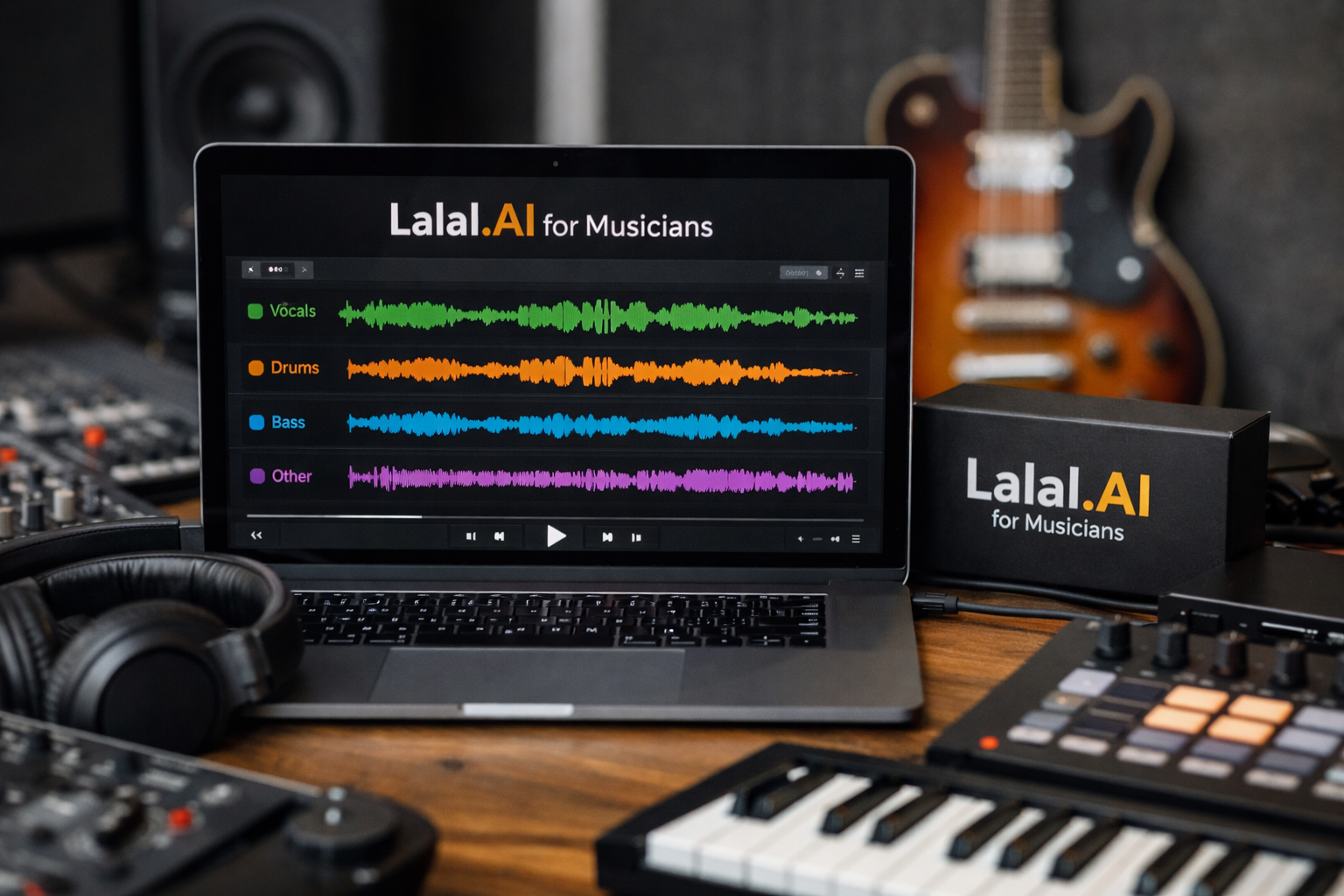
For singers, producers, DJs, and home-studio creators, LALAL.AI for musicians is primarily a way to separate parts of a finished song for focused listening and creative preparation. It is an AI Vocal Remover & Instrumental Isolator with tools designed to isolate vocals, instrumentals, drums, bass, and other musical elements.
That matters when you need a cleaner practice track, want to study a bass line without competing instruments, or need source material for an authorized remix project. Rather than treating it as a replacement for musicianship, think of it as a practical listening and preparation tool.
Affiliate note: This page may contain affiliate links. Our recommendation is based on verified official product facts and the practical fit of the tool for real musician workflows.
Official website · Latest pricing & offers
What LALAL.AI Is and Why Musicians Care
A Quick Explanation of Vocal Removal and Stem Separation
At its core, LALAL.AI separates elements that have already been mixed into one audio file. A vocal remover can help create an instrumental-oriented version of a song, while stem separation aims to pull out individual musical components for closer study or production work.
For example, a vocalist may isolate the instrumental to rehearse without the original singer. A guitarist may focus on a separated guitar part to identify voicings, phrasing, and tone choices. This is where LALAL.AI for musicians becomes more useful than simply playing a track repeatedly and hoping details become clearer.
Who the Tool Is Best For: Singers, Producers, Instrumentalists, DJs, and Songwriters
Singers can use separated vocals and instrumentals for rehearsal, harmony analysis, and reference-track preparation. Producers and beatmakers can study drum patterns, bass movement, and arrangement changes before building an original production.
Instrumentalists benefit when a busy mix makes one part difficult to hear. DJs and remix artists may use extracted material as starting-point reference or source prep—but only when they have the appropriate copyright permissions. Songwriters can also use isolated components to understand how a chorus expands, where backing vocals enter, or how a groove supports a melody.
When an AI Stem Splitter Is More Useful Than Manual Editing
Manual EQ and panning can sometimes reduce a vocal or bring out a specific instrument, but those techniques are limited when everything is tightly blended in the center of a stereo mix. A stem splitter for musicians can offer a more direct route to focused listening.
That does not mean every result will be perfect. LALAL.AI for musicians is most helpful when the goal is practice, analysis, drafting, and creative exploration—not when you require untouched multitrack recordings from the original session.
The Main Ways Musicians Can Use LALAL.AI
Practice by Isolating Vocals or Instruments
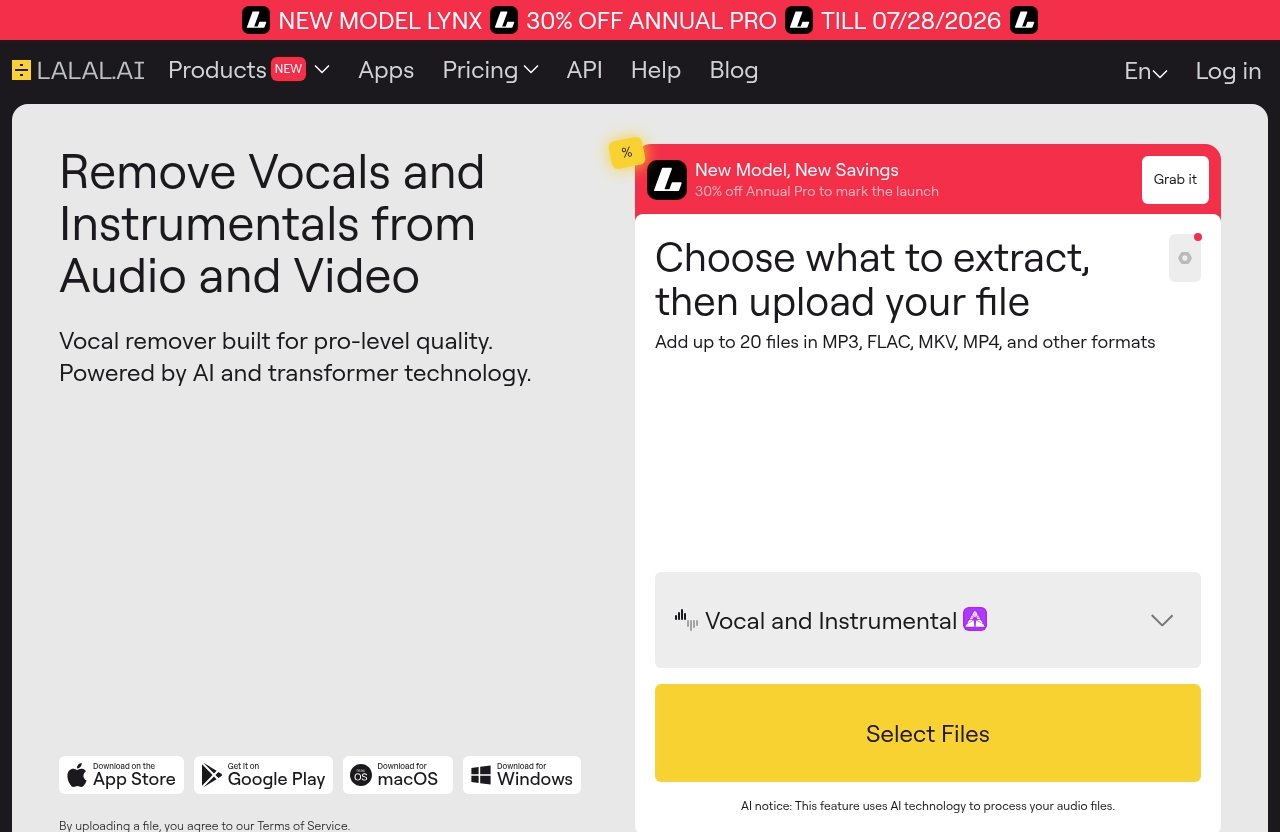
One of the most immediate uses is building a vocal remover for practice tracks. Upload a song, separate the vocals from the instrumental, then rehearse your part against the backing-oriented result.
A singer preparing for a cover set might use the instrumental to work on timing and breath placement. A drummer can isolate drums to hear kick placement, hi-hat articulation, fills, and transitions more clearly. In a practical practice routine, LALAL.AI for musicians gives you a more targeted listening environment than the original full mix.
Transcribe Melodies, Harmonies, Bass Lines, and Drum Patterns
Transcription improves fastest when you can reduce distractions. If you are learning a bass line, separating bass from the fuller arrangement can make note choices and rhythmic placement easier to hear.
The same applies to a backing-vocal stack or a guitar hook buried beneath lead vocals. LALAL.AI is not presented as automatic notation or transcription software, but it can act as a valuable music transcription tool by making the source easier to listen to carefully.
A simple workflow looks like this:
- Separate the part you want to study.
- Listen in short sections rather than attempting the whole song at once.
- Sing, play, or tap along until the phrase feels clear.
- Write your own notes, chord chart, tab, or notation.
- Return to the full mix to check how the part functions in context.
Build Remix or Mashup Source Material
For producers and DJs, remix stems from songs can help reveal the raw ingredients behind an arrangement. A separated vocal may help you analyze phrasing, while drums or bass may provide a reference for groove and energy.
Use LALAL.AI for musicians as a prep stage before importing approved material into a DAW. It can be useful for shaping an arrangement idea, creating an edit for a permitted project, or testing how a new chord progression supports an existing vocal phrase.
Always distinguish between technical possibility and legal permission. Separating a song does not grant you the rights to distribute, monetize, sample, or publicly release a remix.
Clean Up Recordings for Rehearsal, Demo Prep, or Reference Tracks
Not every use starts with a commercial song. A band rehearsal recording, phone memo, or rough vocal idea may include distracting background sound that makes it harder to evaluate the performance.
LALAL.AI for musicians includes tools that can support cleanup-focused workflows. For instance, you may want to reduce unwanted noise from a rough vocal reference before sending it to a collaborator, or remove distracting background music from a spoken rehearsal note.
Key LALAL.AI Features Musicians Will Notice
Vocal Remover for Quick Vocal/Instrument Splits
The official Vocal Remover is designed to separate vocals and instrumentals. For musicians, this is the most straightforward feature for making practice-oriented backing tracks or checking what happens underneath a lead vocal.
A singer can work through difficult entrances without relying on the original vocal line. A producer can also use the split as a listening aid when studying the balance between vocal production and instrumental arrangement.
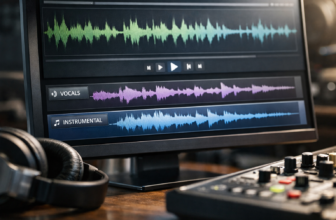
Stem Splitter for Vocals, Instrumental, Drums, Bass, Guitar, Synth, String, and Wind Instruments
The official LALAL.AI Stem Splitter can output vocals, instrumental, drums, bass, guitar, synth, string, and wind instruments. That range makes it relevant for musicians working beyond the usual vocal-versus-instrumental split.
For a bassist, isolating bass can support note-by-note transcription. For an arranger, separated strings or synth material may clarify how layers enter and leave a section. LALAL.AI for musicians is especially appealing when the learning goal is to identify each role inside a dense production.
| Musical Goal | Helpful Separated Part | Practical Use |
|---|---|---|
| Learn a vocal line | Vocals | Study melody, timing, and phrasing |
| Practice singing | Instrumental | Rehearse without the original lead vocal |
| Learn a groove | Drums | Analyze kick, snare, and rhythm patterns |
| Transcribe a line | Bass or guitar | Hear note movement more clearly |
| Study orchestration | Strings, synth, or wind instruments | Identify arrangement layers |
Voice Cleaner for Removing Background Music, Plosives, Mic Rumble, Noise, Echo, and Reverb
Voice Cleaner is officially described as a tool for removing background music, vocal plosives, mic rumble, and other unwanted noises. That can be useful when a rough vocal memo or spoken production note is difficult to understand.
The separate Echo & Reverb Remover can remove echo and reverb from vocals, voice recordings, songs, and videos. In a rehearsal or demo context, these tools may help make reference material easier to assess before recording a cleaner take in your DAW.
Lead/Back Splitter for Separating Lead and Backing Vocals
The official Lead/Back Splitter separates lead and backing vocals. For harmony singers and vocal producers, this is one of the more musician-specific applications of LALAL.AI for musicians.
You can use a separated backing-vocal result to identify stack placement, response phrases, and chorus density. It is also useful for studying whether a production relies on unison doubles, harmonies, ad-libs, or background textures.
Apps and Integrations: Desktop, iOS, Android, VST Plugin, API
LALAL.AI offers Desktop support for Windows, macOS, and Linux, plus iOS for iPhone and iPad and Android for Android phones and tablets. This gives musicians flexibility to start a separation task from a phone or work from a studio computer.
The official VST Plugin runs locally inside your DAW, which is relevant for producers who prefer to keep stem-related tasks close to the session workflow. There is also an API for developers. For most independent artists, the important point is choosing the environment that fits how you already practice and produce.
Pricing and Plans: What the Official LALAL.AI Page Says
Verified Plan Names and What to Look for on the Pricing Page
The official pricing-page excerpt provided for this review does not expose verified plan names, prices, included limits, or other plan-specific details. For that reason, it would not be responsible to list numbers or package names here.
Before buying LALAL.AI for musicians, review the live official pricing page and confirm what is currently available. Check the plan structure, any usage allowances, and whether the option fits how often you expect to separate tracks.
You can review the product and current purchasing details through the official LALAL.AI page before making a decision.
How to Choose a Plan Based on Casual Practice vs. Regular Production Use
A casual learner may only need occasional separation for a few songs, such as preparing for a performance or transcribing parts for a lesson. A producer, DJ, teacher, or content creator who regularly works with reference tracks may have different requirements.
The best value is not necessarily the largest option. Consider how many practice tracks, demos, or authorized remix projects you realistically expect to process. LALAL.AI pricing should be assessed against your actual workflow, not against a vague idea that you might use it someday.
Important Reminder: Verify Current Pricing on the Official Page Before Purchase
Pricing, offers, plan availability, and usage terms can change. Verify all current LALAL.AI pricing details directly on the official page at the time you publish or purchase.
If you are uncertain, start by evaluating the available official options rather than assuming a free plan, trial, subscription, or one-time package exists. Only the live pricing page can confirm the current terms.
Official website · Latest pricing & offers
Best Use Cases by Musician Type
Vocalists and Singers
For singers, LALAL.AI for musicians is most useful for removing or separating the original lead vocal so you can rehearse with the instrumental. This creates room to work on pitch, timing, lyric delivery, and stage confidence.
The Lead/Back Splitter can also support harmony study. Listen to backing parts on their own, identify the intervals, then recreate them with your own voice or arrangement.
Producers and Beatmakers
Producers often need clearer references, not necessarily material to reuse. Separate drums to study groove construction, isolate bass to understand the relationship with the kick, or listen to synth layers when mapping an arrangement.
LALAL.AI for producers can be useful during the analysis stage of building an original track. The aim is to learn why a record feels effective, then apply that knowledge with your own sounds and composition.
DJs and Remix Artists
DJs and remix artists may use AI stem separation to prepare authorized acapella-style or instrumental-oriented material for transitions, edits, and remix concepts. Lead/back separation can also spark ideas for drops, vocal chops, and alternate chorus structures.
The critical limitation is rights clearance. Any public use, release, upload, or monetization of separated material should be supported by the necessary permissions from rights holders.
Instrumentalists and Band Members
Guitarists can use separation to study riffs and articulation. Bassists can focus on low-end movement, while drummers can isolate rhythm parts for groove analysis. Horn, string, and keyboard players can use the available stem categories to hear arrangement roles more clearly.
For band rehearsals, LALAL.AI for musicians can help members prepare independently before meeting in the room. That can make limited rehearsal time more productive.
How to Use LALAL.AI for Better Practice Sessions
Create Stripped-Back Practice Tracks
Start with the part you do not need to hear. If you are practicing lead vocals, a vocal/instrumental separation can give you an instrumental-oriented backing track. If you are learning guitar, isolate guitar for study, then switch back to the fuller result for context.
Do not chase a flawless replica of a commercial backing track. The goal is a functional practice resource that helps you identify mistakes and repeat difficult sections.
Loop Isolated Parts for Repetition
Once you have a separated part, use your preferred player or DAW to loop a short phrase. Work in small units: one bar, one pickup, one harmony entrance, or one drum fill.
This is where LALAL.AI for musicians supports deliberate practice. Instead of repeatedly playing the whole song, you can focus attention on the exact musical detail that needs work.
Compare Your Performance Against the Original
Record yourself singing or playing over a practice result, then compare your take with the original track. Listen for timing, note length, dynamics, accents, and tone rather than judging only whether you played the correct notes.
For vocalists, compare consonant placement and breath timing. For instrumentalists, check whether your part locks to the groove or simply follows the beat loosely.
Use Stems for Harmony and Rhythm Training
A productive harmony exercise is to isolate backing vocals, learn one line at a time, then sing it against the instrumental. For rhythm training, isolate drums and clap or play the pattern before adding the rest of the track back in.
These exercises turn passive listening into active musicianship. A tool like LALAL.AI is most valuable when it leads to better listening habits, not when it becomes a shortcut around learning.
How to Use LALAL.AI for Transcription and Ear Training
Extract One Instrument at a Time
Trying to transcribe a part from a crowded mix can be frustrating. Start by separating the instrument category that is closest to your goal, such as bass, drums, guitar, vocals, strings, synth, or wind instruments.
LALAL.AI for musicians can reduce the number of competing elements you hear at once. That does not eliminate the need for careful listening, but it can make the first pass much less intimidating.
Slow Down Your Workflow With Isolated Stems
Isolation is only one part of transcription. Take time to replay small phrases, sing them back, find them on your instrument, and verify them against the original arrangement.
Avoid guessing entire sections after one listen. A slower process produces more reliable charts, tabs, and notation, especially when dealing with syncopation, overlapping harmonies, or fast melodic movement.
Take Notes on Chord Changes, Groove, and Phrasing
Use isolated material to answer specific questions:
- Where does the bass change relative to the chord?
- Does the vocal enter before or after the downbeat?
- Is the drum fill leading into the chorus played straight or with a rhythmic push?
- Which backing vocal supports the final word of the phrase?
- Does the guitar part double the melody or answer it?
This focused approach makes LALAL.AI for musicians a support tool for ear training rather than an automatic answer machine.
Combine LALAL.AI With DAW Tools or Notation Apps
After separation, bring the audio into your DAW or preferred notation app. Mark song sections, loop transitions, create tempo markers, and write down what you hear.
A DAW can help organize the study process, while notation or tab software can help preserve your final transcription. LALAL.AI helps prepare the listening material; your ears and musical judgment complete the work.
How to Use LALAL.AI for Remixing and Rebuilding Songs
Separate Stems for Creative Sampling
For authorized projects, separated stems can provide material to explore alternate textures, edits, and arrangements. An isolated vocal may inspire a new harmonic setting, while drums can reveal the foundation of a groove you want to reinterpret with your own sounds.
Use the result as raw creative input, then build around it in your DAW. The most satisfying remixes usually add a clear musical perspective rather than simply placing a separated vocal over a different beat.
Remix Legally and Responsibly
LALAL.AI for musicians can technically help prepare remix-related source material, but it does not provide copyright clearance. You still need permission or an appropriate license to release, distribute, perform publicly, monetize, or sample protected recordings.
For personal study, your use may be different from commercial use, but rules vary by location and platform. When in doubt, get written permission or work with licensed stems, your own recordings, and royalty-free material.
Use Lead/Back Separation for Arrangement Ideas
Lead and backing vocal separation can be especially helpful when rebuilding the architecture of a song. Listen to where support vocals begin, how they reinforce hook lines, and when the lead remains intentionally exposed.
You might discover that a chorus feels larger because of short answer phrases rather than a constant wall of harmonies. Apply that observation to an original track instead of copying the source arrangement directly.
Export Stems Into a DAW Workflow
Once you have the material you need, import it into your DAW and label each audio track clearly. Align the audio, set project tempo where appropriate, and begin arranging, editing, or analyzing.
The local VST Plugin option may appeal to producers who want a more integrated DAW-based workflow. Still, assess the current official information before choosing an approach, since your preferred setup depends on your operating system, DAW, and project needs.
Pros, Limitations, and What to Check Before Buying
Where LALAL.AI Is Strong for Musicians
The strongest case for LALAL.AI for musicians is practical focus. It can help you isolate parts for rehearsal, study arrangements, support transcription, prepare authorized remix material, and clean up certain types of reference recordings.
Its official product range also covers more than basic vocal removal. Stem Splitter categories, Voice Cleaner, Echo & Reverb Remover, and Lead/Back Splitter create several options for musicians who need to hear specific elements more clearly.
Potential Limits of AI Separation on Complex Mixes
AI separation quality can vary depending on the source material. Dense mixes, heavily processed vocals, layered instruments occupying similar frequencies, unusual stereo effects, and low-quality audio can affect how useful a separated result feels.
Treat the output as a working stem, practice aid, or creative draft unless you have evaluated it in your own session. If your project demands pristine, original multitrack quality, only the original recording session files can reliably provide that.
What to Test With a Sample Track Before Relying on It
Before committing, test the type of music you actually make or study. A stripped-back acoustic song may behave differently from a dense electronic production, a live band recording, or a track with large vocal stacks.
Check whether the output serves your real purpose: Can you hear the bass line? Is the instrumental suitable for vocal rehearsal? Can you identify backing-vocal entrances? This practical test is more meaningful than relying on general promises about AI stem separation.
Official website · Latest pricing & offers
FAQ
What Is LALAL.AI Used for by Musicians?
Musicians use LALAL.AI to isolate vocals and instruments, make practice-oriented tracks, study arrangements, support ear training, and prepare source material for authorized remix or demo workflows. It can help bring one part of a mix into clearer focus.
Can LALAL.AI Help With Transcription?
Yes. LALAL.AI for musicians can make transcription easier by separating a part such as bass, drums, guitar, or vocals. However, it does not replace careful listening, musical judgment, or notation software.
Is LALAL.AI Good for Remixing Songs?
It can be useful for stem extraction and remix preparation, particularly when you want to analyze or work with isolated elements. You still need proper rights, permissions, and a DAW workflow to remix and release music responsibly.
Does LALAL.AI Have a Free Plan or Trial?
Check the official pricing page for the current options. The verified pricing information supplied for this review does not confirm a specific free plan or trial, so it is best to verify live details before buying.
What Can the Stem Splitter Separate?
The official Stem Splitter can separate vocals, instrumental, drums, bass, guitar, synth, string, and wind instruments.
Can I Use LALAL.AI on Desktop or Mobile?
Yes. Official options include Desktop for Windows, macOS, and Linux; iOS for iPhone and iPad; and Android for Android phones and tablets. There is also a VST Plugin that runs locally inside a DAW and an API for developers.
Final Verdict: Is LALAL.AI Worth It for Musicians?
Best for Practice and Stem-Based Learning
LALAL.AI for musicians is worth considering if you regularly learn songs by ear, prepare covers, teach students, or want more focused practice material. The ability to isolate vocals, instrumentals, drums, bass, and other listed stem categories can make study sessions more intentional.
Best for Remix Prep and Quick Isolation
Producers, beatmakers, and DJs may find it useful for analyzing arrangements and preparing authorized source material for creative projects. The Lead/Back Splitter and the available DAW-oriented VST Plugin are particularly relevant to vocal arrangement and production workflows.
Who Should Buy vs. Who Should Try the Free or Entry Option First
Buy only after checking the official pricing page and confirming that the current offering suits your expected usage. If an official free, trial, or entry-level option is shown at the time you visit, it makes sense to test a few representative tracks first.
The balanced recommendation is simple: LALAL.AI for musicians is a practical choice for people who need faster access to isolated musical parts for learning, practice, analysis, and authorized remix prep. It is not a substitute for original multitracks, good ears, or proper licensing—but it can be a useful addition to a modern music workflow.
Related Reading
- Lalal.AI Free Trial Review
- Syllaby Pricing 2026
- How to Use Klap to Turn Long Videos Into Viral Shorts
References
- LALAL.AI: AI Vocal Remover & Instrumental Isolator
- Pricing | LALAL.AI
- LALAL.AI Blog | All Things Music and AI
- LALAL.AI FAQ | Answers to All Popular Questions