Repurpose Content with Contentstudio: A Practical 2026 Blog-to-Social Workflow
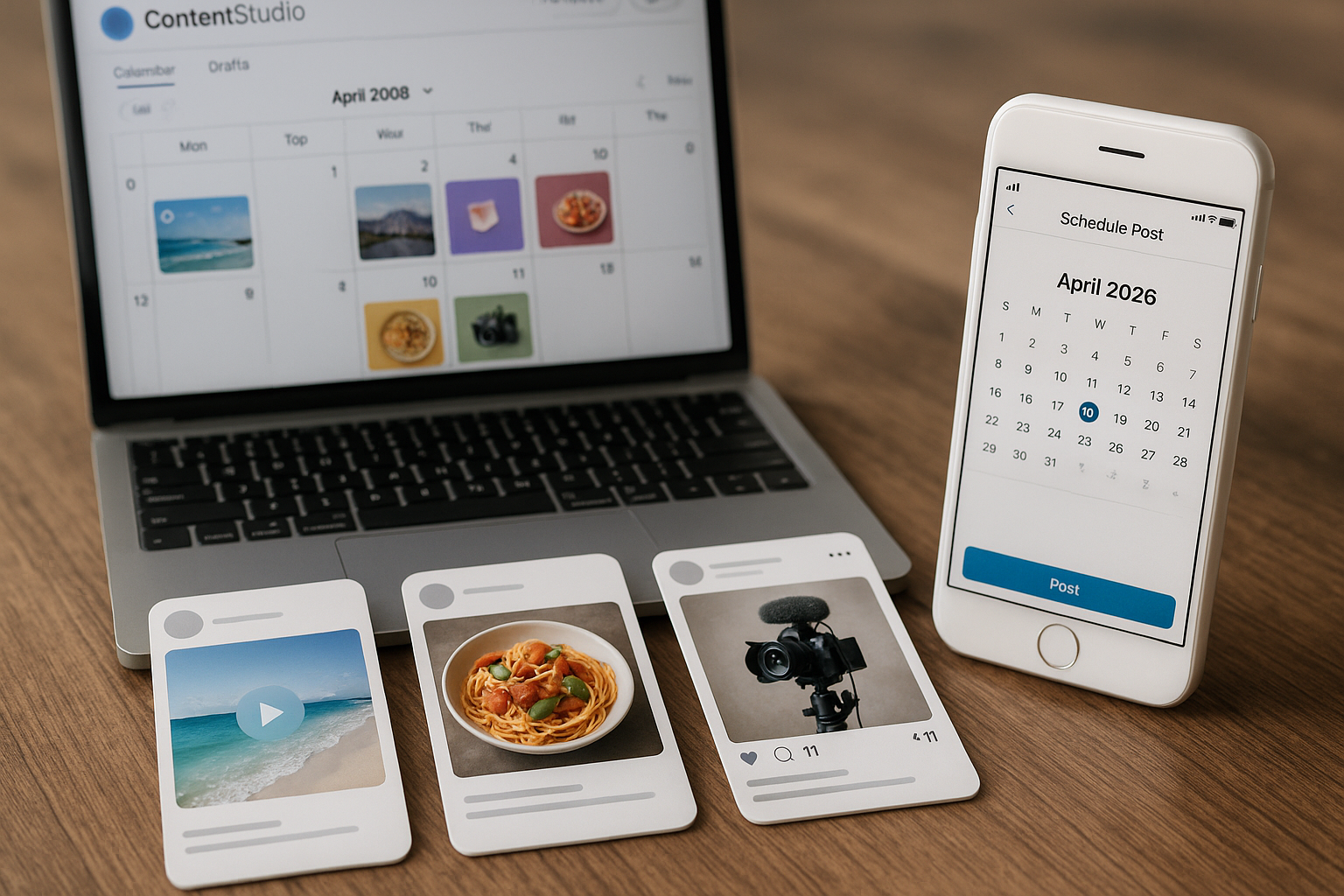
If you publish long-form content, learning how to repurpose content with ContentStudio can help you turn one blog post into a full set of social media assets without starting from a blank page every time. The goal is not to copy and paste the same text everywhere. It is to transform one useful source asset into platform-ready posts, captions, hooks, threads, carousel ideas, scripts, and scheduled content.
For creators, marketers, agencies, solopreneurs, and small business owners, blog-to-social repurposing is one of the most practical ways to get more value from the content you already produce. ContentStudio fits this workflow because it combines AI-assisted content creation, publishing, scheduling, planning, media organization, automation, and team collaboration in one social media management tool.
This guide shows a hands-on way to repurpose content with ContentStudio, using a blog article as the source and turning it into content for LinkedIn, X, Instagram, TikTok, Facebook, and Pinterest.
Official website · Latest pricing & offers
What It Means to Repurpose Content with ContentStudio
Content repurposing means taking one original content asset and adapting it into different formats for different channels. A blog post might become a LinkedIn thought-leadership post, an X thread, an Instagram carousel concept, a TikTok script, a Facebook teaser, and a Pinterest pin description.
When you repurpose content with ContentStudio, the workflow is supported by tools for AI-generated captions and images, planning, scheduling, content organization, approval, and automation. You still need human judgment, but the tool can reduce the repetitive work involved in turning one article into many social posts.
The most important mindset shift is this: repurposing is not about squeezing out more posts for the sake of volume. It is about translating the same idea into the right format for each audience and platform.
Repurposing vs. reposting
Reposting is copying the same content and publishing it again, often with little or no change. That can work occasionally, but it usually feels generic across platforms.
Repurposing is more strategic. You preserve the core message, then reshape the format, hook, length, angle, and creative asset for each channel.
For example, a blog post titled “How to Build a Simple Content Calendar” could become:
| Platform | Repurposed Format | Example Angle |
|---|---|---|
| Authority post | “Most content calendars fail because they start with channels, not goals.” | |
| X | Thread | “7 steps to build a content calendar you will actually use.” |
| Carousel | “5 content calendar mistakes to avoid.” | |
| TikTok | Short script | “Here is the 30-second version of my content planning system.” |
| Teaser post | “If your posting schedule feels chaotic, this simple framework helps.” | |
| Pin description | “Learn how to create a simple content calendar for your blog and social posts.” |
This is the core of a practical contentstudio repurposing workflow: one source idea, multiple native outputs.
Why blog-to-social workflows are the fastest win when you repurpose content with ContentStudio
Blog posts are usually rich in structure. They already contain a headline, intro, subheadings, examples, arguments, steps, and conclusions. That makes them ideal source material for AI content repurposing.
A blog to social workflow is fast because you do not need to invent new ideas. You extract the strongest parts of the article and convert them into short-form assets.
This is especially useful if you publish educational or buyer-focused content. A single article can provide a week or more of social content when broken into smaller takeaways, objections, tips, and examples.
Why ContentStudio Fits a Blog-to-Social Repurposing Workflow
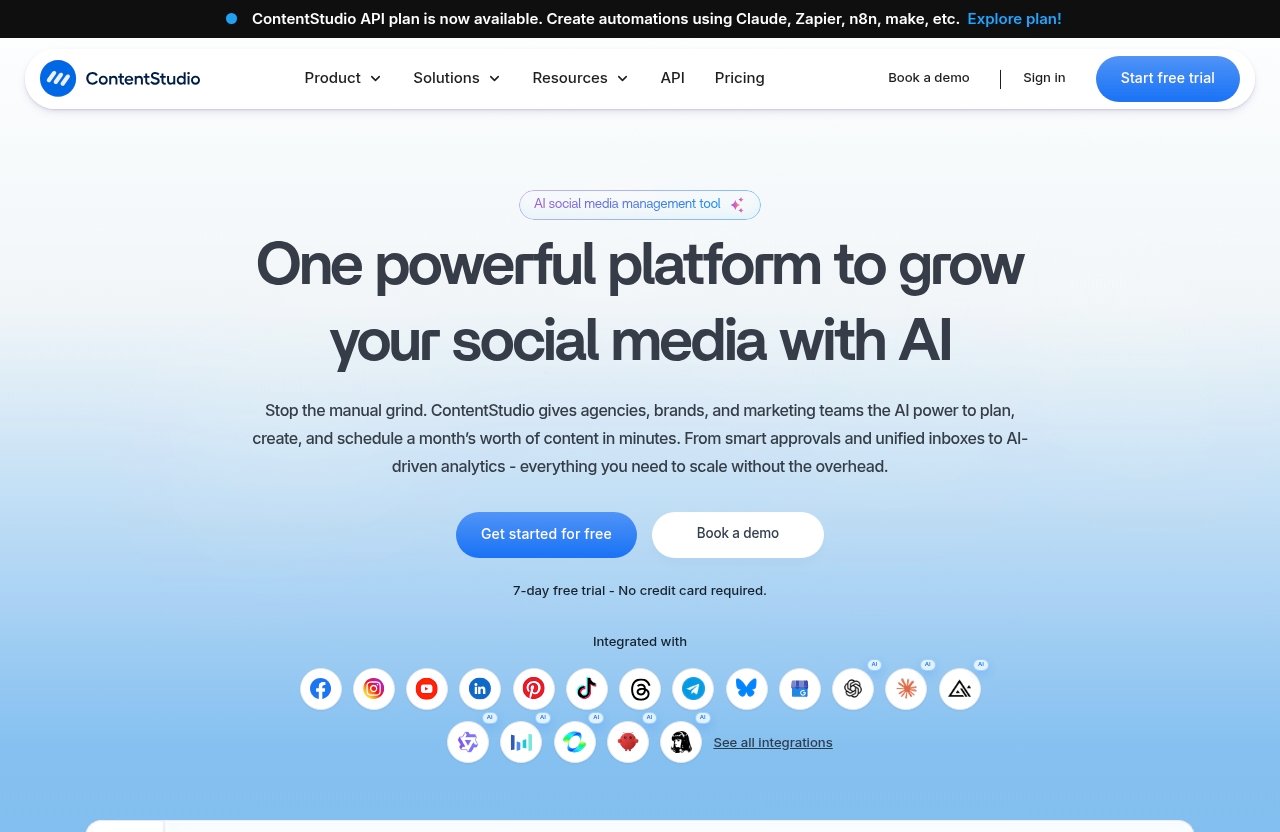
ContentStudio is officially positioned as a unified social media management tool. Based on the verified product information from its homepage and pricing page, it includes features such as Publish, AI Studio, Analyze, Engage, Social Listening, Discover, Workspaces, Calendar/Planner, Smart scheduling, Media library, Bulk scheduling, Approval workflow, Client management, Automation, Mobile app, and more.
That combination matters because repurposing is not only a writing task. To repurpose content with ContentStudio effectively, you need a process for creating, organizing, reviewing, scheduling, and publishing assets across multiple channels.
You can evaluate the tool through the official site and pricing information here: ContentStudio official website. This is especially relevant if you are considering ContentStudio through an affiliate recommendation and want to verify current features before buying.
Unified publishing and scheduling
ContentStudio’s Publish features support planning and scheduling content. For a repurposing workflow, this is important because the output from one blog post should not sit in a document forever.
A unified publishing setup helps you move from idea to scheduled post in fewer steps. Instead of writing social copy in one app, storing images somewhere else, and manually posting later, you can organize the workflow inside one social media repurposing tool.
Smart scheduling and the Calendar/Planner also help you space out related posts. That way, your audience does not see six versions of the same idea on the same day.
AI Studio, content calendar, media library, and automation
The contentstudio ai studio is the part of the workflow that supports AI-generated captions and images. In practice, that can help you create first drafts of hooks, captions, summaries, and visual concepts from your blog source material.
The contentstudio content calendar helps you see where repurposed assets fit into your publishing schedule. The Media library helps keep reusable graphics, screenshots, brand assets, and creative variations organized.
ContentStudio also lists Automation and an API plan for automations using Claude, Zapier, n8n, and Make. For teams that want a more advanced contentstudio automation setup, this can support repeatable workflows between apps, although you should verify current capabilities on the official website before building your process around them.
Which teams benefit most
The people who usually benefit most are those who already create long-form content but struggle to distribute it consistently. That includes bloggers, creators, agencies, consultants, SaaS marketers, ecommerce brands, coaches, and local businesses.
Agencies can use Workspaces, Approval workflow, Client management, and White-label features to separate brands and manage review steps. Solo creators may care more about AI Studio, the Calendar/Planner, Smart scheduling, and the Mobile app.
If your main bottleneck is turning existing articles into social content, then learning how to repurpose content with ContentStudio can be more valuable than simply adding another writing tool to your stack.
The AI Repurposing Workflow: From Blog Post to Social Posts
This is the practical section. The workflow below shows how to repurpose blog posts into social media posts using a clear sequence: choose the article, extract the best ideas, generate variations, adapt by platform, then schedule.
The key is to treat AI as a drafting assistant, not a final publisher. ContentStudio can support the workflow, but your edits are what keep the output accurate, useful, and brand-safe.
Step 1: Choose a high-performing blog post
Start with a blog post that already has value. Ideally, choose an article that ranks, converts, gets email clicks, answers a common sales question, or explains a topic your audience repeatedly asks about.
Good candidates include:
- How-to guides
- List posts
- Comparison articles
- Buyer’s guides
- Case-study-style educational posts
- Tutorials
- FAQs
- Opinion pieces with a clear point of view
If you want to repurpose content with ContentStudio for business results, do not start with a weak article. Start with a post that has a clear thesis and useful sections.
For example, imagine your blog post is titled:
“10 Ways to Improve Your Social Media Content Calendar”
The core thesis might be:
“A better content calendar is not just a posting schedule. It is a planning system that connects goals, topics, platforms, and review workflows.”
That thesis becomes the anchor for every repurposed asset.
Step 2: Extract hooks, stats, and takeaways
Before generating posts, pull out the strongest raw material from the blog. This keeps your repurposed content grounded in the original source instead of drifting into generic AI copy.
Look for:
- The main argument
- 3 to 7 key takeaways
- Short definitions
- Step-by-step sections
- Strong opinions
- Common mistakes
- Useful examples
- Data or claims that are clearly sourced in the original article
- Questions your audience might ask
A simple extraction table helps:
| Source Element | Repurposing Use |
|---|---|
| Main thesis | LinkedIn post, Facebook teaser |
| Numbered steps | X thread, carousel slides |
| Common mistakes | Instagram carousel, TikTok script |
| Definitions | Pinterest description, short caption |
| Examples | LinkedIn story post, Facebook discussion prompt |
| Conclusion | Summary post, newsletter teaser |
This step improves quality when you repurpose content with ContentStudio because the AI output has clearer direction.
Step 3: Generate platform-specific post variations
Once you have the source material, use AI Studio to draft different post types. The goal is to create variations, not final copy.
You might generate:
- 5 short hooks
- 3 LinkedIn post drafts
- 1 X thread outline
- 2 Instagram caption options
- 1 carousel concept
- 2 Facebook teaser posts
- 2 TikTok script ideas
- 2 Pinterest pin descriptions
A useful prompt structure is:
“Turn the following blog summary into platform-specific social posts. Keep the original meaning, avoid unsupported claims, and create versions for LinkedIn, X, Instagram, Facebook, TikTok, and Pinterest. Use a practical, expert tone.”
Then paste the blog thesis, key takeaways, and any must-use points.
When you repurpose content with ContentStudio, keep each platform’s behavior in mind. A LinkedIn post can be reflective and educational, while a TikTok script needs a fast hook and simple spoken structure.
Step 4: Adapt for LinkedIn, X, Instagram, TikTok, Facebook, and Pinterest
This is where the workflow becomes more than AI rewriting. You adapt each asset for platform context.
| Platform | Best Repurposed Asset | Practical Example |
|---|---|---|
| Authority post | “Most teams do not need more content ideas. They need a better system for turning one idea into multiple useful posts.” | |
| X | Thread | “How to turn one blog post into 12 social posts: 1/ Start with the thesis…” |
| Caption or carousel | “Slide 1: Your blog post can become more than one post. Slide 2: Pull out the thesis…” | |
| TikTok | Short script | “If you wrote a blog post this week, here are three ways to turn it into social content.” |
| Teaser or discussion prompt | “What is harder for you: writing the blog post or promoting it after publishing?” | |
| Pin title and description | “How to Repurpose One Blog Post Into Social Media Content” |
For LinkedIn, use a strong first line and one focused lesson. A good LinkedIn version from the sample blog might be:
“A content calendar should do more than remind you when to post.
> The best calendars connect your goals, topics, channels, assets, and approval steps. That is what turns content planning from a weekly scramble into a repeatable system.”
For X, convert steps into a thread:
“How to turn one blog post into a week of social content:
> 1. Pull out the main thesis
2. Extract 5 useful takeaways
3. Turn each takeaway into a post
4. Adapt the format by platform
5. Schedule everything in your content calendar”
For Instagram, think visually. A carousel concept might be:
- Slide 1: “One blog post = 10+ social posts”
- Slide 2: “Start with the core thesis”
- Slide 3: “Pull out 5 takeaways”
- Slide 4: “Turn each takeaway into a caption”
- Slide 5: “Make one carousel from the steps”
- Slide 6: “Schedule the posts across the week”
For TikTok, write a short spoken script:
“You do not need a new idea every day. Take one blog post, pull out the main point, turn each section into a short tip, and record one video for each tip. That is how one article becomes a week of content.”
For Facebook, use a warmer teaser:
“If you have ever published a blog post and then wondered what to post on social, this is the system I recommend: pull out the main lesson, turn it into short tips, and schedule each tip separately.”
For Pinterest, focus on search intent:
“Learn how to turn one blog post into multiple social media posts, including captions, threads, carousels, short-form video ideas, and pin descriptions.”
This is the heart of learning to repurpose content with ContentStudio: AI helps you create drafts, but platform adaptation makes the content useful.
Step 5: Save assets in the media library and schedule
After creating your variations, organize the assets. ContentStudio’s Media library can help you store graphics, images, captions, and creative materials tied to your campaign or brand.
Then use the Calendar/Planner and Smart scheduling to place posts across the week or month. If you are handling multiple posts from one source article, avoid publishing them too close together unless you are running a coordinated launch.
A simple schedule could look like this:
| Day | Platform | Asset |
|---|---|---|
| Monday | Authority post | |
| Tuesday | X | Thread |
| Wednesday | Carousel | |
| Thursday | Discussion teaser | |
| Friday | TikTok | Short script/video |
| Saturday | Pin description |
This final step turns AI content repurposing into an actual distribution system. It is also where ContentStudio becomes more than a writing assistant.
A Suggested Repurposing System Inside ContentStudio
A sustainable contentstudio repurposing workflow should be repeatable. You want a system that lets you create, review, schedule, and distribute content without rebuilding the process every week.
When you repurpose content with ContentStudio, think in stages: source, draft, edit, organize, approve, schedule, publish, and measure. ContentStudio’s verified features support several parts of that process.
Batching multiple assets at once
Batching means repurposing several blog posts or several assets in one focused session. Instead of creating one post at a time, you might turn four blog posts into 40 social drafts.
A simple batching flow:
- Choose 3 to 5 blog posts.
- Extract the thesis and takeaways from each.
- Generate platform-specific drafts using AI Studio.
- Edit for accuracy and tone.
- Save creative assets in the Media library.
- Schedule in the Calendar/Planner.
Contentstudio bulk scheduling can be especially useful when you already have many approved posts ready to distribute.
Using workspaces for client or brand separation
Workspaces are helpful if you manage multiple brands, locations, clients, or business units. They reduce the risk of mixing assets, captions, or schedules between accounts.
For agencies, this matters a lot. A client’s LinkedIn post, Instagram caption, and approval notes should stay inside the correct workspace.
If you repurpose content with ContentStudio for more than one brand, Workspaces can help keep messaging, assets, and review processes organized.
Approval workflow for team review
AI-generated drafts should be reviewed before they go live. ContentStudio’s Approval workflow supports a more controlled process, especially for teams and agencies.
A practical review checklist:
- Does the post preserve the original meaning?
- Are claims supported by the source article?
- Is the tone appropriate for the platform?
- Does the caption sound like the brand?
- Are links, images, and hashtags correct?
- Has the client or manager approved it?
This is important for E-E-A-T. Repurposed content should still be accurate, trustworthy, and aligned with the original source.
Bulk scheduling for launch weeks
Bulk scheduling is useful when you are promoting a new blog post, product update, campaign, webinar, or seasonal offer. You can prepare the assets in advance and schedule them together.
For example, a launch week might include:
- A LinkedIn announcement
- An X thread
- An Instagram carousel
- A Facebook discussion post
- A TikTok explainer
- Several Pinterest pins
The benefit is consistency. When you repurpose content with ContentStudio, bulk scheduling helps you turn planning into execution without manually posting every asset.
Official website · Latest pricing & offers
Best Practices for Better Repurposed Posts
Repurposing works best when the content still feels intentional. Poor repurposing creates thin, repetitive posts. Good repurposing creates useful platform-native content from one trusted source.
The following rules help keep your output practical and credible.
Keep one primary message per post
Do not try to summarize the entire blog article in every social post. Each post should have one clear idea.
For example, one post can explain the thesis. Another can share a mistake. Another can show a step. Another can ask a question.
When you repurpose content with ContentStudio, this approach gives you more useful assets and prevents posts from becoming overloaded.
Match the platform format
A strong LinkedIn post may not work as an Instagram caption. An X thread may not work as a Facebook post. A Pinterest description should be search-friendly, while a TikTok script should sound natural when spoken.
Format matters as much as the idea.
Use AI drafts as a starting point, then edit for the platform. This is where human judgment improves the final result.
Preserve source credibility
Be careful with facts, numbers, and claims. If the original article includes a statistic, make sure the social version preserves the context.
Do not let AI invent data, exaggerate benefits, or make claims that the article does not support. This is especially important for buyer’s guides, health, finance, legal, and technical topics.
A trustworthy workflow means the source article remains the authority. The social posts are simply different expressions of that same source.
Avoid over-automation
Automation can save time, but over-automation can make content feel generic. The best use of ContentStudio is not to remove human input entirely.
Review every post before publishing. Add examples, brand language, personal experience, and context.
If you repurpose content with ContentStudio with a human review layer, you get the efficiency of AI while keeping the quality control that audiences expect.
ContentStudio Pricing and Plans
Pricing matters when you are deciding whether to add another tool to your workflow. Based on the verified official pricing page excerpt, the confirmed pricing headline is: “Plans From $19 per Month.”
That is the only specific pricing detail confirmed from the provided official pricing information, so it is important not to assume plan names, limits, or included features without checking the current pricing page directly.
Verified official pricing details
The verified contentstudio pricing detail available here is:
| Pricing Detail | Verified Information |
|---|---|
| Starting price headline | Plans From $19 per Month |
| Full plan names | Not confirmed in the provided excerpt |
| Feature limits | Not confirmed in the provided excerpt |
| Current promotions | Not confirmed in the provided excerpt |
Before purchasing, verify the latest pricing, included features, usage limits, and plan terms on the official ContentStudio pricing page. You can review the current official information here: check ContentStudio pricing and features.
What to check before choosing a plan
Before choosing a plan, make a list of what your workflow actually needs.
Check whether your plan supports the features most relevant to your use case, such as:
- AI Studio
- Calendar/Planner
- Smart scheduling
- Media library
- Bulk scheduling
- Workspaces
- Approval workflow
- Client management
- Automation
- Mobile app
- Analyze
- Engage
- Social Listening
- Discover
Because features and limits can change, confirm the current details directly on the official pricing page.
How to decide if the pricing fits your workflow
The easiest way to evaluate the cost is to compare it with the time you spend manually turning blog posts into social content.
If you only publish occasionally, manual repurposing may be enough. If you publish weekly, manage multiple channels, or work with clients, a unified social media management tool may save meaningful time.
ContentStudio makes the most sense when you need more than AI writing. It is a better fit if you also need planning, scheduling, asset organization, collaboration, and automation.
ContentStudio Pros and Potential Limitations for Repurposing
ContentStudio has a strong fit for blog-to-social repurposing because it combines several parts of the workflow in one platform. Still, it is not the perfect choice for every user.
A balanced view helps you decide whether to repurpose content with ContentStudio or keep your current manual process.
Strengths for content teams and creators
ContentStudio’s biggest strength is that it supports the full social media workflow, not just content drafting.
Key strengths include:
| Strength | Why It Matters |
|---|---|
| Unified social media management | Helps manage content creation, scheduling, and publishing in one place |
| AI Studio | Supports AI-generated captions and images |
| Calendar/Planner | Helps organize a blog to social workflow visually |
| Media library | Keeps creative assets organized |
| Smart scheduling | Helps distribute content at planned times |
| Bulk scheduling | Useful for campaigns and launch weeks |
| Workspaces | Helpful for multiple brands or clients |
| Approval workflow | Supports team and client review |
| Automation | Useful for repeatable workflows |
| Mobile app | Helpful for managing content while away from a desk |
For creators and small teams, the value is convenience. For agencies, the value is process control.
Where another specialist tool may be better
If your only need is long-form AI writing, a dedicated writing tool may be more focused. If your main need is advanced video editing, a specialist video tool may be better.
ContentStudio is best understood as a social media management and workflow platform with AI content support. It is not only a blog editor, only a graphic design app, or only a video editor.
That distinction matters. If your main goal is to repurpose blog posts into social media posts and then schedule them, ContentStudio is relevant. If your goal is deep production in one specialized format, you may want a dedicated tool alongside it.
Final Verdict: Is ContentStudio Good for Repurposing Content?
ContentStudio is a strong option if you want a practical way to repurpose content with ContentStudio from long-form blog posts into social posts, captions, carousels, scripts, and scheduled campaigns.
Its best fit is the full workflow: generate drafts with AI Studio, organize assets in the Media library, plan posts in the Calendar/Planner, review them through approval steps, and schedule them across channels.
The tool is not a replacement for strategy, editing, or subject-matter expertise. But if your content bottleneck is distribution, it can help turn one blog article into a structured set of social assets faster than a purely manual process.
Best use cases to repurpose content with ContentStudio
ContentStudio is especially useful for:
- Creators who publish blogs and want more social output
- Solopreneurs who need a repeatable posting system
- Agencies managing multiple client calendars
- Small businesses promoting educational content
- Marketing teams running blog-led campaigns
- Consultants and coaches turning expertise into social posts
If you already have long-form content, the repurposing value is easier to see.
Who should buy now
ContentStudio may be worth buying if you regularly publish content and need one place for AI-assisted drafting, planning, scheduling, and collaboration.
It is also a strong candidate if you manage multiple social channels and want to reduce the friction between writing posts and publishing them.
Before buying, verify the latest official features and pricing so you know exactly what is included in the plan you choose.
Who should test first
You should evaluate first if you publish rarely, only use one social platform, or already have a workflow that your team follows consistently.
You should also test carefully if you need highly specialized creative production, advanced custom reporting, or a very specific automation setup. In those cases, confirm current feature details before committing.
The practical verdict: if your goal is to repurpose content with ContentStudio as part of a repeatable blog-to-social workflow, it is a relevant and credible tool to consider. Use AI for speed, use human review for quality, and use the scheduling system to turn good source content into consistent distribution.
Official website · Latest pricing & offers
FAQ
How do you repurpose content?
Start with one source asset, such as a blog post, video, podcast, or guide. Extract the main thesis, key takeaways, examples, and useful quotes.
Then reformat those ideas for each platform. A blog post can become a LinkedIn post, X thread, Instagram carousel, TikTok script, Facebook teaser, and Pinterest pin description. Finally, review the content for accuracy and schedule it.
What is ContentStudio used for?
ContentStudio is a unified social media management tool. Based on verified official product information, it supports publishing, AI-generated captions and images through AI Studio, analytics, engagement, social listening, feed discovery, planning, scheduling, media organization, workspaces, approval workflows, client management, automation, and mobile access.
It is used to manage social media content creation, distribution, and workflow from one platform.
How much does ContentStudio cost?
The verified official pricing page headline states: “Plans From $19 per Month.”
Because the provided official pricing excerpt does not confirm full plan names, limits, or feature breakdowns, you should check the current ContentStudio pricing page before purchasing.
Can ContentStudio help repurpose blog posts into social media content?
Yes. ContentStudio can support a blog-to-social workflow through AI Studio, Calendar/Planner, Media library, Smart scheduling, Bulk scheduling, Workspaces, Approval workflow, Automation, and related publishing features.
You still need to edit and approve the output, but it can help you turn one blog post into platform-specific social posts more efficiently.
Related Reading
- ContentStudio Pricing vs Buffer Pricing
- Best Social Media Automation Tools Like Repurpose.io in 2026
- Podsqueeze for YouTube Review 2026
References
- ContentStudio official homepage
- ContentStudio pricing page
- Repurpose.io official homepage
- ContentStudio blog: Repurpose TikTok videos for Facebook, Instagram & YouTube