
Skool Pricing 2026: Is It Worth It? Complete Cost & Feature Guide
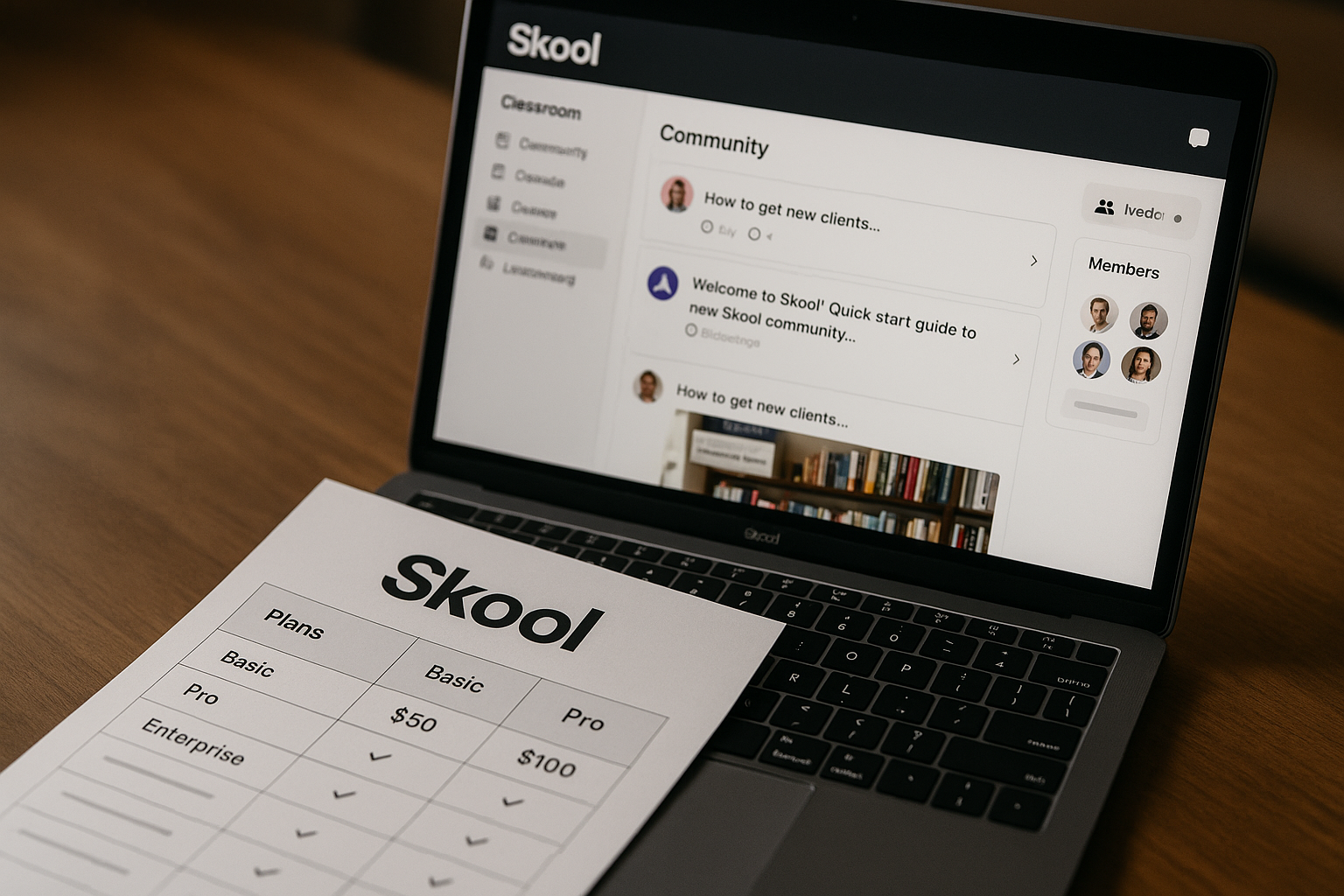
Evaluating skool pricing requires looking beyond a single subscription figure to see whether the platform’s community, course hosting, and engagement tools justify the investment for your business. Whether you are launching a brand-new group or migrating an existing audience from disparate tools, understanding the platform’s financial structure and feature set is essential. This guide breaks down what Skool offers in 2026, how its monetization mechanics work, and whether its all-in-one setup provides genuine value for your community goals.
Affiliate disclosure: This article may contain affiliate links. If you buy through them, we may earn a commission at no extra cost to you. Details were checked on November 22, 2026 and can change.
Official website · Latest pricing & offers
Quick Answer: Is Skool Worth the Investment in 2026?
For creators, coaches, and businesses seeking a cohesive, low-friction hub for discussions, learning content, and scheduled events, Skool presents a streamlined solution that replaces multiple complex software subscriptions.
- Single Platform Simplicity: Combines discussion boards, classroom modules, interactive calendars, and email broadcasts under one roof without requiring third-party integration software.
- Zero Technical Overhead: Designed for setup in under 30 minutes, allowing operators to run their entire community and learning environment directly from desktop or mobile devices.
- Built-In Monetization: Directly supports paid subscription memberships and one-time course sales, as well as free community models.
- Native Gamification: Points, customizable levels, and automated course-unlock incentives keep member participation high without constant manual moderation.
- Built-In Affiliate Income: The 40% recurring monthly auto-affiliate structure can turn your community platform expenses into an additional revenue stream.
- Risk-Free Evaluation: A 14-day free trial allows community builders to configure their setup and test engagement before committing financially.
Understanding Skool Pricing and the Core Financial Model

To determine if the software makes sense for your operational budget, you must understand how community platforms structure their value. Many software suites charge according to complex tiers based on contact counts, video bandwidth, file storage, or administrative seats. Skool approaches this differently by focusing on an all-in-one platform ecosystem designed to consolidate your tech stack into a single, predictable operational model.
When investigating how much Skool costs, creators often find that evaluating software expense requires comparing the cost of a dedicated platform against the combined cost of hosting video courses elsewhere, running separate forum software, paying for dedicated community calendar tools, and subscribing to standalone email newsletter software.
The 14-Day Free Trial and All-in-One Structure
Skool provides an official 14-day free trial on its website. This entry window gives operators complete access to explore the administrative backend, build course modules, test discussion category workflows, and schedule calendar events before any ongoing billing takes place.
Because Skool operates as an all-in-one platform founded by Sam Ovens (CEO) and Daniel Kang (CTO) in 2019, its architectural goal has always been eliminating software fragmentation. Rather than requiring users to integrate separate learning management systems (LMS), forum plugins, and membership payment gateways, everything functions natively right out of the box.
How Community Creators Monetize: Subscriptions vs. One-Time Purchases
Skool’s platform allows creators to build free communities or monetize their access through two distinct transaction models:
- Recurring Subscription Memberships: You can charge members a recurring monthly fee for ongoing access to your group, discussions, calendar events, and community access. Looking across the public Skool discovery directory, creators charge anywhere from entry-level rates like $9 or $15 per month up to mid-tier prices ($47 to $99/month) and high-ticket mastermind rates ($197 to $297+/month).
- One-Time Course Purchases: If your business model relies on digital products rather than ongoing community retainers, Skool supports charging a one-time fee for lifetime or standalone access to your educational material.
- Free Public or Private Groups: You can also run groups completely free of charge to build audience trust, nurture leads, or support open hobby communities.
The Auto-Affiliate Factor: Earning 40% Monthly Recurring Commissions
A distinctive feature within Skool’s financial structure is its integrated auto-affiliate mechanism. If an active member of your Skool community decides to launch their own Skool group, the platform automatically links that member to your account and pays you 40% of their monthly subscription on an ongoing basis.
This automated program turns what is traditionally a static business expense into a prospective income stream. For coaches, agency consultants, and educators teaching others how to build businesses or launch communities, this single feature can completely offset platform overhead.
Checking Current Plan Tiers and Fees on the Official Site
Pricing structures, transaction percentages, and promotional packages across software-as-a-service (SaaS) platforms naturally update over time. While community owners frequently evaluate the trade-offs between fixed monthly platform fees and transaction percentages on paid community sales, you should always check the official pricing page on skool.com to review the most current, verified fee schedules, payment processing charges, and subscription terms directly from the company.
Evaluating Skool Pricing: What Features Are Included in the Platform?
A platform’s financial viability depends directly on what it delivers. With Skool, every administrative account receives access to the full suite of native community, educational, and communication tools. Rather than gating essential capabilities behind enterprise tiers, Skool’s core toolset is accessible across the board.
Community Discussion and Engagement Tools
At the center of Skool is the Community module. Unlike chaotic messaging channels where valuable conversations disappear in an endless scroll, Skool organizes interactions into structured group discussions. Key capabilities include:
- Organized discussion categories to segment topics, announcements, and wins.
- Rich posting options supporting text, images, videos, GIFs, and interactive polls.
- Real-time interactions including likes, comments, user mentions, and push notifications.
- A unified activity feed that makes it easy for members to follow interesting discussions.
The Classroom: Hosting Courses, Resources, and Transcripts
The Classroom module houses all educational content directly alongside the discussion feed. Instead of sending students to an external LMS with a separate login, everything sits in one unified environment:
- Structured layout featuring courses, chapters, pages, and resource downloads.
- Embedded video support for streamlined lesson delivery.
- Searchable transcripts that allow students to locate exact concepts inside video lessons.
- Granular progress tracking showing students and administrators which lessons have been completed.
If you are planning your group’s layout, reviewing a detailed Skool tutorial for setup and launching will help you structure your courses and initial module sequence for higher student completion rates.
Calendar and Event Scheduling
Coaches and community managers frequently organize weekly Q&A sessions, webinars, and virtual meetups. Skool includes an integrated Calendar tool that replaces external event widgets:
- Group event scheduling for single occurrences or recurring live streams.
- Automatic local timezone conversion, ensuring members across the globe never miss a call.
- Automated reminder emails sent prior to scheduled events to maximize attendance.
Built-In Gamification and Level Unlocks
Sustaining member engagement is notoriously difficult on traditional platforms. Skool addresses this with native gamification mechanisms that reward helpful behavior:
- Points and Levels: Members earn points when their posts and comments receive likes from peers. As points accumulate, members advance through higher numeric levels.
- Custom Level Names: Community admins can customize level titles to reflect their niche, brand voice, or internal milestones.
- Course Unlocking: Creators can gate specific Classroom courses or bonus materials so they only unlock when a member achieves a designated engagement level. This directly incentivizes quality discussions and consistent participation.
1-Click Email Broadcasts and Member Communications
Communicating with your entire user base often requires exporting CSV files into a separate email service provider. Skool simplifies this with 1-click email broadcasting:
- Write an announcement or value post inside your community feed.
- Check the broadcast option, click submit, and the post is immediately distributed to all members via email.
- No complex list segmentation, tag management, or email template formatting required.
Unified Search, Analytics, and Administrative Metrics
Community management requires understanding retention trends and member activity. Skool provides administrative health monitoring tools from a single centralized dashboard:
- Unified Search Box: A single search queries posts, comments, course transcripts, and member profiles simultaneously. If someone searches for “accounting,” Skool displays all matching conversations, lesson segments, and members who list that interest.
- Single Profile Ecosystem: Members use one profile and one login across all the Skool communities they join, reducing friction and password fatigue.
- Metrics Dashboard: Monitor member growth, daily active engagement, and course progress at both the overall group level and individual member level.
The Economics of Running a Community on Skool
To determine if skool pricing fits your business, you need to calculate the platform’s return on investment (ROI) against your anticipated revenue and operational costs.
| Operational Aspect | Skool All-In-One Architecture | Fragmented Multi-Tool Tech Stack |
|---|---|---|
| Software Subscriptions | Single centralized platform covering community, courses, and events. | Separate fees for LMS hosting, forum software, calendar tools, and email software. |
| Integration Middleware | None required; all modules operate together natively. | Requires ongoing Zapier or Webhook maintenance to sync member accounts. |
| User Experience | 1 login, 1 profile, and 1 search box for all member interactions. | Disjointed member experience with multiple logins and confusing URLs. |
| Administrative Overhead | Set up and fully operational in less than 30 minutes. | Hours of API setup, webhook troubleshooting, and design formatting. |
| Affiliate Potential | Automatic 40% recurring monthly payout if members launch a community. | Varies widely, often requiring separate affiliate tracking software. |
Calculating Member Value and Subscription Pricing
Because Skool allows you to charge recurring monthly membership dues, offsetting the platform’s operating cost takes very few active paying members. For example:
- If you charge a modest $29/month for community access, just 4 active members generate $116 in gross monthly revenue, comfortably covering standard software overhead.
- If you run a specialized coaching program charging $97/month, two members immediately generate $194/month.
- If you operate an agency or mastermind program charging $249/month, a single member produces substantial net profit over your base platform expenses.
When you evaluate community software from this perspective, the financial feasibility depends less on the software’s base subscription and more on your ability to deliver sufficient value to retain paying members over time.
All-in-One Simplicity vs. Multi-Tool Tech Stacks
Many creators make the mistake of choosing low-cost or free standalone tools, only to discover hidden costs down the road. If you host video courses on one platform, manage a discussion group on an unorganized social media platform, coordinate live events through a third-party calendar widget, and send email updates via an external email marketing platform, you introduce severe operational friction.
In a fragmented stack, when a member cancels their subscription, you must manually revoke access across three separate services or maintain complex automation webhooks. Skool eliminates this administrative drag: when a membership starts or stops, access to the community, classroom, and calendar updates automatically.
Setup Time and Technical Overhead
According to Skool’s official documentation, the platform can be configured in less than 30 minutes. Because there are no plugins to install, database configurations to maintain, or CSS stylesheets to design, non-technical creators can begin inviting members and uploading course content on their first day of using the 14-day free trial.
Step-by-Step Guide: How to Launch on Skool in Under 30 Minutes
Setting up your community on Skool is an intentional, linear process. Here is how you can launch your platform using the official feature set:
- Start Your 14-Day Free Trial: Visit skool.com and sign up for the official 14-day free trial. Choose a group name and set your community description.
- Configure Discussion Categories: Navigate to the Community settings and create clear, intuitive discussion channels (such as “Announcements,” “General Discussion,” “Introduce Yourself,” and “Wins”). This keeps member posts clean and easy to navigate.
- Build Your Course Curriculum: Go to the Classroom tab and click to add a course. Upload your video modules, paste your lesson transcripts, attach downloadable resources, and organize modules into structured chapters.
- Schedule Your First Community Events: Open the Calendar tab and add upcoming group Q&A sessions or webinars. Enter your live stream links and descriptions; Skool automatically adjusts event times to match each member’s local clock.
- Customize Gamification Levels: Open the Gamification settings. Define unique, motivating names for your levels. Decide whether you want to lock specific Classroom modules behind higher engagement levels to incentivize early participation.
- Select Your Payment and Access Model: In your group settings, determine whether your group will be private, public, free, or paid. If paid, establish whether members will pay a recurring monthly subscription or a one-time fee.
- Invite Initial Members and Post a Welcome Thread: Publish your initial welcome post, configure your group rules, and invite your founding members. Use the 1-click broadcast tool to deliver your kickoff announcement straight to their inboxes.
For an in-depth breakdown of configuring memberships, managing permissions, and structuring member tiers, explore our comprehensive guide on Skool for memberships.
Pros and Cons of Skool for Community Creators
Every software platform involves deliberate trade-offs. Understanding where Skool excels and where it has limitations ensures you make an informed buying decision.
Key Advantages of Skool
- Exceptional User Engagement: Combining native points, levels, and course unlocks creates an interactive environment where members naturally participate, share insights, and support each other.
- Zero Plugin Maintenance: The all-in-one ecosystem requires no external integrations, custom coding, or maintenance routines. Everything functions seamlessly out of the box.
- Clean, Unified Search: Members can search a keyword and instantly scan across forum posts, comments, course transcripts, and user profiles with a single search query.
- Mobile Accessibility: The platform is fully responsive and accessible from mobile devices, allowing members and admins to interact wherever they are.
- 1-Click Email Broadcasts: Instant email delivery of platform posts removes the need to maintain, segment, and sanitize external email subscriber lists.
- 40% Auto-Affiliate Revenue: Native referral tracking automatically rewards you whenever members spin off their own communities.
Drawbacks and Limitations to Keep in Mind
- Fixed Design Aesthetic: Skool prioritizes speed, readability, and functional simplicity over deep visual customization. Creators wanting complex custom CSS, advanced branding themes, or bespoke typography cannot alter the core UI.
- Streamlined Marketing Funnels: Skool is focused on community, courses, and retention. It does not contain complex multi-page sales funnel builders or enterprise marketing automation sequences.
- Uniform Course Display: While the Classroom layout is clean, intuitive, and effective for completion rates, educators needing highly specialized quiz engines, graded academic assignments, or accredited certification tracks will find the native tools strictly focused on practical delivery.
Who Is Skool Best For (and Who Should Look Elsewhere)?
Determining whether Skool justifies its cost comes down to your operating model, audience size, and delivery style.
Ideal Creators and Business Models
- Coaches and Consultants: Group coaching programs benefit enormously from having client discussions, call replays, and the live event calendar housed in one shared space.
- Content Creators and Influencers: Creators seeking to transition an audience away from noisy, algorithm-driven social feeds into a focused, branded community hub.
- Educators and Course Creators: Teachers who realize that community interaction and peer discussion dramatically boost course completion and retention rates.
- Membership Site Owners: Operators who charge monthly or annual subscription fees for ongoing access to resources, industry networking, and regular live calls.
When Skool May Not Fit Your Needs
- Accredited Academic Institutions: Organizations that mandate formal exam grading, complex rubric assignments, and compliance certifications.
- Heavy Enterprise Marketers: Companies that require deeply branched behavioral email funnels, complex CRM lead scoring, and multivariate split-testing directly inside their community tool.
- Businesses Demanding Complete White-Labeling: Brands that refuse to share an ecosystem with other communities and demand completely isolated, custom-coded web properties.
Alternative Software Categories to Consider
When analyzing community platforms, buyers generally evaluate three broad software categories against Skool:
Standalone Learning Management Systems (LMS)
Standalone LMS platforms specialize entirely in curriculum delivery, student reporting, and video lesson hosting. While they sometimes offer basic comment widgets underneath lessons, they generally lack dynamic community discussion boards, integrated event calendars, and native member gamification. Creators using traditional LMS tools often have to bolt on separate forum tools to keep students talking.
Traditional Discussion Forums and Chat Platforms
Chat apps and legacy forum boards excel at real-time chatter, but they suffer from information overload. Conversations move quickly, valuable answers get buried within minutes, and hosting structured, sequential course modules is virtually impossible. Members frequently complain about message fatigue and distraction on pure chat apps.
Full-Funnel All-in-One Marketing Platforms
Marketing suite platforms combine landing pages, shopping carts, email marketing, and basic membership portals. While these platforms allow creators to manage sales funnels under one roof, their community components are frequently basic add-ons rather than engaging, gamified social environments designed to foster peer-to-peer relationships.
Common Problems Creators Face and How to Avoid Them
Launching a community requires realistic operational planning. Here are common hurdles creators encounter and practical ways to solve them:
- The “Ghost Town” Problem: New groups often struggle with initial engagement. To prevent silence, avoid inviting hundreds of people at once. Seed the community with 5–10 active founding members, populate discussion categories with conversation starters, and configure level-unlock incentives in your Classroom before public launch.
- Overcomplicating Categories: Creating 20 different discussion channels dilutes interaction. Start with 3 to 5 clear categories (such as General, Intros, Questions, and Wins) so conversations concentrate in visible spaces.
- Neglecting the Calendar: Communities thrive on real-time touchpoints. Schedule regular Q&A sessions or workshops on the Calendar so members have concrete dates to look forward to, boosting retention.
- Underestimating Email Broadcasts: Do not assume members will log in every day organically. Use the 1-click email broadcast feature once or twice a week to highlight top-performing community posts and remind members of upcoming events.
Official website · Latest pricing & offers
FAQ
Does Skool offer a free trial?
Yes, Skool offers an official 14-day free trial on its website. This trial lets you configure your community, build out courses in the Classroom, test calendar scheduling, and evaluate the member experience before entering an ongoing paid plan.
Can I run a free community on Skool?
Yes. You can configure your Skool community to be completely free for members, or choose to charge a recurring monthly subscription or a one-time course purchase fee.
What is the Skool auto-affiliate program?
Skool’s built-in auto-affiliate program automatically pays community owners a 40% monthly recurring commission if one of their community members signs up and creates their own Skool group. There is no complex application process; the referral tracking is built directly into the platform.
How does Skool handle video hosting and transcripts?
Skool lets creators upload videos directly into the Classroom module. Once uploaded, the platform provides searchable transcripts, enabling students to search for specific terms and jump directly to relevant moments inside the lessons.
Can members access Skool on mobile devices?
Yes. Skool is fully accessible on mobile devices, allowing members to engage in discussions, watch Classroom courses, receive push notifications, and attend scheduled calendar events on the go.
How long does it take to set up a Skool group?
According to Skool’s official documentation, the platform is designed to be set up in less than 30 minutes without requiring external integration software, custom code, or complex technical configurations.
Who founded Skool and when?
Skool was founded in 2019 by Sam Ovens (CEO) and Daniel Kang (CTO). The company is based in Los Angeles, California, with 30 employees, and partnered with Alex Hormozi in 2024 to create The Skool Games.
Related Reading
- How Much Does Skool Cost in 2026? A Clear Pricing Guide
- Skool for Memberships: Complete Setup Guide
- Skool Tutorial: A Beginner’s Guide to Setting Up and Launching in 2026
- Skool Affiliate Program Review 2026: Commission, Payouts, and Promotion Strategy
References
- Skool – Official Website and Discovery
- Skool – Features and Capabilities
- Skool – About Us and Company Background