Best Social Media Automation Tools Like Repurpose.io in 2026
If you are comparing social media automation tools like Repurpose.io, the real question is not “Which app posts to the most platforms?” It is “Which workflow removes the most manual work without lowering content quality?”
Repurpose.io is strongest when your main goal is automated content distribution across short-form video channels and related destinations. Many buyers, though, also need approvals, collaboration, editing, AI clipping, podcast repurposing, analytics, or enterprise-level social media operations.
This guide compares Repurpose.io alternatives and adjacent tools from a practical buyer’s perspective so you can choose the right automation ecosystem for your content type, team size, and publishing process.
Official website · Latest pricing & offers
Quick verdict: what Repurpose.io is best for and what buyers usually want next
Repurpose.io is best for creators, podcasters, coaches, and small teams that want to save time by automating repeatable publishing workflows. Based on the official homepage language provided, Repurpose.io says it helps users “Save time and simplify sharing content” and publish consistently to Instagram Reels, TikTok, YouTube Shorts, and more.
Where buyers often look next is around workflow depth. Some need better team approvals. Others need short-form clipping before distribution. Agencies may need client calendars, permissions, and review flows. That is why comparing social media automation tools like Repurpose.io works best when you map the tool to your bottleneck.
The core job-to-be-done behind social media automation
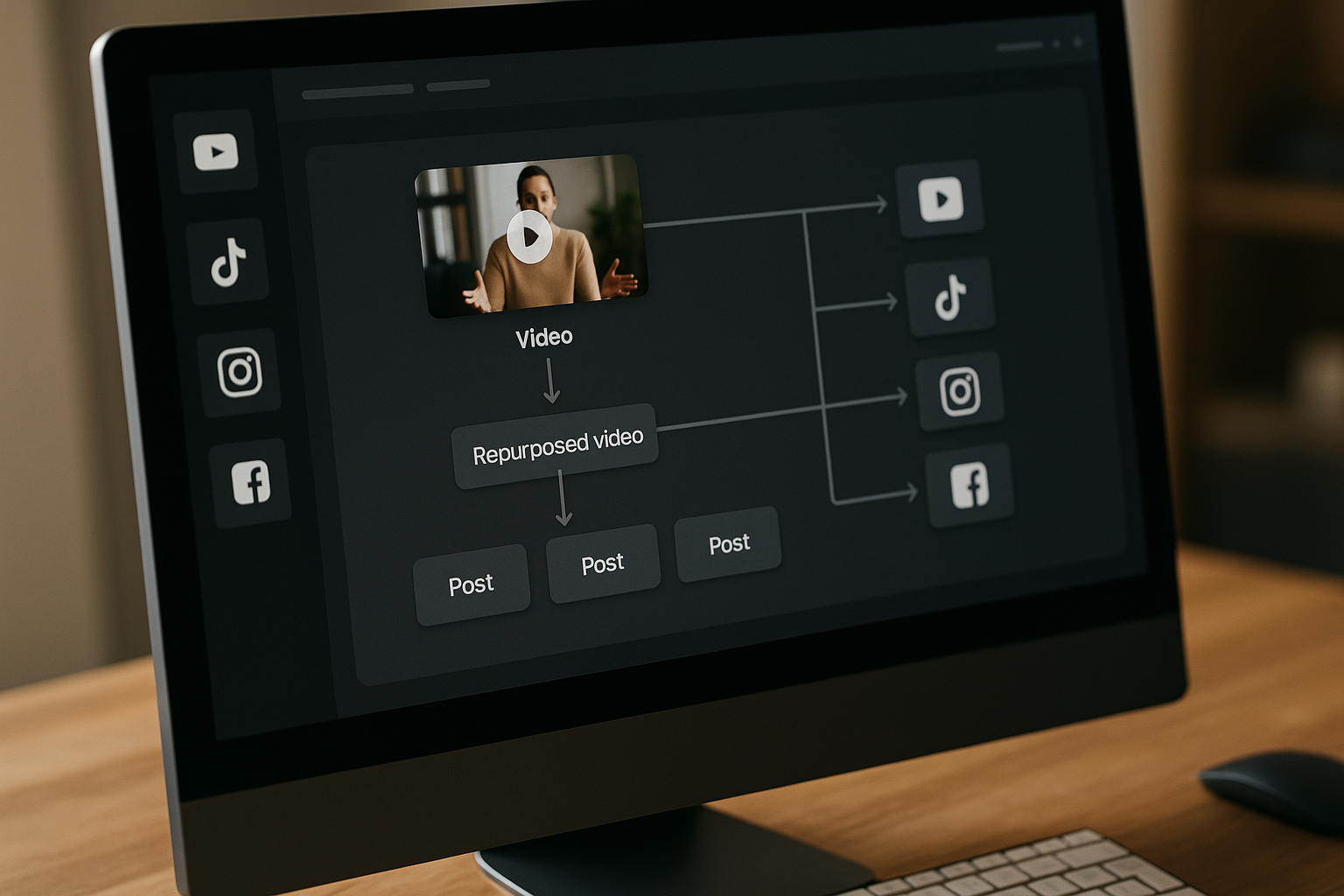
The core job is simple: turn one piece of content into multiple platform-ready outputs with less repetitive work.
For some creators, that means taking a podcast, YouTube video, livestream, or short clip and pushing it to multiple channels. For teams, it may mean managing captions, scheduling, client approvals, and post-performance review in one place.
Good social media automation software should reduce busywork, but it should not remove judgment. You still need to check whether the clip, caption, aspect ratio, hook, and destination make sense for the platform.
Who should compare alternatives instead of buying immediately
You should compare Repurpose.io alternatives if your workflow involves more than automated reposting or distribution. For example, a marketing agency may need approval boards and team comments before anything goes live.
A video-first creator may need AI clipping tools such as OpusClip, Flowjin, VEED, or Descript before using cross-posting tools. A social media manager may prefer social media scheduling tools like Later, Planable, or Sprout Social if calendar planning and reporting matter more than repurposing automation.
Fastest way to choose based on content type and workflow
The fastest way to choose is to identify your main bottleneck:
| Your bottleneck | Best-fit tool category | Examples to compare |
|---|---|---|
| Publishing the same content to multiple channels | Automated content distribution | Repurpose.io |
| Team approvals and client review | Collaboration-first planning | Planable |
| Visual social scheduling | Social media scheduling tools | Later |
| Enterprise social operations | Social media management suite | Sprout Social |
| Turning long videos into clips | Video repurposing tools | OpusClip, Flowjin, VEED |
| Editing video and audio content | Creation/editing workflow | Descript, VEED |
| Turning podcasts into written assets | Podcast repurposing tools | Castmagic |
| YouTube optimization and content packaging | Creator workflow tools | Taja AI |
If your bottleneck is distribution, Repurpose.io deserves serious consideration. If your bottleneck happens earlier in the content pipeline, one of the adjacent tools may be a better first purchase.
What to look for in social media automation tools like Repurpose.io

When evaluating social media automation tools like Repurpose.io, avoid choosing only by channel count. The better question is how much of your real workflow the tool can automate reliably.
A creator posting three clips per week has different needs than an agency managing 12 clients. A podcaster needs different support than a brand team scheduling polished campaign assets.
Cross-posting vs true repurposing
Cross-posting means sending the same or similar post to multiple platforms. True repurposing means transforming the original asset into platform-specific formats, captions, clips, or layouts.
For example, publishing one short video to Instagram Reels, TikTok, and YouTube Shorts is a distribution workflow. Turning a 45-minute podcast into clips, social captions, quote posts, newsletters, and show notes is a broader repurposing workflow.
Many cross-posting tools are useful, but they may not handle editing, rewriting, clipping, or approval logic. That is why the best content repurposing tools depend on where you want automation to start and stop.
Supported formats: video, audio, carousels, photos, and shorts
Before comparing platforms, list your actual source formats and output formats.
Ask yourself:
- Do you start with long-form video?
- Do you publish short-form vertical clips?
- Do you create podcasts or audio interviews?
- Do you need static posts, carousels, or image-based content?
- Do you need captions, transcripts, or written summaries?
Short-form video automation tools are useful when your source content is long video and your output is TikTok, Reels, or Shorts. Podcast repurposing tools are better when your starting point is audio and your deliverables include summaries, clips, social posts, and show notes.
Scheduling, approvals, analytics, and workflow controls
Scheduling is only one part of the buying decision. If you work with teammates or clients, approval flows may matter more than automation depth.
A useful checklist includes:
| Evaluation factor | Why it matters |
|---|---|
| Scheduling | Helps maintain a consistent posting rhythm |
| Approval workflows | Reduces errors before publishing |
| Comments and collaboration | Keeps feedback in context |
| Analytics | Shows what content is worth repeating |
| Platform controls | Helps avoid mismatched captions or formats |
| Asset organization | Prevents content chaos as volume grows |
| Automation rules | Reduces manual handoffs between channels |
In my experience reviewing creator workflow tools, the biggest mistake is buying for the dream workflow instead of the current bottleneck. If your team cannot approve posts smoothly, more automation may simply publish mistakes faster.
Ease of setup for solo creators vs teams
Solo creators usually benefit from simple automation and fewer settings. They need a system they will actually use every week.
Teams need more structure. Permissions, calendars, review stages, client visibility, and reporting can matter as much as publishing automation.
This is where social media automation tools like Repurpose.io split into different categories. Some are built for hands-off content distribution, while others are built for planning, approval, editing, or analytics.
Best social media automation tools like Repurpose.io in 2026
Below is a practical roundup of adjacent tools to consider in 2026. These are not all identical competitors. Some are Repurpose.io alternatives for distribution, while others solve nearby workflow problems such as clipping, editing, planning, collaboration, or podcast content generation.
Because official competitor specs and pricing were not provided for this brief, the comparisons below stay qualitative. Always confirm current features, supported channels, and pricing on each official website before buying.
Planable
Planable is best suited to teams that care about content planning, collaboration, and approvals. If your workflow includes clients, managers, designers, or copywriters, a collaboration-first tool can be more useful than pure automated distribution.
Where Planable differs from Repurpose.io is in the team review process. Repurpose.io-style workflows are more about moving content across platforms efficiently, while Planable-style workflows are more about seeing, discussing, approving, and scheduling content before it goes live.
Choose Planable if your biggest bottleneck is “too many people need to review this.” If your bottleneck is “I keep manually reposting the same videos,” Repurpose.io may be the closer fit among social media automation tools like Repurpose.io.
Later
Later is generally a fit for creators and brands that want visual planning and straightforward social scheduling. It is especially relevant when your workflow revolves around social calendars, visual content, and planned posting rather than deep repurposing automation.
Later may be a better option if you want a clean calendar and scheduling routine. It is less likely to be the first choice if your main problem is turning one source asset into many distributed outputs automatically.
For creators who publish polished social campaigns, Later can make sense. For creators who want automated content distribution from an existing content source, Repurpose.io remains more directly aligned.
Sprout Social
Sprout Social fits larger teams that need broader social media operations. Think governance, reporting, engagement workflows, and multi-user management rather than just content republishing.
This type of platform is usually overkill for a solo creator who only needs to push clips across channels. However, for established marketing teams, enterprise social ops can require more than content repurposing tools provide.
Sprout Social belongs in this comparison because some buyers searching for social media automation tools like Repurpose.io are really asking for a full social management system. If reporting, inbox management, and organizational control are priorities, social suites deserve a look.
Castmagic
Castmagic is a strong adjacent option for podcast and audio-led workflows. It is most relevant when your source content is conversations, interviews, webinars, or podcasts and you need written assets from that material.
Where it differs from Repurpose.io is the starting point. Castmagic-style tools focus on extracting value from audio or video content into reusable copy, summaries, and related materials. Repurpose.io is more directly positioned around simplifying sharing and publishing consistently to short-form social platforms.
If you are a podcaster, Castmagic may sit earlier in your workflow. You might use it to generate ideas, summaries, or copy, then use separate cross-posting tools or scheduling software for distribution.
OpusClip
OpusClip is best considered when your bottleneck is finding short-form clips inside long-form video. If you record podcasts, interviews, webinars, or talking-head videos, clip generation may be the hardest part of your process.
This is different from Repurpose.io’s distribution-oriented value. OpusClip-style video repurposing tools help create short clips; Repurpose.io-style tools help distribute content after you know what you want to publish.
For creators focused on short-form video automation, a clipping tool can be essential. The tradeoff is that you still need to review clips for accuracy, brand fit, context, and platform formatting.
Descript
Descript is best for creators who need editing, transcription-style workflows, and content production support before publishing. It is not just a social scheduling tool; it fits earlier in the creation process.
Descript may be useful when you need to clean up audio, edit video, create clips, or reshape raw recordings. Once the content is ready, you may still need a separate platform for automated content distribution.
If your current problem is messy source content, Descript may matter more than scheduling. If your content is already finished and you simply need it distributed consistently, Repurpose.io may be more directly relevant.
VEED
VEED is a practical option for creators and small teams that need browser-based video editing and social-ready video assets. It is especially relevant when your workflow includes subtitles, resizing, and simple edits.
Compared with Repurpose.io, VEED is closer to content creation and editing. Repurpose.io is closer to automating sharing and publishing workflows.
VEED can pair well with social media scheduling tools or cross-posting tools. Use it when the content needs to be shaped before distribution.
OneCliq
OneCliq fits the broader category of creator workflow tools and content repurposing tools. It may appeal to creators looking for help turning existing content into multiple social assets.
Because exact current specs were not verified for this brief, evaluate OneCliq directly against your required inputs and outputs. Confirm whether it supports your platforms, formats, and collaboration needs before choosing it over Repurpose.io.
This is a good example of why buyers should not rely only on roundup labels. Two tools may both be called repurposing tools, but one may focus on ideation, another on clipping, and another on publishing.
Taja AI
Taja AI is most relevant for creators focused on YouTube content optimization and packaging. If your workflow revolves around video metadata, titles, descriptions, and discoverability, it may solve a different problem than Repurpose.io.
It is not the obvious choice if your main goal is cross-platform automated content distribution. Instead, it belongs in the stack when YouTube optimization is a central part of your publishing process.
For YouTube-led creators, Taja AI may complement video repurposing tools or social media automation software. It is less of a direct replacement for Repurpose.io and more of an adjacent optimization layer.
Flowjin
Flowjin is relevant for creators who need to convert longer audio or video content into short-form clips. It belongs in the same practical evaluation set as other clipping and video repurposing tools.
Flowjin-style tools can be useful when you have substantial long-form material but not enough time to manually identify highlights. However, you should still review generated clips for context and accuracy.
If your bottleneck is clipping, Flowjin may be a better first step. If your bottleneck is distributing approved clips across short-form platforms, Repurpose.io may be the better fit among social media automation tools like Repurpose.io.
Official website · Latest pricing & offers
How the top alternatives compare by use case
A tool-by-tool list is useful, but use-case fit is what usually determines the right purchase. The best Repurpose.io alternatives depend on whether you need collaboration, clipping, podcast assets, scheduling, or social operations.
Best for agencies and collaboration
For agencies, Planable is the most relevant tool in this list because collaboration and approval workflows are often the main bottleneck. Agencies need to show clients posts before publishing, collect comments, revise assets, and maintain a clear calendar.
Repurpose.io can still be useful when the agency’s workflow includes repeatable content distribution. But if the work requires client sign-off on every post, a collaboration-first tool may be safer.
Agency buyers should prioritize:
- Approval stages
- Client-facing review
- Role-based access
- Content calendars
- Comment history
- Easy asset previews
Among social media automation tools like Repurpose.io, the best agency setup may involve more than one tool: one for approvals and another for distribution.
Best for short-form video clipping
For short-form video clipping, consider OpusClip, Flowjin, VEED, and Descript. These tools are most relevant when your long-form content needs to become platform-ready clips.
Repurpose.io is not positioned in the provided homepage facts as an AI clip-finding editor. Its verified claim is about saving time, simplifying sharing content, and publishing consistently to Instagram Reels, TikTok, YouTube Shorts, and more.
If you already have finished clips, Repurpose.io may be the better distribution layer. If you still need to create clips from long-form content, video repurposing tools should come earlier in your workflow.
Best for podcasters and audio creators
Podcasters should compare Castmagic, Descript, Flowjin, and Repurpose.io depending on the exact workflow. Castmagic is relevant for turning conversations into written assets. Descript is relevant for editing. Flowjin can help with clip-oriented repurposing.
Repurpose.io may fit when the goal is to distribute finished podcast-related clips or social videos. The key is separating creation from distribution.
A practical podcast workflow might look like this:
| Workflow step | Tool category |
|---|---|
| Record interview | Recording platform |
| Edit audio/video | Descript or similar editor |
| Generate summaries/copy | Castmagic or similar tool |
| Create short clips | Flowjin, OpusClip, VEED, or similar |
| Distribute clips | Repurpose.io or social scheduling tools |
This is why podcast repurposing tools are not all interchangeable. Some create assets; others publish them.
Best for simple social scheduling
For simple scheduling, Later and Planable are good tools to compare. Later fits visual planning and standard scheduling, while Planable fits approval-heavy calendars.
If you do not need deep repurposing, a scheduling tool may be enough. Many small businesses simply need to plan posts, preview content, and maintain consistency.
Repurpose.io is more relevant when scheduling is tied to automated distribution from existing content sources. If your process is mostly manual content creation followed by calendar-based posting, social media scheduling tools may feel more natural.
Best for enterprise social ops
For enterprise social operations, Sprout Social is the most relevant category fit from this list. Larger organizations usually need reporting, governance, social engagement workflows, and multi-user controls.
Repurpose.io-style automation can still help specific creator or video teams inside a larger organization. But enterprise social teams often need a broader operating system for social media management.
If your buying committee includes legal, brand, analytics, and customer support stakeholders, prioritize governance and reporting. If your team is small and distribution speed is the main goal, social media automation tools like Repurpose.io may be more efficient.
Repurpose.io: verified product facts from the official homepage
This section uses only the Repurpose.io product facts provided in the brief. I am intentionally not adding unverified pricing, plan names, tiers, or feature bundles.
The official pricing page could not be verified from the provided source because it returned a 403 Forbidden error. Before purchasing, confirm current pricing and features directly on the official Repurpose.io website.
Free trial entry point
Repurpose.io invites users to “Start Automating for Free.” The official homepage also states: “Publish 10 videos for FREE. No credit card required.”
That is a useful entry point for buyers who want to test the workflow before committing. If you are comparing social media automation tools like Repurpose.io, a hands-on trial is often more revealing than a feature checklist.
You can review the current offer and test the workflow through Repurpose.io here. This is an affiliate link, which means toptrustreview.com may earn a commission if you choose to buy through it, at no extra cost to you.
Claimed core functionality
Repurpose.io says it helps users “Save time and simplify sharing content.” It also says users can publish consistently to Instagram Reels, TikTok, YouTube Shorts, and more.
Those claims position the product around automated content distribution and consistent publishing. That makes it especially relevant for creators who already have content and want to reduce repetitive uploading.
The important distinction is that buyers should verify whether the current platform supports their exact source channels, output channels, and preferred workflow before relying on it.
Audience and scale signals shown on the homepage
The official homepage states that “980,434+ Creators trust Repurpose.” It also states “100,000+ Videos Repurposed a day.”
These are scale signals from the Repurpose.io homepage, not independent performance guarantees. They are useful context, but they should not replace your own workflow testing.
For a buyer, the practical question remains: does it handle your content type, publishing cadence, and review process better than the alternatives?
Which tool is better for your workflow?
Choosing between social media automation tools like Repurpose.io is easier when you match the tool category to the job. Most poor software choices happen because buyers choose a popular tool that solves the wrong part of the workflow.
Choose Repurpose.io if you want hands-off distribution
Choose Repurpose.io if your main goal is to publish consistently to short-form destinations and simplify sharing content. Based on the provided official homepage facts, that is the clearest fit.
This can be especially useful for creators, podcasters, and small businesses that already produce videos and want to reduce the time spent manually posting. If your current routine involves downloading, uploading, re-captioning, and reposting content across platforms, Repurpose.io is worth testing.
Just confirm current pricing, supported destinations, and setup requirements on the official site before purchase.
Choose an alternative if you need approvals and team collaboration
Choose Planable or a similar collaboration-first platform if your content must pass through internal or client review. Automation is helpful, but publishing without approval can create avoidable mistakes.
For agencies, approval workflows often matter more than hands-off posting. The ability to preview, comment, revise, and approve content in one place can reduce friction across clients and teams.
If you need both approval and distribution, you may need a two-tool stack rather than a single platform.
Choose clip-generation tools if your bottleneck is editing
Choose OpusClip, Flowjin, VEED, or Descript if your hardest task is turning long-form content into short-form assets. This is common for podcasters, YouTubers, webinar hosts, and interview-based creators.
These video repurposing tools can help earlier in the content process. But you should still review outputs manually because automation may miss context, choose a weak hook, or create a clip that does not match your brand voice.
Once clips are approved, a distribution-focused tool can help publish them consistently.
Choose social suites if you need scheduling plus reporting
Choose Sprout Social or another social suite if you need scheduling, reporting, governance, and broader social operations. This is more common for established teams than solo creators.
Social suites can be valuable when leadership expects performance reporting or when multiple departments interact with social channels. They may be less efficient if your primary need is simply automated content distribution.
For smaller creator-led workflows, social media automation tools like Repurpose.io may be easier to implement.
Pros, limitations, and buying considerations
No tool removes every manual step. The right question is which manual steps are worth automating and which should stay human-reviewed.
Automation depth
Automation depth varies widely. Some tools automate posting. Others automate clipping, transcription, caption creation, approvals, or reporting.
Repurpose.io appears strongest, based on the provided homepage facts, around simplifying sharing and publishing consistently to short-form platforms. Tools like OpusClip, Descript, VEED, Castmagic, and Flowjin may operate earlier in the workflow.
Before buying, write down your current process step by step. Then mark which steps you want automated, which need approval, and which require creative judgment.
Content transformation quality
Automated transformation is convenient, but quality still matters. A clip may be technically correct yet boring. A caption may be accurate but generic. A crop may fit the format but cut off important visual context.
This is especially important for short-form video automation. The best-performing clips often need a strong opening, clear context, readable captions, and platform-native pacing.
Use automation to accelerate production, not to skip editorial review.
Team workflow features
Team features are essential when multiple people touch the content. If your process includes strategists, editors, clients, compliance reviewers, or brand managers, approval and collaboration tools become buying priorities.
Repurpose.io-style automation may be excellent for distribution, but buyers should confirm whether the current product fits their team review process. If collaboration is central, compare Planable and broader social suites carefully.
A practical rule: the more people involved, the more you should prioritize workflow controls over raw automation.
Learning curve and setup time
Automation tools require setup. You may need to connect accounts, define workflows, test outputs, adjust formatting, and train team members.
Solo creators should look for the shortest path to a working system. Teams should expect more onboarding because approval rules, permissions, and calendars take time to configure.
When testing social media automation tools like Repurpose.io, run a real piece of content through the system. Do not judge only from demos or screenshots.
Risk of over-automation
Over-automation can make content feel repetitive. It can also create platform mismatches, such as captions that do not fit the audience or clips that lack context.
The safest workflow includes review checkpoints. Even a quick human review can catch wrong clips, awkward captions, formatting errors, or posts that should be customized for a specific platform.
Automation should protect consistency, not flatten your brand voice.
Official website · Latest pricing & offers
FAQ
What is the best social media automation tool like Repurpose.io?
The best choice depends on your workflow. Repurpose.io is a strong fit when your main goal is automated content distribution and consistent publishing to short-form destinations.
Planable is better for approval-heavy teams, Later is useful for straightforward scheduling, Sprout Social fits broader enterprise social operations, and tools like OpusClip, Flowjin, VEED, and Descript are better when your bottleneck is short-form clip creation.
Is Repurpose.io good for Instagram Reels, TikTok, and YouTube Shorts?
Based on the official homepage facts provided, Repurpose.io says users can publish consistently to Instagram Reels, TikTok, YouTube Shorts, and more.
If those are your core channels, Repurpose.io is directly relevant to compare. Still, confirm current supported platforms and workflow details on the official site before purchase.
Do social media automation tools also repurpose audio and podcasts?
Some do, but capabilities vary. Podcast repurposing tools may help turn audio or interviews into clips, summaries, captions, or written assets.
For example, Castmagic is relevant for podcast-derived written content, while Descript, Flowjin, VEED, and OpusClip may help with editing or clipping. Distribution-focused tools serve a different role, so check whether you need creation, transformation, publishing, or all three.
What should I compare before choosing an alternative to Repurpose.io?
Compare supported channels, source formats, output formats, scheduling controls, collaboration features, analytics, ease of setup, and how much manual editing is still required.
Also consider whether the tool solves your actual bottleneck. If you need approvals, choose collaboration software. If you need clips, choose video repurposing tools. If you need automated content distribution, Repurpose.io-style workflows are more relevant.
Can I automate content distribution without losing quality?
Yes, but only if your workflow includes review steps. Automation works best when paired with platform-specific formatting, caption control, templates, and human judgment.
Do not let automation publish everything blindly. Review hooks, captions, crops, context, and timing before scaling output.
Final recommendation
The best choice in 2026 is not one universal tool. It is the platform, or stack of platforms, that matches your content source, publishing goals, and review process.
If you want hands-off distribution, Repurpose.io is one of the most relevant social media automation tools like Repurpose.io to test because its verified homepage positioning is directly about saving time, simplifying sharing, and publishing consistently to Instagram Reels, TikTok, YouTube Shorts, and more.
Best overall for repurposing workflows
For creators who already have finished videos and want automated distribution, Repurpose.io is the clearest fit from this comparison. You can evaluate the current free entry point through Repurpose.io, keeping in mind that this is an affiliate link and you should verify current pricing and features directly on the official website.
For broader repurposing that includes writing, editing, or clipping, consider pairing a creation tool with a distribution tool.
Best for collaboration-heavy teams
Planable is the better category fit for teams that need approvals, comments, client review, and content calendars. Sprout Social is more relevant when the organization needs broader social operations and reporting.
If collaboration failures are costing you time, solve that before adding more publishing automation.
Best for creators focused on short-form output
For short-form creators, compare OpusClip, Flowjin, VEED, and Descript if the hard part is producing clips. Then use social media scheduling tools or automated distribution software to publish consistently.
The practical recommendation is simple: use Repurpose.io when distribution is the bottleneck, use alternatives when editing or approvals are the bottleneck, and always test the workflow with your own content before committing.
Related Reading
- Repurpose.io YouTube Shorts: Automate Clips in 2026
- Repurpose Podcasts with Podsqueeze: Turn One Episode Into Multiple Content Assets in 2026
- Contentstudio Pricing vs Buffer Pricing: Which Tool Offers Better Value in 2026?
References
- Repurpose.io
- Top 6 Repurpose.io alternatives to use for your content …
- Best Content Repurposing Tools for Solopreneurs (2026)
- The Best Content Repurposing Tools (and What They Actually …