Syllaby AI Video Creation: A Beginner’s Guide to Your First Faceless Video
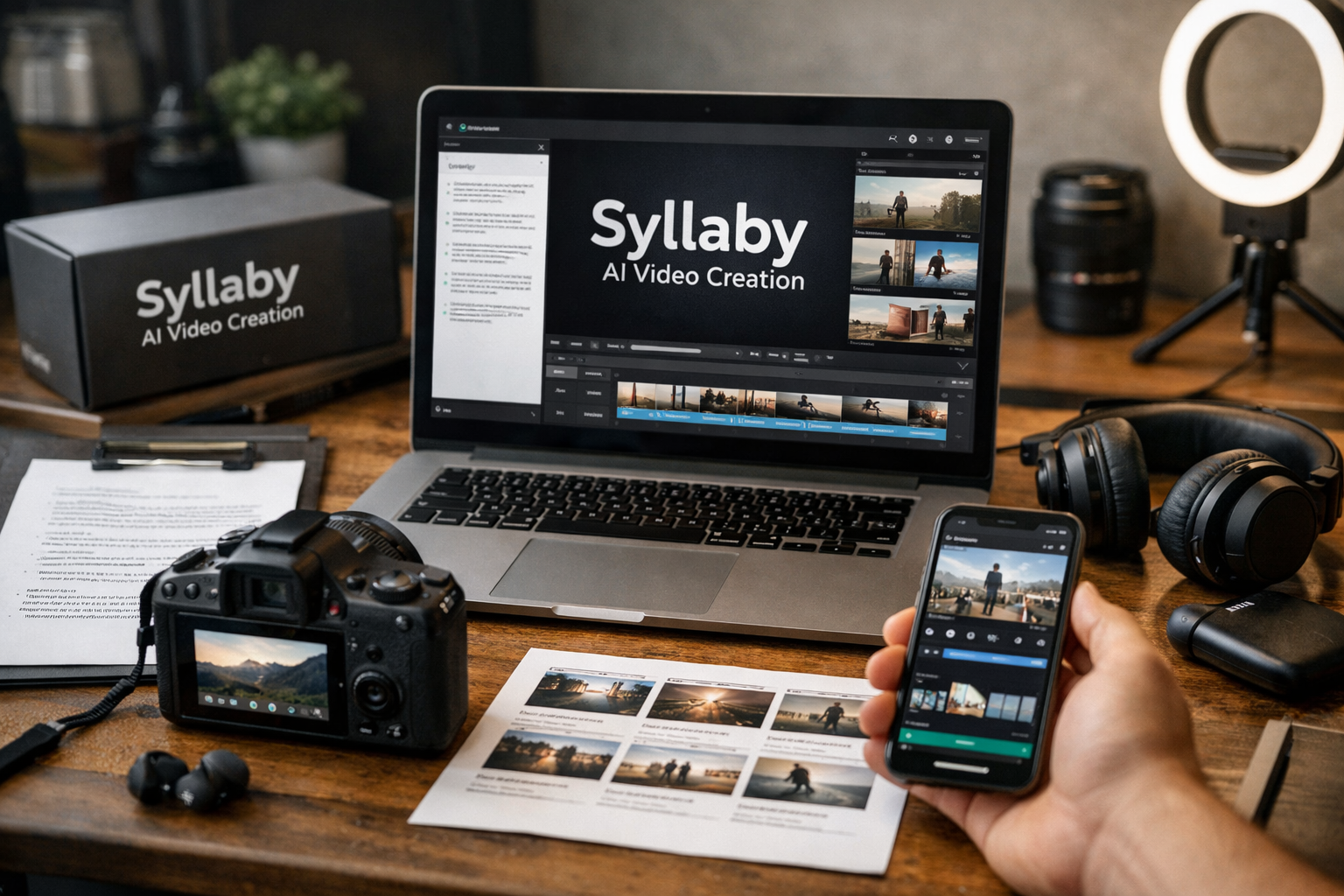
Creating a first short video can feel overwhelming when you have to plan the idea, write the script, find visuals, record audio, edit, and post it. Syllaby AI Video Creation is built to reduce that workload by bringing several of those tasks into one workflow, especially for faceless content.
This guide explains what the platform does, how to make a first video step by step, and what to check before deciding whether it is worth trying. It is written for complete beginners who want a practical process rather than vague promises.
Official website · Latest pricing & offers
What Syllaby AI Video Creation Is and Who It’s For
Syllaby is an AI-assisted content creation platform with tools for ideas, scripts, faceless videos, editing, planning, scheduling, and analytics. The goal is to help creators move from a topic to publishable social content without assembling a large stack of separate tools.
For beginners, Syllaby AI Video Creation can be especially useful because the workflow starts with the hard part: deciding what to say. Instead of opening a blank document and video editor, you can begin with a topic, develop a script, create scenes, then refine the result.
Faceless Video Creation in Plain English: Syllaby AI Video Creation
A faceless video is a video that does not require you to appear on camera. It may use generated visuals, stock-style scenes, text overlays, a voiceover, captions, or a consistent AI character instead.
With Syllaby AI Video Creation, the basic idea is to turn a written message into a visual sequence. For example, a local real estate agent could create a short video about “three mistakes first-time buyers make,” while an ecommerce brand could make a product education video without filming a presenter.
Faceless content is not automatically better than on-camera content. Its advantage is speed and repeatability when you do not want filming, lighting, makeup, or a personal on-screen presence to slow down publishing.
Best Use Cases for Beginners, Creators, and Small Businesses
The strongest beginner use cases are simple educational videos with one clear takeaway. Think quick tips, basic explainers, myth-versus-fact posts, list videos, short product lessons, or answers to common customer questions.
Syllaby AI Video Creation suits people who need a reliable starting point more than an advanced cinematic production suite. It can fit solo creators, marketers, service businesses, coaches, agencies, and business owners who want to publish useful social content consistently.
A good first topic should be narrow. “How to choose a running shoe for flat feet” is easier to turn into a focused short video than “Everything about running shoes.”
When Syllaby Is a Better Fit Than Manual Editing
Manual editing can give you maximum control, but it also requires more time and several disconnected steps. You may need to research ideas, write scripts, source visuals, record narration, create captions, edit, and then plan posts elsewhere.
Syllaby AI Video Creation is a better fit when speed, consistency, and a guided workflow matter more than frame-by-frame creative control. It may not be ideal if you need highly customized brand films, complex motion design, or production-level video effects.
The practical benefit is not that AI removes your judgment. It is that it can reduce the time between an idea and a reviewable first draft.
Syllaby Pricing and What You Get
Pricing is an important part of evaluating any AI video tool, particularly if you are comparing a one-off project against an ongoing content workflow. Avoid assuming that pricing details shown in search snippets, old reviews, or third-party discussions are current.
Verified Pricing Snapshot
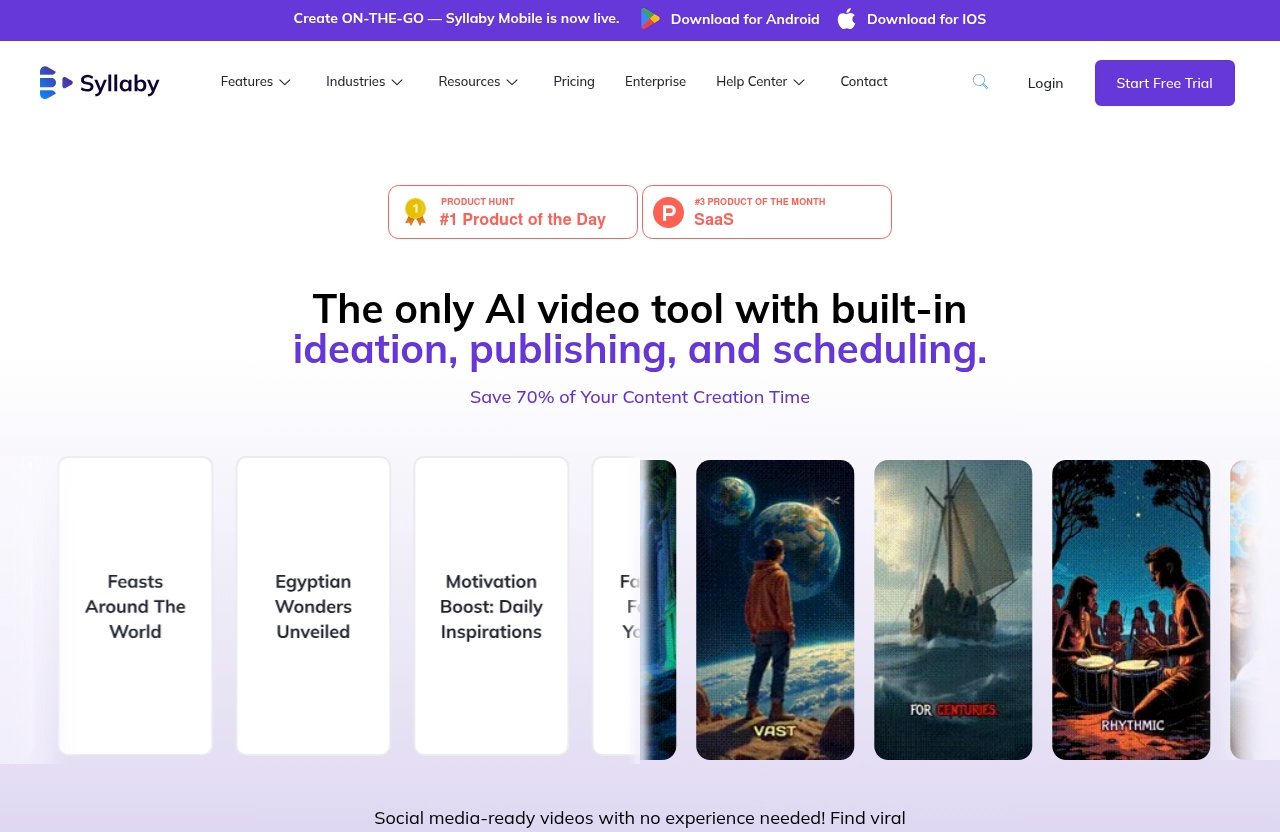
The official Syllaby pricing page and homepage highlight a limited-time message: “Lifetime Deal – Pay Once, Use Forever! Save up to 90%.” Exact current plan prices are not included in the verified information provided for this guide, so verify the checkout amount directly on Syllaby’s official pricing page before purchasing.
This is also worth noting for readers searching phrases such as “syllaby io pricing” or “syllaby ai video creation free.” Do not assume a free plan, a specific credit allowance, or feature access unless you see it clearly stated on the official page at the time you visit.
Lifetime Deal Message vs. Recurring Plans
A lifetime deal message can be appealing if you expect to make content regularly, but it should still be evaluated carefully. Confirm the current offer terms, what is included at checkout, and whether the creation options you want are available under that offer.
When reviewing Syllaby AI Video Creation, focus less on the headline discount and more on whether the workflow solves a recurring problem for you. If it helps you publish consistently, it may offer value; if you only create a few videos per year, you may not need a full platform.
Which Features Matter Most for a First Video
For a first faceless video, the most relevant official feature areas are Idea Creation, AI Script Generation, Faceless Video, Video Editor, Content Calendar, and Bulk Scheduler. These cover the path from topic selection through planning and distribution.
Syllaby also officially lists Text to Scenes, Art Style, Audio To Video, Url To Video, Character Consistency, AI Voice Cloning, AI Thumbnail Generator, Short Form Video, Long Form Video, Social Analytics, and more. Start small rather than trying every option in your first session.
How to Create Your First Faceless AI Video in Syllaby
The fastest first-win workflow is a short educational video built around one question your audience already asks. Keep your initial project simple enough that you can finish, review, and learn from it in one sitting.
Step 1: Choose a Topic or Keyword
- Pick one audience and one problem.
- Write a topic as a plain-language question.
- Decide where the video is likely to be used before creating it.
- Keep the promised outcome specific.
For example: “How can a dog groomer reduce shedding between appointments?” This provides a clear audience, a clear pain point, and a natural structure for a short answer.
Use the Idea Creation feature when you need direction. In Syllaby AI Video Creation, ideas can give you a starting point, but the best results come from adding your real customer knowledge. Include details such as industry, audience level, location when relevant, and the problem you want the video to solve.
Quick topic checklist:
- Is the topic useful to a defined audience?
- Can it be explained in one main point?
- Does it have a clear hook?
- Can a viewer understand it without extra context?
- Does it avoid promises you cannot support?
Avoid starting with a broad topic such as “digital marketing tips.” A narrower topic, such as “one way to make an email subject line clearer,” is much easier to script and visualize.
Step 2: Generate the Script
- Choose AI Script Generation.
- Enter your topic, audience, and desired tone.
- Ask for a concise script with a hook, two or three useful points, and a simple ending.
- Read every line before moving to video creation.
- Edit generic wording so it sounds accurate for your niche.
A good beginner script should open with a reason to keep watching. It can be a question, a common mistake, a useful fact, or a promise of a practical tip. Then it should deliver the answer quickly.
In Syllaby AI Video Creation, do not treat generated text as finished copy. Check for overclaims, awkward phrases, outdated information, and statements that would not be true for your business. AI can speed up the draft, but your expertise makes the video trustworthy.
Here is a simple structure for a short first video:
| Script Part | Goal | Example |
|---|---|---|
| Hook | Earn attention | “Most people brush their dog too late.” |
| Problem | Make the issue relatable | “By the time shedding is obvious, loose fur is already everywhere.” |
| Solution | Give practical advice | “Use a consistent brushing routine between grooming appointments.” |
| Close | Give a useful next step | “Start with a brush suited to your dog’s coat type.” |
Keep sentences short. A sentence that is easy to read aloud is usually easier to understand in a fast-moving video.
Step 3: Build Scenes and Visuals
- Choose the Faceless Video workflow.
- Add your approved script.
- Review how the script is divided into scenes.
- Choose or adjust the visual direction and art style.
- Check that every scene supports the words being spoken.
The platform officially lists Text to Scenes, Art Style, Character Consistency, and multiple AI model or creation options, including VEO 3, VEO 3.1, Sora 2, Sora 2 Pro, 1.0 Pro, 1.0 Lite, 1.5 Pro, v2.6 Pro, o1 Omni, and o3 Omni. The right choice depends on what is available in your account and the type of result you need.
For your first Syllaby AI Video Creation project, prioritize clarity over novelty. If the script says “choose the right brush,” use a scene that visibly relates to grooming tools rather than an abstract or unrelated image.
Review these items scene by scene:
- Does the visual match the narration?
- Is the on-screen text readable?
- Is the scene too busy?
- Does the sequence make sense with the sound off?
- Are people, products, and claims represented appropriately?
If you use a recurring character or visual identity, Character Consistency may be useful. For a first test, though, a simple style is usually easier to review and maintain.
Step 4: Add Voice, Captions, and Edits
- Select the voice option you want to use.
- Listen to the full narration before exporting.
- Add or review captions for readability.
- Use the Video Editor to correct pacing, scene order, text, and timing.
- Remove anything that does not strengthen the message.
Syllaby officially lists AI Voice Cloning as a feature area. If you choose to use voice-related tools, make sure you have the right to use the voice and that your audience would not be misled about who is speaking.
Captions are essential for many short-form viewers because people often browse with sound off. In Syllaby AI Video Creation, use captions as a second communication layer, not as a transcript crammed into tiny text. Keep the text high contrast, brief, and away from areas where platform controls may cover it.
Do not overedit your first draft. Your goal is a clean, understandable video, not a perfect one. Check the first few seconds most closely, because that is where unclear hooks and slow pacing usually show up.
Step 5: Export or Publish
- Watch the completed video from beginning to end.
- Check spelling, caption timing, audio volume, and scene relevance.
- Confirm the format fits your intended platform.
- Export or use the available publishing and scheduling workflow.
- Save notes about what you would improve next time.
Syllaby officially lists a Content Calendar, Bulk Scheduler, and Social Analytics. These features can help organize and schedule a repeatable content process. Before relying on a direct publishing connection, review the current options available in your account and confirm they support the destinations you use.
Your first Syllaby AI Video Creation result does not need to go viral to be useful. A better first goal is to publish one accurate video, identify one improvement, and use that learning on the next video.
Official website · Latest pricing & offers
Core Syllaby Features Beginners Should Use First
A common mistake is opening every tool at once. Start with the features that remove the biggest friction points in a beginner workflow.
AI Script Generation
AI Script Generation helps turn a topic into a structured draft. It replaces the blank-page stage, which is often where new creators lose time.
For Syllaby AI Video Creation, give the tool context instead of entering a vague two-word prompt. Mention who the audience is, what they struggle with, and what action or understanding the video should create.
Faceless Video Creation
Faceless Video is the central feature for someone who wants to create without appearing on camera. It connects the script to visuals and scenes so you can create a narrative without filming yourself.
Use it for straightforward educational content first. Once you are comfortable, you can explore Short Form Video, Long Form Video, Audio To Video, or Url To Video where those options fit your workflow.
Built-In Video Editor
The Video Editor is where you turn an AI-generated draft into something you would actually publish. It replaces the need to immediately move to another editor for small refinements.
In Syllaby AI Video Creation, review pacing before changing decorative details. Tighten a slow opening, simplify text-heavy scenes, and make sure visuals support the message. Those edits usually matter more than adding extra transitions.
Content Calendar and Scheduling
A Content Calendar gives you a planning view, while the Bulk Scheduler supports a more organized publishing routine. Together, they can be useful when you have multiple approved videos ready to go.
Do not schedule unfinished content just to fill a calendar. Build a small review step into your process: script review, visual review, then scheduling.
AI Voice Cloning and Thumbnail Generation
AI Voice Cloning can be relevant when a consistent voice is part of your content plan. AI Thumbnail Generator can help create supporting visuals for content where thumbnails matter.
These are useful additions, but they are not required for your first video. The most important outcome is a clear message, understandable scenes, and a format that matches the platform you intend to use.
Best Workflow for Faster Results
Speed comes from using the same reliable sequence, not from rushing past review. A repeatable process also helps you notice which topics and formats earn better audience responses over time.
Use Trending Ideas Before Writing
Use idea research as inspiration, then apply your own expertise. The best topics are often the questions customers repeatedly ask, misconceptions you hear often, or problems that can be solved in less than a minute.
With Syllaby AI Video Creation, keep an idea bank rather than searching from scratch every time. Store 10 to 20 topic prompts in your Content Calendar or planning system so you always know what to create next.
Keep Videos Short for Your First Test
Start with a short-form video and one takeaway. Short projects are easier to script, easier to review, and faster to revise when you notice a problem.
For example, make one video about one beginner mistake instead of attempting a complete tutorial on an entire industry. You can expand the topic into a series later.
Reuse Templates and Consistent Character Styles
Consistency helps viewers recognize your content and makes production faster. Reuse a similar opening structure, caption style, color approach, and visual direction where appropriate.
If you use Character Consistency, review the output closely to ensure it fits your brand and topic. A repeatable look should support your message, not become a distraction.
Batch Content for Social Media
Batching means completing the same stage for several videos at once. For example, brainstorm five ideas on Monday, generate and edit five scripts on Tuesday, then create videos and schedule approved posts afterward.
This makes Syllaby AI Video Creation more efficient because you are not constantly switching between writing, editing, and planning. Use the Content Calendar and Bulk Scheduler only after every item has passed a quality check.
Common Beginner Mistakes to Avoid
The best way to improve quickly is to recognize that an AI draft is still a draft. A short review process protects your credibility and makes each new video stronger.
Starting With a Complex Long-Form Video
Long-form projects require more research, stronger structure, and more visual continuity. They are harder to evaluate when you are still learning the tools.
Use Syllaby AI Video Creation first for a simple short-form explainer. After you can reliably create a clear one-topic video, move toward longer formats with more confidence.
Overediting the First Draft
New creators often add too many scene changes, effects, fonts, and animations because they want the content to feel polished. The result can feel cluttered and harder to follow.
Fix this by editing for comprehension. Keep the hook direct, make captions readable, and choose visuals that reinforce the narration. Clean and focused beats busy.
Using Vague Prompts
A vague prompt often creates a vague script. “Make a video about business” does not tell the AI who the viewer is, what problem matters, or what outcome you want.
Improve prompts by adding audience, problem, format, tone, and topic boundaries. For example: “Write a friendly short script for new salon owners about one way to reduce no-shows.”
Ignoring Aspect Ratio and Platform Fit
A video designed for one placement may not look right in another. Text can be cropped, visual details can be too small, and the pace may not suit how people browse on that platform.
Before publishing, preview your Syllaby AI Video Creation project in its intended format. Keep captions away from likely interface overlays, and do not assume one version is perfect everywhere.
Is Syllaby Worth It for Faceless AI Video Creation?
Whether Syllaby is worth trying depends on the problem you need it to solve. It is most compelling for someone who wants an integrated workflow for ideation, scripting, faceless videos, editing, planning, and scheduling.
Who Should Try It
Syllaby may be a practical fit for beginners who want to create content without filming themselves. It can also suit marketers and small businesses that need a more consistent publishing process but do not want to start every project from a blank page.
If you want to evaluate it for your workflow, you can learn more about Syllaby through this affiliate link. This article may earn a commission if you choose to purchase through that link, at no extra cost to you; that does not change the need to verify current pricing and features directly with Syllaby.
Who May Need a Different Tool
You may need a different tool if your work depends on advanced manual editing, highly specialized motion graphics, detailed filmmaking controls, or a team workflow that requires capabilities beyond the official features listed here.
People searching for a “faceless AI video generator free” option should also confirm current access and pricing terms themselves. The verified official information for this review highlights a lifetime deal, not a guaranteed free offering.
Quick Verdict for Affiliate Readers
For Syllaby AI Video Creation, the strongest value is the connected beginner workflow. Idea Creation, AI Script Generation, Faceless Video, editing, planning, and scheduling can reduce the friction of producing regular content.
The balanced verdict: it is worth considering if you value speed and simplicity and will actually use the workflow consistently. Review the current official pricing page, test your first topic carefully, and judge it by the quality and usefulness of the videos you can create.
Official website · Latest pricing & offers
FAQ
How do I create a faceless AI video with Syllaby?
Start with a focused topic, then use AI Script Generation to create a draft. Review and edit the script, create scenes and visuals with Faceless Video tools, add voice and captions, make final edits, then export or use the available scheduling workflow.
Is Syllaby good for beginners?
It can be beginner-friendly because it brings idea generation, script generation, faceless video creation, editing, and planning into one platform. Beginners should still review every script, visual, caption, and claim before publishing.
Can I use Syllaby on mobile?
Yes. According to the official homepage, Syllaby Mobile is available now for Android and iOS. Confirm the current mobile capabilities in the app before planning your entire workflow around mobile use.
Does Syllaby support publishing and scheduling?
Syllaby officially lists a Content Calendar, Bulk Scheduler, and Social Analytics. These tools support planning and scheduling workflows; check your account’s current publishing options and connected destinations before relying on a specific integration.
What makes a good first faceless video?
A good first video has one specific topic, a strong opening hook, short and accurate narration, simple matching scenes, readable captions, and a format chosen for one platform. Start with a short-form video rather than trying to cover a large topic all at once.
Final Takeaway and Next Step
The fastest route to your first video is not to master every AI feature. Use Syllaby AI Video Creation to choose one narrow topic, generate a script, review the scenes, add clear captions, and publish a short version you can learn from.
Fastest Path to Your First Video
Choose a customer question, create a 30- to 60-second answer, and keep the visuals simple. Review it once for accuracy and once as a viewer watching with the sound off.
What to Test After Your First Publish
After your first post, test a new hook, a clearer topic, or a different visual style—not all three at once. This gives you useful feedback and makes your Syllaby AI Video Creation workflow more consistent with every video you produce.
Related Reading
References
- Syllaby.io
- Pricing – Syllaby.io
- Syllaby – AI Video Generator – Apps on Google Play
- Syllaby – AI Video Generator – App Store