Taplio Personal Branding: A Complete Guide
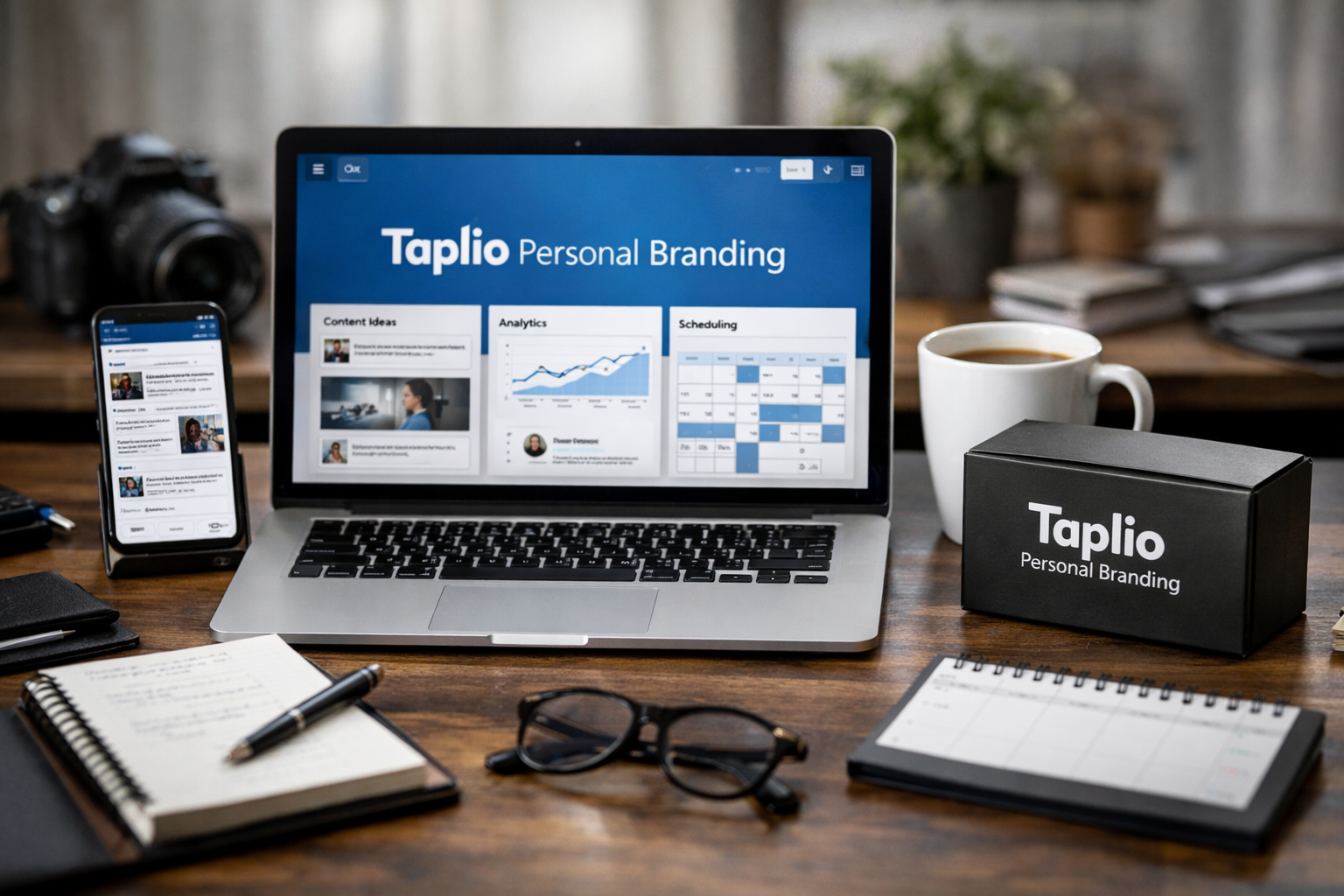
Building authority on LinkedIn takes more than occasionally publishing a polished post. You need repeatable ideas, a recognizable point of view, consistent publishing, thoughtful engagement, and a way to learn from what performs. That is where taplio personal branding becomes a relevant consideration for creators, founders, freelancers, and professional teams.
Taplio is positioned as an all-in-one, AI-powered LinkedIn platform. In this Taplio review, I’ll focus on the practical question buyers actually need answered: can it make a meaningful LinkedIn content strategy easier to execute without making your profile sound automated?
Official website · Latest pricing & offers
What Taplio Is and Who It’s For
The Short Version of Taplio
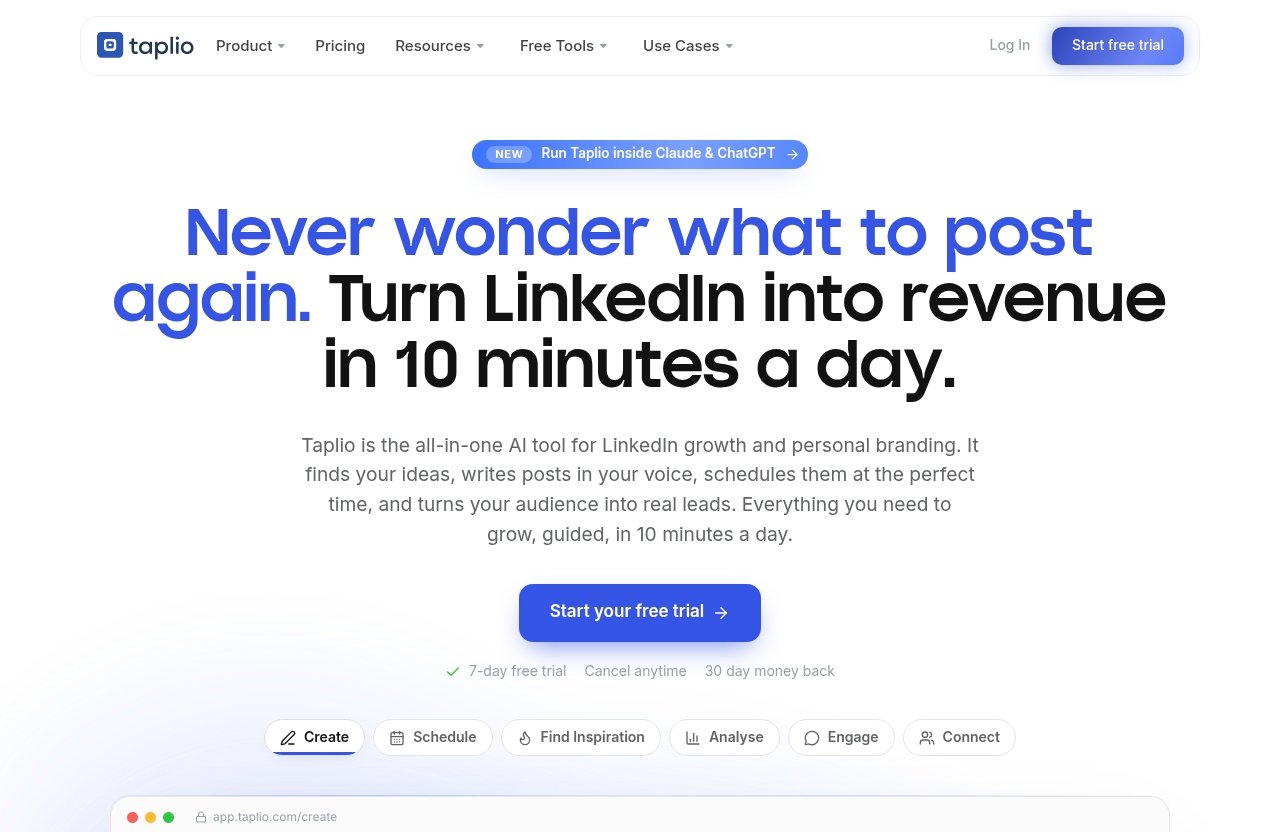
Taplio is a LinkedIn-focused platform designed to help users create content, find inspiration, schedule posts, engage with relevant people, manage relationships, and analyze performance. According to the official Taplio homepage, its workflow is built around helping users grow on LinkedIn in roughly 10 minutes a day.
Unlike a basic AI LinkedIn scheduler, Taplio combines publishing support with content discovery, AI-assisted writing, engagement tools, analytics, CRM-style relationship management, and automation. That makes it closer to a personal-brand operating system than a standalone scheduling tool.
For taplio personal branding, the practical value is not that it replaces strategy. It is that it reduces the repetitive work between having a good idea and consistently showing up in front of the right audience.
Why It’s Positioned as a Personal Branding Tool
Personal branding on LinkedIn is mostly about earning trust over time. Your audience needs to understand what you know, who you help, what you believe, and why they should remember you when an opportunity appears.
Taplio supports that process by bringing several parts of the workflow into one place: idea research, drafting, post scheduling, engagement, and performance analysis. Its official help center describes the platform as an AI-powered system for creators, founders, and professional teams building influential personal brands and scaling their LinkedIn presence.
The distinction matters. Generic social media software often treats every channel similarly. Taplio for LinkedIn is built around the formats, audience behavior, and relationship-driven nature of LinkedIn publishing.
Best-Fit Users: Creators, Founders, Freelancers, and Teams
The strongest fit is someone who already sees LinkedIn as a serious business-development or reputation channel. If your prospects, hiring partners, clients, investors, peers, or collaborators spend time there, the platform can help formalize an otherwise scattered workflow.
| User type | How Taplio may fit |
|---|---|
| Creator | Helps turn expertise into a dependable posting and engagement routine |
| Founder | Supports thought leadership while reducing day-to-day content friction |
| Freelancer or consultant | Makes it easier to stay visible to potential clients and referral partners |
| Professional team member | Can support individual authority without losing alignment with company goals |
| Agency or LinkedIn operator | Useful for organizing content research and performance review |
For readers comparing broader tools, see [Best LinkedIn AI Tools Like Taplio in 2026](/best-linkedin-ai-tools-like-taplio-in-2026). The key comparison point is whether you need a LinkedIn-specific workflow or simply a general-purpose content calendar.
How Taplio Helps With Personal Branding on LinkedIn
Finding Content Ideas Worth Posting
One reason professionals stop posting is not a lack of expertise; it is the pressure of starting from a blank page. Taplio’s inspiration tools are designed to help users discover viral posts worth remixing and identify topics that resonate on LinkedIn.
That does not mean copying someone else’s viewpoint. A better approach is to study the structure, hook, topic angle, or audience problem behind a high-performing post, then add your own experience. In a strong taplio personal branding workflow, inspiration should speed up thinking rather than replace it.
Taplio also says it analyzes more than 60,000 LinkedIn posts each month. Treat that volume as a research advantage, not proof that any specific format will work for your account. Your audience, expertise, and execution still determine whether a topic earns attention.
Writing Posts in Your Voice
Taplio’s Create area is intended to help users find ideas and write posts that grow. The company also positions its AI around turning ideas into posts in your voice.
That is useful when you have rough notes, client lessons, meeting takeaways, or a strong opinion but limited time. Still, AI-generated drafts should be a starting point. The best personal brands include precise stories, original observations, and specific language that a generic prompt cannot reliably invent.
My recommendation is to draft with AI, then add at least one personal detail: a decision you made, an outcome you saw, a mistake you corrected, or a clear perspective. That edit is usually the difference between content that looks competent and content that feels credible.
Scheduling and Consistency
Consistency matters because personal authority compounds. A reader may need to see your ideas repeatedly before they follow, engage, visit your profile, or start a conversation.
Taplio’s Schedule feature lets users queue posts at their best times automatically. This gives taplio personal branding a practical advantage for busy people: you can build a small content buffer instead of deciding what to publish every morning.
Scheduling should not become “set and forget,” though. Leave room for timely posts based on news, customer conversations, events, and lessons from current work. A calendar provides discipline; responsiveness keeps a brand human.
Engagement and Lead Nurturing
Publishing is only half of a LinkedIn content strategy. Commenting thoughtfully on posts from relevant people can introduce your perspective to new audiences, deepen relationships, and keep you visible between your own posts.
Taplio includes Engage tools intended to help users show up on the right people’s posts. It also includes Connect functionality for auto-connecting and sending DMs to warm leads, alongside CRM and relationship-management capabilities mentioned in its help documentation.
Use these functions carefully. Warm, relevant outreach is different from bulk outreach. A useful rule is to engage publicly first, make a genuine connection, and only move to direct messages when there is clear context for a conversation.
Analytics That Inform Strategy
Analytics matter when they change your next decision. Taplio’s Analyse area is designed to show what is working so users can do more of it.
For personal branding on LinkedIn, do not obsess over a single reach number. Look for patterns: Which topics prompt qualified comments? Which formats lead to profile visits? Which posts create conversations with people you want in your network?
Over several weeks, this feedback can help refine your positioning. You may discover that your audience responds more strongly to practical frameworks than motivational posts, or to founder lessons rather than broad industry commentary.
Taplio Features That Matter Most for Personal Branding
Viral Content Library and Inspiration Discovery for Taplio Personal Branding
The inspiration feature is valuable because research is often the hidden time cost of content creation. Instead of manually scrolling LinkedIn for an hour, you can use Taplio to surface posts and themes worth studying.
For taplio personal branding, build a swipe file around your content pillars rather than chasing every popular topic. If you are a B2B consultant, for example, prioritize examples related to your buyers’ operational problems, not generic productivity content.
The goal is relevance. A smaller audience of ideal clients is more valuable than broad attention from people who will never need your work.
AI Writing Assistant and Post Generation
The AI writing component can help turn notes into drafts, improve structure, and reduce the friction of publishing. It is especially helpful for people who know their subject well but tend to overthink the opening line or post format.
However, the tool cannot independently validate your claims, protect your reputation, or produce lived experience. Review every draft for accuracy, remove exaggerated language, and make sure the post reflects your actual knowledge.
A sound process is simple: provide Taplio with your raw angle, review the output, add evidence or an anecdote, and rewrite the hook in language you would naturally say. That approach preserves speed without sacrificing voice.
Carousel Creation
Taplio can turn content into a swipeable carousel. Carousels are useful when your message benefits from a visual sequence, such as a checklist, process, framework, case lesson, or comparison.
A carousel should not just be a post broken into slides. Each page should move the reader forward and make sense even when viewed quickly. Use concise points, strong hierarchy, and one clear takeaway.
For creators selling educational offers, this can be a useful bridge between LinkedIn authority and an owned product ecosystem. If that is your business model, [How to Sell a Course on Systeme.io in 2026](/how-to-sell-a-course-on-systeme-io-in-2026) may help you connect content visibility with a practical conversion path.
LinkedIn Scheduling and Queueing
The scheduling queue is one of the clearest reasons to consider Taplio. It helps you prepare content in batches and queue posts at your best times automatically.
This is particularly useful if LinkedIn is important but not your only responsibility. Founders, consultants, and in-house leaders can reserve one focused session each week for planning instead of interrupting their day to post manually.
An AI LinkedIn scheduler is most effective when the underlying cadence is realistic. Start with a schedule you can sustain while still making time to respond to comments.
CRM, Engagement, and Warm Lead Follow-Up
Taplio’s relationship management capabilities are important because a personal brand should create relationships, not just impressions. The platform’s official materials reference CRM, engagement, connections, and DMs to warm leads.
For taplio personal branding, use this part of the product to organize people you have genuinely interacted with: engaged followers, peers, prospects who asked a relevant question, podcast hosts, or potential collaborators. Keep notes on context rather than treating every connection as a lead list.
That distinction protects your reputation. LinkedIn works best when your outreach follows demonstrated interest or shared relevance.
Analytics and Performance Tracking
Taplio’s analytics can give creators a clearer view of what deserves repetition. Rather than posting randomly, you can examine performance and identify themes that consistently attract the right response.
A practical monthly review might include:
- Your three posts that generated the best-quality discussions
- Topics that created profile visits or inbound conversations
- Formats that underperformed despite strong effort
- Content gaps your audience repeatedly mentions
- People and communities worth engaging with more often
Use the insights to refine your next month’s content. Analytics are valuable when they shape decisions, not when they become a scoreboard.
MCP / AI Assistant Integration
Taplio also offers a new MCP capability, allowing users to run Taplio from Claude, ChatGPT, or another MCP-enabled large language model. This could be useful for advanced users who already work through AI assistants and want to connect planning or workflow prompts with Taplio.
The feature is best viewed as an optional workflow enhancement. Most users should first build a clear positioning, posting routine, and review process inside the core product before adding complexity.
Taplio Pricing: Plans, Costs, and What You Get
Verified Pricing Plans From the Official Pricing Page
The confirmed headline on the official Taplio pricing page is that plans start from $39 per month and include a free trial. Because plan details can change, it is sensible to verify the current inclusions, billing options, and limits directly on the pricing page before purchasing.
This is the only pricing claim worth treating as fixed based on the available official information. Be cautious with third-party comparison pages that list plan tiers, credits, or feature restrictions without showing a current official source.
What the Starter-Tier Value Looks Like
The phrase “starter tier” can be misleading if it implies a specific official package structure. The more useful question is whether entry-level access at the advertised starting price gives you enough workflow value to justify a recurring expense.
For many buyers, the potential value comes from centralizing content inspiration, drafting, scheduling, engagement, and analytics. If you would only use Taplio once every few weeks, that value is harder to justify.
A taplio personal branding subscription is generally easier to defend when it supports an active, repeatable system rather than occasional experimentation.
How to Think About Cost vs. Output
Do not measure Taplio pricing solely against the number of posts it helps you produce. More posts are not automatically better posts.
Instead, compare the monthly cost with the time you currently spend researching ideas, writing drafts, scheduling content, finding relevant conversations, and reviewing results. Then ask whether a more consistent process could help you create better business opportunities over time.
The value will be conditional. A freelancer who gains one qualified discovery call from clearer LinkedIn visibility may evaluate the cost differently from someone posting without a defined audience or offer.
Who Is Most Likely to Get ROI
The users most likely to see a reasonable return are those who already have a clear commercial reason to build authority. That could mean consulting leads, a service business, a creator offer, recruiting credibility, partnerships, or founder visibility.
ROI is not guaranteed, and Taplio cannot compensate for weak positioning or an unclear offer. It can, however, make a sound LinkedIn content strategy more efficient to execute.
If your goal is content management across multiple social platforms rather than LinkedIn authority specifically, a broader platform may be a better fit. See [What Is Contentstudio Used For?](/what-is-contentstudio-used-for/) for a useful comparison angle.
Official website · Latest pricing & offers
Pros and Cons of Using Taplio for Personal Branding
Biggest Strengths
The primary strength of Taplio is workflow consolidation. Instead of moving between a notes app, AI writer, LinkedIn search, scheduler, spreadsheet, and analytics dashboard, users can manage much of the LinkedIn process in one environment.
Other notable strengths include:
- LinkedIn-specific inspiration and post-creation support
- Scheduling and automatic queueing at best times
- Carousel creation for educational content
- Engagement and relationship-management functions
- Analytics designed to inform content decisions
- Optional MCP integration for AI-centric workflows
The product’s scope makes it compelling for people who want structure around personal branding on LinkedIn without assembling a patchwork of separate tools.
Common Limitations and Tradeoffs
The biggest tradeoff is that AI assistance requires editorial judgment. If you publish first drafts without adding your own evidence, examples, and language, your content can feel generic even if it is grammatically polished.
There is also a learning curve. An all-in-one system has more moving parts than a simple scheduler, so buyers should expect to spend time setting up content pillars, reviewing ideas, and building a useful engagement process.
Finally, automation should be used with restraint. The more public-facing your personal brand becomes, the more important it is that comments, connections, and messages feel relevant and human.
When Taplio Makes Sense
Taplio makes sense when LinkedIn is part of your business-development strategy and you need a more reliable operating rhythm. It is particularly relevant for people who have expertise to share but struggle with consistency, topic research, or finding time for daily platform activity.
It can also make sense for teams supporting executive thought leadership. The human expert still supplies opinions, stories, and approvals, while the platform makes the content engine easier to manage.
When You May Want an Alternative
Consider Taplio alternatives if you primarily need multi-platform publishing, advanced design capabilities, long-form editorial workflows, or a lower-cost lightweight scheduler. The right platform depends on your actual bottleneck.
For example, a course creator focused on community-led education may need a stronger community platform before optimizing LinkedIn publishing. In that situation, [Skool Course Creator Review](/skool-course-creator-review) offers a relevant perspective.
Taplio vs the Manual LinkedIn Content Workflow
What You Save With Automation
A manual LinkedIn workflow can work well, but it tends to create hidden friction. You may lose time searching for ideas, saving examples, rewriting drafts, remembering to post, tracking responses, and trying to recall which topics performed well.
Taplio can streamline those repetitive stages. Its combined feature set helps move from inspiration to draft, from draft to scheduled post, and from published content to analysis with fewer disconnected steps.
The result is not necessarily less thinking. It is less administrative effort around the thinking that only you can do.
What Still Requires Human Input
No tool can define your expertise for you. You still need to decide what you want to be known for, who you want to reach, what opinions you can credibly defend, and what business outcome your LinkedIn presence should support.
You also need to fact-check content, personalize AI drafts, respond sincerely to comments, and avoid treating automated connection activity as a substitute for relationship building. These are the parts that build durable trust.
The Best Hybrid Workflow
The strongest approach combines Taplio’s efficiency with a human-led editorial standard. Use the platform for research, initial drafts, scheduling, workflow organization, and analysis. Use your own judgment for topic selection, stories, claims, and conversations.
This hybrid method makes taplio personal branding sustainable. You get leverage without giving up the distinct perspective that makes people want to follow you.
How to Use Taplio to Build Authority Step by Step
Set a Clear Positioning Statement
Before you create anything, write one sentence that explains your professional point of view. A useful formula is: “I help [specific audience] achieve [specific outcome] by sharing [your expertise or approach].”
For example: “I help early-stage B2B founders improve customer retention by sharing practical onboarding and product-education systems.” This statement gives your ideas, comments, profile, and calls to action a common direction.
Build Content Pillars
Choose three to five recurring themes that reflect your expertise and audience needs. A consultant might use client lessons, frameworks, market observations, behind-the-scenes process, and opinion-led posts.
Content pillars prevent random posting. They also make it easier to use Taplio’s inspiration tools because you know what kinds of topics to collect and remix.
Collect Inspiration and Write Drafts
Use Taplio to find relevant posts, but record why each one is interesting. Is it the hook, the problem, the structure, the contrarian angle, or the comments it generates?
Then write from your own experience. In a taplio personal branding workflow, each draft should contain a specific insight that competitors cannot easily copy: a real lesson, data point you can stand behind, client pattern, or operational detail.
Schedule a Consistent Cadence
Create a posting cadence you can maintain for several months. Consistency is more valuable than a short burst of daily activity followed by silence.
Batch-schedule evergreen posts through Taplio’s queue, but retain flexibility for spontaneous insights. Review scheduled content before it goes live, especially if the subject depends on current events or changing industry conditions.
Engage Strategically With the Right Audience
Identify people your ideal audience already trusts: customers, industry operators, journalists, creators, partners, and peers. Engage with their posts by adding a useful observation rather than a generic compliment.
Aim for comments that can stand on their own. A thoughtful comment is miniature content, and it often introduces your expertise to people who have never seen your profile.
Review Analytics and Iterate
Set a recurring review point, such as every four weeks. Look at what topics produced the best discussions, which posts brought relevant profile visits, and where your content felt strongest.
Do not change strategy after one underperforming post. Look for recurring signals, then double down on the subjects and formats that help the right people understand your expertise.
Who Should Skip Taplio
Beginners With No LinkedIn Strategy
If you have not decided who you want to reach or what you want LinkedIn to accomplish, Taplio may be premature. The platform can make execution easier, but it cannot create a coherent strategy from nothing.
Start with positioning, a clear profile, a few content pillars, and a realistic posting commitment. Once the workflow becomes difficult to maintain manually, a tool becomes more useful.
Creators Who Want Fully Original Long-Form Thinking Only
Some writers prefer to develop every idea from scratch in a long-form writing environment. If you dislike AI assistance, scheduling systems, content libraries, and structured workflows, Taplio may feel unnecessary.
That does not mean the platform lacks value. It simply means its efficiency-oriented approach may not match your creative process.
Buyers on a Strict Budget
At plans starting from $39 per month, Taplio is a business expense that should have a clear purpose. If you are still testing whether LinkedIn matters for your audience, start with a manual process and reassess later.
Likewise, if your more urgent investment is a website or client-conversion system, prioritize that first. For planning purposes, [How Much Does Webflow Cost for a Small Business?](/how-much-does-webflow-cost-for-a-small-business/) can help you evaluate another common digital-business cost.
Final Verdict: Is Taplio Worth It for Personal Branding?
Best for Authority-Building on LinkedIn
Taplio is a well-aligned option for people who want to treat LinkedIn as an authority-building channel rather than an occasional place to share updates. Its official product positioning covers the important stages of the workflow: inspiration, creation, scheduling, engagement, connections, analytics, carousels, and automation.
The real benefit of taplio personal branding is not automated output for its own sake. It is having a more organized system for consistently sharing useful expertise and learning what resonates.
Best Use Cases by Audience Type
Creators can use Taplio to turn expertise into posts and carousels more efficiently. Founders can support thought leadership without personally managing every publishing detail. Freelancers and consultants can stay visible to prospective clients while tracking which subjects create meaningful conversations.
Professional teams can also use it to support executive visibility, provided the executive’s ideas and final approval remain central. Personal brands gain value from authenticity, not merely frequency.
Bottom-Line Recommendation
Taplio is worth evaluating if you publish consistently, value LinkedIn as a commercial channel, and want one place to manage research, writing, scheduling, engagement, and analysis. It is less compelling if you only need a simple scheduler or have not yet defined your audience and message.
If that sounds like your situation, you can review the current offer through this Taplio affiliate link. This article contains an affiliate link to Taplio, which means I may earn a commission if you purchase through it, at no additional cost to you.
Official website · Latest pricing & offers
FAQ
Is Taplio worth the cost for personal branding?
Taplio can be worth the cost for creators, founders, and professionals who will use it consistently for publishing, engagement, and performance review. The official pricing page states that plans start from $39 per month with a free trial.
Its value depends on your usage. If it saves time and helps you maintain a thoughtful LinkedIn content strategy, the cost may be justified; if you rarely publish or rely on unedited AI drafts, it is less likely to be worthwhile.
What does Taplio do for LinkedIn growth?
Taplio helps users find content ideas, create and draft posts, schedule content, analyze performance, engage with relevant posts, and manage warm leads and relationships. It also supports carousel creation, automation, and MCP-enabled AI assistant workflows.
In practical terms, Taplio for LinkedIn helps organize the full visibility process rather than focusing on publishing alone.
Who is Taplio best for?
Taplio is best for creators, founders, freelancers, consultants, and professional teams that want to build an influential LinkedIn presence. It is particularly useful for people who have expertise and business goals but need a more efficient way to research, create, schedule, engage, and measure content.
Does Taplio write posts in your voice?
Taplio’s official positioning says its AI can help turn ideas into scroll-stopping posts in your voice. That can make drafting faster, especially when you begin with your own notes and perspective.
However, you should always review and edit the output. Add personal examples, check claims, and adjust wording so the final post sounds like you rather than a generic AI template.
Is Taplio only a scheduler?
No. Scheduling is only one part of the platform. Taplio also includes inspiration discovery, AI-assisted writing, carousel creation, engagement tools, analytics, relationship management, connection and warm-DM features, automation, and MCP integration.
Related Reading
- What Is Contentstudio Used for? A Beginner’s Guide for 2026
- How to Sell a Course on Systeme.io in 2026
- Skool Course Creator Review: Is It Worth It for Courses and Community?
References
- Taplio Official Homepage
- Taplio Pricing
- Taplio Help Center: What is Taplio and how can it help me grow my personal brand?
- Taplio Review | The Ultimate AI Tool for Personal Branding on LinkedIn