Fireflies AI Pricing 2026: Which Plan Is Best Value?
Exclusive reader offer · Ends Sep 15, 2026
40% off for 4 months, free migrations
Official website · Latest pricing & offers
Fireflies AI Pricing 2026: Quick Verdict
If you want the short answer on Fireflies AI pricing, the Business plan is likely the best value for many active teams because it adds unlimited storage, more AI credits than Pro, and admin/team features without jumping to Enterprise. Pro is the sensible entry paid tier for individuals and small teams, Free is useful for testing, and Enterprise is built for organizations with heavier security, compliance, and governance needs.
I verified the pricing and feature details in this guide against the official Fireflies pricing page and homepage for 2026. This article includes an affiliate recommendation through our Fireflies partner link, but the plan advice below is based on the official plan limits and features provided, not hype or third-party rumors.
| Buyer Type | Best Fit | Why |
|---|---|---|
| Testing Fireflies | Free | $0 forever, unlimited transcription and summaries, but limited storage and credits |
| Solo users | Pro | Paid entry point with recording, downloads, integrations, and 8,000 mins storage/seat |
| Small teams | Pro or Business | Pro for lower cost; Business for unlimited storage and admin visibility |
| Growing businesses | Business | Strongest balance of storage, credits, conversation intelligence, and team controls |
| Enterprise buyers | Enterprise | Security, compliance, SSO + SCIM, audit logs, private storage, and governance |
Best plan for solo users
For solo users, the best Fireflies AI pricing choice is usually Pro if you need more than basic testing. It costs $18 per seat/month on monthly billing or $10 per seat/month billed annually, and it unlocks practical paid features such as video recording, downloads, unlimited integrations, and 8,000 minutes of storage per seat.
If you only want to test meeting transcription, the Free plan is enough to start. But if you regularly record meetings and need exports or workflow integrations, Pro is the cleaner fit.
Best plan for small teams
Small teams should compare Pro and Business carefully. Pro keeps the seat cost lower and includes the core paid features, while Business adds unlimited storage, 30 AI credits, conversation intelligence, team analytics for admins, public meeting access, and user groups.
In practical Fireflies AI pricing terms, Pro is best for budget-conscious teams, while Business makes more sense once collaboration, admin visibility, and storage flexibility matter.
Best plan for growing businesses
For growing businesses, Business is the strongest value pick. At $29 per seat/month monthly or $19 per seat/month billed annually, it adds unlimited storage and team-oriented tools that are not included in Pro.
This is where Fireflies AI pricing becomes less about “Can it transcribe meetings?” and more about “Can the team manage, search, analyze, and organize conversations at scale?”
Best plan for enterprise buyers
Enterprise is for buyers who need centralized control, compliance support, and advanced security features. It costs $39 per seat/month billed annually only and includes SSO + SCIM, audit logs, HIPAA compliance, private storage, custom data retention, transcript + summary only mode, a super admin role, and a dedicated account manager.
If those governance features are required, Enterprise is not just a bigger plan. It is the appropriate Fireflies AI pricing tier for organizations where security and administration drive the buying decision.
What Is Fireflies AI and Who Is It For?
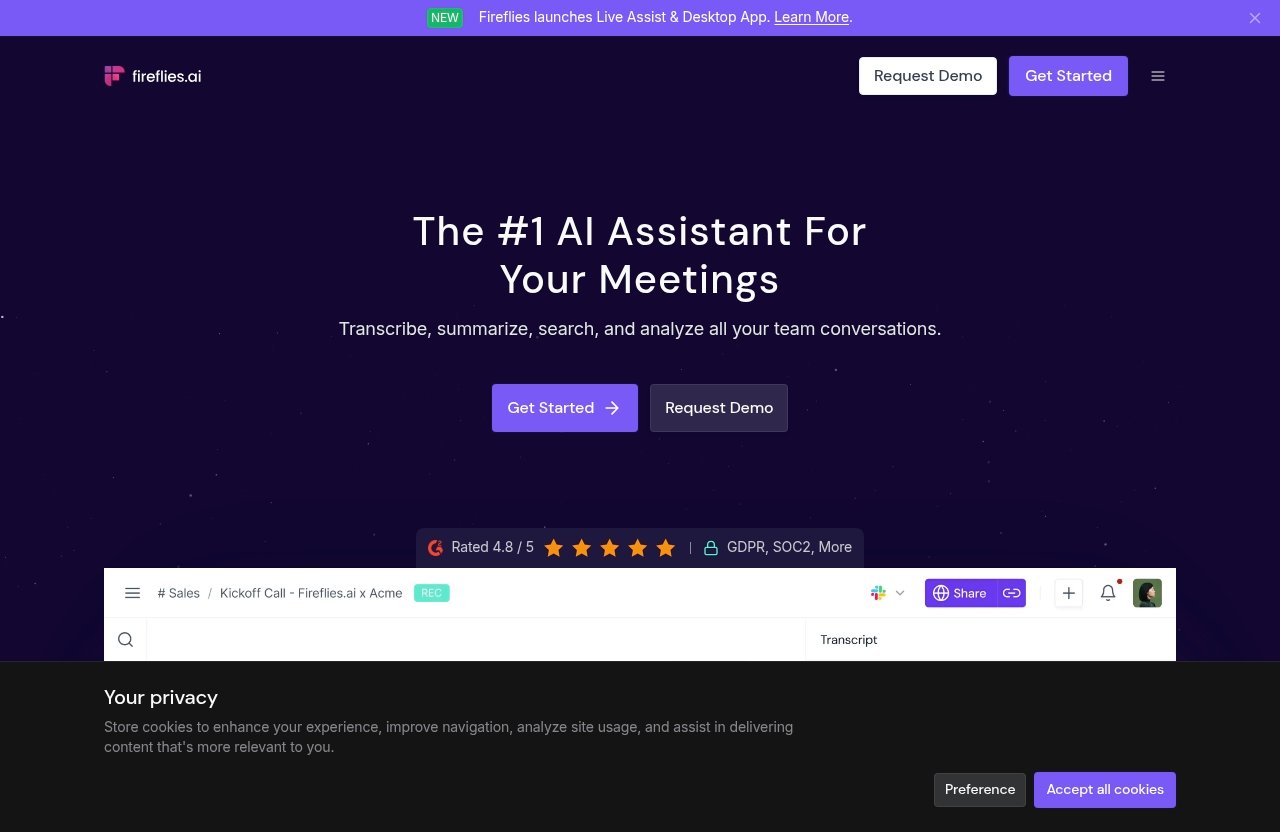
Fireflies is an AI assistant for meetings, email, chat, and CRM. According to the official homepage, it can transcribe, summarize, search, and analyze conversations, supports 100+ languages, claims 95% accuracy, and integrates with CRM, project management, ATS, and Slack workflows.
Fireflies is also rated 4.8/5 on G2 and is used across 1 million+ companies, according to official homepage claims. Those are useful credibility signals, but the real buying question is whether Fireflies AI pricing matches how often your team meets and how deeply you need to manage meeting intelligence.
Meeting transcription and summaries
At the core, Fireflies helps turn conversations into transcripts and AI summaries. All plans, including Free, include unlimited transcription and unlimited AI summaries, which makes the platform approachable for testing and ongoing use.
That said, plan differences matter. Storage, AI credits, recording features, downloads, admin tools, and security controls vary significantly across the tiers.
Search, AI assistant, and workflow automation
Fireflies includes meeting search and AskFred AI assistant access on the Free plan, along with API access, apps, and browser extension support. Paid plans build on this with features like Personal Assistant, AI Skills, Voice Agents, action items and task manager, and unlimited integrations on Pro and above.
For buyers comparing Fireflies AI pricing, this is important. The platform is not only a transcript archive; it is designed to help teams search, summarize, analyze, and act on conversation data.
Use cases for sales, ops, recruiting, and customer success
Sales teams may value searchable calls, action items, and conversation intelligence. Operations teams may care about documentation, summaries, and integrations with project workflows.
Recruiting and customer success teams can also benefit from searchable meeting history, summaries, and shared context. The best plan depends on meeting volume, storage needs, and whether admins need team analytics or governance controls.
Fireflies AI Pricing Plans at a Glance
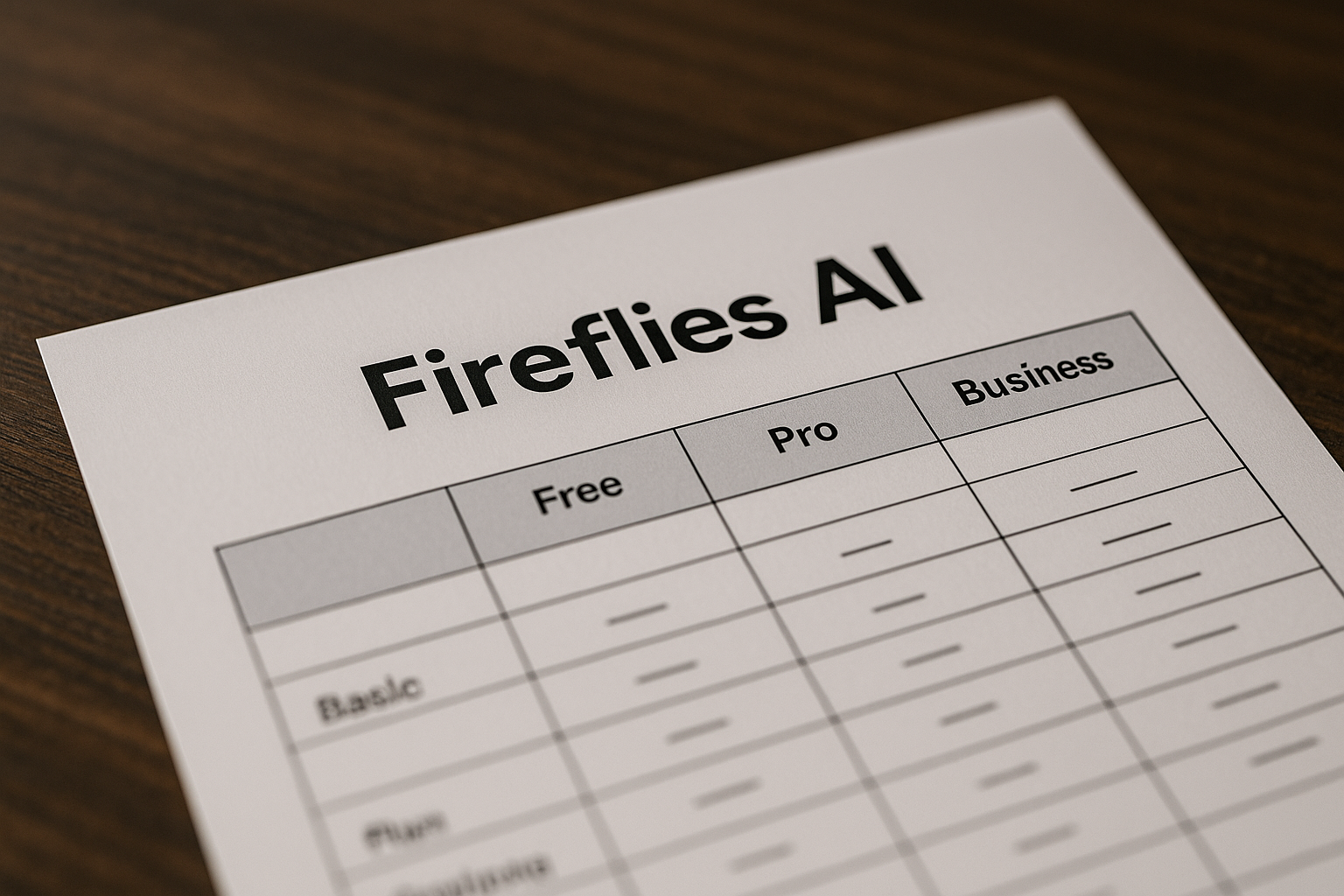
The official Fireflies AI pricing structure includes four plans: Free, Pro, Business, and Enterprise. Free is $0, while the paid tiers are priced per seat.
Annual billing lowers the effective monthly cost on eligible tiers. The official pricing page notes that monthly and annual billing are available for the lower tiers, and annual billing can save up to 44%.
| Plan | Monthly Billing | Annual Billing | Storage | AI Credits |
|---|---|---|---|---|
| Free | $0 | $0 | 400 mins/team | 20 |
| Pro | $18 per seat/month | $10 per seat/month | 8,000 mins/seat | 20 |
| Business | $29 per seat/month | $19 per seat/month | Unlimited | 30 |
| Enterprise | Not listed monthly | $39 per seat/month | Unlimited | 50 |
Monthly vs annual billing
For Pro and Business, you can choose monthly or annual billing. The annual option reduces the effective Fireflies AI pricing per month, which may matter if you already know the tool will be used consistently.
Enterprise is different because it is billed annually only. That makes it a more deliberate commitment and aligns with its security, governance, and admin-focused feature set.
Free vs paid tiers
The Free plan is generous for testing because it includes unlimited transcription and unlimited AI summaries. It also includes 400 minutes of storage per team and 20 AI credits.
Paid plans add more storage, and higher tiers add more team, admin, security, and compliance functionality. If your team needs video recording, downloads, unlimited integrations, or enterprise controls, you will need to move beyond Free.
How AI credits and storage differ by plan
Fireflies AI credits increase by tier: Free includes 20, Pro includes 20, Business includes 30, and Enterprise includes 50. Storage also scales from 400 minutes per team on Free to 8,000 minutes per seat on Pro, then unlimited storage on Business and Enterprise.
These differences are central to Fireflies AI pricing because heavy meeting users may outgrow Free or Pro based on storage needs before they outgrow transcription itself.
Free Plan Breakdown
The Fireflies AI free plan is best understood as a useful starting point rather than a complete long-term setup for most active teams. It is $0 and free forever, with unlimited transcription and unlimited AI summaries.
That is a strong trial-like experience without a time limit. But the storage and AI credit limits are the key tradeoffs.
What you get for $0
The Free plan includes 400 minutes of storage per team and 20 AI credits. It also supports Zoom, Google Meet, Microsoft Teams, and more.
Officially listed Free features include transcription in 100+ languages, real-time notes and live transcriptions, meeting search, AskFred AI assistant, audio/video file upload, desktop app, Android and iOS mobile apps, Chrome extension, and API access.
Best for testing and light use
If you are evaluating Fireflies AI pricing for the first time, start with Free. It lets you test the meeting assistant, transcript quality, summaries, search, and workflow fit before paying.
This is especially useful for freelancers, founders, or small teams that want to confirm whether Fireflies fits their meeting habits. You can learn a lot from the Free plan before committing to Pro or Business.
Key limits to know
The main limits are 400 minutes of storage per team and 20 AI credits. For occasional use, that may be fine; for regular meeting-heavy work, it may become restrictive.
Free also does not include some paid features such as video recording, transcript and summary downloads, recordings downloads, Personal Assistant, AI Skills, Voice Agents, action items and task manager, or unlimited integrations. Those begin with Pro.
Pro Plan Breakdown
The Fireflies AI pro plan is the entry paid tier and the most natural upgrade for individuals or small teams that need more than testing. It keeps Fireflies AI pricing relatively accessible while adding key productivity features.
It is not the most complete team plan, but it covers the most obvious gaps in Free.
Pricing and billing terms
Pro costs $18 per seat/month on monthly billing or $10 per seat/month billed annually. Because paid Fireflies plans are priced per seat, your total monthly cost depends on how many users need access.
For buyers comparing Fireflies AI pricing per month, the annual Pro rate is the lower effective monthly price. The monthly option is more flexible if you are still validating usage.
What’s included beyond Free
Pro includes unlimited transcription, unlimited AI summaries, 8,000 minutes of storage per seat, and 20 AI credits. It includes everything in Free, plus video recording, downloads for transcripts, summaries, and recordings, Personal Assistant, AI Skills, Voice Agents, action items and task manager, and unlimited integrations.
Those additions are meaningful if you need to keep records, share outputs, or connect Fireflies into your broader workflow. The jump from Free to Pro is less about transcription volume and more about usability, exports, and integrations.
Who should choose Pro
Choose Pro if you are a solo consultant, founder, manager, or small team member who regularly records meetings and needs access to downloads or integrations. It is also a good fit if you want the paid Fireflies experience without moving into admin-heavy features.
The tradeoff is storage and team visibility. If you expect rapid team growth or want unlimited storage and admin analytics, Business is likely the better Fireflies AI pricing decision.
Business Plan Breakdown
The Fireflies AI business plan is where the platform becomes more compelling for teams. It includes the core paid features from Pro and adds unlimited storage, more AI credits, and stronger collaboration and admin capabilities.
For many companies, Business is the plan I would evaluate first after confirming the Free plan works technically.
Pricing and billing terms
Business costs $29 per seat/month on monthly billing or $19 per seat/month billed annually. Like Pro, it is priced per seat, so team size directly affects your total spend.
When comparing Fireflies AI annual pricing, Business has a higher seat cost than Pro but adds unlimited storage and team-oriented features. That can make the price difference easier to justify for active teams.
What makes Business different
Business includes unlimited transcription, unlimited AI summaries, unlimited storage, and 30 AI credits. It includes everything in Pro, plus Multi-language Mode, Conversation intelligence, team analytics for admins, public meeting access, and user groups.
These additions matter when multiple people are using Fireflies across departments or customer-facing roles. Admins get more visibility, teams get more structure, and storage is no longer the same concern it is on Free or Pro.
Why it may be the best value
Business is likely the best Fireflies AI pricing value for many teams because it combines unlimited storage with collaboration and admin features. You avoid the storage ceiling of Pro while gaining conversation intelligence and user groups.
I would not say every buyer needs Business. But if meetings are part of your sales, operations, recruiting, or customer success process, Business is the most balanced tier before Enterprise-level governance becomes necessary.
Official website · Latest pricing & offers
Enterprise Plan Breakdown
Enterprise is the highest official Fireflies AI pricing tier and is built for organizations with stronger security, compliance, data management, and administrative requirements. It is not available on monthly billing based on the verified pricing details provided.
This plan makes the most sense when governance is a requirement, not just a preference.
Annual-only pricing
Fireflies AI enterprise pricing is $39 per seat/month billed annually only. It includes unlimited transcription, unlimited AI summaries, unlimited storage, and 50 AI credits.
Because Enterprise is annual-only, buyers should confirm internal requirements, user counts, and governance needs before committing. It is designed for larger or more controlled deployments.
Security and governance features
Enterprise includes everything in Business, plus rules engine, SSO + SCIM, audit logs, HIPAA compliance, private storage, custom data retention, transcript + summary only mode, super admin role, and a dedicated account manager.
These are not minor add-ons. They are the types of controls that matter to regulated organizations, IT teams, compliance teams, and companies with stricter data policies.
When Enterprise makes sense
Choose Enterprise if your organization requires HIPAA compliance, SSO + SCIM, audit logs, private storage, custom data retention, or centralized super admin control. Those needs are not covered by Pro or Business in the verified plan details.
For companies without those requirements, Business may be enough. Enterprise is best when the buying decision is driven by compliance, security, administration, and account management.
Which Fireflies AI Plan Is Best Value?
The best Fireflies AI pricing tier depends on how you use meetings. The right choice is not always the cheapest plan; it is the plan that matches your storage, collaboration, integration, and governance needs without paying for controls you will not use.
Here is the practical buyer-focused breakdown.
For solo users
Solo users should start with Free if they are still testing. It gives you unlimited transcription, unlimited AI summaries, live notes, meeting search, AskFred, file uploads, apps, Chrome extension, and API access.
Move to Pro if you need video recording, transcript and summary downloads, recording downloads, unlimited integrations, and 8,000 minutes of storage per seat. For most solo paid users, Pro is the better value than Business unless unlimited storage is essential.
For small teams
Small teams should compare Pro and Business side by side. Pro is better if keeping the per-seat price lower is the priority and your storage needs fit within 8,000 minutes per seat.
Business is better if the team needs unlimited storage, admin analytics, conversation intelligence, public meeting access, user groups, and 30 AI credits. In many cases, Fireflies AI value for teams improves once those shared team features become useful.
For sales and customer-facing teams
Sales, customer success, recruiting, and account teams often need more than basic notes. Searchable conversations, action items, integrations, conversation intelligence, and admin visibility can become important as meeting volume grows.
For these teams, Business is often the strongest Fireflies AI pricing fit. It adds unlimited storage and team-level features without requiring Enterprise governance unless compliance or centralized control is mandatory.
For regulated organizations
Regulated organizations should evaluate Enterprise first. The official Enterprise plan includes HIPAA compliance, SSO + SCIM, audit logs, private storage, custom data retention, transcript + summary only mode, and a dedicated account manager.
Those features are specifically relevant for security-conscious or compliance-heavy buyers. If your organization has strict IT or legal requirements, Enterprise is the safest plan to review through the official buying process.
Fireflies AI Pricing Pros, Limits, and Hidden Costs to Watch
Fireflies AI pricing is relatively easy to understand, but buyers should still watch seat counts, storage, AI credits, and billing terms. These factors can affect which plan is actually best for your team.
I am avoiding unverified claims from Reddit threads, third-party blogs, or anecdotal complaints as facts. Searches like “Fireflies AI pricing Reddit” can be useful for sentiment, but official plan pages should be the source of truth for pricing, credits, storage, and feature limits.
AI credits explained
The official pricing details list AI credits by plan: Free includes 20, Pro includes 20, Business includes 30, and Enterprise includes 50. The pricing data provided does not define every possible credit use case, so the safest buying approach is to treat credits as a plan-limited resource to review before subscribing.
If AI credit usage is important to your workflow, compare the credit allocation before choosing a tier. Business and Enterprise include more credits than Free and Pro.
Storage and seat-based pricing
Storage is one of the biggest Fireflies AI storage limits to watch. Free includes 400 minutes of storage per team, Pro includes 8,000 minutes per seat, and Business and Enterprise include unlimited storage.
Paid plans are priced per seat. That means a small team may find Pro affordable, but a larger team should calculate total seat cost carefully before choosing between Business and Enterprise.
What can affect your total spend
Your total spend depends on plan tier, number of paid seats, and whether you choose monthly or annual billing where available. Annual billing can save up to 44% according to the official pricing page.
The main “hidden” cost is not an undisclosed fee; it is underestimating usage. If your team chooses a lower plan and then quickly needs unlimited storage, admin analytics, or security controls, you may need to upgrade sooner than expected.
Fireflies AI vs Alternatives: What to Consider Before You Buy
This Fireflies AI pricing guide does not invent competitor pricing or feature claims. Without verified competitor data in the provided source material, the fairer approach is to compare buying criteria rather than make unsupported product-versus-product claims.
If you are researching alternatives, focus on your meeting volume, required integrations, recording needs, security requirements, and how much searchable conversation history your team actually needs.
When Fireflies is the stronger fit
Fireflies is a strong fit when you need transcription, summaries, search, and conversation analysis in one platform. It is also relevant if your workflows touch CRM, project management, ATS, or Slack integrations.
The official homepage positions Fireflies as an AI assistant for meetings, email, chat, and CRM. If that broader workflow context matters, Fireflies may be more useful than a simple note-taking tool.
When a simpler notes tool may be enough
A simpler notes tool may be enough if you only need occasional meeting notes and do not need recording downloads, unlimited integrations, admin analytics, conversation intelligence, or compliance controls.
In that case, the Free plan may help you test whether Fireflies is more than you need. If Free already feels sufficient, there may be no reason to upgrade immediately.
Questions to ask before subscribing
Before choosing a plan, ask:
| Question | Why It Matters |
|---|---|
| How many people need paid seats? | Paid plans are priced per seat |
| Do we need video recording and downloads? | These start with Pro |
| Will storage limits matter? | Business and Enterprise include unlimited storage |
| Do admins need analytics and user groups? | These are Business features |
| Do we need SSO, audit logs, HIPAA, or private storage? | These are Enterprise features |
| Are we ready for annual billing? | Annual billing lowers effective monthly cost where available |
If you want a deeper hands-on product view, consider reading our related Fireflies AI review page when available, along with other AI software pricing guides on TopTrustReview. Pricing is only one part of the decision; usability and team adoption matter too.
Final Recommendation: Is Fireflies AI Worth It in 2026?
Fireflies can be worth it in 2026 if your team regularly records meetings and needs transcription, summaries, search, and workflow features. Based on verified Fireflies AI pricing and plan details, the strongest overall value for many teams is Business, while Pro is the best entry paid tier and Enterprise is best for compliance-heavy organizations.
If you are ready to compare the official plan options, you can review Fireflies through TopTrustReview’s Fireflies partner link. My recommendation remains plan-specific: choose the tier that matches your meeting volume, storage needs, admin requirements, and security obligations.
Best overall choice
Business is the best overall choice for many teams. It includes unlimited storage, 30 AI credits, conversation intelligence, team analytics for admins, public meeting access, and user groups.
For growing businesses, that combination makes Fireflies AI pricing feel better balanced than Pro if multiple users depend on meeting intelligence every week.
Best budget choice
Free is the best budget choice for testing because it is $0 forever and includes unlimited transcription and unlimited AI summaries. The main tradeoffs are 400 minutes of storage per team and 20 AI credits.
Pro is the best budget paid choice. It is the entry paid tier for users who need recording, downloads, action items, unlimited integrations, and more storage than Free.
Best enterprise choice
Enterprise is the best choice for organizations that need security, compliance, and centralized control. It includes SSO + SCIM, audit logs, HIPAA compliance, private storage, custom data retention, a rules engine, transcript + summary only mode, super admin role, and a dedicated account manager.
Final plan summary: choose Free to test, Pro for individuals and small teams that need paid features, Business for the best team value, and Enterprise for organizations where governance and compliance are non-negotiable.
Official website · Latest pricing & offers
FAQ
Is Fireflies.ai worth it?
Yes, Fireflies.ai can be worth it if you regularly record meetings and need transcription, AI summaries, search, and workflow features. The best value depends on how much storage, admin control, and security your team needs.
For many teams, Business is the strongest balance of price and features. Pro is better for individuals or small teams, while Enterprise is the right fit for compliance-heavy organizations.
Is Fireflies.ai completely free?
Fireflies has a Free plan that is free forever. It includes unlimited transcription, unlimited AI summaries, 400 minutes of storage per team, and 20 AI credits.
However, Fireflies is not limited to a free-only model. Paid plans unlock more storage, recording and download features, integrations, team/admin features, and enterprise controls depending on the tier.
What do flexible Fireflies plans offer?
Fireflies offers Free, Pro, Business, and Enterprise tiers. Monthly and annual billing are available for the lower tiers, and the official pricing page says annual billing can save up to 44%.
The flexibility comes from choosing the level of storage, AI credits, team features, integrations, and security controls you need. Pro and Business are priced per seat, while Enterprise is billed annually only.
How much does Fireflies cost per month?
Official Fireflies AI pricing for 2026 is: Free at $0, Pro at $18 per seat/month monthly or $10 per seat/month billed annually, Business at $29 per seat/month monthly or $19 per seat/month billed annually, and Enterprise at $39 per seat/month billed annually only.
For paid plans, remember to calculate cost by seat count. Annual billing lowers the effective monthly price where available.
Related Reading
References
- Pricing & Plans | Fireflies.ai AI App for Smarter Meeting Notes
- Fireflies.ai Pricing Plans Comparison and Cost Guide
- Learn about the Fireflies Enterprise plan