Cloudways vs DigitalOcean: Which Managed Hosting Option Is Better in 2026?
If you are comparing cloudways vs digitalocean, the biggest question is not just price or speed. It is whether you want to manage cloud infrastructure yourself or use a managed cloud hosting platform that handles much of the operational work for you.
In practical terms, DigitalOcean is the infrastructure choice for users who want direct server control. Cloudways is the managed layer that simplifies hosting operations on top of cloud providers, including DigitalOcean. For many SMBs, agencies, bloggers, and ecommerce owners, that difference matters more than any single feature.
This comparison is based on official product information, verified Cloudways facts, and common search intent around managed hosting, unmanaged cloud servers, and real-world buying decisions.
Official website · Latest pricing & offers
Cloudways vs DigitalOcean at a Glance
Quick verdict: who should choose Cloudways vs DigitalOcean?
Here is the short version of cloudways vs digitalocean:
| Choose Cloudways if you want… | Choose DigitalOcean if you want… |
|---|---|
| Managed cloud hosting | Direct cloud infrastructure control |
| Less server administration | A hands-on server environment |
| 24×7 expert support | More responsibility for configuration |
| Free migration and free SSL | A DIY setup workflow |
| Support for WordPress, WooCommerce, Laravel, Magento, and PHP | Infrastructure you manage yourself |
| A simpler hosting experience for business sites | More technical flexibility |
Cloudways is the better fit for most users who want managed hosting without spending time on server operations. DigitalOcean is better for technical users who are comfortable configuring, securing, and maintaining cloud servers directly.
If your goal is to run a business website, WooCommerce store, agency client site, or WordPress publication with less technical overhead, Cloudways is the more practical choice. If your goal is to build and control infrastructure at the server level, DigitalOcean makes more sense.
The simplest way to understand the difference
The easiest way to understand cloudways vs digitalocean is this:
- DigitalOcean provides cloud infrastructure.
- Cloudways provides managed cloud hosting on top of infrastructure providers.
Cloudways lists cloud providers including DigitalOcean, Vultr, Linode, AWS, and GCE. That means Cloudways is not simply “another version” of DigitalOcean. It is a managed platform that can use DigitalOcean infrastructure behind the scenes while giving you a more guided hosting experience.
This is why the comparison can feel confusing. You are not choosing between two identical products. You are choosing between managing infrastructure yourself and paying for a managed layer that saves time.
When this comparison matters most
The cloudways vs digitalocean decision matters most when you are hosting something important: a revenue-generating website, a client project, a store, or an application that needs reliable management.
If you are a developer who enjoys server administration, DigitalOcean may be appealing. If you are an SMB owner, agency, blogger, or ecommerce operator who wants fewer hosting tasks on your plate, Cloudways is likely easier to live with.
This is also why searches like “cloudways vs digitalocean reddit” often focus on real-world tradeoffs. Users are not only asking which platform is technically better. They are asking how much time, maintenance, and responsibility each option creates.
What DigitalOcean Is and What Cloudways Is
DigitalOcean as cloud infrastructure
DigitalOcean is best understood as a cloud infrastructure provider. It gives technical users a direct way to work with cloud servers and infrastructure resources.
That direct access is the appeal. Developers and technical teams can build, configure, and manage their environments with more control. But with that control comes responsibility.
In a cloudways vs digitalocean comparison, DigitalOcean is the more hands-on option. You are closer to the server layer, which can be valuable if you know exactly what you are doing and want fewer platform-level abstractions.
Cloudways as managed cloud hosting
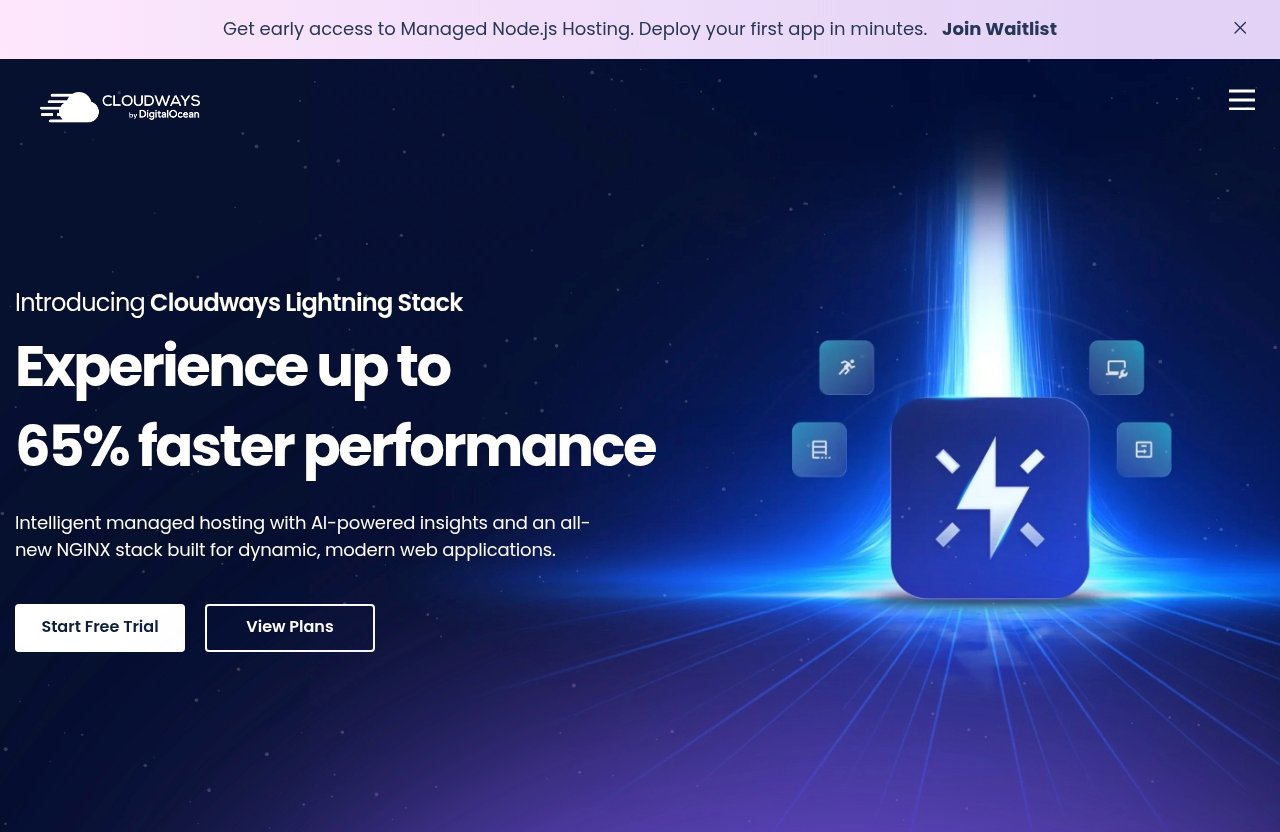
Cloudways is an independently managed cloud hosting platform. It supports WordPress, Laravel, Magento, WooCommerce, and PHP, which makes it relevant for a wide range of business websites and web applications.
The Cloudways value proposition is not that it replaces cloud infrastructure. Instead, it adds a managed hosting layer that reduces the work involved in running websites and applications on cloud infrastructure.
For many readers comparing cloudways vs digitalocean, this is the key point: Cloudways is not just about hosting. It is about simplifying hosting management.
Why these are not direct one-to-one products
Cloudways and DigitalOcean are often compared because both appear in conversations around cloud hosting. But they are not direct one-to-one products.
DigitalOcean is primarily about infrastructure access. Cloudways is about managed cloud hosting. Cloudways can use DigitalOcean as one of its cloud providers, but the experience is different.
That is why comparing only “digitalocean pricing” against “cloudways pricing” can be misleading. You also need to compare your time, technical skill, support needs, and how much server management you want to own.
Managed Hosting vs Unmanaged Cloud Servers
What you manage yourself on DigitalOcean
With unmanaged cloud servers, you generally take on more of the operational work. That can include setup, configuration, updates, security hardening, monitoring, backups, troubleshooting, and scaling decisions.
For experienced developers, that can be a benefit. It means more freedom and fewer platform-level restrictions. For non-technical site owners, it can become a burden.
This is the heart of cloudways vs unmanaged hosting. Unmanaged servers give you control, but they also require time and skill. If something breaks, you need to know where to look and how to fix it.
What Cloudways manages for you
Cloudways is designed to make management easier. Its official homepage highlights Performance, Security, 24×7 Expert Support, Free Migration, and Free SSL.
Those features are valuable because they reduce the number of hosting tasks you need to handle alone. Instead of building everything from a raw infrastructure layer, you work inside a managed cloud hosting environment.
In the cloudways vs digitalocean debate, Cloudways wins on convenience. It gives you a more approachable way to host WordPress, WooCommerce, Laravel, Magento, and PHP applications without treating server administration as your second job.
Technical skill and time commitment differences
Your technical comfort level should heavily influence your choice. DigitalOcean is attractive if you have server administration experience or a developer managing the environment.
Cloudways is more approachable if you want to launch and manage sites without constantly dealing with infrastructure-level tasks. That does not mean Cloudways removes every technical decision, but it does lower the day-to-day operational burden.
For agencies, SMBs, bloggers, and ecommerce owners, time is often more expensive than hosting. That is why managed cloud hosting can be worth paying for even when unmanaged cloud servers look simpler on the surface.
Cloudways Features That Make Management Easier
Performance and security tools
Cloudways lists Performance and Security as official features on its homepage. In practical terms, those are two areas where many users want help from a managed hosting platform.
Performance matters because slow websites can hurt user experience, conversions, and search visibility. Security matters because business websites need protection and ongoing attention.
A balanced cloudways vs digitalocean view should not claim Cloudways is always faster or safer in every situation. A skilled developer can build a strong environment directly on DigitalOcean. But Cloudways makes performance and security more accessible for users who do not want to manage everything themselves.
24×7 expert support
Cloudways also lists 24×7 Expert Support. For many businesses, support is one of the biggest reasons to choose managed hosting.
When something goes wrong, the value of having expert help available can be significant. This is especially true for agencies managing client sites, ecommerce owners during sales periods, or publishers who rely on uptime.
DigitalOcean can be a strong choice for technical users, but the cloudways vs digitalocean support question comes down to expectations. If you want a managed hosting experience with support built around the platform, Cloudways is designed for that use case.
Free migration and free SSL
Cloudways officially lists Free Migration and Free SSL. These are practical features for users who are moving from another host or launching a new site.
Free migration can reduce the friction of switching platforms. Free SSL helps with secure browsing and is now a basic requirement for modern websites.
In a real buying decision, these features matter because they save setup time. The more you want the platform to handle, the more Cloudways stands out in the cloud hosting comparison.
Supported apps and cloud providers
Cloudways supports WordPress, Laravel, Magento, WooCommerce, and PHP. That makes it a flexible choice for many common website and application types.
Cloudways also lists cloud providers including DigitalOcean, Vultr, Linode, AWS, and GCE. This matters because Cloudways is not limited to a single infrastructure option.
For users researching cloudways vs digitalocean, this is a major distinction. Cloudways can sit on top of DigitalOcean infrastructure, but it also gives users access to other supported cloud provider options through its managed hosting platform.
Official website · Latest pricing & offers
Cloudways Pricing and Plans
Verified Cloudways pricing facts from the official site
When discussing cloudways pricing, it is important to avoid unsupported claims. The official pricing information provided for this review confirms a flexible, pay-as-you-go mindset, but it does not verify specific base plan prices for this article.
Here are the verified pricing-related facts used in this comparison:
| Verified Cloudways pricing fact | What it means |
|---|---|
| Cloudways supports a flexible, pay-as-you-go approach | You can think in terms of scalable usage rather than a rigid traditional hosting model |
| Cloudways offers Cloudways Flexible | Customisable managed hosting for WordPress |
| Cloudways offers Cloudways Autonomous | Fully managed WordPress hosting |
| Advanced Support is listed with a current price of $100/mo and a new discounted price of $25/mo flat | This is a verified official homepage partnership program item |
Because specific base plan prices are not verified in the provided official content, this review does not list unconfirmed plan tiers, RAM specs, bandwidth limits, or hidden fees.
How pricing context affects the decision
In cloudways vs digitalocean, pricing should be judged in context. DigitalOcean pricing may appeal to users who want infrastructure directly and are comfortable managing the technical work themselves.
Cloudways pricing needs to be evaluated differently because you are paying for a managed hosting experience. That includes the platform layer, convenience, and management features that reduce operational work.
So the better question is not simply, “Which one is cheaper?” The better question is, “Which one gives me the right balance of cost, time savings, support, and control?”
Why pay-as-you-go style flexibility matters
A flexible, pay-as-you-go mindset is useful because hosting needs can change. A new blog, a growing WooCommerce store, and a busy agency portfolio do not always need the same resources forever.
Cloudways Flexible is positioned as customisable managed hosting for WordPress, while Cloudways Autonomous is positioned as fully managed WordPress hosting. Those options reflect different levels of management needs.
For buyers comparing cloudways vs digitalocean, flexibility matters because you may not want to overcommit before you know your traffic, workload, or client demand. Managed cloud hosting is often attractive because it gives you room to grow without starting from scratch.
Performance, Control, and Ease of Use
Who gets more control?
DigitalOcean offers more direct infrastructure control. If you want to manage servers yourself, configure your own environment, and make decisions at a lower technical level, DigitalOcean is the stronger fit.
Cloudways gives you a more managed experience. You still choose hosting options and manage your applications, but the platform is designed to reduce infrastructure complexity.
This is the central tradeoff in cloudways vs digitalocean: control versus convenience. Neither is automatically better. The right choice depends on who will manage the hosting after launch.
Who gets a faster setup workflow?
For most non-specialist users, Cloudways will feel faster to get started with because it is built around managed hosting workflows. You are not beginning from a raw infrastructure mindset.
That matters if you need to launch a WordPress site, WooCommerce store, Laravel app, Magento site, or PHP project without spending hours on server administration. The platform is built to make common hosting tasks easier.
DigitalOcean can still be efficient for experienced developers. But if you are not already comfortable with unmanaged cloud servers, the learning curve can slow you down.
Tradeoffs between flexibility and convenience
The cloudways vs digitalocean decision is really a tradeoff between flexibility and convenience.
| Factor | Cloudways | DigitalOcean |
|---|---|---|
| Hosting model | Managed cloud hosting | Cloud infrastructure |
| Control level | More guided | More direct |
| Ease of use | Better for most non-server-admin users | Better for technical users |
| Support orientation | 24×7 Expert Support listed by Cloudways | More DIY-oriented from a user responsibility standpoint |
| Best fit | SMBs, agencies, bloggers, ecommerce, developers who want less admin | Developers and teams wanting infrastructure control |
If you value hands-on control above convenience, DigitalOcean is compelling. If you value time savings and a managed experience, Cloudways is easier to recommend.
Best Use Cases for Each Platform
Best for developers and technical teams
Developers can go either way in the cloudways vs digitalocean decision.
DigitalOcean is a strong fit for developers who want direct infrastructure control and are comfortable managing servers. If your team has the technical skill and wants maximum flexibility at the infrastructure level, DigitalOcean makes sense.
Cloudways is better for developers who want to deploy and manage applications without spending as much time on hosting operations. Since Cloudways supports Laravel, PHP, WordPress, Magento, and WooCommerce, it can be useful for developers who want a managed workflow for common web projects.
Best for agencies and SMBs
For agencies and SMBs, Cloudways is usually the more practical option. These users often need dependable hosting, simpler management, support, and less time spent on server administration.
Agencies also benefit from repeatable workflows. If you are managing multiple client sites, a managed cloud hosting platform can reduce operational complexity.
In this segment, cloudways vs digitalocean is less about technical purity and more about business efficiency. Most agencies and SMBs do not want hosting to become a full-time infrastructure project.
Best for bloggers, publishers, and WooCommerce sites
Bloggers and publishers usually want speed, reliability, support, and easy site management. They often do not want to learn server administration just to publish content.
WooCommerce store owners have similar priorities, but with higher commercial pressure. If your store has issues, revenue can be affected quickly.
For these users, Cloudways is the easier recommendation. It supports WordPress and WooCommerce, includes Free SSL, and offers 24×7 Expert Support. DigitalOcean can still work well if you have a technical person managing it, but most content and commerce site owners will prefer the managed experience.
Cloudways Acquisition by DigitalOcean: Does It Change the Choice?
What the acquisition means
The Cloudways DigitalOcean acquisition creates understandable confusion. DigitalOcean acquired Cloudways, but Cloudways and DigitalOcean remain separate services.
That means the cloudways vs digitalocean decision still matters. You are not simply choosing two labels for the same product experience.
Cloudways remains an independently managed cloud hosting platform. DigitalOcean remains an infrastructure option for users who want direct control.
Why Cloudways and DigitalOcean are still separate experiences
Even though the brands are connected at the ownership level, the user experience is different. Cloudways gives you a managed hosting platform. DigitalOcean gives you more direct infrastructure access.
This is important for buyers. You should not assume the acquisition makes Cloudways the same as DigitalOcean or DigitalOcean the same as Cloudways.
If you want managed hosting, evaluate Cloudways as the managed layer. If you want infrastructure control, evaluate DigitalOcean as the infrastructure provider.
How to talk about brand trust and ecosystem
The acquisition can be viewed as a positive signal for ecosystem strength, but it should not be the only reason you choose either platform.
The better way to think about cloudways vs digitalocean is by workflow. Which experience matches your team, your website, and your technical comfort level?
Brand trust matters, but daily usability matters more. A platform is only the right choice if it fits how you actually want to manage hosting.
Cloudways vs DigitalOcean: Final Verdict
Choose Cloudways if you want managed hosting
Choose Cloudways if you want managed cloud hosting, less server administration, and a platform designed to simplify hosting operations. It is especially strong for SMBs, agencies, ecommerce site owners, bloggers, publishers, and WordPress users who value convenience.
Cloudways supports WordPress, WooCommerce, Laravel, Magento, and PHP. It also lists Performance, Security, 24×7 Expert Support, Free Migration, and Free SSL as official homepage features.
In the practical cloudways vs digitalocean decision, Cloudways is the better fit for most users seeking managed hosting. If you want to reduce technical overhead and focus more on your business, Cloudways is the option I would look at first.
Choose DigitalOcean if you want direct server control
Choose DigitalOcean if you want direct infrastructure control and are comfortable managing servers yourself. It is better suited for developers, technical teams, and users who prefer a DIY approach.
DigitalOcean may be the better choice if you want to configure your environment from the infrastructure level and have the skills to maintain it. That control can be valuable, but it also creates more responsibility.
So the final cloudways vs digitalocean answer is not that one is universally better. Cloudways is better for managed hosting. DigitalOcean is better for direct cloud infrastructure control.
Decision checklist before you buy
Use this checklist before choosing:
| Question | Better fit |
|---|---|
| Do you want managed hosting with less server admin? | Cloudways |
| Do you want direct infrastructure control? | DigitalOcean |
| Are you running WordPress or WooCommerce and want easier management? | Cloudways |
| Do you have server administration experience? | DigitalOcean |
| Do you want 24×7 Expert Support listed as part of the platform experience? | Cloudways |
| Are you comparing hosting for an agency, SMB, blog, or store? | Usually Cloudways |
| Are you building a custom infrastructure environment? | Usually DigitalOcean |
Final recommendation: for most readers looking for managed hosting, Cloudways is the more practical choice. It gives you a managed cloud hosting layer, supports popular apps, and reduces the technical workload that comes with unmanaged cloud servers.
DigitalOcean remains a strong choice for users who want control and are comfortable managing infrastructure themselves. But if you came to this cloudways vs digitalocean comparison because you want easier hosting, better day-to-day usability, and less server maintenance, Cloudways is the better fit.
Official website · Latest pricing & offers
FAQ
Is Cloudways owned by DigitalOcean?
Yes. DigitalOcean acquired Cloudways, but Cloudways and DigitalOcean remain separate services.
Cloudways still acts as a managed hosting layer, while DigitalOcean is best understood as cloud infrastructure. That means the cloudways vs digitalocean choice still comes down to whether you want managed hosting or direct server control.
Is Cloudways the best hosting?
Cloudways can be one of the best managed hosting choices for users who want convenience, support, and less server administration. It is especially appealing for WordPress, WooCommerce, Laravel, Magento, and PHP users who want a managed cloud hosting experience.
However, “best” depends on your technical skill, budget, and use case. If you want hands-on infrastructure control, DigitalOcean may be a better fit. If you want a simpler managed experience, Cloudways is easier to recommend.
What is better than DigitalOcean?
“Better than DigitalOcean” depends on what you need. If you want unmanaged infrastructure and direct control, DigitalOcean can be a strong choice.
If you want ease of use, managed cloud hosting, support, Free Migration, Free SSL, and less server management, Cloudways can be better for your situation. In a cloudways vs digitalocean comparison, Cloudways is usually better for managed hosting, while DigitalOcean is better for technical users who want direct infrastructure control.
Related Reading
References
- DigitalOcean vs Cloudways: Comparing Cloud Hosting Solutions
- Managed DigitalOcean Cloud Hosting – Fast, Reliable
- DigitalOcean to Acquire Cloudways
- Cloudways vs DigitalOcean