
Webflow SEO Review: Can It Rank in 2026?
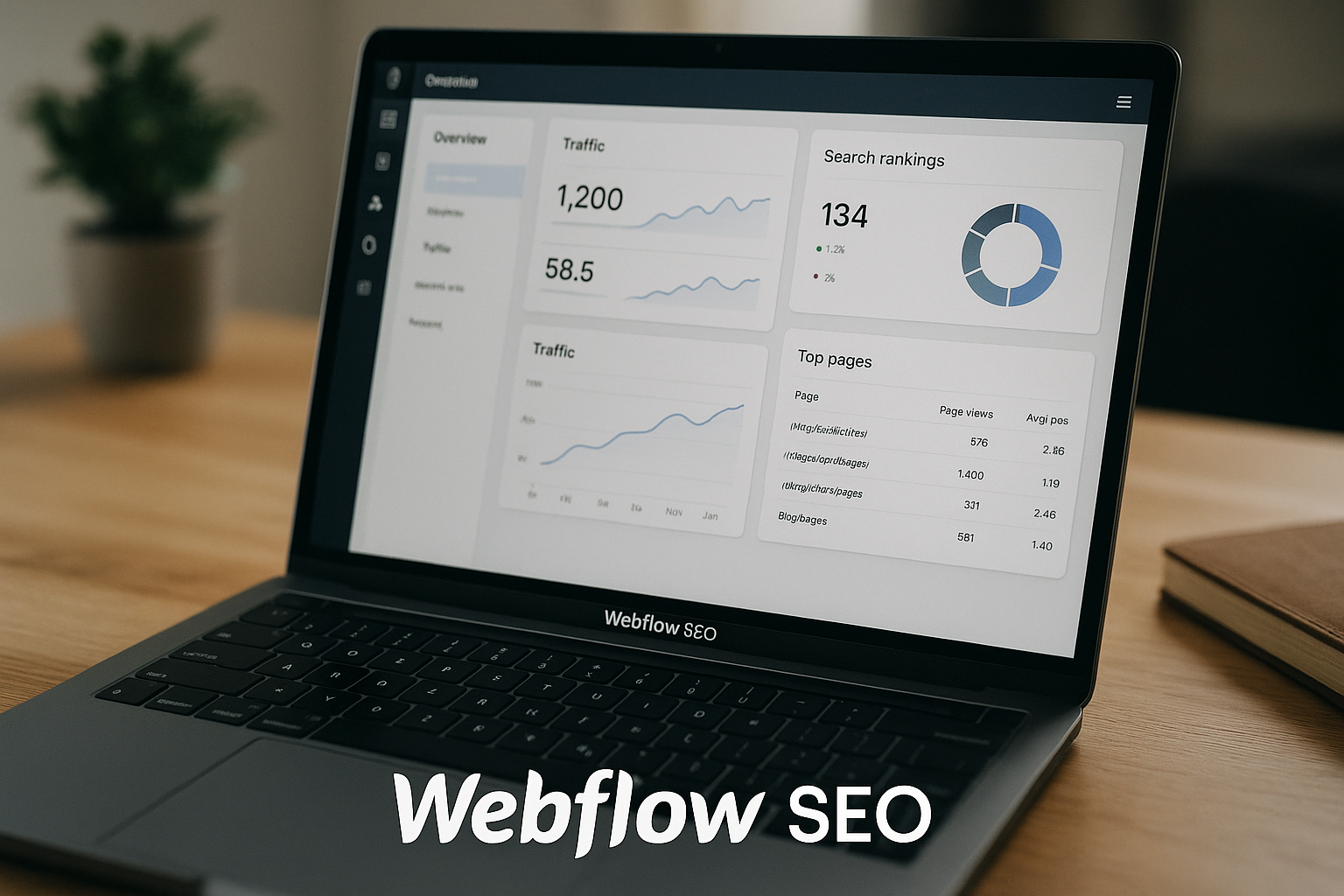
If you are choosing a website platform for organic growth, the real question is not whether Webflow SEO features exist. They do. The better question is whether Webflow gives you enough control, structure, and workflow efficiency to build pages that can actually compete in Google.
This Webflow SEO review gives a practical buyer-focused answer. Webflow can rank, and it can be a strong platform for SEO-driven websites, but it is not a shortcut. You still need sound site architecture, useful content, internal links, clean redirects, and a realistic content strategy.
Official website · Latest pricing & offers
Quick verdict: Can Webflow rank in Google?
Short answer for busy readers
Yes, Webflow sites can rank in Google. In my view, Webflow SEO is strong enough for serious organic growth when the site is planned and managed properly.
Webflow gives you control over important SEO basics: title tags, meta descriptions, URL structure, automatic sitemap generation, redirects, alt text, and content structure. Those are the things most teams need before they start worrying about more advanced SEO work.
The catch is that Webflow will not rank a weak content strategy. If your pages do not match search intent, lack depth, or sit inside a confusing site structure, the platform will not save you.
Who Webflow is best for
Webflow is best for teams that care about design quality, brand presentation, and publishing speed. It is especially attractive for SaaS companies, agencies, startups, landing page-heavy businesses, and content teams that want more control without waiting on developers for every layout change.
For Webflow SEO, the sweet spot is a team that wants a clean marketing site and a CMS that can support repeatable content templates. If you plan your collections well, Webflow can make it easier to scale blogs, resources, case studies, comparisons, and location-style pages.
Who should consider another CMS
You may want to consider another CMS if your team needs a very plugin-heavy ecosystem, deeply customized editorial workflows, or a publishing environment your writers already know inside out.
Webflow can handle SEO work, but beginners may find the design and CMS model more complex than a simple blogging platform. If your main goal is to publish text-heavy posts quickly with minimal design control, a different CMS may feel simpler.
What Webflow offers for SEO out of the box

Title tags and meta descriptions
The foundation of Webflow SEO starts with page-level SEO settings. Webflow lets you add title tags and meta descriptions so you can control how pages are presented in search results.
This matters because title tags still influence relevance and click-through rate. A good title should match the page’s search intent, include the primary topic naturally, and give users a reason to choose your result.
Meta descriptions are not a guaranteed ranking lever, but they can support better snippets. In practice, I treat them as ad copy for organic search.
Automatic XML sitemap generation
A Webflow sitemap helps search engines discover your important pages. Webflow supports automatic sitemap generation, which is useful for keeping your site discoverable as you publish and update pages.
This does not mean every page will rank or even be indexed instantly. It simply gives Google a clearer map of the URLs you want crawled.
For most marketing sites, automatic sitemap handling removes one common technical task from the launch checklist. You should still review your site structure and make sure only useful pages are part of your SEO strategy.
301 redirects and URL control
Webflow redirects are important when you change URLs, migrate a site, consolidate pages, or remove outdated content. A 301 redirect helps send users and search engines from an old URL to the new destination.
This is one of the most practical Webflow SEO tools because poor redirect management can damage organic traffic during redesigns. If you are moving from another platform, mapping old URLs before launch is essential.
URL control also matters for clarity. Short, descriptive URLs are easier for users to understand and easier for teams to manage over time.
Open Graph and social sharing
Open Graph settings are not a direct Google ranking factor, but they affect how pages look when shared on social platforms and messaging apps. That can influence visibility, clicks, and content distribution.
In a real SEO workflow, I treat social preview settings as part of the publishing checklist. They help make articles, landing pages, and resources look polished outside search results.
For brand-led teams, this is another reason Webflow SEO feels practical: the same page can be optimized for search presentation and social sharing within a controlled design system.
Image alt text and page structure
Image alt text helps describe images for accessibility and can support image search relevance. Webflow allows you to add alt text, which is important for product images, diagrams, screenshots, and editorial visuals.
Page structure also matters. Clear headings, logical sections, and readable layouts help users and search engines understand what a page is about.
The best Webflow on-page SEO work combines design discipline with content discipline. A beautiful page with vague headings will underperform; a useful page with clear structure has a much better chance.
Why Webflow can be strong for organic growth
Cleaner technical setup than many drag-and-drop builders
One reason marketers ask “is Webflow good for SEO?” is because many visual builders have a reputation for messy technical output or limited control. Webflow is more capable than many basic drag-and-drop tools because it gives teams direct access to important SEO settings and site structure decisions.
That does not mean every Webflow site is technically perfect. Poor design decisions, bloated pages, weak navigation, and careless publishing can still create problems.
But in experienced hands, Webflow technical SEO can be handled cleanly enough for competitive marketing websites.
Fast publishing without engineering bottlenecks
Organic growth depends on consistent execution. If every landing page, comparison page, or resource hub requires engineering support, SEO velocity slows down.
Webflow’s visual development environment can help marketing teams publish and iterate faster. Designers and marketers can update layouts, refine copy, and launch new pages without turning every change into a development ticket.
That speed is a real Webflow SEO advantage for teams that test messaging, build content clusters, and update pages based on performance data.
CMS-driven pages for scale
Webflow CMS SEO is one of the platform’s biggest strengths for content-led websites. CMS collections let you create repeatable structures for content types such as blog posts, case studies, guides, resources, authors, categories, and product pages.
The benefit is consistency. If your CMS template is well built, every new item can follow the same SEO-friendly layout, internal linking pattern, and metadata workflow.
For example, a SaaS company could create CMS collections for comparison pages, use-case pages, customer stories, and educational articles. That makes scaling organic content more manageable than designing each page from scratch.
Better control over site structure and on-page elements
Good SEO depends on clear hierarchy. Your homepage, category pages, resource hubs, and individual articles should connect in a way that makes topical relevance obvious.
Webflow gives you enough design and CMS flexibility to build these structures intentionally. You can create landing pages, hubs, navigation paths, and internal link sections that support search-friendly workflows.
This is where Webflow SEO often beats simpler builders. You are not locked into a generic blog layout if your strategy needs custom content experiences.
Where Webflow can fall short for SEO
Learning curve for beginners
Webflow is powerful, but it is not the easiest platform for absolute beginners. The design system, CMS logic, and page settings can take time to learn.
For SEO, that learning curve matters because small mistakes can multiply. A beginner may forget metadata, create inconsistent URLs, use weak heading structure, or fail to map redirects during a redesign.
If you choose Webflow, plan time for training. The platform’s own documentation and SEO guides are worth reviewing before launch.
Content strategy still matters more than the platform
A common mistake is assuming Webflow SEO features will automatically produce rankings. They will not.
Google rankings depend on search intent, content quality, topical authority, internal links, backlinks, user experience, and technical accessibility. Webflow supports many of those inputs, but it does not create the strategy for you.
If your competitors have stronger content, better authority, and more useful pages, simply moving to Webflow will not close the gap.
Advanced workflows may require higher-tier plans
The right Webflow plan depends on what your SEO operation needs. A simple brochure site has different requirements from a CMS-heavy content site or a large organization with governance needs.
For example, official Webflow pricing lists the Premium plan as including Webflow CMS, code components, site search, form file upload, and well-known files. The Team plan adds items such as Site & Workspace, Webflow Localize, AEO agents, publishing workflows, single-page publishing, site activity log & API, foundational governance, enhanced security & compliance, and priority support.
That does not mean every SEO project needs those tiers. It does mean buyers should match the plan to the workflow, not just the monthly price.
When another platform may be simpler
If your site is mostly a blog and your team already knows another CMS, Webflow may be more design power than you need. WordPress, for example, remains familiar to many writers, editors, and SEO teams.
The decision is not “Webflow good, other platforms bad.” It is about fit.
Choose Webflow when design control, CMS templates, brand experience, and marketing speed matter. Choose another platform when your team needs a simpler editorial environment or a specific ecosystem that Webflow does not replace.
Webflow SEO review by use case
Blog and affiliate content sites
For blogs and affiliate projects, Webflow SEO can work well if you build the CMS carefully. You need clean article templates, author information, category pages, internal links, descriptive URLs, and a repeatable publishing checklist.
Webflow for affiliate sites is especially interesting when brand trust and page design matter. Review pages, comparison tables, pros-and-cons sections, and product roundups can look more polished than standard blog templates.
The limitation is operational. If you publish large volumes of content, make sure your writers and editors are comfortable using Webflow’s CMS workflow.
SaaS and startup marketing sites
Webflow is a strong fit for SaaS marketing because SEO is rarely just blogging. SaaS teams often need feature pages, solution pages, comparison pages, integration-style pages, templates, case studies, and resource libraries.
In that context, Webflow SEO supports both design-led conversion and search-focused structure. You can build pages that look premium while still controlling metadata, headings, internal links, and CMS templates.
For startups, the biggest advantage is speed. Marketing teams can move quickly without sacrificing the visual quality of the site.
Agency and client sites
Agencies often like Webflow because it gives them design freedom and repeatable build systems. For SEO clients, that can be helpful when the project requires both a strong brand presentation and a clean technical foundation.
A good agency can create reusable components, CMS templates, and launch checklists that reduce mistakes. That makes Webflow SEO more predictable across client projects.
The risk is handoff. If the client does not understand how to update SEO settings, publish content, or manage redirects, the site can degrade after launch.
Enterprise and multi-language sites
For larger organizations, SEO is often about governance as much as page optimization. Teams need publishing controls, security, localization workflows, and visibility across site activity.
Official Webflow pricing lists the Team plan as including Webflow Localize, AEO agents, publishing workflows, single-page publishing, site activity log & API, foundational governance, enhanced security & compliance, and priority support. Enterprise includes enterprise-ready scale, granular permissions, custom roles, advanced governance, secure integrations, a dedicated account manager, enhanced SLAs, and custom configurations.
For enterprise buyers, Webflow SEO should be evaluated alongside governance, localization, compliance, and team workflow requirements.
Official website · Latest pricing & offers
Webflow SEO features that matter most for ranking
Technical SEO settings
The most important Webflow SEO features are the ones that help search engines crawl, understand, and index your pages. These include title tags, meta descriptions, automatic sitemap generation, redirects, alt text, and clear content structure.
These are not glamorous features, but they are the foundation. Without them, even strong content can struggle.
When reviewing Webflow, I would not ask “Does it have every possible SEO feature?” I would ask, “Does it give my team control over the elements we use every week?” For most marketing teams, the answer is yes.
CMS collection page templates
CMS templates are critical for scale. If your article template has a clear H1, useful intro section, author area, category links, related content, and metadata process, every new post starts from a stronger baseline.
This is where Webflow CMS SEO becomes practical. You are not just optimizing one page; you are creating a system for future pages.
The best CMS structures are planned before content migration or launch. Decide your collections, fields, URL patterns, and internal linking logic early.
Redirect management
Redirects matter most during redesigns, migrations, and content pruning. If you delete or move pages without mapping old URLs, you can lose traffic and create a poor user experience.
Webflow redirects let you manage 301 redirect paths, which is essential for preserving continuity when URLs change. Before launching a redesigned site, export your old URLs, decide which pages are staying, and map everything important.
This step is easy to underestimate. In my experience, redirect planning is one of the biggest differences between a smooth SEO migration and a painful one.
Site search and content depth
Official Webflow pricing lists site search as included in the Premium plan. For content-rich websites, site search can help users find resources, especially when your library grows.
Site search itself is not a magic ranking factor. But better content discovery can support engagement and make a large resource center easier to use.
For Webflow SEO, think of site search as part of the broader user experience. If visitors can find relevant pages faster, your content library becomes more useful.
AEO and AI-era visibility
Search is changing as AI-powered answer engines become more common. Webflow’s official pricing references AEO agents on the Team plan, and Webflow positions AEO around AI-era discoverability.
It is important not to overstate this. AEO does not replace SEO, and no platform can guarantee visibility in AI answers.
The practical takeaway is that Webflow SEO should still focus on clear structure, useful content, accurate metadata, and authoritative pages. Those fundamentals matter whether users discover you through traditional search or newer answer experiences.
Pricing: what you actually need for SEO work
Starter vs Basic vs Premium
Here is the official pricing information provided for Webflow site plans relevant to this review. All prices are in USD, per site, with applicable taxes added at checkout.
| Plan | Official Price | SEO-Relevant Fit |
|---|---|---|
| Starter | Free | Good for learning and testing, includes Webflow.io domain, limited Webflow CMS, 2 static pages, 1 GB bandwidth, 50 form submissions, Webflow AI, MCP server, Webflow Cloud app hosting, and Free Starter Workspace |
| Basic | $15/mo billed yearly | Good for simple sites needing a custom domain, 300 static pages, 10 GB bandwidth, unlimited form submissions, password protection, Webflow AI, MCP server, Webflow Cloud app hosting, and Free Starter Workspace |
| Premium | $25/mo billed yearly | Stronger fit for content sites because it includes everything in Basic, plus Webflow CMS, code components, site search, form file upload, and well-known files |
| Team | $2500/mo, annual contract required | For larger teams needing Site & Workspace, Webflow Localize, AEO agents, publishing workflows, single-page publishing, site activity log & API, governance, enhanced security & compliance, and priority support |
| Enterprise | Custom pricing | For enterprise-ready scale, granular permissions, custom roles, advanced governance, secure integrations, dedicated account manager, enhanced SLAs, and custom configurations |
For most serious Webflow SEO projects, the key buyer question is whether you need CMS-driven content and a custom domain. Many SEO-led websites do.
When free is enough
The Starter plan can be useful for learning Webflow, testing layouts, or building a small proof of concept. It includes a Webflow.io domain, limited Webflow CMS, 2 static pages, and 1 GB bandwidth.
For real organic growth, free is usually not the long-term answer. A Webflow.io domain is not the same as building authority on your own branded domain.
Still, Starter is a low-risk way to explore the platform before committing.
When to upgrade for custom domain and CMS
The Basic plan includes a custom domain, 300 static pages, 10 GB bandwidth, unlimited form submissions, and password protection. That makes it more appropriate for a simple business website than Starter.
The Premium plan adds Webflow CMS, code components, site search, form file upload, and well-known files. If your SEO plan includes blog posts, resource pages, case studies, or repeatable content types, Premium is the more practical option.
This is where Webflow SEO becomes more scalable. CMS functionality is often what turns a static marketing site into a real content engine.
Which plan is most SEO-friendly for content sites
For content sites, Premium is likely the most SEO-friendly standard option because it includes Webflow CMS and site search. Those features matter when you are building a resource library, blog, or structured content hub.
Basic can work for smaller static sites. Team and Enterprise make more sense when the organization needs advanced workflow, governance, localization, security, or enterprise support.
If you are ready to evaluate the platform, you can review Webflow through our affiliate context here: try Webflow via TopTrustReview. It is a sensible next step if the pricing and workflow match your SEO plans.
How to build an SEO-ready Webflow site
Information architecture and collections
Start with information architecture before design. Decide what your main topics are, which pages support them, and how users should move through the site.
For CMS sites, define your collections carefully. Common collections include blog posts, categories, authors, case studies, resources, and product pages.
A strong Webflow SEO checklist should include collection names, URL patterns, required fields, page templates, and internal linking rules before content production begins.
On-page optimization workflow
Every important page should have a repeatable optimization process. That includes one clear topic, one primary search intent, a useful title tag, a compelling meta description, descriptive headings, and relevant internal links.
For Webflow on-page SEO, I recommend creating a pre-publish checklist for editors. Do not rely on memory.
A practical workflow looks like this:
- Confirm the page targets a real search intent
- Write a clear H1 and logical H2 structure
- Add title tag and meta description
- Use descriptive image alt text where appropriate
- Link to related pages and parent hubs
- Preview the page before publishing
- Add redirects if replacing an older URL
Internal linking and content clusters
Internal links help users and search engines understand relationships between pages. In Webflow, you can build internal link sections into CMS templates, manually add contextual links, and create hub pages around important topics.
For example, a SaaS site might have one main “project management software” hub supported by comparison pages, feature pages, templates, and educational articles. Each page should link where it naturally helps the reader.
This is one of the most overlooked parts of Webflow SEO. A polished design is useful, but a connected content system is what helps topical authority grow.
Redirects, indexing, and launch checklist
Before launch, make a redirect map. This is especially important if you are migrating from another CMS or changing URL paths.
Your launch checklist should include:
- Review all important title tags and meta descriptions
- Check heading structure on key pages
- Add alt text to meaningful images
- Confirm sitemap generation
- Map old URLs to new URLs with 301 redirects
- Test navigation and internal links
- Review pages that should or should not be indexed
- Submit and monitor the site in Google Search Console after launch
For Webflow technical SEO, this checklist covers the essentials most teams need to avoid common launch problems.
Webflow SEO vs WordPress: the practical buyer decision
Ease of use
The Webflow SEO vs WordPress decision usually comes down to team workflow. Webflow is often more appealing for teams that want visual control and design flexibility in one environment.
WordPress may feel easier for teams that are already comfortable with its editor, themes, and plugin-based ecosystem. It is also familiar to many freelance writers and SEO professionals.
Neither platform wins universally. The better choice is the one your team can use consistently without creating technical debt.
Technical control
Webflow gives marketers and designers direct control over many SEO fundamentals: metadata, redirects, sitemap handling, alt text, and page structure. That is enough for many business websites and content programs.
WordPress can be extremely flexible, but that flexibility often depends on themes, plugins, hosting, and maintenance choices. A well-built WordPress site can be excellent for SEO; a poorly maintained one can become messy.
From a buyer’s perspective, Webflow SEO is attractive when you want a more controlled visual system with fewer moving pieces.
Maintenance burden
Maintenance is where the platforms feel different. Webflow centralizes much of the website-building experience, while WordPress sites often depend on combinations of plugins, themes, and hosting setups.
That does not make one automatically better. It changes who owns the complexity.
If your team has technical WordPress support, WordPress may be comfortable. If your marketing team wants to own more of the site experience directly, Webflow may reduce friction.
Best fit by team type
Here is the practical decision:
| Team Type | Better Fit |
|---|---|
| Design-led startup | Webflow |
| SaaS marketing team | Webflow |
| Plugin-heavy publishing operation | WordPress may fit better |
| Agency building branded client sites | Webflow |
| Traditional editorial team already trained on WordPress | WordPress may fit better |
| Enterprise team needing governance and support | Evaluate Webflow Team or Enterprise |
For most brand-led marketing teams, Webflow SEO is strong enough to compete. For plugin-dependent publishing teams, WordPress may still be the more familiar option.
Final verdict: Is Webflow good enough to rank?
Best overall takeaway
Yes, Webflow is good enough to rank. The platform provides the core SEO controls that serious websites need, including title tags, meta descriptions, automatic sitemap generation, redirects, alt text, and structured content workflows.
The most honest conclusion from this Webflow SEO review is that Webflow is not an automatic ranking advantage. It is a capable platform that rewards teams with clear strategy, good content, strong information architecture, and disciplined publishing.
If you build thin pages, ignore internal linking, or skip redirect planning, your results will suffer no matter which CMS you use.
Best for growth-focused marketers
Webflow is especially strong for growth-focused marketers who need design flexibility and publishing speed. It works well for SaaS sites, startup marketing sites, agency projects, and content programs where templates and brand experience both matter.
The best use case is not “I want a quick blog.” It is “I want a scalable, well-designed marketing site that supports organic growth.”
That is where Webflow SEO makes the most sense.
Who should buy Webflow
You should consider Webflow if you want a professional website platform with strong design control, practical SEO settings, CMS-driven publishing options, and workflows that marketers can manage.
You may prefer another CMS if your team wants a simpler text-first publishing environment, depends heavily on a plugin ecosystem, or already has a mature workflow elsewhere.
If Webflow sounds aligned with your team’s needs, you can explore it through our affiliate link: try Webflow through TopTrustReview. I recommend evaluating the plan carefully based on whether you need a custom domain, CMS, team governance, localization, or enterprise support.
Official website · Latest pricing & offers
FAQ
Is Webflow good for SEO?
Yes. Webflow is generally good for SEO because it gives teams control over important technical and on-page elements such as title tags, meta descriptions, redirects, automatic sitemap generation, alt text, and content structure.
That said, Webflow SEO is only as effective as your strategy. Rankings still depend on content quality, search intent, site architecture, authority, and consistent optimization.
How do I use SEO in Webflow?
Use Webflow’s page SEO settings to add title tags and meta descriptions for important pages. You should also add descriptive alt text to meaningful images, create a logical heading structure, and organize pages around clear topics.
For site management, review your sitemap setup and use 301 redirects when URLs change. A simple Webflow SEO checklist before publishing can prevent most common mistakes.
Can Webflow sites rank on Google?
Yes, Webflow sites can rank on Google. The platform supports key SEO requirements, including metadata, sitemap generation, redirects, alt text, and structured page layouts.
However, Webflow ranking depends on more than the CMS. You still need helpful content, clear internal links, technical cleanliness, and authority in your niche.
Is Webflow better for SEO than WordPress?
It depends on your team and workflow. Webflow is often appealing for design control, streamlined visual development, and marketer-friendly publishing workflows.
WordPress may be better for teams that prefer its plugin ecosystem, familiar editorial tools, or highly customized setups. The Webflow SEO vs WordPress decision should be based on how your team builds, maintains, and grows the site.
What Webflow plan do I need for SEO?
The right plan depends on your site. Starter is free and useful for testing, while Basic is $15/mo billed yearly and includes a custom domain. Premium is $25/mo billed yearly and adds Webflow CMS, site search, code components, form file upload, and well-known files.
For content-driven SEO sites, Premium is usually the more practical standard option because CMS functionality supports scalable publishing. Larger organizations may need Team or Enterprise depending on governance, localization, workflow, security, and support requirements.
Related Reading
- Webflow alternatives for simpler or cheaper options
- Cloudways vs AWS for hosting-heavy projects
- Systeme.io vs Kartra for marketing stack comparisons






