Adcreative.ai for Agencies: Is It Worth It in 2026?
Official website · Latest pricing & offers
Introduction: What agencies are really trying to solve
Agencies are rarely short on ideas. They are usually short on time, clean workflows, and enough creative variations to keep paid campaigns moving. That is why AdCreative.ai for agencies is an interesting tool to evaluate in 2026: it is not just about generating “AI ads,” but about whether it can support real client work without slowing down strategy, approvals, or quality control.
Disclosure: This review may contain affiliate links. If you purchase through a link, TopTrustReview may earn a commission at no extra cost to you.
This AdCreative.ai agency review is written for agency owners, media buyers, creative strategists, and small team leads who need a practical answer: can this platform help your team produce client-ready visuals faster, test more angles, and reduce creative bottlenecks?
The core agency pain points AdCreative.ai targets
Most agencies face the same production problem: paid media needs more creative than the team can comfortably produce. A single campaign may require square, vertical, story, feed, display, and retargeting variations across several platforms.
That becomes harder when clients ask for faster turnarounds, new product angles, seasonal promotions, or refreshed ads after performance drops. AdCreative.ai for agencies is designed to address this high-volume creative pressure by helping teams generate ad visuals, variations, and related assets more quickly.
The key question is not whether AI can make ads. The better question is whether ad creative automation fits your agency creative workflow without lowering standards.
Who this review is for: freelancers, boutique agencies, and performance teams
This review is especially relevant if you manage multiple client accounts and need a repeatable way to produce campaign assets. Freelancers, boutique agencies, paid social teams, and e-commerce growth teams may all find AdCreative.ai for agencies worth investigating.
If your agency already has senior designers, copywriters, and motion specialists, the tool may still be useful as a production accelerator. If your team is small, it may help you create more drafts and variations before handing work off for final review.
This is not a review for people looking for a one-click replacement for creative strategy. In agency work, human judgment still matters.
Quick verdict preview: when it is worth it and when it is not
AdCreative.ai for agencies is most likely worth testing if your team regularly needs more ad variations, faster first drafts, and multi-format creative output for paid campaigns. It is particularly relevant for agencies managing e-commerce, paid social, retargeting, or high-frequency promotional campaigns.
It may be less valuable if your work depends mainly on deep brand storytelling, complex art direction, or highly bespoke creative concepts. AI can support execution, but it cannot fully replace brand strategy, original campaign thinking, or final quality control.
The most realistic way to evaluate it is simple: test it on a real client workflow and compare output speed, revision time, and asset usefulness against your current process.
What AdCreative.ai does for agencies
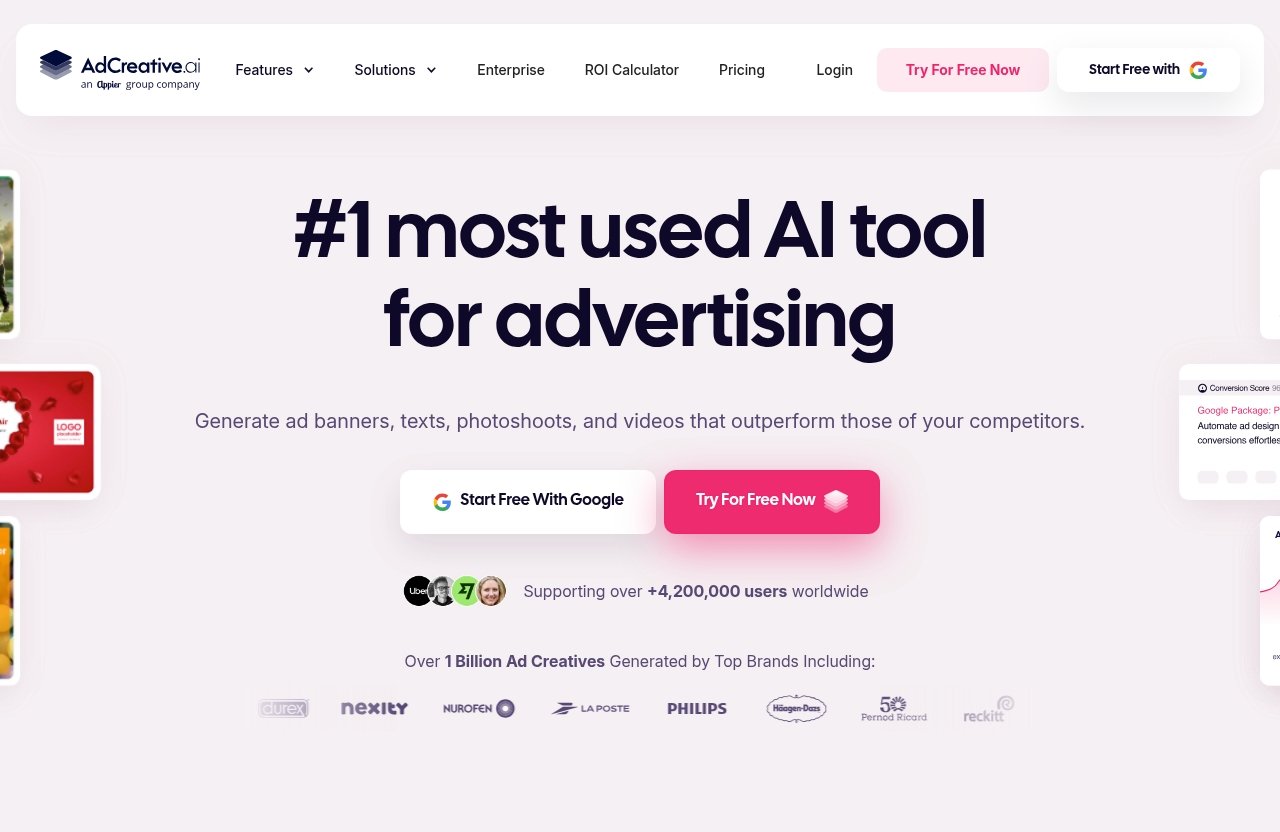
AI ad creative generation in one workflow
At its core, AdCreative.ai for agencies is an AI ad creative generator built to help teams produce ad assets faster. For agencies, that matters because production delays often affect campaign launches, testing velocity, and client satisfaction.
Instead of starting every ad from a blank canvas, your team can use the platform to generate creative drafts and variations that support campaign execution. In a practical agency setting, this can help media buyers and designers collaborate more efficiently.
For example, a paid social manager launching a new campaign may need several hooks, visual layouts, and platform sizes before the client meeting. An AI ad generator for agencies can help create starting points faster, while the team still reviews brand fit and messaging.
Video ads, static ads, copy, and variations
The official homepage says AdCreative.ai can help create video ads by uploading an image, including UGC-style content, product videos, stock visuals, and fashion clips. That makes AdCreative.ai for agencies relevant beyond simple static image generation.
Agencies should think of the tool as part of a broader creative production system. It can support static ads, video-style outputs, ad variations, and text generation workflows, depending on how your team uses the available features.
This matters when a client needs a product launch campaign across Meta, TikTok-style placements, Google Display, and retargeting. Multiple ad sizes and variations are not “nice to have” anymore; they are often required for effective campaign testing.
Why agencies care about output volume and consistency
Agencies care about creative volume because campaign learning depends on testing. If your team only produces two or three ads per concept, you may not have enough variation to understand what resonates.
AdCreative.ai for agencies can help address that by generating more options quickly, especially for A/B testing and rapid iteration. More output does not automatically mean better performance, but it can give a skilled media team more material to evaluate.
Consistency also matters. Client-ready visuals need to feel on-brand, meet platform requirements, and support the campaign brief. That is where custom templates, review processes, and human approval remain important.
PRODUCT FACTS
Verified capabilities from the official homepage
The following facts are based only on the official homepage and use-case pages provided for this review.
AdCreative.ai is described as an AI ad creative generator for high-converting ads. The official homepage says the platform can help create video ads for multiple use cases, including UGC-style content, product videos, stock visuals, and fashion clips, by uploading an image.
The official homepage also says AdCreative.ai can create every ad size and variation in seconds. It states that users can generate unlimited on-brand ads for every format and platform.
For AdCreative.ai for agencies, those verified capabilities are directly relevant because client campaigns often require many formats, creative versions, and platform-specific deliverables.
Verified agency-specific positioning from the official use-case page
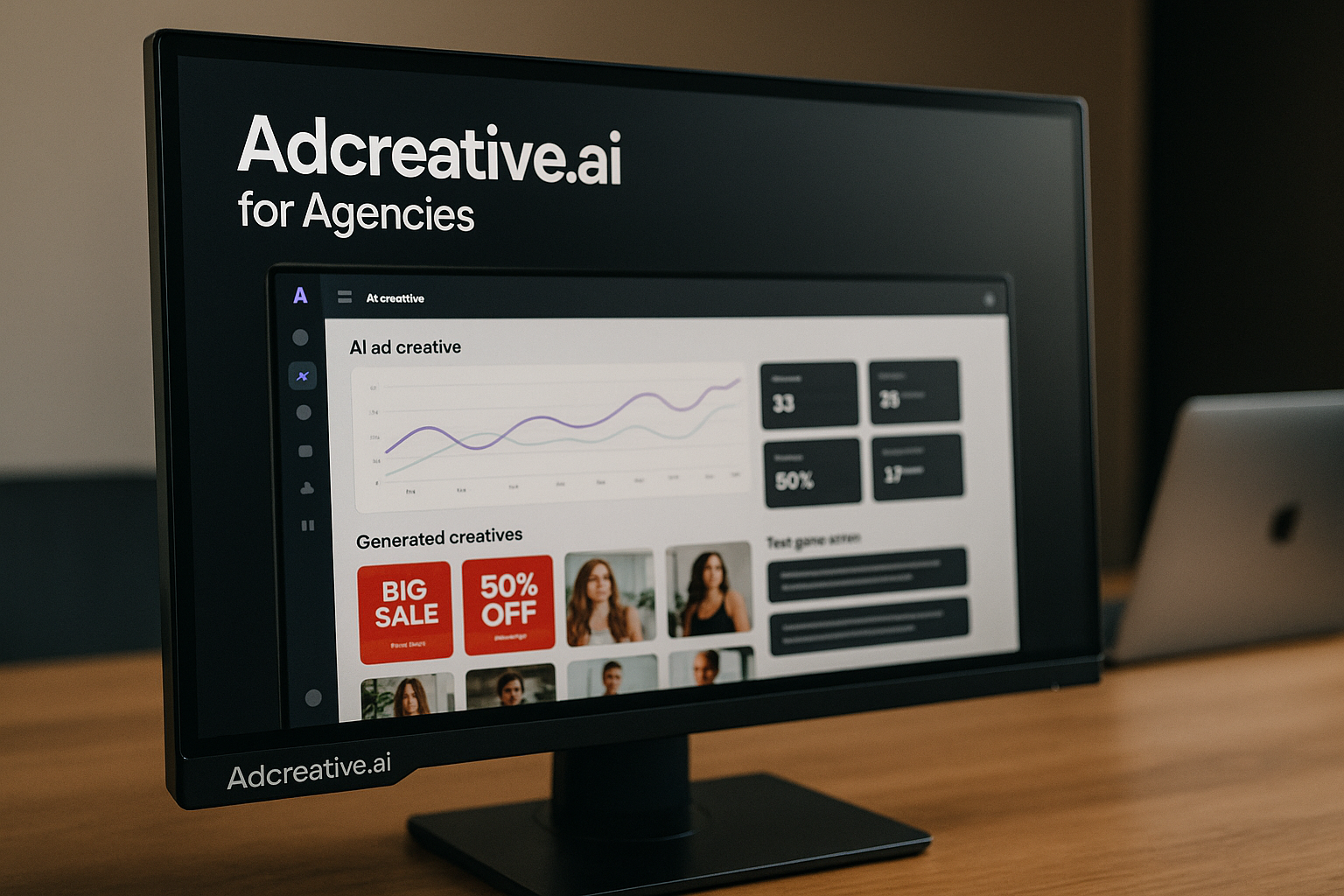
The agency use-case page says agencies can generate high-performing ad creatives and ready-to-deliver visuals in seconds. It also says agencies can customize generated ads, analyze historic performance and competitors, predict creative performance, scan URLs for tailored texts, access unlimited stock images, push creatives directly to ad platforms, and invite customers or generate revenue.
The same agency page references Creative Insights, Competitor Insights, Compliance Checker, Ad Inspiration Gallery, Custom Templates, Buyer Personas, Storytelling Video, Creative Scoring, and other agency-oriented features.
These are official positioning claims, not guaranteed results for every agency. Any performance-related benefit should be validated inside your own agency creative workflow.
Verified usage-scale claims and data points mentioned by AdCreative.ai
The official homepage says AdCreative.ai analyzes creative performance and generates new ads trained on patterns learned from $35B+ in ad spend data. It also states that +4.2M businesses used AdCreative.ai.
Those data points are useful context when evaluating AdCreative.ai for agencies, but they should not be interpreted as a promise of specific ROAS, revenue, or client performance improvements.
For an agency buying software, the practical question remains: does the tool improve your production process enough to justify its cost and adoption time?
Why agencies might use AdCreative.ai in client workflows
Faster first drafts for new campaigns
Launching a new paid social campaign usually starts with a brief, positioning, audience assumptions, offer messaging, and creative concepts. The slow part is often turning those inputs into usable first drafts.
AdCreative.ai for agencies can help teams move from concept to draft assets faster. That can be valuable when a client approves a promotion on Monday and expects campaign visuals by Tuesday.
In practice, I would not treat AI drafts as final creative without review. The better workflow is to use them as a starting point, then refine messaging, design details, compliance, and brand accuracy before sending anything to a client.
More creative angles for A/B testing
A/B testing often fails because teams do not create enough meaningful variation. They change a headline or color, but the underlying angle remains the same.
With ad creative automation, agencies may be able to generate more creative angles for hooks, visuals, and layouts. AdCreative.ai for agencies can be useful here because it supports the production side of testing, allowing media buyers to bring more options into campaign planning.
For example, an e-commerce client launching a skincare product may want benefit-led ads, social proof ads, product-focused visuals, offer-based retargeting, and seasonal creatives. AI-generated drafts can help the team explore those directions faster.
Help for client accounts with frequent format changes
Platform requirements change, client priorities shift, and campaigns often need assets in several placements. A creative that works in one format may need resizing, rewriting, or reworking for another.
AdCreative.ai for agencies is positioned around generating ad sizes and variations quickly. This can be useful when your team needs feed ads, story placements, display banners, and other platform-ready assets.
The benefit is not just speed. It is also reducing the repetitive work that can drain creative teams, especially when the core campaign idea has already been approved.
Using it to reduce bottlenecks in production
In many agencies, designers become the bottleneck because every request flows through them. Media buyers need fresh ads, account managers need client previews, and strategists need concepts for presentations.
An AI ad creative generator can help distribute some early-stage production work across the team. AdCreative.ai for agencies may allow account teams or paid media specialists to create rough variations before asking designers to polish the strongest options.
That workflow can be especially helpful for small teams. It lets human creatives spend more time on higher-value decisions rather than repetitive resizing and draft generation.
Official website · Latest pricing & offers
Key features agencies should evaluate before buying
Creative generation and custom templates
Creative generation is the obvious reason to evaluate AdCreative.ai for agencies, but templates may be just as important. Agencies need repeatable systems that protect brand consistency across clients.
Custom Templates, referenced on the official agency page, are worth assessing if you manage multiple brands. The key question is whether your team can create repeatable layouts that still allow enough flexibility for different offers and campaigns.
Here is a simple evaluation framework:
| Feature area | Why it matters for agencies | What to test |
|---|---|---|
| Creative generation | Speeds up first drafts and variations | Can the output match real client briefs? |
| Custom Templates | Supports brand consistency | Can each client have reusable creative systems? |
| Ad sizes and formats | Reduces repetitive resizing | Are the formats useful for your ad platforms? |
| Stock visuals | Helps with production speed | Are assets relevant and brand-safe? |
| Text generation | Speeds up message testing | Does copy still need heavy editing? |
Creative Insights and performance analysis
The official agency page references Creative Insights and historic performance analysis. For agencies, this matters because creative decisions should not rely only on taste.
AdCreative.ai for agencies may help teams review what has worked historically and use that information to guide new creative directions. However, agencies should still validate insights against platform data, audience context, and campaign objectives.
A good media buyer will not blindly publish AI-scored creatives. They will use insights as one input alongside performance history, funnel stage, offer quality, and client positioning.
Competitor insights and compliance support
Competitor research is a normal part of agency planning. The official agency page references Competitor Insights and Compliance Checker, which are features worth evaluating in regulated or competitive markets.
For AdCreative.ai for agencies, competitor insight can support creative direction, offer comparison, and messaging exploration. Compliance support can also be useful when teams need to reduce obvious risks before publishing.
Still, compliance cannot be fully outsourced to software. Agencies working in finance, health, legal, supplements, or other sensitive categories should maintain human review and client approval.
Push creatives directly to ad platforms
The official agency page says agencies can push creatives directly to ad platforms. This is potentially valuable because production and publishing are often separated by too many manual steps.
If AdCreative.ai for agencies fits your ad operations process, direct publishing support may reduce friction between creative generation and campaign launch. That can help when teams are responding quickly to underperforming ads.
Before relying on this feature, test permissions, naming conventions, approval workflows, and how assets appear inside your ad accounts. Operational details matter more than feature descriptions.
Invite customers and collaborate
The agency use-case page says agencies can invite customers and generate revenue. For agency teams, collaboration features are important because client feedback often slows down delivery.
AdCreative.ai for agencies may be useful if it helps clients review or participate in the creative process. However, agencies should be careful not to expose unfinished concepts too early if that creates confusion or unnecessary revisions.
A good collaboration workflow should clarify who reviews, who approves, and who owns final publishing decisions. AI can speed up production, but it does not automatically simplify client management.
Where AdCreative.ai can help agencies most
Paid social creative production
Paid social is one of the strongest use cases for AdCreative.ai for agencies because creative fatigue happens quickly. Teams often need new angles, new visuals, and new formats to keep campaigns moving.
For Meta, TikTok-style placements, Pinterest, or other visual ad environments, production speed matters. The tool may help agencies generate more options for testing, especially when turnaround time is tight.
The best use case is not replacing your creative team. It is giving your team more material to review, refine, and test.
E-commerce and product launch campaigns
E-commerce agencies often need product-focused ads, promotional variations, retargeting assets, and seasonal campaign creative. AdCreative.ai for agencies can support this type of high-volume production.
For a new product launch, an agency might need ads for awareness, product benefits, social proof, comparison angles, and limited-time offers. Instead of creating every visual manually from scratch, the team can generate drafts and refine the best outputs.
The official homepage also says video ads can be created from an uploaded image for use cases such as product videos and fashion clips. That makes the platform especially relevant for product-led brands.
Rapid ad iteration for retargeting and testing
When ads underperform, agencies need to respond quickly. The problem may be the offer, audience, landing page, or creative, but creative is often the fastest variable to change.
AdCreative.ai for agencies can help teams produce more variations for retargeting and testing without waiting days for new design resources. This is useful when a client account needs fresh assets before the next optimization cycle.
However, faster iteration should still be strategic. If every new ad repeats the same weak message, more creative volume will not solve the campaign.
Client reporting and creative direction support
Creative reporting is often too shallow. Agencies may show performance numbers but fail to explain what the creative data suggests for the next round.
Features like Creative Insights, Competitor Insights, and Creative Scoring can support internal analysis and client conversations. AdCreative.ai for agencies may help teams explain why certain directions are worth testing next.
That said, reporting should still be owned by a human strategist. Clients pay agencies for interpretation, not just screenshots or AI-generated suggestions.
Where agencies may still need human creatives
Brand strategy and messaging nuance
AI can accelerate production, but it does not fully understand a client’s market position, internal politics, buyer psychology, or long-term brand strategy. That is why AdCreative.ai for agencies should be viewed as a workflow tool, not a strategy replacement.
Brand strategy requires choices about what to say, what not to say, and how to differentiate. Those decisions still require experienced marketers and creative leads.
For agencies, the safest approach is to define the strategy first, then use AI to generate variations inside that strategic direction.
Original concepts and art direction
Original campaign concepts often come from cultural insight, category tension, humor, visual taste, and a strong point of view. AI tools can assist, but they do not guarantee breakthrough creative ideas.
AdCreative.ai for agencies may help produce polished drafts and variations, but your best original concepts may still come from human brainstorming, research, and art direction.
This is especially true for premium brands, complex B2B offers, and campaigns where differentiation matters more than production speed.
Client approval cycles and revision management
Client approvals can be messy. Stakeholders disagree, legal teams add comments, and founders may request changes based on personal preference.
An AI ad creative generator does not automatically solve revision management. AdCreative.ai for agencies can help create new versions faster, but someone still needs to manage feedback, version control, and final approval.
Agencies should build clear rules around when AI-generated assets are considered drafts and when they are ready for client review.
Quality control before publishing
Every AI-assisted workflow needs final quality control. That includes spelling, claims, brand alignment, image relevance, platform compliance, and landing page consistency.
Before publishing assets created with AdCreative.ai for agencies, your team should review them the same way it would review designer-created work. This is especially important for regulated industries or clients with strict brand guidelines.
A practical checklist should include offer accuracy, visual quality, copy clarity, audience fit, compliance, and platform requirements.
Pricing: how to handle the pricing discussion safely
What the official pages do and do not confirm
Pricing is an important part of any buying decision, especially for small agencies. However, the official pricing page in the provided source returned “Page Not Found,” so this review does not quote prices or plan names.
For current AdCreative.ai pricing, readers should check the live pricing page or in-app checkout directly. That is the only safe way to confirm current costs, limits, and available options.
This is especially important because SaaS pricing can change. Do not make a buying decision based on outdated screenshots or third-party summaries.
Why you should avoid quoting unverified prices
Unverified prices can create bad expectations for agency teams. If you quote the wrong cost internally, your ROI calculation may be inaccurate.
For AdCreative.ai for agencies, pricing should be evaluated against your actual production needs: number of clients, campaign volume, output requirements, and review capacity.
Avoid comparing tools only on monthly cost. The better question is whether the platform saves enough time or supports enough billable work to make commercial sense.
How to assess ROI for an agency team
A simple ROI review should compare current production costs against potential workflow improvements. Track how long it takes your team to produce first drafts, variations, resizing, revisions, and final exports.
Then test AdCreative.ai for agencies on the same type of client work. Measure whether it reduces time to first draft, increases useful creative variations, or helps your team respond faster to underperforming ads.
Useful internal metrics may include:
| ROI question | Why it matters |
|---|---|
| How many client campaigns need new ads each month? | Higher volume makes automation more valuable |
| How long does your current production process take? | Time savings are easier to measure |
| How many revisions happen before approval? | AI drafts still require review |
| Can faster output become billable work? | Agencies need commercial justification |
| Does the team actually adopt the tool? | Unused software has no ROI |
Verdict: is AdCreative.ai worth it for agencies?
Worth it if your agency needs more creative output faster
AdCreative.ai for agencies is worth considering if your team is under pressure to produce more ad creatives, more variations, and more platform-ready assets without expanding headcount. It is especially relevant for agencies managing paid social, e-commerce, retargeting, and fast-moving promotional campaigns.
The strongest case is creative production scaling. If your bottleneck is turning strategy into enough usable ad drafts, the platform may help your team move faster.
If you want to test the tool in your own agency workflow, you can visit AdCreative.ai through TopTrustReview and compare the output against your current production process.
Not worth it if your process depends on deep bespoke creative strategy
The platform may not be the right investment if your agency sells highly bespoke brand campaigns, complex art direction, or deep strategic positioning as the main deliverable. In that environment, AI-generated creative may support production, but it will not replace senior creative thinking.
AdCreative.ai for agencies should not be treated as a complete creative department. It is better understood as an AI ad creative generator that can help with speed, variation, and workflow efficiency.
If your team does not have someone to review, edit, and direct the output, the value may be limited.
Final recommendation by agency type
For small performance agencies, AdCreative.ai for agencies is likely worth testing if creative bottlenecks are slowing down campaign launches or optimization cycles. The ability to create more variations and formats may be commercially useful.
For boutique branding agencies, it may be useful for lower-level production tasks, but less central to the core value proposition. Strategy, concept development, and art direction should remain human-led.
For media buying teams, the tool is most appealing when paired with disciplined testing. More creative output is valuable only when the team has a clear process for analyzing results and deciding what to test next.
For e-commerce agencies, AdCreative.ai for agencies may be a strong fit because product launches, promotions, and retargeting campaigns require frequent creative refreshes.
Overall, the verdict is balanced: AdCreative.ai for agencies can be worth it if your agency needs faster production, more ad variations, and smoother creative execution for client campaigns. It is not a substitute for strategy, original ideas, or final quality control, but it can be a practical accelerator inside a well-managed agency workflow.
Official website · Latest pricing & offers
FAQ
Is AdCreative.ai good for agencies?
Yes, AdCreative.ai can be valuable for agencies that need faster creative production, more ad variations, and easier creative production scaling. It works best as a production accelerator, not as a full replacement for strategists, designers, or creative directors.
Can agencies use AdCreative.ai for client work?
Yes. The official agency page positions AdCreative.ai for client workflows, including generating ready-to-deliver visuals, scaling client campaigns, collaborating with customers, and supporting agency-oriented creative processes.
Agencies should still review all outputs before presenting them to clients or publishing them in ad accounts.
Does AdCreative.ai create video ads as well as static ads?
Yes. The official homepage says AdCreative.ai can help create video ads by uploading an image, including UGC-style content, product videos, stock visuals, and fashion clips.
That makes it relevant for agencies that need both static and video-style ad assets.
What makes AdCreative.ai different for agencies?
For agencies, the key difference is the workflow focus. The official agency page references features such as ready-to-deliver visual generation, historic performance analysis, competitor insights, compliance checking, creative scoring, direct pushing to ad platforms, and customer invitation.
Those features make AdCreative.ai for agencies more relevant to client production than a basic design tool.
Is AdCreative.ai worth the cost for a small agency?
It depends on your creative volume, turnaround pressure, and ability to turn faster output into billable work or better campaign execution. A small agency with frequent paid social, e-commerce, or retargeting needs may find it worth testing.
Because verified pricing was not available from the provided source, check the live pricing page or in-app checkout before making a final decision.
Related Reading
- Adcreative.ai for Facebook Ads: 7 Best Use Cases to Generate Better Meta Creatives in 2026
- Foreplay Review Pros Cons: Is Foreplay Worth It in 2026?
- Contentstudio Reviews 2026: Honest User Feedback, Pros, Cons, Pricing, and Verdict
References
- AdCreative.ai: AI Ad Creative Generator for High-Converting Ads
- AI-Driven Ad Solutions for Agencies: Scale & Impress
- What is AdCreative.ai and how does it work?
- AI Ad Creator for Marketing Agencies: How to Scale Creative Production