Adcreative.ai Examples: 15 Industry Ad Concepts to Judge Creative Quality in 2026
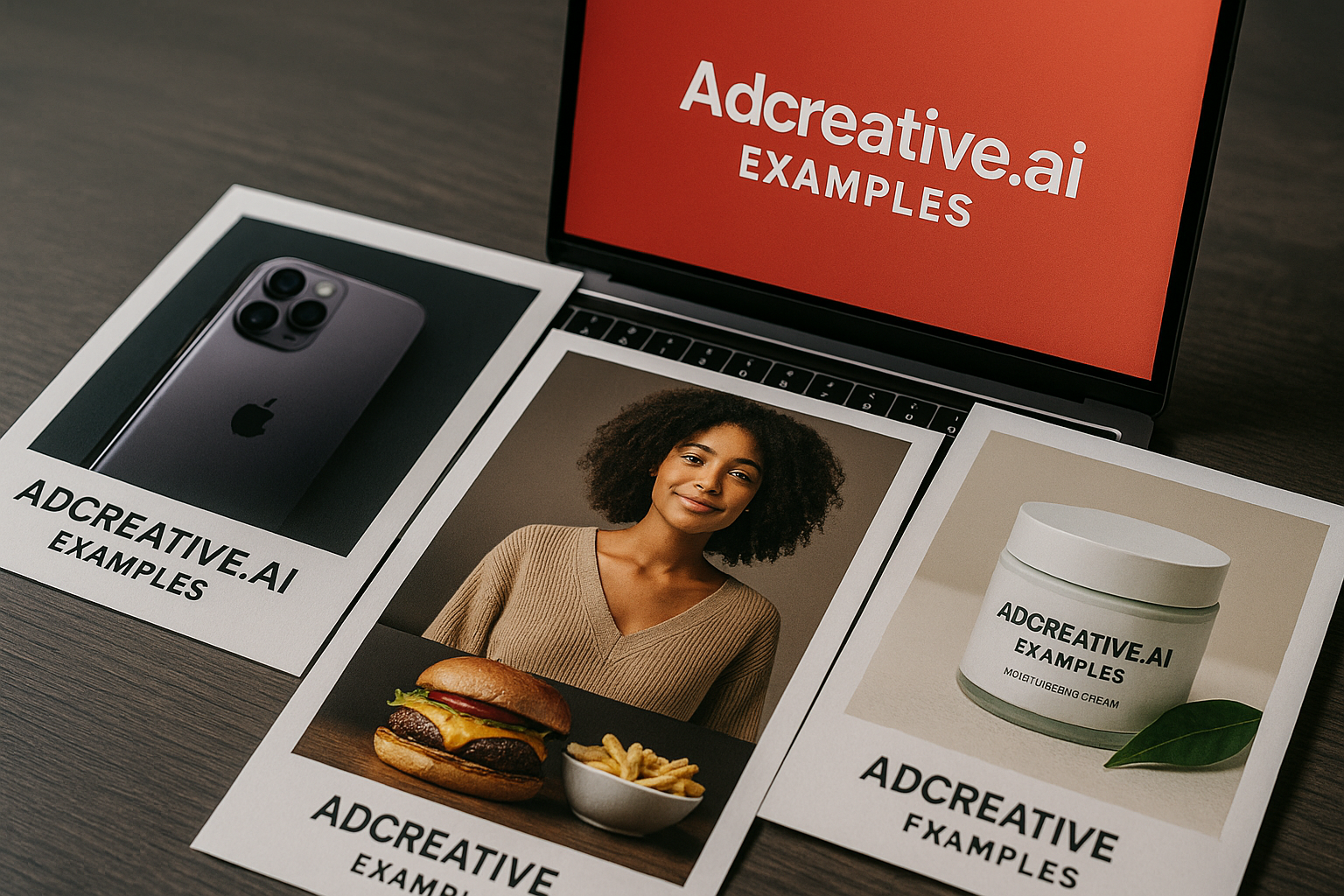
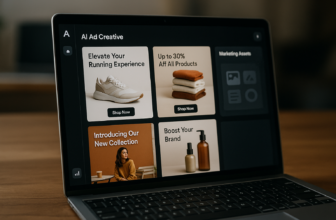
If you are searching for AdCreative.ai examples, you probably do not want another generic feature list. You want to know what the ads might actually look like, how much variation the tool can produce, and whether the creative style fits your brand before you spend time testing it.
This review-style guide looks at practical, realistically representative AdCreative.ai examples across e-commerce, SaaS, beauty, real estate, education, finance, travel, and more. I’ll be careful about what is verified: these are example concepts inspired by AdCreative.ai-style output and the product’s official homepage claims, not official case studies or guaranteed results.
Official website · Latest pricing & offers
What AdCreative.ai Is and Why Buyers Look for Examples
Quick definition of AdCreative.ai
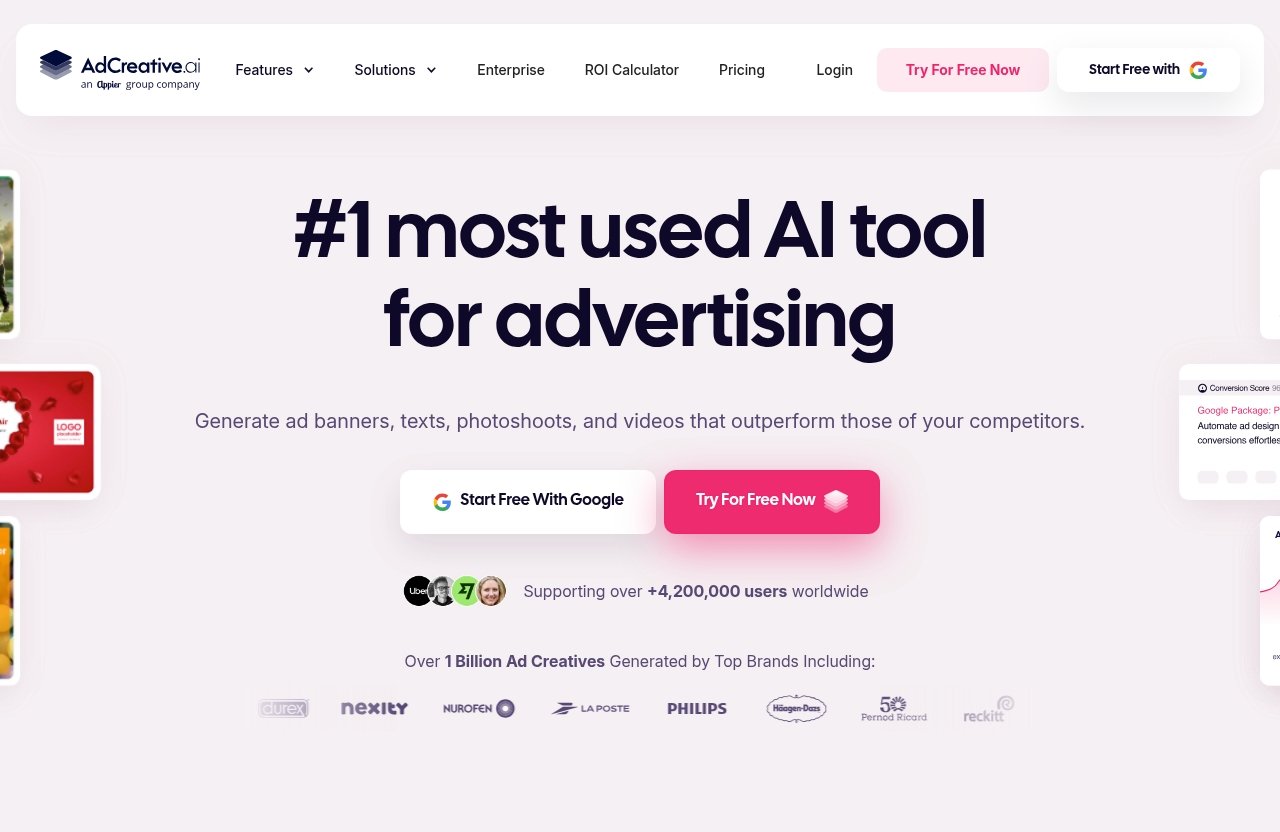
AdCreative.ai is an AI ad creative generator built to help marketers create high-performing ad creatives, images, videos, and copy with AI. Its homepage positions it as a tool for scaling campaigns, improving ROAS, and producing more creative variations for different ad platforms.
In practical terms, it is designed for teams that need more ad concepts than a designer or media buyer can comfortably produce manually. The product focuses on generating on-brand ads, campaign visuals, AI ad copy, and different sizes or variations quickly.
Why example galleries matter before purchase
Looking at AdCreative.ai examples is useful because ad tools are not judged only by feature checklists. Buyers care about whether the outputs look polished, whether the messaging is usable, and whether the layouts feel appropriate for their industry.
A good example gallery helps answer questions like:
| Evaluation Point | What to Look For |
|---|---|
| Brand fit | Does the ad match your colors, tone, and product positioning? |
| Visual clarity | Can someone understand the offer in two seconds? |
| Copy quality | Is the hook specific, benefit-led, and platform-friendly? |
| Variation quality | Are the versions meaningfully different or just minor swaps? |
| Format readiness | Can the concept work across feed, story, display, and video? |
This matters because AI-generated ads can be fast, but speed only helps if the creative is usable. The best AdCreative.ai examples should make it easy to imagine your own products, offers, and campaigns inside similar layouts.
What this article will and will not claim
This article will show concrete AdCreative.ai examples as buyer-facing concepts. Each one includes the ad type, visual concept, headline or copy angle, why it works, and what you can learn from it.
This article will not claim these are verified official screenshots, real customer campaigns, or proven winners. AdCreative.ai’s homepage states that the tool can analyze creative performance and generate ads based on patterns learned from $35B+ in ad spend data, but no example here should be treated as a guaranteed performance result.
AdCreative.ai Examples: 15 Real Ad Creatives by Industry
The following AdCreative.ai examples are best understood as realistic campaign concepts inspired by the kind of outputs an AI ad creative generator is built to produce. They are designed to help you evaluate creative quality, variety, and buyer fit before testing the tool yourself.
E-commerce product ad example
Ad type: Static product ad for Meta or Instagram feed.
Visual concept: A clean product image sits in the center, with a bold discount badge in the corner and three benefit callouts around the item. The background uses the brand’s main color, while the product remains the sharpest visual element.
Headline or copy angle: “Upgrade Your Desk Setup in Minutes” with supporting text such as “Compact, cable-free, and built for daily focus.”
Why it works: This style works for ecommerce ad creatives because it communicates the product, benefit, and offer quickly. It does not rely on heavy storytelling; it is built for fast scrolling environments.
What a buyer can learn: Strong AdCreative.ai examples for e-commerce should show product clarity first. If the generated layout hides the product or makes the offer hard to read, it may need editing before launch.
Fashion brand ad example
Ad type: Lifestyle image ad or short fashion clip.
Visual concept: A model wears the featured jacket in an urban street setting, with a split-screen variation showing the same jacket in two colors. Minimal text keeps the creative premium and editorial.
Headline or copy angle: “The Layer You’ll Wear All Season” with a secondary line: “New colors just dropped.”
Why it works: Fashion ads depend heavily on mood, styling, and aspiration. A good AI output should not overload the visual with text because the clothing and lifestyle context need room to sell.
What a buyer can learn: For fashion, AdCreative.ai examples should be judged on taste level as much as conversion structure. Look for clean composition, consistent fonts, and layouts that do not cheapen the brand.
Beauty/skincare ad example
Ad type: Static before-benefit ad or product education carousel.
Visual concept: A skincare bottle appears beside texture imagery, such as serum droplets or a soft skin close-up. The layout includes three simple claims, such as hydration, glow, and lightweight feel.
Headline or copy angle: “Glow Without the Grease” with supporting AI ad copy: “Daily hydration that feels light under makeup.”
Why it works: Beauty shoppers often need sensory cues. Texture, packaging, and concise benefit language help the ad feel more credible than a generic product shot.
What a buyer can learn: Useful AdCreative.ai examples in beauty should balance aspiration with specificity. Overpromising claims can create compliance and trust issues, so brands should review copy carefully.
SaaS lead-gen ad example
Ad type: LinkedIn single-image lead-gen ad.
Visual concept: A dashboard mockup appears on a laptop screen, paired with a simple chart trending upward. The background is clean and professional, with a button-like visual element for the offer.
Headline or copy angle: “Cut Reporting Time by 40%” or, more cautiously, “Spend Less Time Building Reports.” The safer version avoids unverified performance claims.
Why it works: SaaS buyers respond to pain-point clarity. The best ad creative inspiration for SaaS shows the interface, the problem, and the business outcome without visual clutter.
What a buyer can learn: When reviewing AdCreative.ai examples for SaaS, check whether the ad explains the value proposition fast. A polished design is not enough if the software benefit is vague.
B2B service ad example
Ad type: LinkedIn or display ad for a consulting firm.
Visual concept: A professional team image is combined with a short diagnostic checklist. The design uses restrained colors, strong whitespace, and a credibility-focused layout.
Headline or copy angle: “Find the Gaps in Your Growth Strategy” with supporting text: “Book a practical audit for your next campaign cycle.”
Why it works: B2B service ads usually need authority and clarity. A checklist visual can make an intangible service feel concrete.
What a buyer can learn: B2B AdCreative.ai examples should not look too playful unless that matches the brand. Buyers should evaluate whether the output feels credible for high-consideration decision-makers.
Local business ad example
Ad type: Facebook feed ad for a local dental clinic, gym, restaurant, or home service provider.
Visual concept: A friendly staff photo or service image appears beside a location callout and a limited-time offer. The creative includes a map-pin icon and a neighborhood reference.
Headline or copy angle: “Now Accepting New Patients in Austin” or “Your Local Weekend Brunch Spot.”
Why it works: Local ads need immediate relevance. Mentioning the location, service, and offer in the first glance improves practical usefulness.
What a buyer can learn: Local business AdCreative.ai examples should feel specific, not generic. If an ad could apply to any business in any city, it probably needs more local context.
Mobile app install ad example
Ad type: App install ad for TikTok, Instagram Stories, or Meta placements.
Visual concept: A phone mockup displays the app interface, surrounded by three benefit bubbles. For a fitness app, the creative might show streaks, reminders, and workout tracking.
Headline or copy angle: “Build a 10-Minute Daily Habit” with supporting text: “Track progress, stay consistent, and start simple.”
Why it works: Mobile app ads need to show the product experience quickly. A phone mockup makes the offer tangible and helps users understand what they are downloading.
What a buyer can learn: Good AdCreative.ai examples for apps should make the interface readable. If the generated creative uses tiny screenshots or vague icons, conversion intent may suffer.
Health/wellness ad example
Ad type: Static or video ad for a wellness product, supplement brand, meditation app, or fitness program.
Visual concept: A calm lifestyle image is paired with soft gradients, simple icons, and one clear benefit statement. The design avoids aggressive before-and-after claims.
Headline or copy angle: “Feel More Consistent With Your Wellness Routine” with supporting text: “Simple daily support for busy schedules.”
Why it works: Health and wellness ads need trust. Overhyped language can reduce credibility, while calm visuals and practical messaging feel safer and more believable.
What a buyer can learn: In this category, AdCreative.ai examples should be reviewed for compliance and tone. AI ad copy may still need human editing to avoid medical or outcome claims that are too strong.
Real estate ad example
Ad type: Lead-gen ad for a property listing or real estate agent.
Visual concept: A bright home exterior appears with a small overlay showing price range, neighborhood, or property feature. A second variation might use an interior kitchen shot for lifestyle appeal.
Headline or copy angle: “Tour New Homes in North Dallas” or “Find a 3-Bed Home That Fits Your Budget.”
Why it works: Real estate ads perform best when they combine visual desire with practical details. Buyers want to see the property, but they also need a reason to inquire.
What a buyer can learn: Real estate AdCreative.ai examples should make location and property type obvious. A beautiful generic home image is less useful than a clear local lead-generation concept.
Education/course ad example
Ad type: Course enrollment ad for Meta, YouTube display, or LinkedIn.
Visual concept: A course dashboard or instructor image appears beside a “learn in 30 days” style message. The creative uses progress bars, module icons, or a certificate visual.
Headline or copy angle: “Learn Practical Data Skills Without Quitting Your Job” with supporting text: “Self-paced lessons built for working professionals.”
Why it works: Education buyers need confidence that the course is structured and achievable. Visuals that show modules, outcomes, and flexibility can reduce hesitation.
What a buyer can learn: Education-focused AdCreative.ai examples should highlight the transformation without exaggerating guaranteed career outcomes. Clear structure usually beats vague motivation.
Finance/fintech ad example
Ad type: Display or social ad for a budgeting app, investment platform, or payment tool.
Visual concept: A clean app interface shows spending categories, savings goals, or transaction summaries. The color palette feels secure and professional.
Headline or copy angle: “See Where Your Money Goes” or “Simplify Your Monthly Budget.”
Why it works: Finance creatives need simplicity and trust. A cluttered ad can make the product feel complicated, while a clear interface screenshot supports confidence.
What a buyer can learn: Finance AdCreative.ai examples should be reviewed carefully for regulatory language. Avoid unrealistic promises and make sure required disclaimers are handled outside the creative workflow if needed.
Travel ad example
Ad type: Destination ad for social feed, display, or story placement.
Visual concept: A scenic beach, city skyline, or boutique hotel room fills most of the frame. A small overlay highlights “weekend getaway,” “summer availability,” or a package theme.
Headline or copy angle: “Your Next Long Weekend Starts Here” with supporting text: “Explore curated stays for couples, families, or solo travelers.”
Why it works: Travel ads need emotion first, then logistics. The image should create desire, while the copy gives the viewer a simple reason to act.
What a buyer can learn: Strong AdCreative.ai examples in travel should not bury the destination. Buyers should test whether the visual instantly communicates the experience being sold.
Agency promo ad example
Ad type: LinkedIn, Meta, or display ad promoting agency services.
Visual concept: A campaign dashboard, creative thumbnails, and growth chart appear in a layered layout. The design positions the agency as organized and performance-focused.
Headline or copy angle: “Need More Ad Creative Without Slowing Campaigns?” with supporting text: “Strategy, testing, and creative production for scaling brands.”
Why it works: Agencies sell expertise and capacity. Showing multiple creative thumbnails within the ad can signal that the agency understands testing and iteration.
What a buyer can learn: Agency AdCreative.ai examples should support positioning. A premium growth agency may need a different visual tone than a scrappy performance shop.
Seasonal sale ad example
Ad type: Promotional ad for Black Friday, back-to-school, summer sale, or holiday gifting.
Visual concept: A bold sale badge, product bundle, and seasonal background create urgency. The layout includes a countdown-style element, but keeps the offer readable.
Headline or copy angle: “Holiday Picks Are Here” or “Limited-Time Bundle Savings.”
Why it works: Seasonal ads compete in crowded feeds. Strong color contrast, direct offer framing, and deadline cues help the creative stand out.
What a buyer can learn: Seasonal AdCreative.ai examples should be judged on speed and variety. This is where an ad creative generator can be especially useful because teams often need many sizes and versions quickly.
Retargeting ad example
Ad type: Retargeting ad for abandoned cart, product view, or warm audience campaigns.
Visual concept: The viewer sees the exact product or product category they browsed, paired with a reminder message and a trust cue such as free returns or fast shipping.
Headline or copy angle: “Still Thinking It Over?” with supporting text: “Your favorites are waiting.”
Why it works: Retargeting does not need a long introduction. It works best when the ad reminds the shopper of what they already considered and removes one objection.
What a buyer can learn: Retargeting AdCreative.ai examples should be simple, relevant, and objection-aware. Buyers should look for variations that test reminders, incentives, and trust cues rather than only changing background colors.
What These AdCreative.ai Examples Reveal About Creative Quality
Visual consistency and brand fit
The most useful AdCreative.ai examples show that creative quality is not just about looking modern. The ad also has to feel like it belongs to the brand.
That means consistent colors, readable typography, product-forward layouts, and tone-appropriate imagery. A luxury skincare brand, a local plumber, and a B2B analytics platform should not all receive the same design treatment.
Variation volume for A/B testing
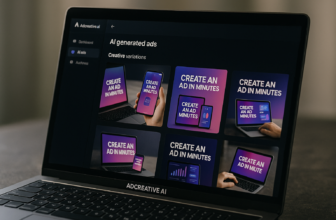
One of the biggest reasons buyers consider AdCreative.ai is the need for creative variations. The official homepage says users can create every ad size and variation in seconds, choose from ready-made templates or create their own, and generate unlimited on-brand ads for every format and platform.
That matters because campaign teams rarely need one perfect ad. They need multiple hooks, layouts, sizes, and copy angles to test against different audiences and placements.
Hooks, urgency, and social proof
Across these AdCreative.ai examples, the strongest concepts use a clear hook. Some lead with a product benefit, some with a pain point, and others with urgency or seasonal timing.
Social proof can also help, but it should be used carefully. If your brand has real reviews, ratings, customer counts, or awards, those can strengthen the creative. If not, avoid inventing proof just to make the ad look stronger.
Platform adaptation across formats
A good ad for LinkedIn may not work well as a TikTok-style video or Instagram Story. Platform adaptation is one of the most important criteria when judging AdCreative.ai examples.
For feed ads, the creative should be readable at a glance. For story placements, the layout needs vertical space and stronger visual hierarchy. For display, simplicity often wins because the format is smaller and attention is lower.
Official website · Latest pricing & offers
How AdCreative.ai Helps You Generate Ads Faster
Upload a product image or brand assets
Based on the official homepage, AdCreative.ai can generate high-performing ad creatives, images, videos, and copy with AI. It is built around the idea that marketers can move from basic inputs to usable creative outputs faster.
The homepage also says users can create video ads by uploading an image. That makes the workflow especially relevant for product-based brands that already have product photography but need more campaign-ready creative.
Generate multiple on-brand ad variations
The value of many AdCreative.ai examples is not that each one is perfect on the first try. It is that the tool is designed to generate many on-brand directions quickly, giving marketers more options to review, edit, and test.
For buyers, the practical question is whether the variations are meaningfully different. Good creative variations should test different hooks, visual arrangements, audience angles, and offer framing.
Create ads for different sizes and platforms
AdCreative.ai’s homepage says users can create every ad size and variation in seconds and generate unlimited on-brand ads for every format and platform. This is important for teams running campaigns across Meta, Google, LinkedIn, TikTok, display, and other placements.
The time savings can be significant when a campaign needs square, vertical, horizontal, and banner-style formats. Still, every exported ad should be checked for cropping, text placement, and platform readability.
Use creative insights to improve performance
The homepage says AdCreative.ai can analyze creative performance and generate new ads built on what works. It also states that the system is trained on patterns learned from $35B+ in ad spend data.
That is a useful direction, but buyers should keep expectations realistic. Creative insights can guide better decisions, yet actual performance still depends on audience targeting, offer strength, landing page quality, budget, and market timing.
Who AdCreative.ai Is Best For
E-commerce brands
AdCreative.ai is clearly positioned for e-commerce brands that need more ecommerce ad creatives, product visuals, and offer-based campaign assets. The tool makes the most sense when you have products to promote and need frequent testing.
For stores launching new products, bundles, or seasonal promotions, AdCreative.ai examples can help you imagine how quickly different visual directions could be produced.
Small businesses
Small businesses often do not have a full creative team. They may need ads for local promotions, service offers, hiring campaigns, or seasonal events.
AdCreative.ai can be useful if the business owner or marketer needs a starting point for brand-safe ad creatives. Human review is still important, especially for local details, claims, and compliance-sensitive industries.
Marketers managing many placements
Media buyers and growth marketers often need creative in many sizes. A single campaign may require feed images, story assets, display banners, product videos, and retargeting variations.
For these users, the strongest value is workflow speed. The more placements you manage, the more useful an ad creative generator can become.
Teams that need more creative ideas
Some teams do not struggle with design quality; they struggle with creative fatigue. Their ads stop performing because audiences have seen the same concept too many times.
In that situation, reviewing AdCreative.ai examples can help teams think in terms of hooks, formats, and testing angles. The tool can support brainstorming by producing more ad creative inspiration than a team might generate manually in the same amount of time.
Pricing and Plan Notes Before You Buy
What we can verify from official pages
The supplied official pricing page snapshot shows a not-found page, so I cannot verify current pricing from the provided pricing source. Because of that, this article will not list pricing numbers, tiers, discounts, or plan names.
The verified facts available here come from the official homepage snapshot, including AdCreative.ai’s positioning as an AI ad creative generator for high-converting ads, images, videos, and copy.
Why pricing details may vary by locale or require checking inside the app
Software pricing can change by country, promotion, billing period, account type, or in-app checkout flow. Since the provided pricing snapshot was not available, the safest approach is to check the official website or signup flow directly.
Before buying, confirm what is included in the current plan, such as exports, users, brand assets, video generation, creative insights, and platform-specific formats.
How to evaluate value as an affiliate buyer
If you are coming from an affiliate review site, evaluate value based on workflow impact rather than price alone. Ask whether the tool can reduce production bottlenecks, generate enough useful variations, and help your team test more creative angles.
The best way to judge this is to compare the output against your own standards. Use the AdCreative.ai examples in this guide as a checklist: brand fit, hook quality, format readiness, copy accuracy, and ease of producing multiple versions.
Official website · Latest pricing & offers
FAQ
What is AdCreative.ai used for?
AdCreative.ai is used to generate ad creatives, images, videos, and copy with AI. Its official homepage describes it as an AI ad creative generator for high-converting ads, built for marketers who want to scale campaigns and produce more creative variations.
It can be used for product ads, social media ads, display-style creatives, video ads, and campaign copy ideas. As with any AI tool, the outputs should be reviewed before publishing.
Does AdCreative.ai create multiple ad variations?
Yes. AdCreative.ai is designed to generate unlimited on-brand ad variations for different formats and platforms, according to the official homepage.
This is one of the main reasons buyers search for AdCreative.ai examples. They want to see whether the variations are genuinely useful for A/B testing or simply minor design changes.
Can AdCreative.ai make video ads?
Yes. The official homepage says users can create video ads by uploading an image. It specifically mentions UGC-style content, product videos, stock visuals, and fashion clips.
This makes AdCreative.ai video ads relevant for brands that want more motion-based creative without starting every asset from scratch.
Is AdCreative.ai good for e-commerce brands?
Yes, AdCreative.ai is positioned for e-commerce brands on its official homepage. It can help product-focused teams generate ecommerce ad creatives, product visuals, copy angles, and variations for different campaigns.
That said, e-commerce brands should still review every output for product accuracy, offer clarity, brand consistency, and compliance with platform rules.
How does AdCreative.ai help improve ad performance?
AdCreative.ai’s homepage says it can analyze creative performance and generate new ads built on what works. It also states that its system is trained on patterns learned from $35B+ in ad spend data.
This may help marketers create better-informed creative variations, but it does not guarantee results. Performance still depends on the offer, audience, landing page, budget, and campaign setup.
Final Verdict: Are the AdCreative.ai Examples Good Enough to Try?
Best-fit summary
The best AdCreative.ai examples show why the tool is appealing: it can help marketers move from one or two ad ideas to many campaign-ready directions across industries, formats, and goals. It looks especially relevant for e-commerce brands, small businesses, agencies, and performance marketers who need more creative variations.
If your team is slowed down by creative production, the product’s focus on AI-generated ads, copy, images, videos, templates, and platform sizes is worth investigating.
Pros and limitations
The main strengths are speed, variation volume, ad creative templates, product-focused layouts, and the ability to generate different sizes and formats. The homepage’s mention of creative insights and performance analysis also makes it more interesting than a simple design generator.
The limitations are the usual ones with AI creative tools. You still need human judgment for brand fit, claim accuracy, compliance, taste level, and final campaign strategy. Also, current pricing could not be verified from the supplied official pricing snapshot, so you should check the official site or app directly.
Recommended next step
If the AdCreative.ai examples above match the kind of ads you need, the practical next step is to test the tool with your own product images, brand colors, and campaign offers. Judge the outputs by clarity, variation quality, platform fit, and how much editing they require.
You can explore AdCreative.ai through this affiliate link if you want to try it for yourself: visit AdCreative.ai here.
Related Reading
- Adcreative.ai refund guide
- Foreplay vs alternatives for ad workflow tools
- Top 10 GoHighLevel features for agencies
References
- AdCreative.ai official homepage
- AdCreative.ai ad library inspiration article
- AdCreative.ai ad creative examples and frameworks
- Superside: 12 AI ad creative examples from leading brands