Post Planner Facebook Review: A Practical Choice for Page Growth
Official website · Latest pricing & offers
Post Planner for Facebook Pages: Quick Verdict
Post Planner is a social media scheduler built for engagement, and its strongest fit is clear: Facebook Page managers who need a faster way to find worthwhile content, organize it, and publish consistently. In this post planner facebook review, I found the platform’s verified Facebook tools especially relevant for people who spend too much time deciding what to post rather than preparing a reliable publishing workflow.
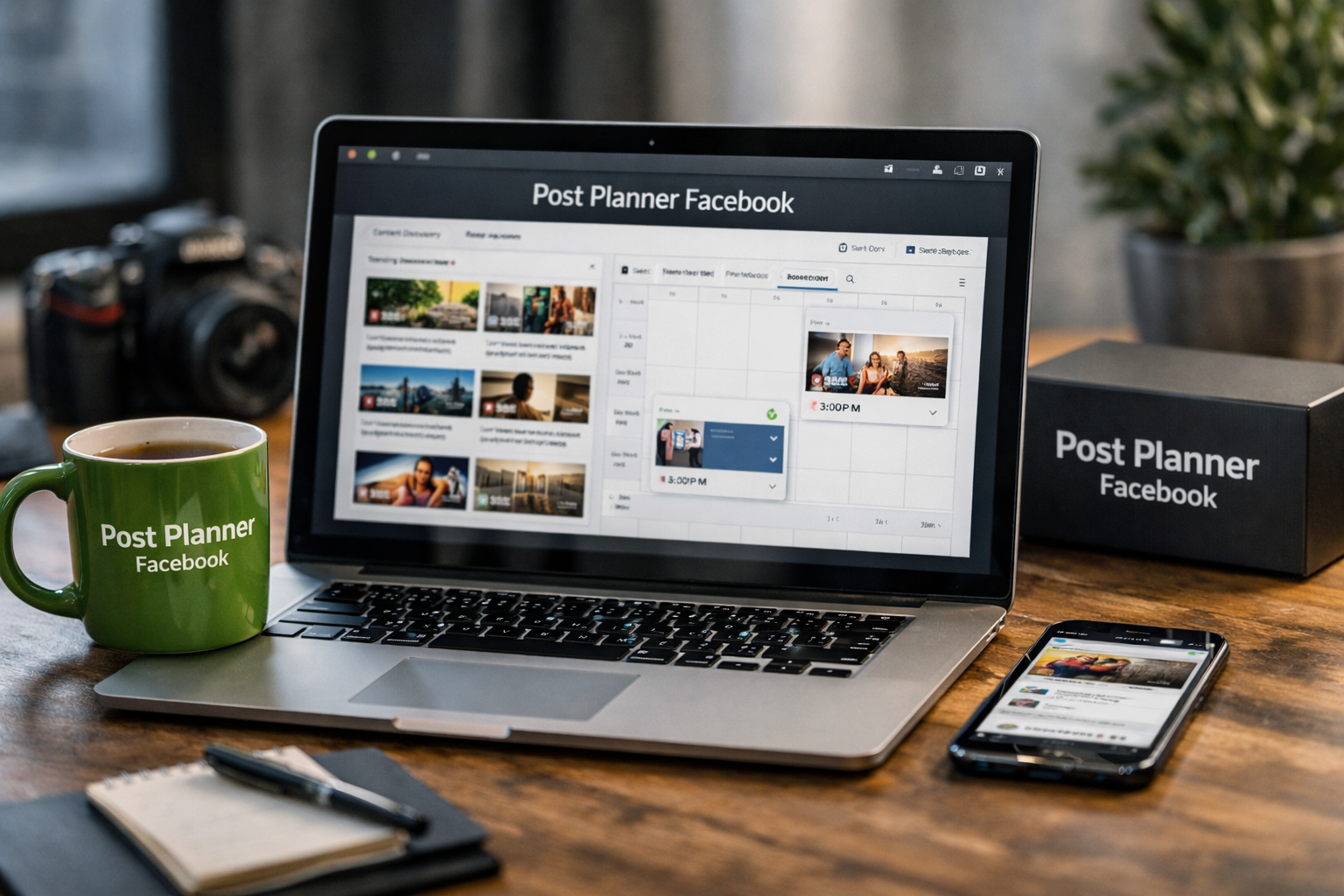
The platform supports scheduling Facebook posts, Reels, and Stories, while also helping users discover content and viral post ideas. That combination makes it more than a basic facebook page scheduler. It is designed for teams and solo managers who want content discovery, publishing automation, and performance review in one place.
Affiliate disclosure: TopTrustReview may earn a commission if you purchase through links in this review, at no additional cost to you. This does not change the assessment or the practical limitations discussed below.
Who this tool is best for
Post Planner is a sensible option for local businesses, creators, niche publishers, agencies, and multi-location brands managing active Facebook Pages. It is most useful when your challenge is not simply posting at a certain time, but consistently finding ideas that fit your audience.
A restaurant can use it to plan menu highlights, local events, customer-focused posts, and Reels. A creator can organize evergreen topics and timely ideas. An agency can connect multiple Facebook accounts and create a more repeatable content system for separate clients.
Who should skip it
A Page owner who only publishes occasionally and already has all content prepared may not need a separate facebook post scheduler. Meta Business Suite may be the more direct starting point for basic native scheduling.
Post Planner may also be less relevant if Facebook is not part of your publishing mix. Its value increases when you want to manage social accounts in one workspace and use a discovery-led process rather than manually sourcing every post idea.
Bottom-line rating criteria
For Facebook Page use, I would evaluate Post Planner on three practical criteria: whether its discovery tools improve your idea pipeline, whether scheduling reduces repetitive work, and whether the analytics help you learn from engagement. The verified feature set addresses all three areas.
The key trade-off is simple. A post planner facebook workflow makes the most sense when content curation and planning matter as much as publishing. If you need only occasional native scheduling, a simpler route may be enough.
What Is Post Planner?
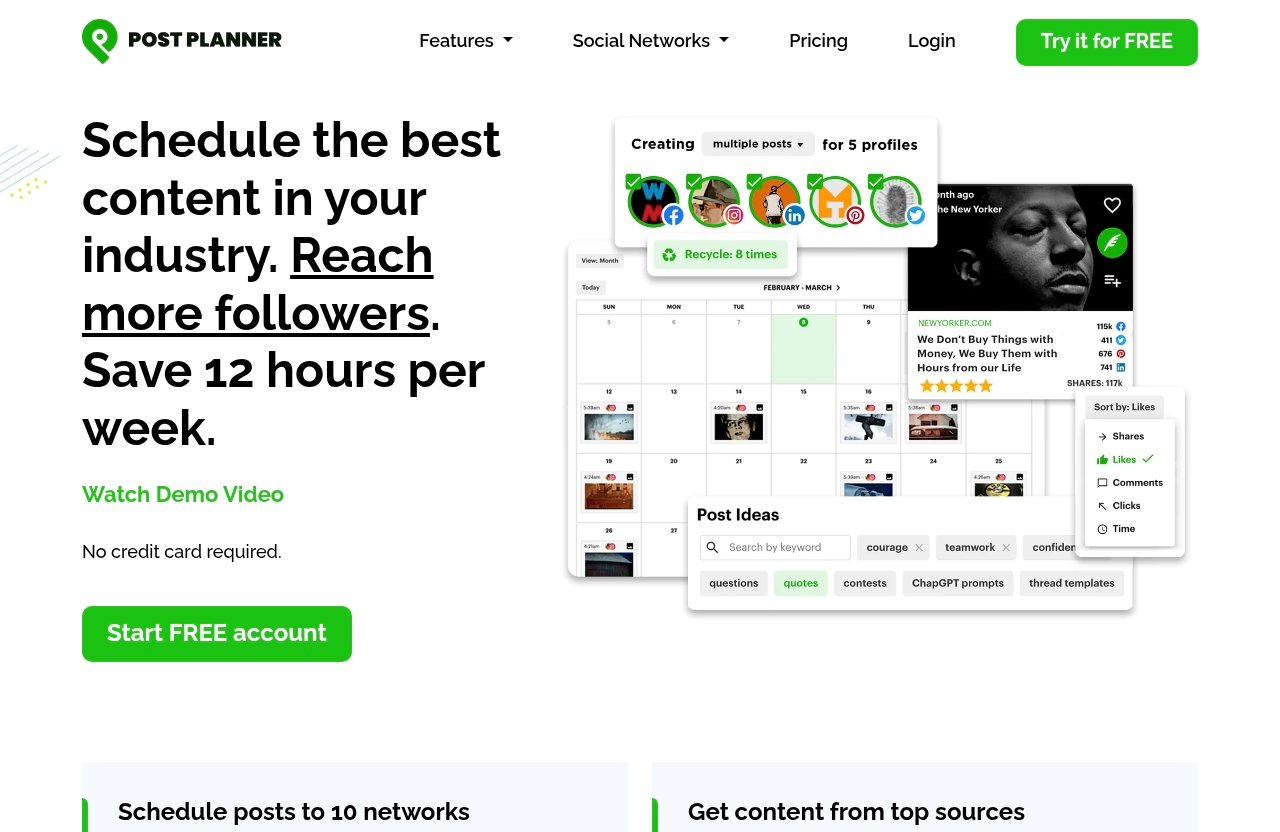
Post Planner is a social media scheduling platform built for engagement. Its official feature set includes Connect, Discover, Design, Categorize, Create, Schedule, Analyze, and Mobile tools, covering the path from content idea to published post and performance evaluation.
Rather than positioning the product as Facebook-only software, it supports Facebook alongside Instagram, Google Business, LinkedIn, Pinterest, TikTok, Twitter/X, YouTube, Threads, and Bluesky. For a Facebook administrator, that broader support can be useful when the same business or creator publishes across several channels.
Core purpose of the platform
At its core, Post Planner helps users manage social accounts in one place, find high-quality content and viral post ideas, design images with stock media and editing tools, create posts, and automate publishing schedules. The platform also includes performance and engagement analysis.
This matters because a content calendar is only useful when it contains content people may actually want to see. A facebook content planner should help reduce the gap between “we need to post” and “we have a relevant post ready to publish.”
Why it matters for Facebook Pages
Facebook Pages need consistency, but consistency should not mean filling a calendar with generic updates. The post planner facebook approach centers on discovering content, sorting it into topic-based categories, composing and previewing posts, then scheduling them for a more structured workflow.
Verified Facebook-specific functions include the ability to schedule posts, Reels, and Stories to Facebook Pages. Users can also curate top content from Facebook Pages, use AI to generate Facebook posts and captions, tag other Facebook Pages, and schedule a first comment with Facebook posts.
How it differs from Meta Business Suite
Meta Business Suite is Facebook’s native environment and serves as the baseline for Page scheduling. Post Planner is a separate platform focused on combining scheduling with content discovery, categorization, design, and multi-network management.
The difference is not necessarily about replacing every native Facebook workflow. It is about whether you benefit from a dedicated tool that can help you find ideas, batch content, manage multiple social accounts, and evaluate engagement from a broader planning perspective.
Key Features That Matter for Facebook Pages
The most useful features are the ones that shorten the distance between research, content preparation, and publishing. For Page managers, a post planner facebook system can reduce context switching and make a weekly publishing plan easier to maintain.
Schedule Facebook posts, Reels, and Stories
Post Planner officially supports scheduling Facebook posts, Reels, and Stories to Facebook Pages. That gives Page admins flexibility to prepare multiple formats rather than planning only standard feed posts.
For a small business, this can mean preparing a week of updates before a busy period. For a publisher or creator, it can mean balancing educational posts, short-form video, and timely discussions without relying on manual reminders every day.
The ability to schedule posts to facebook pages is important, but the practical benefit depends on how well you organize content beforehand. Scheduling empty calendar slots is not the goal; scheduling useful, audience-relevant posts is.
Curate content from Facebook Pages and top sources
Discover is a central part of Post Planner’s value proposition. The platform is verified to help users find high-quality content and viral post ideas, including the ability to curate top content from Facebook Pages.
For an editor or niche publisher, this can be a more productive starting point than opening many tabs and searching from scratch. You can use discovered ideas as inspiration, then add your own point of view, context, or original creative before publishing.
A facebook engagement tool should not encourage copying other Pages. The responsible use case is identifying topics, formats, and conversations that are already attracting attention, then creating relevant material that serves your own audience.
Use categories, composer, and previews
Post Planner lets users classify posts into topic-based buckets through its Categorize feature. This is helpful for Page managers who need a mix of educational content, promotional posts, testimonials, local updates, seasonal content, and community-driven material.
The Create feature supports composing, optimizing, and previewing posts before they go live. Previewing is particularly useful when multiple people approve content or when you want to catch basic formatting issues before publication.
The Design feature includes stock media and editing tools. That does not remove the need for brand guidelines, original visual direction, or content review, but it can make routine creative preparation less fragmented.
Add first comments and manage multiple accounts
Post Planner can schedule a first comment with Facebook posts. This is useful when a Page manager wants to place an additional detail, prompt, resource, or supporting note separately from the main caption.
The platform also supports connecting multiple Facebook accounts. That makes the post planner facebook workflow more relevant for agencies, franchise groups, publishers with several properties, and businesses operating multiple Pages.
Verified Facebook capabilities also include generating Facebook posts and captions with AI, tagging other Facebook Pages, and previewing posts before they go live. AI-generated copy should still be checked for factual accuracy, tone, and fit with your Page’s audience before scheduling.
Pricing and Free Plan: What You Can Verify
Pricing is often where review articles become unreliable, especially when they list plan names, limits, or promotions that can change. Based on the provided official pricing information, the responsible conclusion is that Post Planner has a free plan, while exact paid-tier details should be verified directly on the official pricing page before you buy.
Verified pricing facts from the official pricing page
The verified source indicates that Post Planner offers a free plan. It also indicates that the platform places a maximum limit on the social accounts users can activate and schedule posts to.
The provided material does not expose exact paid plan prices, all tier names, account limits, or other feature limits. For that reason, this post planner review does not invent subscription details. Check the live official pricing page for current pricing, availability, and plan-specific terms.
What the free plan includes
The available source confirms that the free plan supports social accounts for scheduling posts, including Facebook Pages, Instagram, Google Business, LinkedIn profiles and Pages, Pinterest, TikTok, X/Twitter, and YouTube. It also includes a maximum number of images users can generate each month.
The exact maximum account allowance and monthly image-generation limit were not included in the provided source excerpt. So while a free post planner facebook option exists, you should review the current plan limits before building your workflow around it.
How to evaluate value before upgrading
Start with your actual workflow rather than a feature checklist. Ask how many Facebook Pages you manage, whether you need to connect other networks, how often you schedule, and whether content discovery is currently a bottleneck.
Then test whether categorizing content, curating ideas, creating visuals, and using previews saves meaningful time. If the free plan covers your initial needs, it can be a practical way to assess fit without assuming that every paid feature or limit will match your requirements.
Official website · Latest pricing & offers
Real-World Use Cases for Facebook Pages
The strongest use cases are not about automated posting alone. They are about building a reliable content operation that gives a Facebook Page more chances to show up with useful, timely, and engaging updates.
Local business pages
Local businesses often have plenty to say but little time to say it consistently. A café, gym, service business, retailer, or venue can create content buckets for local events, offers, staff highlights, customer stories, FAQs, and behind-the-scenes updates.
Using a facebook page scheduler can help turn those categories into a weekly rhythm. The discovery tools may also help surface relevant ideas, although each post should be tailored to the local audience and business voice.
Creators and niche publishers
Creators and publishers need a steady flow of topics without producing repetitive updates. Post Planner’s discovery and categorization tools can help organize themes such as tutorials, opinions, news reactions, evergreen explainers, and audience questions.
For these users, post planner facebook is most valuable when it helps preserve editorial energy. Instead of beginning every day with a blank caption box, they can build a queue of ideas and refine the best ones.
Agencies managing multiple pages
Agencies need visibility and process control when managing multiple client accounts. Post Planner’s ability to connect multiple Facebook accounts, categorize posts, preview content, and analyze performance supports a more structured operating model.
It is not a substitute for client approvals, brand strategy, or account-specific reporting needs. But it can be a useful shared workspace for agencies that want to batch routine planning and avoid manually switching between Page environments.
Brands focused on reach and engagement
Brands focused on engagement should look beyond publishing volume. The practical question is whether each post has a clear purpose: invite a response, share a useful resource, showcase a story, or direct attention to a relevant offer.
A post planner facebook process supports that goal by pairing discovery with scheduling. Use discovered ideas to inform what you create, not as a shortcut around original thinking or audience understanding.
Post Planner vs Meta Business Suite
Meta Business Suite is the native Facebook baseline for Page management and scheduling. Post Planner is an external social scheduling platform with a verified focus on engagement, content discovery, creation, categorization, and multi-network publishing.
The best choice depends on the depth of workflow you need. Neither option is automatically right for every Page manager.
Scheduling workflow comparison
If your goal is to create a post and schedule it natively, Meta Business Suite provides the direct Facebook workflow. To use the native Planner area, open Meta Business Suite and select Planner from the left-side menu.
For people who need a meta business suite schedule post workflow only once in a while, that may be sufficient. Post Planner becomes more compelling when you want to schedule Facebook posts, Reels, and Stories while also organizing content buckets and managing connected social accounts in one place.
Content discovery comparison
Post Planner has verified content discovery functionality: it helps users find high-quality content and viral post ideas and curate top content from Facebook Pages. That is a meaningful distinction for users who struggle most with finding worthwhile topics.
Meta Business Suite is the native Facebook option, but this review does not assume or claim matching discovery features beyond the provided information. If content sourcing is your biggest operational problem, Post Planner has the clearer verified fit.
Engagement workflow comparison
Post Planner includes Analyze tools for evaluating post performance and engagement. It also supports scheduled first comments, Facebook Page tags, post previews, and AI-assisted Facebook post and caption generation.
The right comparison is practical rather than absolute. Meta Business Suite may suit users who prefer native tools and basic Page planning, while Post Planner may suit users looking for a facebook engagement tool that brings discovery, scheduling, and analysis into one repeatable workflow.
Pros and Cons
A balanced post planner facebook assessment should account for both the workflow advantages and the information that is not verified in the available source.
Main strengths for Facebook Pages
- Schedules Facebook posts, Reels, and Stories to Facebook Pages.
- Helps users discover high-quality content and viral post ideas.
- Curates top content from Facebook Pages for research and inspiration.
- Supports topic-based content categories for more organized planning.
- Includes post creation, optimization, previews, stock media, and editing tools.
- Can schedule a first comment with Facebook posts.
- Supports multiple connected Facebook accounts.
- Offers AI-assisted Facebook posts and captions, with human review still recommended.
- Includes performance and engagement analysis.
- Supports several social networks beyond Facebook.
Main limitations or trade-offs
- Exact paid plan prices, tiers, and limits were not available in the provided source, so they must be checked directly.
- A discovery-led platform still requires editorial judgment; users should not rely on curated ideas without adding original value.
- Very occasional Facebook users may find a separate tool unnecessary if native scheduling meets their needs.
- The verified feature set does not mean every feature is included in every plan, so plan eligibility should be confirmed before purchasing.
Best-fit summary
Post Planner is a strong match for Page managers who want a more complete content process than a standalone facebook post scheduler. Its clearest value is helping users discover ideas, organize them into categories, create posts, schedule publication, and review engagement.
The platform may be less compelling for someone who only needs to publish a few prepared Facebook updates each month. In that situation, the native Meta Business Suite Planner may be the more economical starting point.
How to Use Post Planner for Better Facebook Page Growth
Growth is not guaranteed by a scheduling tool, and no responsible review should imply otherwise. The useful role of Post Planner is to help you create a more consistent, organized, and engagement-aware publishing process.
Set up content buckets
Start by defining four to six recurring content buckets that match your Page’s purpose. A local business might use offers, customer stories, helpful tips, team updates, and community events. A creator might use tutorials, opinions, questions, resources, and personal updates.
Post Planner’s Categorize feature can help keep these themes organized. This prevents a common problem: filling every slot with the same type of promotional message.
Build a repeatable weekly schedule
Build your schedule around realistic output. Plan a mix of Facebook posts, Reels, and Stories that your team can create and review consistently, rather than setting an ambitious cadence that quickly becomes unmanageable.
A post planner facebook workflow works well when you batch tasks. Reserve one session for discovery, another for drafting and design, and another for final review and scheduling. Use previews before posts go live.
Pull in high-performing content ideas
Use the Discover feature and curated Facebook Page content to identify themes and formats worth examining. Look for patterns that may be relevant to your audience, such as recurring questions, useful how-to topics, conversation starters, or visual approaches.
Do not mistake a viral idea for a complete content strategy. The best post planner facebook workflow adapts ideas to your own expertise, audience needs, location, and brand voice.
Track what gets engagement
Use the Analyze feature to evaluate post performance and engagement. Review which categories, formats, topics, and messages appear to earn the most meaningful audience response over time.
Then adjust your schedule. If a certain topic reliably creates useful discussion, develop more content around it. If a content bucket repeatedly underperforms, improve the creative approach or reduce its place in the calendar.
Official website · Latest pricing & offers
FAQ
Does Post Planner have a free plan?
Yes. The verified pricing source indicates that Post Planner has a free plan. It includes a maximum number of social accounts that users can activate and schedule posts to, including Facebook Pages and other supported networks.
The free plan also includes a maximum number of images users can generate each month. Since the provided source does not show the exact limits, confirm current account and image allowances on the official pricing page.
Where is the Planner tab on Facebook?
For Facebook’s native planning workflow, open Meta Business Suite and select Planner in the left-side menu. This is the area associated with planning and scheduling Page content through Meta’s native tools.
If you only need basic native scheduling, this is the logical place to start. If you also want discovery, categorization, and broader social account management, a separate facebook content planner may be more suitable.
Where can I find a Facebook planner?
You can find Facebook’s native Planner in Meta Business Suite through the left-side menu. It is the starting point for users who prefer to plan Page content within Facebook’s own management environment.
Some Page managers use a third-party tool such as Post Planner because they want to curate ideas, create content, organize topics, and schedule across supported networks in a single workflow. This is especially useful for post planner pages and groups of client or brand accounts, although the verified source specifically confirms Facebook Pages support.
Is Post Planner good for Facebook Pages?
Post Planner is well suited to Facebook Pages when you need more than occasional scheduling. Its verified Facebook support includes posts, Reels, Stories, first comments, Page tagging, AI-assisted captions, previews, multiple connected Facebook accounts, and content curation from Facebook Pages.
It is particularly useful for managers who care about consistent publishing and a better content idea pipeline. It may be unnecessary for a Page owner who only needs simple native scheduling and does not need a discovery-focused workflow.
Final Recommendation
Post Planner is worth considering for Facebook Page managers who regularly face the same operational challenge: they need better ideas, a clearer content system, and an easier way to publish consistently. The combination of content discovery, categorization, creation tools, Facebook scheduling, and engagement analysis makes it a practical option for creators, local businesses, publishers, and agencies.
Should you use Post Planner?
Use Post Planner if your Facebook Page workflow involves researching content, batching posts, coordinating multiple accounts, and learning from engagement. It is not positioned here as an automatic replacement for native Facebook tools, but it offers verified workflow capabilities that go beyond basic scheduling.
Before committing, review the current pricing page and test whether the available plan supports the number of accounts and image-generation needs that matter to you. For a trust-first evaluation, that is more useful than relying on unverified price claims or feature assumptions.
Best alternative if you only need basic scheduling
If you only need to create and schedule occasional Facebook Page posts, Meta Business Suite is the straightforward native alternative. Its Planner is accessible from the left menu in Meta Business Suite.
That route is likely best for users who do not need a dedicated discovery process, content categories, multi-network management, or a more extensive facebook engagement tool workflow.
Affiliate CTA placement
For Page managers who want to assess whether content discovery and engagement-focused scheduling justify a dedicated tool, you can review Post Planner’s current plans and features. The most compelling reason to try it is not automation alone—it is whether the post planner facebook workflow helps you consistently publish more relevant content with less planning friction.
Related Reading
References
- Create and Manage Posts in Meta Business Suite on Desktop
- Schedule a post and manage scheduled posts for your Facebook Page
- Post Planner: Social Media Scheduler built for Engagement
- Facebook: Schedule Posts and Reels to your Pages and Groups