Cloudways Pros and Cons: A Trust-First Cloudways Review for 2026

Exclusive reader offer · Ends Sep 15, 2026
40% off for 4 months, free migrations
Choosing hosting is rarely just about finding the lowest monthly price. This cloudways pros and cons review looks at what Cloudways officially offers, where its managed cloud model makes sense, and where a simpler host may be a better fit.
Cloudways positions itself as a “Managed Cloud Hosting Platform Simplified.” Its core appeal is managed hosting for users who want more flexibility than basic shared hosting without taking on a fully DIY cloud-server workflow. This editorial assessment uses verified information from official Cloudways product pages, alongside clearly labeled buyer considerations and general user-feedback themes.
Official website · Latest pricing & offers
Cloudways at a Glance: Who It’s For and What You’re Really Buying
Cloudways is not a typical all-in-one beginner hosting package. It is a managed cloud hosting platform that supports WordPress, WooCommerce, Laravel, Magento, and PHP, while listing infrastructure providers including DigitalOcean, Vultr, Linode, AWS, and GCE.
The practical value behind the cloudways pros and cons discussion is choice. You are evaluating a managed layer designed to make cloud hosting more approachable, rather than simply buying the most basic website hosting account available.
Quick verdict for busy readers
Cloudways is worth serious consideration for growing WordPress sites, WooCommerce stores, agencies, and technically capable teams that need a more flexible hosting setup. Its official product lineup includes Cloudways Flexible for customisable managed WordPress hosting and Cloudways Autonomous for fully managed WordPress hosting.
For a small personal blog with little traffic and minimal technical ambition, Cloudways may be more platform than you need. In that case, a conventional shared host can be easier to understand and potentially more budget-friendly.
My short take: Cloudways is a strong option when hosting flexibility, managed assistance, and room to grow matter more than absolute simplicity. It is less compelling when your main priority is a low-cost, hands-off starter plan.
Best fit use cases: growing sites, agencies, ecommerce, developers
The strongest case for Cloudways hosting is a site that has outgrown the limitations or uncertainty of entry-level hosting. If you run a business website, a content site gaining consistent traffic, or an online store, you may value a platform that emphasizes Performance, Security, and 24×7 Expert Support.
Agencies are another logical audience. Cloudways also lists Client Billing & Reporting, which is designed to automate recurring billing, payments, and invoices. That is relevant for professionals managing hosting-related work for several clients, although you should assess its workflow against your existing billing process before relying on it.
Developers and technical teams may appreciate the official application support list: WordPress, Laravel, Magento, WooCommerce, and PHP. The cloudways pros and cons balance shifts positively when your application requirements extend beyond a simple brochure site.
When Cloudways is probably overkill
Cloudways can be unnecessary if you only need to publish a small portfolio, personal blog, or early-stage site with basic requirements. A simpler host may offer a more familiar onboarding experience and fewer decisions.
It can also be overkill if you do not want to think about cloud providers, hosting architecture, or scaling needs at all. Managed cloud hosting reduces complexity, but it does not automatically make every hosting decision disappear.
For buyers in this category, comparing Cloudways alternatives is sensible. The best hosting product is not necessarily the one with the broadest capabilities; it is the one that matches your current workload and realistic growth plans.
Cloudways Pros: The Biggest Reasons People Choose It
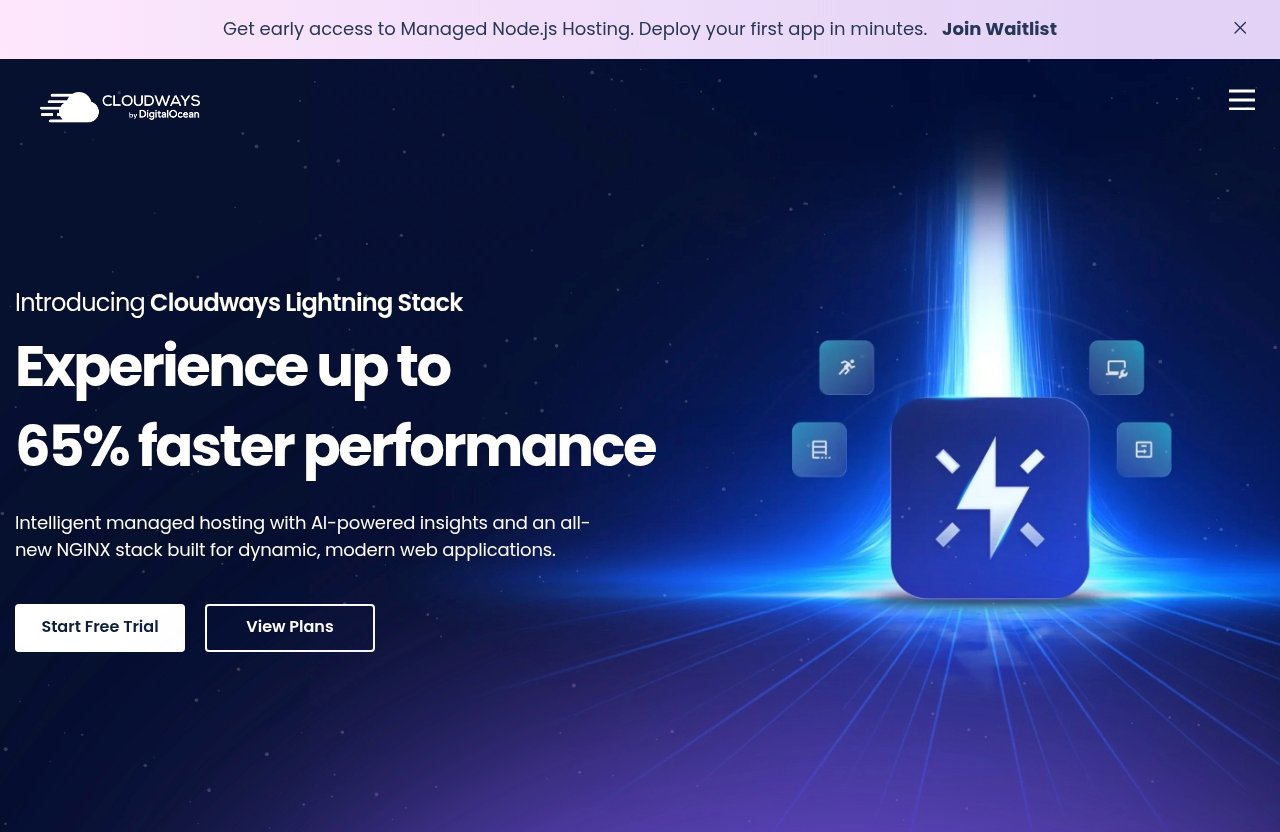
The most meaningful cloudways pros and cons decision starts with what Cloudways is designed to solve. It gives users a managed platform around cloud infrastructure, with support for popular web applications and a set of operational features that can matter as a site grows.
Flexible cloud provider choices
Cloudways officially lists DigitalOcean, Vultr, Linode, AWS, and GCE as cloud providers. That range is important because it gives buyers a cloud-oriented hosting path instead of tying them to a single underlying infrastructure name.
For a comparison shopper, this is a real advantage over hosting products that offer only one fixed environment. It may allow a better fit with your preferred provider, technical requirements, or future strategy, though you should verify the current availability and setup options during signup.
This is one of the clearest points in favor of Cloudways Flexible. It is described by Cloudways as customisable managed hosting for WordPress, making it relevant for users who want managed help without choosing a completely fixed WordPress experience.
Managed hosting convenience without full DIY complexity
Cloudways managed cloud hosting aims to sit between two extremes: basic shared hosting and self-managed cloud infrastructure. The official homepage highlights Performance, Security, 24×7 Expert Support, Free Migration, and Free SSL.
In practical terms, that positioning may appeal to buyers who want cloud hosting benefits but do not want the operational burden of building every part of their environment independently. It is still important to confirm exactly what is included for your chosen product and configuration.
The managed approach is a major reason many buyers researching cloudways pros and cons move Cloudways onto their shortlist. You are paying for a platform and support model, not simply raw infrastructure access.
Scaling and workload handling for growing sites
Cloudways is naturally more relevant when your hosting needs may change over time. A growing site, client portfolio, or ecommerce operation often needs more flexibility than a static blog that receives occasional visitors.
Cloudways markets Performance as a verified platform feature, but it does not provide enough official detail in the supplied materials to promise a specific speed result, benchmark, or traffic capacity. Your results will depend on your application, configuration, content, visitor locations, and chosen infrastructure.
That uncertainty is not a reason to dismiss the platform. It is a reminder to assess Cloudways performance using your own site’s needs rather than relying on generic “faster hosting” claims.
WordPress, WooCommerce, Laravel, Magento, and PHP support
Cloudways officially lists support for WordPress, Laravel, Magento, WooCommerce, and PHP. This matters because these applications serve very different types of websites, from publishing platforms and stores to custom development projects.
A WooCommerce store may have different operational needs from a Laravel application, and neither should be evaluated like a one-page portfolio. The breadth of supported applications makes Cloudways more versatile than hosting aimed solely at casual WordPress beginners.
For buyers comparing cloudways pros and cons, this supported-app range is a tangible strength. It provides a clearer path for teams whose web stack may change or expand.
Free migration and SSL
Cloudways officially promotes Free Migration and Free SSL. These are useful benefits for site owners moving from another provider or setting up secure browser connections for a new website.
Migration is especially valuable because changing hosts can be stressful when a business depends on its website. Still, confirm the current migration process, eligibility, and scope before making a purchase decision, particularly if your site is complex.
Free SSL is also an essential baseline for modern sites. It should not be the sole reason to choose a host, but it is reassuring that Cloudways lists it as a platform feature.
Cloudways Cons: The Real Drawbacks to Know Before You Buy
A credible Cloudways review should not treat managed cloud hosting as a universal upgrade. The same flexibility that appeals to growing businesses can make the product feel more involved than simple shared hosting.
Pricing can feel higher than entry-level shared hosting
Cloudways pricing should be judged against the managed cloud model, not against the cheapest promotional shared-hosting offer you can find. These are different categories of service, and a lower-priced entry-level host may be sufficient for a small site.
The official information supplied for this review does not provide public plan tiers, infrastructure prices, or monthly pricing for Cloudways Flexible or Cloudways Autonomous. It would be misleading to invent price comparisons or claim that one option is always cheaper.
Cloudways does list Advanced Support on its homepage with a current price of $100/mo and a new discounted price of $25/mo flat. Because support needs vary, buyers should verify the current terms directly and decide whether that optional level of support is relevant to their situation.
Less beginner-friendly than ultra-simple hosts
One important point in the cloudways pros and cons analysis is onboarding complexity. Users accustomed to a highly simplified hosting dashboard may find a managed cloud platform less immediately intuitive.
Cloudways is designed to simplify managed cloud hosting, not to eliminate every decision associated with it. If phrases such as cloud provider, application deployment, scaling, or managed infrastructure feel intimidating, a more beginner-focused host may be easier.
That does not make Cloudways unsuitable for beginners. It means beginners should allow time to learn the platform and use the free-trial opportunity to assess whether the workflow feels comfortable.
Platform layering can be more complex than all-in-one hosts
Cloudways adds a managed platform layer around listed cloud providers. That can be beneficial, but it also means there are multiple concepts to understand: the Cloudways platform, the application you run, and the underlying cloud provider.
An all-in-one host can feel simpler because it presents fewer choices. With Cloudways, the value comes from flexibility and managed tooling, but the trade-off may be a less streamlined mental model for users who only want to publish a simple site.
This is why cloudways pros and cons research should begin with your operating preference. Do you want more options and a managed cloud approach, or do you value a single, minimal interface above all else?
Possible support and performance complaints from users
When reading community discussions such as “cloudways pros and cons reddit,” treat individual reports as anecdotal rather than universal proof. Some users online may describe friction with support, usability, billing expectations, or performance; others may report positive experiences.
Those observations should not override official facts, and they do not establish a specific service-wide issue. Performance and support experiences can vary based on application setup, workload, expectations, issue complexity, and the type of assistance required.
Cloudways officially advertises 24×7 Expert Support and also promotes Advanced Support. Before purchasing, ask what support level you need and review current terms. This is particularly important if your site generates revenue and downtime or configuration issues would be costly.
Cloudways Pricing Explained
Cloudways pricing requires more care than many hosting comparisons because the official pricing-page information supplied for this review is limited. The available official pricing-page content only references “an advertisement for projects with flexible and transparent pricing.”
Cloudways Flexible vs Cloudways Autonomous
The official homepage identifies two distinct WordPress products:
| Product | Official description | Best buyer question |
|---|---|---|
| Cloudways Flexible | Customisable managed hosting for WordPress | Do I want more flexibility in my managed WordPress setup? |
| Cloudways Autonomous | Fully managed hosting for WordPress | Do I prefer a more fully managed WordPress experience? |
The available official facts do not state plan prices, resource allowances, feature-by-feature differences, or which product is cheaper. Therefore, no responsible Cloudways review should pretend there is a universal pricing winner.
The practical distinction is about your desired level of customisation and management. If those terms affect your decision, confirm the current product details during the evaluation process.
What the official pricing page does and does not show publicly
Based on the information provided, the official Cloudways pricing page does not give us verifiable plan names, tier pricing, storage limits, CPU allocations, or included-resource claims. Avoid third-party price tables unless you independently verify them against the official checkout or product pages.
The homepage does promote a free trial or “start free” call to action. It also lists the Advanced Support pricing note: $100/mo as the current price and $25/mo flat as a new discounted price.
This limited visibility makes it especially important to verify Cloudways pricing at the time you sign up. Hosting terms can change, and your chosen product, provider, and support needs may affect the final value equation.
How to evaluate price based on use case, not just headline cost
The best way to assess the cloudways pros and cons around cost is to calculate the consequences of your needs. Consider what happens if you need more performance capacity, a smoother migration process, application support, or assistance with a business-critical website.
For a hobby blog, a low starting price may matter most. For an agency or ecommerce business, the ability to use a managed cloud platform may be worth more than the absolute lowest monthly bill.
Do not buy Cloudways purely because it sounds more advanced. Likewise, do not reject it merely because a shared host advertises a lower entry price. Compare each option against your real site requirements, technical confidence, and risk tolerance.
Official website · Latest pricing & offers
Key Features That Matter Most in a Cloudways Review
A useful Cloudways review should translate product labels into questions a buyer can answer. The official homepage verifies several core platform features, but buyers should still validate the practical details relevant to their own site.
Performance tools and load-time expectations
Cloudways officially lists Performance as a feature. That signals a performance-oriented platform position, but it is not a promise that every website will load at the same speed or handle the same volume of traffic.
Your cloudways performance outcome depends on variables outside a generic host comparison: theme quality, plugins, application code, database use, images, third-party scripts, visitor patterns, and configuration. Ask how you will measure success before migrating.
A sensible approach is to define a baseline for your existing site, then evaluate performance after setup using the same pages and conditions. This is more reliable than trusting broad claims from any hosting provider.
Security features and SSL
Security is listed as an official Cloudways feature, and Free SSL is also promoted on the homepage. These are meaningful foundations for website owners, especially those handling customer interactions or running an ecommerce store.
However, no hosting platform removes the need for responsible site management. Keep applications updated, control user access carefully, and make sure your own operational practices match the importance of your website.
In the cloudways pros and cons equation, security is a positive platform category, but buyers should verify specific controls and responsibilities for their intended setup rather than assuming every security task is handled automatically.
24×7 expert support
Cloudways officially lists 24×7 Expert Support. This can be valuable if your website operates outside normal business hours or if your team needs a route to assistance during an issue.
The key question is not simply whether support exists. It is whether the support scope and level meet your needs. A technically experienced agency may need different assistance from a first-time store owner, and the Advanced Support option should be evaluated separately.
Cloudways support is therefore a reason to investigate the platform, not a reason to skip due diligence. Review current support information before committing, especially for revenue-generating sites.
Integrations and add-ons
Cloudways lists supported applications including WordPress, WooCommerce, Laravel, Magento, and PHP. Its homepage also lists Client Billing & Reporting, Managed AI Agents, and AI Copilot among its products.
For agencies, Client Billing & Reporting may be worth investigating because Cloudways says it can automate recurring billing, payments, and invoices. For users exploring AI-related projects, Managed AI Agents is described as a way to launch and manage AI agents in minutes, while AI Copilot is positioned for AI-powered instant troubleshooting insights.
These offerings may broaden the platform’s appeal, but do not assume they are necessary for your hosting decision. Evaluate them based on a defined workflow need, not novelty.
Dashboard and workflow experience
The dashboard experience is one area where personal fit matters more than marketing language. A managed platform can feel efficient once you understand it, yet more complex than an ultra-simple host during your first week.
Use the free trial promoted on the official homepage to test the actual workflow. Check whether you can understand the setup process, find relevant controls, and confidently manage the applications you plan to run.
This step can resolve many cloudways pros and cons questions better than reading another generic comparison. A platform that fits your team’s habits is usually more valuable than one with an impressive but unfamiliar feature list.
Cloudways vs Simpler Hosting: How to Decide If It’s Worth It
Cloudways should be compared with simpler hosting based on operational needs, not brand popularity. A simpler host can be the smarter purchase when your site and team do not benefit from managed cloud flexibility.
Best for growing sites vs simple blogs
Growing sites are more likely to benefit from Cloudways hosting because they may need a platform that can align with changing workload, application, or provider preferences. WordPress publishers, WooCommerce stores, and teams using Laravel or Magento are all within the applications Cloudways officially supports.
Simple blogs generally have fewer moving parts. If your goal is to publish articles, maintain a basic site, and avoid learning a more involved platform, straightforward shared hosting can be enough.
The cloudways pros and cons comparison favors Cloudways when your growth path is real and specific. It favors simpler hosting when “future-proofing” is only a vague concern.
When shared hosting may be enough
Shared hosting may be enough for early projects, brochure sites, portfolios, and low-complexity blogs. It can be a reasonable option for buyers who value familiar interfaces, uncomplicated setup, and a lower initial commitment.
That is not an argument that shared hosting is always inferior. It is an argument for fit. Hosting needs should be reviewed when the site’s traffic, revenue importance, team requirements, or technical stack changes.
If you are uncertain, start by listing what your current host cannot do for you. If you cannot identify a meaningful limitation, migrating to cloudways managed cloud hosting may not yet be necessary.
Why agencies and ecommerce stores often consider Cloudways
Agencies often need to manage different client sites with different requirements. Cloudways Flexible, supported applications, listed provider options, and Client Billing & Reporting can make the platform relevant to that audience.
Ecommerce stores have a stronger reason to care about performance, security, support availability, and application fit. Cloudways supports WooCommerce and Magento, and it officially highlights Performance, Security, 24×7 Expert Support, Free Migration, and Free SSL.
None of that guarantees a better store outcome than every alternative. But it explains why agencies and store owners commonly place Cloudways on their comparison list before choosing a host.
Hands-On Buyer Checklist: Questions to Ask Before You Sign Up
Before choosing any host, use a checklist that turns product marketing into a practical decision. This reduces the risk of buying an unnecessarily complex service or outgrowing a basic one too quickly.
Traffic and growth expectations
Ask what your site does today and what you realistically expect within the next year. Consider traffic patterns, number of sites, content updates, ecommerce activity, and whether your application needs may expand beyond basic WordPress.
Cloudways may make more sense if you have a clear growth case. If your needs are stable and minimal, the cloudways pros and cons assessment may point toward a simpler provider.
Need for scaling and flexibility
Consider whether listed cloud provider choices matter to you. If DigitalOcean, Vultr, Linode, AWS, or GCE alignment is relevant to your technical or operational strategy, Cloudways deserves closer attention.
Also decide whether Cloudways Flexible or Cloudways Autonomous better reflects your preferred management style. Confirm the current features and terms for each product before selecting one.
Budget tolerance and support needs
Do not compare only the first number you see. Consider migration needs, potential support requirements, the cost of downtime to your business, and the value of a managed workflow.
Cloudways promotes a free trial, so use that period to test the platform before paying. If you want to explore the current product options, you can review Cloudways through this Cloudways hosting link, then verify all current terms on the official site before purchase.
Technical comfort level
Be honest about who will operate the hosting environment after signup. If you or your team can learn a managed cloud dashboard and want more flexibility, Cloudways may be a productive choice.
If no one wants to manage hosting decisions beyond the basics, select simplicity over theoretical capability. The right product should reduce workload, not create it.
Final Verdict: Is Cloudways Worth It?
Cloudways is a credible managed cloud hosting option for buyers who need more than a basic shared plan but do not want to operate cloud infrastructure entirely on their own. Its official strengths include listed cloud provider options, support for WordPress, WooCommerce, Laravel, Magento, and PHP, plus Performance, Security, 24×7 Expert Support, Free Migration, and Free SSL.
Best reasons to buy
Choose Cloudways if you operate a growing WordPress site, ecommerce store, agency portfolio, or supported development project. Cloudways Flexible can appeal to users seeking customisable managed WordPress hosting, while Cloudways Autonomous is positioned as fully managed WordPress hosting.
The platform is also worth evaluating if cloud provider choice and a managed operational layer are important to you. The free trial promoted on the official homepage offers a sensible way to assess fit before making a commitment.
Reasons to avoid
Avoid Cloudways if you want the simplest possible setup, have a very small low-demand website, or do not see a clear reason to move beyond entry-level hosting. You should also be cautious if you need exact public pricing and plan-resource details before beginning an evaluation, because the verified pricing information supplied here is limited.
Mixed user commentary around usability, support, and performance should also encourage testing rather than assumptions. Your application and expectations matter more than generalized feedback.
Bottom-line recommendation
The final cloudways pros and cons verdict is balanced: Cloudways is worth buying for growth-minded users who value managed cloud flexibility and can justify a more involved platform. It is not automatically the best choice for every beginner or small site.
Use the free-trial route, compare your workload against simpler hosts, and verify current Cloudways pricing and product terms directly before purchasing. That is the most practical way to decide whether Cloudways is worth it for your website.
Official website · Latest pricing & offers
FAQ
Is Cloudways a good hosting provider?
Cloudways is a strong hosting option for growing sites, agencies, ecommerce businesses, and users who want managed cloud flexibility. Officially, it supports WordPress, WooCommerce, Laravel, Magento, and PHP, while listing several cloud providers.
It may be unnecessary for a very small or low-traffic site that mainly needs basic hosting. The best choice depends on how much flexibility, management, and technical involvement you actually need.
Is Cloudways better than Hostinger?
Cloudways and Hostinger serve different buyer priorities. Cloudways is generally more relevant for flexibility, managed cloud hosting, and growth-oriented workloads, while Hostinger is commonly viewed as an easier and potentially cheaper route for smaller beginner sites.
Neither is universally better. Compare the current products, pricing, support terms, and workflow against your site’s real requirements before deciding.
What are the main disadvantages of Cloudways?
The main potential disadvantages are a potentially higher cost than basic shared hosting, a more involved platform than ultra-simple hosts, and the added complexity of a managed layer around cloud infrastructure. Some user feedback also raises subjective concerns about support, usability, or performance, though those reports should be treated as individual experiences rather than universal facts.
The best way to reduce uncertainty is to use the official free-trial opportunity and evaluate the dashboard, support options, and fit for your own application.
Does Cloudways offer a free trial?
Yes. The official Cloudways homepage promotes a free trial and “start free” option. Because signup terms can change, verify the current trial conditions, eligibility, and any requirements directly on the official Cloudways site before purchasing.
Related Reading
- Cloudways vs Hostinger
- Systeme.io Coupon: Verified Savings, Pricing, and Best Value in 2026
- Webflow vs Elementor: Best Design Option in 2026?
References
- Cloudways Official Homepage
- Cloudways Pricing Page
- Cloudways Review 2026: Details, Pricing, & Features – DevOps Cube
- CloudWays Review 2026 – The Pros, Cons, & Pricing – Tooltester