How to Use Gohighlevel in 7 Easy Steps
Learning how to use GoHighLevel does not require building a complicated marketing machine on day one. For most beginners, the best approach is to set up one clear path: capture a lead, follow up, book an appointment, and track the result.
This practical guide explains how to use GoHighLevel in a sensible order, without assuming technical experience. You will focus on the tools that support your immediate business goal first, then expand only after the basics work.
Affiliate disclosure: This article may contain an affiliate link. If you decide to sign up through it, toptrustreview.com may earn a commission at no extra cost to you. The recommendations in this guide are intended to be useful and transparent first.
Official website · Latest pricing & offers
What Is GoHighLevel and Who Is It For?
Quick Definition of GoHighLevel: How to Use GoHighLevel Simply
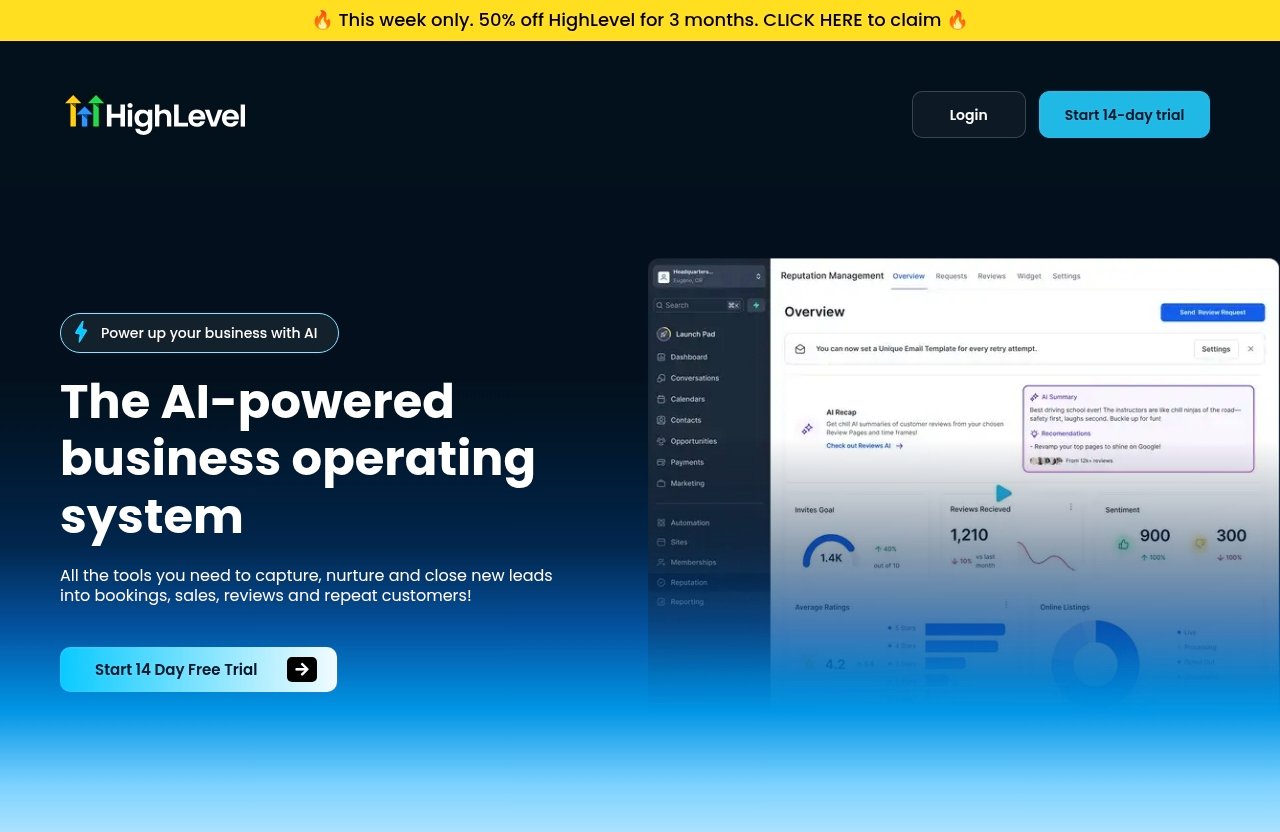
GoHighLevel is described on its official homepage as an AI-powered business operating system. In practical terms, it brings several business-growth tools into one platform, including CRM features, websites and funnels, calendars, workflows, conversations, forms, payment-related tools, and reputation management.
For someone learning how to use GoHighLevel, the important idea is not to memorize every feature. The platform is designed to help businesses capture leads, nurture prospects, turn conversations into bookings or sales, and encourage repeat business.
Best Use Cases for Agencies, Marketers, and Service Businesses
GoHighLevel can make sense for agencies, marketers, consultants, and service businesses that need to manage leads and follow-up in an organized place. It is especially useful when a business receives inquiries from multiple channels and needs a clearer process for responding.
For example, a local service provider could use a landing page to collect inquiries, send a text follow-up, offer a calendar booking link, and move the lead through a sales pipeline. An agency could create similar systems for its clients while keeping each client’s information organized.
This is why many people search for how to use GoHighLevel for beginners: the platform can cover several connected tasks that are often handled separately.
What You Can Accomplish in One Platform
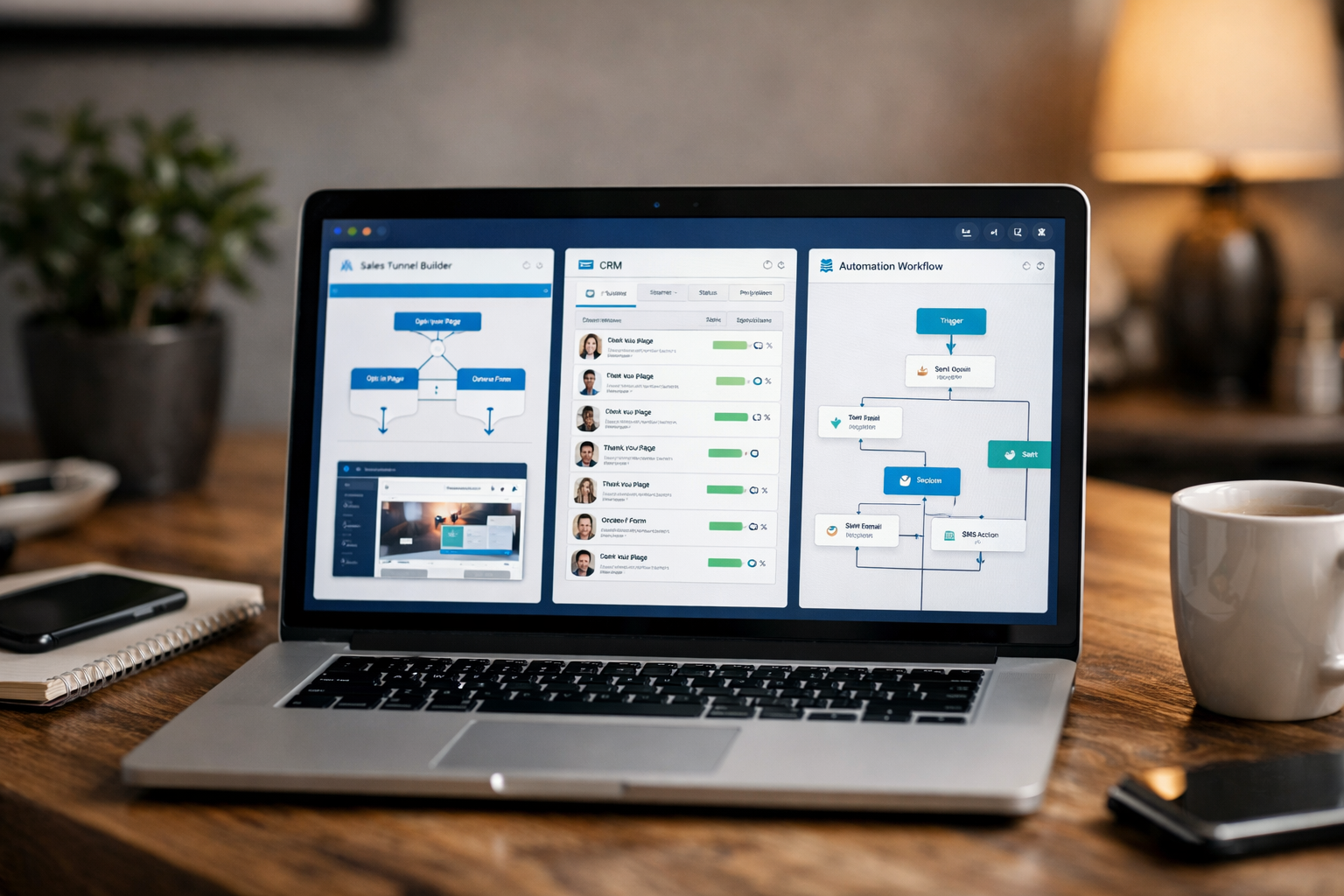
The official feature list includes CRM, sales pipelines, websites, funnels, landing pages, forms, surveys, calendars, appointment reminders, workflows, and automations. It also includes communication-related tools such as inbound SMS, social DMs, call tracking, conversation management, and live chat.
Rather than treating these as separate projects, think of them as one customer journey:
| Business Need | Possible GoHighLevel Tool Category |
|---|---|
| Collect a new inquiry | Form, survey, website, funnel, or landing page |
| Keep contact details organized | CRM, tags, custom fields, and pipelines |
| Respond to leads | SMS, email, social DMs, live chat, or conversation tools |
| Book a sales call | Calendars and appointment reminders |
| Avoid missed follow-up | Workflows and automations |
| Monitor progress | Sales pipelines and conversation history |
When you understand how to use GoHighLevel as a connected system, it becomes easier to decide what to build first.
Before You Start: What You Need to Set Up First
Create Your Account and Log In
Before doing anything else, create your account and complete the GoHighLevel login process. Your first session may feel busy because the platform contains many sections, but you do not need to configure all of them immediately.
A beginner-friendly way to learn how to use GoHighLevel is to choose one outcome before exploring the menus. For instance, decide whether your first objective is collecting leads, booking consultations, or improving follow-up after someone contacts you.
Choose Your Business Goal
Your setup should match a single, measurable business goal. A good starter goal might be: “Get inquiries from a landing page and invite qualified leads to book an appointment.”
Avoid vague objectives such as “set up marketing.” A clear goal tells you which tools matter now and which ones can wait until later.
Gather Your Basics: Domain, Email, Phone, Calendar, Lead Source
Gather the information you will need before you begin. This reduces interruptions while you are setting up pages, contacts, and follow-up.
Use this checklist:
- Your business name and basic brand details
- A business email address
- A phone number for customer communication
- Your calendar availability
- A domain, if you plan to use one
- Your main lead source, such as referrals, ads, social media, or website traffic
- Your offer and the next step you want leads to take
This preparation is a major part of how to use GoHighLevel effectively. The technology can organize a process, but it cannot decide your offer or your ideal customer for you.
Step 1: Set Up Your Account and Workspace
Complete Initial Onboarding: How to Use GoHighLevel Without Overcomplicating It
Start by completing the onboarding prompts shown in your account. Keep your answers focused on your current business, not every service you may offer in the future.
When learning how to use GoHighLevel, it is helpful to treat the first setup as a working draft. You can improve branding, workflows, and pages later after you have tested your basic lead flow.
Switch to the Right Location/Account
If your account includes more than one business location or workspace, confirm you are working in the correct one before adding contacts or building pages. This matters because contacts, conversations, calendars, and pipelines should stay associated with the right business context.
For agencies, this is particularly important when managing more than one client environment. Take a moment to label and organize each workspace clearly before you begin adding data.
Set Your Business Profile and Brand Basics
Add the basic information you want customers to see: business name, contact information, brand colors, and logo where applicable. Keep your branding consistent across forms, pages, appointment confirmations, and messages.
You do not need a polished design system to begin. A clean page with accurate contact information and a clear offer is more useful than a visually complex setup that confuses visitors.
Step 2: Connect Your Phone System and Email
Add a Phone Number
Communication channels are central to how to use GoHighLevel because leads often expect a fast response. The platform’s official feature list includes inbound SMS, call tracking, missed call text-back, ringless voicemail, and automated outbound call connect.
Choose the communication tools that match your business process. If most prospects call first, prioritize phone-related setup and missed-call follow-up. If your leads usually fill out forms, start with email and text notifications.
Connect Email Sending
Email is useful for confirmations, reminders, longer follow-up messages, and nurture sequences. Use a business-appropriate sending address and make sure your message content clearly identifies your company.
Do not assume that connecting an address means every email will automatically reach the inbox. Deliverability can be affected by sending configuration, list quality, content, and recipient behavior. Follow the current official setup guidance available through GoHighLevel support resources and verify each step there.
Verify Deliverability and Test Both Channels
A key lesson in how to use GoHighLevel for beginners is to test before sending traffic to your system. Submit your own form, then check whether the expected email, text message, notification, and conversation record appear.
Test with a real email address and a real phone number you can access. Check timing, wording, links, and sender details. If something is missing, fix it before building more automation around it.
Step 3: Add Contacts and Organize Your CRM
Import Contacts Manually or in Bulk
Your CRM is where lead and customer information lives. Start small by adding a few test contacts manually so you understand what records look like and how your team will use them.
If your available account setup includes a bulk-import process, use it carefully and review the data first. Clean contact information is more valuable than a large list filled with duplicates, outdated details, or missing permission records.
Create Tags, Fields, and Pipelines: How to Use GoHighLevel for Clearer Lead Management
CRM organization is one of the most practical parts of how to use GoHighLevel. Tags can help identify lead source or interest, while fields can hold details that matter to your sales process.
For example, a home-service business might use tags such as “Website Lead,” “Referral,” “Requested Quote,” or “Booked.” A consultant might track service interest, budget range, preferred meeting time, or current business challenge.
Sales pipelines are also listed among GoHighLevel’s official features. A simple pipeline gives you a visual way to see where each opportunity stands.
| Example Pipeline Stage | What It Means |
|---|---|
| New Lead | A person has just submitted an inquiry |
| Contacted | Your first message or call has been sent |
| Conversation Started | The lead has replied or engaged |
| Appointment Booked | A meeting is scheduled |
| Proposal Sent | The next commercial step is underway |
| Won or Lost | The opportunity has reached an outcome |
Segment Leads by Source or Intent
Segmentation helps you avoid sending the same message to everyone. A referral lead may need a different follow-up than someone who downloaded a guide or requested an urgent quote.
As you learn how to use GoHighLevel, keep segmentation simple at first. Track only the details that change what you say, what you offer, or what action the lead should take next.
Step 4: Build a Funnel, Website, or Landing Page
Choose a Template or Start From Scratch
GoHighLevel’s official homepage lists websites, funnels, and landing pages among its features. These assets give visitors a place to understand your offer and take the next step.
A template can help beginners move faster, while starting from scratch gives you more control. Either way, begin with one page focused on one offer instead of trying to build an entire website immediately.
Add a Lead Capture Form
A lead capture form is the bridge between visitor interest and your CRM. Ask only for information you genuinely need at this stage, such as name, email, phone number, and a short description of the person’s needs.
This is an essential part of how to use GoHighLevel because a form should not simply collect information. It should trigger a clear next step, such as a confirmation message, a calendar invitation, or an internal notification.
Connect Thank-You Pages and Next-Step CTAs
After submitting a form, a visitor should know what happens next. A thank-you page can confirm receipt, explain expected response timing, and invite the prospect to book an appointment if that is appropriate.
Keep your next-step call to action specific. “Book a consultation” is clearer than “Learn more,” especially when the goal of the page is to start a sales conversation.
Official website · Latest pricing & offers
Step 5: Create Automations and Follow-Up Workflows
Set Triggers and Actions: How to Use GoHighLevel Workflows Safely
Workflows and automations are official GoHighLevel feature groups, but they should come after your basic lead process works manually. In simple terms, a trigger is the event that starts a workflow, and an action is what happens next.
For example, a form submission could trigger an internal notification, a confirmation email, a text follow-up, and a task to call the lead. This is a practical way to use GoHighLevel without asking your team to remember every follow-up step.
Use Appointment Reminders and Text Follow-Ups
Calendars and appointment reminders are included in the platform’s official features. Reminders can help ensure both the business and the prospect know an appointment is approaching.
Use text follow-up thoughtfully. Messages should be relevant, expected, and tied to the action the lead took. Avoid building a long sequence before you have confirmed that the first message is clear and useful.
Build a Simple Lead Nurture Sequence
For a beginner, one short workflow is enough. Here is a simple example:
- A visitor submits a lead form.
- The system sends a confirmation message.
- The contact is added to the “New Lead” pipeline stage.
- Your team receives a notification to review the inquiry.
- If appropriate, the contact receives an invitation to book a calendar slot.
- Appointment reminders are sent once a booking is made.
This approach shows how to use GoHighLevel to prevent leads from being forgotten. It does not replace good sales conversations, a strong offer, or prompt human attention when a prospect replies.
Step 6: Book Appointments and Manage Sales Conversations
Connect Calendars
Calendars can help prospects choose an available time without unnecessary back-and-forth. Before sharing a booking link, define your availability, meeting type, and the information you need before the appointment.
A useful gohighlevel tutorial for beginners 2026 should emphasize simplicity here. Start with one appointment type, such as a 20-minute consultation or discovery call, then add more options only when there is a business reason.
Use the Consolidated Inbox
GoHighLevel’s official homepage describes a consolidated conversation stream for SMS, Messenger, Instagram DM, WhatsApp, and live chat. Keeping conversations together can make it easier to see the context behind a lead’s question.
When considering how to use GoHighLevel for sales follow-up, establish a simple response process. Decide who replies, how quickly they should reply, and when a conversation should be moved into an appointment or proposal stage.
Track Pipeline Stages and Opportunities: How to Use GoHighLevel for Follow-Up
A pipeline should reflect actions, not vague labels. Every stage should answer one question: what has happened, and what should happen next?
Review your pipeline daily or at a schedule that fits your lead volume. If contacts remain in “New Lead” for too long, your issue may be response speed. If many leads reach “Appointment Booked” but do not buy, review your offer, qualification process, and sales conversation.
Step 7: Review, Test, and Improve Your System
Run a Test Lead Through the Full Process
Before promoting your new page or campaign, become your own test lead. Submit a form, receive the messages, make a booking, and check where the contact appears in your pipeline.
This is one of the most overlooked parts of how to use GoHighLevel. A system may look correct on screen but still contain a broken link, unclear message, missing notification, or improperly timed reminder.
Check Messages, Reminders, and Notifications
Review every customer-facing message for accuracy, tone, and clarity. Confirm that appointment reminders use the correct details and that internal notifications go to the right person.
Also test from a mobile device. Many prospects will open emails, messages, and booking links on their phones, so the experience should be easy to understand on a smaller screen.
Optimize Based on Conversion Bottlenecks
Once your system receives real leads, look for the point where people stop moving forward. If page visitors do not submit the form, simplify the page or clarify the offer. If they submit but do not book, improve the follow-up and the booking invitation.
Learning how to use GoHighLevel is an ongoing improvement process, not a one-time technical task. Make one adjustment at a time so you can understand what changed and why.
Common Beginner Mistakes to Avoid
Trying to Set Up Everything at Once
The platform includes many tools, from forms and funnels to review requests, invoices, memberships, and social planning. Trying to activate everything immediately can create confusion and make it difficult to tell what is actually working.
Instead, build one complete customer journey before expanding. That is the most reliable path for anyone learning how to use GoHighLevel from scratch.
Not Testing Email or SMS Deliverability
Never assume messages are arriving as intended. Test confirmations, reminders, notifications, and replies before you send meaningful traffic to your page.
Use official support documentation to verify current connection and configuration steps. Product settings and supported setup processes can change, so readers should check official resources when implementing communication tools.
Skipping CRM Structure and Pipeline Stages
A CRM without clear tags, fields, or pipeline stages quickly becomes a list of names with no next action. Decide what information you need to qualify and follow up with leads before importing a large database.
Keep it simple. You can always add more structure after your real sales process reveals what information matters.
Using Automation Before the Offer Is Clear
Automation can deliver a message consistently, but it cannot make a confusing offer persuasive. Write your offer, define your ideal next step, and test your manual follow-up before building elaborate workflows.
If you are looking for gohighlevel training, prioritize resources that teach business process and customer journey thinking—not just menu navigation. A go high level tutorial YouTube video can be useful for seeing an interface, but confirm important setup steps with official documentation.
GoHighLevel Pricing and Free Trial: What Beginners Should Know
Overview of Official Pricing Entry Point
According to the official pricing page information provided, GoHighLevel offers a 14-day free trial. This gives beginners an opportunity to explore the platform and test a simple workflow before making a longer-term decision.
Do not rely on outdated articles, screenshots, or claims about plan names and monthly amounts. Check GoHighLevel’s official pricing page directly for the latest pricing details, availability, and terms.
How to Evaluate Whether the Platform Is Worth the Cost
The best evaluation is not whether you explored every tool during the trial. It is whether you can create one useful system that supports your business goal.
For example, determine whether you can build a lead page, capture a contact in the CRM, send a relevant follow-up, and book an appointment. If those actions fit your workflow, you will have a more meaningful basis for evaluating the platform.
When to Start With a Trial
Start a trial when you have time to test, not when you are too busy to log in. Set aside focused time to configure your basics, run test leads, and review the customer journey.
If you are ready to explore the 14-day trial, you can review GoHighLevel through this recommended signup link. Begin with one lead source and one workflow so the trial produces useful information rather than a long unfinished checklist.
Final Verdict: The Fastest Way to Get Value From GoHighLevel
Best First Use Case for Most Beginners
The fastest path to value is usually a simple lead-to-appointment system. Create one landing page or form, send each inquiry into your CRM, reply through your chosen communication channel, and offer a calendar booking option.
This focused approach teaches you how to use GoHighLevel in a way that connects directly to a real business outcome. It also creates a foundation for future workflows, sales pipelines, reviews, payments, or other official platform features.
Who Should Keep Exploring
GoHighLevel is worth exploring for businesses and agencies that want a more connected way to capture, nurture, and manage leads. It may feel overwhelming for someone who expects instant results without configuring the basics, but beginners can make steady progress by working step by step.
You do not need to become an expert in every feature. A practical go high level free course with certificate may help some learners build confidence, while hands-on testing inside your own account will show you what your business actually needs.
Affiliate Call to Action: How to Use GoHighLevel With a Clear First Goal
If you decide to start, choose one outcome before you log in: more inquiries, better follow-up, or easier appointment booking. Then build only the pieces needed to support that outcome.
The most effective way to use GoHighLevel is to keep the first version simple, test it thoroughly, and improve it based on real customer behavior.
Official website · Latest pricing & offers
FAQ
Is GoHighLevel Easy to Learn?
GoHighLevel can be manageable for beginners when you start with one goal, such as booking leads or automating a basic follow-up. It can feel difficult when you try to configure every available feature at the same time.
A step-by-step process is more useful than jumping between random tutorials. Start with your CRM, one lead capture method, one communication channel, and one calendar process.
What Do People Use GoHighLevel For?
People use GoHighLevel for CRM management, lead capture, funnels and landing pages, appointment booking, pipeline tracking, customer conversations, and follow-up automation. Official feature groups also include tools for websites, forms, reviews, payments, memberships, and social-related communication.
The right use case depends on your business goal. A service business may prioritize booking and reminders, while a marketing agency may prioritize lead management and workflows.
What Are the Disadvantages of GoHighLevel?
The main disadvantages for beginners are the learning curve and setup complexity. Because the platform includes many connected tools, it can be easy to build an unfinished or confusing system if you do not define your process first.
It also requires careful testing. Messages, calendars, forms, workflows, and pipeline stages need to be configured correctly before the experience feels smooth for your team and customers.
Can I Use GoHighLevel as a Beginner With No Technical Background?
Yes, you can learn how to use GoHighLevel with no technical background if you focus on the essentials first. Begin with account basics, contacts, one form or page, one follow-up workflow, and one appointment option.
Use the official support resources to verify current setup instructions for communication channels and other technical connections. There is no need to master every menu before creating a useful first system.
How Long Does It Take to Set Up GoHighLevel?
A basic setup can be completed in a few focused hours if you already have your business information, offer, email, phone details, calendar, and lead source ready. A more polished system involving multiple workflows, pages, messages, and testing will take longer.
The goal should not be speed alone. Take enough time to test each step so your first leads receive a clear, reliable experience.
Related Reading
- GoHighLevel landing pages vs WordPress
- Systeme.io affiliate program review
- Email marketing tools like Systeme.io