Lalal.AI Karaoke Tracks: A Practical Way to Make Instrumentals Fast
Creating a usable instrumental no longer has to mean searching for a rare official backing version or learning a full audio editor. lalal.ai karaoke tracks are made by separating vocals from an existing audio or video source, giving singers, party hosts, and creators a faster route to a custom backing track.
LALAL.AI is an AI Vocal Remover & Instrumental Isolator that can remove vocals and instrumentals from music tracks, audio clips, and videos. It is a practical option when you need a karaoke-style version for a rehearsal, private event, social video, or practice session. As with any AI audio separation tool, results depend on the source song, so it is important to listen to the finished file before using it in public.
Official website · Latest pricing & offers
What LALAL.AI Does for Karaoke Tracks
Karaoke Track Creation in One Workflow
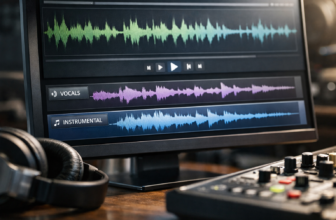
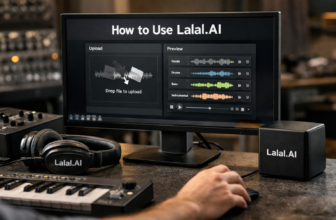
At its simplest, lalal.ai karaoke tracks turn a full song into an instrumental-focused version. You upload an audio or video file, choose a separation option, and export the result you want to sing over.
For many users, the core appeal is convenience. Instead of manually trying to remove vocals with equalization, phase inversion, or multitrack editing, an AI karaoke maker analyzes the source and separates elements automatically.
The result is not necessarily a studio-issued instrumental. It is an AI-separated backing track made from the original mix. That distinction matters: some tracks will separate very cleanly, while dense arrangements, heavy vocal effects, or vocal sounds blended with instruments may leave audible artifacts.
Who This Is Best For: Singers, DJs, Event Hosts, and Content Creators
lalal.ai karaoke tracks are particularly useful for casual singers who want to practice a specific song without waiting for a pre-made karaoke version. They can also fit DJs and event hosts planning private parties where a quick custom instrumental is more useful than an extensive professional karaoke catalog.
Content creators may use a vocal remover to produce a background-focused version for an original performance concept, rehearsal clip, or music discussion. Musicians working on cover ideas can also use an instrumental isolator to study arrangement details and practice timing.
The best fit is someone who values speed and flexibility. If you need a fully mixed, licensed, commercially distributed karaoke production with synchronized lyrics and guaranteed arrangement accuracy, a dedicated karaoke catalog or professional production workflow may be more appropriate.
Why AI Separation Matters Versus Manual Editing
Traditional vocal removal methods often rely on the way vocals are positioned in a stereo mix. They can reduce centered vocals, but may also damage drums, bass, and other center-panned instruments. They are also less effective with modern productions that use stereo vocal effects, layered harmonies, and complex processing.
With lalal.ai karaoke tracks, the software is designed to identify and separate audio components using AI. That makes the workflow far more accessible for beginners who simply want to remove vocals from a song without understanding detailed editing techniques.
It does not eliminate the need for quality control. However, it can dramatically reduce the time between “I want to sing this song” and “I have a backing version ready to test.”
How to Create Karaoke Tracks with LALAL.AI
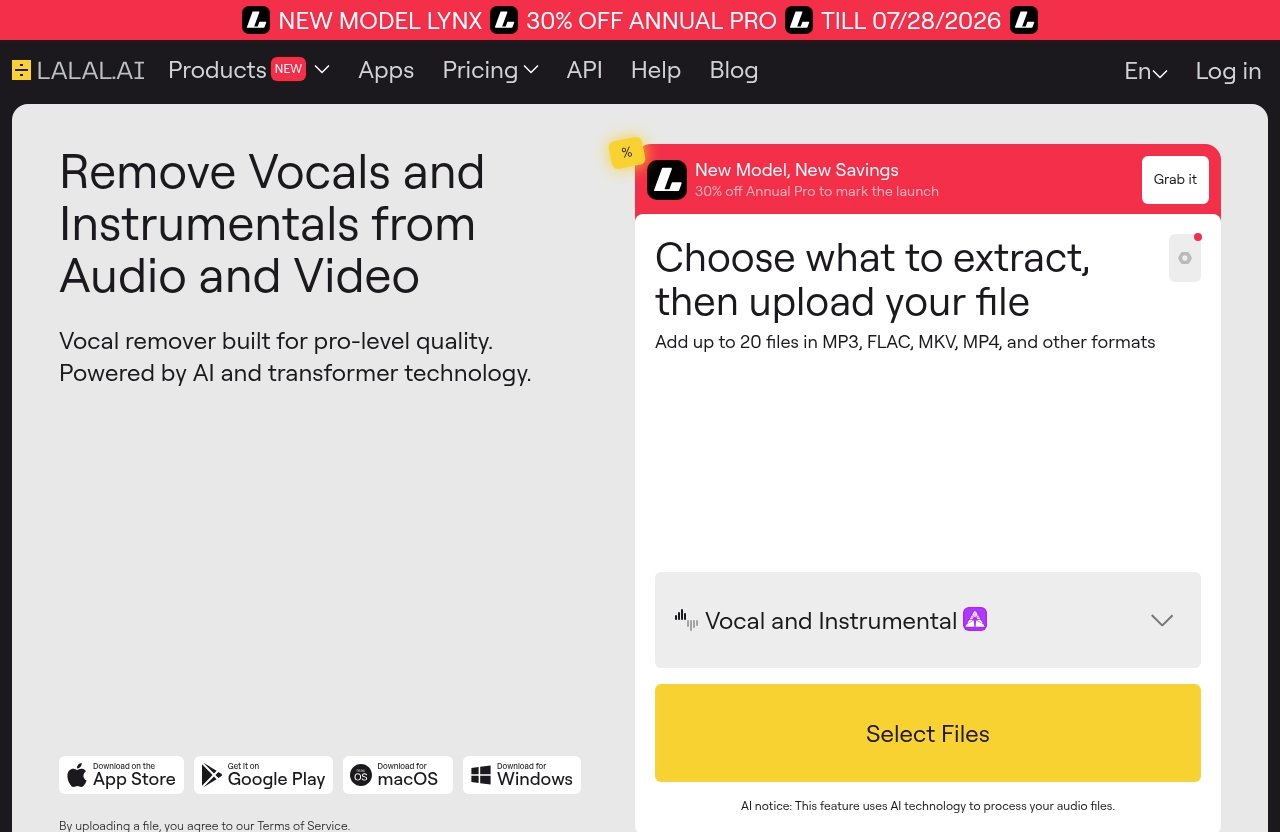
Upload a Song or Video File
Start with the best source file you can access. A clean, high-quality music file generally gives an AI separation process more information to work with than a heavily compressed recording.
LALAL.AI officially supports music tracks, audio clips, and videos. That means you can create lalal.ai karaoke tracks from an audio source or make karaoke songs from video when the music is embedded in a video file.
Before processing, make sure you have the right to use the material for your intended purpose. Creating a personal practice track is different from publicly distributing, monetizing, or performing copyrighted material. AI separation does not grant music rights.
Choose Vocal Removal or Stem Separation
For a straightforward sing-along version, begin with the Vocal Remover. This is the most direct route when your goal is an instrumental-focused track with the lead vocal reduced or removed.
If you want more control over the arrangement, use the Stem Splitter. A stem splitter can be more useful when you want to isolate or manage parts beyond a simple vocal-versus-instrumental split. For example, a performer may want to evaluate how a song sounds with fewer vocal layers or identify specific musical components for rehearsal.
This choice is important for lalal.ai karaoke tracks because the simplest workflow is not always the most flexible one. Start simple for a party track, then consider deeper separation if the song needs more arrangement control.
Preview, Export, and Test the Backing Track
After processing, listen carefully to the instrumental output. Check the sections where lead vocals are strongest, including choruses, sustained notes, harmonies, and vocal ad-libs. These are common areas where any AI-based separation can reveal limitations.
Export the version that best fits your use case, then test it in the environment where you will use it. Headphones are useful for finding subtle artifacts, but speakers are more important when preparing for a living-room party, rehearsal room, or event venue.
For lalal.ai karaoke tracks, a quick real-world test is one of the most valuable steps. Play the file at normal volume, sing with it once from beginning to end, and confirm that the intro, key changes, endings, and volume all work for your performance.
Best LALAL.AI Features for Karaoke Use
Vocal Remover for Instrumental-Only Tracks
The LALAL.AI Vocal Remover is the most relevant feature for users seeking a fast backing track maker. It is designed to separate vocals and instrumentals, helping you create a version that leaves more room for your own singing.
For most first-time users, this is where to start. Upload the song, use the vocal-removal workflow, and assess whether the instrumental output is clean enough for your intended setting.
A simple vocal splitter approach is often sufficient for lalal.ai karaoke tracks used at home, in a rehearsal, or at a casual party. You do not need to overcomplicate the process unless you have a specific arrangement goal.
Stem Splitter for More Control Over Instruments
The Stem Splitter is useful when basic vocal removal does not provide enough control. It is designed for more detailed separation, which can help users explore a track beyond the standard instrumental-only result.
This can be valuable for musicians and creators who want to understand an arrangement or produce a more customized practice version. For example, you may want to focus on rhythm, remove or review vocal layers, or determine which elements are most useful for your rehearsal.
A stem splitter is not automatically necessary for every karaoke maker workflow. It is the better choice when you want options beyond a quick vocal-removal result.
Lead/Back Splitter for Vocal-Layer Experimentation
LALAL.AI also offers Lead/Back Splitter functionality. This feature is relevant when a song contains layered lead vocals, background harmonies, or supporting vocal parts that affect how cleanly an instrumental-style track feels.
For lalal.ai karaoke tracks, experimenting with lead and backing vocal separation can be useful when you want to keep or study certain vocal layers. A singer preparing a cover may prefer one configuration over another depending on whether they plan to sing every part themselves.
Results will vary by mix. Tracks with dense harmonies or effects may require more careful listening than a simple song with a clear lead vocal.
Apps and Integrations for Desktop, Mobile, and Studio Workflows
LALAL.AI provides desktop apps for Windows, macOS, and Linux. It also has iOS apps for iPhone and iPad, plus Android apps for phones and tablets.
That platform coverage is helpful for people who do not work exclusively at a computer. You can prepare a quick backing track from a mobile device or use a desktop setup when you want to organize files and test results more carefully.
For advanced users, LALAL.AI also offers a VST Plugin that runs locally inside a DAW and an API for developers. Those options are more relevant to music-production and software workflows than a typical home karaoke session, but they show that the platform can fit beyond one-off use.
LALAL.AI Pricing and Plans: What to Know Before You Buy
Verified Plan Structure and How to Check Current Pricing
LALAL.AI has an official pricing area under Plans & Extras, along with an Enterprise Solution section. Because plan details and prices can change, check the official Pricing page before purchasing rather than relying on an older review, screenshot, or third-party claim.
For buyers considering lalal.ai karaoke tracks, the key question is not only the current price. It is whether the available option fits the number of songs and the kind of separation work you expect to do.
Avoid buying based on assumptions about usage limits, credits, exports, or trial availability. Confirm the live plan details directly on the official site before making a decision.
What’s Included in Plans & Extras
The official site presents Plans & Extras as part of its pricing structure. It also offers Enterprise Solution information for organizations or users with broader requirements.
When comparing options, review the current plan descriptions carefully and match them to your workflow. A casual user making one or two practice tracks has different needs from a DJ, vocal coach, or creator producing material regularly.
The sensible approach is to review the available choices after you have tested a song that resembles the music you will actually use. That gives you a more realistic basis for deciding whether LALAL.AI fits your quality expectations.
When the Pricing Makes Sense for Occasional Versus Frequent Use
For occasional users, value is usually about avoiding time-consuming editing and getting a usable instrumental quickly. If you only need a few tracks for a birthday party or personal rehearsal, prioritize a simple process and verify current purchase terms before committing.
Frequent users may get more value from lalal.ai karaoke tracks because they can apply the same workflow to multiple songs, video clips, and practice needs. A regular creator or performer should still compare the platform’s current plan information against actual usage patterns.
If you want a fast way to evaluate the tool for your own source material, you can try LALAL.AI through this review partner link. Check the official plan page before buying, and judge the output by the songs you genuinely plan to use.
Official website · Latest pricing & offers
Use Cases: Karaoke Tracks for Parties, Rehearsals, and Content
Birthday Parties and Private Events
For private events, the biggest benefit of lalal.ai karaoke tracks is turnaround time. You may have a guest request or themed playlist that is not represented in a standard karaoke library, and an AI-based approach can help you make an instrumental-style version to test.
Prepare tracks well before the event. Do not process files minutes before guests arrive, especially if you have not listened to the entire song. Build a small playlist, test transitions, and keep an alternate song ready in case one separation has noticeable artifacts.
This approach is best for informal events where flexibility matters. For professional paid events, you should also consider music licensing, reliability, and backup playback arrangements.
Singing Practice and Cover Performances
Singers often need a backing track that matches the exact version they are studying. A LALAL.AI vocal remover can help reduce vocals so you can focus on phrasing, breath control, key changes, and entry points.
For a cover-performance rehearsal, make a first version, then listen for sections where background vocals or vocal reverb remain audible. That does not always make a track unusable, but it may influence how you arrange your own vocal part.
lalal.ai karaoke tracks can be especially practical for trying ideas before investing in a custom-produced instrumental. Treat the output as a rehearsal tool first, then decide whether your final project needs a more specialized production.
Social Media and Music-Content Workflows
Content creators may use separated instrumentals as part of planning, analysis, rehearsal, or original performance concepts. The speed of an AI karaoke maker can help creators test several ideas without building every backing track manually.
However, you must still handle copyright and platform rules responsibly. Removing vocals from a commercially released song does not make the underlying composition or recording free to post, distribute, or monetize.
For content where music rights are a concern, use properly licensed material, original music, or obtain the permissions required for your intended use.
LALAL.AI Versus Other Karaoke-Making Methods
AI Separation vs. Manual Audio Editing
Manual audio editing gives experienced users detailed control, but it takes time and depends on the source mix. Traditional techniques can struggle when vocals and instruments occupy similar frequency ranges or are mixed tightly together.
lalal.ai karaoke tracks offer a simpler alternative: upload, separate, listen, and export. That is a major advantage for beginners who want an instrumental without learning a DAW or audio-restoration process.
Manual editing may still be worthwhile for producers who need to make precise adjustments after separation. In many cases, AI separation and manual editing can complement each other rather than compete.
Why Phone-Friendly and Browser-Based Workflows Matter
Karaoke needs often arise away from a studio. You may be at a rehearsal, preparing a family event, or responding to a song request from a phone. LALAL.AI’s iOS and Android apps make mobile access relevant for these situations.
Desktop apps remain useful when you have several files to manage or want to test output across speakers and headphones. The practical advantage is choosing the device that fits your workflow rather than being tied to one setup.
For casual users, convenience often matters as much as advanced controls. A fast upload-and-export process is more likely to be used than a complex tool that requires extensive setup.
When to Use a Dedicated Stem Splitter Instead of a Simple Vocal Remover
Choose a simple vocal remover when your goal is clear: reduce the original singer and create an instrumental-style backing track. It is usually the most direct route for home singing, casual parties, and basic practice.
Choose the Stem Splitter when you want more detailed separation and creative control. This can be useful for musicians, teachers, or creators studying arrangements and adjusting how a track supports their voice.
The right choice for lalal.ai karaoke tracks depends on the outcome you need. Start with Vocal Remover for speed; move to Stem Splitter if you need a more flexible arrangement workflow.
Pros, Cons, and Buying Advice
Main Strengths for Karaoke Buyers
LALAL.AI’s main strength is straightforward access to AI-based vocal and instrumental separation. It can work with music tracks, audio clips, and video files, making it flexible for people who do not already have a clean audio-only source.
Its availability on desktop, iOS, and Android also supports a range of workflows. Beginners can make a quick practice track, while more experienced users can explore Stem Splitter, Lead/Back Splitter, and the VST Plugin in a more advanced setup.
For buyers who want lalal.ai karaoke tracks without learning manual editing, that combination of accessibility and feature depth is compelling.
Potential Limitations to Consider
No AI vocal remover can promise identical results on every song. The quality of separation depends on factors such as source quality, the original mix, vocal effects, instrument overlap, and layered harmonies.
You may hear traces of vocals, reverb, or changes to instrumental detail in difficult sections. This is why testing the full export is essential, particularly before a performance or event.
LALAL.AI also does not replace the need to consider copyright, performance rights, or music licensing. The tool handles separation; it does not provide permission to use copyrighted material in every context.
Who Should Upgrade Versus Stay Casual
LALAL.AI is best for singers, event hosts, DJs, teachers, and creators who need fast instrumental versions from their own audio or video sources. It is particularly attractive if you have specific songs in mind that are unavailable as ready-made karaoke tracks.
Stay casual or choose a different workflow if you only need a huge catalog of officially produced karaoke versions, on-screen lyrics, or guaranteed studio-quality arrangements for every title. Those requirements point more toward a dedicated karaoke service or professional backing-track producer.
My buying verdict: lalal.ai karaoke tracks are a sensible option for people who value speed, device flexibility, and a beginner-friendly route to custom instrumental practice files. Buy only after checking the current official pricing and testing output on the kinds of songs you actually perform.
How to Get the Best Karaoke Output from LALAL.AI
Start With High-Quality Source Files
The source file has a major impact on your result. Use the cleanest, highest-quality version you have access to rather than a low-bitrate recording, a noisy live capture, or audio repeatedly re-exported through multiple apps.
A clear source gives the AI more detail to analyze. This can improve the usefulness of lalal.ai karaoke tracks, particularly in quiet verses and complex choruses where vocal and instrumental details overlap.
Choose the Right Separation Mode
Use Vocal Remover when you simply want an instrumental-focused song for singing. It is the fastest choice for a basic karaoke track creator workflow.
Use Stem Splitter when your goal involves more detailed arrangement control. If the first result leaves elements you want to investigate or modify, a more granular separation approach may help you plan a better rehearsal version.
Lead/Back Splitter may also be worth exploring when harmony layers are central to the song. Choose based on what you hear, not just on the feature name.
Check Artifacts and Test on Speakers Before Event Use
Listen through the entire export, not just the opening seconds. Pay special attention to choruses, bridge sections, fade-outs, and moments where the original singer sustains a note.
Then test your backing track on the same type of speaker you expect to use. A track that seems fine in headphones can behave differently on a Bluetooth speaker, PA system, or home soundbar.
Keep a backup file and, if possible, an alternate song. That simple preparation makes lalal.ai karaoke tracks more dependable for parties and rehearsals.
Official website · Latest pricing & offers
FAQ
Should I use LALAL.AI for karaoke tracks?
Yes, if you want a fast AI-based way to remove vocals and generate an instrumental-style backing track from an audio or video source. It is best for users who will test the output and accept that separation quality can vary by song.
Can I make karaoke tracks from video files?
Yes. LALAL.AI officially states that it can remove vocals and instrumentals from music tracks, audio clips, and videos. That makes it useful for creating karaoke songs from video files when you do not have a separate audio version.
Is the output good enough for parties or performances?
It can be suitable for parties, rehearsals, and some performances, depending on the song and source quality. Always listen to the full exported track and test it on your event speakers before relying on it live.
Do I need music editing experience?
No. The basic workflow is designed around uploading a file, choosing a separation option, and exporting the result. Audio-editing experience can help with extra polishing, but it is not required to get started.
What is the difference between Vocal Remover and Stem Splitter for karaoke?
Vocal Remover is the simpler choice when you want an instrumental-focused version for singing. Stem Splitter offers more detailed separation and can be more useful when you want greater control over individual musical elements.
Can I use LALAL.AI on mobile?
Yes. LALAL.AI offers apps for iOS on iPhone and iPad, as well as Android phones and tablets. Desktop apps are also available for Windows, macOS, and Linux.
If you want a practical way to make custom backing tracks without a complicated editing workflow, lalal.ai karaoke tracks are worth considering. Review the current official plan details, test a representative song, and explore LALAL.AI through our affiliate link if its fast separation workflow matches your karaoke needs.
Related Reading
- Lalal.AI for Remixing Songs: A Practical Review for Producers and DJs
- How Much Does Skool Cost in 2026? A Clear Pricing Guide
- Webflow Ecommerce Review 2026: Features, Pricing, Limitations, and Verdict
References
- LALAL.AI: AI Vocal Remover & Instrumental Isolator
- Pricing | LALAL.AI
- How to Create a Karaoke Track
- KARAOKE