Lalal.AI for YouTubers: A Practical Review for Audio Cleanup, Covers, and Intros
For creators, bad audio can make an otherwise strong video feel unfinished. Music bleeding into commentary, noisy talking-head clips, echoey intros, and difficult cover-song edits are common problems. LALAL.AI for YouTubers is designed as an audio separation and cleanup tool that can help creators isolate elements of a track or improve spoken recordings before bringing them into a video editor.
This is not a replacement for thoughtful recording, editing, or rights clearance. However, LALAL.AI can be useful when you need a faster way to separate vocals and instrumentals, reduce unwanted sounds, or prepare audio assets for YouTube videos. In this practical review, I’ll focus on workflows that matter to real creators rather than generic feature lists.
Official website · Latest pricing & offers
What LALAL.AI Is and Why YouTubers Use It
Quick definition for creators
LALAL.AI is an audio processing platform with tools for separating parts of music and cleaning up audio or video recordings. For a creator, the simplest way to think about it is as a utility you use before the final edit: process an audio or video file, download the resulting track or cleaned version, then place it into your preferred editor.
For LALAL.AI for YouTubers, the main appeal is that a single project can involve multiple audio problems. You may need to isolate an instrumental for a cover, remove background music from spoken footage, or improve an intro recorded in a room with audible echo.
The platform is relevant for video creators because its official tools cover both music separation and voice-focused cleanup. That makes it potentially useful for channels that publish tutorials, vlogs, interviews, podcasts, reactions, music content, and talking-head videos.
The most relevant LALAL.AI tools for YouTube workflows
The most useful tools depend on the kind of video you make. A music creator will likely spend more time with Vocal Remover and Stem Splitter, while an educational or commentary creator may get more value from Voice Cleaner and Echo & Reverb Remover.
| Tool | Official purpose | Relevant YouTube use case |
|---|---|---|
| Vocal Remover | Removes vocals and instrumentals from music tracks, audio clips, or videos | Preparing an instrumental reference, separating vocals, or revising music-heavy edits |
| Stem Splitter | Extracts vocals, instrumental, drums, bass, guitar, synth, and string & wind instruments | Building cover-song arrangements or isolating parts for a music edit |
| Voice Cleaner | Removes background music, vocal plosives, mic rumble, and other unwanted noises | Cleaning narration, intros, tutorials, and commentary |
| Echo & Reverb Remover | Removes echo and reverb from vocals, voice recordings, songs, and videos | Improving dialogue captured in reflective rooms |
| Lead/Back Splitter | Separates lead and backing vocals | Exploring vocal layers for cover-oriented projects |
| Voice Changer and Voice Cloner | Changes a voice or builds a personalized AI voice model from recordings | Specialized voice-production workflows |
A creator should choose the most specific tool for the problem instead of running every file through every option. That keeps the workflow easier to evaluate and gives you a clearer idea of whether the processed file serves the edit.
Who this article is best for
This lalal.ai review for creators is most useful for beginner-to-intermediate YouTubers who edit their own footage and routinely encounter audio challenges. It is particularly relevant if you work with local audio or video files and want a practical option before moving into Premiere Pro, Final Cut Pro, CapCut, or DaVinci Resolve.
LALAL.AI for YouTubers may also suit music channels that create vocal covers, acoustic versions, karaoke-style videos, or arrangement breakdowns. It is less essential for creators who already record clean dialogue, never use music in their edits, or have an advanced post-production process that already handles every audio task manually.
Best YouTube Use Cases: Intros, Covers, and Background Audio Cleanup
Cleaning intro voiceovers and music beds
An intro is often where viewers decide whether to keep watching. If your first 20 seconds contain mic rumble, plosives, room echo, or music that competes with your voice, the video can feel harder to follow than it needs to.
For LALAL.AI for YouTubers, a practical intro workflow starts by separating the task into two questions: is the issue unwanted sound around the voice, or is music overpowering the voice? Voice Cleaner is aimed at background music, vocal plosives, mic rumble, and other unwanted noises. Echo & Reverb Remover is the more relevant option when the recording sounds overly reflective or distant.
A realistic workflow might look like this:
- Export only the intro dialogue from your timeline.
- Process a copy with the relevant cleanup tool.
- Compare the original and processed versions in your editor.
- Keep the version that makes the speech easier to understand without creating an unnatural contrast with the rest of the video.
- Rebuild the music bed underneath at a level that supports the narration.
This approach to youtube intro audio cleanup is more controlled than applying a major change to an entire 20-minute vlog. Short tests also help you decide whether additional EQ, volume automation, or manual cutting is still needed.
Preparing cover-song or karaoke-style content
A common reason creators search for a vocal remover for YouTube is to create a practice arrangement, an instrumental reference, or a karaoke-style edit. LALAL.AI’s Vocal Remover can remove vocals and instrumentals from music tracks, audio clips, and video files, while Stem Splitter can extract a broader selection of elements.
For cover content, LALAL.AI for YouTubers can fit into an arrangement-first workflow. You can isolate an instrumental or pull apart musical components, then record your own vocal or instrument parts in a DAW or video-editing project.
The Stem Splitter is especially relevant when you want more than a simple vocal/instrumental division. Its available targets include vocals, instrumental, drums, bass, guitar, synth, and string & wind instruments. That makes it a useful stem splitter for covers when you want to study a song’s structure or rebuild a section around your own performance.
Results should be treated as editable starting points, not finished masters. Dense mixes, layered effects, and recordings with several sounds occupying similar frequencies may still require volume adjustments, cuts, fades, or further work in your editing software.
If you use any song, recording, or audio taken from another source, make sure you have the right to use it. Separating audio does not grant copyright permission, and YouTube creators should follow platform rules and the relevant licensing requirements before publishing cover, karaoke, or repurposed audio content.
Removing distracting background music from talking-head clips
Talking-head videos often have a different problem: music is already embedded underneath dialogue. Perhaps you recorded in a café, reused an old clip with a loud bed, or received interview footage where the speaker is competing with ambient music.
Voice Cleaner is the most relevant feature here because it is designed to remove background music alongside vocal plosives, mic rumble, and other unwanted noises. For LALAL.AI for YouTubers, this can be useful when the goal is to make speech more workable before a final edit.
A sensible process is to make a duplicate of the clip and test the tool on a short section where the music is most distracting. Then compare it against the original inside your video editor. Listen not just for whether the music is reduced, but whether words, pauses, and the overall tone of the speaker remain suitable for your channel.
This is a better way to assess a background noise remover for YouTube than assuming that one processed export will solve every issue. The cleaner the original voice recording, the more options you usually have in post-production.
Restoring voice in vlog or podcast-style videos
Vlogs, remote interviews, and podcast-style videos often involve inconsistent rooms and microphones. One guest may sound close and clear, while another sounds distant because of room reflection. In these cases, Echo & Reverb Remover may be more appropriate than a general cleanup pass.
When you need to remove echo and reverb from voice recordings, process the affected speaker separately when possible. Avoid treating a whole multicam timeline as one file if only one person has a room-sound problem.
For LALAL.AI for YouTubers, this approach can support a more consistent listening experience across a video. It does not eliminate the need for normal post-production tasks such as level matching, removing long pauses, adding captions, or making deliberate editorial cuts.
How the Workflow Works Step by Step
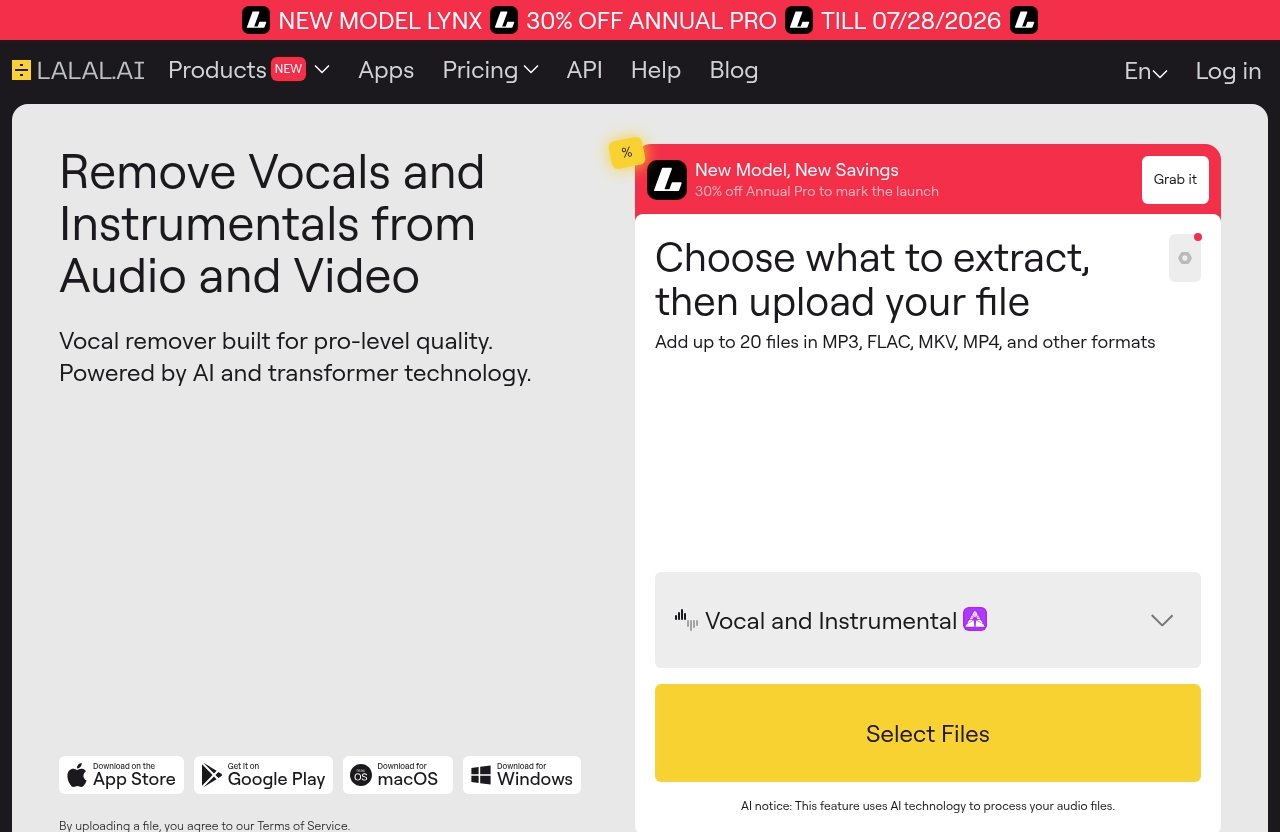
Upload from local audio/video files
The most practical workflow begins with a local copy of the audio or video file you have the right to use. For example, this might be a recorded intro, a talking-head segment, a podcast clip, a cover-song recording, or an exported music section from your editing timeline.
For LALAL.AI for YouTubers, it is usually wise to work from a duplicate rather than your only original. Keep your raw camera file or original audio recording untouched, then create a clearly named working copy for processing.
Before uploading a long project, test a short representative clip. Choose a section that includes the actual issue you need to fix: the loudest music, the strongest echo, the noisiest speech, or the busiest musical section.
Choose the right separation target
Choosing the right tool is the key decision in the workflow. If you want to remove vocals or isolate an instrumental, start with Vocal Remover. If you need individual musical parts such as drums, bass, guitar, synth, or string & wind instruments, use Stem Splitter.
If the problem is speech, choose based on the issue you hear. Voice Cleaner is designed for background music, plosives, mic rumble, and other unwanted noises. Echo & Reverb Remover is designed for echo and reverb in voice recordings, vocals, songs, and videos.
| Your editing problem | Most relevant LALAL.AI tool |
|---|---|
| You need a vocal or instrumental separation | Vocal Remover |
| You want individual musical elements for an arrangement | Stem Splitter |
| Your narration has plosives, rumble, or unwanted background sound | Voice Cleaner |
| Your dialogue sounds too echoey or reverberant | Echo & Reverb Remover |
| You need lead and backing vocal layers separated | Lead/Back Splitter |
This targeted method makes LALAL.AI for YouTubers easier to use efficiently. It also reduces the temptation to process audio unnecessarily when a simple volume adjustment or edit might be enough.
Preview, download, and drop into your editor
After processing, preview the result carefully before building the final edit around it. Listen on the headphones or speakers you normally use for editing, but also check on a phone speaker if your audience commonly watches on mobile.
Once you download the selected output, name the file clearly. Labels such as video-intro_voice-cleaned, cover_instrumental, or interview_guest-echo-reduced prevent confusion when your project contains multiple versions of the same clip.
Then import the output into Premiere Pro, Final Cut Pro, CapCut, or DaVinci Resolve. Place it on a separate track first, line it up with the source, and compare it against the original before deleting anything.
Best export and editing practices for creators
Audio cleanup for YouTubers works best when the processed result is only one stage of the edit. Use your editor to handle tasks such as trimming breaths and mistakes, balancing dialogue against music, adding fades, synchronizing B-roll, and checking overall loudness across the timeline.
For music-focused videos, preserve a copy of each exported stem. An instrumental isolator can be helpful for a specific section, but your final video may benefit from layering parts differently or using only a short excerpt that works for your educational or creative purpose.
Keep your folder structure simple:
01_Raw_Footage02_Original_Audio03_LALAL_Processed04_Edit_Exports05_Final_YouTube_Upload
That organization is especially helpful when testing LALAL.AI for YouTubers across several clips. You can quickly return to the original if a processed version does not fit the final edit.
Official website · Latest pricing & offers
Feature Breakdown for Creators
Vocal Remover for music-heavy edits
Vocal Remover removes vocals and instrumentals from music tracks, audio clips, and video files. For creators, it is the straightforward option when the project begins with a music separation task rather than dialogue cleanup.
A vocal remover for YouTube can be useful for planning a cover, creating a practice reference, or evaluating whether an instrumental section will fit a video concept. Always verify that your intended use is permitted before publishing any content involving copyrighted recordings.
Stem Splitter for advanced separation
Stem Splitter extracts vocals, instrumental, drums, bass, guitar, synth, and string & wind instruments. This gives music creators more creative flexibility than a basic two-part vocal/instrumental split.
For LALAL.AI for YouTubers, the value of this feature is in project preparation. You may want to isolate drums for a rhythm explanation, study a bass part before recording your own version, or create a new arrangement around a selected element.
It can also support a karaoke track maker workflow, although creators should view the resulting material as part of an editing process. Check transitions, listen for sections that need manual refinement, and make sure your final use respects the underlying rights.
Voice Cleaner for mic plosives and background clutter
Voice Cleaner is the most directly relevant option for voice cleaner for video creators. It is designed to remove background music, vocal plosives, mic rumble, and other unwanted noises.
That makes it useful for narrated tutorials, webcam recordings, screen-share videos, intros, and casual vlogs. If your primary issue is a distracting “p” or “b” sound, low mic rumble, or ambient clutter around speech, this is the feature to test first.
Echo & Reverb Remover for room sound issues
Echo & Reverb Remover is designed to remove echo and reverb from vocals, voice recordings, songs, and videos. It can be particularly relevant when a creator recorded in a bare room, kitchen, office, or other space with noticeable reflections.
LALAL.AI for YouTubers is most useful here when you apply it selectively. Process the affected speaker or clip, compare it to the surrounding timeline, and use manual editing to maintain a natural flow between scenes.
Desktop, mobile, plugin, and API options
LALAL.AI officially lists desktop availability for Windows, macOS, and Linux. It also lists iOS support for iPhone and iPad, plus Android support for Android phones and tablets.
For creators who work in music software, the official VST Plugin runs locally inside a DAW. The platform also lists an API built for developers, which may be relevant for teams building custom production workflows or applications.
This flexibility means LALAL.AI for YouTubers can fit a desktop editing setup or a more mobile-first creation process. The best option depends on where you normally organize footage and complete your audio work.
Pricing and Plan Considerations for YouTubers
Which type of creator benefits most from paid plans
The official LALAL.AI website has a Pricing / Plans & Extras page. Because plans, included features, and prices can change, you should confirm the live details directly on the official pricing page before purchasing or before relying on a specific plan comparison.
Creators who process audio frequently are more likely to see value in a paid option than someone who only needs to fix one short clip. A regular music channel, podcast channel, or tutorial channel with recurring audio tasks may have a clearer reason to evaluate plans.
If you want to assess the service first, consider trying LALAL.AI for YouTubers on one real workflow: a noisy intro, a cover-song draft, or a short interview segment. That gives you a more useful decision point than testing random audio.
How to evaluate value based on upload volume
Do not choose a plan based solely on a feature list. First, estimate how often you expect to process audio in a typical month and what type of files you work with most often.
A creator who publishes weekly talking-head content may prioritize Voice Cleaner and Echo & Reverb Remover. A music creator may care more about Vocal Remover, Stem Splitter, and lead/backing vocal separation.
When reviewing the current plans page, consider these questions:
- How many projects do you realistically need to process?
- Are you working mostly with voice, music, or both?
- Would a desktop, mobile, or DAW-based workflow suit you best?
- Do you need occasional cleanup or frequent stem separation?
- Can you test the result on your normal source material before committing?
When enterprise is unnecessary
Most individual YouTubers should avoid paying for more workflow capacity than they actually need. If you create alone, process only a limited number of clips, and do not need a developer integration, a large-scale solution may not be necessary.
This is where LALAL.AI for YouTubers should be judged pragmatically: does it save enough editing time on your real videos to justify the current plan? Confirm the latest plan names, prices, limits, and extras on the live official pricing page before making a purchase decision.
Pros and Limitations for YouTube Content Production
What LALAL.AI does well
The strongest practical advantage is convenience. LALAL.AI brings vocal and instrumental separation, multi-stem extraction, voice cleanup, and echo/reverb removal into one creator-focused toolkit.
For LALAL.AI for YouTubers, that means you can test a specific audio problem without rebuilding an entire project from scratch. It is particularly useful when you need a processed file that can then be refined in your usual video editor or DAW.
Other creator-friendly positives include:
- Tools that address both music and spoken-audio workflows
- Vocal Remover for vocals and instrumentals
- Stem Splitter for a wider range of musical elements
- Voice Cleaner for background music, plosives, rumble, and unwanted noises
- Echo & Reverb Remover for room-sound problems
- Availability across desktop and mobile platforms
- A locally running VST Plugin for DAW users
Where manual editing is still needed
No audio processing workflow removes the need for judgment. Source quality matters: a clear recording with a distinct voice is generally easier to work with than a highly compressed, noisy, or crowded file.
You may still need EQ, careful level balancing, clip gain adjustments, fades, noise reduction in your editor, and manual cuts. If the original clip has severe problems, use realistic expectations and compare the processed file against the unedited version rather than assuming the output will be perfect.
Common mistakes to avoid
One common mistake is processing an entire video when only a few seconds need attention. Another is failing to save the original audio before replacing it in the timeline.
Creators should also avoid treating separated audio as automatically cleared for publication. If you remove vocals from a YouTube video or use a song as a source for a cover or karaoke-style edit, you still need the rights to use that material and must follow YouTube’s platform rules.
Finally, do not judge the result through a single listening method. Check the file in the timeline, through headphones, and on a typical mobile device before exporting the final video.
Verdict: Is LALAL.AI Worth It for YouTubers?
Best for creators who want faster audio cleanup
LALAL.AI for YouTubers is worth considering if your channel regularly deals with practical audio problems: music under dialogue, noisy intros, echoey room recordings, or the need to separate vocals and instruments for music-focused videos.
It is most compelling as a supporting tool in a larger workflow. Process the relevant clip, evaluate the output, then finish the job in your editor with normal timing, volume, and storytelling decisions.
Not ideal for every workflow
Creators who already capture clean dialogue in a controlled recording environment may not need regular cleanup tools. Likewise, if you never make music content and rarely encounter difficult audio, your existing editor may be enough for occasional minor fixes.
It is also not a substitute for copyright clearance, good microphone placement, room treatment, or careful recording habits. The best results start with the best source file you can reasonably capture.
Final recommendation for the affiliate audience
My balanced conclusion is that LALAL.AI for YouTubers is a sensible option for creators who want to make audio separation and cleanup a faster part of their editing routine. Vocal Remover and Stem Splitter are the most relevant features for covers and karaoke-style projects, while Voice Cleaner and Echo & Reverb Remover are more useful for intros, commentary, vlogs, interviews, and podcast-style footage.
Before committing, test it with a real video issue you already need to solve. You can review the current options through LALAL.AI’s available plans, compare the result in your normal editor, and decide based on whether it improves your own workflow rather than marketing promises.
Official website · Latest pricing & offers
FAQ
Can LALAL.AI remove vocals from YouTube videos?
LALAL.AI’s Vocal Remover can remove vocals and instrumentals from music tracks, audio clips, and video files. In a YouTube workflow, creators can process a local audio or video file, download the separated result, and then use that stem in their video-editing project.
However, separating vocals does not give you permission to reuse the original material. Make sure you have the necessary rights and follow YouTube’s copyright and platform rules before publishing.
Is LALAL.AI good for making cover songs or karaoke tracks?
It can be useful for cover-song and karaoke-style workflows because Vocal Remover separates vocals and instrumentals, while Stem Splitter can extract elements including drums, bass, guitar, synth, and string & wind instruments.
The final usefulness depends on the source material and your production goals. You may still need to edit the output, record your own parts, balance levels, and make sure you have the rights required for publication.
Can LALAL.AI help clean background noise in voiceovers?
Voice Cleaner is the most relevant tool for this task because it is designed to remove background music, vocal plosives, mic rumble, and other unwanted noises. It can be useful for intros, tutorials, commentary, interviews, and vlogs.
For room reflections, Echo & Reverb Remover is the more targeted option. Test a short representative clip first and compare the processed version with the original in your video editor.
Does LALAL.AI work on mobile or desktop?
Yes. LALAL.AI officially lists desktop support for Windows, macOS, and Linux. It also lists iOS availability for iPhone and iPad, along with Android availability for Android phones and tablets.
The platform also lists a VST Plugin that runs locally inside a DAW and an API for developers.
Is LALAL.AI better for beginners or advanced editors?
It can work for both. Beginners can use the focused tools for straightforward tasks such as separating vocals or cleaning a voiceover, then bring the result into a familiar editor.
More advanced creators may benefit from Stem Splitter, lead and backing vocal separation, the VST Plugin for DAW workflows, and the API for development-oriented use cases. The best fit depends less on skill level than on whether your videos regularly need audio separation or cleanup.
Related Reading
- Lalal.AI Karaoke Tracks: A Practical Way to Make Instrumentals Fast
- Lalal.AI for Remixing Songs: A Practical Review for Producers and DJs
- How to Use Syllaby for Faceless Videos: A Fast Publishing Guide
References
- LALAL.AI: AI Vocal Remover & Instrumental Isolator
- Pricing | LALAL.AI
- How to Remove Vocals from a YouTube Video in Just 2 Steps
- VIDEO