How to Isolate Drums From Song with Lalal.AI
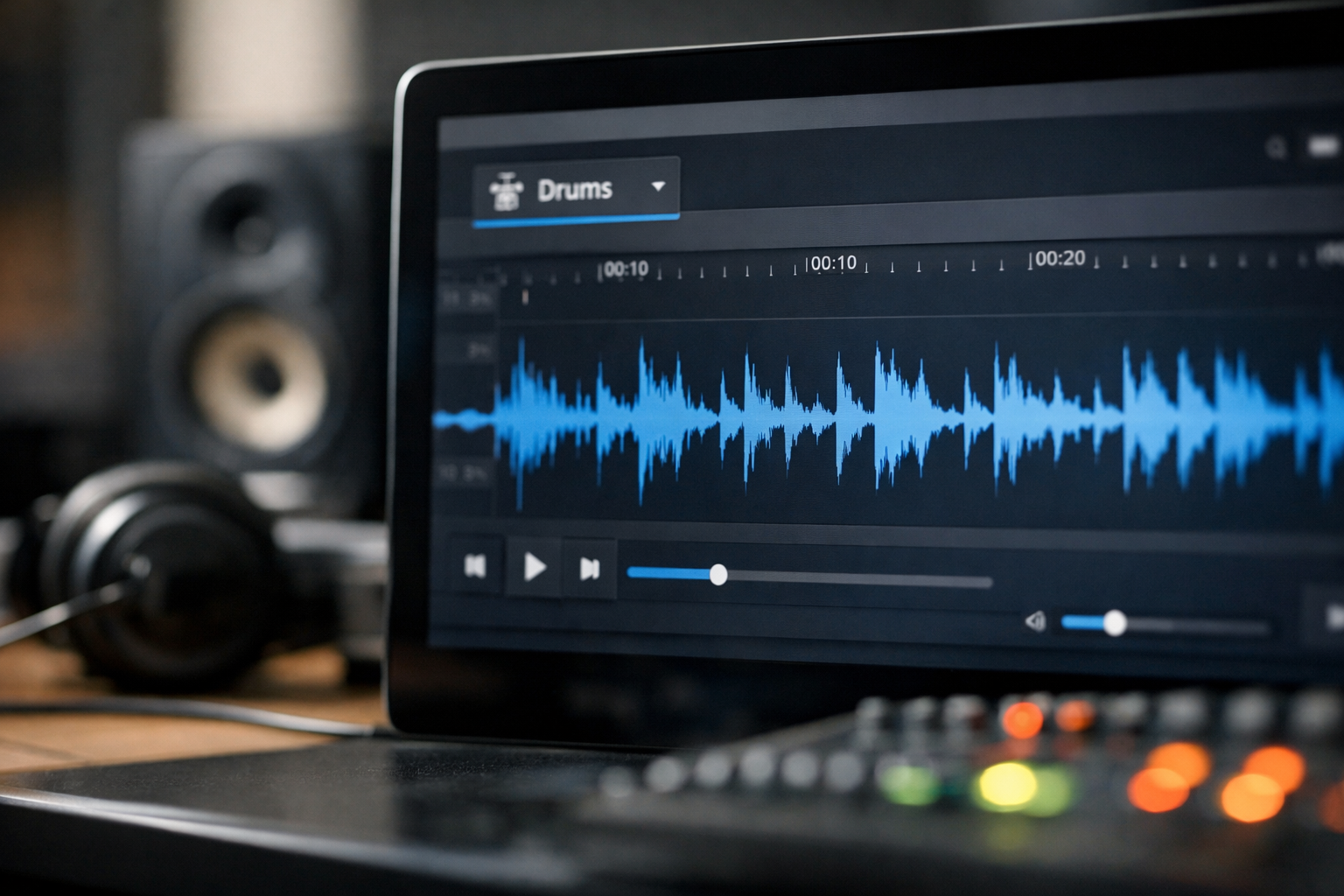
If you want to isolate drums from song files for a remix, drum practice session, or production reference, AI stem separation can save considerable time. Instead of manually filtering frequencies and trying to suppress vocals, bass, and guitars, a drum stem splitter separates the mix into usable parts.
Affiliate disclosure: TopTrustReview may earn a commission if you use links in this article, at no extra cost to you. This does not affect our recommendations; the goal is to help you choose a practical tool for your workflow.
Official website · Latest pricing & offers
What ‘Isolate Drums from Song’ Means and Why Creators Use It
To isolate drums from song audio means separating the percussion content from the rest of a finished mix. The result is usually an isolated drum track containing elements such as kick, snare, hi-hats, cymbals, toms, and percussion.
For creators, this is useful when you need to hear the rhythmic foundation without being distracted by vocals or melodic instruments. It can also help you remove drums from song files when you need a backing track for performance or editing.
Drum stem vs. drumless mix
A drum stem is the separated output that contains as much of the drum performance as possible. It is the file you would use to study a beat, build a remix, or layer your own sounds over the original groove.
A drumless mix is the opposite output: the remaining music after the drums have been reduced or removed. Producers may use this version to add replacement drums, while drummers can use it for play-along practice.
Neither output should be confused with a true multitrack session. A stem splitter works from a completed stereo mix, so it estimates which sounds belong in each category rather than accessing the original recording tracks.
Common use cases: remixing, practice, sampling, transcription
Music producers often extract drums from song recordings to identify the rhythm, transitions, and drum programming choices behind a track. DJs and remixers can use the separated percussion as a creative layer, subject to appropriate rights and permissions.
Students and drummers may isolate drums online to slow down difficult fills, map kick patterns, or hear where ghost notes sit in the groove. YouTubers can also use drumless versions for educational demonstrations, commentary, and performance content when their usage is licensed or otherwise permitted.
For further beginner guidance, see our [How to Use Lalal.AI: A Beginner-Friendly Step-by-Step Guide](/how-to-use-lalal-ai-a-beginner-friendly-step-by-step-guide/).
What results to expect from AI separation
An AI drum separator can produce a useful drum-focused file quickly, but no tool can guarantee a perfectly clean result on every song. Dense mixes, heavy distortion, reverb, stereo effects, and instruments that share similar frequency ranges can cause some bleed between stems.
In practical terms, expect the best results from well-mastered tracks with clear percussion. You may still hear faint vocal fragments, bass resonance, guitar attacks, or reverb tails in an isolated output. Treat the export as a flexible production source, not as a replacement for official studio stems.
How to Isolate Drums with LALAL.AI: Step-by-Step
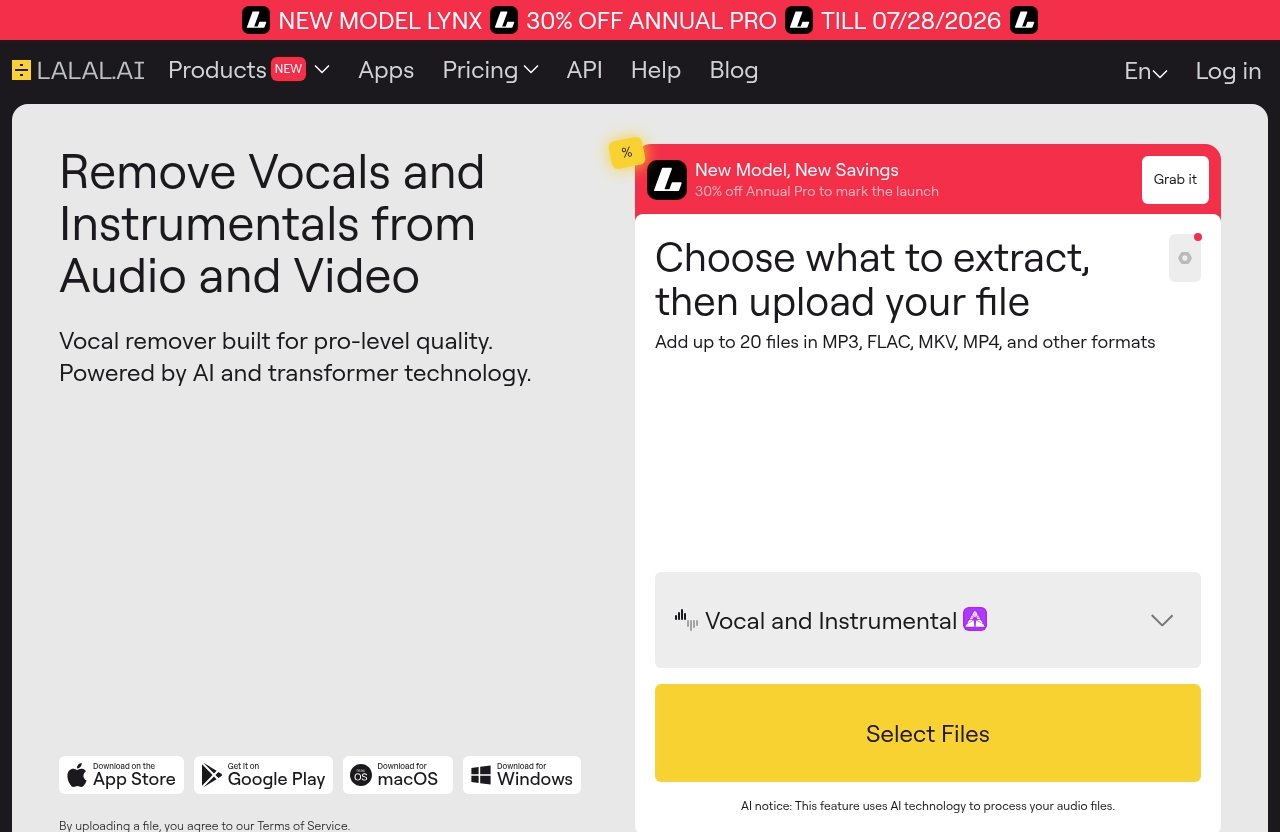
LALAL.AI’s Stem Splitter can extract drums alongside vocals, instrumental, bass, guitar, synth, and string and wind instrument stems. The workflow is simple enough for first-time users, but it is worth previewing the result before committing to an export.
Open LALAL.AI Stem Splitter
Start by opening the LALAL.AI website and locating the Stem Splitter. This is the relevant product when your goal is to separate drums from song files rather than only remove vocals.
If you are comparing options, you can try LALAL.AI through this partner link and review the available separation choices before processing a full project.
Upload your audio or video file
Upload the music track, audio clip, or video file you want to process. For the cleanest workflow, begin with the best version you have access to rather than a heavily compressed copy downloaded from social media.
Give the upload a clear filename, especially if you plan to test multiple versions. For example, label one file “song-master” and another “song-live-version” so you can compare results later without confusion.
Only upload material you own, have permission to process, or are permitted to use under the relevant copyright and licensing rules. Separating a song does not automatically grant permission to sample, distribute, monetize, or publish its audio.
Choose the drum stem or relevant stem mode
Select the drum-related stem option in the Stem Splitter. The purpose is to create a drum-focused output, allowing you to hear the percussion independently from the rest of the arrangement.
If your wider project needs more than drums, LALAL.AI also supports other stems such as vocals, bass, guitar, synth, and string and wind instruments. This can be useful if you want to build both a drum stem and a drumless mix from the same source material.
Run separation and preview the result
Run the separation process, then listen carefully to the preview. Do not judge it only by the opening few seconds; check a quiet verse, a dense chorus, a breakdown, and any sections with cymbal crashes or layered percussion.
When you isolate drums from song audio, listen for three practical details:
- Whether the kick and snare remain clear.
- Whether vocal or instrumental bleed is distracting.
- Whether important transients, such as hi-hat attacks and fills, remain intact.
If the output is workable but not perfect, that is often enough for groove study, practice, arrangement analysis, or a background production reference.
Download the isolated drum track
Once you are happy with the preview, download the isolated drum track and bring it into your DAW, video editor, DJ software, or practice setup. Keep the original song in your project too, so you can switch between the full mix and separated drum part when checking timing.
For remixing, align the export to your session tempo before editing. If you hear small timing differences after warping, use gentle adjustments instead of forcing aggressive quantization, which can make natural drum performances sound less musical.
Best Settings and File Prep for Cleaner Drum Extraction
The quality of your source file has a direct effect on how cleanly an AI system can identify percussion. Good preparation will not eliminate every artifact, but it can make your drum isolation tool more useful.
Choose a clean source file whenever possible
Use an official or original copy when you can. Avoid recordings with crowd noise, talking, clipping, excessive background hiss, or multiple songs blended together.
A studio recording generally gives a stem splitter clearer information than a live phone recording. Live versions may still be valuable for learning performance choices, but expect room ambience and audience noise to appear in the drum output.
Use high-quality audio formats for better input
Start from a high-quality file rather than repeatedly converting the same recording between formats. Every unnecessary conversion can reduce detail, especially in high-frequency percussion such as hi-hats, shakers, and cymbals.
If you only have several compressed versions of a track, test the cleanest one first. A larger file alone does not guarantee better separation, but preserving the original audio detail gives the system a better starting point.
When to test different versions of the same song
Different releases of the same song can produce noticeably different results. A remaster, instrumental edition, radio edit, live version, or alternate mix may place drums differently in the stereo field and frequency spectrum.
When you need to isolate drums from song arrangements for an important project, process two or three legitimate source versions and compare them. Choose the one with the clearest kick, snare, and cymbal definition rather than assuming the newest version will always win.
How to reduce bleed and improve clarity
After separation, use light cleanup inside your DAW if needed. A high-pass filter may reduce low-end rumble, while careful EQ can tame harsh cymbals or emphasize snare presence.
Avoid over-processing. Heavy noise reduction, extreme EQ boosts, and aggressive gates can remove the natural character you were trying to preserve. If the separated file has audible bleed, it may be more effective to use it quietly under your own programmed drums than to chase a perfectly isolated result.
How Creators Can Use Isolated Drum Stems
A separated drum part is more than a novelty. It can become a practical learning and production asset when used responsibly.
Remixing and mashups
An isolated drum track can help you retain the rhythmic identity of a song while testing new basslines, vocals, chords, or transitions. You can also use it as a timing reference while rebuilding the beat with your own drum samples.
For public releases, make sure you have the rights needed for any original audio you retain. Separation technology changes the workflow, not the copyright status of a recording.
Learning groove, fills, and arrangement
Drummers and producers can isolate drums online to study pocket, swing, velocity, fill placement, and transitions between song sections. It is especially helpful for recognizing whether the chorus uses a new pattern or simply adds layers such as tambourine, claps, and open hi-hats.
Listen in short loops rather than trying to understand an entire arrangement at once. Start with four or eight bars, identify the kick and snare pattern, then note what changes at the end of each phrase.
Practice without drums or with drums only
A drumless mix lets players add their own parts over the song. Conversely, a drums-only export is useful for practicing bass, guitar, keyboard, or vocal phrasing against the original rhythmic feel.
This approach is also helpful for teachers. You can prepare focused exercises around tempo, subdivisions, and song form without asking students to filter out distractions on their own.
Sampling and production references
Producers may use a drum stem as a private reference for sound selection, arrangement study, or programming practice. For example, you can compare the length of a kick, the brightness of a hi-hat, or the density of a chorus pattern against your own work.
Do not assume that extracting a sound gives you permission to sample it commercially. If you want to use original audio in a release, obtain clearance or use properly licensed material.
Official website · Latest pricing & offers
LALAL.AI Features That Matter for Drum Isolation
The core reason to use LALAL.AI for this task is its Stem Splitter, but the wider product ecosystem can matter when your workflow extends beyond a single export.
Stem Splitter supports drums and other instrument stems
LALAL.AI’s Stem Splitter supports extraction of vocals, instrumental, drums, bass, guitar, synth, and string and wind instruments. That flexibility is useful when a project moves from basic drum extraction to broader arrangement analysis.
For example, after creating a drumless mix, you may want to review the bass separately before programming a replacement rhythm section.
Works across multiple content types including music, audio clips, and video
Creators do not always start with a standalone music file. LALAL.AI can be used with music tracks, audio clips, and video files, which is helpful for extracting percussion from a video reference or an edit that already contains music.
If you work with spoken content as well, our [Lalal.AI for Podcasts: A Practical Review for Faster Audio Cleanup](/lalal-ai-for-podcasts-a-practical-review-for-faster-audio-cleanup/) explains the broader audio-cleanup angle.
Access via web and apps
LALAL.AI offers access through its web workflow and apps for Desktop on Windows, macOS, and Linux, plus iOS for iPhone and iPad and Android for phones and tablets. This gives creators options when they need to review material away from the studio.
Use in a DAW with the VST plugin
For producers who prefer working inside a DAW, LALAL.AI offers a VST Plugin that runs locally inside your DAW. This can be a more natural fit for sessions where you need to keep separated elements close to your arrangement and editing tools.
API and enterprise options
Developers and teams can also explore the LALAL.AI API for integrations. This is relevant for services that need to incorporate stem separation into a larger content, education, or media-processing workflow.
LALAL.AI Pricing and Plans
Pricing can change, and the available official pricing information provided for this review does not expose specific plan names or prices. For that reason, it would be misleading to list numbers that may be outdated or inaccurate.
Verified pricing plans
LALAL.AI has an official pricing page at lalal.ai/pricing. Check that page directly for current plan names, included processing allowances, payment terms, and any active offers before making a purchase decision.
What to check before buying
Review how much audio or video you expect to process, whether you need occasional exports or frequent project work, and whether desktop, mobile, VST, or API access matters to you. Also check the current file and usage terms shown on the official page.
Who should start free vs. paid
If the current official offering includes a free preview, trial, or limited option, use it to test your hardest real-world track first. Paid access is most sensible for creators who consistently need to extract drums from song files for remixes, lessons, DJ preparation, or recurring content production.
LALAL.AI vs. Other Ways to Isolate Drums
There are multiple approaches to drum separation, from web-based tools to browser processing and manual editing. The best option depends on your project volume, privacy needs, preferred device, and tolerance for cleanup work.
Web-based AI stem splitters
Web tools are convenient because they do not require a traditional audio-engineering setup. Category examples include Vocal Remover Splitter AI and StemSplitters Pro’s drum separation tool.
LALAL.AI fits this category while also offering apps, a VST Plugin, and an API. The important comparison point is not a blanket claim that one tool always wins, but whether its workflow and output suit your specific source material.
On-device tools in the browser
Some services market local or browser-based processing, such as Defy Audio’s Isolate Drums feature. On-device approaches may appeal to users who prioritize where their media is processed.
Before choosing any drum isolation tool, read its current privacy terms, upload handling details, and export limitations. These policies can matter as much as separation quality when you are working with client material or unreleased music.
What matters most: workflow, privacy, and output quality
Test tools using the same legal source file and judge them with headphones. Check kick definition, snare clarity, cymbal detail, and the amount of vocal or melodic bleed in difficult song sections.
Also consider where the tool fits into your workflow. A browser user may value quick access, while a producer working on many sessions may prefer the convenience of a DAW-based VST workflow.
Troubleshooting Common Drum-Isolation Problems
When an export is imperfect, start with the source and your listening method before assuming the tool failed. Many perceived issues become easier to diagnose when you compare the separated output against the original mix.
Muddy kick/snare separation
If the kick or snare sounds muddy, listen for bass guitar or low synth layers occupying the same range. Try a cleaner source version, then use subtle EQ in your DAW to reduce competing low-mid energy.
Do not over-EQ the file until it becomes thin. The goal is a usable rhythm reference or creative stem, not an artificially harsh result.
Vocals or instruments leaking into drums
Leakage is common in busy mixes, particularly when vocals have strong reverb or guitars have sharp rhythmic attacks. Try another official version of the same track, such as a different master or edit, before changing your entire workflow.
You can also place the isolated output lower in a remix mix or use it as a timing guide while recreating the drum performance yourself.
File won’t upload or process
Check that the file is complete, playable on your device, and not corrupted. If an upload stalls, try a stable connection, rename the file simply, or export a fresh copy from your editing software.
For video sources, test the audio separately if possible. This can help identify whether the issue is related to the source media rather than the separation process.
What to try when the first export sounds weak
Process a different source version, listen through headphones, and compare several song sections before rejecting the result. An AI drum separator may perform differently on a sparse verse than on a crowded chorus.
If your main goal is educational analysis, even a partially clean stem can reveal useful groove and arrangement information. If your goal is commercial remixing, consider rebuilding the drum part with your own samples and performance choices.
Final Verdict: Is LALAL.AI Good for Isolating Drums?
LALAL.AI is a practical option for creators who want to isolate drums from song files without building a complex manual separation workflow. Its Stem Splitter supports drums and several other instrument categories, while its web access, apps, VST Plugin, and API provide flexibility for different kinds of users.
Best for beginner and creator workflows
It is especially suitable for beginners who need a clear way to make a drumless mix, study a beat, or prepare a reference track. More experienced producers can use the exported stems as starting points for arrangement analysis, remix sketches, and replacement-drum projects.
Who should use it most
Remixers, DJs, producers, drummers, students, YouTubers, and hobbyists will get the most value when they use separation as part of a broader creative workflow. Set realistic expectations, start with good source audio, and always respect the rights attached to the music you process.
Quick recommendation
If you need to isolate drums from song recordings for practice, learning, or production experiments, LALAL.AI is worth testing with one of your own high-quality tracks. Review the current details and see whether its workflow fits your needs through LALAL.AI on TopTrustReview.
Official website · Latest pricing & offers
FAQ
How do I isolate drums from a song in LALAL.AI?
Open LALAL.AI Stem Splitter, upload your audio or video file, select the drum-related stem option, run the separation, preview the output, and download the isolated drum track. Listen to multiple sections before exporting so you can evaluate how it handles dense and quiet parts of the song.
Can I remove drums instead of extracting them?
Yes. When you separate drums from song audio, you can use the non-drum output as a drumless mix. This is useful for adding your own percussion, creating play-along tracks, or studying the harmonic arrangement without the original beat.
Does LALAL.AI work with audio and video files?
Yes. LALAL.AI can work with music tracks, audio clips, and video files. This can be useful when the song you want to process is part of a video edit or other visual content.
What is the best use for isolated drum stems?
Common uses include remixing, sampling analysis, drum practice, learning kick and snare patterns, studying fills, and understanding groove structure. For commercial sampling or distribution, make sure you have the appropriate permissions.
Is it legal to isolate drums from any song?
You should follow copyright and licensing rules for your location and intended use. Processing audio for private study may be different from publishing, monetizing, distributing, or sampling the resulting audio, so only use content you own or have permission to process and reuse.
Related Reading
- How to Remove Vocals From Song with Lalal.AI
- Lalal.AI for YouTubers: A Practical Review for Audio Cleanup, Covers, and Intros
- How to Separate Vocals and Instrumentals Online in 2026
References
- Splitter AI — Isolate instruments from a song
- Separate Drums from Song – Extract & Isolate Drums Online …
- Isolate & Extract Drums Online — Free Drum Stem Splitter …