
AdCreative.ai Review 2026: Honest Verdict
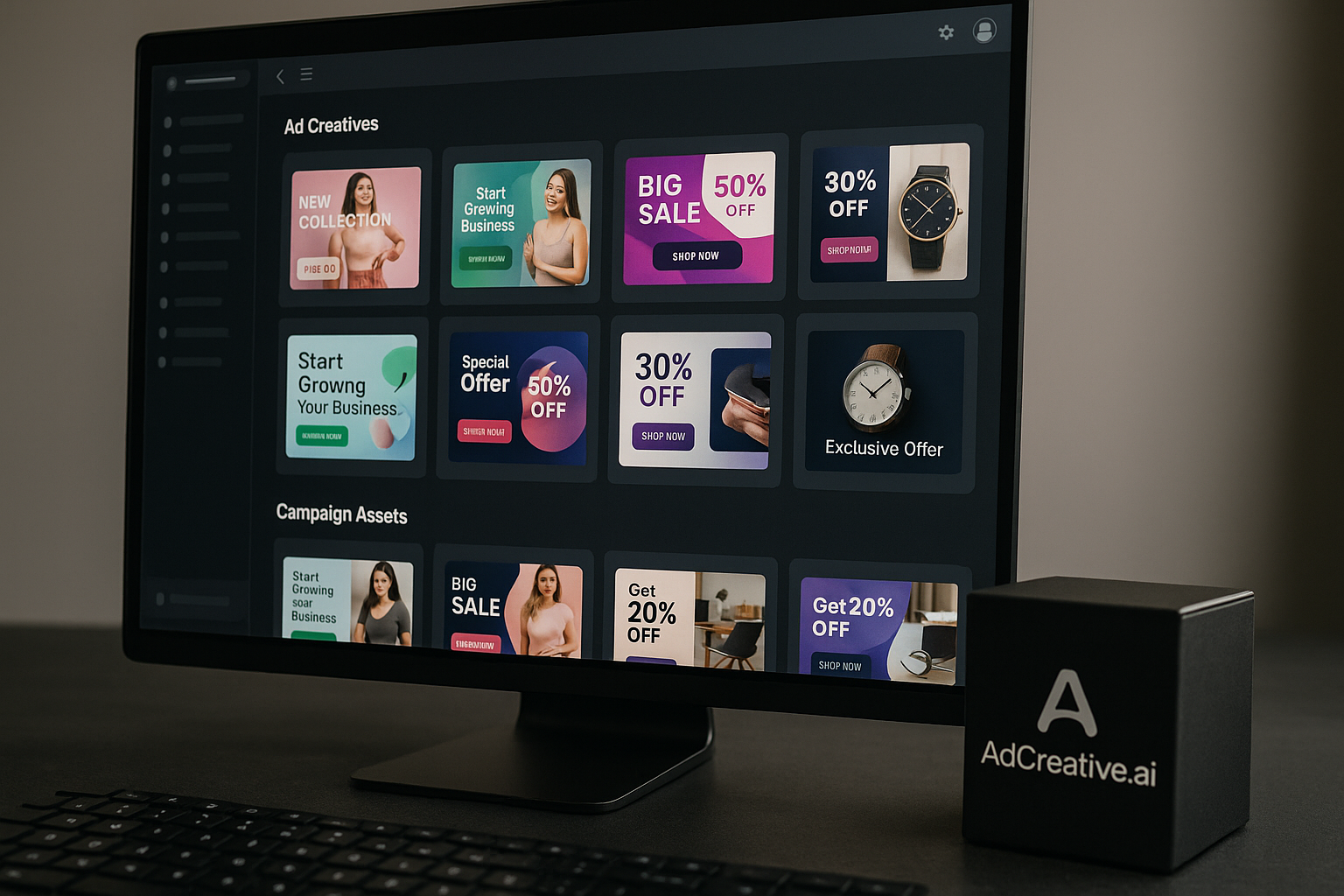
This adcreative.ai review takes a buyer-first look at what the platform does, where it helps, and where you should stay cautious before paying. AdCreative.ai is aimed at marketers, founders, agencies, and eCommerce teams that need more ad creative variations without waiting on a designer for every banner, text, photoshoot-style asset, or video.
Disclosure: toptrustreview.com may earn a commission if you sign up through our AdCreative.ai affiliate link. That does not change the verdict below. The goal of this adcreative.ai review is to help you decide whether the tool is worth testing in 2026.
Official website · Latest pricing & offers
AdCreative.ai Review 2026: Quick Verdict
AdCreative.ai is a real AI ad creative generator built for speed, volume, and campaign testing. Its biggest appeal is simple: it helps teams produce more creative assets faster, especially when they need multiple ad variations for paid campaigns.
The official homepage positions it as the “#1 most used AI tool for advertising” and claims users can “Get up to 14x More Conversions. No Designers. No Guesswork.” In this adcreative.ai review, I treat that as marketing copy, not a guaranteed result.
Who this tool is for
AdCreative.ai is best for teams that already run paid ads and understand the value of creative testing. If you need multiple campaign visuals, copy angles, banners, videos, or product-focused creatives, the platform can reduce production friction.
It is especially relevant for:
- eCommerce brands testing product ads
- Agencies producing assets for multiple clients
- Startup founders without in-house designers
- Performance marketers who need creative variety
- Teams that want competitor insights AI alongside creative generation
If your current bottleneck is “we do not have enough ad variations to test,” AdCreative.ai may be useful.
Who should skip it
You may want to skip AdCreative.ai if you expect it to replace creative strategy entirely. AI can generate assets, but it cannot fully understand your brand positioning, customer psychology, offer quality, or funnel issues without human direction.
This tool may not be ideal for:
- Brands needing highly custom art direction
- Teams with strict design systems and heavy approval workflows
- Buyers who want confirmed paid pricing before trialing
- Anyone uncomfortable testing a tool with mixed independent review sentiment
- Beginners who expect instant profitable ads with no campaign experience
This adcreative.ai review does not recommend buying solely because of conversion claims. Use the trial first.
Bottom-line summary
AdCreative.ai is worth considering if you need faster creative production and are willing to test outputs critically. It shines as an ad creative generator for volume and experimentation, not as a magic conversion machine.
The safest approach is to use the AdCreative.ai free trial, create several assets, compare them against your current creatives, and decide based on workflow fit.
What Is AdCreative.ai?
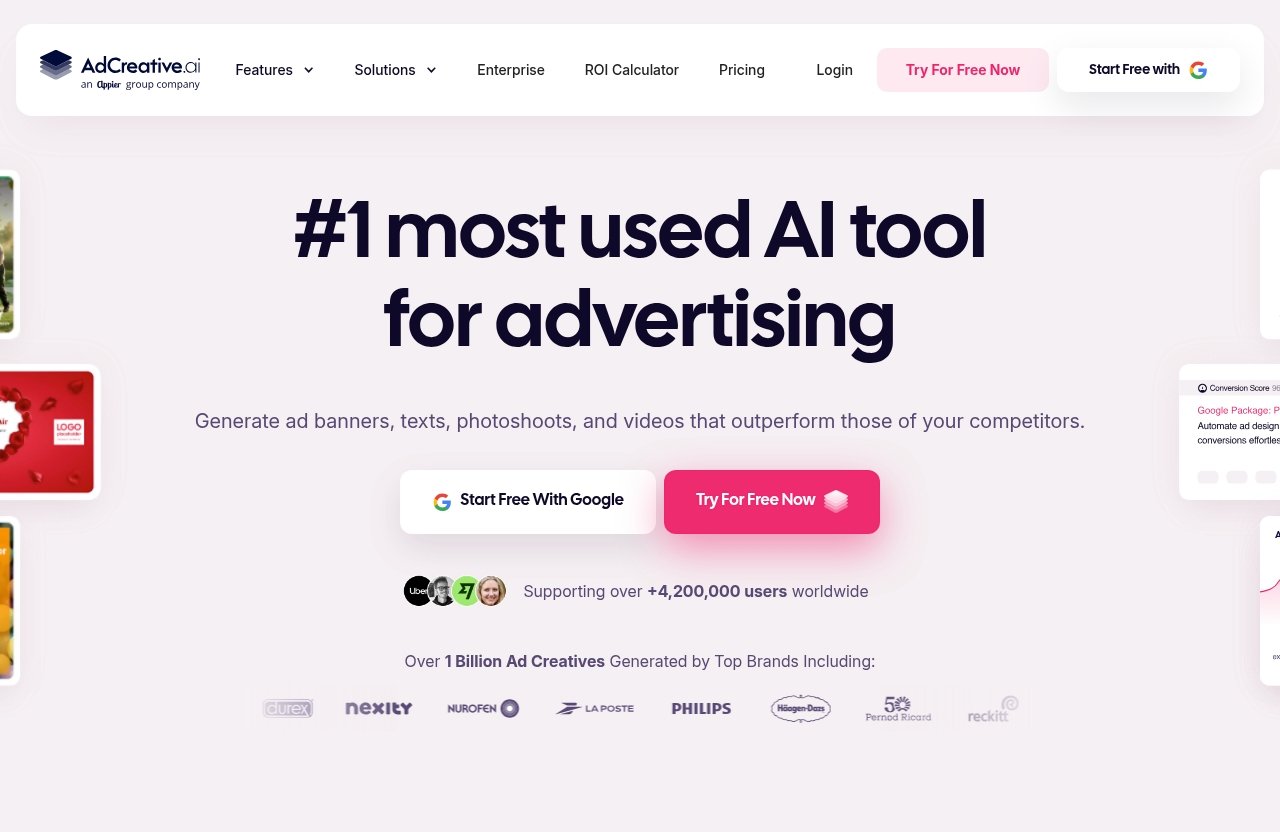
AdCreative.ai is an AI-powered advertising creative platform. In plain English, it helps users generate ad assets for campaigns, including banners, text, photoshoots, and videos.
The platform’s homepage emphasizes automation, speed, and performance-focused creative support. For this adcreative.ai review, the most important point is that it sits between design software and ad campaign execution.
Core use case
The core use case is generating ad creatives quickly. Instead of starting from a blank canvas, users can use AI to produce campaign assets that can be tested across advertising channels.
That makes it useful when a team needs more variations than a designer or founder can manually create. It is not just about making one nice-looking banner; the value is in producing many options for testing.
For performance marketers, this matters because ad fatigue is real. Campaigns often need fresh angles, visuals, and copy to keep results stable.
Main outputs: banners, text, photoshoots, videos
According to the official homepage, AdCreative.ai can generate:
- Ad banners
- Ad texts
- Photoshoots
- Videos
That range makes it broader than a simple banner generator. The video generation feature is especially relevant in 2026 because many paid social campaigns now rely heavily on motion-based creative.
Still, buyers should treat output quality as something to inspect manually. An AI ad creative generator can speed up production, but not every generated asset will match your brand voice or campaign goal.
How it fits into an ad workflow
AdCreative.ai fits best after you already know your offer and audience. For example, an eCommerce team might use it to create several variations around a product launch, then test those creatives in paid ads.
A practical workflow might look like this:
- Define the campaign goal
- Prepare product images or brand assets
- Generate multiple creative directions
- Use creative scoring AI as a directional signal
- Launch tests with controlled budgets
- Keep winners and revise weak performers
This adcreative.ai review sees the platform as a creative production assistant, not a replacement for media buying strategy.
Key Features and What They Actually Do
The official homepage highlights several AdCreative.ai features, including creative generation, Creative Scoring AI, video generation, custom templates, competitor insights AI, and mobile application access.
The question for buyers is not whether these features sound impressive. It is whether they solve a real workflow problem.
Creative generation
Creative generation is the main reason people consider AdCreative.ai. The tool helps create ad assets faster than building every variation manually.
This can be useful when you need to test different hooks, layouts, product angles, or visual styles. Agencies may use it to prepare more options for clients, while eCommerce teams may use it to refresh product ads.
The key limitation is that AI output still needs judgment. You should check whether the messaging is accurate, whether the design fits your brand, and whether the creative makes sense for the audience.
Creative Scoring AI
Creative Scoring AI is one of the platform’s more performance-oriented features. The idea is to help users evaluate creative potential before launching campaigns.
In practice, I would treat creative scoring AI as a helpful signal, not a final decision-maker. A score can guide prioritization, but real ad results still depend on targeting, offer, budget, landing page, and timing.
This is where a slightly skeptical view matters. A high score does not guarantee conversions, and a lower score does not always mean an asset will fail.
Competitor Insights AI
The homepage highlights “Instant Competitor Insights” through competitor insights AI. For buyers, this suggests the platform can help analyze competitor activity or market patterns to inspire better creative decisions.
This can be valuable if you are stuck on messaging angles or want to understand what other brands may be doing in your space. Competitive research is often overlooked by small teams, so having it inside the creative workflow could save time.
However, competitor insights should not lead to copying. The better use is to identify patterns, gaps, and inspiration while still developing your own brand position.
Custom templates and scaling creative assets
Custom templates are useful for teams that care about consistency. If you run campaigns across multiple products, clients, or regions, templates can help maintain a more repeatable structure.
For agencies, this may reduce repetitive production work. For eCommerce brands, it can help turn product launches into campaign-ready assets faster.
The main benefit is scale. The main risk is sameness. If every asset starts to look templated, performance may suffer over time.
Mobile app access
The homepage mentions Mobile Application Access and also displays promotional language around Pro packages in a seasonal bundle context. Since that messaging appears tied to a promo, buyers should verify current access details on the official site before assuming what is included long term.
Mobile access can be convenient for reviewing assets, checking campaign ideas, or working while away from a desktop. Still, serious creative review is usually easier on a larger screen.
In this adcreative.ai review, I see mobile access as a convenience feature rather than the primary reason to buy.
Real-World Strengths and Limitations
The strongest case for AdCreative.ai is speed. The biggest caution is that user experiences outside the official homepage appear mixed.
Independent review sentiment from places like Trustpilot and G2 includes positive feedback, while Reddit and Quora discussions also show negative user experiences. This does not mean the product is bad, but it does mean buyers should test carefully before committing.
Speed and convenience
AdCreative.ai’s main strength is reducing creative production time. If your team constantly needs new ad concepts, the tool can help you move faster.
Instead of waiting days for a first draft, you can generate options quickly and decide which ones deserve testing. This is valuable for marketers who already know that more creative testing often leads to better learning.
For agencies, convenience matters even more. Producing multiple first drafts quickly can improve client turnaround and internal brainstorming.
Quality consistency
Quality is where expectations need to stay realistic. Some generated assets may look campaign-ready, while others may need editing or rejection.
This is normal for AI creative tools. The value is not that every output is perfect; the value is that you can generate enough options to find usable ones faster.
In this adcreative.ai review, the right mindset is “accelerate production,” not “eliminate review.”
Learning curve and UX concerns
Some third-party review patterns mention complaints around user experience, loading speed, refunds, and support. Individual experiences vary, and not every user reports the same issues.
Still, these concerns matter for buyers. A tool can have strong features but still frustrate users if onboarding, billing clarity, or support responsiveness does not match expectations.
That is why the AdCreative.ai free trial is important. Use the trial period to test not just outputs, but the full workflow.
When AI creative still needs human editing
AI creative still needs human editing when brand tone, compliance, product accuracy, or emotional nuance matters. This is especially true for regulated industries, premium brands, and complex offers.
A human should review:
- Claims and wording
- Product accuracy
- Visual consistency
- Brand fit
- Audience relevance
- Landing page alignment
Even the best AI ad generator cannot fully replace strategic review. It can create options, but humans still decide what is worth running.
Official website · Latest pricing & offers
Pricing and Free Trial: What Buyers Need to Know
AdCreative.ai pricing is one area where buyers should be careful. The official pricing page URL provided for this review returned a page-not-found result, so I cannot confirm exact subscription prices, monthly fees, annual fees, or paid plan names from that page.
The verified information comes from the official homepage: there is a 7-day free trial, the trial includes 10 Creative Credits, and users can cancel anytime.
7-day free trial
The homepage says AdCreative.ai offers a 7-day free trial. That is the best way to evaluate the platform without relying only on reviews or marketing claims.
For this adcreative.ai review, I recommend treating the trial as a structured test. Do not just generate one asset and decide. Try multiple formats and compare the outputs against your actual campaign needs.
You can start from the official site through this AdCreative.ai signup link, but review the current terms before entering payment details or starting a subscription.
10 creative credits during trial
The homepage states that the free trial includes 10 Creative Credits to test multiple formats. That gives buyers a limited but useful way to sample the platform.
Use those credits intentionally. Test the formats you are most likely to use after subscribing, such as banners, text, photoshoot-style assets, or videos.
The goal is not to create random examples. The goal is to answer one practical question: “Would I actually use these outputs in my campaigns?”
Cancel anytime
The homepage says users can cancel anytime and specifically mentions canceling in 2 clicks. It also says users will be reminded before the trial ends.
That is reassuring, but buyers should still be proactive. Set your own reminder before the trial deadline and document what you tested.
In any commercial review, cancellation terms matter because trial experiences vary. This adcreative.ai review suggests testing early in the trial, not waiting until the final day.
Promo messaging on yearly and quarterly plans
The homepage displays a seasonal promo message: “Prepare for your Father’s Day campaign with 50% off yearly and 25% off quarterly plans!” However, because exact plan prices were not confirmed on the official pages provided, I will not calculate or invent pricing.
This is important. Percentage discounts are only meaningful when you know the base price, plan terms, and renewal details.
Before buying, check the live checkout page and confirm:
- Current plan price
- Billing frequency
- Renewal terms
- Trial end date
- Cancellation process
- What features are included
That is the safest way to evaluate AdCreative.ai pricing in 2026.
Ease of Use and Workflow Fit
AdCreative.ai is likely easiest for users who already understand paid advertising basics. If you know your audience, offer, and campaign goal, the platform can help you create more assets faster.
If you are new to advertising, the tool may still help, but you may struggle to judge which creatives are actually good.
Setup and onboarding
From a buyer perspective, setup should be judged by how quickly you can move from idea to usable creative. The platform’s value depends on reducing friction, not adding another complicated process.
During the free trial, pay attention to:
- How easy it is to create your first asset
- Whether the interface feels clear
- How long generation takes
- Whether outputs match your brand direction
- Whether exporting and using assets feels straightforward
A good ad creative generator should fit into your workflow without requiring excessive training.
Best use cases for agencies and eCommerce teams
Agencies may benefit from AdCreative.ai because they often need high creative volume across multiple clients. Faster first drafts can support brainstorming, testing, and client presentations.
eCommerce teams may benefit because product ads need frequent refreshes. A store running seasonal campaigns, promotions, or product launches can use AI-generated assets to expand testing options.
This adcreative.ai review sees the strongest fit where creative output volume is a real business bottleneck.
Where beginners may struggle
Beginners may struggle because generating creatives is only one part of advertising. You still need to understand positioning, audience targeting, budgeting, analytics, and landing page quality.
If you do not know what makes an ad persuasive, you may generate many assets without knowing which ones to test. That can lead to wasted time or ad spend.
For beginners, the tool is best used alongside basic marketing education, not as a shortcut around it.
Performance Expectations: What Results Are Realistic?
The homepage’s “up to 14x more conversions” claim is attention-grabbing, but buyers should not treat it as a typical or guaranteed outcome. Results depend on many factors beyond creative generation.
A realistic expectation is that AdCreative.ai may help you create more testable variations faster. Whether those variations improve performance depends on your campaign system.
Creative speed vs ad performance
Creative speed is not the same as ad performance. Producing more assets can improve your testing capacity, but it does not automatically make your offer more appealing.
Good performance usually requires:
- Strong offer
- Clear message
- Relevant targeting
- Good timing
- Trustworthy landing page
- Enough budget for testing
- Accurate measurement
This is why an adcreative.ai review should focus on workflow value, not just conversion claims.
Testing multiple formats
One benefit of AdCreative.ai is the ability to test multiple formats. Since the homepage mentions banners, texts, photoshoots, and videos, users can explore different creative types for different campaign needs.
Testing formats matters because audiences respond differently. A product image may work for one segment, while a video or text-led angle may work better for another.
The tool can help you create more options. Your ad account data still decides what works.
Why results vary by audience and offer
Results vary because every market is different. A strong creative for a low-ticket impulse product may not work for a high-consideration B2B offer.
Your landing page also matters. Even a strong ad can fail if the page is slow, confusing, or misaligned with the promise in the creative.
In this adcreative.ai review, the most realistic performance claim is that the platform can support faster testing. It cannot guarantee profitable campaigns.
Trust, Support, and Reputation Check
AdCreative.ai appears to be a legitimate product with an active official homepage and clear public positioning. The more complicated question is whether every buyer will have a smooth experience.
Independent sentiment is mixed. Some users praise the speed and convenience, while others raise concerns around user experience, support, billing, loading speed, or cancellation-related frustrations.
What customer reviews say
Trustpilot and G2 contain customer feedback about AdCreative.ai, including both positive and critical experiences. These platforms can be useful for spotting patterns, but individual reviews should not be treated as universal truth.
Reddit and Quora also include negative user experiences and skeptical discussions. Those sources can be helpful because they often show unfiltered buyer frustration, but they can also overrepresent unhappy users.
A balanced adcreative.ai review should consider both sides. The product may be useful, but buyers should still test it personally.
Common complaints
Based on common third-party review patterns, the main complaints to watch for include:
- UX friction
- Loading or performance issues
- Support dissatisfaction
- Refund concerns
- Confusion around billing or cancellation
This does not mean you will experience these issues. It means you should reduce risk by testing carefully and documenting your trial.
How to reduce buyer risk
The best way to reduce risk is to use the 7-day free trial intentionally. Create a simple checklist before signing up.
During the trial, confirm:
- Whether the outputs are usable
- Whether the interface feels manageable
- Whether generation speed meets your needs
- Whether cancellation information is clear
- Whether the tool fits your campaign workflow
If you are unsure by the end of the trial, do not continue just because the homepage claims strong conversion potential.
Best Alternatives or When to Compare Other Tools
AdCreative.ai alternatives are worth considering if your needs go beyond ad generation. Some teams need broader design tools, deeper brand control, or full campaign testing systems.
Rather than naming unverified competitor specs, this section focuses on when you should compare other options.
When AdCreative.ai makes sense
AdCreative.ai makes sense when speed and creative volume are your main problems. If your team already runs paid ads and needs more variations, it can be a practical tool.
It may also make sense if you want creative scoring AI and competitor insights AI in the same workflow. Those features can help you prioritize and ideate, even if you still need human judgment.
This adcreative.ai review is most positive for buyers who know exactly what they want to test.
When a broader design tool may be better
A broader design tool may be better if your team needs full creative control, custom layouts, long-form brand assets, or non-ad design work. AdCreative.ai is focused on advertising creative, not general design production.
If brand consistency matters more than speed, you may prefer a tool or workflow with deeper manual control. Designers may also prefer flexible creative software for final polishing.
In short, choose the tool based on the job. AdCreative.ai is for ad production speed, not every design task.
When to avoid buying
Avoid buying if you have not tested the free trial, cannot confirm current pricing, or expect guaranteed performance improvements.
You should also pause if:
- You do not run paid ads yet
- You lack a clear offer
- You have no testing budget
- You need highly custom creative direction
- You are uncomfortable with mixed review sentiment
The best AI ad generator for one team may be the wrong fit for another.
Official website · Latest pricing & offers
FAQ
Is AdCreative.ai legit?
Yes, AdCreative.ai appears to be a legit product with an active official homepage and clearly described AI advertising features. The homepage says it can generate ad banners, texts, photoshoots, and videos.
That said, “AdCreative.ai legit” does not automatically mean it is right for every buyer. Review independent feedback on Trustpilot, G2, Reddit, and Quora, then use the free trial before paying.
Does AdCreative.ai really improve conversions?
The homepage claims users can get “up to 14x more conversions,” but that should be treated as marketing copy, not a guarantee. Actual results depend on creative quality, targeting, offer strength, landing page quality, and campaign execution.
AdCreative.ai may help you generate more variations faster. It cannot guarantee that those variations will outperform your current ads.
Is there a free trial for AdCreative.ai?
Yes. The homepage says there is an AdCreative.ai free trial for 7 days.
It also says the trial includes 10 Creative Credits to test multiple formats. Use those credits carefully to evaluate the outputs you would actually use in campaigns.
Can I cancel AdCreative.ai anytime?
Yes, the homepage states users can cancel anytime and mentions cancellation in 2 clicks. It also says users will be reminded before the trial ends.
Still, you should set your own reminder and check the live checkout terms before starting. That is the safest approach with any subscription-based tool.
Who should use AdCreative.ai?
AdCreative.ai is best for marketers, agencies, founders, and eCommerce teams that need to generate multiple ad creatives quickly. It is especially useful when you need more variations for paid campaign testing.
It is less ideal for buyers who need fully custom brand design, guaranteed conversion lifts, or exact paid pricing before starting a trial.
Final Verdict: Is AdCreative.ai Worth It in 2026?
AdCreative.ai is worth trying in 2026 if your team needs faster ad creative production and understands how to test campaigns properly. It is not a guaranteed conversion tool, but it can be a useful AI ad creative generator for producing more campaign assets with less manual effort.
This adcreative.ai review is positive about the platform’s speed, format range, Creative Scoring AI, competitor insights AI, and trial availability. It is more cautious about unverified paid pricing, mixed independent sentiment, and the risk of expecting AI to replace strategy.
Best-fit buyer profile
The best-fit buyer is already running paid ads and needs more creative variation. Agencies, eCommerce brands, and performance marketers are the most likely to benefit.
If you have a clear offer, a testing process, and enough judgment to review AI outputs, AdCreative.ai can support your workflow.
Value for money considerations
Because the official pricing page provided was unavailable, exact AdCreative.ai pricing cannot be confirmed here. That means value for money should be judged during the trial and at the live checkout page.
Before subscribing, confirm the current price, billing cycle, renewal terms, and included features. Do not rely only on seasonal promo banners or conversion claims.
Final recommendation
My final verdict: AdCreative.ai is worth a trial, but not an automatic buy. Use the 7-day free trial, spend the 10 Creative Credits on real campaign assets, and compare the results against your current workflow.
If it saves time and gives you usable creatives, it may be a smart addition to your marketing stack. If the outputs feel generic, the interface frustrates you, or pricing is unclear, compare AdCreative.ai alternatives before committing.
Related Reading
- GoHighLevel Review 2026: Best CRM for Agencies?
- GoHighLevel Pricing 2026: Complete Breakdown
- Cloudways Coupon Code: Best Current Discount for New Customers
References
- Read Customer Service Reviews of adcreative.ai – Trustpilot
- AdCreative.ai Reviews 2026: Details, Pricing, & Features | G2
- Ad Creative AI Experience : r/MarketingAutomation – Reddit
- I Tried AdCreative AI and Here's My Honest Feedback – Aazar Shad


