Hostinger Review 2026: Is It Really the Best Value for Beginners?
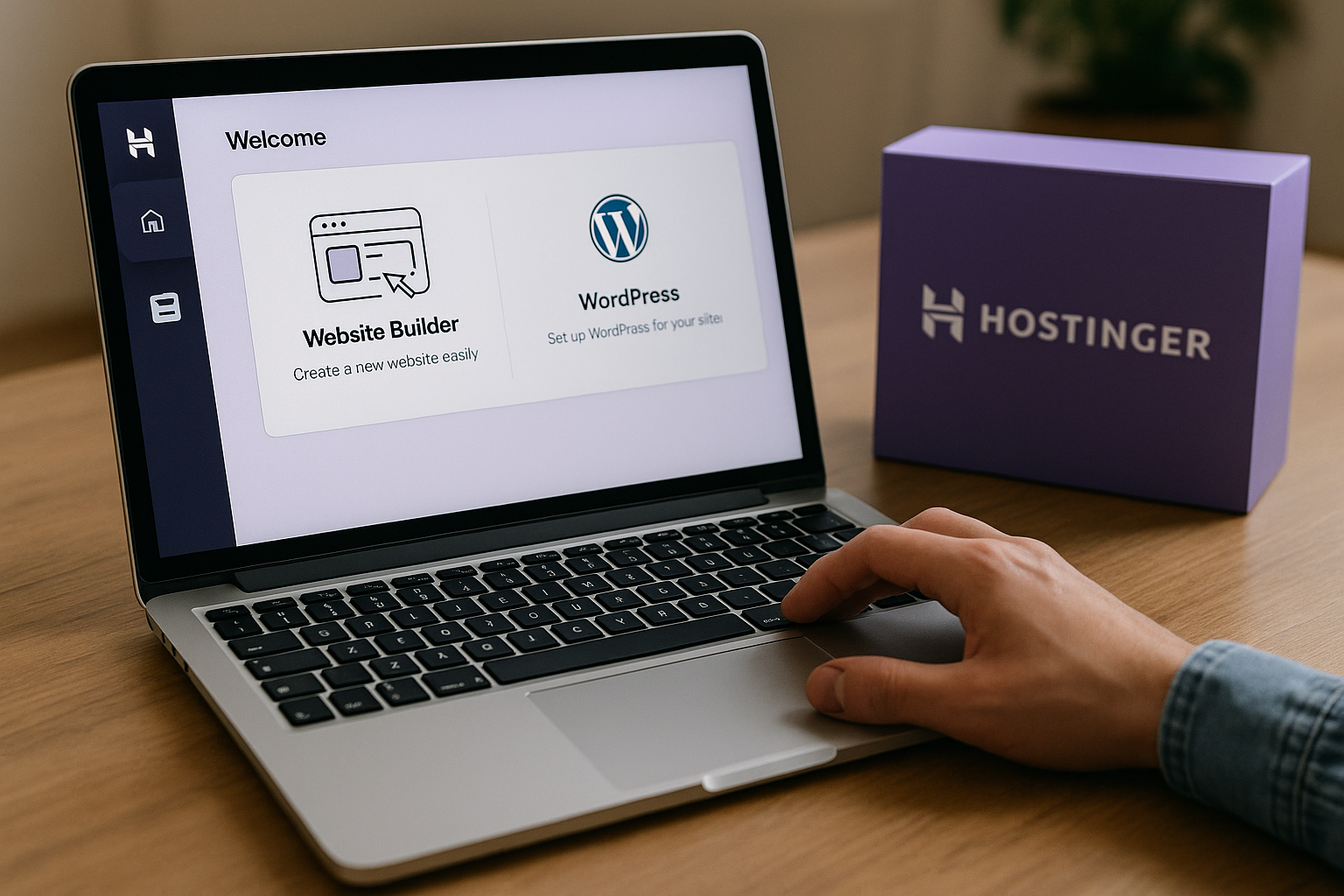
In this Hostinger review, I’m looking at one question that matters most to new site owners: is Hostinger truly the best-value hosting choice for beginners in 2026, or just another budget host with good marketing?
This article contains affiliate links. If you purchase through our Hostinger link, toptrustreview.com may earn a commission at no extra cost to you. That does not change the editorial view here: the goal is to explain what is verified from Hostinger’s official pages, what is interpretation, and where beginners should be careful.
Official website · Latest pricing & offers
Hostinger Review 2026: Quick Verdict for Beginners
Hostinger is a strong option for beginners who want hosting, a website builder, WordPress tools, email, SSL, support, and migration help in one place. Based on the official feature set, it is built to reduce setup friction rather than force new users to assemble everything manually.
That said, this Hostinger review is not a blanket “buy it for everyone” recommendation. Hostinger looks best for simple business sites, blogs, portfolios, beginner WordPress projects, and users who care about bundled value.
Who Hostinger is best for
Hostinger is best for beginners who want to launch a website without learning server management first. The official homepage says its dashboard is designed to be easy to use for beginners and professionals alike, which is exactly the positioning most first-time users need.
It is also a good fit if you want the choice between the Hostinger Website Builder and managed hosting for WordPress. That flexibility matters because many beginners are not sure on day one whether they want a no-code builder or the broader WordPress ecosystem.
This Hostinger review also finds Hostinger attractive for users who value included basics: SSL, email addresses, automatic backups and updates, templates, migration, global data centers, and a 99.9% uptime guarantee.
Who should skip Hostinger
You may want to skip Hostinger if you already know you need specialized infrastructure, custom server architecture, or enterprise-grade hosting support. Beginners usually do not need that, but growing businesses sometimes do.
You should also compare plans carefully if you expect to host many large sites, heavy databases, or resource-intensive applications. The official pricing page shows real differences in storage, RAM, CPU cores, databases, PHP workers, and inodes across plans.
Another reason to pause: if you strongly prefer a different control panel, development workflow, or managed service model, Hostinger’s all-in-one approach may feel limiting. This is not necessarily a flaw; it depends on your project.
Bottom-line verdict of this Hostinger review
My verdict: Hostinger is one of the most beginner-friendly value hosts to consider in 2026, especially if you want a simple dashboard, bundled tools, and a low-friction path to launch.
The main caveat is that “best value” depends on the plan you choose and what you need after year one. Hostinger looks strongest when you use the included features, not when you buy a plan blindly because it appears cheap.
What Hostinger Is and Why It Shows Up in ‘Best Value’ Searches
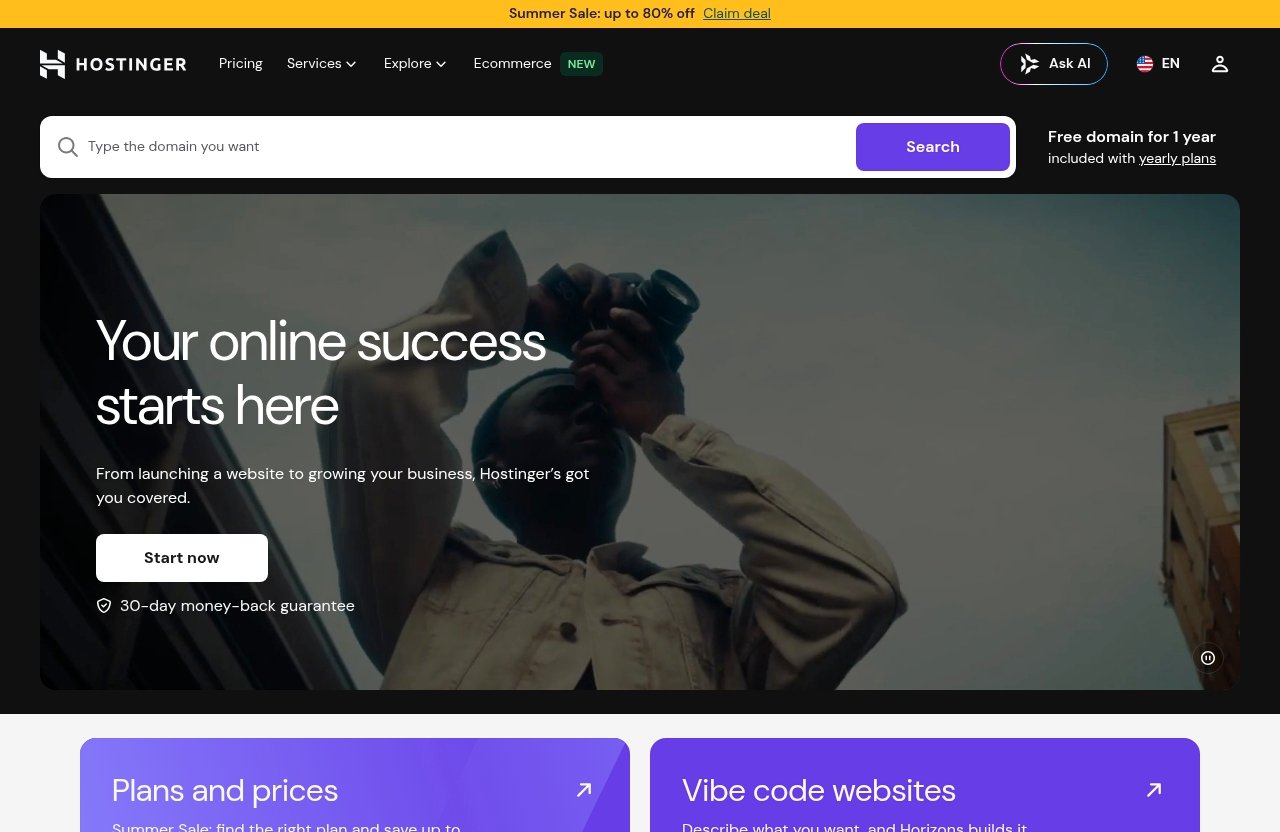
Hostinger is not just a traditional web host. Its official homepage presents it as a platform for website building, domains, cloud hosting, email, WordPress, and Hostinger Horizons.
That broad product mix is a major reason Hostinger appears in best-value searches. Beginners often want fewer moving parts, and Hostinger packages many common website needs under one account.
Hostinger’s main products
Hostinger’s main products include web hosting, managed hosting for WordPress, the Hostinger Website Builder, domains, email, cloud hosting, and Hostinger Horizons. For non-technical users, the important point is that you can start with a basic website and expand into other tools later.
The official homepage says the Website Builder allows users to build a website in three simple steps with AI tools and go live in minutes. That is a meaningful beginner-focused claim, although the real result will still depend on your content, images, and how polished you want the site to be.
For WordPress users, Hostinger also includes managed hosting for WordPress in its plan benefits. That makes it relevant for people comparing hostinger wordpress hosting against builder-based platforms.
Why beginners consider it
Beginners usually compare hosts on three things: price, ease of use, and whether essential features are included. Hostinger checks many of those boxes on paper.
The official pricing page says every plan includes unlimited SSL security certificates, a free domain with annual plans, professionally designed templates, automatic backups and updates, email addresses, unlimited web traffic, a 99.9% uptime guarantee, global data centers, free automatic website migration, free email marketing, Hostinger Website Builder, managed WordPress hosting, security, service and support, and technical tools depending on plan.
That long list is why the hostinger value for money conversation is common. In this Hostinger review, the value looks real if you actually use the included domain, SSL, email, builder, backups, and migration features.
Where it sits in the hosting market
Hostinger sits in the beginner-to-growth part of the hosting market. It is more approachable than a do-it-yourself server setup, but more flexible than a locked-down website builder-only platform.
It also competes heavily on bundled value. Instead of making beginners buy separate SSL, email, migration, templates, and builder tools, Hostinger includes many of those items in its hosting plans according to its official pricing page.
This positioning explains why searches like “is Hostinger good,” “is Hostinger legit,” and “hostinger reviews 2026” are so common. People see the feature list and want to know whether the low-friction promise holds up.
Hostinger Review Pricing in 2026: Plans, Features, and Real Value
Hostinger pricing is one of the biggest reasons people consider the service, but this section needs an important caveat: I am not listing dollar prices because the provided official pricing excerpt does not include them.
Instead, this Hostinger review compares the verified plan features from Hostinger’s official pricing page. Always check the live pricing page before buying, especially for introductory rates, renewal terms, billing length, and promotions.
What’s included on every plan
According to Hostinger’s official pricing page excerpt, every plan includes:
| Included feature | Why it matters for beginners |
|---|---|
| Unlimited SSL security certificates | Helps secure site connections without buying SSL separately |
| Free domain with annual plans | Reduces first-year setup cost |
| Professionally designed templates | Makes it easier to start without design experience |
| Automatic backups and updates | Lowers maintenance burden |
| Email addresses | Useful for business credibility |
| Unlimited web traffic | Helpful if your site grows beyond early expectations |
| 99.9% uptime guarantee | Sets a baseline reliability expectation |
| Global data centers | Can help serve visitors from different regions |
| Free automatic website migration | Useful if moving from another host |
| Free email marketing | Adds basic marketing utility |
| Hostinger Website Builder | Gives beginners a no-code site creation option |
| Managed hosting for WordPress | Supports WordPress users without fully manual setup |
| Security, service, and support | Important for first-time site owners |
The official page also highlights free domain WHOIS privacy protection with a stated value of $9.99. That is useful because WHOIS privacy can help keep personal domain registration details less exposed.
Plan-by-plan comparison from the official pricing page
The official pricing page excerpt shows three tiers. Hostinger may label or price these differently over time, so treat this as a feature comparison rather than a permanent price chart.
| Feature | Plan 1 | Plan 2 | Plan 3 |
|---|---|---|---|
| Websites | 3 | 50 | 100 |
| Web apps | 2 | 5 | 10 |
| Mailboxes per website free for 1 year | 2 | 5 | 10 |
| Storage | 20 GB SSD | 50 GB NVMe | 100 GB NVMe |
| Files and directories / inodes | 400,000 | 600,000 | 2,000,000 |
| PHP workers | 40 | 60 | 100 |
| Databases | 10 | 150 | 300 |
| Database size | 3 GB | 3 GB | 6 GB |
| RAM | 2 GB | 3 GB | 4 GB |
| CPU cores | 1 | 2 | 4 |
The biggest jump from Plan 1 to Plan 2 is not just the number of websites. You also move from 20 GB SSD storage to 50 GB NVMe storage, from 10 databases to 150 databases, and from 1 CPU core to 2 CPU cores.
Plan 3 is the more serious growth tier in this excerpt. It increases websites to 100, storage to 100 GB NVMe, inodes to 2,000,000, PHP workers to 100, databases to 300, RAM to 4 GB, and CPU cores to 4.
Which plan is the best value for beginners in this Hostinger review
For a first website, Plan 1 may be the best value if you need one small site, a simple blog, a portfolio, or a basic business website. Even though the plan allows 3 websites, beginners should focus less on the maximum number and more on storage, email, and future growth.
Plan 2 may be better if you expect to build multiple sites, want more storage, or prefer extra resource headroom. In my interpretation, this is where many growing beginners should look because the official specs show a meaningful increase without jumping straight to the largest tier.
Plan 3 makes sense for users who already know they need many websites, larger databases, or stronger resource allocations. For a true beginner, it may be more than necessary unless you are building several projects from the start.
Free vs paid features to watch
Hostinger includes a free domain for 1 year with yearly plans, according to the official homepage and pricing page. That is helpful, but it also means you should check what happens after the first year.
The same applies to mailboxes per website free for 1 year. The official excerpt lists 2, 5, or 10 mailboxes per website free for the first year depending on plan, so confirm renewal costs before relying on email long term.
This Hostinger review considers the included features strong, but beginners should still read the checkout page carefully. Hosting value is not only about the first invoice; it is also about renewals, add-ons, and whether the plan fits your actual site.
Ease of Use: Can a Beginner Actually Launch a Site Fast?
Ease of use is where Hostinger makes one of its strongest beginner-first arguments. The official homepage says the simple dashboard is designed to be easy to use for beginners and professionals alike.
That matters because many new website owners are not trying to become hosting experts. They want to publish a site, connect a domain, secure it with SSL, and get help when something breaks.
Dashboard and onboarding
Hostinger’s dashboard is designed to simplify common hosting tasks. Based on the official positioning, the goal is to give beginners a cleaner experience than traditional server management.
In practical terms, this matters for setting up a domain, installing WordPress, managing email, checking site settings, and using the website builder. A beginner-friendly interface can save hours of confusion, especially if this is your first hosting account.
This Hostinger review treats ease of use as one of Hostinger’s main competitive advantages. However, any hosting dashboard still has a learning curve if you have never worked with domains, DNS, SSL, or backups.
Website Builder vs WordPress
The Hostinger Website Builder is best for beginners who want the fastest no-code path. The official homepage says users can build a website in three simple steps using AI tools and go live in minutes.
WordPress is better if you want access to the WordPress ecosystem, including themes, plugins, blogging flexibility, and a larger long-term customization path. Hostinger includes managed hosting for WordPress, which makes it a practical option for users who want WordPress without a fully manual setup.
The decision is simple: choose the Hostinger Website Builder if speed and simplicity matter most. Choose hostinger wordpress hosting if you want more control and are willing to learn a bit more.
AI tools and template workflow
Hostinger’s official homepage highlights AI tools and professionally designed templates. For beginners, that can reduce the blank-page problem.
Templates are useful because they give you a structure for pages like Home, About, Services, Contact, and Blog. AI tools can help speed up early drafts, layouts, or site creation, although you should still edit everything to match your brand and facts.
Hostinger Horizons is also listed on the official homepage as part of the Hostinger product ecosystem. Since the provided facts do not define all of its capabilities, the safest way to view it here is as another Hostinger product to explore if you are interested in newer creation workflows beyond standard hosting.
Official website · Latest pricing & offers
Performance and Reliability: What the Review Should Look At
Performance is one of the hardest parts of any hosting review because results vary by website size, theme, plugins, images, visitor location, and caching setup. For that reason, this Hostinger review does not invent speed tests or claim private benchmark numbers.
Instead, the reliable approach is to separate official claims from third-party review context. Officially, Hostinger lists a 99.9% uptime guarantee, global data centers, and unlimited web traffic across plans in the provided pricing excerpt.
Uptime expectations
Hostinger uptime should be judged by two things: the official guarantee and real-world consistency over time. The official pricing page states a 99.9% uptime guarantee, which is a common baseline for beginner hosting.
For a beginner, uptime simply means your website should be available when visitors try to load it. If you run a personal blog, occasional minor interruptions may not be catastrophic; if you run a business site, reliability becomes more important.
External review coverage from sources such as CNET, Cybernews, and Crazy Egg often discusses Hostinger as a competitive budget hosting provider. I would use those hostinger reviews 2026-style comparisons as context, not as a replacement for checking your own site after launch.
Speed and server response time
Hostinger performance is generally discussed positively across major review sites, but speed is not guaranteed for every site. A lightweight website with optimized images will usually perform better than a bloated WordPress site with heavy plugins.
Cybernews and CNET have published performance-oriented hosting coverage, and those types of reviews can be helpful if you want benchmark context. However, unless a number comes from an official Hostinger claim or a cited test, it should be treated as review data, not a universal promise.
For beginners, the most useful speed advice is practical: pick the right plan, use a lightweight theme or template, compress images, avoid unnecessary plugins, and choose a data center region close to your audience when available.
Data centers and migration
The official pricing page lists global data centers and free automatic website migration. Both are important for beginners.
Global data centers can help reduce distance between your site and your visitors. Migration support matters if you already have a website elsewhere and do not want to move files and databases manually.
This is one area where Hostinger can reduce friction. If you are moving from another host, free automatic website migration may save you from a stressful technical process.
Support, Security, and Beginner Confidence
Beginner hosting is not just about specs. It is also about whether you feel safe enough to publish, troubleshoot, and maintain your site.
In this Hostinger review, support and security are major reasons Hostinger looks beginner-friendly. The official pages list 24/7 customer support, typical response in under 2 minutes, support in 8+ languages, unlimited SSL, backups, updates, and security-related benefits.
24/7 support and response time
Hostinger’s official homepage states that customer support is available 24/7, with a typical response in under 2 minutes and support in 8+ languages. That is a helpful promise for new users who may need help outside normal business hours.
For beginners, support speed matters because small technical issues can feel urgent. A domain connection problem, SSL issue, or WordPress error can stop a launch entirely.
As with any support claim, your experience may vary by issue complexity and queue volume. Still, the official under-2-minute typical response claim is a strong beginner-confidence signal.
Security features included
The official pricing page says every plan includes unlimited SSL security certificates, automatic backups and updates, and security. It also mentions free domain WHOIS privacy protection with a $9.99 value.
SSL is especially important because it helps secure the connection between your website and visitors. Backups and updates matter because beginners often forget maintenance until something breaks.
When people ask “is Hostinger safe,” the fair answer is that Hostinger includes several core security features beginners should look for. That does not remove your responsibility to use strong passwords, update applications, and avoid risky plugins.
How support affects first-time site owners
Good support can be the difference between launching and giving up. A first-time site owner may not know whether a problem is caused by hosting, a domain setting, WordPress, email, or a browser cache.
Hostinger support can help reduce that uncertainty. The beginner value is not only technical; it is emotional confidence.
This Hostinger review gives Hostinger credit for making support a clear part of the offer. Still, users with complex custom development needs may eventually require more specialized technical help.
Hostinger Pros and Cons for Beginners
No hosting provider is perfect, and a balanced Hostinger review should make the trade-offs clear. Hostinger’s strengths are obvious for beginners, but the limitations are also worth understanding before you buy.
Pros: value, simplicity, bundles
Hostinger’s biggest pro is bundled value. The official pricing page includes SSL, domain with annual plans, templates, backups, updates, email, unlimited web traffic, migration, website builder, WordPress hosting, and support.
Another major pro is ease of use. The dashboard is positioned as beginner-friendly, and the Website Builder offers a faster no-code route than learning WordPress from scratch.
Hostinger also gives beginners room to choose. You can start with the builder, use WordPress, register a domain, manage email, or migrate an existing site.
Cons: trade-offs, limitations, and fine print
The first con is that beginners must check renewal terms, first-year inclusions, and checkout details. A free domain for 1 year and email mailboxes free for 1 year are valuable, but they are not the same as “free forever.”
The second con is that the entry plan may not be enough for everyone. Plan 1 includes 20 GB SSD storage, 10 databases, 2 GB RAM, and 1 CPU core, which may be fine for simple sites but not ideal for larger or resource-heavy projects.
The third con is that some users may outgrow shared-style beginner hosting. If your site becomes highly complex, heavily trafficked, or application-heavy, you may eventually need a more specialized setup.
Best use cases by website type
| Website type | Hostinger fit | Suggested direction |
|---|---|---|
| Personal blog | Strong | Plan 1 or WordPress |
| Portfolio | Strong | Website Builder or Plan 1 |
| Small business site | Strong | Website Builder or WordPress |
| Multiple small sites | Good | Compare Plan 2 or Plan 3 |
| Online publication | Depends | Consider resources and WordPress needs |
| Heavy custom app | Limited | Review advanced infrastructure needs |
| Agency starter account | Good if simple | Plan 2 or Plan 3 may fit better |
For most beginners, Hostinger is strongest when the project is simple to moderate in complexity. That is where the combination of price positioning, support, and included tools feels most practical.
Hostinger vs Other Beginner Hosting Options
Comparing Hostinger with other beginner hosts can get messy because providers package features differently. Since this Hostinger review is limited to verified Hostinger facts, I will not invent competitor specs or pricing.
Instead, use this section as a buying framework. The right host is the one that matches your skill level, site type, support needs, and growth expectations.
How to compare without hype
Start by comparing included essentials: SSL, domain, email, backups, migration, templates, support, and website builder access. Hostinger includes these items according to the official pricing excerpt, which is why its value case is strong.
Next, compare resource limits. Look at storage, databases, CPU cores, RAM, PHP workers, and inodes. These specs matter more than marketing phrases once your site grows.
Finally, check renewals and contract terms. A low introductory cost can still be a good deal, but only if you understand what you are paying later.
When Hostinger is the better buy
Hostinger is likely the better buy when you want one platform for hosting, domain setup, email, website building, WordPress, migration, and support. That all-in-one convenience is especially valuable for beginners.
It also makes sense when you want to launch quickly. The Hostinger Website Builder, AI tools, templates, and beginner-oriented dashboard reduce the number of decisions you need to make.
If your question is “is Hostinger good for a first site,” my answer is yes for many common beginner projects. Just match the plan to your expected storage, number of websites, and growth needs.
When another host may be better
Another host may be better if you need a different technical stack, more specialized infrastructure, or a hosting environment built for advanced developers. Some users also prefer hosts with particular control panels or developer workflows.
You may also consider alternatives if your project has strict enterprise compliance, advanced staging workflows, or unusual server requirements. Hostinger is beginner-friendly, but not every beginner-friendly platform is ideal for every advanced use case.
Reddit discussions can be useful here, but read them carefully. A hostinger review reddit thread may include real user experiences, yet it can also reflect isolated issues, outdated pricing, or users with very different expectations.
Official website · Latest pricing & offers
FAQ
Is Hostinger good for beginners?
Yes, Hostinger is good for beginners who want a simple setup, a beginner-friendly dashboard, the Hostinger Website Builder, managed WordPress hosting, and 24/7 support.
The main thing is to choose the right plan. A small first website may fit the lowest tier, while users planning multiple sites or more growth should compare the higher storage and resource allocations in the middle or top tier.
Is Hostinger legit and safe?
Yes, Hostinger appears to be a legitimate hosting provider with a broad product ecosystem and coverage from major review sites such as CNET, Cybernews, Crazy Egg, Trustpilot, and Reddit discussions.
On safety, Hostinger includes unlimited SSL security certificates, automatic backups and updates, security features, WHOIS privacy value, and a 99.9% uptime guarantee according to the official pricing information. You should still follow basic security practices like strong passwords and careful plugin use.
Does Hostinger include a free domain?
Yes. Hostinger’s official homepage and pricing page say a free domain for 1 year is included with yearly plans.
Beginners should note the “for 1 year” wording. Check the renewal cost before committing, especially if you are building a long-term business website.
Which Hostinger plan is best value for a first website?
For one small first website, the lowest tier is usually the best value because it includes 3 websites, 20 GB SSD storage, 10 databases, 2 GB RAM, and 1 CPU core.
The middle tier may be better if you want more room to grow. It includes 50 websites, 50 GB NVMe storage, 150 databases, 3 GB RAM, and 2 CPU cores based on the official pricing page excerpt.
Is Hostinger better for WordPress or the website builder?
Hostinger is suitable for both, but the better choice depends on your goal. The Hostinger Website Builder is better if you want the fastest no-code launch with templates and AI tools.
Hostinger WordPress hosting is better if you want the WordPress ecosystem, including themes, plugins, blogging flexibility, and more long-term customization.
How fast is Hostinger support?
Hostinger’s official homepage says support is available 24/7, typically responds in under 2 minutes, and is offered in 8+ languages.
That is a strong support claim for beginners, especially if you need help during setup. As always, actual resolution time can depend on how complex the issue is.
Final Recommendation: Is Hostinger the Best Value for Beginners in 2026?
Hostinger is one of the strongest value-focused hosting options for beginners in 2026, but the honest verdict is conditional. It is best when you want simple setup, bundled essentials, flexible site-building options, and support without managing many separate services.
This Hostinger review finds the value case especially convincing for first websites, small business sites, portfolios, blogs, and beginner WordPress projects. It is less ideal if you already know you need specialized infrastructure or advanced development workflows.
My recommendation by use case
Choose Hostinger if you want a straightforward way to launch and manage a site. The combination of website builder, WordPress hosting, email, SSL, backups, migration, global data centers, and support gives beginners a practical foundation.
Choose the Hostinger Website Builder if your priority is speed and simplicity. Choose WordPress hosting if you want flexibility, plugins, and more control over your site’s long-term direction.
Consider another provider only if you have specific technical needs Hostinger does not clearly address. For the average beginner, Hostinger’s all-in-one convenience is the main reason it remains so competitive.
Best plan recommendation
For a first simple site, I would start by comparing the lowest tier because it already includes 3 websites, 20 GB SSD storage, email mailboxes free for 1 year, SSL, backups, updates, and the core beginner tools.
For users expecting growth, the middle tier looks like the better long-term value based on the official plan comparison. It increases websites, storage, databases, RAM, CPU cores, mailboxes, and other resources without requiring you to start at the largest tier.
The top tier is best for users who know they need many websites or more resource capacity from the beginning. Most first-time site owners probably do not need to start there.
Affiliate disclosure and next step for this Hostinger review
This article includes affiliate links, meaning toptrustreview.com may earn a commission if you purchase through our Hostinger link. That commission does not change the recommendation: check the live Hostinger pricing page, confirm renewal terms, and choose the plan that matches your site.
Final verdict: Hostinger is not perfect for every project, but for beginners who want strong value, easy setup, included security, 24/7 support, and the choice between WordPress and a no-code builder, it is a very sensible hosting option to shortlist in 2026.
Related Reading
- Cloudways alternatives for managed hosting
- Cloudways vs Bluehost: which is better for growing websites?
- Cloudways coupon code for new customers
References
- Trustpilot: Read Customer Service Reviews of hostinger.com
- Crazy Egg: Hostinger Review – The Good and Bad (Updated for 2026)
- CNET: Hostinger Review – Website Creation Made Easy
- Cybernews: Hostinger Review 2026: Hands-On Testing & Results