Best Audio Stem Splitter Software in 2026: Paid and Free Tools Compared
If you want the best audio stem splitter in 2026, the short answer is: choose based on workflow, not just marketing claims. AI stem separation has improved quickly, but no tool perfectly reconstructs the original multitrack session from a finished mix.
For most users, LALAL.AI is a strong paid pick because it keeps the process simple, supports many stem types, and works across desktop, mobile, VST, and API workflows. For free experimentation, Ultimate Vocal Remover and MVSEP are the most practical starting points. For DAW-native work, Logic Pro and Ableton Live 12 are convenient if you already produce inside those environments.
Official website · Latest pricing & offers
Best Audio Stem Splitter Software in 2026: Quick Verdict
The best audio stem splitter depends on what you need: clean vocals for remixes, drum extraction for practice, instrumental backing tracks, or fast stem separation inside a DAW. Results vary by song because dense mixes, heavy reverb, distortion, and layered vocals are harder to separate cleanly.
Here is the practical buyer’s summary:
| Category | Best Pick | Why It Fits |
|---|---|---|
| Best overall for most users | LALAL.AI | Simple workflow, broad stem support, desktop/mobile/VST/API availability |
| Best free option | Ultimate Vocal Remover | Flexible free stem separation software for users willing to configure tools |
| Best browser-based free option | MVSEP | Useful for testing different separation approaches without installing much |
| Best DAW-native option | Logic Pro / Ableton Live 12 | Convenient if you want stem splitting inside your production workflow |
| Best for advanced spectral editing | SpectraLayers Pro | Strong for detailed repair and manual audio source separation workflows |
| Best for casual creators | Moises | Friendly workflow for practice, remix prep, and creator use cases |
Who this guide is for
This guide is for producers, DJs, remixers, video editors, podcasters, content creators, and musicians comparing audio stem splitter software before buying or downloading. If you need a vocal remover and instrumental isolator, a drum extractor, or a stem splitter for music production, the tools below cover the main options worth considering.
The goal is not to crown one impossible “perfect” product. Instead, this guide helps you choose the best audio stem splitter for your platform, budget, sound quality expectations, and daily workflow.
How to choose between free and paid stem splitters
Free tools are excellent if you like testing models, comparing outputs, and spending time to improve difficult separations. They are especially attractive for hobbyists, students, and technically confident producers.
Paid tools make more sense when speed, ease of use, consistent workflow, and cross-platform access matter. If you regularly prepare stems for client work, DJ edits, remix sketches, or content production, paying for a smoother process can save time.
Our shortlist of the best tools
The shortlist for the best audio stem splitter in 2026 includes LALAL.AI, Moises, Ultimate Vocal Remover, SpectraLayers Pro, Ableton Live 12, Logic Pro, and MVSEP. Each tool approaches audio source separation differently.
LALAL.AI is the most broadly accessible paid recommendation for users who want a clean, guided workflow. Ultimate Vocal Remover and MVSEP are better if you want the best stem splitter free experience and do not mind a more experimental process.
What Is an Audio Stem Splitter and How It Works
An audio stem splitter is software that takes a finished stereo mix and separates it into parts, such as vocals, drums, bass, guitar, or instrumental backing. The best audio stem splitter tools use AI-based audio source separation to estimate what each sound source might have been before everything was mixed together.
This is different from having access to the original studio stems. AI stem separation is a reconstruction, not a true recovery of the original multitrack files.
Stem splitting vs vocal removal vs source separation
A vocal remover usually focuses on separating vocals from the instrumental. That is useful for karaoke tracks, acapellas, remixes, and background music extraction.
Stem splitting is broader. A stem separation software tool may separate vocals, drums, bass, guitar, piano, synths, or other musical elements, depending on the product. Audio source separation is the technical category behind both vocal removal and full stem splitting.
Common stem types: vocals, drums, bass, guitar, instrumental
The most common outputs are vocals and instrumental because those are useful for remixes, covers, karaoke, and content editing. Producers often also want drums, bass, and guitar to create mashups, sample ideas, or practice parts.
A more advanced best audio stem splitter candidate may support additional instruments such as synths, strings, or wind instruments. More stem options are helpful, but they also increase the chance of leakage between tracks when the original mix is dense.
Why artifacts happen
Artifacts happen because AI is estimating what belongs in each stem. Cymbals can leak into vocals, backing vocals can blur into guitars, bass harmonics can appear in the instrumental, and reverb tails may smear across multiple stems.
The cleaner the original audio, the better your odds. Lossless or high-quality files, balanced mixes, and clear arrangements usually produce better results than compressed uploads, live recordings, or heavily distorted tracks.
How We Evaluated the Best Stem Splitter Software
To evaluate the best audio stem splitter options, I look at practical output quality rather than only feature lists. In real-world editing, the question is simple: would I use this stem in a remix, DJ edit, video mix, podcast cleanup, or production session without spending too much time repairing it?
Because tracks vary so much, a fair comparison should use the same source files, similar quality settings where available, and careful listening on headphones and monitors.
Test criteria: separation quality, artifacts, tone preservation
The first criterion is separation quality. Does the vocal sound isolated, or does it still carry drums and instruments? Does the instrumental feel usable, or does it have obvious vocal ghosts?
The second criterion is artifact control. The best audio stem splitter is not always the one that removes the most sound; it is often the one that leaves the fewest watery, phasey, metallic, or warbling artifacts.
Tone preservation is equally important. A vocal that sounds thin, brittle, or robotic may be less useful than a slightly leakier stem that still sounds natural in a mix.
Workflow, speed, and export options
Workflow matters more than people think. A great separation engine is less useful if setup is confusing, export is awkward, or the process breaks your creative flow.
For producers, DJs, and editors, the best AI stem splitter should let you move quickly from source file to usable stems. DAW stem splitter options are especially convenient when you want to stay inside your session.
Price/value and platform support
Value is not just the lowest price. It includes time saved, supported devices, available stem types, and whether the tool fits your day-to-day work.
For LALAL.AI specifically, verified official information confirms desktop apps for Windows, macOS, and Linux; iOS for iPhone and iPad; Android for phones and tablets; a VST Plugin that runs locally inside the DAW; and an API for developers. For current plan details, readers should check the official pricing page rather than relying on outdated third-party summaries.
Best Audio Stem Splitter Software Compared
This is the core comparison of the leading tools people usually consider when searching for the best audio stem splitter. The right choice depends on whether you value simplicity, free access, DAW integration, manual editing depth, or platform flexibility.
LALAL.AI
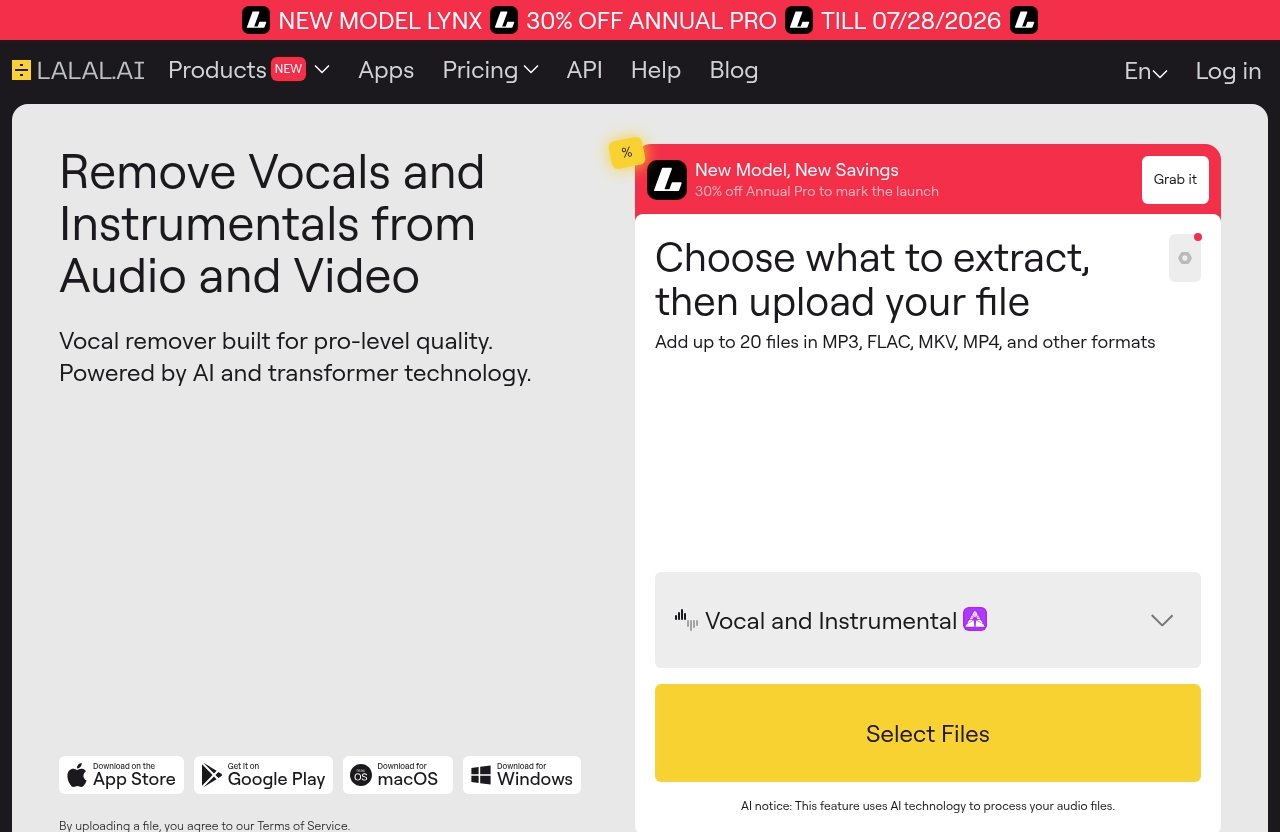
LALAL.AI is a strong paid option for users who want a guided stem splitting workflow without spending time configuring models. Its Stem Splitter can extract vocals, instrumental, drums, bass, guitar, synth, string, and wind instruments, which makes it useful for music production, remixing, DJ prep, and content editing.
The LALAL.AI ecosystem also includes Vocal Remover, Voice Cleaner, Voice Changer, Voice Cloner, Echo & Reverb Remover, and Lead/Back Splitter. For users comparing audio stem splitter software, that broader product family may be useful if your work includes both music and spoken-word audio.
Platform support is one of its biggest practical advantages. Officially listed options include desktop for Windows, macOS, and Linux; iOS; Android; a VST Plugin that runs locally inside the DAW; and an API for developers.
If you want to test it as your best audio stem splitter candidate, you can start from the official offer through LALAL.AI via TopTrustReview. As with any stem separation software, test it on your own tracks before committing to a workflow.
Best for: producers, DJs, creators, and editors who want a simple, multi-platform stem splitter with broad instrument support.
Watch out for: pricing and plan details should be checked on the official pricing page, because verified numeric pricing was not available in the supplied product facts.
Moises
Moises is popular with musicians, singers, and creators because it focuses on an approachable workflow. It is commonly used for practice tracks, remix preparation, and quick separation tasks.
As a commercial tool, its appeal is convenience. Users who do not want to install technical software may prefer a more guided experience over deeper customization.
Moises can be a good choice if you want an easy vocal remover and instrumental isolator for everyday music tasks. However, as with every best audio stem splitter contender, output quality depends heavily on the track.
Best for: musicians, practice workflows, casual remixing, and creators who prioritize ease of use.
Watch out for: if you need deep control over models or manual repair, a more technical tool may suit you better.
Ultimate Vocal Remover (UVR)
Ultimate Vocal Remover, often called UVR, is one of the most frequently recommended free options among power users. It is not just a basic vocal remover; it is a flexible environment for running stem separation workflows.
The main advantage is control. Users who are willing to experiment can compare different approaches and settings, which is why UVR often appears in discussions about the best stem splitter free options.
The tradeoff is setup and learning curve. Ultimate Vocal Remover can be extremely useful, but it is less polished for beginners than a paid web or app-based product.
Best for: technically confident users, remixers on a budget, and producers who want to experiment.
Watch out for: setup, model selection, and configuration can take time.
SpectraLayers Pro
SpectraLayers Pro is different from many one-click tools because it is built around spectral editing and advanced audio repair workflows. It is especially useful when you want to inspect, edit, and refine sound visually.
For serious audio editors, post-production users, and restoration specialists, this kind of control can be valuable. It may not be the fastest route for a casual creator who simply wants vocals and instrumental in a few minutes.
As a best audio stem splitter candidate, SpectraLayers Pro makes the most sense when separation is part of a broader editing or repair process. It is less about quick consumer-style extraction and more about detailed audio manipulation.
Best for: advanced editors, restoration work, post-production, and users who want manual spectral control.
Watch out for: it may be more complex than necessary for simple DJ edits or casual vocal extraction.
Ableton Live 12 / Logic Pro / DAW-native tools
DAW-native stem splitting is appealing because it keeps everything inside your production environment. If you already work in Ableton Live 12 or Logic Pro, integrated stem separation can speed up sampling, remixing, and arrangement work.
Logic Pro is often praised for convenience among existing Mac-based Logic users. Ableton Live is frequently discussed by producers who want tight integration with performance, warping, sampling, and arrangement tools.
The biggest advantage of a DAW stem splitter is workflow. The biggest limitation is that you may not get the same flexibility as dedicated stem separation software or free tools with multiple model options.
Best for: producers who already work inside a supported DAW and want fast creative integration.
Watch out for: the best result still depends on the track, and dedicated tools may be worth comparing for difficult material.
MVSEP and other free alternatives
MVSEP is a useful free or low-cost starting point for people who want to compare separation approaches online. It is often mentioned alongside Ultimate Vocal Remover by users who enjoy testing different outputs.
The appeal is experimentation. If one separation result sounds too artifact-heavy, you can try another approach and compare.
The downside is that free alternatives may involve more waiting, more manual comparison, or less streamlined workflow. Still, MVSEP is a strong candidate when someone asks for the best stem splitter free option and is comfortable evaluating results by ear.
Best for: testing, occasional use, and comparing separation outputs before paying for a tool.
Watch out for: workflow polish and consistency may not match paid commercial tools.
Official website · Latest pricing & offers
LALAL.AI Review: Is It Worth Paying For Stem Splitting?
LALAL.AI is worth considering if you want a commercial tool that focuses on practical stem extraction without making the process feel technical. For many buyers, the best audio stem splitter is the one they will actually use regularly, not the one with the longest setup process.
The verified LALAL.AI Stem Splitter supports extraction of vocals, instrumental, drums, bass, guitar, synth, string, and wind instruments. That range covers the most common needs for music producers, DJs, remixers, and content creators.
What LALAL.AI does well
LALAL.AI does well on workflow breadth. Official platform support includes desktop apps for Windows, macOS, and Linux; iOS for iPhone and iPad; Android for phones and tablets; a VST Plugin that runs locally inside the DAW; and an API for developers.
That matters because stem separation is not always a one-device task. A DJ may prep ideas on a laptop, a creator may work from a tablet, and a developer may need API access for an app or internal tool.
The LALAL.AI stem splitter also covers more than just vocals and instrumental. Having drums, bass, guitar, synth, string, and wind instrument extraction gives users more creative options.
Best use cases for LALAL.AI
LALAL.AI is best for users who want a practical balance of clean extraction, simple operation, and platform flexibility. It fits remix sketching, backing track creation, DJ edits, music practice, content cleanup, and production prep.
It is also a good option if you want both music and voice-related tools in one ecosystem. In addition to Stem Splitter, the official product lines include Vocal Remover, Voice Cleaner, Voice Changer, Voice Cloner, Echo & Reverb Remover, and Lead/Back Splitter.
If you are comparing the best audio stem splitter for paid use, LALAL.AI deserves a place near the top of your test list. You can review the current official offer through LALAL.AI on TopTrustReview.
Limitations to know before buying
No AI stem splitter can guarantee perfect results. Dense masters, layered harmonies, live recordings, distorted guitars, cymbal-heavy drums, and heavy reverb can all create artifacts or leakage.
You should also verify the latest pricing and plan details on the official LALAL.AI pricing page. The provided verified product facts do not include specific numeric prices, credit amounts, subscription costs, or plan names, so this guide does not invent them.
Best Free Audio Stem Splitter Options
Free tools can be excellent if you have patience and know how to judge results. The best audio stem splitter for a hobbyist may be free, especially if the goal is experimentation rather than daily client work.
The two most important free options to consider are Ultimate Vocal Remover and MVSEP.
Ultimate Vocal Remover (UVR)
Ultimate Vocal Remover is the strongest free recommendation for users who like control. It is often used by people who want to compare separation settings and push for better results on difficult tracks.
The learning curve is the tradeoff. If you want one-click convenience, UVR may feel less approachable than commercial audio stem splitter software.
Use UVR if you are comfortable testing, listening critically, and learning a more technical workflow.
MVSEP
MVSEP is useful when you want to experiment with stem separation through an online-style workflow. It can be a practical way to compare outputs before deciding whether to buy a paid tool.
MVSEP is often mentioned in the same conversations as Ultimate Vocal Remover because both appeal to users who want strong free or low-cost audio source separation options.
Use MVSEP if you want to test free separation without committing to a full paid platform immediately.
DAW-native free or bundled options
Some users already have access to stem separation through software they own. If your DAW includes a stem splitter or related separation feature, it may be the best budget choice because there is no extra purchase.
This is especially useful for producers who want to drag separated stems directly into an arrangement. A bundled DAW stem splitter is not always the absolute best on every track, but it can be the fastest option.
When free tools are enough
Free tools are enough when you are learning, experimenting, making personal edits, or testing whether stem separation fits your workflow. They are also ideal when you do not need a polished interface or mobile access.
Paid tools become more attractive when you repeat the task often. If you need predictable workflow, broad platform support, and less setup time, the best audio stem splitter for your situation may be a commercial product.
Paid vs Free: Which Stem Splitter Should You Choose?
The paid vs free decision comes down to time, control, and consistency. Free tools can sound very good on some tracks, but paid tools often provide a smoother end-to-end experience.
If you only separate stems a few times per month, start free. If stem extraction is part of your production, DJ, editing, or creator workflow, a paid option may quickly justify itself.
Choose free if you need experimentation or occasional use
Choose free if you enjoy testing different outputs and do not mind a less polished workflow. Ultimate Vocal Remover and MVSEP are especially useful for learning what AI stem separation can and cannot do.
Free tools also make sense if you are not yet sure what stems you need. You may discover that instrumental and vocal extraction is enough, or that you need deeper separation into drums, bass, and instruments.
Choose paid if you need speed, simplicity, and consistency
Choose paid if you need faster results and a simpler workflow. This is where tools like LALAL.AI and Moises become attractive, especially for creators who value time.
A paid best audio stem splitter should reduce friction. You should spend less time configuring software and more time editing, remixing, practicing, or producing.
Best picks by user type
| User Type | Recommended Direction | Why |
|---|---|---|
| Music producer | LALAL.AI, DAW-native tools, UVR | Balance speed, creative workflow, and experimentation |
| DJ/remixer | LALAL.AI or DAW-native tools | Fast vocal, instrumental, drum, and bass extraction matters |
| Content creator | LALAL.AI or Moises | Simpler workflow is usually more valuable than technical control |
| Audio editor | SpectraLayers Pro or LALAL.AI | Choose based on whether you need manual editing depth |
| Budget hobbyist | Ultimate Vocal Remover or MVSEP | Strong free starting points |
| Developer | LALAL.AI API | Useful when stem splitting needs to be built into a product workflow |
For most non-technical users, the best audio stem splitter is the one that gives usable stems quickly and works on the devices they actually use.
Tips for Getting Cleaner Stem Extractions
Even the best AI stem splitter needs good source material. Small choices before and after separation can make the difference between a usable stem and an artifact-heavy file.
The practical goal is not perfection. It is getting stems clean enough for your remix, edit, practice session, or content project.
Start with high-quality source audio
Use the highest-quality source file you legally have. Avoid low-bitrate files, clipped masters, noisy rips, or heavily compressed uploads when possible.
A clean WAV or high-quality audio file gives the stem separation software more information to work with. If the source is already damaged, the output will usually carry those problems forward.
Choose the right stem target
Do not separate more stems than you need. If your goal is karaoke, vocals and instrumental may be enough. If your goal is remix production, drums, bass, and vocals may matter more.
Choosing the right target can reduce unnecessary artifacts. A best audio stem splitter workflow is not always about maximum separation; it is about separating the parts that serve the project.
Try multiple tools for difficult tracks
Difficult songs may need more than one tool. A vocal may sound cleaner in one product, while drums or bass work better in another.
Listen for leakage, pumping, metallic texture, missing transients, and unnatural reverb tails. Before publishing or using stems commercially, make sure you understand the rights and licensing implications of the source material.
Official website · Latest pricing & offers
FAQ
What is the best audio splitter program?
For general audio splitting, some search results mention tools like VEED, but this guide focuses on stem separation rather than simple file cutting. For stem extraction, the best audio stem splitter depends on whether you want a simple paid workflow, DAW-native integration, or advanced free experimentation.
LALAL.AI is a strong paid choice for most users, Ultimate Vocal Remover is a strong free option, and Logic Pro or Ableton Live 12 may suit producers who want integrated DAW workflow.
Is Logic Stem Splitter the best?
Logic Stem Splitter can be a strong option if you already work in Logic Pro and want a convenient DAW-native experience. It is especially appealing because it keeps stem extraction inside the music production workflow.
That said, it is not automatically the best for every track. The best choice depends on the source audio, the target stem, and whether you prioritize convenience, separation quality, or cross-platform access.
Which DAW has the best stem separator?
There is no universal answer. Ableton Live is often praised by producers for creative integration and sound-focused workflow, while Logic Pro is valued for ease of use among Logic users.
The fairest approach is to test the same track in each DAW stem splitter and compare artifacts, vocal leakage, drum clarity, and tone preservation. The best audio stem splitter for a DAW user is usually the one that fits the session workflow without forcing extra export steps.
What is the best stem splitter on Reddit?
Reddit discussions often recommend free tools like Ultimate Vocal Remover and MVSEP, especially among technical users who like experimenting. Those communities tend to value control, model choice, and the ability to compare results.
Paid tools are still commonly chosen by users who want speed and ease of use. Reddit sentiment is useful, but you should test your own material because audio source separation results vary widely by track.
Final Verdict: The Best Stem Splitter for Most Users
The best audio stem splitter for most users in 2026 is the one that delivers usable stems with the least friction. Separation quality matters, but workflow, platform support, export convenience, and realistic expectations matter just as much.
No tool perfectly recreates the original studio stems. The smartest approach is to test two or three options on your own tracks and choose the one that gives the cleanest result for your actual use case.
Best overall
LALAL.AI is the best overall recommendation for most buyers because it combines a straightforward stem splitting workflow with verified support for vocals, instrumental, drums, bass, guitar, synth, string, and wind instruments. Its desktop, mobile, VST, and API availability also makes it practical for different types of users.
If you want a commercially friendly starting point, try LALAL.AI and compare the results against your most common source material.
Best free
Ultimate Vocal Remover is the best free pick for users who want flexibility and do not mind setup. MVSEP is also worth testing if you want an accessible free alternative for comparing separation outputs.
These free tools are especially good for experimentation, occasional use, and users who prefer control over convenience.
Best for DAW users
Logic Pro and Ableton Live 12 are the best DAW-native choices to consider if you already work inside those environments. They are convenient for producers who want to move quickly from separation to arrangement, sampling, or remixing.
Final recommendation: if you want the best audio stem splitter balance of usability, stem coverage, and platform flexibility, start with LALAL.AI, then keep UVR or MVSEP available for comparison on difficult tracks.
Related Reading
- Lalal.AI Review: Stem Separation Software Review for Vocals, Drums, Bass, and Instruments
- Best Social Media Automation Tools Like Repurpose.io in 2026
- PodSqueeze for YouTube Review 2026
References
- I tested 9 of the best stem separation tools. Here's how they compare
- Best AI Stem Splitters: 12 Tools Tested & Ranked
- What's the best stem splitter?