Foreplay Features 2026: Complete Breakdown
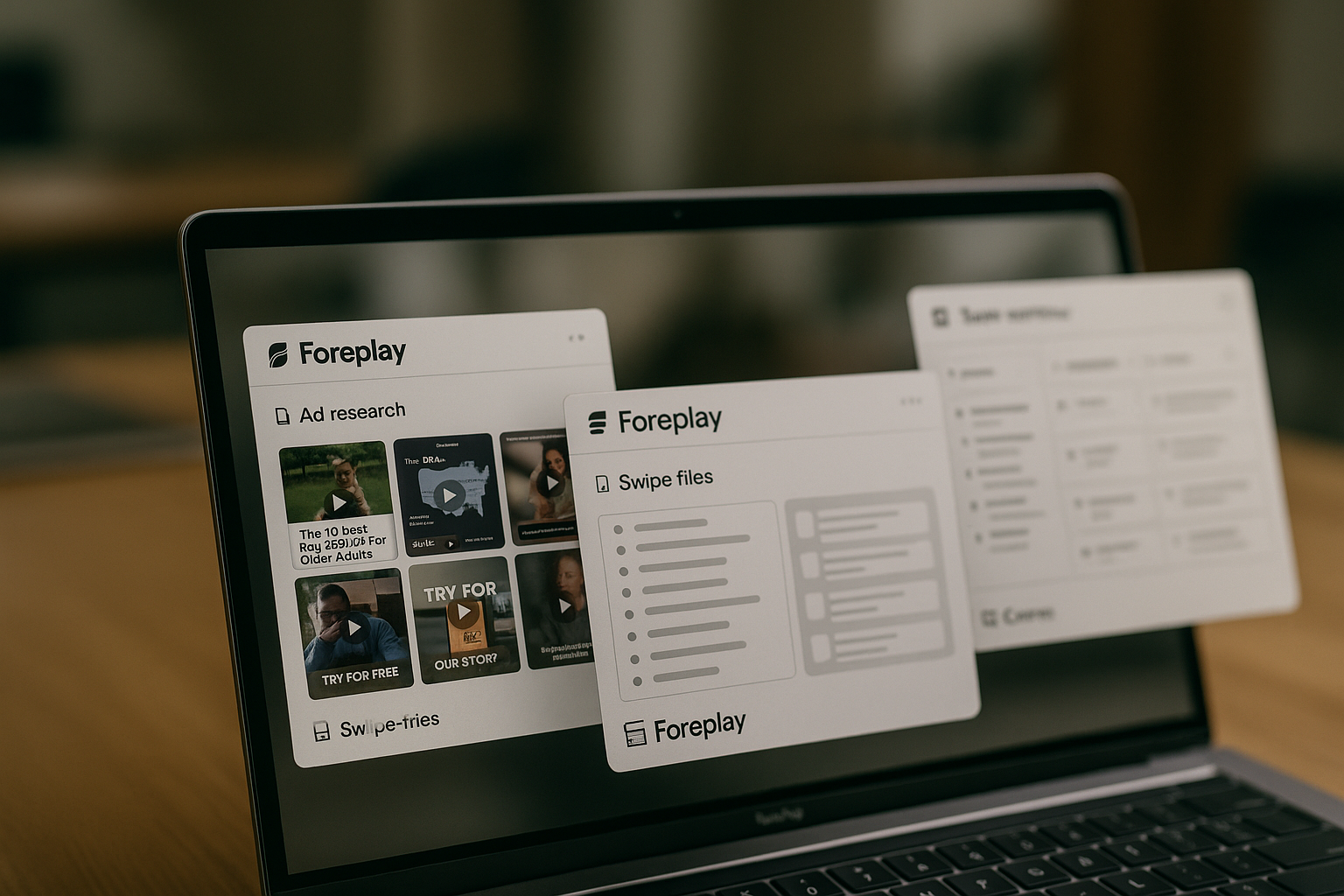
If you are comparing Foreplay features in 2026, the key question is not just “Can it save ads?” It is whether Foreplay can support your full creative workflow: finding ads, saving inspiration, tracking competitors, building briefs, sharing ideas, and connecting creative work back to performance conversations.
This guide is based on information from the official Foreplay homepage and pricing page. It is written for buyers evaluating Foreplay pricing, plans, and feature fit before committing. If Foreplay matches your workflow, you can try it through our affiliate link here: Foreplay via toptrustreview.com. We may earn a commission, at no extra cost to you.
Official website · Latest pricing & offers
What Foreplay Is in 2026
Short definition of the platform
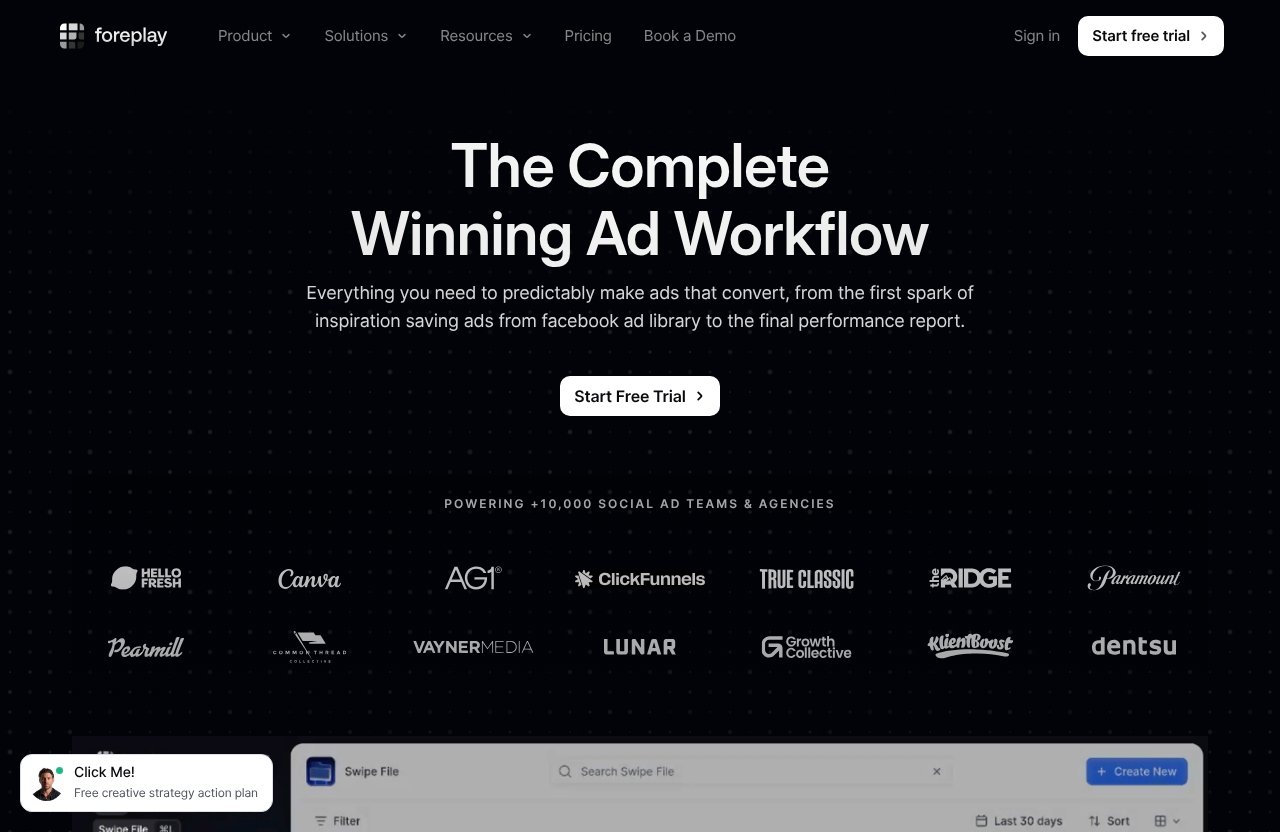
Foreplay is an ad research and creative workflow platform for social ad teams. The official homepage describes it as “The Complete Winning Ad Workflow,” helping teams move from saving ads in the Facebook ad library through to the final performance report.
In practical terms, Foreplay features are built around the full creative process. You can collect ad inspiration, search a large ad database, monitor competitors, create briefs, collaborate with teammates, and support reporting conversations from one connected workspace.
This matters because creative teams rarely struggle with ideas alone. They struggle with scattered links, unclear feedback, missing context, and poor handoff between media buyers, strategists, designers, copywriters, and clients.
Who Foreplay is built for
Foreplay is not positioned for just one type of advertiser. The official pricing page lists solutions for E-Commerce & Retail, Agencies, Mobile Apps & Gaming, B2B & SaaS, Info, Education & Community, and Freelancers & Creators.
That makes the Foreplay features list relevant for several buyer types:
| Buyer type | Why Foreplay may fit |
|---|---|
| E-commerce brands | Collect ad inspiration, track competitors, and brief new creatives |
| Agencies | Organize client research, collaborate internally, and present ideas |
| SaaS and B2B teams | Study messaging patterns and build better creative references |
| Mobile app and gaming teams | Monitor creative angles and competitor campaigns |
| Freelancers and creators | Replace messy folders, screenshots, and scattered links |
The official homepage also says Foreplay powers 10,000+ social ad teams and agencies. That is useful context, but buyers should still evaluate the plan, workflow, and team fit carefully.
Why it’s more than an ad swipe file
A basic ad library save tool helps you store inspiration. Foreplay goes further by connecting research, organization, tracking, analytics, and production.
The difference is workflow depth. Instead of saving an ad and hoping someone remembers why it mattered, Foreplay helps turn inspiration into a brief, share it with a team, and connect it to broader creative analysis.
That is why many buyers evaluate Foreplay as a creative workflow platform, not only as a swipe file. The value comes from how the tools connect.
Foreplay Features Overview
Core research features: Foreplay features at a glance
The core Foreplay features for research are Swipe File, Discovery, and Spyder. Together, they help teams save inspiration, search ads, and monitor competitor activity.
Here is the simple breakdown:
| Feature | Practical purpose |
|---|---|
| Swipe File | Save and share creative inspiration |
| Discovery | Search ads using Foreplay’s ad search engine with over 100M ads |
| Spyder | Track and analyze competitor advertising 24/7 |
This structure is helpful because most creative research starts in one of three ways. You either find an ad worth saving, search for new examples, or monitor specific competitors over time.
Analytics and production features: Foreplay features for execution
Foreplay also includes Lens and Briefs, which move the platform beyond inspiration management. Lens is described on the official pricing page as advertising analytics for creative teams, while Briefs helps turn inspiration into actionable briefs.
These Foreplay features are important for teams that need to move from “this ad looks interesting” to “let’s produce a testable creative concept.” For agencies and performance teams, that handoff is often where delays happen.
A good brief gives creative teams context. It can reduce vague feedback, repeated explanations, and disconnected conversations between strategy and production.
Extensions and connected tools
Foreplay’s official pricing page also lists the Chrome Extension, MCP, Mobile App, and API as product areas. These connected tools make Foreplay more flexible for teams that work across different devices, browser-based research flows, and internal systems.
The Chrome Extension is especially relevant to the research workflow because many teams discover inspiration while browsing ad libraries or social platforms. The Mobile App can support reviewing and saving ideas away from a desktop workflow.
API access and MCP are more technical or systems-oriented parts of the Foreplay features list. Buyers with automation or internal workflow needs should confirm exactly how they plan to use those tools before choosing a plan.
Research Features: Save, Search, and Track Ads
Swipe File for saving and organizing inspiration
Swipe File is the foundation of Foreplay’s research workflow. The official pricing page describes it as a way to save and share creative inspiration.
In real team workflows, this solves a common problem: ad examples are often scattered across screenshots, Slack threads, browser bookmarks, spreadsheets, Notion pages, and client docs. That makes it hard to find the right reference when it is time to brief a designer or review creative direction.
With Swipe File, Foreplay features help centralize inspiration in a more usable format. A strategist can save ad references, a media buyer can share winning angles, and a designer can review examples without digging through expired links or old messages.
This is especially useful for teams running regular creative testing. When inspiration is organized, it becomes easier to compare hooks, formats, offers, messaging styles, and visual patterns across campaigns.
Swipe File is also useful for agencies managing multiple brands. Instead of mixing unrelated inspiration, teams can keep research more structured and easier to present.
Discovery as an ad search engine with 100M+ ads
Discovery is Foreplay’s ad search engine. The official pricing page states that it includes over 100M ads.
For buyers evaluating Foreplay features, Discovery is one of the most commercially important tools. It helps teams move from passive inspiration to active research.
Instead of waiting to stumble across relevant examples, teams can search for ads related to a niche, angle, brand category, or creative idea. This can support campaign planning, competitor research, and creative brainstorming.
A practical workflow might look like this:
- A media buyer identifies a new offer or audience segment.
- A strategist searches Discovery for relevant ad examples.
- The team saves useful references into Swipe File.
- The creative lead turns selected examples into a brief.
- Designers and copywriters use the references to create new concepts.
Discovery can be particularly useful for teams that need a repeatable research process. If every creative sprint starts with random browsing, the quality of inputs can vary. A searchable ad research tool makes the process more structured.
That said, buyers should treat Discovery as a research aid, not a shortcut to strategy. The best results still come from combining ad examples with customer insight, offer understanding, creative judgment, and performance data.
Spyder for competitor tracking and analysis
Spyder is Foreplay’s competitor tracking and analysis product area. The official pricing page describes it as a way to track and analyze competitor advertising 24/7.
This is one of the Foreplay features that matters most for teams in competitive markets. Instead of checking competitor ad activity manually, Spyder is designed to support ongoing monitoring.
For agencies, competitor ad tracking can support client strategy calls, creative reviews, and market awareness. For in-house brands, it can help teams notice when competitors are changing hooks, offers, formats, or campaign emphasis.
The official monthly Workflow plan specifically lists Spyder 15 Brands. The Basic plan includes Spyder, but the provided verified pricing details do not list the same brand-specific line for Basic. Buyers should confirm competitor tracking needs before selecting a plan.
Spyder is not just about copying competitors. A more useful way to think about it is pattern recognition. If several competitors start testing similar angles, formats, or offers, your team may want to investigate why.
Used well, Spyder can help answer questions like:
- Which competitors are actively advertising?
- What types of creatives are they using?
- Are they testing new offers or messages?
- Which references are worth saving for discussion?
- What should our team brief next?
The value of these Foreplay features depends on how consistently your team reviews and acts on the research. Tracking is useful, but only if it feeds creative planning.
Analytics and Production Features
Lens for creative analytics
Lens is listed on the official pricing page as advertising analytics for creative teams. In the context of Foreplay features, Lens appears designed to help creative and performance teams discuss advertising results with better structure.
Creative analytics matters because ad teams often speak different languages. Media buyers may focus on performance signals, while creatives focus on concept, execution, angle, and messaging. Lens can help create a more shared workspace for those discussions.
The verified pricing information says the Workflow plan includes Lens 1 Brand with Unlimited Ad Spend. The Basic plan also lists Lens, but no additional verified limit is provided in the prompt beyond that inclusion.
For buyers, the main question is whether your team needs creative analytics inside the same platform where it manages research and briefs. If yes, Lens may be a key reason to consider Foreplay beyond a simple swipe file.
Briefs for turning inspiration into actionable briefs
Briefs is one of the most practical Foreplay features because it connects research to production. The official pricing page describes Briefs as a way to turn inspiration into actionable briefs.
This is important because saved ads do not automatically lead to better creative. Someone still has to explain why an example matters, what should be borrowed conceptually, what should be avoided, and how the idea applies to your brand.
A useful brief might include:
- The creative angle or concept
- Saved ad references
- Notes for the designer or editor
- Copy direction
- Offer or hook context
- Intended test objective
- Stakeholder feedback
Foreplay’s Briefs feature helps formalize that process. For teams with multiple contributors, this can reduce back-and-forth and make creative requests clearer.
How research flows into production
The strongest argument for Foreplay is the connected workflow. The platform is not only about collecting inspiration; it is about moving from research to action.
A typical workflow could look like this:
| Workflow stage | Foreplay product area |
|---|---|
| Find inspiration | Discovery, Chrome Extension, Mobile App |
| Save and organize examples | Swipe File |
| Monitor competitors | Spyder |
| Analyze creative discussions | Lens |
| Turn ideas into work | Briefs |
| Connect with systems | API, MCP |
This is where Foreplay features can become more valuable than separate tools. When research, analysis, and production live closer together, teams have fewer handoff gaps.
For a creative team, that means less time asking, “Where is the reference?” For a media buyer, it means less time explaining the same performance context repeatedly.
Sharing, Collaboration, and Team Workflow
Collaboration for media buyers and creatives
Foreplay functions as a marketing collaboration tool because it gives performance and creative teams a shared place to manage ad inspiration and creative direction.
Media buyers can surface ads worth discussing. Creative strategists can organize examples into themes. Designers and editors can use those references when creating new assets.
This matters because many creative problems are communication problems. The idea may be good, but if the handoff is vague, the output can miss the point.
By connecting research, saved examples, and briefs, Foreplay features help teams align around specific references instead of abstract feedback.
Presenting wins and opportunities
Foreplay can also support internal reviews and client communication. Agencies often need to show why a creative direction is worth testing, not just describe it.
A structured swipe file and brief workflow can make presentations clearer. Instead of sending scattered links, teams can organize examples into moodboards, angles, or campaign themes.
If you use official customer quotes from Foreplay’s site during your own evaluation, treat them as context from the company’s customers, not independent proof of results. The better buying approach is to test whether the workflow fits your own team.
Why agencies use it daily
Agencies are a natural fit for Foreplay because they manage repeated creative cycles across different clients. The official homepage says Foreplay powers 10,000+ social ad teams and agencies, which reflects its positioning in this market.
Agency workflows often include competitor research, creative ideation, client approvals, ad production, and performance reviews. Those steps can become messy when handled across multiple disconnected tools.
For agencies, the main value of Foreplay features is repeatability. A structured process makes it easier to onboard team members, prepare creative briefs, and keep client research organized.
Foreplay may also be useful for freelancers and creators, but agencies and scaling teams are more likely to feel the collaboration benefits every day.
Official website · Latest pricing & offers
Foreplay Pricing and Plans
Basic plan: price, users, and included features
Foreplay pricing is listed on the official pricing page as flexible, risk-free, with no contracts and no surprises. The page also states unlimited usage and ad spend across all products so teams can scale and ship more winning ads.
The Foreplay Basic plan is priced at $59/month on monthly billing. It includes 1 user, with $20 per additional user.
Verified Basic plan inclusions are:
| Foreplay Basic plan | Verified details |
|---|---|
| Monthly price | $59/month |
| Users | 1 user |
| Additional users | $20 per additional user |
| Included products | Swipe File, Discovery, Briefs, Spyder, Lens, API Access with 10,000 Credits, MCP |
| Trial | 7-day free trial |
| Credit card required | No credit card required |
For solo users, small teams, or buyers starting with ad research, Basic gives access to the main Foreplay features without requiring a larger monthly commitment.
Workflow plan: price, users, and included features
The Foreplay Workflow plan is priced at $175/month on monthly billing. It includes up to 5 users, with $20 per additional user.
Verified Workflow plan details are:
| Foreplay Workflow plan | Verified details |
|---|---|
| Monthly price | $175/month |
| Users | Up to 5 users |
| Additional users | $20 per additional user |
| Included products | Swipe File, Discovery, Briefs, Spyder 15 Brands, Lens 1 Brand, API |
| Lens detail | 1 Brand, Unlimited Ad Spend |
| Trial | 7-day free trial |
| Credit card required | No credit card required |
The Workflow plan is likely the better fit for teams that need collaboration across several users and more defined competitor tracking. The verified pricing details specifically list Spyder 15 Brands and Lens 1 Brand with Unlimited Ad Spend for Workflow.
Monthly vs annually and the risk-free trial
The official pricing page states that both plans offer a 7-day free trial and no credit card is required. That makes Foreplay easier to evaluate before committing.
The annual tab says: “Save 15% + Unlimited Spyder.” Because the provided verified facts do not include exact annual dollar prices, this article does not estimate them.
For buyers comparing Foreplay pricing, the safest approach is simple:
- Use the free trial to test the workflow.
- Compare Basic vs Workflow based on users and tracking needs.
- Check the annual tab if you already know Foreplay fits your team.
- Confirm any feature-specific details directly during checkout.
Which Foreplay Plan Is Best for Your Team?
Best for solo users and small teams
The Basic plan is the most obvious starting point for solo users, freelancers, creators, and very small teams. At $59/month for 1 user, it gives access to the core Foreplay features without jumping to a team-oriented plan.
Basic makes sense if your main needs are:
- Saving and organizing ad inspiration
- Searching ads with Discovery
- Creating briefs from references
- Testing whether Foreplay fits your creative process
- Using one primary account with optional added users
For buyers reading this Foreplay review from a cost-control perspective, Basic is the lower-risk starting point. The free trial also makes it possible to test the workflow before paying.
Best for agencies and scaling teams
The Workflow plan is better aligned with agencies and growing teams because it includes up to 5 users. That matters when media buyers, strategists, designers, account managers, and creative leads all need access.
At $175/month, Workflow costs more than Basic, but the included user count can make it more practical for teams. Additional users are listed at $20 per user, the same additional-user price shown for Basic.
Workflow makes sense if your team needs:
- Multiple users working in the same creative workflow
- Structured collaboration around saved ads
- Competitor tracking across listed Spyder brands
- Lens for 1 brand with Unlimited Ad Spend
- A more team-ready setup from the start
For more software comparisons, you can also browse related reviews on toptrustreview.com when evaluating tools for marketing operations and creative workflows.
Best for teams that need competitor tracking
If competitor ad tracking is a major reason you are considering Foreplay, pay close attention to Spyder. The Workflow plan specifically lists Spyder 15 Brands, while the annual tab states “Save 15% + Unlimited Spyder.”
Those are verified details from the official pricing page. This article does not infer additional limits or inclusions beyond what is stated.
Teams that should prioritize Spyder include:
- Agencies handling multiple client competitors
- E-commerce brands in crowded categories
- SaaS teams monitoring direct competitors
- Mobile app and gaming teams watching creative trends
- Performance teams that review competitor activity regularly
If competitor tracking is occasional, Basic may be enough to start. If it is central to your weekly workflow, Workflow or the annual option may be more relevant.
Foreplay Pros and Potential Limitations
Strengths for ad creative research
The biggest strength of Foreplay is that it combines several stages of the creative process. Research, saving, tracking, analytics, briefs, and sharing all sit under one platform.
The most useful Foreplay features for buyers are:
- Swipe File for organizing inspiration
- Discovery for searching over 100M ads
- Spyder for competitor ad tracking
- Lens for creative analytics
- Briefs for production handoff
- Chrome Extension, Mobile App, API, and MCP for connected workflows
This gives Foreplay an advantage over a simple bookmark folder or screenshot library. It is built for teams that need repeatable creative operations, not just occasional inspiration.
Where the platform may be overkill
Foreplay may be more than you need if you rarely create ads, work alone with a very light workflow, or only save a few examples per month.
A spreadsheet, browser folder, or basic project management tool may be enough for casual inspiration tracking. The stronger case for Foreplay appears when research, collaboration, and production are recurring parts of your work.
It may also be overkill if your team does not have a clear process for acting on research. The platform can organize the workflow, but your team still needs strategic judgment and creative discipline.
What buyers should confirm before purchasing
Before buying, confirm how many users need access and how important competitor tracking is. Those two factors will likely determine whether Basic or Workflow is the better fit.
Buyers should also confirm:
- Which team members will use Swipe File and Briefs
- Whether Discovery will replace or supplement current research habits
- How often Spyder will be reviewed
- Whether Lens fits your reporting process
- Whether API or MCP access matters to your workflow
- Whether monthly or annual billing is the better option
The official pricing page says pricing is flexible, risk-free, with no contracts and no surprises. Still, the best buying decision comes from testing the actual workflow during the 7-day free trial.
How Foreplay Compares to the Old Way of Managing Ad Inspiration
From fragmented links to structured workflows
The old way of managing ad inspiration usually involves screenshots, saved links, Slack messages, spreadsheets, shared folders, and ad library tabs. It works for a while, but it becomes hard to scale.
Links expire, context disappears, and nobody remembers why a specific ad was saved. Creative teams waste time reconstructing the original idea.
Foreplay features are designed to replace that fragmented process with a more structured workflow. Instead of scattered references, teams can save, search, track, brief, and discuss ads in one connected environment.
Why creative teams save time
Creative teams save time when the reference, context, and request are packaged together. A designer does not need to ask for the example. A copywriter does not need to guess the angle. A strategist does not need to rewrite the same explanation repeatedly.
Briefs are especially useful here because they turn inspiration into direction. Saved ads become inputs for production, not just interesting examples.
This does not mean Foreplay automatically creates better ads. It means the workflow around creative research and execution can become clearer and easier to repeat.
Why performance teams care
Performance teams care about creative workflow because ad performance depends heavily on creative testing. If research is slow and production handoffs are unclear, testing velocity can suffer.
Foreplay helps performance teams by giving them a better way to communicate creative observations. Instead of saying, “Let’s test something like this,” they can save examples, organize them, and connect them to briefs.
That makes Foreplay useful as an ad research tool and as a bridge between media buying and creative production. The platform’s value is strongest when both sides of the team use it consistently.
Final Verdict: Is Foreplay Worth It in 2026?
Best-fit summary
Foreplay is worth considering in 2026 if your team regularly researches ads, saves creative inspiration, tracks competitors, creates briefs, and collaborates across performance and creative roles.
The strongest Foreplay features are not isolated tools; they are the way Swipe File, Discovery, Spyder, Lens, Briefs, and connected tools support one end-to-end workflow. That is what separates Foreplay from basic folders, spreadsheets, and screenshot libraries.
For buyers comparing Foreplay pricing, Basic is the lighter entry point, while Workflow is more suitable for teams that need more users and specified competitor tracking capacity.
Who should buy now
Foreplay is a strong fit for:
- Agencies managing recurring creative research
- E-commerce brands running frequent ad tests
- Performance teams that need better creative handoff
- Creative strategists building structured briefs
- Teams that want competitor ad tracking
- Small teams ready to replace scattered inspiration systems
If those needs match your workflow, you can start with the free trial through Foreplay via toptrustreview.com. The official pricing page says no credit card is required for the 7-day trial.
Who should skip
You may want to skip Foreplay if you only save a few ads occasionally, do not collaborate with others, or do not need competitor tracking, briefs, or creative analytics.
You should also wait if your team has not defined how research turns into production. Foreplay can organize and connect the process, but it cannot replace clear strategy.
Overall, the Foreplay features make the most sense for teams that treat creative research as an ongoing operating system, not a once-in-a-while task.
Official website · Latest pricing & offers
FAQ
What are the main Foreplay features in 2026?
The main Foreplay features in 2026 are Swipe File, Discovery, Spyder, Lens, Briefs, Chrome Extension, MCP, Mobile App, and API. Together, they support saving ad inspiration, searching over 100M ads, competitor tracking, creative analytics, brief creation, and connected workflows.
How much does Foreplay cost?
Foreplay pricing starts with Basic at $59/month for 1 user, with $20 per additional user. Workflow is $175/month for up to 5 users, with $20 per additional user. Both plans include a 7-day free trial with no credit card required, and the annual tab says “Save 15% + Unlimited Spyder.”
What is the difference between Foreplay Basic and Workflow?
The Foreplay Basic plan is $59/month for 1 user and includes Swipe File, Discovery, Briefs, Spyder, Lens, API Access with 10,000 Credits, and MCP. The Foreplay Workflow plan is $175/month for up to 5 users and includes Swipe File, Discovery, Briefs, Spyder 15 Brands, Lens 1 Brand with Unlimited Ad Spend, and API.
Is Foreplay only for agencies?
No. The official pricing page lists solutions for agencies, but also for E-Commerce & Retail, Mobile Apps & Gaming, B2B & SaaS, Info, Education & Community, and Freelancers & Creators. Agencies may benefit heavily from the collaboration workflow, but Foreplay is not positioned only for agencies.
Does Foreplay offer a free trial?
Yes. The official pricing page says both Foreplay plans include a 7-day free trial with no credit card required.
Related Reading
- Foreplay Ad Research Tool: What It Does in 2026
- Contentstudio Pros and Cons in 2026: A Buyer-Focused Decision Guide
- Gohighlevel for Small Business: Best Plan, Pricing, and Buyer’s Guide 2026
References
- Foreplay: What is it, Types, Tips For Better Intimacy
- Sex: Why Foreplay Matters (Especially for Women)
- 30 Ideas To Spice Up Sexual Foreplay, From Erotic To Romantic
- Foreplay Ideas & Tips to Expand Your Sexual Horizons