Top 7 Gohighlevel Integrations You Need for a Complete Marketing Stack
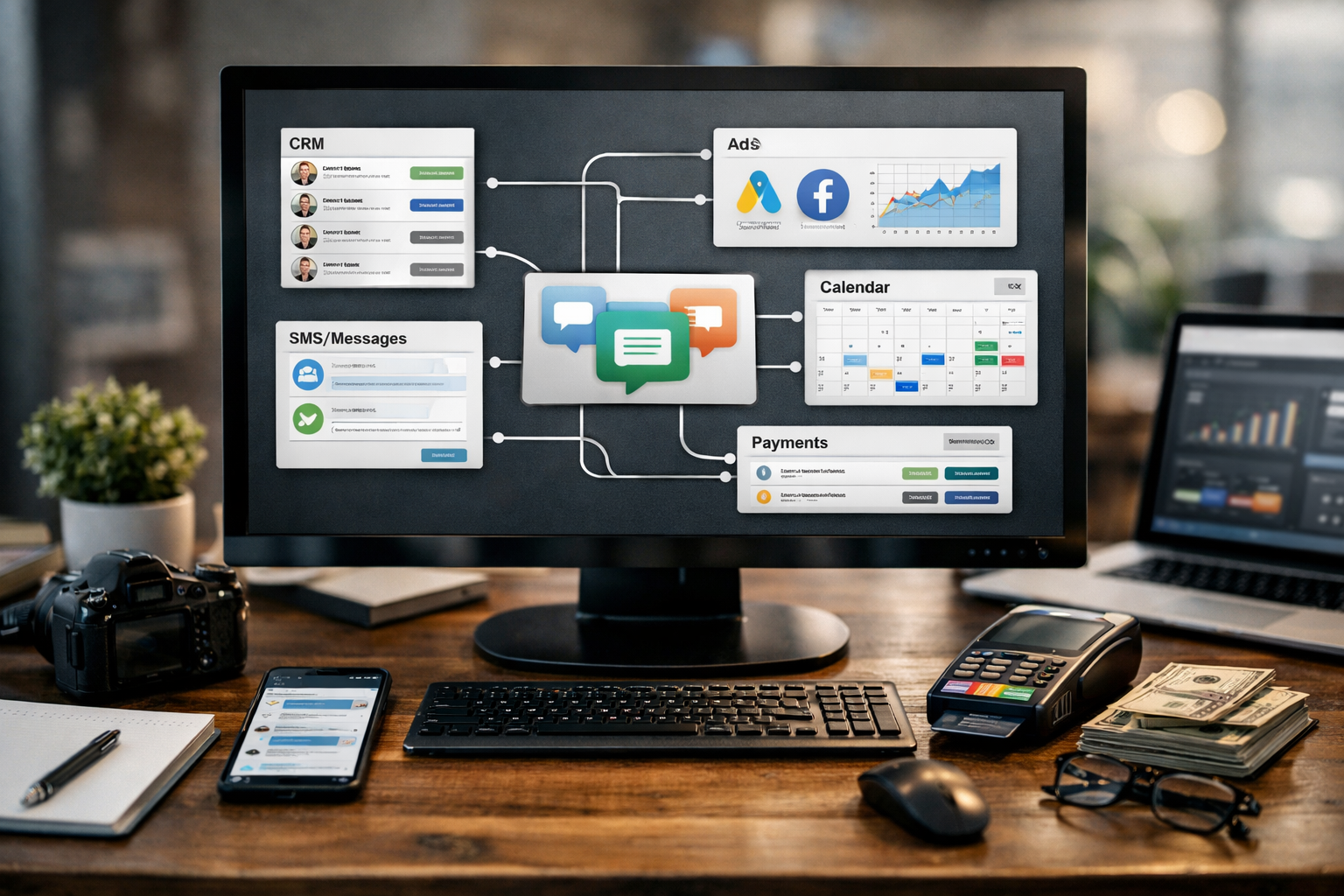
For agencies, local businesses, and solo operators, the right gohighlevel integrations turn a capable CRM into a connected revenue system. Instead of moving leads manually between ad platforms, calendars, inboxes, payment tools, and follow-up systems, you can build one workflow that carries a prospect from first inquiry to payment and retention.
GoHighLevel positions itself as an AI-powered business operating system built to capture, nurture, and close leads into bookings, sales, reviews, and repeat customers. Its native capabilities cover a lot, including CRM, forms, calendars, workflows, payments, conversations, and sales pipelines. The integrations you choose determine how well those capabilities fit the rest of your business.
This is not a random GoHighLevel integrations list. These are the connections that most directly support lead capture, appointment booking, customer communication, payment collection, and operational follow-up.
Official website · Latest pricing & offers
Why GoHighLevel integrations matter for a complete marketing stack
A complete marketing stack should help your team respond quickly, keep records accurate, and make every handoff visible. The best gohighlevel integrations reduce the gaps between the apps your business already relies on.
For example, a local contractor may need Facebook Lead Ads, SMS follow-up, calendar booking, and payment collection. An agency may need those same tools plus email syncing, client reporting workflows, and automation that connects to project management or accounting systems.
What integrations solve that the native platform may not
GoHighLevel includes core tools for lead management, communications, funnels, appointment scheduling, workflows, invoicing, and payment-related processes. However, many businesses still depend on external platforms for ad lead forms, work email, video meetings, accounting, ecommerce, or specialized internal processes.
Integrations bridge those systems. They allow the CRM to become the customer record of truth while external apps continue doing the job they do best.
The point is not to connect every available app. It is to remove the specific friction points that slow down lead response, booking, billing, fulfillment, or retention.
How integrations reduce manual work and improve data flow
Without connected workflows, staff members often copy contact details from lead forms into a CRM, send an email manually, update a calendar, and chase payment through another platform. That process creates delays and makes duplicate records more likely.
Well-planned gohighlevel integrations can move a new lead into a pipeline, apply the correct tag, notify the assigned person, send a follow-up message, and offer a booking link. The team still controls the conversation, but fewer steps depend on memory.
Who this guide is for: agencies, local businesses, and solo operators
Agencies can use integrations to standardize client onboarding and build repeatable campaign systems. Local businesses can reduce missed opportunities by connecting lead sources, phones, calendars, and payments. Solo operators can create a professional follow-up process without switching between several dashboards all day.
Before adding anything, map your customer journey from inquiry to completed service. That simple exercise makes it easier to identify which connection will create the biggest immediate improvement.
How we chose the top 7 GoHighLevel integrations
This list prioritizes tools that support practical outcomes, not novelty connections that look impressive but rarely affect revenue. The strongest gohighlevel integrations cover the essential stages of a modern customer journey: acquisition, conversion, delivery, and retention.
Selection criteria: demand, utility, and stack coverage
Each selection was evaluated based on three questions:
- Does it connect to a common business-critical workflow?
- Does it reduce a manual step or improve speed-to-lead?
- Does it support a clear stage in the sales or service process?
I also prioritized platforms referenced in GoHighLevel’s integration resources, support materials, or marketplace ecosystem where applicable. That matters because popular integrations tend to have more established setup paths and more familiar workflows for users.
Why we prioritized essential workflow tools over novelty apps
A useful integration should solve a recurring problem. Payment processing, calendars, lead ads, inbox syncing, phone communication, and automation tools are not glamorous, but they directly affect how quickly a prospect becomes a customer.
For example, an elaborate dashboard connection may be useful later. But if your business cannot immediately contact new leads or collect a deposit after an appointment, that dashboard is not the first priority.
How to think about integrations by funnel stage
Use this framework when evaluating your stack:
| Funnel Stage | Primary Need | Useful Integration Type |
|---|---|---|
| Acquisition | Capture inquiries quickly | Facebook Lead Ads, TikTok Lead Ads |
| Lead response | Start conversations fast | Phone, SMS, email tools |
| Conversion | Book and close prospects | Google Calendar, Zoom, Calendly |
| Revenue collection | Take deposits and payments | Stripe |
| Operations | Move data between systems | Zapier or Make |
| Retention | Continue communication | Email sync, SMS, workflow automation |
This approach helps you select gohighlevel integrations based on a business need rather than installing tools just because they are available.
1. Stripe for payments and checkout automation
For most service businesses, the GoHighLevel Stripe integration is one of the first connections worth considering. Payments are where marketing activity becomes measurable revenue, so reducing checkout friction is usually a high-value improvement.
Best for collecting payments, subscriptions, and invoices
Stripe is a practical fit for businesses that need to collect payments after an estimate, during checkout, or as part of an ongoing service arrangement. GoHighLevel supports payment integrations, invoicing, order forms, Text-2-Pay, Tap-2-Pay, paid calendars, and related transaction workflows.
A consultant, for instance, can send an invoice after a discovery call. A home service business can request a deposit after booking. An agency can use a payment process alongside proposals and onboarding communications.
How Stripe fits with GoHighLevel payment workflows
The GoHighLevel Stripe integration works best when it is connected to a clear pipeline step. A lead books an appointment, receives a confirmation, attends a consultation, then gets an invoice or payment request at the appropriate moment.
Avoid treating payment collection as an afterthought. Build your workflow so the team knows exactly when a payment link, invoice, or reminder should be sent and what happens after payment is received.
When Stripe is the first integration to install
Install Stripe first if you already have consistent lead flow but struggle with collecting deposits, invoices, or payments promptly. It is especially relevant for agencies, coaches, consultants, clinics, and service providers with appointment-based sales.
Before launch, test a complete payment journey using a non-customer test contact. Confirm the payment-related trigger, pipeline movement, internal notification, and customer receipt process all follow your intended logic.
2. Twilio for SMS, calling, and two-way communication
Fast communication still matters, particularly when a prospect has just submitted a form or called your business. GoHighLevel phone integrations can support a more organized approach to SMS, calling, and lead follow-up within the customer conversation flow.
Why phone communication still drives conversions
Not every lead wants to wait for an email response. For high-intent services such as home repair, legal consultations, beauty appointments, real estate inquiries, or marketing services, a quick text or returned call can be the difference between booking and losing the lead.
GoHighLevel includes capabilities such as inbound SMS, call tracking, missed-call text-back, appointment reminders, and consolidated conversations across channels. A GoHighLevel Twilio integration may be relevant when phone and text communication are central to your acquisition process.
Use cases: missed-call text back, SMS follow-up, call routing
A simple workflow could look like this:
- A prospect calls outside business hours.
- The system sends a polite missed-call text-back.
- The contact enters a “New Inquiry” pipeline stage.
- A team member receives an internal notification.
- The prospect receives a calendar link or follow-up message.
This is where gohighlevel integrations can support better response consistency. Rather than relying on someone to remember every missed call, your process can create a visible follow-up task.
Things to verify before launch
Phone and messaging workflows require careful setup. Verify the sending number, user access, message templates, opt-in practices, routing rules, and any applicable compliance requirements for your location and audience.
Also test what happens when a lead replies. The most common failure is not sending the first message; it is failing to notify the right person when a real conversation begins.
3. Mailgun or Gmail/Outlook for email delivery and inbox sync
Email is still a key channel for proposals, appointment confirmation, nurture sequences, onboarding, and customer service. The right email setup depends on whether you need sending infrastructure, two-way inbox access, or both.
Send transactional and nurture emails reliably
Transactional emails include messages such as booking confirmations, invoice reminders, service updates, and onboarding instructions. Nurture emails are designed to continue the conversation over time when a lead is not ready to buy immediately.
The most effective gohighlevel integrations keep these messages connected to the contact record. That gives your team context before they reply and helps prevent prospects from receiving irrelevant follow-ups after they have already booked or paid.
Two-way email sync vs. email sending infrastructure
Gmail and Outlook email sync are primarily about operational visibility. They can help a user see and manage email conversations in connection with CRM activity, which is useful when salespeople or account managers work from existing company inboxes.
Mail delivery infrastructure has a different purpose: it supports the sending side of your email process. If you are considering Mailgun or another delivery provider, verify current compatibility, configuration requirements, domain authentication steps, and support documentation before building critical workflows around it.
Choosing the right email integration for your workflow
Choose Gmail or Outlook syncing when your team’s daily sales activity happens in those inboxes and you want better CRM context. Choose a sending-focused setup when you need a dedicated process for automated notices and nurture campaigns.
In either case, protect deliverability by using a recognizable sender identity, keeping lists clean, and making sure your automations stop when a contact converts. A powerful email sequence becomes a liability if it continues after a customer has paid.
4. Google Calendar and Google Workspace for scheduling and team coordination
The GoHighLevel Google Calendar integration is essential for businesses that sell through appointments. A clean booking process reduces back-and-forth emails and gives prospects a clear next step after submitting a form or responding to an ad.
Calendar booking for appointments and consultations
GoHighLevel offers calendars, paid calendars, appointment reminders, and booking-focused workflows. Connecting your availability to Google Calendar helps prevent scheduling conflicts when your workday includes personal, team, or external appointments.
A typical flow is straightforward: a lead arrives from a form or ad, receives a booking link, selects an available time, and gets reminders before the meeting. After the meeting, the CRM can move the contact to the appropriate follow-up stage.
Keeping schedules aligned across the team
For multi-user teams, calendar alignment is not optional. Sales representatives, account managers, technicians, and business owners all need accurate availability if they are accepting appointments.
The best gohighlevel integrations do not replace clear scheduling rules. Define meeting durations, buffers, ownership, rescheduling procedures, and who receives notifications. Otherwise, a connected calendar can simply automate confusion faster.
Why calendar sync lowers no-shows and double-bookings
Calendar sync helps ensure that booking availability reflects reality. Appointment reminders add another layer of protection by keeping the event visible to the prospect and the team.
Test booking, cancellation, rescheduling, and reminder scenarios before promoting a calendar publicly. Confirm that both the CRM and the connected calendar show the same appointment status.
Official website · Latest pricing & offers
5. Facebook Lead Ads and TikTok Lead Ads for faster lead capture
Paid lead forms work best when they reach the follow-up system immediately. The GoHighLevel Facebook Lead Ads integration and TikTok Lead Ads connection are valuable because they can bring ad-generated inquiries into the CRM instead of leaving them waiting in an ad platform dashboard.
How lead ads connect paid traffic to the CRM
Lead ads are designed to reduce friction by allowing prospects to submit their details without navigating through a lengthy landing-page path. Once captured, the important next step is routing that lead into the correct pipeline, campaign, or assignment rule.
For a dental practice, a “New Patient Offer” lead can enter a dedicated workflow. For an agency, a prospect requesting an audit can receive a qualification message and booking link while the sales team receives an alert.
Why speed-to-lead matters for ad-driven businesses
A new paid lead is usually most engaged shortly after submitting the form. When the process is manual, response times can vary dramatically depending on staff availability and whether someone notices the notification.
Connected gohighlevel integrations make the handoff more predictable. They can trigger a confirmation, tag the source, assign ownership, and begin an appropriate follow-up sequence without waiting for manual data entry.
Best practices for routing leads into workflows
Use separate tags or custom fields for each campaign, offer, and location. This makes it easier to identify the source of leads and send messaging that matches the promise in the ad.
Keep the first follow-up simple. Confirm the inquiry, reference the offer, and give the person one clear next step: reply, book, call, or complete a short qualification form.
6. Zapier or Make for custom automation between apps
Native connections should be your first choice when they cover the required workflow. When they do not, automation platforms can provide a flexible bridge between GoHighLevel and the other software your business uses.
When native integrations are not enough
The GoHighLevel Zapier integration is useful when you need to move information between the CRM and apps that are not directly connected in your setup. Make can serve a similar role for businesses that need more customized automation scenarios.
Examples include sending new client details to an internal project tool, creating spreadsheet rows for operational tracking, or passing completed form data to a specialized system. The goal is not maximum automation; it is reliable automation where manual copying creates real delays.
Examples of cross-app workflows worth automating
Useful automation ideas include:
- Create a project onboarding task when a payment is received.
- Add a completed consultation to an internal reporting sheet.
- Send a qualified lead to a specialized fulfillment system.
- Notify a team channel when a high-value opportunity reaches a pipeline stage.
- Update a contact field when an external process is completed.
When working with the GoHighLevel API, use the available GoHighLevel API documentation and test each endpoint or workflow carefully. API-based connections can be powerful, but they require more technical ownership than a basic native integration.
How to avoid brittle automations
Do not build one huge automation that handles every exception. Break complex processes into smaller, documented steps with clear naming conventions and a defined owner.
Also avoid circular logic. For example, if one system updates a contact and that update triggers another system to send it back, you can create duplicate records or repeated actions. Every automation should have a clear start point and stop condition.
7. Zoom or Calendly for booked calls, webinars, and consults
Zoom is especially useful for businesses selling through virtual consultations, demonstrations, strategy sessions, or webinars. Calendly can also be a practical alternative when your team already relies on its scheduling experience.
Use cases for sales calls and client meetings
GoHighLevel support resources reference Zoom integration for calendar bookings. That is useful when a booked appointment needs to become a virtual meeting without requiring manual meeting-link creation.
A sales workflow might send a booking confirmation, provide the meeting details, issue a reminder, and create a follow-up task after the scheduled call. This keeps the meeting connected to the contact’s sales history.
Why scheduling tools still matter in a CRM-first workflow
A CRM tracks the relationship, but scheduling tools manage the practical commitment of time. The strongest gohighlevel integrations make the transition from “interested lead” to “scheduled conversation” feel simple for both the prospect and the team.
Choose Zoom if video meetings or webinar-style events are central to your process. Consider Calendly if it is already embedded in your operating workflow, but verify the current connection method and your desired data flow before rollout.
How to connect booked meetings to follow-up automations
Create separate paths for booked, rescheduled, cancelled, attended, and no-show appointments. Each status should lead to a different message and task.
For example, an attended consultation may trigger a proposal follow-up, while a no-show may receive a polite rescheduling message. Do not send the same sequence to both groups.
Best GoHighLevel integrations by business goal
The best choice depends on where your current funnel is leaking. Use this quick comparison to prioritize your next gohighlevel integrations decision.
Best for lead generation
| Goal | Best Starting Integration | Why It Matters |
|---|---|---|
| Capture paid social leads | Facebook Lead Ads or TikTok Lead Ads | Routes inquiries into CRM workflows quickly |
| Follow up with new inquiries | Twilio or phone/SMS setup | Supports faster conversation and appointment prompts |
| Connect unusual lead sources | Zapier or Make | Bridges external forms and business apps |
Best for closing sales
| Goal | Best Starting Integration | Why It Matters |
|---|---|---|
| Collect deposits or invoices | Stripe | Connects payment activity to your sales process |
| Book consultations | Google Calendar | Keeps availability and booking workflows organized |
| Run virtual calls | Zoom | Supports a smoother booking-to-meeting handoff |
Best for operations and retention
| Goal | Best Starting Integration | Why It Matters |
|---|---|---|
| Keep email conversations visible | Gmail or Outlook sync | Helps teams work with full customer context |
| Connect internal systems | Zapier, Make, or API workflows | Reduces repetitive data movement |
| Maintain post-sale contact | Email, SMS, and workflow tools | Supports reminders, updates, and review requests |
How to set up GoHighLevel integrations without breaking your workflows
The technical connection is only one part of implementation. A reliable setup needs clean fields, careful permissions, and testing that mirrors real customer behavior.
Start with one core integration at a time
Start with the integration closest to your immediate bottleneck. If leads are waiting too long, begin with lead ads or phone follow-up. If prospects are booking but not paying, begin with Stripe. If staff are double-booking, start with calendar sync.
Adding too many gohighlevel integrations at once makes troubleshooting harder. Give each connection time to prove that it works before expanding your stack.
Test triggers, tags, and field mapping
Use a test contact and run full scenarios from beginning to end. Submit a lead form, book an appointment, reschedule it, reply to a message, and complete a payment if applicable.
Verify app permissions, field mapping, and trigger logic before going live. This is the best way to avoid duplicate records, missing lead-source data, broken automations, or messages sent to the wrong contacts.
Common setup mistakes to avoid
Use this pre-launch checklist:
- Confirm the correct account and user permissions are connected.
- Map names, phone numbers, emails, and custom fields consistently.
- Use one clear naming convention for tags, workflows, and pipeline stages.
- Check that conversion events stop unnecessary nurture messages.
- Test failed payments, cancellations, no-shows, and duplicate submissions.
- Document who owns each integration and who can edit it.
A connection that works once is not necessarily ready for live traffic. Test edge cases before you rely on it for campaigns or customer communication.
Final recommendation: the smartest stack to start with
Start with the smallest connected stack that supports your actual sales process. The goal is not to install every option in the GoHighLevel marketplace; it is to create an experience where leads get a timely response, appointments are easy to book, payments are simple to collect, and your team can see what happens next.
Recommended starter stack for agencies
Most agencies should begin with Stripe, Google Calendar, Gmail or Outlook sync, and Zapier or Make. Add Facebook Lead Ads or TikTok Lead Ads when managing paid lead generation for clients, and use Zoom when discovery calls are central to the sales process.
This combination supports the full path from ad lead to booked strategy call, proposal, payment, onboarding, and ongoing communication.
Recommended starter stack for local businesses
Local businesses usually benefit most from phone and SMS workflows, Google Calendar, Stripe, and Facebook Lead Ads. These tools address the common operational issues of missed calls, slow follow-up, scheduling conflicts, and deposit collection.
Add email sync when the business handles higher-consideration services that require estimates, quotes, or longer customer conversations.
Recommended starter stack for solo operators
Solo operators should keep things lean: calendar sync, payment processing, one lead source, and a dependable follow-up channel. Start with the workflow you can actively manage, then add automation once the basic process is producing consistent results.
If you want to build a connected stack around CRM, workflows, conversations, calendars, and payment-related processes, you can start with GoHighLevel’s 14-day free trial. Choose your gohighlevel integrations based on the next operational problem you need to solve, test them carefully, and expand only when the workflow is stable.
Official website · Latest pricing & offers
FAQ
What are the most useful GoHighLevel integrations?
The most useful GoHighLevel integrations typically include Stripe for payments, Twilio for SMS and calling workflows, Gmail or Outlook for inbox syncing, Google Calendar for appointments, Facebook Lead Ads and TikTok Lead Ads for lead capture, Zapier or Make for automation, and Zoom or Calendly for meetings.
Your best starting point depends on whether your largest problem is lead response, booking, payment collection, or moving data between systems.
Does GoHighLevel integrate with Zapier?
Yes. The GoHighLevel Zapier integration is commonly used when native connections do not cover a required workflow. Typical examples include sending CRM data to spreadsheets, project tools, internal notifications, or specialized operational software.
Test each trigger and action carefully, especially when contacts can be created or updated in more than one system.
Which GoHighLevel integration should I install first?
Install the integration that removes the biggest revenue or response-time bottleneck. For many businesses, that is Stripe for payment collection, phone/SMS tools for immediate follow-up, or a lead-ad channel for faster CRM routing.
Avoid installing several new tools at once. A single reliable workflow is more valuable than an overly complex stack.
Can I connect Facebook Lead Ads to GoHighLevel?
Yes. The GoHighLevel Facebook Lead Ads integration can route new ad leads into the CRM so they can enter pipelines, receive follow-up, and be assigned to the appropriate team member.
Use campaign-specific tags and workflows so your messages match the ad offer that generated the inquiry.
Do I need every integration listed in GoHighLevel?
No. You only need the connections that support your acquisition, sales, fulfillment, and retention process. Adding unnecessary integrations increases complexity and creates more possible points of failure.
Start with the essential workflow tools, monitor results, and add new connections only when they solve a clear business problem.
Related Reading
- Best Gohighlevel Templates for 2026
- How to Sell a Course on Systeme.io in 2026
- Why Choose Webflow in 2026? Top 10 Buyer-Focused Reasons
References
- Integrate your apps with one powerful CRM platform – GoHighLevel
- Integrations – HighLevel Support Portal
- GoHighLevel Marketplace | Apps & Integrations